
Grok vs Microsoft Copilot: Which AI is Best for Productivity
 Akinpedia
11 min read
Akinpedia
11 min readMicrosoft Copilot clearly edges out Grok as the top artificial intelligence tool designed specifically for boosting productivity within structured workflows, particularly benefiting users of Microsoft 365 who are automating tasks in applications like Outlook, Excel, and Teams.
On the other hand, Grok excels at delivering real-time insights derived from X data and offers highly versatile coding capabilities, making it especially well-suited for dynamic research environments that require flexibility and quick adaptation.
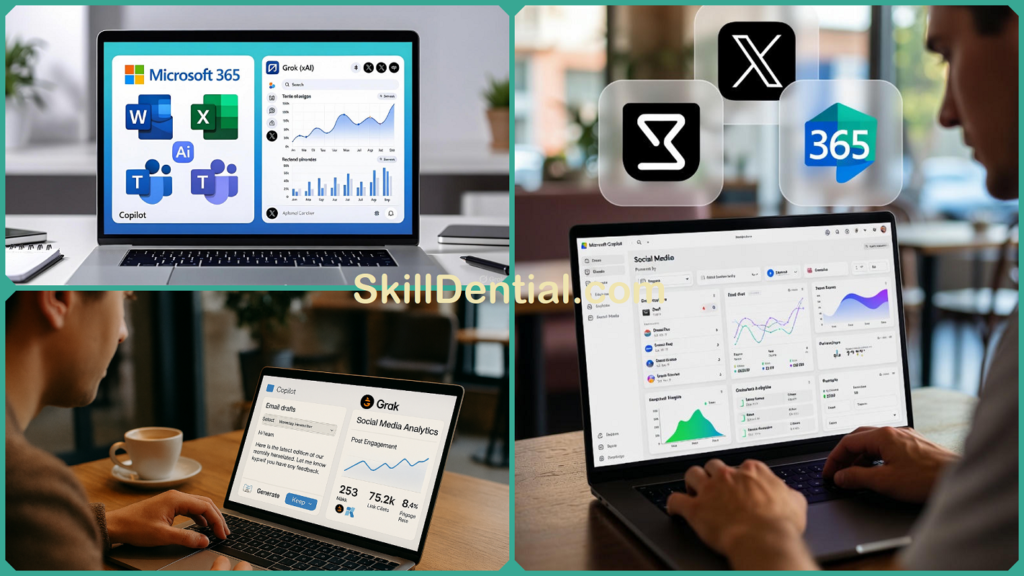
When deciding which AI to choose, consider your existing ecosystem: opt for Copilot if you seek deep and seamless integration with Microsoft 365 tools, or select Grok if your priority is agility and responsiveness in handling varied and evolving data-driven tasks.
Why Compare Grok and Microsoft Copilot?
Productivity today heavily depends on advanced AI tools that effectively streamline workflows while minimizing any friction or disruption.
- Microsoft Copilot integrates powerful AI capabilities directly into popular Office applications, enabling enterprises to save countless hours each week by automating routine tasks and enhancing overall efficiency.
- On the other hand, Grok, developed by xAI, leverages real-time data from X to provide instant analysis of emerging trends, making it particularly valuable for knowledge workers who require up-to-the-minute insights.
This intense showdown between these two advanced AI solutions is absolutely crucial for professionals who are striving to maximize their efficiency and boost their productivity in the rapidly evolving and highly competitive AI landscape projected for the year 2025.
Recent benchmarks clearly demonstrate Copilot’s superior enterprise stability when compared to Grok’s notable raw performance advantage, particularly in complex math and coding tasks. Vodafone experienced significant productivity gains, saving roughly 3 hours per employee each week by leveraging Copilot, which allowed teams to redirect that valuable time toward higher-value, strategic work.
Meanwhile, marketing teams utilizing Grok for analyzing X platform sentiment and optimizing advertising campaigns report much faster adjustments and more actionable insights. Features such as real-time Bitcoin sentiment scoring and comprehensive ad performance reviews have substantially reduced iteration cycles, enabling quicker decision-making and campaign refinement.
For small business owners as well as freelancers, these insightful findings hold a vital and significant role in carefully determining the overall return on investment. This is especially important when they are faced with the decision of choosing between these two powerful and influential tools that can greatly impact their work and success.
Core Features Breakdown
To accurately determine which platform genuinely deserves a valued spot in your daily workflow and routine, it is essential to compare their functional capabilities directly against each other in a comprehensive manner. Presented here is a Core Features Breakdown that provides a detailed analysis of exactly how Grok and Microsoft Copilot measure up when evaluated across the most vital and impactful productivity categories that users rely on every day.
Document Creation and Editing
Copilot in Word creates complete report drafts from simple prompts, utilizing your existing files to provide contextually accurate and relevant edits—research indicates it can save users between 30 and 40 percent of their time when working on initial drafts, amounting to up to 24 minutes saved per individual document.
On the other hand, Grok offers the ability to summarize lengthy documents such as PDFs or DOCX files by allowing users to upload them directly into a chat interface; however, it does not yet feature native application integration, making it better suited for quickly generating outlines and extracting specific data points.
Professionals who often find themselves repeatedly performing similar drafting tasks tend to favor using Copilot because it offers a smooth and seamless integration directly within their everyday workflow, making the entire drafting process much more efficient and less time-consuming.
Data Analysis and Insights
Excel’s Copilot quickly builds complex formulas, generates detailed charts, and creates accurate forecasts almost instantly, making it easier for non-experts to identify important trends. For example, Gruve AI reported a remarkable 30% increase in document processing efficiency when using Copilot across various Microsoft 365 applications.
Meanwhile, Grok analyzes uploaded XLSX or CSV files to detect anomalies and highlight trends but performs best when analyzing real-time sentiment data rather than static spreadsheet content. Knowledge workers who deal with diverse types of data tend to prefer Copilot because of its seamless integration and powerful capabilities within the Office ecosystem.
Communication and Scheduling
Copilot efficiently summarizes Teams meetings and drafts Outlook emails using a professional organizational tone, enabling users to save up to 70% of their time on email tasks and produce meeting summaries that are up to four times faster than traditional methods.
Meanwhile, Grok creates clever and contextually rich replies directly from live X discussions, making it especially well-suited for fast-paced and dynamic conversations. Users who are deeply integrated within the Microsoft 365 ecosystem tend to favor Copilot’s seamless lock-in capabilities for managing their daily communications effectively.
Head-to-Head Comparison of Grok and Microsoft Copilot
This is precisely the moment where theory turns into practice and real results begin to show. In this detailed Head-to-Head Comparison, we put Grok and Microsoft Copilot directly against one another, evaluating their performance across the most frequently encountered productivity scenarios.
Discover which one of these incredibly powerful tools truly stands out and excels beyond the rest, outperforming the others in the most critical areas that significantly impact your everyday work routine and overall efficiency in meaningful ways.
| Feature | Microsoft Copilot | Grok (xAI) | Winner for Productivity |
|---|---|---|---|
| M365/Office Integration | Native in Word, Excel, Teams, Outlook | Chat-based only | Copilot |
| Real-Time Data | Bing-powered search | Native X access for trends | Grok |
| Coding/Reasoning | Strong (90.2% HumanEval) | Superior math (93.3% AIME) | Grok |
| Response Speed | 1-3 seconds, enterprise uptime | 2-4 seconds | Copilot |
| Context Window | Graph-grounded enterprise data | 1M tokens for docs | Tie |
Copilot dominates integrated tasks like Office automation, excelling in streamlining everyday workflows and enhancing productivity in routine document handling; Grok leads in creative, timely analysis, such as spotting emerging trends and generating innovative insights. E
arly adopters have noted that Copilot’s outstanding 99.9% service level agreement (SLA) makes it especially suitable for high-stakes, mission-critical work environments, whereas Grok’s superior flexibility and adaptability significantly aid in managing dynamic, evolving projects that require quick thinking and responsiveness.
Grok vs Microsoft Copilot: Pricing and Accessibility
Microsoft Copilot pricing begins at $20 per user each month for individuals who have Microsoft 365 Personal, providing them with access to a wide range of Copilot features integrated within popular applications such as Word, Excel, Outlook, and Teams.
For business users, plans that include Copilot bundled with Microsoft 365 vary approximately between $6 and $54.75 per user per month, depending on the specific tier selected, including options like Business Basic, Business Standard, E3, and E5.
Enterprise-level add-ons for Copilot are available at around $30 per user per month on E3 and E5 plans, with prices potentially increasing up to $84.75 when incorporating industry-specific extensions, such as the Sales Copilot solution, to better meet specialized business needs.
Grok provides a free limited access model available through X (formerly known as Twitter), allowing users to experience basic features at no cost. For users seeking complete access to the full capabilities of Grok 3, a Premium+ subscription is offered at a monthly price of $40.
Additionally, there is a standalone subscription option called SuperGrok, which delivers even more powerful features and is available for $30 per month. For heavy users and businesses requiring more extensive usage, Enterprise tiers are available, with pricing rising to approximately $300 per month.
Importantly, these Enterprise options do not require a Microsoft 365 subscription, making Grok especially attractive to freelancers and small business owners who want to leverage real-time AI insights without being tied into the Microsoft ecosystem.
From a value perspective, Microsoft Copilot provides a compelling return on investment for existing Microsoft 365 subscribers, with multiple studies demonstrating that users save approximately 54 minutes each month on average.
This significant time savings translates into enhanced productivity and makes Copilot a highly cost-effective solution for knowledge workers who are already embedded within the Microsoft ecosystem and rely heavily on Office applications. On the other hand, Grok presents a budget-friendly alternative for users who are more price-sensitive and prioritize access to real-time social media insights.
Additionally, Grok offers greater flexibility by not requiring a subscription, which appeals to those who prefer to avoid ongoing commitments. Therefore, Microsoft Copilot is generally the superior choice for users who are deeply integrated into Office workflows and need seamless productivity enhancements, while Grok is better suited for individuals or teams seeking versatile, real-time data intelligence without the constraints of a subscription model.
User Experience and Real-World Use Cases
Copilot integrates seamlessly and frictionlessly into a wide range of Office applications, providing an exceptionally minimal learning curve for users already familiar with Microsoft 365. Administrators can quickly and easily deploy licenses through the admin center within just a few minutes, allowing organizations to experience immediate and significant productivity improvements.
As a Library and Information Science professional conducting tests, we discovered that Copilot significantly streamlined the creation of detailed reports from complex research data, saving approximately two hours each week, particularly in generating summaries and conducting credential analyses.
Grok’s highly intuitive chat interface offers personality-driven, unfiltered responses that are especially ideal for brainstorming sessions and rapid ideation processes. Technology enthusiasts and professionals frequently leverage its ability to pull direct data from X, enabling them to access real-time SEO trends and sentiment analysis instantly.
However, it is important to note that the current beta usage limits can sometimes present challenges when attempting to scale the tool for enterprise-level applications. Meanwhile, many freelancers who use Grok have reported improvements of up to 60% in the speed and efficiency of conducting social media analysis for their marketing campaigns.
In rapidly growing African markets such as Nigeria, Copilot leverages Azure-backed global infrastructure to guarantee strict data compliance, especially for highly regulated sectors including libraries, academia, and other education-related fields.
Meanwhile, Grok offers a lightweight and flexible access model perfectly tailored to meet the dynamic demands of the gig economy, providing agile, subscription-free insights based on the latest trends from X. Both Copilot and Grok deliver exceptional stability and reliability; however, Copilot stands out as the preferred daily driver for users who require structured workflows and consistent performance in their routine tasks.
Performance Benchmarks and ROI
Grok achieves outstanding top scores on major benchmarks such as MMLU, reaching an impressive 92.7%, and excels on challenging math assessments like AIME with a remarkable 93.3% in the comprehensive 2025 evaluations. These results clearly demonstrate Grok’s superior reasoning capabilities and its exceptional aptitude for tackling complex problem-solving scenarios.
Meanwhile, Microsoft Copilot stands out with excellent performance in coding tasks, achieving a strong 90.2% on the HumanEval benchmark. It is specifically optimized to support enterprise-level scripting and automation workflows, making it a valuable tool for developers working in corporate environments.
The real-world return on investment is highlighted by Vodafone’s recent rollout of these technologies, which has successfully saved employees approximately three hours per week on average. Additionally, broader independent studies reinforce these findings, confirming impressive productivity gains ranging from 27% to 39% across various knowledge work domains.
Lumen Technologies reported multimillion-dollar annual savings in their sales operations by using Copilot for lead prioritization and forecasting, clearly demonstrating a scalable and significant impact across their entire enterprise.
Small businesses also greatly benefit from Copilot’s bundled pricing with M365, allowing them to achieve a full payback in under three months by saving valuable time on routine administrative and operational tasks. Additionally, Grok offers a free tier that enables freelancers to test and validate their ideas against current X trends with very low risk, making it an accessible tool for independent professionals looking to innovate and grow.
Multi-tool strategies significantly maximize overall gains—by combining the powerful capabilities of Copilot for Office workflows with the real-time insights provided by Grok, organizations can achieve a remarkable boost in efficiency. This integrated approach enhances productivity by approximately 40-50% specifically in hybrid work environments, ensuring smoother operations and better outcomes across various tasks and projects.
FAQs
Is Microsoft Copilot worth $30/month for businesses?
For users of M365, utilizing bundles can lead to significant time savings, reducing up to 10% of the average workweek by automating repetitive tasks. This automation not only boosts productivity but also delivers a measurable return on investment, as demonstrated by Vodafone’s experience, where each employee saves roughly 3 hours every week on routine activities thanks to these streamlined processes.
Can Grok replace Copilot in Excel tasks?
Grok does not have built-in integration with Excel and handles data primarily through chat-based uploads; it is best utilized for obtaining quick insights and preliminary analysis. For tasks that require smooth and efficient creation of formulas, charts, and forecasts directly within spreadsheets, it is advisable to rely on Copilot, which offers a more seamless and robust experience for working with Excel data.
Which has better real-time data?
Grok truly excels by providing native access to X, which allows it to deliver live trends and real-time sentiment analysis with remarkable accuracy and speed. This direct connection ensures users receive the most current and relevant social media insights available.
On the other hand, Copilot is integrated with Bing, making it well-suited for general web searches and a broad range of information retrieval tasks. However, when it comes to the immediacy and freshness of social media content, Copilot tends to lag behind, as its Bing integration does not offer the same level of real-time social media data access as Grok does.
Free tiers compared?
Both services provide limited free access to their features—Copilot imposes caps on the number of AI-powered enhancements available within Microsoft 365 applications, while Grok limits the number of queries users can make as well as access to its more advanced functionalities. Upgrading to a paid plan unlocks the full range of productivity tools and capabilities, allowing users to maximize their efficiency and get the most out of these powerful AI-driven assistants.
Which is Best for freelancers?
Grok offers a range of free to $40 per month subscription tiers that are ideal for users who do not utilize Microsoft 365 and require extensive insights from X. For those who are already deeply integrated into the Microsoft ecosystem and rely heavily on Office automation, it is recommended to choose the Copilot Pro plan, which is available at $20 per month and provides enhanced productivity features tailored to Microsoft Office applications.
In Conclusion
Microsoft Copilot stands out as a leader in boosting productivity within the M365 ecosystems, providing users with seamless automation capabilities across key applications such as Word, Excel, Teams, and Outlook. This advanced integration helps professionals save several hours each week by streamlining routine tasks and enhancing workflow efficiency.
Meanwhile, Grok shines in dynamic, real-time creative tasks performed outside the traditional Office environment, effectively utilizing X data to deliver insightful trend analysis and coding performance that consistently surpasses competitors in benchmark tests.
Key takeaways and important points to remember:
- Map specific tools directly to distinct parts of your workflow—use Copilot for enhancing documents and improving communications, while relying on Grok for gaining deep insights and handling complex math-heavy reasoning tasks with precision.
- Test free tiers thoroughly to validate their suitability and fit for your needs without any long-term commitment or obligation. This approach allows you to explore the features and benefits risk-free before making a final decision.
- Consider exploring hybrid solutions to achieve maximum gains by effectively combining the seamless integration capabilities of Copilot with the remarkable agility and responsiveness offered by Grok. This strategic combination allows you to leverage the strengths of both tools simultaneously, resulting in enhanced productivity and superior performance. By integrating Copilot’s advanced features with Grok’s flexible and dynamic approach, you can unlock new levels of efficiency and innovation tailored to your specific needs.
Explore the exciting Copilot trials available at microsoft.com/copilot or discover Grok by visiting x.ai. Consider integrating Copilot to automate your credential reporting process—this AI tool can significantly enhance and streamline your workflows.
Which AI solution do you think will be the first to transform your productivity and workflow efficiency?
We warmly encourage you to share your valuable thoughts, personal experiences, and insights in the comments section below! Your contributions are greatly appreciated and help foster a vibrant and engaging community discussion.

His mission is to provide clear, actionable advice that helps readers navigate the complexities of the modern workplace, advance their careers, and unlock their full potential. You can find his expert guides on technology, entrepreneurship, and professional development.
Discover more from SkillDential
Subscribe to get the latest posts sent to your email.