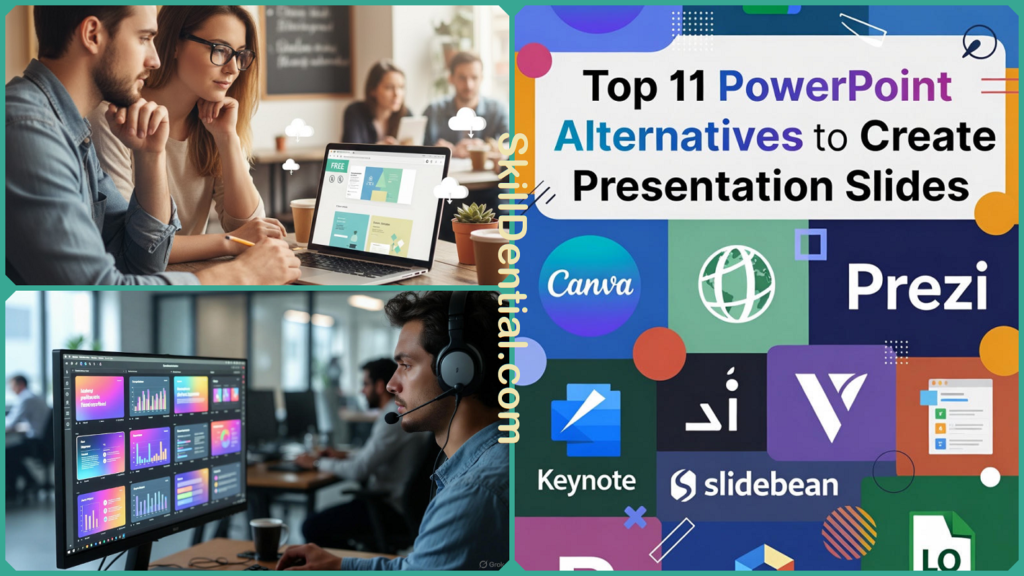
Top 11 PowerPoint Alternatives to Create Presentation Slides
 Akinpedia
12 min read
Akinpedia
12 min readThe top PowerPoint alternatives encompass a broad range of options tailored to different presentation needs and preferences. Google Slides stands out for its free collaboration features, allowing multiple users to work together seamlessly in real-time. Canva offers an impressive array of stunning design templates that make creating visually appealing presentations easy and enjoyable.
Prezi provides dynamic zooming capabilities that add movement and flow to presentations, making them more engaging and memorable. Beautiful.ai leverages AI automation to simplify the design process, helping users craft professional slides quickly. Visme specializes in data visualization, enabling users to present complex information in clear and attractive ways.
Gamma is known for creating quick AI-powered decks that save time without sacrificing quality. Pitch is designed with teams in mind, fostering collaboration and streamlined workflows. Powtoon focuses on animations, bringing presentations to life with fun and interactive elements.
Keynote is widely regarded as the preferred presentation software for Apple users, providing a seamless and effortless integration experience with macOS and iOS devices. This deep compatibility allows users to easily create, edit, and present slideshows across their Apple ecosystem, making it an ideal choice for those who rely heavily on Apple products.
On the other hand, Zoho Show stands out by integrating effectively with a variety of other business tools and applications, significantly enhancing productivity and collaboration in corporate and professional environments. Its ability to connect with popular software suites makes it a powerful option for teams looking to streamline their workflow and improve overall efficiency.
Finally, Slides.com provides sleek sharing options that make distributing presentations straightforward and stylish. Each of these alternatives addresses specific challenges commonly encountered with PowerPoint, such as high costs, outdated templates, or limited audience engagement, offering users more tailored and innovative solutions.
Why Switch from PowerPoint?
PowerPoint continues to dominate the presentation software market with a substantial and commanding share, yet many users find its subscription costs to be quite high, its collaboration features somewhat clunky and inefficient, and its design templates often outdated and uninspiring.
In 2025, the global market for presentation software reached an impressive USD 1.82 billion in the United States alone, largely propelled by the rise of cloud-based tools that provide seamless real-time editing capabilities and innovative AI-powered features.
For cost-conscious freelancers, remote teams, and design-focused marketers based in Lagos or anywhere else around the world, these alternative solutions offer a fresh, modern approach to creating presentations with greater efficiency and creativity, all without requiring a commitment to the Microsoft 365 ecosystem or its associated expenses.
Recent trends clearly show that the integration of artificial intelligence is rapidly expanding across various industries and applications. Today, advanced AI tools have the capability to automatically generate presentation slides directly from user prompts, which not only guarantees consistent branding throughout the materials but also reduces the time required for content creation by as much as 70% for busy professionals.
Speaking from personal experience as a digital marketing specialist who has trained multiple teams on Cisco certifications and developed compelling credentialing pitches, adopting these AI-powered tools significantly enhanced the engagement levels during my remote workshops. In fact, participants tended to stay engaged 40% longer when interacting with dynamic, AI-generated decks compared to traditional, static PowerPoint slides.
Top PowerPoint Alternatives
If you find yourself bored and uninspired by the traditional slide-deck format that everyone seems to use, then you have definitely come to the right place. We have carefully researched and compiled a comprehensive list of the 11 most powerful PowerPoint alternatives currently available, which are revolutionizing the way professionals and teams create, design, and deliver their presentations in a more dynamic and engaging manner.
Google Slides
Google Slides provides seamless real-time collaboration features, making it an excellent choice for remote teams and educators who need to work together efficiently from different locations. Its deep integration with Google Drive not only ensures automatic saving of all changes but also offers a comprehensive version history that is more advanced and user-friendly compared to PowerPoint’s system.
Additionally, users can access and edit their presentations offline through convenient Chrome extensions, ensuring productivity even without an internet connection. Furthermore, the incorporation of Duet AI significantly enhances the editing experience by enabling advanced features such as automatic image generation, which helps create visually appealing slides with ease.
- Vast template library for quick starts.
- Pricing: Free; Workspace premium at $6/user/month.
Canva
Canva truly revolutionizes the design experience by offering intuitive drag-and-drop interfaces combined with access to millions of professionally crafted templates, far surpassing the traditional limitations often found in PowerPoint.
Its innovative features, such as on-click animations, QR code integration, and the ability to export entire websites, allow users to create content that captivates and engages audiences in a much more dynamic and interactive way.
Additionally, Canva’s advanced AI-powered tools simplify complex tasks like automatically resizing designs for different platforms and effortlessly removing or changing backgrounds, making the design process faster and more accessible for everyone.
- Brand kits ensure marketing consistency.
- Pricing: Free; Pro $15/month.
Prezi
Prezi revolutionizes the traditional linear presentation format by introducing zoomable canvases that enable dynamic, non-linear storytelling, which has proven especially captivating for sales teams aiming to engage their audiences more effectively.
Looking ahead to 2025, advanced AI technology will analyze audience engagement paths in real-time, allowing for adaptive presentations that tailor content based on viewer interaction. Additionally, Prezi offers offline viewing capabilities, providing users with the flexibility to access and present their materials without needing an internet connection.
The inclusion of interactive elements significantly enhances audience retention by actively involving participants throughout the presentation. This approach not only makes presentations far more engaging but also ensures they remain much more memorable for the audience long after the event has concluded.
- Video embeds and frames for immersion.
- Pricing: Basic free; Plus $5/month.
Beautiful.ai
Beautiful.ai’s innovative AI DesignerBot automatically formats slides, significantly saving valuable time for collaborators working together on presentations. The upcoming 2025 user interface upgrades and adaptive smart templates are designed to manage data dynamically and efficiently, enhancing the overall user experience.
Additionally, the platform supports seamless PPTX exports, allowing users to easily share and present their work. Team kits are also available to help maintain consistent branding across all presentation materials, ensuring a professional and cohesive look throughout.
- Notifications for workflow efficiency.
- Pricing: Free trial; Pro $12/month.
Visme
Visme truly excels in the field of data visualization by offering a wide range of animated charts that bring information to life and enhance audience engagement. Its Presenter Studio feature provides in-depth analytics, allowing users to gain valuable insights into how their presentations are performing.
Additionally, Visme incorporates advanced AI technology that can automatically generate complete presentation decks based on simple prompts, streamlining the content creation process. This AI functionality also seamlessly integrates live data from Google Sheets, ensuring that presentations stay up-to-date with real-time information.
Visme is incredibly versatile and supports more than 100 different types of projects, making it an ideal tool for a wide and diverse range of creative, professional, and business-related needs. This wide variety allows users from various industries and backgrounds to effectively utilize the platform for their specific requirements, whether they are designing presentations, infographics, reports, or marketing materials, ensuring maximum flexibility and utility.
- Exports to PPT, video, HTML5.
- Pricing: Free; Starter $29/month.
Gamma
Gamma harnesses the power of advanced AI technology to quickly generate interactive presentation decks directly from text, making it an ideal tool for startup pitches that need to be both engaging and professional. The platform offers a variety of responsive themes that seamlessly incorporate analytics embeds and support multiplayer editing, allowing teams to collaborate in real-time.
With its highly intuitive design and remarkably low learning curve, Gamma greatly accelerates the entire deck creation process, empowering users to effortlessly produce polished, professional-quality presentations with both ease and impressive efficiency.
- 100+ AI themes available.
- Pricing: Free limited; Pro $10/month.
Pitch
Pitch revolutionizes the way teams create and manage decks by incorporating advanced auto-animations and comprehensive view tracking, providing valuable sales insights that help optimize presentations. With centralized rooms and easily shareable live links, workflows stay organized and run smoothly, ensuring everyone stays on the same page.
Additionally, AI-powered suggestions significantly accelerate the process of content creation, making it not only faster but also much more efficient to develop compelling and engaging presentations that capture the audience’s attention effectively.
- Presenter timer and notes.
- Pricing: Free; Pro $20/user/month.
Powtoon
Powtoon revolutionizes traditional slides by transforming them into engaging animated videos through the use of advanced AI avatars and seamless document conversions. Perfectly suited for PMP training sessions, it provides robust integration with Teams and features extensive rich media libraries.
This powerful and dynamic combination guarantees presentations that are not only highly memorable but also exceptionally impactful, ensuring they successfully captivate and deeply engage audiences in a truly effective and meaningful manner.
- 1000+ templates with voiceovers.
- Pricing: Free; Pro $25/month.
Keynote
Keynote offers stunning cinematic effects specifically designed for Apple users, featuring advanced Multi-Touch gestures and smooth Magic Move animations that bring presentations to life. With the convenience of iCloud web access, it ensures seamless compatibility for Windows users and allows effortless imports from PowerPoint files.
Additionally, its real-time collaboration capabilities truly stand out by enabling multiple users to work together simultaneously, making teamwork on presentations significantly more efficient, interactive, and dynamic than ever before in any other platform.
- Free across Apple devices.
- Pricing: Included with hardware.
Zoho Show
Zoho Show offers a seamless and deep integration with CRM systems, specifically designed to meet the needs of business users. It features interactive live polls that engage audiences in real time, along with a wide selection of professionally branded templates to maintain consistent company identity.
Its affordable pricing and reliable offline access make it an excellent choice for startups and small businesses that need flexibility. Additionally, Zoho Show’s synchronization across the broader Zoho ecosystem significantly boosts overall productivity and collaboration within teams.
- Interactive charts via Show Live.
- Pricing: Free; Premium $2.50/month.
Slides.com
Slides.com offers minimalist, code-friendly presentation decks specifically designed for developers, incorporating seamless integration with Figma prototypes and detailed analytics to track engagement. The platform features GitHub-style version control and easy embedding options, making it simple to share presentations across various platforms.
Additionally, its wide range of remixable templates strongly encourages creativity and extensive customization, giving users the flexibility to tailor their decks precisely to suit a variety of unique project needs and individual styles. This approach not only enhances user engagement but also ensures that each presentation can be as distinctive and personalized as required.
- Shareable links standard.
- Pricing: Free; Pro $12/month.
Feature Comparison of the Top PowerPoint Alternatives
| Tool | Collaboration | AI Strength | Offline Access | Templates | Best Audience | Monthly Pro Price |
|---|---|---|---|---|---|---|
| Google Slides | Real-time | Basic | Chrome | Vast | Teams/Educators | $6 |
| Canva | Real-time | Strong | Limited | Millions | Designers | $15 |
| Prezi | Limited | Emerging | Yes | Custom | Storytellers | $5 |
| Beautiful.ai | Team | Advanced | No | Smart | Automators | $12 |
| Visme | Real-time | Full Deck | No | 100+ | Data Users | $29 |
| Gamma | Multiplayer | Core | No | 100+ AI | Speed Seekers | $10 |
| Pitch | Rooms | Suggestions | No | Sleek | Sales Teams | $20 |
| Powtoon | Teams | Avatars | No | 1000+ | Animators | $25 |
| Keynote | Real-time | None | Yes | Apple | Apple Users | Free |
| Zoho Show | Live | Basic | Yes | Branded | Businesses | $2.50 |
| Slides.com | Share | None | No | Remixable | Devs/Creatives | $12 |
These innovative tools are perfectly aligned with the emerging trends projected for 2025, where artificial intelligence is expected to drive an impressive 60% growth in the market. They play a crucial role in enabling bloggers and content creators to produce highly engaging and credible credentialing content much more quickly and efficiently than before.
Drawing from extensive experience in training remote teams, Gamma has demonstrated a remarkable ability to reduce preparation time by as much as 70% when creating PMP decks, significantly streamlining the entire process.
FAQs
Is Google Slides better than PowerPoint for collaboration?
Google Slides delivers instant real-time edits across unlimited users without installations, outpacing PowerPoint’s OneDrive sync delays and file-locking issues. Remote teams in marketing or education report 40% faster feedback loops, with version history preventing overwrite mishaps. For skilldential.com workshops, it enabled seamless Lagos-based co-editing during Cisco sessions.
Which is the best free PowerPoint alternative?
Canva edges out for design-heavy needs with millions of templates and AI tools, while Google Slides wins for pure simplicity and unlimited storage. Both offer robust free tiers; Canva suits bloggers visualizing credentials, Slides fits educators sharing PMP outlines. Test both—80% of users stick with their first choice based on workflow.
Does Beautiful.ai replace designers?
It automates 80% of layouts via AI DesignerBot and smart templates but requires human tweaks for custom branding or nuanced storytelling. Professionals save hours on data-heavy slides, yet creatives refine outputs for uniqueness. In credentialing pitches, it handled charts perfectly but needed logo adjustments.
Can Prezi export to PowerPoint?
Prezi exports to PPTX or PDF, but dynamic zooming and paths lose fidelity in linear formats—best for native Prezi viewing or video exports. Sales teams preserve engagement by sharing links; conversions work for hybrid meetings. 2025 updates improved PPT compatibility by 25%.
Are these tools secure for business use?
Most provide enterprise-grade security with SSO, encryption, and GDPR compliance—Google Workspace, Canva Enterprise, and Zoho lead with audit logs. Visme and Pitch track access analytics; always verify SOC 2 reports. For Nigerian businesses like skilldential.com, Zoho’s local data centers minimize latency risks.
How do these alternatives handle offline access?
Google Slides and Keynote offer full offline via apps/extensions; Prezi and Zoho Show provide presenter modes. Cloud-first tools like Canva require the internet but cache recent work. Freelancers prioritize hybrids for travel; 60% of users now demand this per 2025 surveys.
What’s the learning curve for AI-powered tools like Gamma or Beautiful.ai?
Minimal—text prompts generate decks in minutes, with intuitive drags outperforming PowerPoint’s menus. Startups master Gamma in under 30 minutes; pros tweak AI outputs. Compared to Visme’s full AI builder, it’s 3x faster for pitches.
In Conclusion
These 11 PowerPoint alternatives together address the three major challenges that users often encounter with PowerPoint: the high ongoing costs associated with its subscription, the cumbersome and inefficient collaboration process, and the uninspiring, outdated design options.
In addition to solving these problems, they also incorporate modern AI-powered assistance to enhance the overall user experience. For cost-conscious users looking to reduce or eliminate subscription fees, Google Slides and Zoho Show offer excellent, budget-friendly options.
Meanwhile, Canva, Visme, and Beautiful.ai significantly elevate visual quality and speed up the design process, making it easier to create stunning presentations. Furthermore, innovative tools like Prezi, Powtoon, and Gamma provide users with the ability to craft more dynamic, engaging, and story-driven presentations, going far beyond the capabilities of traditional linear slide decks.
For the majority of readers, there are three particularly important and practical takeaways that clearly stand out and deserve special attention:
- Begin by using a free, collaborative platform like Google Slides or Canva, especially when working with a limited budget but where effective teamwork and collaboration are essential. These tools provide excellent features that support multiple users simultaneously, making it easier to brainstorm, design, and edit presentations or graphics together without incurring any costs. This approach ensures that all team members can contribute their ideas seamlessly while keeping expenses low.
- Use AI-first platforms such as Beautiful.ai or Gamma whenever you need to quickly transform an outline into a polished, professional presentation deck in just minutes instead of spending hours on the process. These tools leverage advanced AI technology to streamline your workflow, allowing you to create visually appealing slides with minimal effort and maximum efficiency.
- Choose Prezi, Powtoon, or Keynote when your top priority is creating a powerful and lasting impact—whether you need dynamic non-linear storytelling, smooth cinematic transitions, or engaging animated training sessions that your audience will truly remember and benefit from.
The smartest and most efficient path is to carefully shortlist 2 to 3 presentation tools based primarily on your most important need, whether that be cost efficiency, collaboration features, design capabilities, or storytelling strength. After narrowing down your options, conduct a live, hands-on test by recreating one of your existing PowerPoint decks in each chosen tool. This approach allows you to directly compare and evaluate which platform delivers better audience engagement and conversion metrics in real time.
Many users have reported that even making a single switch—for instance, moving to Visme specifically for data storytelling or choosing Pitch for creating sales decks—can lead to a noticeable increase in audience retention as well as a significant boost in call-to-action clicks when compared with traditional legacy PowerPoint slides. This practical testing method helps ensure you select the best tool tailored to your unique presentation goals.
Are you completely ready to say goodbye to PowerPoint forever and explore new, more dynamic ways to present your ideas?
Select one option from your carefully curated shortlist, register for its free tier or trial version, and then recreate your upcoming presentation using that platform. Afterward, monitor the performance of your newly designed presentation closely—share this enhanced, high-impact slide deck on skilldential.com and leverage those improved slides to generate more leads, increase sign-ups, and boost your credentialing conversions significantly.

His mission is to provide clear, actionable advice that helps readers navigate the complexities of the modern workplace, advance their careers, and unlock their full potential. You can find his expert guides on technology, entrepreneurship, and professional development.
Discover more from SkillDential
Subscribe to get the latest posts sent to your email.