11 Best Prototype Design Tools to Speed Up Your Productivity
 Akinpedia
18 min read
Akinpedia
18 min readStaying ahead in digital product design means wielding the most efficient prototype design tools. Whether you’re a UI/UX designer, product manager, team lead, or up-and-coming student, selecting the right prototyping software can make the difference between iterative chaos and seamless creativity.
In 2025, gaining a competitive edge goes far beyond simply having pixel-perfect layouts—it’s fundamentally about utilizing advanced tools that significantly accelerate collaboration among team members, seamlessly integrate with your existing technology stack, and empower you to validate ideas more quickly and efficiently than ever before.
These advanced tools empower teams to work more intelligently rather than simply putting in more effort, encouraging a culture of innovation that accelerates progress. This enhanced efficiency helps your organization stay well ahead in today’s rapidly evolving and highly competitive market environment.
This comprehensive guide thoroughly unpacks the 11 leading prototype design tools available today, aiming to help you streamline your entire workflow more efficiently. It highlights key features, advantages, disadvantages, and the unique collaboration benefits each tool offers.
You can also look forward to comprehensive and detailed data-driven insights combined with firsthand user stories and personal experiences, all carefully curated and designed to empower you to make confident, well-informed purchasing decisions that are perfectly tailored to meet your unique and specific needs.
Significance of Prototype Design Tools
Prototype design tools are fundamental in modern digital product development because they turn abstract ideas into interactive models that can be tested, validated, and improved—all before committing to full-scale development. These tools allow professionals and teams to quickly create wireframes, mockups, and prototypes, making it possible to visualize concepts, collect actionable feedback, and iterate rapidly.
This process effectively bridges the significant gap that often exists between initial concepts and fully functional products, thereby greatly reducing potential misunderstandings and miscommunications among designers, developers, and stakeholders involved in the project.
By leveraging prototype design tools, teams can identify design flaws early, which greatly reduces the risk of costly mistakes during later stages. Interactive prototypes facilitate real user testing for usability and function, leading to products that better match user needs and expectations.
Enhanced stakeholder engagement represents another crucial benefit—clear, interactive models significantly simplify the process of communication, making it much easier to convey ideas and secure enthusiastic buy-in from a wide range of stakeholders, including investors, clients, and team members. This improved clarity fosters stronger collaboration and more effective decision-making throughout the project lifecycle.
Ultimately, the ability to rapidly iterate, made possible by these advanced tools, significantly accelerates the overall time-to-market for products and simultaneously enhances the cost efficiency of projects. This seamless alignment and integration of design, user feedback, and development processes is essential for anyone who aims to stay competitive and drive innovation within today’s fast-moving and highly dynamic digital ecosystem.
Key Concepts and Frameworks
We will provide an in-depth exploration of the fundamental theories, methodologies, and models that form the essential foundation of product design, research, and development processes. Gaining a thorough understanding of these critical frameworks—from the widely recognized;
- Design Thinking approach to the iterative Agile methodology and the user-centered Lean UX principles—is absolutely crucial for effectively structuring your work, making well-informed and strategic decisions, and ensuring that your entire team’s efforts are carefully aligned with both user needs and overarching business objectives.
This knowledge not only significantly enhances overall productivity but also plays a crucial role in driving meaningful innovation along with ensuring successful and impactful product outcomes.
What is a Prototype Design Tool?
A prototype design tool is a specialized type of software that enables designers, product managers, and collaborative teams to create detailed, interactive models of digital products well before any actual coding begins.
These advanced platforms play a vital role in the essential stages of contemporary product design, significantly enhancing and streamlining workflows to improve both speed and team collaboration throughout the development process.
- Wireframing involves creating low-fidelity, skeletal layouts that serve as blueprints for a project. These wireframes visually represent the basic structure and organization of a design, highlighting key elements and user flows. They provide a clear, simplified overview of how users will navigate through the interface, ensuring that the overall user experience is logical and intuitive before moving on to more detailed design stages.
- Mockups: Create detailed and comprehensive visual representations that effectively communicate the use of color schemes, typography styles, and overall branding elements. These mockups serve as a crucial tool to showcase the design concept clearly and ensure alignment with the brand’s identity and aesthetic goals.
- Prototypes: Create highly clickable and fully interactive experiences that closely simulate the behavior of real applications or websites, allowing users to explore and test functionalities realistically.
- Collaboration: Empower distributed teams by enabling seamless real-time editing, interactive commenting, and collaborative co-design, ensuring everyone can contribute simultaneously and efficiently from any location.
Essential Productivity Features
To genuinely accelerate and enhance your entire design process, it is crucial to have tools that are specifically built for maximum efficiency and productivity. We will emphasize the must-have features to transform an ordinary prototyping app into an essential productivity powerhouse that significantly boosts your workflow and overall output quality.
Modern prototype design tools offer a wide array of powerful features and capabilities that significantly enhance the design process. These tools provide designers with intuitive interfaces, allowing for rapid creation and iteration of prototypes, which helps in visualizing concepts more effectively.
- Real-time Collaboration: Multiple users have the ability to co-edit documents simultaneously while providing instant feedback, making teamwork more efficient. This process is supported by advanced features such as version control to track changes, live presence indicators to show who is currently working on the document, and robust commenting tools that enable clear communication and discussion within the project.
- Auto-layout & Responsive Design: Effortlessly and automatically adapt your layouts to accommodate a wide range of different screen sizes and device orientations. This feature supports flexible responsive workflows, ensuring your designs look great and function seamlessly across all platforms and devices without needing manual adjustments.
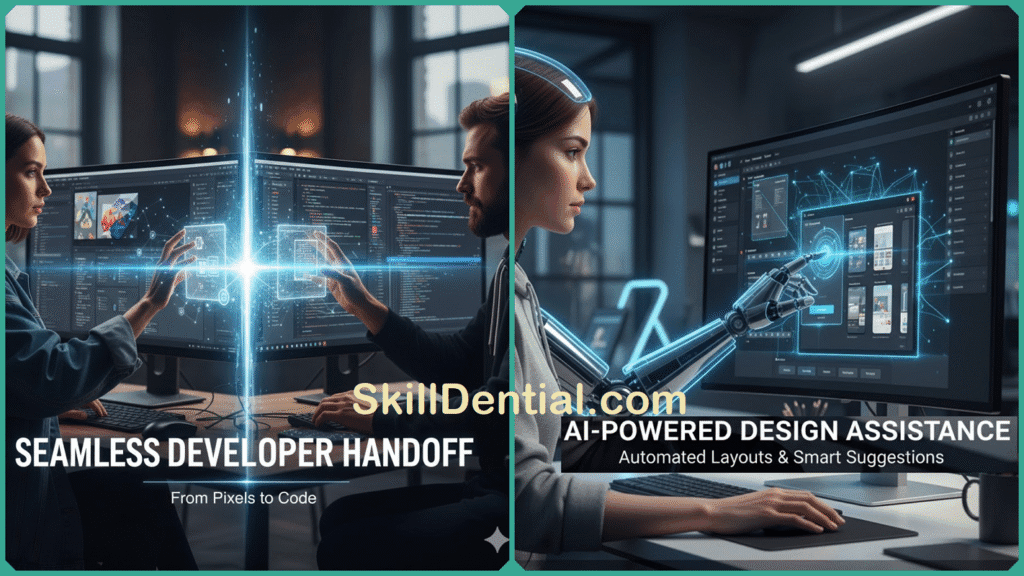
- Fast Developer Handoff: Effortlessly export all necessary assets, create comprehensive style guides, and generate precise code snippets, such as CSS, to significantly streamline and accelerate the entire transition process from design to development. This ensures a smoother collaboration between designers and developers, reducing errors and saving valuable time.
- Design Systems: Offer a comprehensive collection of reusable components, extensive libraries, and versatile templates that help maintain visual consistency across all projects. These systems not only ensure a cohesive look and feel but also significantly accelerate design cycles by streamlining the workflow and reducing repetitive tasks throughout various stages of development.
- AI Integration: Leverage advanced suggestions, intelligent auto-layouts, automated annotations, and instant asset generation features to significantly enhance overall efficiency and minimize the need for manual work. These powerful tools work seamlessly together to streamline your workflow, saving valuable time and effort while improving productivity and output quality.
These powerful features enable professionals to iterate rapidly and efficiently, allowing them to make swift adjustments based on feedback. They also facilitate thorough validation with users at every stage, ensuring that the development process remains closely aligned with real user expectations.
As a direct consequence, these innovative tools play a crucial role in delivering high-quality products that are meticulously crafted and thoughtfully designed. They ensure that the products are not only built to the highest standards but also strategically aligned with the overarching business objectives.
Furthermore, these tools are designed to carefully consider and adapt to the continuously evolving needs, desires, and preferences of end users, ensuring that the outcomes are not only highly effective but also deeply user-centric and tailored to provide the best possible experience.
Current Trends in Prototyping Tools
In 2025, prototyping tools are evolving at an impressive pace, leveraging cutting-edge technologies that significantly enhance the design and development process. These advancements are making collaboration between team members more seamless, intelligent systems are improving decision-making, and overall efficiency is reaching new heights.
Here’s an in-depth look at how the latest trends are actively shaping and transforming the prototyping industry today:
- Cloud-First Collaboration: Many leading prototyping tools have migrated to cloud-based platforms, allowing teams to centralize design files, share instantly, and coordinate seamlessly across geographies. This supports real-time feedback, multi-user editing, and version control, making remote and hybrid teamwork far more effective than traditional local software workflows.
- Advanced Interaction Design: Designers can now incorporate rich animations, micro-interactions, and even voice or gesture controls directly into their prototypes. Tools like Figma, Adobe XD, and Axure RP provide modules for building these dynamic experiences, supporting realistic user flows and usability validation.
- AI Co-Designers: The biggest leap in 2025 is the rise of AI-driven prototyping. AI features generate layouts, suggest improvements, and instantly turn prompts into interactive, development-ready mockups—often reducing design time by a factor of four. Prototyping platforms such as Figma AI and Visily use generative algorithms to automate repetitive tasks and guide designers with analytics-powered insights, making ideation and iteration easier for teams and solo designers alike.
- Design System Support: Integrated libraries and design systems ensure visual and functional consistency across projects. Features include reusable components, global style management, and team-wide templates, all accessible directly in the prototype environment. This not only saves time but also eliminates rework and ensures maintainability.
- Seamless Developer Handoff: Modern prototyping platforms now incorporate one-click exports to code, automated style guides, and live specifications so engineers can move from design to development without friction. This removes bottlenecks and speeds up product shipment, improving communication between designers and developers and reducing errors.
These trends mean that prototyping tools are no longer just about design—they’re strategic platforms empowering faster and smarter product innovation in the digital age. Prototyping tools in 2025 are driven by several transformative trends that collectively maximize efficiency and innovation for design teams and product managers.
Taken together, these significant advancements transform prototyping platforms into essential and strategic tools that facilitate iterative, collaborative, and intelligently driven product creation processes, enabling teams to innovate more effectively and efficiently.
Best Prototype Design Tools
Here is a carefully curated and comprehensive list of the 11 best prototype design tools available for 2025, each thoughtfully evaluated based on real-world practical utility, significant productivity improvements, seamless platform compatibility, and advanced collaboration features.
The table presented below offers a clear and concise snapshot of the major options currently on the market, highlighting their unique selling points and advantages, all supported by the most recent and relevant industry reviews and expert analyses.
| Tool | Platforms | Collaboration | Unique Selling Proposition | Pricing |
|---|---|---|---|---|
| Figma | Web, iOS, Android | Yes | Real-time editing | Free / $12/mo |
| Sketch | macOS | Plugin-based | Vector/UI focus | $9/mo |
| Adobe XD | Win/macOS | Yes | Voice/gesture | $9.99/mo |
| InVision | Web | Yes | User testing | Custom |
| Axure RP | Win/macOS | Yes | Logic/dynamic UX | $29/mo |
| Proto.io | Web | Yes | Animations | $24/mo |
| Marvel | Web, iOS, Android | Yes | Rapid iteration | $12/mo |
| UXPin | Web | Yes | Design systems | $29/mo |
| Balsamiq | Win/macOS | Limited | Wireframes | $9/mo |
| Framer | Web, macOS | Yes | React handoff | $19/mo |
| Principle | macOS | Limited | Animation | $129 (one time) |
Figma
Figma stands out as a leading cloud-based design solution that provides a comprehensive suite of features, including interactive prototyping, real-time collaboration among team members, intelligent auto-layout capabilities, a vast and diverse plugin ecosystem, and smooth, efficient developer handoff processes.
It has gained widespread adoption due to its exceptional speed and ability to maintain a consistent, streamlined workflow, making it particularly valuable for teams that are distributed across different locations and need to work together seamlessly.
- Pros: Offers real-time editing capabilities that allow multiple users to collaborate simultaneously, providing immediate updates and changes. Provides seamless cross-platform access, enabling users to work from various devices such as desktops, tablets, and smartphones without any compatibility issues. Includes powerful integrations with a wide range of third-party applications and services, enhancing functionality and streamlining workflows for increased productivity.
- Cons: The software is somewhat limited when it comes to creating high-end animation projects, which may pose challenges for users seeking advanced animation features and capabilities.
Use case: Teams that transition to using Figma frequently report experiencing significantly faster iteration cycles, often achieving improvements of over 30% in their design process speed. Additionally, these teams benefit from more cohesive and unified design systems, which streamline collaboration and ensure consistency across projects.
Sketch
A Mac-first pioneer in the design software industry, highly valued for its advanced vector design capabilities, a robust and extensive plugin ecosystem, and the innovative use of Symbols to ensure component consistency across projects.
While it excels in many areas and offers robust functionality, its collaboration features currently depend significantly on third-party tools to effectively facilitate teamwork and communication among users. This reliance means that seamless integration and smooth interaction often require additional external applications to ensure productive collaboration.
- Pros: Highly intuitive user interface that is easy to navigate, offering precise and accurate vector control for detailed design work. Additionally, it supports a wide range of plugins that enhance functionality and allow for extensive customization to suit various creative needs.
- Cons: Available exclusively on Mac, limiting access for users on other operating systems. Additionally, collaboration features depend heavily on integration with other tools and platforms, which may affect workflow efficiency.
Use case: Freelancers and agencies highly value Sketch for its impressive speed and efficient export features, which significantly enhance their workflow and productivity. These capabilities allow them to quickly create and deliver high-quality designs, making Sketch an essential tool in their creative process.
Adobe XD
Delivers exceptionally high-fidelity prototyping capabilities that encompass advanced voice and gesture interactions, allowing for more intuitive and dynamic user experiences. It also offers seamless auto-animate features that enable smooth and natural transitions between design elements.
Additionally, it offers comprehensive and deeply integrated support with the entire Adobe Creative Cloud suite, guaranteeing a seamless and highly efficient workflow that spans across all creative tools, applications, and platforms within the Adobe ecosystem. This integration enhances productivity and allows users to work more fluidly and effectively throughout their creative projects.
- Pros: Provides robust support for advanced interfaces, allowing for seamless integration and enhanced user experiences. Additionally, it offers strong asset management capabilities that ensure efficient organization, tracking, and utilization of resources.
- Cons: The team functionality is somewhat less seamless and integrated compared to Figma, which may result in a slightly less smooth collaborative experience for users working together on projects.
Trend: There is a significant increase in the integration of advanced AI features and intelligent layout suggestions. These innovations are rapidly transforming how users interact with technology, offering more personalized and efficient experiences. The trend reflects a broader move towards smarter, more adaptive systems that anticipate user needs and streamline workflows.
InVision
Noted for its exceptional capabilities in collaborative design, enabling teams to work seamlessly together, as well as for creating highly interactive clickable prototypes that bring concepts to life. It also excels in facilitating comprehensive user testing to gather valuable feedback, alongside offering robust asset management features that ensure all design resources are organized and easily accessible.
- Pros: This tool is excellent for managing feedback cycles and conducting thorough testing processes. It greatly enhances the efficiency and effectiveness of gathering input and making necessary adjustments during development or project phases.
- Cons: This system or process can often be quite complex and challenging for beginners who are just starting to learn or use it. The level of difficulty may require additional time and effort to fully understand and become proficient.
Expert insight: Leading agencies frequently utilize InVision as a powerful tool for rapid market validation, allowing them to quickly test and refine concepts. Additionally, they rely on InVision to streamline and enhance client workflows, facilitating smoother collaboration and more efficient project management throughout the entire design process.
Axure RP
Excels at developing highly complex and fully functional prototypes that are driven by dynamic content as well as a broad and diverse range of variables, making it the preferred and trusted choice for many enterprise teams who are actively seeking advanced and sophisticated solutions.
- Pros: Offers advanced prototyping capabilities, incorporates complex logic for dynamic interactions, and provides robust, comprehensive documentation to support users throughout the development process.
- Cons: The software comes with a steep learning curve that may require a significant amount of time and effort to master. Additionally, the price is higher compared to other similar options available on the market, which might be a consideration for budget-conscious users.
Anecdote: This tool has been extensively utilized by major banks and financial institutions for the purpose of prototyping and designing financial interfaces. Its adoption by these leading banks highlights its effectiveness and reliability in creating user-friendly and efficient financial platforms.
Proto.io
Drag-and-drop prototyping, when combined with extensive and diverse asset libraries, offers an incredibly powerful and efficient way to design. This approach also supports seamless imports from a wide variety of sources, making the entire process smoother and more versatile.
It is particularly ideal for rapid iteration cycles, allowing designers to quickly test and refine their ideas while creating rich, dynamic animations with remarkable ease and flexibility. This combination empowers creators to bring their concepts to life faster and more effectively than ever before.
- Pros: Requires absolutely no coding skills or programming knowledge, making it accessible to users of all technical backgrounds. It allows for the creation of high-fidelity, fully interactive prototypes that closely simulate the look, feel, and functionality of the final product experience in a highly realistic manner.
- Cons: There is no dedicated desktop application available, which may limit usability for some users. Additionally, there are restrictions on offline functionality, meaning certain features cannot be accessed without an internet connection.
Use case: This option is particularly ideal for conducting rapid user testing and gathering immediate, valuable feedback from users. It allows for quick iterations and helps in efficiently refining the product based on real user responses and insights.
Marvel
A fast and beginner-friendly tool designed specifically for freelancers and agencies, offering an instant preview feature that allows users to see their work in real-time. It also includes easy sharing options, making collaboration and feedback seamless and efficient.
- Pros: The design is simple and easy to understand, making it very intuitive for users. It is especially well-suited for mobile-first designs, ensuring that websites look great and function smoothly on smaller screens and mobile devices. This approach enhances user experience by prioritizing accessibility and responsiveness.
- Cons: This approach often tends to be less powerful and less effective when it comes to handling complex interactions. As a result, it can make managing intricate or multifaceted tasks much more challenging and less efficient, especially when dealing with sophisticated scenarios that require a higher level of nuance and detail.
Use case: Freelancers who require exceptional speed and efficiency to manage and complete multiple client projects simultaneously. These professionals often juggle various assignments with tight deadlines, making fast turnaround times essential for maintaining client satisfaction and securing repeat business.
UXPin
Renowned for its comprehensive design systems, logic-driven interactive prototypes, and seamless code-ready exports, this platform also supports the integration of actual code components, enabling a more efficient and collaborative development workflow.
- Pros: Provides robust support for design systems, ensuring consistency and scalability across projects, while also enabling a smooth and efficient handoff process for developers, reducing miscommunication and speeding up development timelines.
- Cons: The pricing is notably above average when compared to many other alternatives available on the market today, which might make it less suitable or affordable for those with tighter budgets or consumers who are particularly cost-conscious and looking for more economical options.
Use case: Enterprise teams effectively bridging the gap between design and development to enhance collaboration and streamline workflows. This approach helps ensure that design concepts are accurately translated into functional products, reducing misunderstandings and accelerating project timelines. By closing this gap, teams can improve communication, increase efficiency, and deliver higher-quality outcomes that align closely with the original design vision.
Balsamiq
Ideal for low-fidelity wireframing and early-stage brainstorming, this tool offers a distinctive hand-drawn appearance that helps convey initial ideas more naturally and creatively. It is perfect for quickly sketching concepts without the distraction of polished visuals, allowing teams to focus on structure and flow during the earliest phases of design.
- Pros: Exceptionally fast and highly efficient creation of wireframes, enabling rapid development and quick iteration cycles without compromising on quality or missing important details. This allows designers and developers to streamline their workflow while maintaining precision and clarity throughout the project.
- Cons: The level of interactivity is quite limited, which may reduce user engagement and the overall dynamic experience. This lack of interactive features can make the content feel static and less appealing to users who prefer more engaging and participatory elements.
Use case: Early ideation phase before moving into detailed design development and planning. This stage focuses on generating initial concepts and exploring creative ideas before committing to comprehensive design work. It allows for brainstorming and experimentation to shape the foundation of the project early on.
Framer
Effectively bridges the gap between innovative creative design and robust production-level code, making it an ideal solution for SaaS platforms and emerging web startups. It provides comprehensive and advanced support for handling complex user interactions as well as dynamic features, ensuring a seamless and efficient development experience.
- Pros: Provides an excellent live code preview feature that allows developers to see real-time changes as they code, enhancing the overall development experience. Additionally, it offers robust and comprehensive support for React, making it easier to build and manage React applications efficiently.
- Cons: Having coding knowledge is very useful to unlock the full potential and advanced capabilities of this tool, as it allows users to customize and optimize features more effectively. Without some background in coding, users might find it challenging to access or utilize the software’s full range of functions, which could limit their overall experience and efficiency.
Use case: Web startups that require a smooth and seamless transition from user interface design to fully functional code. These startups benefit greatly from tools and processes that enable them to efficiently convert their UI concepts into working applications without losing design integrity or development speed. This allows them to accelerate their product development cycles while maintaining high-quality user experiences.
Principle
A Mac-exclusive software tool specifically designed to provide highly detailed and customizable animation capabilities, tailored for both mobile devices and desktop computers. This tool offers advanced features that allow users to create intricate animations with precision and flexibility, making it ideal for designers and developers working across various platforms.
- Pros: The quality of the animation is impressive and visually appealing, providing smooth and professional results. Additionally, it seamlessly integrates with popular design tools such as Figma and Sketch, making the workflow more efficient and convenient for designers.
- Cons: There is no cloud workspace available, which means users cannot access their files or collaborate online through cloud-based platforms. This limitation may affect those who rely heavily on cloud services for remote work or real-time collaboration across multiple devices.
Use Case: Designers who are focused on creating visually polished and seamless app transitions to enhance user experience and interface fluidity. These designers strive to build smooth, engaging animations that make navigation between different app screens feel natural and intuitive, thereby elevating the overall aesthetic appeal and usability of the application.
These carefully industry-validated tools are designed to help users significantly minimize unnecessary busywork, effectively streamline team workflows, and ultimately deliver higher-quality products much faster while encountering fewer obstacles in collaboration and handoff processes.
FAQs
Which tool offers the best collaboration features?
Figma and UXPin enable true real-time collaboration, with live co-editing, commenting, and cloud-based file management, making them top choices for distributed product teams and large organizations. Their seamless syncing and versioning drastically reduce communication barriers across complex projects.
What’s the fastest tool for beginners?
Marvel and Balsamiq are renowned for their intuitive interfaces. Marvel is ideal for beginners needing to build interactive prototypes and quickly share previews, while Balsamiq specializes in rapid wireframing with a minimal learning curve—perfect for low-fidelity concepting.
Which tool supports advanced logic and conditional interactions?
Axure RP has become the industry standard for logic-driven prototyping, offering a comprehensive set of tools that include dynamic content, variables, and conditional flows. This powerful software is particularly well-suited for designing complex enterprise products and applications that require sophisticated and detailed user journeys.
How do these tools handle developer handoff?
Figma, Adobe XD, and UXPin lead the way, providing automated export of assets, CSS snippets, and live design specs. Their developer handoff features reduce manual translation work and speed up the transition from design to code, minimizing friction and errors.
Are AI features available in prototype tools?
Adobe XD, Figma (with plugins), and emerging platforms have started integrating AI-powered features, including automated layout suggestions, voice-driven commands, and smart asset generation. This trend is accelerating, with more tools leveraging generative AI to improve design workflow and productivity.
In Conclusion
The world of prototype design tools is rapidly evolving due to game-changing advancements in collaboration, AI, and unified design systems. For UI/UX professionals, Figma stands out as the top choice for fast, collaborative workflows, cross-platform access, and extensible integrations—making it ideal for agile teams and remote work setups.
Meanwhile, Axure RP proves indispensable for enterprise users tackling complex, logic-driven prototypes thanks to its advanced interactive features and comprehensive documentation capabilities. Freelancers and beginners can maximize productivity with Marvel or Balsamiq, which both offer intuitive interfaces, low learning curves, and efficient prototyping for wireframes or mockups.
It’s important to remember there’s no “one-size-fits-all” solution; the best tool depends on factors like team workflows, project scale, technical complexity, and design needs. Leveraging this expert-curated guide not only shortens tedious research but also empowers designers and managers to make informed decisions about optimizing their design stack for 2025.
To truly unlock creative velocity, explore trial versions, read case studies, and stay updated through authoritative reviews and industry resources—because in a rapidly changing tech ecosystem, the right prototype tool is an investment in innovation, efficiency, and business success.

His mission is to provide clear, actionable advice that helps readers navigate the complexities of the modern workplace, advance their careers, and unlock their full potential. You can find his expert guides on technology, entrepreneurship, and professional development.
Discover more from SkillDential
Subscribe to get the latest posts sent to your email.