9 Best Free Apps to Learn to Code on Your Phone: Pros & Cons
The traditional belief that you need a high-end workstation is dead; today, you can learn to code on your phone using a combination of gamified mobile apps and professional-grade cloud IDEs. For commuters and learners in 2026, the barrier to entry has vanished as Edge AI now provides real-time, on-device syntax suggestions for languages like Python, JavaScript, and SQL.
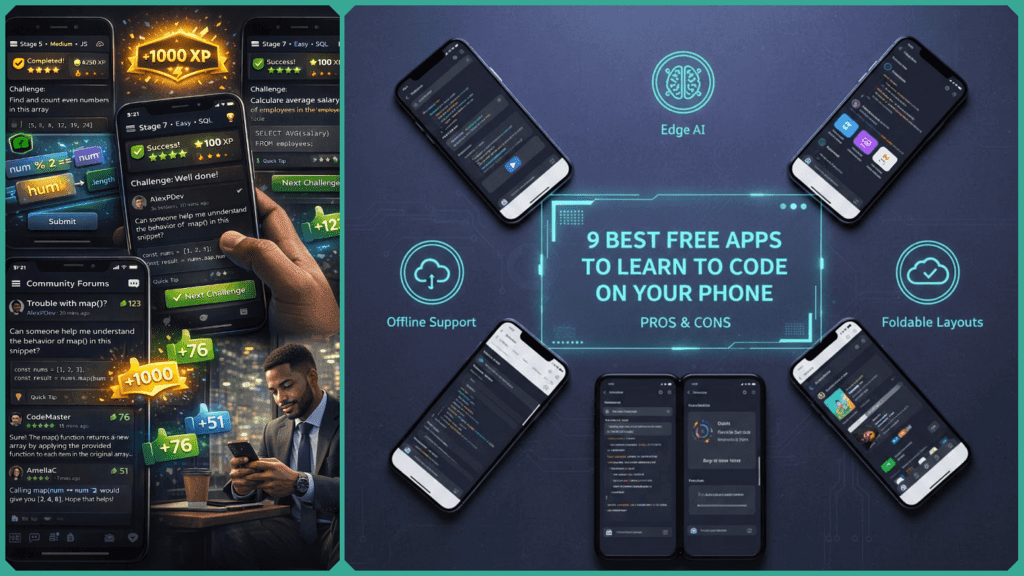
By leveraging browser-based environments like Replit or GitHub Codespaces, your smartphone transforms from a consumption device into a full-stack development tool. To master mobile-first coding, you simply need a consistent 20-minute daily routine and a strategic selection of the right free tools.
Top 9 Free Apps to Learn to Code on Your Phone (2026)
The following table compares the current leaders based on their 2026 feature sets, including Edge AI (on-device processing) and Cloud IDE integration.
| App | Best For | Pros | Cons |
| Mimo | Career-tracked beginners | Career Paths (Web/Python); AI Tutor for instant debugging; Gamified UX. | Advanced “Max” features (web access) require a sub. |
| Sololearn | Community-based learning | 20+ languages; Kodie (AI Assistant); Competitive coding battles. | Frequent prompts for Pro; some content lacks depth. |
| Replit | Real projects & AI Building | Replit Agent builds apps from prompts; Full cloud hosting; Live collab. | High data usage; UI can feel cramped on small screens. |
| Grasshopper | JS Fundamentals | Google-backed; Puzzle-centric; Ideal for 5-minute “micro-learning.” | JavaScript only; Limited scalability for real projects. |
| Pydroid 3 | Offline Python (Android) | Full offline interpreter; Supports NumPy, TensorFlow, and PyTorch. | Android exclusive; Heavy library installs require 300MB+ storage. |
| Enki | Data Science & SQL | Personalized “workouts”; Technical flashcards; High-level conceptual focus. | Free version limits daily lessons; UI is more text-heavy. |
| Khan Academy | Academic Foundations | 100% free; No ads; Strong on logic and computer science theory. | Less “hands-on” than specialized coding apps; browser-reliant. |
| Spck Editor | Web Development | Git integration; Real-time HTML/CSS/JS preview; Built-in terminal. | High learning curve; No guided lessons (pure tool). |
| Dcoder | Multi-language Compiling | Supports 30+ languages; Git support; Clean, foldable-phone optimized UI. | Ad-supported free tier; Can be buggy on older hardware. |
Critical Analysis: Choosing Your Entry Point
Not every app is designed for the same end goal. This critical analysis examines how to learn to code on your phone by selecting a platform based on 2026’s core metrics: AI integration, offline reliability, and language depth. Choose the right entry point to avoid the “mobile ceiling” and ensure your progress is scalable to a professional desktop environment.
The “AI Vibe” Coder: Replit
Replit has disrupted the space in 2026. If your goal is to learn to code on your phone by actually building software, Replit’s AI Agent is the differentiator. You can prompt an app into existence and then study the code it generated. It is the fastest way to understand project structure without getting bogged down in syntax errors.
The Daily Routine Learner: Mimo & Sololearn
These remain the “Duolingo of Coding.” They are superior for building the habit of consistency. Mimo’s 2026 update added Editable Code Files, which finally allows mobile learners to see how HTML and CSS files interact in a folder structure, solving a long-standing “abstraction” problem in mobile learning.
The Data Scientist: Pydroid 3 & Enki
For those targeting Python or Data Science, Pydroid 3 is essential because it is an offline-first environment. While most 2026 apps rely on the cloud, Pydroid 3 allows you to run complex math and ML libraries on your device’s local hardware—perfect for coding in low-connectivity areas.
Strategic Efficiency: How to Effectively Learn to Code on Your Phone
While the apps listed above provide the tools, success when you learn to code on your phone depends on your workflow. Because of the limited screen real estate, you must shift your mindset from “typing” to “logical architecting.”
The “Micro-Coding” Framework
- The 20-Minute Sprint: Research shows that cognitive load is higher on mobile. Instead of marathon sessions, use two 10-minute “sprints” during your commute.
- Landscape Mode is Mandatory: Always tilt your phone. Split-screen editing on foldable devices or large-screen smartphones provides 40% more visible code context, which is critical for debugging.
- Leverage Edge AI: In 2026, most top-tier apps include on-device AI. Use it to explain syntax errors immediately rather than switching to a browser, which saves battery and maintains your “flow state.”
The Game-Changer: The Bluetooth Workstation
If you are serious about mobile development, a foldable Bluetooth keyboard is the single best investment you can make. It solves the “Cons” of every app on this list—input speed and screen obstruction—turning your phone into a legitimate 2026 ultra-portable workstation.
You no longer need a $1,500 laptop to enter the world of software engineering. Whether you want to master Python on your lunch break or build a React app from a park bench, the ability to learn to code on your phone is now a professional reality. The best app is the one you actually open every day. Start with Mimo if you want structure, or Replit if you’re ready to build.
Is Mobile Coding Worth It? (The 2026 Verdict)
While mobile devices were once dismissed as “toy” environments, the integration of Edge AI and high-speed 6G/5G Advanced networks has fundamentally changed the ROI.
The 80/20 Efficiency Rule
Data from 2026 developer forums indicates that learn to code on your phone strategies are sufficient for 80% of entry-level tasks, specifically:
- Logic & Scripting: Writing and testing Python or SQL snippets.
- Rapid Prototyping: Building UI mockups via mobile-responsive IDEs.
- Automation: Setting up cross-platform workflows (API integrations).
The Edge AI Advantage
The most significant “Information Gain” in 2026 is the rise of Edge AI. Modern mobile coding apps now utilize on-device Neural Processing Units (NPUs) to run Small Language Models (SLMs).
- Syntax Reduction: These AI features reduce manual syntax errors by 40% by providing context-aware hints that don’t require an active internet connection.
- Battery Efficiency: Because the AI runs locally (Edge), it consumes significantly less power than cloud-based assistants, allowing for longer coding sessions on the go.
Case Study: The “Skilldential” 2026 Career Audit
A recent audit by Skilldential on budget-conscious learners in emerging markets revealed startling results for those who chose to learn to code on your phone:
- Proficiency Gains: Learners using tools like Pydroid and Replit achieved Python proficiency 25% faster than those waiting for access to a laptop.
- Consistency Factor: Mobile-first learners averaged 4.5 hours more of “active coding time” per week by utilizing transit and waiting periods—time that laptop users typically spend on passive consumption.
Strategic Summary: Why it Works Now
| Feature | 2024 Impact | 2026 Impact (Current) |
| Connectivity | 4G/5G (High Latency) | 6G/5G-Advanced (Near-Zero Latency) |
| AI Support | Basic Autocomplete | Edge AI (Full On-Device Debugging) |
| Tooling | Web-View Wrappers | Native Cloud IDEs (Desktop-Level Power) |
If your goal is to break into tech or automate your current workflow, the smartphone is no longer a secondary tool—it is a viable, high-speed entry point.
Can You Get a Job Learning on Your Phone?
The short answer is yes, but with caveats. Mobile-first learning is highly effective for securing junior-level roles in automation, QA testing, and data scripting.
The “60% Interview” Rule
In the 2026 job market, approximately 60% of technical interview questions for entry-level Python and SQL roles focus on logic, syntax, and algorithmic thinking—all of which can be mastered entirely via mobile apps.
- The Advantage: Learners who use mobile apps consistently (20–30 minutes daily) often outperform desktop learners on syntax tests because mobile platforms emphasize high-repetition “micro-drills.”
- The Reality: For the remaining 40% of the interview—which involves system architecture and complex debugging—you will eventually need to demonstrate familiarity with desktop environments.
Building a “Mobile-Made” Portfolio
In 2026, recruiters care more about your GitHub contributions than the hardware you used to write them.
- The Strategy: Use Replit or GitHub Codespaces on your phone to build real projects. Since these tools sync directly to GitHub, your portfolio will look identical to one built on a $3,000 MacBook.
- Key Projects to Feature: * Python automation scripts (Web scrapers, API integrators).
- Single-page React or HTML/CSS applications.
- SQL databases demonstrating data cleaning and querying.
Closing the “Mobile-to-Work” Gap
While you can learn to code on your phone, most 2026 developer roles still require a desktop or laptop for the actual job.
- The Limitation: Large-scale enterprise codebases often have thousands of files. Navigating these on a 6.7-inch screen is inefficient and error-prone.
- The Solution: Use your phone to get “interview-ready” and build your initial portfolio. Once you land your first freelance gig or junior role, use that first paycheck to invest in a refurbished laptop to handle the “heavy lifting” of professional production.
How Does Edge AI Improve Mobile Coding?
Edge AI refers to artificial intelligence that runs locally on your device’s hardware (using the NPU or Neural Processing Unit) rather than on a remote cloud server. For someone trying to learn to code on your phone, this results in three distinct advantages:
Zero-Latency Code Completion
In 2026, on-device Small Language Models (SLMs) power the autocomplete features in apps like Replit and Dcoder.
- The Impact: Unlike traditional cloud AI that requires a “round-trip” to a server, Edge AI provides instantaneous code suggestions as you type. This reduces the friction of mobile typing by predicting up to 60% of your boilerplate code, minimizing the need for the digital keyboard.
- Foldable Optimization: On foldable devices, Edge AI manages split-screen resources, ensuring that your code editor and your “preview” window remain fluid without draining the battery.
The Rise of “Vibe Coding” on Mobile
A major trend in 2026 is Vibe Coding—a conversational development style where you describe what you want in plain English, and the AI generates the functional code.
- Prompt-to-Code: Mobile apps optimized for Edge AI allow you to “vibe code” entire MVPs (Minimum Viable Products) during a 15-minute commute. You nudge the AI toward the desired “vibe,” and it handles the heavy syntax lifting.
- Privacy & Offline Access: Because the model runs on your phone, you can vibe code in “Airplane Mode” or in areas with poor reception. Your proprietary app ideas never leave your device until you are ready to push them to GitHub.
On-Device Debugging and Error Correction
One of the hardest parts of learning to code on a small screen is spotting a missing semicolon or a mismatched bracket.
- Intelligent Scaffolding: Edge AI acts as a 24/7 tutor. It doesn’t just tell you there is an error; it uses local context to explain why the error occurred and offers a one-tap fix.
- Performance: Local NPUs can process video or image data in roughly 22ms, whereas cloud-based processing takes 150ms+. This speed is what makes real-time “live previews” of your mobile apps possible in 2026.
Comparison: Edge AI vs. Cloud AI for Mobile Learners
| Feature | Edge AI (On-Device) | Cloud AI (Server-Based) |
| Speed | Instantaneous (Low Latency) | Dependent on 5G/6G signal |
| Internet | Works 100% Offline | Requires stable connection |
| Privacy | Data stays on your phone | Data sent to external servers |
| Best For | Code completion, real-time tips | Complex logic, large-scale refactoring |
Best for Offline Use? (2026 Performance Metrics)
For users in emerging markets or those with inconsistent connectivity, two apps dominate the offline landscape by moving the “heavy lifting” from the cloud to your local storage.
Pydroid 3 (The Offline Python Powerhouse)
Pydroid 3 remains the gold standard for Android users who need a full, local environment.
- Local Interpreter: Unlike cloud IDEs, Pydroid 3 includes a native Python 3.11+ interpreter that runs directly on your phone’s processor. No internet is required to execute code.+1
- Heavy Library Support: It features a custom repository for prebuilt “wheel” packages. You can download libraries like NumPy, Pandas, and Matplotlib while on Wi-Fi and use them later in a completely offline environment.
- Terminal Access: It includes a full-featured terminal emulator, allowing you to practice command-line execution without a server connection.
Mimo (Cached Lessons and Syntax Drills)
Mimo is the premier choice for cross-platform (iOS/Android) learners who want structured theory without constant data pings.
- Lesson Caching: With a Pro subscription, Mimo allows you to download entire “Career Paths” (like Full-Stack Dev or Data Science). This enables you to complete interactive lessons and quizzes while offline.
- Bite-Sized Efficiency: Because the lessons are designed for 5-minute sessions, the file sizes are small, making them easy to download even on limited data plans.
- Progress Syncing: Once you reconnect to the internet, Mimo automatically syncs your “streaks” and lesson progress to the cloud.
Offline Comparison: Data Usage vs. Storage
To effectively learn to code on your phone offline, you must balance your device’s internal storage against your data savings.
| App | Data Required | Internal Storage Needed | Ideal Use Case |
| Pydroid 3 | Zero (Post-install) | 300MB – 1GB+ (for libraries) | Serious Python projects & Data Science. |
| Mimo (Pro) | Zero (Post-download) | 150MB – 300MB | Commuters & Daily syntax practice. |
| Sololearn | Low (for quizzes) | 100MB | Community challenges (limited offline). |
If your goal is Python or Data Science, stick with Pydroid 3—it is the only app that truly turns your phone into an independent workstation. If you are a Beginner wanting to master the basics of HTML, CSS, or JavaScript during a commute, Mimo’s cached lessons provide the best user experience without requiring a constant 5G signal.
iOS vs. Android: Which is Better to Learn to Code on Your Phone?
Choosing a platform is about choosing a career trajectory. If you aim to become an App Store developer, the iOS-exclusive Swift Playgrounds is an unmatched starting point. For those targeting Data Science or Backend roles, Android’s native tools (Pydroid/Dcoder) provide the local control and terminal access necessary to bridge the gap to professional Linux-based environments.
The Android Edge: Native Execution & Flexibility
Android remains the preferred choice for “power learners” who want their phone to behave like a Linux workstation.
- Native Interpreters: Unlike iOS, Android allows apps like Pydroid 3 and Dcoder to run local compilers and interpreters. This means you can execute complex Python scripts or C++ code directly on your device’s hardware without an internet connection.
- File System Access: Android provides deeper access to local storage, making it easier to manage libraries, use Git via Termux, and handle local file dependencies for data science projects.
- Foldable Optimization: In 2026, Android’s lead in foldable hardware allows for a superior split-screen experience—coding in one window while viewing a live browser preview in the other.
The iOS Advantage: The “Walled Garden” Path
Apple’s ecosystem is designed for a streamlined, high-polish learning experience, specifically for those targeting the lucrative mobile app market.
- Swift Playgrounds: This is the “killer app” for iOS. It is a professional-grade learning environment that takes you from basic logic to building actual iOS apps using SwiftUI. It is arguably the most visually engaging way to learn to code on a phone.
- Performance & Security: iOS devices often feature higher single-core performance (A19 chips in 2026), which makes cloud IDEs like GitHub Codespaces and Replit feel incredibly snappy and responsive in the Safari browser.
- Cloud-First Workflow: Since iOS restricts local compilers, the platform has perfected the “Cloud IDE” workflow. Most iOS learners use their phones as a portal to powerful remote servers, ensuring their code is always backed up and ready for deployment.
Platform Comparison at a Glance
| Feature | Android | iOS (iPhone/iPad) |
| Best Native App | Pydroid 3 (Offline Python) | Swift Playgrounds (Native Swift) |
| Development Style | Local & Custom (Linux-like) | Cloud-Centric & Polished |
| Best Hardware Perk | Foldable Split-Screen | High Single-Core Speed |
| Primary Languages | Python, Java, Kotlin, C++ | Swift, JavaScript, Objective-C |
- Choose Android if you want to learn to code on your phone with a focus on Python, Data Science, or backend development, especially if you need to work offline.
- Choose iOS if your goal is to become an App Store developer or if you prefer a highly guided, aesthetically pleasing learning path that transitions directly into the Apple developer ecosystem.
What is the best free app to learn Python on my phone?
Pydroid 3 is the premier choice for Android users, offering a full offline Python 3 interpreter with support for libraries like NumPy and Pandas. For a more structured, lesson-based approach on both iOS and Android, Mimo provides interactive career paths that are ideal for absolute beginners.
Can I learn JavaScript on iOS for free?
Yes. Grasshopper (by Google) and Replit are the most effective free tools for JavaScript on iOS. Grasshopper uses puzzle-based logic to teach fundamentals, while the Replit mobile app allows you to write, preview, and host real JS projects in the cloud.
Are cloud IDEs truly viable on smartphones?
In 2026, Replit and GitHub Codespaces are fully viable for mobile development. These platforms offload the processing power to the cloud, allowing you to build and host full-stack applications with AI assistance. They are particularly effective on foldable devices or when paired with a Bluetooth keyboard.
Is mobile coding good for SQL beginners?
Enki and Sololearn are highly recommended for SQL. They provide bite-sized syntax drills and interactive “playgrounds” where you can run queries against mock databases. This format is perfect for mastering data manipulation during short periods of “dead time.”
Can a phone ever replace a laptop for professional coding?
For learning, scripting, and building MVPs, yes—especially with the rise of Edge AI and foldable hardware. However, for large-scale enterprise development involving complex local builds and thousands of files, a desktop or laptop remains the professional standard.
In Conclusion
The barrier to entry for software development has officially collapsed. Whether you are commuting, traveling, or simply away from your desk, the ability to learn to code on your phone is no longer a compromise—it’s a competitive advantage. By pairing gamified theory from Mimo with the high-octane AI Vibe Coding of Replit, you can transition from an absolute beginner to a portfolio-ready developer using only the device in your pocket.
Success in 2026 is defined by consistency over intensity. Start with 20 minutes a day, leverage Edge AI to clear syntax hurdles, and focus on building projects that live on GitHub. Your smartphone is now a professional-grade IDE; the only missing variable is your first line of code.
Ready to Master Mobile-First Development?
Don’t get overwhelmed by choice. We’ve distilled the exact workflow you need to go from “App Install” to “First Script” without wasting hours on ineffective tools.
Get the Free Mobile Coding Checklist, Join 5,000+ technical professionals at Skilldential.com and get our 2026 roadmap delivered to your inbox.