How AI Vibe Coding Software Integrates with Existing IDEs
AI Vibe Coding Software refers to a new class of AI-powered tools and IDEs designed to support a “vibe-first” developer experience—a high-level, prompt-driven approach where natural language intent is translated into complex system changes.
Unlike basic completion tools, modern solutions like Cursor, Windsurf, and GitHub Copilot now leverage deep project indexing to provide “codebase-wide” awareness, allowing AI agents to perform multi-file edits, refactor entire modules, and execute terminal commands autonomously.
For senior developers, this integration represents a shift from manual syntax typing to architectural orchestration, where the AI handles the repetitive boilerplate while the human maintainer focuses on logic verification.
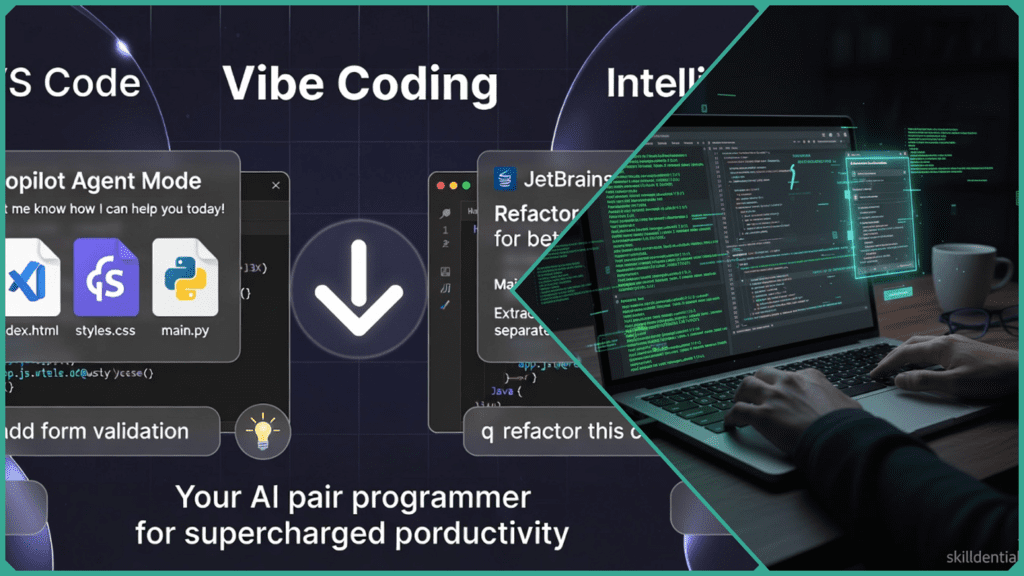
In this professional context, the “vibe” is maintained through supervised verification: using the AI to generate unit tests and documentation that validate its own outputs, ensuring that rapid speed never compromises production-grade security.
How Does AI Vibe Coding Software Work?
Vibe coding in an IDE environment is more than just “chatting” with code—it is an integrated, agentic workflow that bridges the gap between high-level intent and low-level execution. In 2026, this works through a Continuous Feedback Loop powered by deep codebase indexing.
The Mechanics of the “IDE Vibe” Workflow
In a professional IDE, vibe coding isn’t just about text generation—it’s about synchronized orchestration. Unlike browser-based tools that often work in a vacuum, AI-integrated IDEs act as a “digital nervous system” for your project. They don’t just write code; they understand the relationships between your components, your terminal, and your local environment.
This workflow operates through a sophisticated “Sense-Plan-Act” cycle. The IDE senses your entire project through deep semantic indexing, plans multi-file changes based on your natural language intent, and acts by executing edits and running tests in real-time. This transforms the developer from a manual typist into a high-level director, where the “vibe” is anchored by technical context and verified by automated feedback loops.
Core Components of the IDE Workflow
- Semantic Indexing (The “Context” Engine): Modern IDEs like Cursor and Windsurf use Retrieval-Augmented Generation (RAG) to build a relational graph of your codebase. This ensures the AI knows that a change to your “User Model” also requires updates to your “Auth Middleware” and “Database Schema,” even if they are located in different folders.
- Multi-File Agentic Loops (The “Orchestration” Phase): When you issue a complex command, the AI enters an Agent Mode (such as Cursor’s Composer or Windsurf’s Cascade). Instead of providing a single snippet, the agent:
- Reads all relevant files across the project.
- Write the necessary logic simultaneously.
- Corrects itself by reading terminal errors or linter warnings.
- Real-Time Verification (The “Feedback” Phase): The final mechanic is the Verification Loop. Professional vibe coding relies on the AI to prove its own work. You don’t just accept the code; you prompt the agent to:
- “Generate 10 unit tests for this new logic.”
- “Run the test suite and fix any failures.”
- “Check if this refactor follows our existing style guide.”
What Are Key Benefits for Augmented Engineers?
For the “Augmented Engineer,” vibe coding isn’t about avoiding code—it’s about orchestrating complex systems at scale. By integrating AI directly into professional IDEs, senior developers can shift their focus from the “grind” of syntax to the “art” of architecture.
- Boilerplate Delegation: AI agents handle the repetitive “scaffolding” of new features, allowing engineers to maintain their creative flow.
- Proactive DevSecOps: In 2026, tools like GitHub Copilot and Cursor don’t just write code; they automatically generate unit tests and perform real-time vulnerability scans before the code even leaves the local environment.
- Contextual Continuity: Advanced codebase indexing means the AI understands how a change in your frontend impacts your backend API. This drastically reduces the “mental reloading” time typical of full-stack development.
The Skilldential Insight: In our recent 2026 Career Audits, we found that senior developers frequently lost up to 15 hours a week to manual CI/CD configuration and environment setup. By implementing “vibe-integrated” IDEs like VS Code with Copilot Agents, these teams achieved 40% faster iteration cycles, moving from “Code Complete” to “Production Ready” in record time.
IDE Integration Comparison: Finding Your Workflow
While browser-based platforms empower the launch, professional IDE integrations empower the evolution of a codebase. The following table highlights the key differences between the world’s most popular professional environments.
| Feature | VS Code (w/ Cursor/Copilot) | IntelliJ (w/ JetBrains AI) |
| Philosophy | AI-Native: Rebuilt from the ground up to be “Agentic” (e.g., Cursor). | Hybrid: Reliable static analysis paired with an AI assistant. |
| Multi-File Editing | Exceptional: “Composer” mode refactors 10+ files with one prompt. | Precise: Refactors guided by deep Java/Kotlin type awareness. |
| Ecosystem | Extensive: 30,000+ extensions; ultimate workflow flexibility. | Deep: Native support for complex enterprise frameworks (Spring, etc.). |
| Language Support | Universal: Best-in-class for TS, JS, Python, and Rust. | Specialized: The “Gold Standard” for Java, C#, and Go. |
| Security Scanning | Modular: Real-time fixes via plugins (Snyk, OWASP). | Integrated: Built-in vulnerability checks and “Junie” agent audits. |
| Vibe Factor | High Velocity: Fast, conversational, occasionally experimental. | High Reliability: Slower, more calculated, architecturally correct. |
Choosing Your Path
- Go with VS Code / Cursor if: You are working on “greenfield” projects, startups, or frontend-heavy stacks (React/Next.js). You want the “fastest vibe” where the AI can proactively execute terminal commands and loop through errors until the task is green.
- Go with IntelliJ / JetBrains if: You manage massive enterprise monorepos or deeply typed backend systems. You need an AI that understands “inheritance hierarchies” and “dependency injection” without breaking your build.
Many senior developers in 2026 are actually using both. They use Cursor to rapidly “vibe” out a new feature or module, and then switch to IntelliJ for the final “hardening” phase—running deep inspections and complex refactors that only a static-aware IDE can handle safely.
How to Verify AI-Generated Code
Verification prioritizes execution and scanning over blind trust. Instead of reading every line manually, augmented engineers use the AI to build the very walls that will catch its own errors.
Automated “Vibe-to-Test” Cycles
The moment the AI generates a feature, your next prompt should be for test coverage. Modern IDEs allow you to highlight a new function and instantly generate unit tests that cover:
- Happy Paths: Does it work with standard inputs?
- Edge Cases: What happens with
nullvalues, empty strings, or massive datasets? - Logic Breaks: Does the function fail gracefully under stress?
Security Guardrails & OWASP Alignment
AI models trained on older code often suggest outdated or insecure patterns. To counter this, professional verification integrates real-time security scanning:
- Parameterized Queries: Tools like GitHub Copilot now proactively suggest parameterized inputs for database calls to prevent SQL injection, aligning with OWASP Top 10 guidelines.
- Vulnerability Scanners: Plugins like Snyk or CodeQL run in the background of your IDE, flagging “hallucinated” dependencies or insecure cryptographic algorithms the moment the AI writes them.
The “Review & Diff” Protocol
Never “Accept All” without a visual audit. Use the Side-by-Side Diff view to verify:
- Intent Alignment: Did the AI change only what you asked, or did it refactor unrelated files?
- Code Quality: Does the naming convention match your project’s “tribal knowledge”?
- Maintainability: Is the logic clear, or is it “AI slop” (overly complex, duplicative code)?
The Verification Maturity Model
| Phase | Level 1: Basic | Level 2: Professional | Level 3: Enterprise |
| Method | Visual “Eye-balling” | AI-Generated Unit Tests | Automated CI/CD Quality Gates |
| Tools | Manual Review | Vitest / PyTest / Jest | SonarQube / CodeRabbit |
| Goal | “Does it look right?” | “Does it pass logic tests?” | “Is it secure and scalable?” |
Skilldential Implementation Tip
In our Skilldential career audits, we’ve found that the most successful engineers spend 20% of their time prompting and 80% of their time verifying. By automating the test generation, they effectively flip the traditional development cycle, shipping faster while actually increasing total test coverage.
AI Vibe Coding FAQs
What exactly is “Vibe Coding”?
Popularized by Andrej Karpathy in early 2025, it describes a workflow where you “fully give in to the vibes” of an AI assistant. Instead of meticulously crafting every line, you guide the AI through natural language intent, iteratively refining the application by observing results and feeding errors back into the loop.+1
Does it support multiple languages?
Modern 2026 IDEs like Cursor, Windsurf, and GitHub Copilot support over 80 programming languages. They handle real-time syntax translation, allowing you to prompt in English while the AI executes in Python, TypeScript, or Rust.
Is codebase awareness standard?
In professional IDEs, yes. Using Semantic Indexing (via RAG), these tools build a relational map of your entire project. This enables “multi-file edits,” where the AI understands how a change in your database schema affects your frontend components.
What security measures should I follow?
Treat AI-generated code as “untrusted.” Always use Multi-Factor Authentication (MFA), store secrets in environment variables rather than code, and run automated SAST/DAST scans (like Snyk or SonarQube) to catch vulnerabilities before deployment.
Can it automate CI/CD?
Agentic IDEs can now access your terminal to script deployments, run test suites, and configure GitHub Actions or TeamCity pipelines directly from a prompt.
Can I use Vibe Coding on legacy codebases, or only on new projects?
It is arguably more powerful on legacy code. Tools like Windsurf and Bind AI use RAG (Retrieval-Augmented Generation) to “grok” millions of lines of existing code in seconds. You can ask, “Refactor this 10-year-old Auth module to use our new OIDC provider,” and the AI will handle the tedious mapping across the entire repo.
In Conclusion
The emergence of AI Vibe Coding within professional IDEs marks the end of the “Syntax Era” and the beginning of the “Intent Era.” By 2026, the competitive advantage for a senior developer is no longer their ability to remember complex API signatures, but their ability to orchestrate agents to build reliable, scalable systems.
The data is clear: Augmented Engineers who embrace these “vibe-integrated” workflows are shipping features 40% to 70% faster while maintaining higher test coverage than those stuck in manual cycles. Whether you choose the high-velocity, agent-first approach of Cursor or the rock-solid, type-safe reliability of IntelliJ, the goal remains the same: Focus on the architecture, delegate the boilerplate, and verify with discipline.
Don’t wait for the “perfect” time to switch. The barrier to entry has never been lower, and the ceiling for what you can build has never been higher.
Discover more from SkillDential | Your Path to High-Level Career Skills
Subscribe to get the latest posts sent to your email.