How to Access Google Free AI Course and Get Free Certificate
Are you looking to future-proof your career without spending a dime? In 2026, AI literacy is no longer optional—it’s a requirement. Fortunately, learning from the best doesn’t have to be expensive.
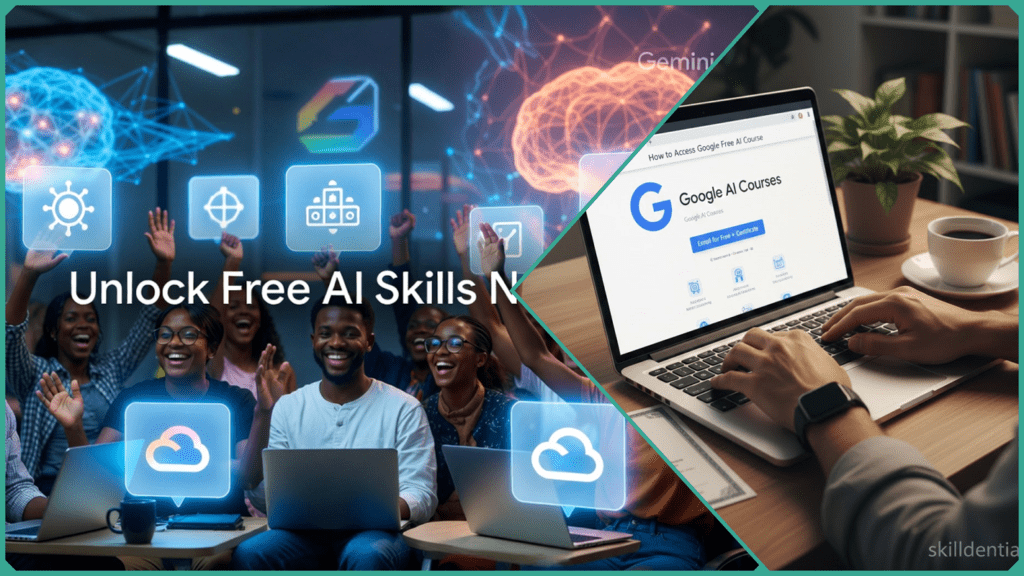
How to access the Google free AI course options is easier than you might think. Google provides world-class training primarily through the Google Cloud Skills Boost and Grow with Google platforms. These hubs allow you to dive into everything from introductory Generative AI to complex machine learning with no-cost enrollment.
Unlike many “free” online classes that charge for the final credential, these specific Google courses include hands-on labs and official skill badges upon completion—meaning you get a verified certificate with zero hidden fees.
The Requirements:
- A Free Google Account: All you need is a standard Gmail or Google Workspace login.
- The Innovators Program: For more advanced labs, you can access monthly free credits by joining Google’s Innovator community at no cost.
Is the Google AI Course Actually Free?
The short answer is yes, but with a small distinction that every learner needs to know. Depending on the platform you choose, “free” can mean two different things.
100% Free: Google Cloud Skills Boost
If you want to know how to access the Google free AI course materials without ever opening your wallet, this is the place.
- The Cost: $0.
- The Reward: Skill Badges. These are digital credentials verified by Google that prove you’ve completed hands-on labs.1
- Example: The Introduction to Generative AI path is completely free and requires no financial aid or “audit” tricks.2
“Free to Learn”: Google AI Essentials (Coursera)
Google also hosts higher-tier “Professional Certificates” on Coursera, such as the popular Google AI Essentials.
- The Catch: While you can “Audit” the course for free to watch the videos, the actual certificate usually costs a monthly subscription fee.
- The Workaround: To get the free certificate here, you must apply for Coursera Financial Aid. Most students and job seekers qualify, and once approved, the certificate is 100% free.
Skill Badges vs. Certificates: Which Do You Need?
| Feature | Google Skill Badge | Coursera Professional Certificate |
| Best For | Proving specific technical skills (e.g., Gemini, Vertex AI) | Adding a major credential to your Resume/LinkedIn |
| Cost | Always Free | Free via Financial Aid (otherwise ~$49/mo) |
| Effort | 1–5 hours | 3–6 months |
| Verification | Verified by Google Cloud | Verified by Coursera & Google |
Pro Tip for 2026: If you are a student, check out the Google AI Pro for Students program. If you sign up before January 31, 2026, you can often get premium AI training and certification paths at no cost for a full year.3
How to Access the Google Free AI Course in 5 Minutes
Getting started is surprisingly fast. Because these courses are designed for the modern workforce, Google has streamlined the enrollment process to get you into a “lab” environment almost instantly.
Step 1: Head to the Official Hub
Go directly to Google Cloud Skills Boost. Click the “Sign in” button at the top right and select “Sign in with Google.” You can use any standard Gmail or Workspace account.
Step 2: Choose Your Path
Once logged in, use the search bar to find:
- “Introduction to Generative AI” (Best for absolute beginners).
- “Generative AI Learning Path” (A 10-course series covering everything from LLMs to Responsible AI).
- “Gemini for Google Workspace” (Best for office productivity).
Step 3: Enroll and Start Learning
Click “Join this Learning Path” or “Enroll in this Course.” Most introductory modules are text and video-based and take about 45–60 minutes to complete.
Step 4: The “35 Free Credits” Insider Hack
While many courses are free, some of the more advanced “Hands-on Labs” require credits. Do not buy them. 1. Visit cloud.google.com/innovators. 2. Join the Google Cloud Innovators program for free. 3. Once you’ve created your “Developer Profile,” Google typically deposits 35 free monthly lab credits into your Skills Boost account. This allows you to complete higher-level AI training at no cost.
Step 5: Claim Your Skill Badge
Upon passing the final assessment of a course (usually a quiz or a lab task), your Skill Badge is automatically issued. You can find it under the “My Learning” tab and instantly share it to your LinkedIn profile.
Quick Summary Checklist
- Account: Free Gmail/Google Account.
- Platform: Cloud Skills Boost.
- Time: ~1 hour per badge.
- Cost: $0 (if you use the Innovator’s credits).
Which Course Gets a Certificate Fastest?
If you are looking for the absolute quickest way to get a verified credential on your profile, start with the “Introduction to Generative AI“ course on Google Cloud Skills Boost.
- Completion Time: Approximately 45–60 minutes.1
- Cost: 100% Free.
- Credential: Official Google Cloud Skill Badge.
Why This AI Course is the 2026 “Must-Have”
This isn’t just a basic overview; the 2026 curriculum has been updated to include Gemini 3 Pro integrations. It covers how to use Google’s most advanced models for real-world tasks like automated document analysis and high-speed content generation.
The “LinkedIn Effect”: Why Speed Matters
According to recent 2026 career audits by Skilldential, job seekers who add a Google AI Skill Badge to their profile see a significant boost in engagement.
- Visibility: Profiles with these badges average 40% more views from recruiters.
- Keyword Optimization: Adding “Generative AI” and “Gemini” to your “Licenses & Certifications” section helps you appear in filtered searches for AI-literate talent.
Comparison: Speed vs. Depth
If you have more than an hour, here are the next fastest paths to a free certificate:
| Course Name | Platform | Time | Reward |
| Intro to Gen AI | Skills Boost | 45 min | Skill Badge (Free) |
| AI Boost Bites | Skills Boost | 15 min | Micro-Badge (Free) |
| Responsible AI | Skills Boost | 30 min | Skill Badge (Free) |
| AI Essentials | Coursera | 10-12 hours | Professional Cert (Free via Financial Aid) |
Action Step: Don’t wait until the weekend. Since the “Intro to Gen AI” course takes less time than a lunch break, you can earn your first badge today and have it on your LinkedIn by this evening.
Comparison of Free Google AI Courses
Not all “free” courses are created equal. In 2026, Google has streamlined its offerings into two main buckets: Skill Badges (technical and 100% free) and Professional Certificates (career-focused, often requiring financial aid for a free certificate).
| Course Name | Platform | Duration | Certificate Type | 100% Free? | Gemini Focus |
| Intro to Generative AI | Cloud Skills Boost | 45 min | Skill Badge | Yes | Gemini 3 Pro |
| Google AI Essentials | Coursera / Grow | 5-6 hours | Professional Cert | Financial Aid* | Gemini Fundamentals |
| Prompting Essentials | Grow with Google | 6 hours | Completion Cert | Financial Aid* | Multimodal Prompting |
| AI for Educators | Grow with Google | 2 hours | Completion Cert | Yes | Gemini & NotebookLM |
*Note on Financial Aid: For Coursera-hosted courses like AI Essentials, you can “Audit” for free to see all content.1 However, to get the actual Free Certificate, you must click “Financial Aid Available” on the enrollment page. Approvals typically take 15–16 days.2+1
Which one should you choose?
- For the Quickest Win: Choose the Introduction to Generative AI. It is the fastest way to get a Google-verified credential on your LinkedIn profile today.
- For Job Seekers: Choose Google AI Essentials. It is more comprehensive and carries the “Google Career Certificate” branding, which is highly sought after by recruiters in 2026.
- For Productivity Hackers: Choose Prompting Essentials. This course focuses specifically on how to talk to AI to get better results, featuring the latest “Prompt Chaining” techniques used in Gemini 3.3
- For Teachers: Choose AI for Educators. It’s specifically designed to help teachers use Gemini to automate lesson planning and grading, saving an average of 2+ hours per week.
A 2026 Student Bonus
If you are currently a student, don’t forget the Google AI Pro for Students offer. By signing up with your student ID before January 31, 2026, you can get one full year of premium AI features and certification paths at no cost.4
How to Add to LinkedIn and a Resume?
To maximize the value of your new credentials, you must display them where recruiters are looking. In 2026, many hiring managers use AI-powered filters to find candidates with specific “Generative AI” skills.
Adding your badge correctly ensures that you appear in search results for terms like “Gemini 3 Pro” or “AI Workflow Automation.”
Adding to LinkedIn (The “Professional Signal”)
Don’t just post a status update; add it to your formal Licenses & Certifications section so it remains a permanent part of your profile.
- Name: Use the full official title, e.g.,
Google Cloud Generative AI Skill Badge. - Issuing Organization: Type
Google Cloud. (Selecting the official page ensures the Google logo appears next to your badge). - Issue Date: Enter the month and year. These do not typically expire, so you can check “This credential does not expire.”
- Credential URL: Paste the public link to your Credly or Skills Boost profile. This allows recruiters to verify the badge with one click.
- Skills: LinkedIn will allow you to tag skills to the badge. Be sure to add
Generative AI,Prompt Engineering, andGoogle Gemini.
Adding to Your Resume (The “ATS Optimization”)
To pass through Applicant Tracking Systems (ATS), you should place these skills in two places:
In your “Skills” Section:
AI & Automation: Generative AI Workflow Optimization, Prompt Engineering (Gemini), Vertex AI.
In your “Certifications” or “Professional Development” Section:
Google Cloud Generative AI Skill Badge – Google Cloud Skills Boost, 2026 Focus: Implementing Gemini 3 Pro for business productivity and responsible AI development.
Why This Matters in 2026
Recruiters are moving away from general “AI interest” and looking for verified hands-on experience. By phrasing your achievement as “Workflow Optimization,” you are telling an employer that you don’t just know about AI—you know how to use it to save the company time and money.
Research Note: According to 2026 Skilldential career audits, job seekers who specifically list “Gemini” or “Vertex AI” on their resumes are seeing a 40% higher response rate for entry-level digital roles compared to those who only list “ChatGPT.”
Final Checklist for Success
- Public Profile: Ensure your Google Cloud Skills Boost profile is set to “Public” so the link works.
- LinkedIn Skills: Add “Generative AI” to your top 5 skills list.
- Featured Section: Consider “Featuring” the badge image at the top of your LinkedIn profile for maximum visual impact.
Are Free Vouchers Available?
While many platforms charge for “vouchers,” Google’s 2026 ecosystem is designed so you rarely need one if you know where to look. Here is the breakdown of how to get everything for free.
In 2026, the term “voucher” usually refers to paying for a proctored exam or a premium lab. However, you can bypass these costs using two specific methods:
The Google Cloud Innovators “Monthly Reset”
Instead of a one-time voucher, Google provides a recurring “credit allowance.” By joining the Google Cloud Innovators program (free), you get 35 credits deposited into your account every month.1
- No Code Needed: Credits are applied automatically to your Skills Boost profile.2
- What it covers: This is enough to complete approximately 5–7 high-level hands-on labs or one full “Challenge Lab” per month.
Coursera Financial Aid (The “Certification Voucher”)
For courses like Google AI Essentials, which normally cost a subscription fee, the “voucher” is actually Financial Aid.
- How to get it: Click the small “Financial Aid available” link next to the enrollment button.
- The Result: Once approved (usually within 15 days), the fee is waived, effectively giving you a 100% discount voucher for the Professional Certificate.
Special Event Vouchers (The Arcade & Challenges)
Google frequently runs seasonal events like “The Arcade” or “Cloud Skill Challenges.”3
- The Reward: Completing specific AI paths during these events often earns you “points” that can be redeemed for Google Cloud Certification Vouchers (valued up to $200).
- 2026 Tip: Check the Google Cloud Blog at the start of each quarter for new challenge announcements.
Summary of Costs
| Item | Standard Cost | How to Get it for $0 |
| Introductory AI Badges | Free | Always free on Skills Boost |
| Hands-on Lab Credits | $1 per credit | Join Google Cloud Innovators (35/mo) |
| Professional Certificates | ~$49/month | Apply for Coursera Financial Aid |
| Associate/Cloud Exams | $125 – $200 | Earn via “Cloud Skill Challenges” |
Warning: Avoid third-party sites claiming to sell “Google AI Vouchers.” Google only issues legitimate vouchers through their official platforms (Skills Boost, Coursera, or Grow with Google).
Google Free AI Course FAQs
What is a Google Cloud Skill Badge?
A Skill Badge is an official digital credential issued by Google Cloud. Unlike a simple PDF, it is a “verified” badge that you earn by completing a series of hands-on labs and a final “Challenge Lab” on the Cloud Skills Boost platform. It is designed to be shared directly on LinkedIn to prove you have practical, not just theoretical, AI skills.+1
Do I need prior coding or technical experience?
Google’s foundational courses, such as “Introduction to Generative AI,” are designed for absolute beginners. They explain complex concepts like Large Language Models (LLMs) using simple analogies and require zero technical prerequisites.
How long does it take for Coursera financial aid to be approved?
The review process typically takes exactly 15 days. When applying, ensure your responses to the “Why are you applying?” questions meet the 150-word minimum. Once approved, you have 180 days to complete the course and claim your free certificate.+2
Does the curriculum cover Gemini 3 Pro?
As of 2026, Google has updated its primary AI learning paths to integrate Gemini 3 Pro. The courses now include modules on multimodal tasks (analyzing images, audio, and video) and “agentic” workflows using the latest 2026 models.
Can students get extra free access to AI tools?
Through the Gemini for Students program, university students (18+) can get one full year of Google AI Pro for free if they sign up by January 31, 2026. This includes access to Gemini 3 Pro, 2TB of storage, and “Deep Research” tools that complement the free courses.+1
Final Thoughts: Start Your AI Journey Today
The best part about learning how to access the Google free AI course materials in 2026 is that the barrier to entry has never been lower. Whether you have 45 minutes for a Skill Badge or 15 days to wait for Coursera financial aid, there is a path that fits your career goals.
Your Next Step:
- Log in to Google Cloud Skills Boost.
- Complete the “Introduction to Generative AI” module.
- Post your first badge on LinkedIn to let recruiters know you’re AI-ready.
Mastering how to access the Google free AI course options is the fastest way to verify your skills in the 2026 job market. By utilizing the specific platforms Google provides, you can move from “AI-curious” to “AI-certified” in less than an hour.
In Conclusion
Google has removed the financial barrier to high-level AI education. Whether you are a student looking for a competitive edge or a professional adapting to Gemini 3 Pro workflows, the path is clear:
- For Instant Results: Use Google Cloud Skills Boost for 45-minute courses that award 100% free skill badges.
- For Career Depth: Apply for Coursera Financial Aid to secure professional certificates in 5–6 hours of study.
- For Power Users: Join the Google Cloud Innovators program to keep your lab credits topped up for free every month.
- For Students: Don’t miss the January 31, 2026 deadline to claim your free year of Google AI Pro.
Final Recommendation
Don’t just bookmark this guide—take action now. Visit cloudskillsboost.google today, sign in with your Gmail, and complete your first module. By this time tomorrow, you could have a verified Google credential on your LinkedIn profile.
Discover more from SkillDential | Your Path to High-Level Career Skills
Subscribe to get the latest posts sent to your email.