9 Best AI Learning Apps for College Students in 2026
In 2026, the question isn’t if you’re using AI for college—it’s whether you’re using the tools that actually make you smarter, or just the ones that do your homework. An AI learning app is software that uses artificial intelligence to personalize education, summarize content, solve problems, or generate study materials for students.
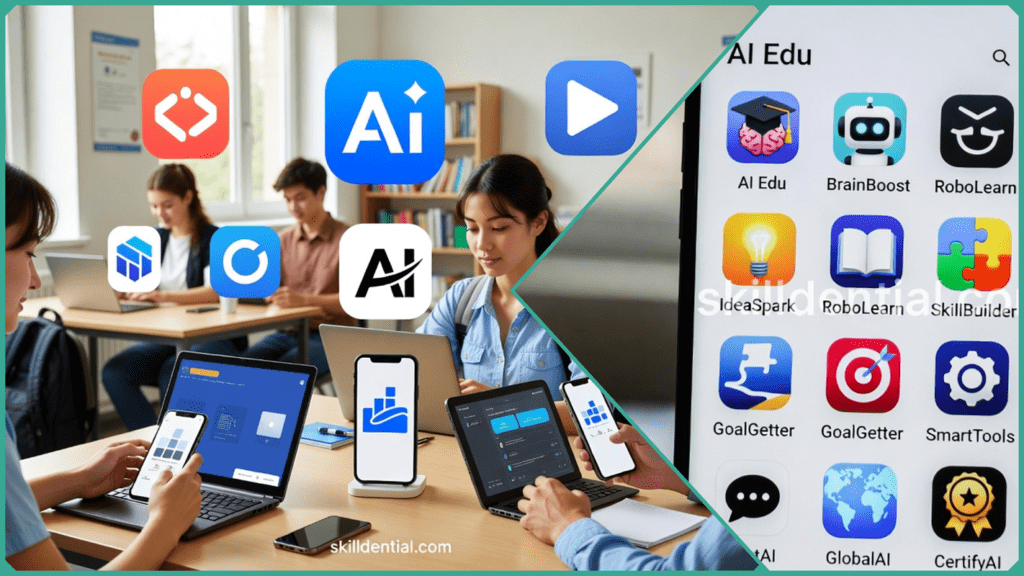
These AI learning apps process lectures, notes, or queries to provide summaries, flashcards, or step-by-step guidance, often with free tiers suitable for college use. Popular examples include ChatGPT for tutoring and NotebookLM for note organization.
ChatGPT: The Socratic Tutor
While many students first used ChatGPT to generate quick text, its true value in 2026 lies in its ability to act as a personal tutor.
- How it works: Instead of asking for an answer, you can prompt it to “Explain the principles of thermodynamics as if I’m a beginner and ask me follow-up questions to check my understanding.”
- Best for: Breaking down complex theories and brainstorming essay outlines.
NotebookLM: Your Personal Knowledge Base
Google’s NotebookLM is designed specifically for students who are overwhelmed by a high volume of reading materials.
- How it works: You upload your class-specific PDFs, slides, and notes. The AI then answers questions based only on those documents, virtually eliminating the risk of “hallucinating” incorrect info.
- Best for: Synthesizing weeks of lecture material into a single, cohesive study guide.
However, the rise of these AI learning apps has also increased the stakes for academic integrity; they require careful verification of sources to ensure that the work remains your own. By integrating the right “AI stack” into your routine, you can move away from late-night cramming and toward a more streamlined, efficient way of learning.
From research assistants that cite every fact to computational engines that master complex math, here are the 9 essential AI learning apps every student needs to master their workload this semester.
Top 9 AI Learning Apps Overview
These AI learning apps target specific college pain points while integrating into a tech stack for maximum efficiency. By recording lectures with Otter.ai, summarizing them in NotebookLM, researching via Perplexity, and verifying math in Wolfram Alpha, students can save 5–10 hours weekly on administrative tasks.
ChatGPT: The All-Purpose Tutor
- Best For: Conceptual explanations, coding help, and brainstorming essay outlines.
- 2026 Edge: Includes a specialized “Study Mode“ that uses Socratic questioning to help you learn rather than just giving answers.
- Cost: Free tier available; “Plus” student discounts are often offered via university portals.
Perplexity AI: The Cited Research Engine
- Best For: Accurate research and fact-checking without “hallucinations.”
- 2026 Edge: Provides clickable, real-time citations for every claim. Students with a .edu email can often access “Education Pro” for as low as $4.99/month, offering 10x more citations.
- Cost: Generous free tier; Pro discounts for verified students.
NotebookLM: The Personal Knowledge Base
- Best For: Turning messy lecture notes and PDFs into organized study hubs.
- 2026 Edge: The “Audio Overview“ feature converts your notes into a realistic AI podcast, perfect for auditory learners.
- Cost: Completely free (Google-supported).
Otter.ai: The Lecture Transcriber
- Best For: Capturing every word in class so you can focus on the professor instead of frantic typing.
- 2026 Edge: “Otter AI Chat” allows you to ask questions about the live lecture (e.g., “When did she say the quiz is?”) while it’s still being recorded.
- Cost: Free basic version (300 monthly minutes); Pro plans for heavy lecture loads.
Wolfram Alpha: The STEM Truth Machine
- Best For: Solving complex math, physics, and engineering problems with 100% accuracy.
- 2026 Edge: Unlike standard AI, it uses computational logic to provide step-by-step solutions.
- Cost: High-value free tier; Pro version offers 25–30% student discounts.
Quizlet: The Active Recall Master
- Best For: Memorizing terms, formulas, and vocabulary through spaced repetition.
- 2026 Edge: Q-Chat acts as an AI study buddy that quizzes you on your specific flashcard sets.
- Cost: Free basic access; “Plus” features (like AI Magic Notes) require a subscription.
Grammarly: The Writing Coach
- Best For: Polishing essays and ensuring academic integrity.
- 2026 Edge: The “Authorship“ feature tracks your writing process to prove your work is original and helps you cite sources automatically in APA/MLA.
- Cost: Free for basic checks; “Grammarly for Education” is often provided by colleges.
Speechify: The Multitasking Reader
- Best For: Listening to textbooks and research papers while commuting or at the gym.
- 2026 Edge: High-quality AI voices (including celebrity voices) make long academic readings feel like an audiobook.
- Cost: Free version available; student discounts for the Premium library.
Khanmigo: The Socratic Math Tutor
- Best For: Interactive, step-by-step guidance in math and science.
- 2026 Edge: Integrated directly into Khan Academy, it refuses to answer, instead guiding you through the logic like a human tutor.
- Cost: Free or low-cost ($4–$9/month) depending on school partnerships.
Comparison of the AI Learning Apps
The following table breaks down how each AI learning app fits into your academic workflow and the specific “Student Deal” available in 2026.
| AI Learning App | Best For | Free Tier / Student Deal | Key Feature | Academic Safety |
| ChatGPT | General tutoring | Yes, discounts available | Study Mode guidance | Prompts original thought |
| Perplexity | Research | Free Pro for 1 year | Live Citations | Source verification |
| NotebookLM | Note summarization | Generous Free Tier | Source-grounded quizzes | Uses your own uploads |
| Otter.ai | Lecture transcription | Basic Free (300 min/mo) | Speaker ID & Chat | Raw transcripts for review |
| Wolfram Alpha | STEM accuracy | 25-30% off for students | Step-by-step math | Computational facts |
| Quizlet | Memorization | Yes, Plus discounts | Magic Notes | Guides active learning |
| Grammarly | Writing integrity | Free for Students | AI Authorship report | Cites AI usage |
| Speechify | Hands-free learning | Student Free Tier | Speed controls | Reads your own content |
| Khanmigo | Guided coaching | Free via Khan Academy | Socratic questions | No direct answers |
Real-World Impact: The “Skilldential” Workflow
In recent Skilldential career audits, we observed that overwhelmed undergrads struggle most with the transition from lecture hall to library. By implementing a “Lecture Processing Stack”—using Otter.ai to record and NotebookLM to organize—students saw a 40% reduction in review times. Instead of re-reading raw notes, they were able to jump straight into AI-generated quizzes grounded in their own class data.
How Does Otter.ai Work?
Otter.ai acts as your digital shorthand assistant, recording and transcribing lectures in real-time with roughly 90% accuracy.
- The Process: You simply hit “Record” on your phone or laptop during a lecture.1 The app uses Ambient Voice Intelligence to distinguish between your professor and other students (Speaker ID).
- The Workflow: After class, you have a searchable text document. Instead of re-listening to a two-hour recording, you can search for keywords like “Midterm” or “Photosynthesis” to jump to the exact moment the topic was discussed.
- Pro Tip: Export the clean text from Otter and upload it into NotebookLM. This creates a “Source-Grounded” AI that can quiz you specifically on your professor’s unique lecture style.
How Does Wolfram Alpha Work?
Unlike standard AI chatbots that predict the next word in a sentence, Wolfram Alpha is a computational knowledge engine. It “computes” answers using internal algorithms and a massive database of verified facts.
- The Process: You can type in complex queries—from “Integrate $x^2 \sin(x)$” to “GDP of Nigeria vs. South Africa”—or even upload a photo of a math problem from your textbook.
- The Workflow: It provides step-by-step outputs, showing the logic behind the solution. This is the “gold standard” for STEM specialists (Engineering, Physics, Chemistry) who need to verify results reliably without the risk of AI “hallucinations.”
- Pro Tip: Use the 25–30% student discount to access the Pro version, which unlocks “Practice Problems” and the ability to download results as high-resolution plots for your lab reports.
How Does Speechify Work?
Speechify is the ultimate tool for students with heavy reading loads or those who juggle work and school. It uses high-quality AI text-to-speech (TTS) to read any document aloud.
- The Process: You can upload PDFs, research papers, or even use the OCR (Optical Character Recognition) feature to snap a photo of a page in a physical textbook. The AI then reads the text back to you in a natural-sounding voice.
- The Workflow: Non-traditional students use it to “read” while commuting, exercising, or doing chores. You can adjust the speed up to 4.5x (900 words per minute) to breeze through background reading.
- Pro Tip: Use the Chrome Extension to read web articles aloud. For many students, listening while following along with the highlighted text on screen significantly improves reading comprehension and focus (especially for those with ADHD or Dyslexia).
Are These AI Learning Apps Free?
Most of these AI learning apps offer robust free tiers or exclusive student deals in 2026. For example, Google is currently offering a massive 12-month free trial of Google AI Pro (including Gemini 3 Pro and 2 TB of storage) for university students who sign up before January 31, 2026.
ChatGPT has also launched official student verification via SheerID, often providing two free months of “Plus” or significant monthly discounts.
How to Claim Your Discounts:
- Verify via .edu Email: Most platforms require a valid university email address to unlock “Education” pricing.
- Check Local Portals: For students in Lagos and across Nigeria, institutions like Wigwe University and others have partnered directly with tech giants to ensure these tools are budget-friendly and accessible.
- Use Free Tiers First: AI learning apps like NotebookLM and the basic versions of Otter.ai and Perplexity are completely free and provide sufficient power for the average semester without incurring any costs.
Don’t try to use all 9 AI learning apps at once. Start by picking one “Research” tool (like Perplexity) and one “Organization” tool (like NotebookLM). As you get comfortable, you can add more specialized apps to your workflow.
AI Learning Apps FAQs
What is an AI learning app?
AI learning apps are specialized software programs that use machine learning to support academic tasks. Unlike general chatbots, these are designed to personalize your education—summarizing dense lecture notes, solving complex equations, or generating custom study materials. Popular examples include ChatGPT for tutoring and Perplexity for research.+2
Do these AI learning apps help with plagiarism?
When used correctly, yes. Tools like Grammarly and Quizlet are designed to guide your writing and study process without doing the work for you. In 2026, most of these AI learning apps include “AI-use citations” or “Authorship Reports” to help you maintain academic integrity by being transparent about how you used the tool.
Are free tiers sufficient for college?
Most students find that the free versions of these AI learning apps handle core tasks—like transcribing lectures with Otter.ai or conducting research with Perplexity—perfectly well. Upgrades are usually only necessary for high-volume users, and even then, student discounts are widely available.
Can AI learning apps integrate?
Yes, and that is where the real time-saving happens. A common 2026 workflow involves recording a lecture with Otter.ai, exporting that transcript into NotebookLM to create a quiz, and then using Perplexity to find peer-reviewed sources that back up the lecture’s claims.
Is Wolfram Alpha safe for STEM exams?
Wolfram Alpha is a computational engine, meaning it provides verifiable mathematical facts and step-by-step logic rather than “generative” text. It is a reliable tool for checking your work and practicing problems, but always ensure you follow your specific professor’s policy regarding its use during take-home exams.
In Conclusion
In 2026, the primary benefit of AI learning apps is their ability to save you from administrative “busy work,” freeing up your mental energy for deep learning and critical analysis. With robust free tiers and significant student deals (like those for Lagos students and others globally), these AI learning apps are more accessible than ever before.
By focusing on AI learning apps that prioritize Socratic coaching and source verification, you can enhance your academic performance while maintaining complete integrity. To get the most out of your semester, consider “stacking” your tools for a seamless workflow:
- Record with Otter.ai.
- Summarize and quiz yourself with NotebookLM.
- Research and verify facts via Perplexity.
Don’t feel pressured to master all nine AI learning apps at once. Start with ChatGPT’s free “Study Mode” today to see how a conversational tutor can transform your understanding of your hardest subject.
Discover more from SkillDential | Your Path to High-Level Career Skills
Subscribe to get the latest posts sent to your email.