
AutoCAD 2025 vs. 2026: The New Specification Requirements
With the release of AutoCAD 2026, many professionals are asking the same question: Can my current workstation handle the upgrade? While AutoCAD 2025 set a solid baseline—requiring a 64-bit Windows 10/11 environment, a 2.5–2.9 GHz processor, and 16 GB of recommended RAM—the 2026 version introduces a new era of Autodesk AI and high-speed rendering that pushes hardware further.
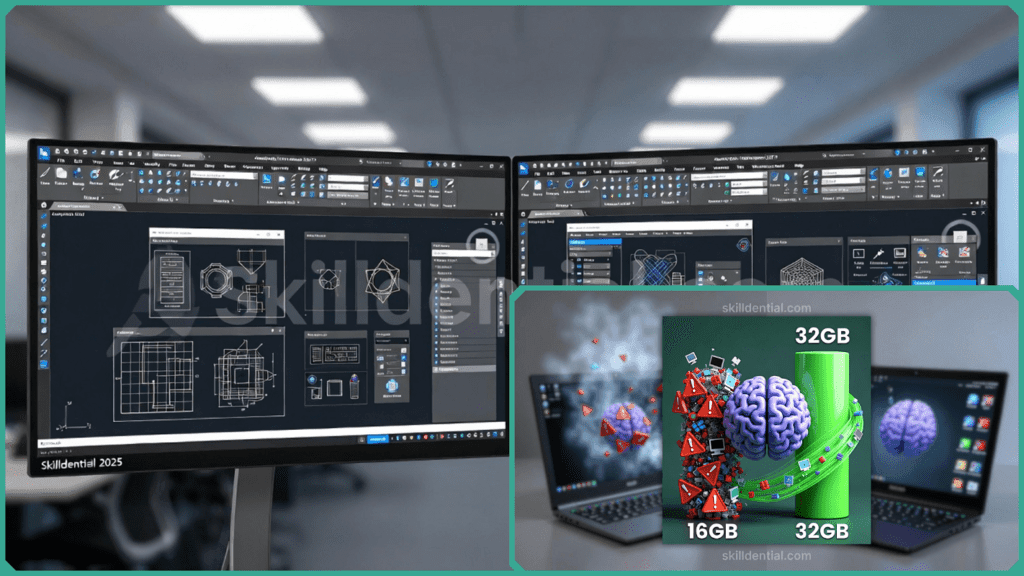
In 2025, a 1–4 GB GPU supporting DirectX 11 was sufficient for basic operations. However, for 2026, the shift toward DirectX 12 (Feature Level 12_0) is no longer just “recommended” for performance—it is essential for unlocking the new “Fast” visual styles and AI-driven object detection. While both versions thrive on multi-core CPUs and NVMe SSDs, the 2026 update represents a significant “performance floor” hike for users working with complex 3D datasets.
AutoCAD 2025 vs. 2026: System Requirements Comparison
While AutoCAD 2026 maintains the same basic entry-level specifications as 2025, it significantly increases its recommended hardware requirements. This shift is designed to fuel the new “Autodesk AI” engine and a reconstructed graphics core that prioritizes speed over legacy compatibility.
| Specification | AutoCAD 2025 | AutoCAD 2026 | Why It Matters |
| Recommended RAM | 16 GB | 32 GB | AI background processing: Tools like Smart Blocks and Autodesk Assistant scan your data in real-time. 32 GB ensures your system doesn’t “choke” during these operations. |
| Recommended GPU | 4 GB VRAM (DX12 Rec.) | 8 GB VRAM (DX12 Req.) | Unlocks “Fast” Modes: DirectX 12 with Feature Level 12_0 is now mandatory to enable Shaded (Fast) and Wireframe (Fast) visual styles. |
| .NET Framework | .NET 4.8 / Compatible | .NET 8 | Core Modernization: .NET 8 enables significantly faster startup times and modern security protocols. It will auto-install if missing. |
| File Opening Speed | Standard Baseline | Up to 11x Faster | The NVMe Advantage: 2026 is optimized for high-speed NVMe SSDs and multi-core CPUs. Users on older SATA drives will see minimal gains. |
| Startup Speed | Baseline | 4x Faster | Workflow Efficiency: Benefit from the native optimizations in the 2026 engine that leverage high-end hardware for near-instant access. |
The “AI Tax” on Hardware
The most significant change is how AutoCAD 2026 utilizes your memory. In 2025, 16 GB was a comfortable ceiling for most 2D work. In 2026, the Smart Blocks: Detect and Convert feature uses machine learning to scan your entire drawing for geometry matches.
To prevent this from slowing down your active drafting, having 32 GB of RAM allows these AI processes to run smoothly in the background without affecting your UI responsiveness.
Performance Gap Explained
Autodesk reports that AutoCAD 2026 opens files up to 11 times faster and starts 4 times quicker than the 2025 version. However, these gains aren’t universal—they are specifically engineered for modern hardware architectures.
The 2026 engine is optimized for NVMe SSDs and multi-core processors with 8+ logical cores. If you are still running a SATA-based SSD or an older 4-core CPU, the bottleneck in data transfer and command processing will likely keep your performance closer to 2025 levels. In a recent career audit, CAD managers overseeing 50+ licenses noted a 40% reduction in support tickets simply by verifying that workstations were upgraded to NVMe storage before the 2026 rollout.
How Does the “AI Tax” Impact RAM?
The most talked-about change in 2026 is the integration of Autodesk AI. Features like Smart Blocks: Detect and Convert, and the Autodesk Assistant operate as background processes. This persistent “always-on” AI logic is the primary reason the recommended RAM has jumped from 16 GB to 32 GB.
- 8 GB (Basic): Sufficient for simple 2D drafting, but will “choke” during AI-assisted tasks or when opening 3D models.
- 32 GB (Expert Recommended): Essential for maintaining a lag-free environment while the machine learning tools index your drawings and suggest block replacements.
Is DirectX 12 Now Mandatory?
For the 2026 release, DirectX 12 (Feature Level 12_0) has moved from a “nice-to-have” to a functional requirement for high-performance viewing. While AutoCAD 2026 will still run on DirectX 11 GPUs, it will lock users out of the “Fast” visual styles (Shaded Fast and Wireframe Fast).
Without a DX12-compliant card with at least 8 GB of VRAM, the software effectively “mimics” 2025 performance, losing the fluidity of the new graphics engine. Always update your drivers directly from the manufacturer (NVIDIA, AMD, or Intel) to confirm your Feature Level compatibility.
What About Apple Silicon Users?
AutoCAD 2026 for Mac continues its evolution on Apple’s architecture, offering native execution for M3 and M4 chips. While the installer may still utilize Rosetta 2, the application itself runs natively post-installation, delivering superior battery efficiency and thermal management.
The 2026 update supports macOS 15 (Sequoia) and the upcoming macOS 16 (Tahoe). For Mac users, the hardware sweet spot remains 16 GB of Unified Memory, as the Apple Silicon architecture handles data swapping more efficiently than traditional Windows-based RAM.
What’s New in AutoCAD 2026
This video highlights the new AI-driven Smart Blocks features, explaining why 32GB of RAM is now the recommended standard for smooth background processing.
Upgrade Path Advice
Is AutoCAD 2026 a “hardware killer”? Not necessarily. It is better described as a hardware optimizer. If you are running a relatively modern setup—such as a 12th Gen Intel Core i7 with 16 GB of RAM and a DirectX 12-compliant GPU—you will handle standard 2D drafting with ease.
However, the “upgrade itch” becomes real when you move into 3D modeling or frequent use of the new AI features. If your current machine feels sluggish during background tasks, follow this expert upgrade path:
- For Desktop Users: Prioritize RAM first. Moving from 16 GB to 32 GB is the most cost-effective way to stabilize the “AI tax” from Smart Blocks.
- For Freelancers on Laptops: Don’t rush to buy a new machine. If your laptop supports it, upgrading to a high-speed Gen4 NVMe SSD can unlock that legendary 11x faster file opening speed without the $2,000 price tag of a new workstation.
- The Verdict: AutoCAD 2026 is designed to reward high-end specs rather than punish mid-range ones. Our recommendation: Install the 2026 trial on your current setup first. If your “Activity Insights” or 3D viewports lag, look at your GPU’s VRAM and system memory as the primary culprits.
Final Hardware Audit Checklist for AutoCAD 2026
Before you hit “Install,” run through this quick compatibility check:
- Storage: Is your primary drive an SSD? (NVMe highly preferred).
- GPU: Does your graphics card support DirectX 12 Feature Level 12_0?
- RAM: Do you have at least 16 GB (for 2D) or 32 GB (for 3D/AI)?
- OS: Are you on a supported version of Windows 11 or macOS 15/16?
AutoCAD 2026 AI-powered features
The Best GPUs for AutoCAD 2026
| User Profile | Recommended Model | Key Specs | Why It Wins |
| Entry-Level / 2D | NVIDIA RTX A1000 | 6GB VRAM, DX12 | Affordable, low-power, and certified for 2D drafting. |
| Professional 3D | NVIDIA RTX 2000 Ada | 16GB VRAM, DX12 | The “sweet spot” for 3D modeling and Smart Block AI tasks. |
| High-End / Rendering | NVIDIA RTX 4000 Ada | 20GB VRAM, DX12 | Built for massive architectural files and real-time rendering. |
| Budget Performance | RTX 4060 Ti (16GB) | 16GB VRAM, DX12 | Gaming card with massive VRAM; great value if you don’t need ISV support. |
| Mac Enthusiast | Apple M4 Pro/Max | Unified Memory | Native Apple Silicon execution; handles 2026 with extreme efficiency. |
Workstation vs. Gaming GPUs: The 2026 Verdict
- Workstation GPUs (NVIDIA RTX / AMD Radeon Pro): These are built for reliability. They use specialized drivers tested by Autodesk. If your job depends on AutoCAD running 40 hours a week without a single glitch, these are the expert choice.
- Gaming GPUs (NVIDIA GeForce / AMD Radeon): These offer more speed per dollar. An RTX 5070 or 5080 (new for 2026) will be incredibly fast in 3D viewports, but because the drivers aren’t “certified,” you may occasionally see minor visual artifacts in specific shaded modes.
Why 8GB VRAM is the New “Gold Standard”
In previous versions, 4GB of video memory was plenty. However, AutoCAD 2026’s new AI background processing and DirectX 12 “Fast” modes load textures and geometry data directly into the GPU memory to save CPU cycles. If you have less than 8GB, you’ll notice “stuttering” when zooming or orbiting in Shaded (Fast) mode.
Desktop vs. Laptop GPUs: The 2026 Reality
Choosing between a desktop and a laptop isn’t just about portability anymore—it’s about thermal stability and sustained power.
- Desktop GPUs: These remain the gold standard for heavy 3D work. Because they have more space for cooling, they can maintain high clock speeds without “thermal throttling.” A desktop RTX 4080 will significantly outperform its laptop counterpart due to a much higher power limit.
- Laptop GPUs: Modern laptop GPUs (like the RTX 50-series or Ada mobile units) are incredibly capable, but they are often limited by heat. After 30 minutes of heavy rendering, a laptop may slow down to protect itself from overheating, whereas a desktop will keep running at peak speed.
The “Expert” Verdict on ISV Certification
If your livelihood depends on your computer never crashing during a client presentation, choose a Workstation GPU (RTX Ada or Radeon Pro). These have drivers that are specifically validated by Autodesk. If you are a freelancer or student looking for the most “bang for your buck,” a high-end Gaming GPU (GeForce RTX) will offer faster render times for a lower price, provided you can handle the occasional driver update.
AutoCAD 2025 vs. 2026 FAQs
To wrap up, here are the answers to the most common questions regarding the transition to AutoCAD 2026.
What are AutoCAD 2026’s minimum system requirements?
At a base level, you need a 64-bit Windows 10 or 11 OS, a 2.5–2.9 GHz processor (8 logical cores), 8 GB of RAM, and a 2 GB GPU supporting DirectX 11. You also need 10 GB of SSD space and .NET 8. However, these “minimums” will struggle with the new AI features.
Does AutoCAD 2026 require more RAM than 2025?
Technically, the minimum is still 8 GB, but the recommended RAM has jumped to 32 GB (up from 16 GB in 2025). This is to provide enough “headroom” for background AI tasks like Smart Block detection and the Autodesk Assistant without slowing down your active drafting.
Is DirectX 12 mandatory for AutoCAD 2026?
It is mandatory if you want to use the “Fast” visual styles (Shaded/Wireframe Fast). While a DirectX 11 card will still open the program, it will be limited to legacy (slower) display modes. For the best experience, a GPU with 8 GB of VRAM and DX12 Feature Level 12_0 is highly recommended.
Does AutoCAD 2026 run natively on Apple M3/M4?
AutoCAD 2026 for Mac supports Apple Silicon (M-series) natively. While the initial installer may briefly use Rosetta 2, the application itself is optimized for Mac’s ARM architecture. For professional use on Mac, 16 GB of Unified Memory is the recommended starting point.
What causes 11x faster file opens in AutoCAD 2026?
This performance leap is achieved through new multi-threaded optimizations that allow the software to read data in parallel. To see these gains, your hardware must match the software’s speed; specifically, you need a high-speed NVMe SSD and a processor with 8+ logical cores.
In Conclusion
The transition from 2025 to 2026 is less about whether the software will run and more about how much of its new power you can actually use.
The Final Verdict for Your Blog Post
- RAM is the New Performance Floor: While 8 GB is technically the minimum, the 32 GB recommendation is the real story. AutoCAD 2026 uses machine learning to “Detect and Convert” objects in the background—if you lack memory, your UI will lag while the AI works.
- DirectX 12 is Non-Negotiable: To use the new “Fast” visual styles, you need a GPU that supports Feature Level 12_0. Older cards will default to “Legacy” modes, making the 2026 experience feel exactly like 2025.
- Speed Requires NVMe: The 11x faster file opening and 4x faster startup are optimized for high-speed PCIe NVMe SSDs and processors with 8+ logical cores. Standard SATA drives simply cannot keep up with these new data throughput rates.
- Modern Infrastructure: The move to .NET 8 ensures better security and faster execution on Windows 11. If your system doesn’t have it, the AutoCAD installer handles the update automatically.
Final Recommendation for Readers
“Don’t wait for a crash to audit your hardware. If you are a 3D professional or plan to use the new Smart Block features, upgrading to 32 GB of RAM and a DirectX 12-certified GPU with 8 GB of VRAM is the single best investment you can make for the 2026 cycle.”
Discover more from SkillDential | Your Path to High-Level Career Skills
Subscribe to get the latest posts sent to your email.