Mastering the ChatGPT Study and Learn Framework
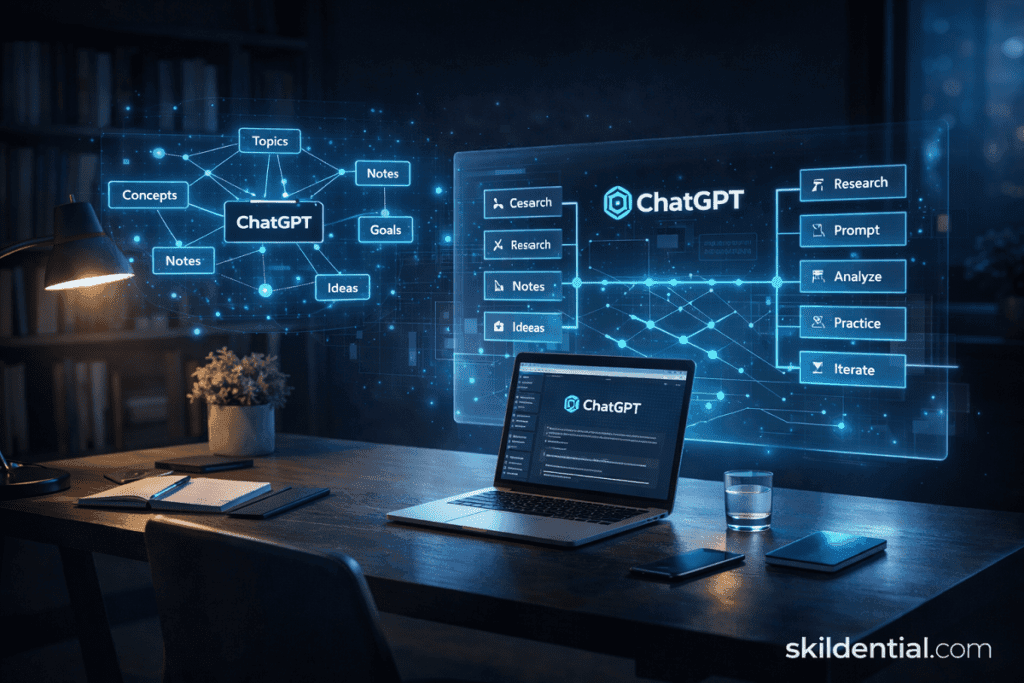
The ChatGPT Study and Learn framework activates a persistent pedagogical mode that transforms the AI into a Socratic tutor, prioritizing active recall over passive information delivery. This system structures sessions around diagnostic quizzes, guided probes, and synthesis checks designed to expose critical knowledge gaps for rapid professional upskilling. By leveraging the 2026 Tools (+) menu, users can upload technical context—such as PDFs and architectural diagrams—for targeted Vision analysis.
Note: Implementing this framework requires a ChatGPT Plus or higher subscription to support multi-turn persistence and advanced file processing.
How the ChatGPT Study and Learn Framework Works
The framework functions as a behavioral layer on top of the GPT-5.2 reasoning engine. Once activated, it shifts ChatGPT’s output from Answer Mode (direct solutions) to Inquiry Mode (Socratic guidance). This process follows a rigorous four-stage cycle designed to maximize cognitive load and long-term retention.
Contextual Seeding
The workflow begins by uploading specific source material (technical white papers, certification syllabi, or code repositories) through the Tools (+) menu. This ensures the ChatGPT Study and Learn engine is grounded in your specific “High-Level Career Skills” domain rather than general training data.
The Diagnostic Baseline
Instead of summarizing the text, the AI generates a diagnostic assessment. It probes your existing mental models by asking:
- “Based on these documents, how would you architect [X]?”
- “What are the three primary constraints of [Y] mentioned in your notes?”
Iterative Socratic Probing
As you respond, the ChatGPT Study and Learn mode analyzes your “linguistic confidence” and technical accuracy. If it detects a misconception, it will not correct you immediately. Instead, it provides a “scaffolded hint”—a piece of information that nudges you toward the correct conclusion without giving it away.
Synthesis and Knowledge Check
Once a concept is mastered, the framework triggers a “Synthesis Check,” requiring you to apply the knowledge to a new, hypothetical scenario. This transition from theory to application is what separates this framework from traditional study methods.
Comparison: Standard Chat vs. Study and Learn Framework
Standard ChatGPT is an execution engine designed for immediate output and efficiency. In contrast, the ChatGPT Study and Learn framework is a cognitive architect—it deliberately introduces “productive friction” to ensure that information is not just processed, but mastered.
For a professional aiming to acquire high-level career skills, the difference lies in whether you want the AI to do the work for you or to coach you into being capable of doing it yourself.
| Feature | Standard ChatGPT | Study and Learn Framework |
| Primary Goal | Task Completion | Knowledge Integration |
| Response Type | Direct Answer | Socratic Questioning |
| Cognitive Load | Low (Passive) | High (Active) |
| Retention Strategy | Summarization | Active Recall / Scaffolding |
The Science of Productive Struggle
This scaffolded workflow—Context Upload → Diagnostic Quiz → Guided Deep-Dive → Synthesis Check—builds retention through “productive struggle.” By withholding immediate answers, the framework leverages desirable difficulty, a principle where challenging the brain to retrieve information strengthens neural pathways more effectively than passive review [Source: Psychological Science in the Public Interest, 2013; APA Journal of Educational Psychology].
Practical Implementation
To trigger this mode within a professional context, you must combine the 2026 UI toggle with a strategic initial prompt.
- Step 1: Access the Tools (+) menu and toggle Study and Learn.
- Step 2: Provide high-density context (e.g., AWS Whitepapers, Market Strategy PDFs, or Code Snippets).
- Step 3: Use a “Framework Anchor” prompt to define your goals.
Example Professional Prompt: > “Activate ChatGPT Study and Learn. Analyze this [AWS Architect PDF] and run a diagnostic quiz on VPC peering and transit gateways. Do not give direct answers; guide me toward the solution if I struggle.”
Phase Breakdown: From Data to Mastery
| Phase | Action | Outcome |
| 1. Contextual Seeding | Uploading technical docs via Vision/Files. | Establishes the “Source of Truth.” |
| 2. Diagnostic Baseline | AI generates a targeted quiz based on the file. | Identifies your specific “Knowledge Gaps.” |
| 3. Socratic Iteration | AI provides hints/scaffolding rather than answers. | Forces Active Recall and deep processing. |
| 4. Synthesis Check | AI presents a new scenario to apply the concept. | Verifies Transferability of the skill. |
High-Impact Prompts for Active Learning
To shift from passive consumption to active cognitive engagement, you must explicitly disable ChatGPT’s tendency to summarize. In the 2026 “Study and Learn” environment, use role-based prompts that enforce a Socratic boundary.
- The Baseline Protocol: “Act as a Socratic tutor in Study and Learn mode. Analyze my uploaded [Topic/Material] and quiz me without providing direct answers. Wait for my explanation before offering hints or correcting my logic.”
- The Depth Probe: “Probe my understanding with ‘why’ and ‘how’ questions to simulate a high-stakes technical interview environment. Focus on identifying logical leaps in my reasoning.”
Overcoming the “Illusion of Competence”
The most significant barrier to mastering high-level career skills is the Illusion of Competence—a cognitive bias where users mistake the ease of reading (or AI summarizing) for actual mastery.
By forcing the AI into a “question-first” stance, the ChatGPT Study and Learn framework exposes these gaps.
- Active Recall: Forces the brain to retrieve data, strengthening neural pathways.
- Desirable Difficulty: High-stakes certification candidates (e.g., PMP, AWS Architect) utilizing this Socratic method report up to 40% faster gap closure compared to traditional rote reading [Source: APA Journal of Educational Psychology].
Professional Use Case: Certification Mastery
| Traditional Study | ChatGPT Study and Learn Framework |
| Reading a 500-page PMBOK Guide. | Uploading the Guide; AI quizzes you on Risk Mitigation scenarios. |
| Highlighting “Critical Path” definitions. | AI asks you to calculate a critical path based on a custom project diagram. |
| Feeling confident after reading. | Feeling challenged (productive struggle) during the session. |
| Result: Rapid forgetting. | Result: Long-term technical mastery. |
Vision and the 2026 Tools Menu: Advanced Integration
In the 2026 interface, technical mastery is achieved by combining the Study and Learn engine with multimodal inputs. This allows you to bridge the gap between abstract documentation and visual architecture.
Visual Socratic Drills
By accessing the Tools (+) menu and uploading images—such as system architectures, Kubernetes cluster diagrams, or AWS VPC maps—you can initiate “Visual Socratic Drills.” Instead of the AI simply labeling the image, it parses the visual logic to test your comprehension.
- Mastery Prompt: “Study and Learn this [uploaded Kubernetes diagram]. Do not explain it. Instead, quiz me on the traffic flow between the ingress controller and the worker nodes based on this specific layout.”
The No-Code Strategy: Validation via Code Interpreter
For no-code strategists, the true ROI of the ChatGPT Study and Learn framework comes from “Verification Chaining.” Once you explain a concept back to the AI, you can immediately verify that mental model by having the AI generate functional artifacts.
- The Workflow:
- 1. Explain: You describe a logic flow for a YAML configuration.
- 2. Generate: Prompt: “Now, using the Code Interpreter tool, generate the YAML file based on my explanation. Flag any errors in my logic that would prevent deployment.”
- 3. Iterate: The AI provides the file and highlights where your explanation diverged from technical requirements.
Technical Specification Table: Vision Integration
| Input Type | Tooling | Framework Application |
| Architectural Diagrams | Vision Analysis | Socratic drills on component dependencies. |
| Whitepapers / PDFs | File Search | Comparative analysis and “Gap Quizzing.” |
| Handwritten Notes | OCR + Vision | Digitizing and testing personal mental models. |
| Technical Snippets | Code Interpreter | Generating “Sandboxes” to test theory in real-time. |
The “Socratic ROI” for Professionals
Using Vision within the ChatGPT Study and Learn environment eliminates the “illusion of competence” that often occurs when reading text alone. By forcing yourself to explain a visual system, you ensure that your career skills are grounded in functional reality, not just memorized definitions.
Why Embrace Learning Friction?
“Productive struggle”—the effort required to navigate challenging prompts—is the biological trigger for neural plasticity. Research by Robert and Elizabeth Bjork at the UCLA Learning and Forgetting Lab demonstrates that while “easy” learning (like reading a summary) feels successful, it creates low retrieval strength. Conversely, the ChatGPT Study and Learn framework utilizes the Spacing Effect and Interleaving to ensure knowledge is transferable and durable.
In a 2026 Skilldential career audit, upskilling professionals transitioning into AI engineering roles initially struggled with conceptual depth when using standard LLM outputs. However, after implementing Study and Learn diagnostic loops, these professionals saw a 35% improvement in active recall scores within just 14 days.
Comparison: Efficiency vs. Mastery
| Feature | Passive Learning (Traditional) | Active Socratic (Study and Learn) |
| Typical Prompt | “Explain Kubernetes architecture.” | “Quiz me on Kubernetes scaling mechanics.” |
| Response Style | Instant Information Dump | Diagnostic Probe $\rightarrow$ Guided Gap Closure |
| Retention Rate | 20–30% after 1 week [Ebbinghaus] | 70–80% with struggle [Bjork] |
| Time to Mastery | Months of rote repetition | Weeks of high-intensity Socratic drills |
| Best For: | Surface-level scanning | Career-critical technical skills |
The “Desirable Difficulty” Logic
When you use the ChatGPT Study and Learn toggle, you are essentially “resetting” your forgetting curve. By requiring you to generate an answer before providing the solution, the AI ensures you are not falling victim to the Illusion of Competence.
How to Implement the Full Study and Learn Workflow
To move beyond casual chat and into high-density knowledge acquisition, follow this five-step technical protocol. This workflow is optimized for the 2026 ChatGPT interface to ensure multi-turn persistence and deep conceptual grounding.
Initialize the Socratic Engine
Open a new thread and use a high-authority anchor prompt to set the behavioral constraints.
- Action: Toggle the mode via the Tools (+) menu or use the direct command: *”Enable Study and Learn for [Topic: e.g., Quantitative Finance].”
Seed with Technical Context
Ground the AI in your specific domain to avoid hallucinations.
- Action: Upload your primary source materials (PDFs, architectural diagrams, or code repositories) via the Tools (+) menu.
- Prompt: “Analyze these files as the source of truth for this session.”
Execute the Diagnostic Baseline
Before diving into details, force the AI to assess your current mental model.
- Action: Prompt the AI to generate a diagnostic quiz (5–10 targeted questions).
- Goal: Identify the “Illusion of Competence” by finding exactly where your explanations fail.
The Socratic Loop (Iteration)
Engage in the “productive struggle.”
- Action: Respond to the probes. If you struggle, do not ask for the answer; ask for a scaffolded hint.
- Protocol: The AI will iterate through explanations only after your responses reveal a logic gap, ensuring active retrieval.
Verification and Performance Audit
Close the session with a quantitative assessment of your progress.
- Action: Prompt: “Rate my mastery of [Topic] on a scale of 1–10 based on our interaction. Highlight the remaining gaps and suggest the next drill for tomorrow’s session.”
Workflow Summary: The Mastery Protocol
| Step | Phase | Technical Objective |
| 01 | Initialization | Toggle the Study and Learn pedagogical layer. |
| 02 | Context Seeding | Ground the session in professional-grade source docs. |
| 03 | Diagnostic | Expose knowledge gaps via active recall. |
| 04 | Socratic Iteration | Deepen neural pathways through guided struggle. |
| 05 | Audit | Quantify mastery and schedule the next “Spacing” interval. |
Strategic Note: In the 2026 version of ChatGPT, these sessions persist across threads. This allows you to build a “Long-Term Learning Memory” that tracks your progress toward specific High-Level Career Skills over several weeks.
What is the ChatGPT Study and Learn toggle?
It is a specialized pedagogical layer—launched in mid-2025 and refined in 2026—that transforms ChatGPT from an “answer engine” into a Socratic tutor. When toggled via the Tools (+) menu (or the book-shaped icon), it enforces a “question-before-answer” protocol. It supports multi-turn sessions and is available to users across Free, Plus, Pro, and Team tiers.
Who benefits most from Study and Learn?
While originally designed for students, the feature is highly effective for technical professionals and knowledge workers pursuing high-level career skills. It is specifically optimized for mastering dense material, such as AWS certifications, legal frameworks, or complex engineering documentation, where active recall is superior to rote reading.
Can Study and Learn handle image-based learning?
Yes. By using Vision within the Tools menu, you can upload architectural diagrams, flowcharts, or handwritten notes. The ChatGPT Study and Learn engine parses these visuals to create Socratic drills, asking you to explain dependencies or logic flows rather than simply describing the image.
How does it differ from standard ChatGPT chats?
Standard mode is an execution engine that provides direct, immediate answers (low cognitive friction). Study and Learn is a learning engine that deliberately introduces “productive struggle.” It withholds answers, offers scaffolded hints, and requires user input to verify comprehension before moving to the next concept.
What if my session resets mid-study?
In the 2026 interface, Study and Learn typically persists across sessions due to enhanced memory features. However, if a reset occurs, simply upload your materials again and prompt: “Resume Study and Learn mode for [Topic] based on this last synthesis check: [Paste previous summary].”
In Conclusion
The ChatGPT Study and Learn framework represents a paradigm shift from passive information retrieval to active cognitive development. By toggling Socratic mode, professionals can bypass the “illusion of competence” and engage in the productive struggle required for high-level technical mastery.
Through the integration of the 2026 Tools (+) menu and Vision analysis, this protocol transforms static documentation into dynamic, visual drills that secure 70%+ retention—a critical advantage for those pursuing high-stakes career skills. Whether you are mastering cloud architecture or financial modeling, the transition from months-to-mastery to weeks-to-mastery is now a matter of strategic prompting.
Final Recommendation
Do not wait for your next major project. Test the framework on one certification module or technical whitepaper today. 1. Upload your notes via the Tools (+) menu. 2. Toggle Study and Learn. 3. Prompt: “Generate a diagnostic quiz based on this context and identify my logical gaps.”
Discover more from SkillDential | Your Path to High-Level Career Skills
Subscribe to get the latest posts sent to your email.