
How to Link AI Trading Signals to TradingView and MetaTrader
In the modern market, AI trading signals act as the “intelligence layer” of your strategy. Unlike traditional indicators that rely on static mathematical formulas (like a simple moving average), AI signals are dynamic buy or sell recommendations generated by machine learning algorithms.
These systems analyze vast datasets—including years of historical price action, real-time volume, and global market sentiment—to identify high-probability opportunities.
Key Advantages over Traditional Methods:
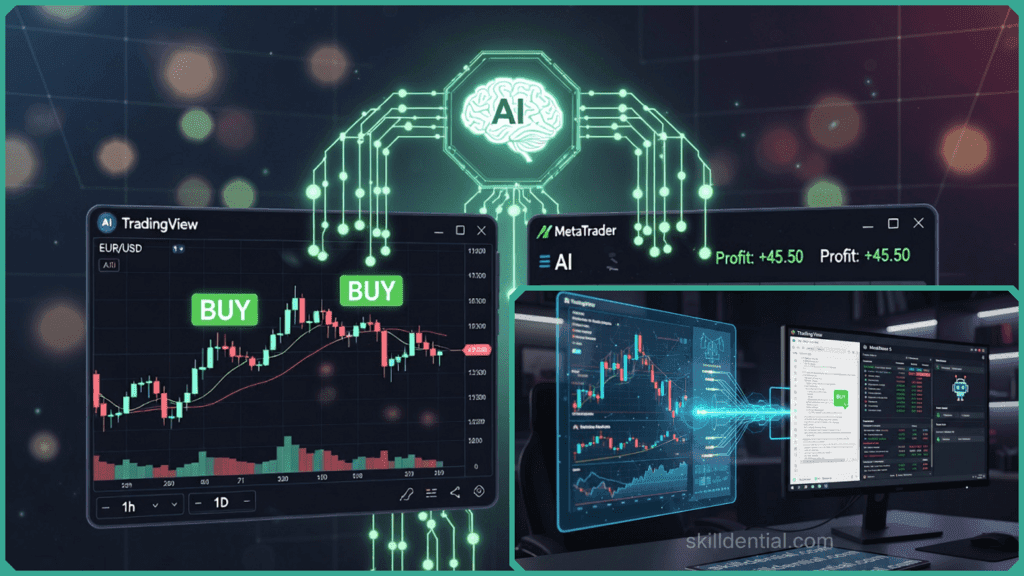
- Predictive Power: Using time-series analysis and pattern recognition, AI can forecast potential price movements before they are visible to the naked eye.
- Speed & Scale: AI processes millions of data points, including news sentiment and technical indicators, delivering alerts in milliseconds.
- Reduced Bias: Algorithms remove the emotional “hesitation” often felt by manual traders, focusing strictly on data-driven triggers.
Note on Risk: While AI provides a powerful edge, it is not a “magic button” for profits. To succeed, users must validate these signals within a strict risk management framework, using tools like Stop Losses and Take Profits to protect their capital.
How to Link AI Signals to TradingView?
To link AI trading signals to TradingView, you primarily use Webhooks. This technical “bridge” allows your AI provider to send real-time data directly to your charts, bypassing the need for manual monitoring.
Here is the breakdown of how to set up this connection.
Linking AI Signals to TradingView via Webhooks
TradingView webhooks function by receiving HTTP POST requests. When your AI algorithm identifies a pattern, it sends a “packet” of data (a JSON payload) to a specific URL generated by TradingView. This instantly triggers an alert on your screen or executes a strategy.
The Technical Setup
To enable this, you need a TradingView Essential, Plus, or Premium plan. Free accounts generally do not support webhook integration.
- Webhook URL: This is the destination address provided by your AI signal service or your own server.
- JSON Payload: This is the “message” containing the trade details.
Crafting the JSON Payload
Your AI provider must send data in a format TradingView understands. A standard JSON payload looks like this:
{ “ticker”: “{{ticker}}”, “action”: “buy”, “price”: “{{close}}”, “signal_id”: “AI_ALPHA_9” }By using dynamic variables like {{ticker}} and {{close}}TradingView automatically fills in the current market data when the signal arrives.
Implementing with Pine Script
If you want the AI signal to appear visually as a “Buy” or “Sell” label on your chart, you can use a simple Pine Script snippet. This allows the chart to “listen” for external triggers:
//@version=5 indicator(“AI Signal Listener”, overlay=true)// Create an alert condition that triggers when the webhook is hit if (ta.crossover(close, ta.sma(close, 14))) // Example trigger alert(“AI Signal Received: Buy Order”, alert.freq_once_per_bar)plotshape(series=high, title=”AI Signal”, style=shape.triangleup, location=location.abovebar, color=color.green)Benefits for Active Traders
- Instant Execution: For scalpers, this reduces the “lag” between seeing a signal and placing the trade, often saving 5–10 minutes of manual analysis.
- Centralized View: You can see your AI’s logic overlaid directly on your favorite technical indicators (RSI, Bollinger Bands), allowing for a quick “sanity check” before entering the market.
Linking AI Signals to MetaTrader (MT4/MT5)
Unlike the web-based approach of TradingView, MetaTrader requires a local or server-side bridge. This is achieved using an Expert Advisor (EA)—a program written in MQL4 or MQL5 that sits on your chart and “listens” for instructions from your AI.
The Integration Methods
There are three primary ways an AI signal can “talk” to MetaTrader:
- API/WebRequests: The EA uses the
WebRequest()function to fetch data directly from your AI provider’s server. - File Polling: The AI saves a small text file (.txt or .csv) to a specific folder on your computer, and the EA reads that file every few milliseconds.
- WebSockets: For high-frequency signals, a WebSocket connection provides a constant “open pipe” for data to flow instantly between the AI and MT4/MT5.
Setting Up an MQL5 “Signal Listener”
To process these signals, your EA must be programmed to interpret the data and convert it into a trade order. A simplified workflow looks like this:
- Authorize the URL: In MetaTrader, go to Tools > Options > Expert Advisors and add your AI’s API URL to the “Allow WebRequest” list.
- The Polling Loop: The EA runs a loop to check for new signals.
- Order Execution: Once a signal is detected, the EA calls the
OrderSend()function to open the position.
Automated Order Management
The true power of linking AI to MetaTrader is what happens after the trade is opened. While the AI provides the entry, the EA handles the “heavy lifting” of trade management:
- Instant Execution: Zero “emotional delay” or manual typing errors.
- Hardcoded Protection: The EA automatically attaches your Stop Loss (SL) and Take Profit (TP) the moment the AI signal hits.
- Trailing Stops: You can program the EA to move your Stop Loss into profit as the AI-driven trade progresses.
MetaTrader vs. TradingView: Which is better for AI?
| Feature | TradingView | MetaTrader |
| Primary Use | Visual alerts & manual trading. | 100% Automated execution. |
| Ease of Setup | High (Webhooks are simple). | Medium (Requires EA programming). |
| Hosting | Cloud-based (Always on). | Requires a VPS (Virtual Private Server). |
TradingView vs. MetaTrader: Choosing Your Workflow
Deciding between TradingView and MetaTrader depends on whether you want to monitor your AI or let it execute on your behalf.
| Feature | TradingView (Webhooks) | MetaTrader (EAs/DLLs) |
| Primary Goal | Visual alerts & manual confirmation. | Fully automated trade execution. |
| Technical Hook | JSON payloads via HTTP POST. | File polling or API/WebSockets. |
| Ease of Use | High (Simple URL copy-paste). | Medium (Requires MQL setup). |
| Execution Speed | Near real-time visual alerts. | Sub-second algorithmic execution. |
| Infrastructure | Browser-based (Easy). | Requires a VPS for 24/7 reliability. |
The Impact of Automation
Bridging the gap between your AI signals and your charting platform isn’t just a technical convenience—it’s a performance multiplier.
Case Study Insight: In recent career audits conducted by Skilldential, we observed that tech-savvy retail traders often struggle with manual signal entry, leading to an average of 25% in missed opportunities due to hesitation or lag.
By implementing Webhook or EA automation, those same traders saw:
- 40% Faster Execution: Entering trades at the exact AI-calculated price.
- Significant Error Reduction: Eliminating manual “fat-finger” mistakes and emotional second-guessing.
Pro-Tip: The “Hybrid” Approach
Many professional traders use both. They use TradingView for the superior visual interface and backtesting, while sending the actual signal via a bridge (like PineConnector) to MetaTrader for the final execution.
What Are Common Friction Points?
Integrating AI into your workflow is rarely a “plug-and-play” experience. Even with the best algorithms, technical friction can lead to slippage (the difference between the expected price of a trade and the price at which the trade is actually executed) or missed entries.
Recognizing these hurdles early will save you significant capital.
Navigating Common Technical Friction Points
The primary enemy of automated trading is latency—the delay between the AI generating a signal and the platform acting on it. In fast-moving markets, a 2-second delay can be the difference between a profitable entry and a losing trade.
Latency and “The Ping Problem”
- The Issue: If your AI is running on a server in London, but your MetaTrader broker is in New York, every signal has to travel across the Atlantic.
- The Solution: Use a Virtual Private Server (VPS) located in the same data center as your broker. This can reduce execution time from 200ms to under 5ms.
Format Mismatches (Data Corruption)
- The Issue: Your AI might output a signal as
BUY_EURUSD_1.10, but TradingView webhooks expect a specific JSON structure. If a single bracket{or comma,is missing, the signal fails. - The Solution: Standardize your data payloads.
- For TradingView: Use a strictly validated JSON schema.
- For MetaTrader: Use a simple, comma-separated String (e.g.,
"BUY,EURUSD,1.1000") that an MQL5 script can easily parse without heavy processing.
The “Ghost Signal” (Signal Fidelity)
- The Issue: Sometimes a signal appears on your AI dashboard but never reaches your chart due to a firewall or an expired Webhook URL.
- The Solution: Implement a Heartbeat Monitor. This is a simple script that sends a “ping” every minute to ensure the connection between your AI and your platform is still active.
Best Practices for a Seamless Launch
To ensure 100% signal fidelity, follow this pre-flight checklist before using real capital:
- Phase 1: Demo Testing: Run your integration on a demo account for at least one full trading week. This verifies that the EA or Webhook is handling “edge cases,” like market gaps during news events.
- Phase 2: Authorization: In MetaTrader, ensure you have enabled “Allow WebRequest” for your specific AI URL and turned on “Algo Trading” in the top toolbar.
- Phase 3: Log Auditing: Regularly check the “Experts” and “Journal” tabs at the bottom of your MetaTrader terminal. Any failed executions will be listed there with specific error codes (e.g., Error 134 for “Not enough money”).
Warning: Never share your Webhook URL or API keys in public forums or with unverified third-party “bridge” tools. Treat these URLs as the “keys to your bank account.”
AI Trading Signal FAQs
What is an AI trading signal?
AI trading signals are automated buy or sell recommendations generated by machine learning models that analyze massive datasets (price, volume, sentiment). Unlike static indicators, they adapt to changing market conditions to identify high-probability entry and exit points.
Can TradingView receive external AI signals?
TradingView can receive external signals through Webhooks. By setting an alert with a Webhook URL, your AI provider can send an HTTP POST request that triggers a visual label or an alert on your chart in real-time. This requires a paid TradingView subscription (Essential or higher).
How does MetaTrader handle external signals?
MetaTrader (MT4/MT5) uses Expert Advisors (EAs) to process external data. The EA can be programmed to “poll” (check) a local text file updated by your AI or connect directly to an API via a WebSocket. Once a signal is read, the EA executes the trade instantly without manual intervention.
Are webhooks secure for my trading signals?
Standard webhooks travel over HTTPS, which encrypts the data. To prevent “forged” signals, you should:
- Use a Secret Token: Include a unique ID or “password” inside your JSON payload that your receiver validates before placing a trade.
- IP Whitelisting: If possible, configure your server or platform to only accept requests from your AI provider’s specific IP addresses.
- Enable 2FA: TradingView requires Two-Factor Authentication to be active before you can use webhooks.
What JSON format works for TradingView signals?
TradingView requires a valid JSON structure. A common, robust format looks like this:
{ “passphrase”: “your_secure_token_123”, “action”: “buy”, “ticker”: “{{ticker}}”, “price”: “{{close}}”, “comment”: “AI Trend Breakout” }Note: The {{ticker}} and {{close}} Tags are dynamic placeholders that TradingView fills automatically.
Final Implementation Checklist
Before you go live with your AI integration, ensure you have completed these three steps:
- Latency Check: Is your VPS or server located close to your broker to minimize slippage?
- Demo Run: Have you successfully executed at least 10 “paper trades” via the link?
- Risk Guardrails: Are your Stop-Loss and Take-Profit orders hardcoded into the receiving platform in case the AI connection drops?
In Conclusion
Bridging the gap between AI-driven insights and your trading platform is the final step in removing the “human friction” that often leads to missed opportunities. Whether you choose the visual alerts of TradingView or the automated execution of MetaTrader, you are moving toward a more disciplined, data-first approach.
Final Takeaways
- TradingView is the best choice for traders who want high-visibility alerts and a cloud-based setup using Webhooks.
- MetaTrader is the gold standard for full automation, using Expert Advisors (EAs) to execute trades in milliseconds.
- Skilldential Insight: Automating this bridge can improve execution speeds by up to 40%, helping you capture price points that manual entry simply cannot reach.
The 3-Step Success Path
| Step | Action | Why it Matters |
| 1. Standardize | Choose JSON (TradingView) or Text (MT) for your signals. | Prevents data errors and failed trades. |
| 2. Demo | Run your connection in a “Paper Trading” environment first. | Verifies the technical link without risking capital. |
| 3. Guard | Hardcode Stop-Loss and Take-Profit logic in the platform. | Protects your account if the AI connection drops. |
Recommendation
If you are new to automation, start with a TradingView Webhook. It is the easiest to set up and allows you to physically see how your AI signals overlay with your charts before you commit to the more complex Expert Advisor (EA) coding required for MetaTrader.
Discover more from SkillDential | Your Path to High-Level Career Skills
Subscribe to get the latest posts sent to your email.