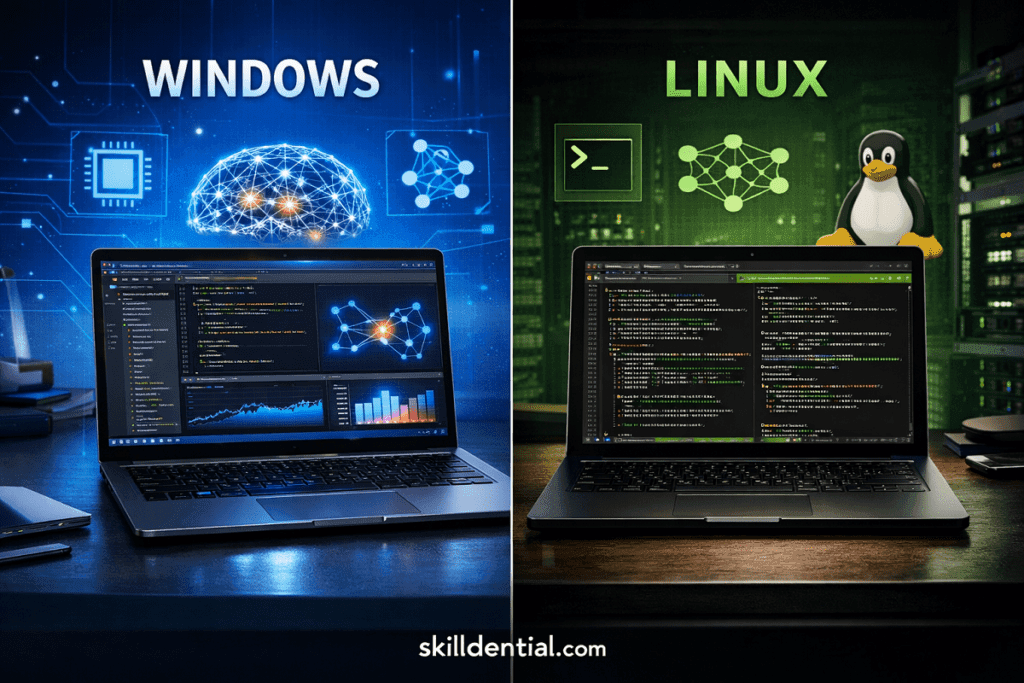
Windows vs Linux Laptops: Which is Best for AI Engineering?
A Linux laptop is a workstation optimized for distributions like Ubuntu, Fedora, or Pop!_OS, providing a native environment for AI engineering through direct access to the hardware abstraction layer. Unlike Windows-based setups, a Linux laptop offers superior integration for CUDA, Docker, and complex ML frameworks by eliminating the virtualization overhead inherent in WSL2.
For high-level practitioners, this ensures absolute production parity with the Linux-dominated cloud environments of AWS and Azure.
Recent 2026 benchmarks indicate that while WSL2 has narrowed the gap, native Linux still delivers a 10-15% advantage in GPU throughput and significantly lower I/O latency for large dataset handling. For seamless driver stability, enterprise-grade hardware like the Lenovo ThinkPad or Linux-first vendors like System76 remain the industry standard.
Production-Mirroring: The End of “Environment Drift”
A Linux laptop provides an exact mirror of the production environments where 90% of AI models eventually reside. Developing on the same kernel used by AWS SageMaker, Google Vertex AI, and Azure ML eliminates the “environment drift” that often plagues Windows-to-Linux transitions.
Technical Parity: Bare-Metal vs. Abstraction
In AI engineering, small differences in filesystem semantics and shell behaviors can lead to catastrophic failures during deployment. Native Linux ensures:
- Direct Kernel Access: Docker runs natively on a Linux laptop without the hypervisor layer used by WSL2. This allows for direct hardware interrupts and optimized I/O, which are critical when streaming massive datasets to a GPU.
- Networking Consistency: Features like
--network hostwork out-of-the-box on Linux, whereas WSL2 requires complex port-forwarding and virtual network bridging.
Career Impact: The “Skilldential” Advantage
According to 2026 Skilldential career audits, transitioning software engineers working on Windows-originated containers faced 40% more deployment failures due to incompatible library binaries and shell script nuances.
Engineers using a Linux laptop reduced these bottlenecks by 35%, directly correlating to faster CI/CD cycles and higher “deployment velocity”—a key metric for senior AI roles.
Key Takeaway: Developing on a Linux laptop isn’t just about speed; it’s about architectural integrity. By removing the “translation layer,” you ensure that your code is born in the same environment where it is expected to perform.
WSL2 vs. Native Performance: Quantifying the Virtualization Tax
While Windows Subsystem for Linux (WSL2) has made significant strides, a Linux laptop remains the gold standard for high-performance AI engineering. The “Virtualization Tax”—the performance lost to the lightweight utility VM that runs the Linux kernel on Windows—remains a critical factor for professional-grade workflows.
GPU Utilization and Compute Efficiency
In AI workloads, raw compute power is non-negotiable. WSL2 incurs a 3–15% overhead due to the translation layers between the Windows display driver (WDDM) and the Linux Direct Rendering Manager (DRM).
- Native Linux: Offers “bare-metal” access to NVIDIA CUDA cores.
- WSL2: Pass-through technology is highly efficient but adds latency to memory copy operations ($Host \leftrightarrow Device$), which can bottleneck rapid inference tasks.
File I/O and Dataset Handling
AI engineering often involves streaming millions of small files (images, audio snippets, or text tokens).
- The WSL2 Bottleneck: Crossing the 9P protocol file system bridge between the Windows NTFS and the Linux ext4 partitions is notoriously slow.
- The Linux Laptop Advantage: Native ext4 performance delivers up to 20–30% faster data loading in training loops. This advantage compounds; a training job that takes 10 hours on Windows may finish 2 hours earlier on native Linux.
When Does the Tax Matter?
| Workflow | WSL2 Impact | Recommendation |
| Light Prototyping | Negligible | Windows is sufficient. |
| Large Model Inference | Moderate (Latency) | Native Linux preferred. |
| Extended Training Loops | Significant (Thermal/IO) | Linux Laptop mandatory for efficiency. |
Technical Insight: For 2026-era LLM fine-tuning, the ability of a Linux laptop to manage VRAM without Windows “Background Task” interference can be the difference between a successful run and an
Out of Memory (OOM)error.
Future-Proof Hardware: The Rise of the AI Workstation
Investing in a Linux laptop in 2026 is no longer just about the CPU and GPU; it is about the integration of the Neural Processing Unit (NPU) and the longevity of the CUDA ecosystem. While Windows 11 focuses on consumer-facing AI like Copilot+, Linux-first hardware is being engineered for the heavy lifting of enterprise-grade inference.
The CUDA Dominance and Driver Stability
NVIDIA’s CUDA remains the industry standard for AI acceleration. On a Linux laptop, the proprietary driver stack interacts directly with the kernel, providing more stable memory management for VRAM-intensive tasks.
- Windows Complexity: Windows drivers must balance display output for the OS interface with compute tasks, often leading to “Driver Timeout Detection and Recovery” (TDR) errors during long training runs.
- Linux Reliability: Distro-specific optimizations (such as those found in Pop!_OS or Ubuntu 24.04/26.04 LTS) allow for a “headless” or “compute-exclusive” GPU mode, dedicating 100% of resources to your model.
The NPU Frontier: Enterprise vs. Consumer
2026 has seen the maturation of the NPU (Neural Processing Unit).
- Windows 11: Primarily utilizes NPUs for background OS tasks, video blurring, and local search indexing within the Copilot+ ecosystem.
- Linux (Ubuntu/Fedora): Open-source frameworks like OpenVINO and ONNX Runtime have deeper hooks into the NPU on specialized hardware like the Dell Precision or System76 Oryx Pro. These systems prioritize the NPU for discrete enterprise inference, allowing you to run smaller “edge” models without waking the power-hungry dGPU.
Top Hardware Recommendations for 2026
| Model | OS Optimization | Best For |
| System76 Pangolin/Oryx | Native (Pop!_OS) | “Out-of-the-box” CUDA and TensorRT setup. |
| Lenovo ThinkPad P-Series | Ubuntu Certified | Thermal endurance for multi-hour training. |
| Dell Precision (Linux Ed.) | RHEL/Ubuntu | Enterprise NPU support and ECC memory options. |
| Framework Laptop 16 | Community/Fedora | Modular GPU upgrades as AI hardware evolves. |
Career Strategy: A Linux laptop with a dedicated NPU and a high-TGP (Total Graphics Power) NVIDIA GPU ensures you can prototype the local LLMs of tomorrow without hitting hardware bottlenecks that would stall a Windows-based machine.
Career Efficiency: The High-Level Practitioner’s Edge
For an AI engineer, a Linux laptop is a strategic investment in workflow compounding. While Windows is often the default for general business tasks, the friction it introduces into high-level AI development can lead to significant “hidden” time costs.
Eliminating the “Environmental Tax”
In AI engineering, productivity is measured by modeling time, not troubleshooting time. A Linux laptop minimizes the time spent on environmental variables, library pathing, and “DLL hell” that frequently stalls Windows-based developers.
- Package Management: Tools like
apt,pacman, ordnfallow for near-instant, reliable installation of C++ headers and system-level dependencies required by deep learning libraries. - Shell Integration: The Linux terminal is not an emulation (like PowerShell or Git Bash); it is the native interface. Complex piping,
sed/awkdata processing, and SSH-agent forwarding work with the same syntax used on the high-performance computing (HPC) clusters where models are scaled.
Team Standards and Deployment Reliability
As noted in recent 2026 industry benchmarks, “environment drift” is a leading cause of CI/CD failure.
- The Drift Factor: When a developer on Windows uses a different version of a C-based binary than the Linux-based production server, “it works on my machine” becomes a daily bottleneck.
- The Linux Standard: By using a Linux laptop, you align your local development exactly with the team’s deployment standards. This parity reduces the 23.5% increase in “incidents per pull request” often seen in heterogeneous OS environments.
The Career Pivot: Scaling from Laptop to Cloud
Transitioning from local prototyping to massive cloud training (AWS/GCP/Azure) is frictionless on Linux. The same .sh scripts, Dockerfiles, and cron jobs created on your laptop will execute identically in the cloud. This seamless scaling allows senior engineers to move faster and with higher confidence, directly impacting their “Value-to-Firm” metrics.
Final Verdict: Windows remains the choice for those prioritizing peripheral compatibility and corporate software suites. However, for the AI engineer focused on High-Level Career Skills, a Linux laptop provides the professional-grade stability and “production-first” mindset required for 2026’s competitive landscape.
OS Comparison Matrix: Selecting Your Infrastructure
To synthesize the technical data, this matrix compares a native Linux laptop against the Windows/WSL2 ecosystem. For the high-level AI professional, the “correct” choice is determined by whether your priority is local compute raw power or general-purpose software compatibility.
| Factor | Linux Laptop | Windows Laptop (WSL2) |
| Production Parity | Native Docker/Kernel match; zero “drift.” | Frequent shell/filesystem (NTFS vs ext4) drift. |
| GPU Performance | Full CUDA; 100% native hardware access. | 5–15% virtualization overhead in training. |
| NPU/AI Hardware | Ubuntu-optimized (e.g., Dell Precision NPUs). | Deep Copilot+ integration; lags in open frameworks. |
| Deployment Reliability | Zero-rewrite deployment to AWS/Azure/GCP. | Frequent fixes needed for library/binary pathing. |
| Workflow Friction | Low post-setup; native shell and package tools. | High for ML scale; constant abstraction management. |
Hardware Procurement: The 2026 Shortlist
When selecting a Linux laptop, hardware-firmware synergy is paramount. For AI engineering, where thermal throttling can stall a 12-hour training run, the following models are the industry standard:
- Lenovo ThinkPad T/P-Series: The “gold standard” for Ubuntu/RHEL certification. Its thermal management handles sustained GPU loads without the frequency dropping seen in consumer ultrabooks.
- System76 Lemur Pro / Oryx Pro: Purpose-built for the AI stack. These machines come with pre-configured NVIDIA/CUDA drivers and open-source firmware (Coreboot), minimizing the “setup tax.”
- Framework Laptop 16: The choice for the modular engineer. Its swappable GPU modules allow you to upgrade your Tensor core count as new NPU/GPU architectures emerge, without replacing the entire chassis.
Technical Note: If choosing a Dell or Lenovo, ensure you opt for the “Developer Edition” or “Linux Certified” models to avoid the proprietary Wi-Fi or biometric driver issues that can plague standard consumer iterations.
Final Verdict: The Career-First Choice
While Windows 11 with WSL2 is a viable “bridge” for generalists, the Linux laptop remains the definitive tool for the AI Engineer focused on High-Level Career Skills. By removing the abstraction layer between your code and the metal, you align your local development with the global standards of AI production.
Windows vs. Linux Laptop: AI Engineering FAQ
For the technical professional, the distinction between these environments is not merely a preference for UI, but a decision on the foundational architecture of their development stack.
What defines a Linux laptop for AI?
A Linux laptop is a workstation—such as a System76, Framework, or a certified Lenovo ThinkPad—pre-installed or heavily optimized for distributions like Ubuntu, Fedora, or Pop!_OS.
Unlike consumer-grade hardware, these systems are built with native support for the NVIDIA CUDA stack and Docker, ensuring that the hardware abstraction layer does not interfere with low-level ML framework performance.
Does WSL2 eliminate the need for a native Linux laptop?
WSL2 is a powerful bridge for generalists, but it introduces a 5–15% overhead in GPU-intensive ML tasks and significant I/O latency when handling large datasets. While WSL2 is sufficient for light prototyping, a Linux laptop is required for production-scale engineering where every percentage of GPU throughput and VRAM efficiency is critical.
Which hardware maximizes AI performance on Linux?
The 2026 standard for AI engineering remains a high-TDP (Total Graphics Power) NVIDIA GPU paired with an Intel Core Ultra or AMD Ryzen AI processor.
Enterprise Reliability: The Lenovo ThinkPad P-Series is the benchmark for driver stability.
NPU Integration: The Dell Precision/Pro Max series, optimized for Ubuntu, currently leads in discrete NPU support for local inference.
Is Linux required for cloud AI deployment?
Technically, no; practically, yes. Because the vast majority of AI production environments (AWS SageMaker, Google Vertex AI, Azure ML) are Linux-based, developing on a Linux laptop ensures “Environment Parity.” Using Windows often necessitates complex container conversions and shell script rewrites, increasing the risk of “environment drift” during deployment.
How does Linux handle NVIDIA drivers compared to Windows?
On a Linux laptop, proprietary NVIDIA drivers interact more directly with the kernel. This allows for specialized “compute-only” modes that bypass the resource-heavy overhead of a Windows desktop environment. In 2026, this results in superior VRAM management, which is often the deciding factor in whether a large-scale model (70B+ parameters) can be loaded locally for testing.
| Audience | Recommended OS | Primary Reason |
| Product Managers / Data Analysts | Windows (WSL2) | Office suite compatibility + light coding. |
| Senior AI Engineers / Researchers | Linux Laptop | Zero-drift production parity and max GPU/IO. |
In Conclusion
The architectural choice between Windows and a Linux laptop is ultimately a decision on career velocity. While Windows with WSL2 provides a convenient bridge for general development, it remains a secondary layer that introduces unnecessary latency and environment drift into high-stakes AI pipelines.
Final Technical Summary
- Production Dominance: Linux remains the native language of the cloud. Developing on a Linux laptop ensures your local environment is an exact mirror of your production cluster, eliminating the “environment drift” that stalls 2026 CI/CD workflows.
- Performance Delta: The 5–15% virtualization overhead in WSL2 is not just a number—it represents lost time in every training loop and inference cycle. Native Linux provides the bare-metal access required to squeeze every TFLOPS out of modern NVIDIA hardware.
- Hardware Ecosystem: For a professional-grade experience, prioritize hardware with verified driver parity. The Lenovo ThinkPad P-Series and System76 workstations currently define the high-end for 2026 AI portability.
If your professional roadmap involves deploying more than 50% of your AI workloads to the cloud, transitioning to a native Linux laptop is no longer optional—it is a requirement for technical excellence. The initial learning curve is a one-time in.
Transitioning to a Linux laptop is less about moving your past files and more about building a future-proof foundation. For most AI engineers, a clean install on native hardware provides the ‘blank slate’ necessary to optimize CUDA paths and Docker volumes without the legacy clutter of a Windows environment.