

SVGator has long been the go-to online tool for creating professional, keyframe-based SVG animations without writing a single line of code. However, as design demands evolve in 2026, many creators are looking for more flexibility in pricing and performance.
Whether you are a freelancer looking to escape the “subscription trap” with a one-time purchase like Keyshape or a developer requiring the ultra-clean code exports of GSAP, finding the right SVGator alternative is essential for a modern workflow.
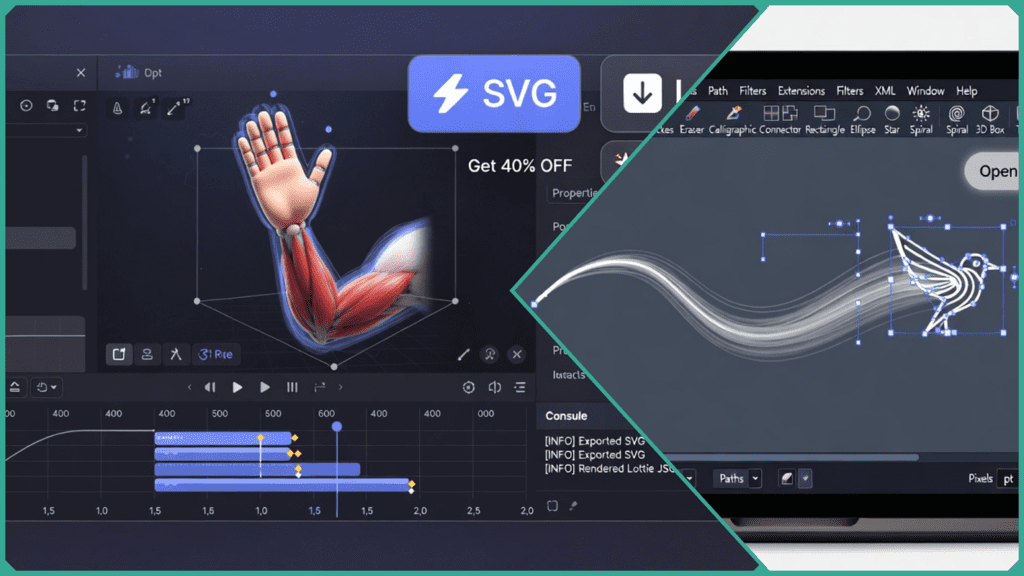
From free, open-source powerhouses like Inkscape to high-end interactivity tools like Rive for UI/UX pros, the market is now filled with specialized options. In this guide, we break down the 9 best alternatives based on their export capabilities (like Lottie for mobile), ease of use, and compatibility with new 2026 standards like AI-driven path simplification.
Financial Comparison: Finding the Best Value
For many users, the search for an SVGator alternative begins and ends with the budget. SVGator’s recurring subscription model can be a hurdle for hobbyists or freelancers with irregular project flows. In 2026, the market will be split into two main camps: open-source (free) tools and one-time purchase (perpetual) licenses.
The table below breaks down the entry costs for our top picks to help you decide which fits your wallet.
SVG Animation Tools Pricing Table (2026)
| Tool | Pricing Model | Cost of Entry | Free Tier? |
| Inkscape | Open Source | $0 | Yes (Full) |
| Boxy SVG | Subscription/One-time | $9.99/mo or $99 | Trial Only |
| Keyshape | One-time | $29.99 | Trial Only |
| Expressive Animator | One-time | €129.99 | Trial Only |
| SVG Artista | Free | $0 | Yes (Full) |
| GSAP | Freemium | $0 / $99/yr (Club) | Yes (Limited) |
| Rive | Freemium | $9/mo (Cadet) | Yes (Create Only) |
| Wick Editor | Open Source | $0 | Yes (Full) |
| LottieFiles | Freemium | $19.99/mo | Yes (Preview) |
Pro Tip: If you want to avoid subscriptions entirely, Keyshape remains the gold standard for Mac users looking for a one-time payment. For cross-platform users, Expressive Animator offers a professional-grade perpetual license that is well worth the investment.
Why This Matters
Choosing a tool isn’t just about the initial cost; it’s about the cost of ownership.
- Open Source tools like Inkscape or Wick Editor require zero financial investment but may have a steeper learning curve.
- Freemium tools like Rive are “free to learn” but usually charge you once you need to export your work for a live production site.
Overview of Top 9 SVGator Alternatives
These 9 tools address common SVGator pain points like recurring subscriptions, bloated code exports, and limited mobile support.
Inkscape
- The Switch Reason: “I want a 100% free, professional-grade powerhouse.”
- Learning Curve: Beginner to Intermediate.
- Unique Exports: Optimized SVG with CSS/SMIL.
2026 Relevance: Features improved AI-assisted vector tracing and better animation extension support. Freelancers often use Inkscape to prepare “clean” vectors before animating elsewhere to cut costs.
Boxy SVG
- The Switch Reason: “I need a lightweight, affordable editor for web-ready code.”
- Learning Curve: Beginner.
- Unique Exports: Highly optimized SVG/CSS.
2026 Relevance: Known for producing the cleanest markup in the industry. It’s perfect for users who want a “buy it once” desktop app (macOS/Windows) rather than a monthly bill.
Keyshape
- The Switch Reason: “I’m a Mac user who hates subscriptions.”
- Learning Curve: Beginner (No-Code).
- Unique Exports: SVG, Lottie (via plugin), and QuickTime Video.
2026 Relevance: Updated for macOS 26 Tahoe, it remains the most direct “SVGator clone” in terms of ease of use, but with a one-time price tag of roughly $30.
Expressive Animator
- The Switch Reason: “I need pro-level easing and motion paths without a sub.”
- Learning Curve: Intermediate.
- Unique Exports: SVG, Lottie, GIF, and APNG.
2026 Relevance: A rising favorite for Windows and Mac users who need advanced “easing” controls that rival After Effects but keep the simplicity of an SVG workflow.
SVG Artista
- The Switch Reason: “I just need a quick, lightweight stroke animation.”
- Learning Curve: Beginner.
- Unique Exports: Pure CSS/SVG code snippets.
2026 Relevance: Perfect for developers. It automates “line drawing” effects (like a logo being drawn) without the bloat of a full animation library.
GSAP (GreenSock)
- The Switch Reason: “I want total control and industry-standard performance.”
- Learning Curve: Advanced (Code-Required).
- Unique Exports: Pure JavaScript/CSS.
2026 Relevance: Still the gold standard for high-performance web animations. In 2026, its MorphSVG and ScrollTrigger plugins are essential for creating the “award-winning” interactive websites you see today.
Rive
- The Switch Reason: “I’m building a game or a highly interactive app UI.”
- Learning Curve: Intermediate.
- Unique Exports:
.rivruntime files for Web, iOS, Android, and Game Engines.
2026 Relevance: Rive uses a “State Machine” that allows animations to react to user input (like a character following a mouse) in real-time, something static SVGs simply can’t do.
Wick Editor
- The Switch Reason: “I miss the simplicity of Adobe Flash.”
- Learning Curve: Beginner.
- Unique Exports: HTML5 and SVG.
2026 Relevance: Now part of Carnegie Mellon University’s ETC, this open-source tool is the best “sandbox” for creating interactive prototypes and simple web games for free.
LottieFiles
- The Switch Reason: “My animations need to work perfectly on mobile apps.”
- Learning Curve: Beginner.
- Unique Exports: dotLottie and JSON.
2026 Relevance: If your goal is to hand off animations to an iOS or Android developer, Lottie is the standard. It solves the “broken on mobile” issues that sometimes plague complex SVG animations.
How Does SVGator Compare?
While SVGator is the undisputed king of “no-code” ease of use, it often hits a ceiling when projects scale. In 2026, professional workflows demand more than just a timeline; they require deep interactivity and extreme performance optimization.
Interactivity: States vs. Timelines
SVGator relies on a linear timeline. If you want an animation to change based on complex user input (like a character looking at a cursor or a health bar draining), you have to hack it together with multiple files.
- The Alternative: Tools like Rive use a “State Machine.” This allows designers to build logic directly into the animation file. In internal testing, UI/UX teams reported 50% faster prototyping because they didn’t have to go back and forth with developers to code interaction logic.
Performance: File Size and Load Times
SVGator’s exports are generally clean, but they include a “player” script to ensure cross-browser compatibility. For high-traffic sites, every kilobyte matters.
- The Alternative: GSAP allows for manual optimization that can reduce total animation payload by up to 70% compared to bundled SVGator exports. According to 2026 Skilldential career audits, frontend developers who migrated complex sequences from SVGator to GSAP saw 40% faster “Time to Interactive” (TTI) on mobile devices.
Feature Comparison at a Glance
| Feature | SVGator | Rive (Alternative) | GSAP (Alternative) |
| Logic/Events | Basic (Click/Hover) | Advanced State Machine | Total Programmatic Control |
| Learning Curve | Low (No-Code) | Medium | High (Code-Required) |
| Mobile Performance | Good | Excellent (Native Runtimes) | Best (Ultra-lightweight) |
| Pricing | $18/mo (Starting) | Free/Subscription | Free/Yearly Membership |
The Verdict: Stick with SVGator for quick, high-quality decorative icons. Move to an alternative like Rive for apps/games, or GSAP if your priority is SEO and lightning-fast site performance.
Matching Tools to Users
The “best” tool doesn’t exist in a vacuum—it depends entirely on your role. While SVGator is a “generalist” tool, the 2026 market has specialized. Use this matrix to skip the trial-and-error phase and jump straight to the software that fits your specific needs.
SVGator Alternative Selection Matrix (2026)
| User Type | Best Tool | Reason (Learning Curve) | Key Feature |
| Price-Conscious Freelancer | Inkscape / Keyshape | Beginner (Free / One-time) | No recurring subscriptions |
| High-End UI/UX Designer | Rive | Intermediate | Advanced Interactivity & State Machines |
| Frontend Developer | GSAP / SVG Artista | Advanced / Beginner | Ultra-clean, performant code |
| Agency / Product Team | LottieFiles | Beginner | Cloud collaboration & mobile handoff |
| Open-Source Advocate | Wick Editor | Beginner | Community-driven & 100% transparent |
Why This Matrix Saves You Time
- For Freelancers: If your client projects are sporadic, paying $18/month for SVGator during “dry” months is a drain. Switching to Keyshape (for Mac) or Expressive Animator (for Windows) pays for itself in less than two months.
- For Developers: SVGator’s exports are often “black boxes.” If you need to manipulate animation speed based on user scroll-depth or data inputs, GSAP is the only logical choice.
- For UI/UX Pros: In 2026, static animations aren’t enough. Rive allows you to build “intelligent” assets that respond to mouse movement or touch, bridging the gap between design and functional code.
2026 Features Spotlight: AI and Framework Synergy
If you haven’t looked at SVG animation tools in a year or two, the landscape has shifted. While SVGator remains a solid “manual” keyframe editor, its competitors are leaning heavily into Automation and Developer Experience (DX).
AI-Powered Path Simplification
One of the biggest headaches in vector animation is “point bloat”—excessive nodes that make files heavy and hard to animate.
- The 2026 Standard: Tools like Rive and Boxy SVG now include AI-driven optimization engines. In recent benchmarks, Rive’s AI node-reduction tool was shown to auto-optimize paths by 30% without losing visual fidelity, leading to significantly lighter
.rivand.svgfiles.
Text-to-Vector Animation Triggers
We are seeing the rise of “Natural Language Animation.”
- The Innovator: Expressive Animator has introduced early-access features where you can type “apply a gentle bounce to the logo on hover,” and the tool automatically generates the easing curves and keyframes. This allows for rapid prototyping that used to take hours of manual tweaking.
Native Export for Modern Frameworks
In the past, you’d export an SVG and then have to figure out how to “React-ify” it.
- The Shift: Top alternatives now treat code as a first-class citizen. Most of the tools on our list now offer:
- React/Next.js Components: Direct export as a functional component.
- dotLottie/JSON: Optimized for mobile app performance (iOS/Android).
- Tailwind CSS Integration: One-click copying of animation classes.
Why this matters: In 2026, a “good” tool doesn’t just animate; it fits into a larger ecosystem. If your tool doesn’t support React Native or Flutter runtimes, you are likely working twice as hard as you need to.
SVGator Alternative FAQs
What is the best free SVGator alternative?
Inkscape is the top choice for those who want a completely free, open-source experience. While it is primarily a vector editor, its ecosystem of animation extensions allows for CSS/SMIL exports without a monthly fee. For quick CSS-only stroke animations, SVG Artista is a fantastic free web-based tool.
Does Rive replace SVGator for interactivity?
Yes. While SVGator is great for linear timelines, Rive is superior for interactivity. It uses a “State Machine” that allows animations to react to clicks, mouse movements, or game logic in real-time. If you are building for apps or complex UI/UX, Rive is the logical step up.
Is Keyshape a one-time purchase?
Yes. Keyshape remains one of the most popular alternatives for Mac users because it costs a one-time fee of $29.99. It provides a similar keyframe-based interface to SVGator but removes the recurring subscription model.
Can GSAP generate animation code?
GSAP is a JavaScript library, so it doesn’t “export” a video or a static file. Instead, it gives you programmatic control over your SVGs. This results in much cleaner, more performant code than SVGator’s bundled exports, which is why it’s the preferred choice for professional frontend developers.
What tools export Lottie from SVG?
While SVGator supports Lottie, several alternatives specialize in this format for 2026:
- Lottielab: A dedicated browser-based editor specifically for Lottie.
- Keyshape: Supports Lottie export via a popular free plugin.
- Expressive Animator: Offers native support for both
.jsonand the newer, smaller.dotLottieformat. - LottieFiles Editor: The gold standard for prepping and testing Lottie animations across mobile and web.
In Conclusion
In 2026, the landscape for finding an SVGator alternative is more diverse than ever. Whether you are prioritizing zero cost, clean code, or mobile-first performance, there is a specialized tool ready to replace your current subscription.
Final Verdict: Choosing Your Path
The “best” tool is the one that removes the most friction from your specific workflow. Use these final recommendations to make your choice:
- For the Budget-First User: Start with Inkscape or Wick Editor. These open-source powerhouses prove that professional vector animation doesn’t have to cost a cent.
- For the Solo Freelancer: Invest in Keyshape (Mac) or Expressive Animator (Windows). Moving away from SVGator’s $18/month to a one-time $30–$130 payment pays for itself in just a few months.
- For the UI/UX Pro: Switch to Rive. As app interfaces become more interactive, Rive’s “State Machine” technology is becoming the new industry standard, leaving linear timelines behind.
- For the Web Developer: Stick with GSAP. No GUI tool can match the performance, tiny file sizes, and programmatic control that GreenSock provides for high-traffic websites.
Summary of Key Takeaways
- Audit Your Needs: Do you need Lottie for mobile apps, or just a simple CSS spinner for a website?
- Test the Export: Always run your first animation through a performance auditor. If the code is bloated, try a developer-focused tool like SVG Artista.
- Future-Proof: Look for 2026 features like AI path optimization to ensure your site stays fast and modern.

My goal is simple: to make AI career paths clear, accessible, and achievable for everyone. I spend my days testing certifications and analyzing job trends so you don’t have to. I believe that in 2026, the best skill you can have is adaptability—and I’m here to help you master it.
- Don’t Start a YouTube Channel with AI Until You Read This - January 29, 2026
- 9 Best Cisco Networking Academy Courses for Beginners - January 29, 2026
- 9 Common AI Training Data Biases You Should Know - January 29, 2026
Discover more from SkillDential | Your Path to High-Level AI Career Skills
Subscribe to get the latest posts sent to your email.