Theory alone will not prepare you to solve complex, real-world technical problems. To learn engineering effectively today, you must pair core principles with computational skills—using programming and MATLAB to model systems, analyze data, solve differential equations, and visualize results.
You do not need an expensive software license or a paid subscription to build these capabilities. Top universities, engineering societies, and tech companies offer free interactive courses, documentation, and cloud-based coding environments to help you learn engineering computing from scratch.
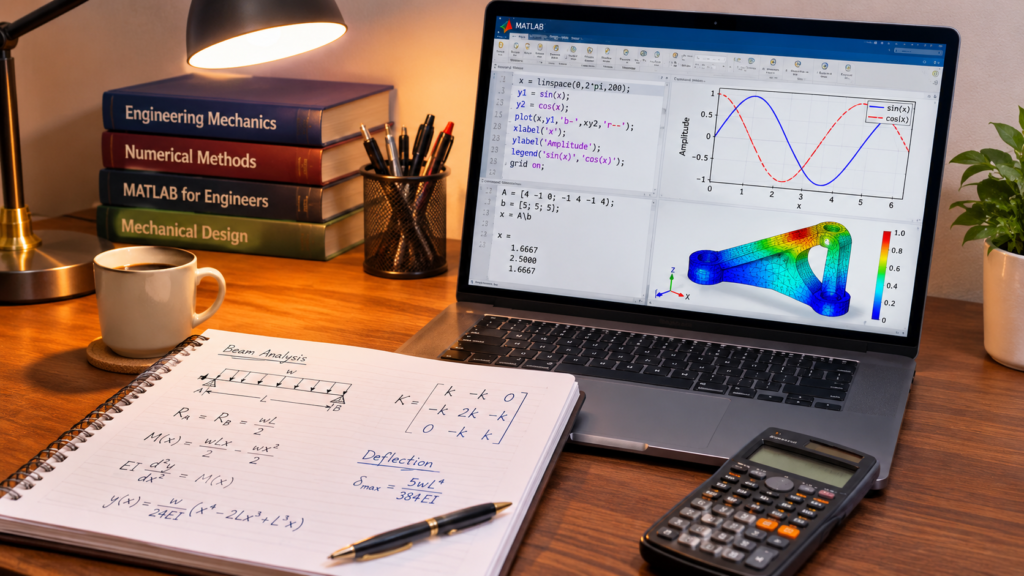
This guide breaks down 15 free websites to learn engineering fundamentals, MATLAB, numerical methods, and system simulation. For each platform, you will find:
- Core Offerings: Specific courses, tools, or sandboxes available.
- Target Audience: Which discipline or skill level benefits most.
- Access Limitations: What is strictly free versus behind a paywall.
- Project Applications: How to translate the tutorials into portfolio-ready work.
Whether you specialize in mechanical, electrical, civil, or mechatronics engineering, these platforms provide a direct path to high-leverage computational skills.
What Is Engineering Computing, and Why Should You Learn It?
Engineering computing is the use of computers, programming languages, and mathematical software to model systems, analyze data, and solve complex engineering problems. Rather than relying solely on manual calculations, engineers use computational tools to run numerical methods, build simulations, and visualize technical behavior before prototyping or deploying systems.
When you learn engineering computing alongside your core coursework, you bridge theory and practical execution. For example, using MATLAB, an engineering student can:
- Solve large systems of simultaneous equations.
- Clean, process, and analyze experimental or sensor data.
- Compute numerical solutions to differential equations that lack closed-form solutions.
- Generate plots and visualize mathematical functions or system responses.
- Model and simulate the behavior of mechanical, electrical, or control systems.
- Run signal processing workflows and numerical simulations.
Developing these skills early strengthens your academic performance and gives you concrete technical outputs to showcase in portfolios, internships, and engineering roles.
You do not need advanced software engineering skills to begin. A working grasp of basic mathematics—alongside variables, functions, vectors, and matrices—is enough to start building practical computational workflows as you learn engineering fundamentals.
15 Free Websites to Learn Engineering, Computing, and MATLAB
Explore 15 curated platforms designed to help you learn engineering fundamentals, scientific programming, and computational modeling at zero cost.
Spanning interactive browser-based sandboxes, university open courseware, and official documentation, these resources take you from introductory coding to advanced MATLAB workflows and physical system simulations.
MIT OpenCourseWare (OCW)
MIT OpenCourseWare is a digital publication of virtually all course content from the Massachusetts Institute of Technology, granting free access to syllabi, lecture notes, problem sets, and exams from over 2,500 undergraduate and graduate courses.
If you want to learn engineering theory and computational problem-solving at an elite academic standard without enrolling in a degree program, OCW provides complete self-paced curricula across mechanical, electrical, aerospace, and computer engineering.
A standout entry point is 6.057: Introduction to MATLAB, an accelerated course designed to teach MATLAB programming, numerical techniques, and data visualization through problem-based assignments.
- Best for:
- University-level engineering, applied mathematics, and foundational computing courses.
- What you can learn:
- MATLAB syntax, scripting, visualization, and numerical methods
- Engineering mathematics (linear algebra, differential equations, calculus)
- Computer science fundamentals and computational thinking
- Core electrical, mechanical, and systems engineering principles
- Free access & limitations: 100% free with no account registration required. However, OCW is strictly self-study—it does not offer graded assignments, instructor feedback, certificates of completion, or free software licenses.
- Recommended starting point: Complete the lecture notes and four problem sets in 6.057: Introduction to MATLAB (or 18.S997: Introduction to MATLAB Programming if you prefer full video lectures).
- Practical task: Write a MATLAB script using matrix operations (e.g., the backslash
\operator) to solve a 3×3 system of linear equations representing node voltages or truss forces, and plot the solution vector.
MathWorks (MATLAB Academy)
MathWorks is the creator of MATLAB and Simulink—the industry-standard computational environments used across automotive, aerospace, energy, and academic research.
Through MATLAB Academy, MathWorks offers hands-on, interactive courses that run directly inside your web browser with real-time code evaluation, eliminating the need to install heavy desktop software before you start.
If you want to learn engineering computation by writing real code rather than passively watching lectures, start with MATLAB Onramp (a 2-hour foundational course) before branching into over 20 specialized Onramps covering Simulink, Simscape, control design, signal processing, and machine learning.
- Best for:
- Interactive, browser-based training in MATLAB, Simulink, and physical system modeling.
- What you can learn:
- MATLAB syntax, live scripts, vectors, matrices, and array indexing
- Data import, cleaning, statistical analysis, and 2D/3D visualization
- Control flow, logical indexing, and custom function design
- Dynamic system simulation in Simulink and physical modeling in Simscape (circuits, batteries, multibody mechanics)
- Domain-specific workflows in signal processing, image processing, and deep learning
- Free access & limitations: All 24 Onramp courses—including shareable certificates of completion—are 100% free with a standard MathWorks account. However, deeper multi-module courses (such as MATLAB Fundamentals or Simulink Fundamentals) require a paid Online Training Suite subscription or an active university Campus-Wide License.
- Recommended starting point: Complete MATLAB Onramp, followed immediately by Simulink Onramp or Simscape Onramp depending on whether your focus is control systems or physical modeling.
- Practical task: Write a MATLAB Live Script that plots a damped harmonic oscillator response $x(t) = A e^{-\zeta \omega_n t} \cos(\omega_d t)$, automatically locates the peak overshoot (
max) and minimum trough (min), and annotates both points directly on the graph.
NPTEL (National Programme on Technology Enhanced Learning)
Backed by the Indian Institutes of Technology (IITs) and the Indian Institute of Science (IISc), NPTEL is one of the largest open-access repositories for technical higher education.
Hosted via India’s SWAYAM portal and YouTube, it delivers semester-length video lectures, downloadable transcripts, and weekly problem sets for students who want to learn engineering theory and computational methods with rigorous academic depth.
For computational and MATLAB training, standout offerings include MATLAB Programming for Numerical Computation (IIT Madras) and Scientific Computing using MATLAB, both of which walk through numerical solvers, ODEs, and algorithmic implementation step by step.
- Best for:
- Structured, full-semester engineering courses taught by faculty from India’s premier technical institutes.
- What you can learn:
- Core disciplines across mechanical, electrical, civil, aerospace, and chemical engineering
- Engineering mathematics, linear algebra, and differential equations
- Numerical methods (Gaussian elimination, Newton-Raphson, Runge-Kutta methods, curve fitting)
- MATLAB programming for scientific computing and simulation
- Free access & limitations: Enrolling, watching lectures, downloading notes, and submitting weekly assignments are 100% free. Earning an official proctored certificate requires paying an optional exam fee (typically ₹1,000) and attending an in-person test center in India. Note that select MATLAB courses also provide temporary access to MATLAB Online during active enrollment windows.
- Recommended starting point: Enroll in or audit MATLAB Programming for Numerical Computation (by Prof. Niket Kaisare, IIT Madras) on the NPTEL/SWAYAM portal.
- Practical task: Pick a numerical method module from the syllabus—such as the Newton-Raphson root-finding algorithm or the 4th-order Runge-Kutta ODE solver—code it from scratch in MATLAB without using built-in solvers, and compare its error convergence against MATLAB’s native
fzeroorode45functions.
OpenLearn (The Open University)
OpenLearn is the free digital learning platform from The Open University, offering nearly 1,000 bite-sized courses extracted directly from its accredited undergraduate and postgraduate curriculum.
If you want to learn engineering fundamentals from first principles—understanding how physical systems, materials, and design constraints actually work before translating them into MATLAB equations—OpenLearn bridges that conceptual gap without overwhelming you with heavy math on day one.
Its flagship introductory module, Introducing Engineering (a ~15-hour self-paced course), breaks down real-world product design, engineering standards, manufacturing workflows (casting, forming, machining, and additive manufacturing), and solar photovoltaic generation.
- Best for:
- Beginners who want to build a solid conceptual foundation before diving into complex numerical modeling and simulation tools.
- What you can learn:
- Core engineering design thinking, prototyping, and risk management
- Manufacturing processes, materials selection, and additive manufacturing (3D printing)
- Applied science, foundational mathematics, and renewable energy systems
- Engineering standards, patents, and real-world system trade-offs
- Free access & limitations: 100% free with no paywalls or hidden fees. Creating a free account unlocks a downloadable Statement of Participation and digital badge upon completing quizzes and modules. However, OpenLearn focuses heavily on foundational concepts and reading-based modules rather than hands-on coding or MATLAB execution.
- Recommended starting point: Complete Introducing Engineering, then explore Design for Engineers or An Introduction to Electronics depending on your specialization.
- Practical task: Pick an everyday mechanical or thermal system—such as a bicycle braking mechanism or an insulated travel mug—define its functional requirements, material constraints, and failure risks using OpenLearn’s design framework, and outline the physical variables you would later model in MATLAB.
Ansys Innovation Space (Ansys Innovation Courses)
Ansys Innovation Space is the official educational portal from Ansys, offering over 100 bite-sized, self-paced courses built around industry-standard simulation software.
If you want to learn engineering simulation beyond textbook equations—visualizing how stress, heat, fluid flow, or electromagnetic fields behave inside real-world components—these courses pair physics theory with step-by-step software walkthroughs, downloadable simulation files, and quizzes.
Standout tracks include Physics of Structural Mechanics, Foundations in Stress Analysis of Structures, and Getting Started with Ansys Fluent, alongside specialized modules for student competition teams (such as Formula SAE and Baja SAE chassis or aerodynamics analysis).
- Best for:
- Hands-on finite element analysis (FEA),
- Computational fluid dynamics (CFD),
- Multiphysics simulation.
- What you can learn:
- Finite element methods (FEM), static structural analysis, and stress/strain distribution
- Computational fluid dynamics (CFD), aerodynamics, and heat transfer
- Electromagnetics, antenna design, and photonics simulation
- 3D CAD geometry preparation and meshing workflows in Ansys Discovery and SpaceClaim
- Materials selection and structural topology optimization
- Free access & limitations: All Ansys Innovation Courses and digital completion badges are completely free. To follow along with the hands-on software labs, you can download the free Ansys Student bundle (renewable 1-year license), though it runs only on 64-bit Windows machines and caps mesh sizes (up to 128,000 nodes/elements for structural models and 512,000 cells/nodes for fluid dynamics).
- Recommended starting point: Take Physics of Structural Mechanics alongside Stress Analysis in Ansys Mechanical after installing the free Ansys Student package.
- Practical task: Model a simple cantilever beam in Ansys Mechanical (or Ansys Discovery), apply a point load at the free end, and compare the simulated maximum tip deflection and von Mises stress against your hand-calculated Euler-Bernoulli beam formula ($\delta = \frac{FL^3}{3EI}$).
TU Delft OpenCourseWare
Developed by Delft University of Technology in the Netherlands, TU Delft OpenCourseWare publishes open-access lecture notes, videos, and problem sets across bachelor’s and master’s engineering programs.
If you want to learn engineering concepts with an applied European systems perspective, its catalog includes standout technical modules such as Aerospace Mechanics of Materials, Electrical Machines and Drives, Traffic Flow Theory and Simulation, and AI Skills for Engineers: Supervised Machine Learning, alongside a companion library of free TU Delft Open Textbooks.
- Best for:
- University-level European engineering curricula, open textbooks, and specialized modules in aerospace, energy, and infrastructure.
- What you can learn:
- Aerospace engineering, orbital mechanics, and composite structures
- Electrical machines, power drives, and electric vehicle technology
- Sustainable energy systems, thermodynamics, and transport phenomena
- Civil infrastructure, hydrology, and traffic simulation
- Applied mathematics and machine learning workflows for engineers
- Free access & limitations: 100% free with no account registration required, released under Creative Commons licenses for unrestricted downloading and remixing. However, it offers no instructor support, graded feedback, or certificates of completion. Additionally, some bachelor’s modules are available only in Dutch.
- Recommended starting point: Browse the English-language courses under Aerospace Engineering or Energy, or download a foundational volume from TU Delft Open Textbooks.
- Practical task: Pick a technical module—such as Electrical Machines and Drives or Traffic Flow Theory and Simulation—reproduce one of its analytical derivations or worked examples in a MATLAB script, and plot how the system output responds when you sweep a key physical parameter.
Platform Migration Notice:
TU Delft is replacing its legacy OpenCourseWare system with a new Moodle-based platform at the end of 2026. Because only select courses will migrate and individual URLs will change—with some materials potentially removed—download any PDFs, datasets, or lecture notes you plan to study locally rather than relying solely on bookmarks.
Stanford Engineering Everywhere (SEE)
Stanford Engineering Everywhere (SEE) makes complete course packages from Stanford’s School of Engineering available online at zero cost. Rather than offering fragmented tutorials, SEE provides full-length classroom lecture videos, syllabi, handouts, homework assignments, and exams.
If you want to learn engineering computing at a graduate or upper-undergraduate level—especially where electrical engineering, applied math, and programming intersect—SEE gives you direct access to some of Stanford’s most influential courses.
Its catalog is organized into three core tracks: Introduction to Computer Science (CS106A/B, CS107), Artificial Intelligence (CS223A Robotics, CS229 Machine Learning), and Linear Systems and Optimization (EE261 The Fourier Transform, EE263 Linear Dynamical Systems, and Stephen Boyd’s EE364A/B Convex Optimization).
- Best for:
- Foundational computer science,
- Linear dynamical systems,
- Convex optimization,
- Robotics.
- What you can learn:
- Programming methodology, data structures, and computational problem-solving (CS106A/B)
- Linear dynamical systems, matrix methods, and control theory (EE263)
- Fourier transforms and signal processing applications (EE261)
- Convex optimization theory and engineering applications (EE364A/B)
- Robotics kinematics and machine learning fundamentals (CS223A, CS229)
- Free access & limitations: 100% free with no account registration required; nearly all course materials are published under a Creative Commons license. However, SEE is strictly an open archive—it does not provide Stanford academic credit, certificates of completion, or instructor grading. Also note that the catalog is a curated static collection (~10–12 classic courses) rather than an expanding live catalog.
- Recommended starting point: Start with CS106A: Programming Methodology if you need structured coding fundamentals, or jump straight into EE263: Introduction to Linear Dynamical Systems if you already know basic linear algebra and MATLAB.
- Practical task: Download a problem set from EE263 or EE261, write a MATLAB or Python script to compute the Fast Fourier Transform (FFT) of a noisy composite sine wave, and filter out high-frequency noise to recover the underlying signal.
LearnChemE
Developed by the Department of Chemical and Biological Engineering at the University of Colorado Boulder, LearnChemE is an open-access educational repository built around active, problem-based learning.
Even if you are outside chemical engineering, its interactive simulations and numerical modeling tutorials are ideal if you want to learn engineering problem-solving across thermodynamics, fluid mechanics, heat transfer, and process control.
A standout feature for computational learners is its Software Bootcamps series (created by Prof. Emeritus David Clough), which provides multi-part active-learning packages for MATLAB, Python, and Excel/VBA—complete with screencasts, slide decks, and downloadable .m and .py scripts designed around realistic engineering problem scenarios.
- Best for:
- Chemical and process engineering calculations,
- Interactive browser simulations,
- Multi-language coding bootcamps (MATLAB, Python, and Excel).
- What you can learn:
- MATLAB, Python, and Excel/VBA programming for engineering equations and numerical modeling
- Thermodynamics, phase equilibria, and equations of state
- Fluid mechanics, pipe flow pressure drop, and boundary layers
- Heat transfer, mass/energy balances, and reaction kinetics
- Process dynamics, control systems, and FE/PE exam review modules
- Free access & limitations: 100% free with no account registration required—including over 2,400 screencasts, 400+ interactive browser-based simulations, virtual laboratories, and downloadable bootcamp files. However, it is strictly a self-study resource with no certificates of completion, and you must install MATLAB or Python locally to run the bootcamp exercise files.
- Recommended starting point: Work through MATLAB Bootcamp 1 (or Python Bootcamp 1) under the Bootcamps menu while testing one of the interactive Fluids or Thermodynamics browser simulations.
- Practical task: Download the starter files from MATLAB Bootcamp 1–3 and write a script that models pressure drop and fluid velocity across a pipe network—or solves coupled ordinary differential equations (ODEs) for a continuous stirred-tank reactor (CSTR)—and plot how temperature or concentration changes over time.
NumPy Learn (numpy.org/learn)
NumPy Learn is the official learning hub for NumPy, the foundational package for scientific computing in Python. If you already use MATLAB or want to learn engineering computation without relying on proprietary licenses, NumPy gives you fast ndarray objects, vectorization, broadcasting, and linear algebra backed by compiled C code—while plugging directly into SciPy, Matplotlib, Pandas, and machine learning frameworks.
Through numpy.org/learn and the official documentation, you can move from beginner guides and Jupyter Notebook tutorials to deeper scientific computing resources such as From Python to NumPy and 100 NumPy Exercises.
- Best for:
- High-performance numerical computing,
- Array operations,
- Transitioning from MATLAB to open-source Python tools.
- What you can learn:
- N-dimensional array (
ndarray) creation, indexing, slicing, reshaping, and broadcasting - Vectorized arithmetic and universal functions (
ufuncs) that replace slow loops - Linear algebra, matrix operations, and numerical routines
- Statistical aggregations, array manipulation, and data preparation
- Mapping familiar MATLAB idioms to NumPy via the NumPy for MATLAB users reference guide
- N-dimensional array (
- Free access & limitations: 100% free and open-source under a BSD license, including official documentation, Jupyter tutorials (which can run in cloud notebook environments like Binder), and free open-access guides. However, it does not offer certificates or structured grading, and you will need a local Python environment (or cloud notebook) plus plotting libraries like Matplotlib for full visualization workflows.
- Recommended starting point: Read NumPy: the absolute basics for beginners and NumPy for MATLAB users, then practice with interactive Jupyter Notebook tutorials or 100 NumPy Exercises.
- Practical task: Load a set of sensor or lab measurements (such as voltage, temperature, or strain readings) into a NumPy array, compute the mean, median, standard deviation, and peak-to-peak range, and flag any outlier readings exceeding two standard deviations from the mean.
The video above is a concise walkthrough that can help readers quickly see core array creation, slicing, statistical operations, and linear algebra in action before diving into engineering datasets.
Scientific Python Lectures (lectures.scientific-python.org)
Maintained by a consortium of researchers and open-source contributors (including authors from INRIA, UC Berkeley, and Caltech), Scientific Python Lectures is a comprehensive, book-style tutorial collection built to bridge standard Python syntax and high-level numerical engineering.
If you want to learn engineering workflows in Python without paying for proprietary software, its modular chapters—each structured as a 1-to-2-hour self-paced course progressing from beginner to expert—show you how NumPy, Matplotlib, and SciPy fit together as an open-source alternative to MATLAB.
Beyond foundational array handling and plotting, the curriculum includes dedicated deep dives into code profiling/optimization, sparse linear system solvers, numerical integration, curve fitting, and signal processing.
- Best for:
- Full-stack scientific programming,
- Numerical algorithms,
- Engineering data visualization in Python.
- What you can learn:
- Core scientific Python stack: NumPy arrays, Matplotlib 2D/3D plotting, and SciPy algorithms
- Numerical routines: root finding, interpolation, numerical integration, and
scipy.linalgsolvers - Mathematical optimization (
scipy.optimize) and nonlinear curve fitting - Signal processing, Fast Fourier Transforms (
scipy.fft), and image manipulation - Performance debugging, memory optimization, and loading/saving
.matfiles viascipy.io
- Free access & limitations: 100% free and openly licensed (CC BY / BSD) with zero registration required, available both online and as downloadable Jupyter Notebooks on GitHub. However, it is strictly self-study documentation—there are no video lectures, interactive browser execution sandboxes out of the box, or certificates of completion.
- Recommended starting point: Work through the “Getting started with Python for Science” track—specifically the sequential chapters on NumPy, Matplotlib, and SciPy.
- Practical task: Load a noisy experimental dataset (such as damped oscillation or sensor calibration measurements) into Python, fit a theoretical physical model to the data using
scipy.optimize.curve_fit, and plot both the raw data points and the fitted curve with Matplotlib.
GNU Octave
GNU Octave is a high-level, open-source programming language and interactive environment built specifically for numerical computations. If you want to learn engineering math, matrix manipulation, and numerical problem-solving without paying for a commercial license—or while away from a university lab computer—its script-based workflow and largely MATLAB-compatible syntax make it a practical bridge for practicing core computational habits.
- Best for:
- Practicing MATLAB-style numerical computing,
- Linear algebra,
- Plotting on an open-source environment without license costs.
- What you can learn:
- Matrix operations, vectorization, and array indexing
- Linear algebra, eigenvalue problems, and numerical linear solvers
- Root finding, numerical integration, and ordinary differential equations (ODEs)
- Mathematical modeling, curve fitting, and data analysis
- 2D and 3D plotting of functions, surfaces, and vector fields
- Free access & limitations: 100% free and open-source under the GNU General Public License (GPL) for Windows, macOS, Linux, and BSD. However, it is a separate project from MathWorks MATLAB—many
.mscripts run with minimal or no changes, but specialized toolboxes (such as Simulink, Simscape, or proprietary domain toolboxes) are absent or only partially mirrored by community packages (Octave Forge), and edge-case syntax or graphical behaviors can differ. - Recommended starting point: Install GNU Octave, run basic vector and matrix commands in the Command Window, and work through the Getting Started and Basic Matrix Manipulations sections of the official GNU Octave manual.
- Practical task: Write a
.mscript in GNU Octave to solve a system of linear equations (such as $Ax = b$ using the\operator) for a circuit or static equilibrium problem, then plot a related function or parameter sweep across a defined range.
Wolfram U
Wolfram U is the educational training hub from Wolfram Research, offering over 270–300 courses, video lessons, webinars, and study groups built around the Wolfram Language, Mathematica, and System Modeler.
If you want to learn engineering math and system modeling using tools that handle exact symbolic algebra alongside numerical solvers and finite element PDEs, Wolfram U gives you structured lessons paired with interactive notebooks.
Relevant engineering and technical tracks include Signals, Systems and Signal Processing, Introduction to Electric Circuits, Introduction to Partial Differential Equations, Engineering Computation with Wolfram Language, and Tour of PDE Modeling in Wolfram Language.
- Best for:
- Symbolic and numerical computation,
- Mathematical modeling,
- Differential equations,
- Interactive system visualization.
- What you can learn:
- Symbolic and numerical calculus, linear algebra, and ordinary/partial differential equations (ODEs/PDEs)
- Signals, systems, Fourier/Laplace transforms, and digital filter design
- Circuit analysis, control systems, and multiphysics/PDE modeling
- Data science, machine learning, and 2D/3D technical visualization
- Programming in the Wolfram Language and building physical models in System Modeler
- Free access & limitations: Self-paced interactive courses, video courses, video lessons, and archived webinars are free to access—with free completion certificates available on many courses. However, formal proficiency exams/certifications (Level 1 and Level 2), certain live instructor-led workshops, and full commercial desktop software licenses beyond free tiers or trials may involve separate requirements or fees.
- Recommended starting point: Start with An Elementary Introduction to Wolfram Language or Hands-on Start to Wolfram Mathematica, then move into Signals, Systems and Signal Processing or Introduction to Electric Circuits.
- Practical task: Pick an engineering transfer function or differential equation—such as a second-order mass-spring-damper or RLC circuit—solve it symbolically and numerically in a Wolfram notebook, and build an interactive visualization (
Manipulate) to inspect how changing damping or natural frequency shifts the response curve.
The video above demonstrates an end-to-end approach to solving engineering problems using Wolfram tools.
edX
edX hosts thousands of university-backed courses and multi-course programs across engineering, computer science, applied mathematics, and data analytics. If you want to learn engineering computing inside a structured syllabus with clear weekly pacing, video lectures, readings, and problem sets, edX lets you sample rigorous academic courses without committing to a full degree upfront.
For computational and engineering learners, the catalog includes introductory Python and computational thinking tracks (such as Harvard’s CS50 courses and MIT’s computational thinking offerings) as well as engineering-focused modules from MathWorks and partner universities covering simulation, system modeling, and machine learning for engineering applications.
- Best for:
- Structured university-level engineering,
- Computing, and data courses from global institutions—including
- Partner programs from MathWorks,
- MIT,
- TU Delft.
- What you can learn:
- Programming fundamentals (Python, C/C++, and MATLAB/Simulink workflows)
- Computational thinking, numerical methods, and data analysis
- Applied mathematics, linear algebra, and optimization
- Core engineering domains including mechanical, electrical, structural, and energy systems
- Engineering simulation and machine learning applied to physical or manufacturing systems
- Free access & limitations: Many individual courses offer a free audit track at $0, giving you temporary access to course videos and readings from the date you enroll. However, not every course has an audit option (such as Boot Camps and Executive Education programs), audit access expires after a limited window, and graded assignments, exams, and verified certificates require a paid upgrade.
- Recommended starting point: Filter edX by Engineering, Computer Science, or Data Analysis, select the free audit option when enrolling, and start with a foundational programming or engineering simulation module.
- Practical task: Enroll in a free audit course covering numerical methods, applied math, or scientific programming, complete its non-graded practice problems before your audit window closes, and re-implement one core algorithm or equation from the course in a standalone MATLAB or Python script.
Coursera
Coursera partners with leading universities and technology companies to deliver structured courses, Specializations, and Professional Certificates across engineering, computing, and applied mathematics.
If you want to learn engineering programming and computational workflows through guided video modules and hands-on coding assignments, its catalog features standout tracks such as Vanderbilt University’s Introduction to Programming with MATLAB (part of the MATLAB Programming for Engineers and Scientists Specialization), HKUST’s Mathematics for Engineers, and MathWorks’ Practical Data Science with MATLAB.
- Best for:
- Sampling university- and industry-backed engineering specializations—including flagship MATLAB courses from Vanderbilt University and MathWorks.
- What you can learn:
- MATLAB fundamentals, matrix operations, file I/O, and GUI/App Designer development
- Engineering mathematics (linear algebra, vector calculus, differential equations, and numerical methods)
- Python programming, data analysis, and scientific computing
- Simulink modeling, signal processing, and image analysis
- CAD, finite element analysis, and systems engineering fundamentals
- Free access & limitations: Under Coursera’s Course Preview model, you can unlock the first module of nearly any course for free (including its video lectures, readings, and Module 1 graded assignments) without entering payment details. However, modules beyond Module 1 are locked unless you upgrade to a paid plan, subscribe to Coursera Plus, or qualify for Coursera’s Financial Aid program (only a small subset of standalone courses still offer a “Full Course, No Certificate” option).
- Recommended starting point: Click Preview on Vanderbilt University’s Introduction to Programming with MATLAB (or HKUST’s Mathematics for Engineers) to test-drive the first module at zero cost.
- Practical task: Complete the free Module 1 lessons and coding exercises in Introduction to Programming with MATLAB, then document the remaining syllabus topics (such as loops, file I/O, and matrix vectorization) so you can continue practicing them independently using MATLAB Online or GNU Octave.
SimScale
SimScale is a browser-based simulation platform that runs heavy meshing and physics solvers entirely in the cloud—making it accessible on Windows, macOS, Linux, or even a Chromebook without needing a high-end workstation.
If you want to learn engineering simulation workflows from geometry import and meshing to post-processing, SimScale pairs its cloud workbench with step-by-step tutorials, validation cases, and a library of public projects you can copy and inspect.
- Best for:
- Cloud-based computer-aided engineering (CAE),
- Finite element analysis (FEA),
- Computational fluid dynamics (CFD) without local hardware bottlenecks.
- What you can learn:
- Computational fluid dynamics (CFD), incompressible/compressible flow, and aerodynamics
- Finite element analysis (FEA), linear/nonlinear static stress, and structural mechanics
- Convective and conjugate heat transfer (thermal management and electronics cooling)
- Computational meshing strategies (standard and hex-dominant meshing)
- Cloud CAE post-processing, convergence checks, and design validation
- Free access & limitations: All documentation, step-by-step tutorials, and SimWiki guides are 100% free. For running live simulations, SimScale offers two free tiers: the Free Community Plan (public projects only, capped at 10 quantitative simulation runs per year before switching to qualitative-only previews) and the Free Academic Plan (for thesis/dissertation students, educators, and academic researchers, providing 1,000 core hours and private academic workspaces, though advanced solvers such as LBM, EMag, Marc, and SPH are excluded).
- Recommended starting point: Complete the onboarding Solid Mechanics Simulation (FEA) or Fluid Flow Simulation (CFD) step-by-step tutorials directly inside the SimScale workbench.
- Practical task: Clone a public beginner tutorial—such as external airflow over an airfoil/spoiler or static stress on a mounting bracket—run a baseline simulation, then adjust a boundary condition (such as inlet velocity or applied load) and compare the resulting pressure drop or peak von Mises stress.
How to Choose the Right Website for Your Engineering Learning Goals
You do not need to open all 15 platforms at once. The fastest way to learn engineering computing and simulation is to match each platform to your current baseline and the specific skill bottleneck you want to solve first.
Rather than jumping between tools randomly, group your choice around three practical criteria:
- Your Immediate Skill Gap: Start with MathWorks (MATLAB Onramp) or GNU Octave if you need syntax and matrix fundamentals; start with OpenLearn if you need physical/design intuition first; or jump into Ansys Innovation Space or SimScale when you are ready to test stress, fluid flow, or thermal behavior.
- Your Preferred Learning Format: Choose MIT OpenCourseWare, NPTEL, TU Delft OpenCourseWare, or Stanford Engineering Everywhere for syllabus-driven lectures and problem sets; choose Scientific Python Lectures or NumPy Learn for self-paced code and data workflows.
- Your Access & Hardware Constraints: Pick browser-based or open-source options (MathWorks Onramps, NumPy Learn, GNU Octave, SimScale) when you want zero license friction or lightweight hardware requirements, and check audit/preview rules upfront on edX and Coursera.
| Your Learning Goal | Recommended Website | Best For |
| Learn MATLAB from scratch | MathWorks | Interactive MATLAB & Simulink Onramps |
| Study university-level engineering | MIT OpenCourseWare | Full syllabi, lecture notes, and problem sets |
| Access structured engineering courses | NPTEL | Semester-length IIT/IISc courses and numerical methods |
| Understand basic engineering principles | OpenLearn | Foundational engineering design and concepts |
| Learn engineering simulation | Ansys Innovation Space | Physics-based FEA, CFD, and simulation training |
| Study aerospace and electrical engineering | TU Delft OpenCourseWare | Applied engineering modules and open textbooks |
| Develop programming skills | Stanford Engineering Everywhere | Core CS, linear systems, and optimization courses |
| Learn MATLAB for chemical engineering | LearnChemE | Process modeling, bootcamps, and interactive sims |
| Learn numerical computing with Python | NumPy Learn | Arrays, matrices, and MATLAB-to-Python transitions |
| Study scientific programming | Scientific Python Lectures | NumPy, SciPy, and Matplotlib workflows |
| Practise MATLAB-style programming for free | GNU Octave | Open-source numerical scripts and plotting |
| Explore computational mathematics | Wolfram U | Symbolic/numerical math, ODEs/PDEs, and visualization |
| Find university engineering courses | edX | Structured global university courses (audit options vary) |
| Preview technical courses | Coursera | Sampling Module 1 and university/industry tracks |
| Practise computer-aided engineering | SimScale | Cloud-based CFD, FEA, and thermal simulations |
A smart starting stack is one core coding/modeling tool (such as MathWorks, GNU Octave, or NumPy Learn) paired with one domain or simulation resource (such as NPTEL, LearnChemE, or SimScale) so every concept you study is reinforced by hands-on execution.
A Practical Learning Path: How to Start Learning MATLAB and Engineering Computing
Having access to free resources is only half the equation; following the right sequence prevents overwhelm and builds durable technical skills. If you want to learn engineering computing and MATLAB with limited prior programming experience, follow this five-step progression.
Step 1: Strengthen Your Mathematical Foundations
Before writing numerical solvers or simulation scripts, ensure you understand the core mathematics that engineering software translates into code. Focus on:
- Algebra and Trigonometry: Rearranging formulas, manipulating exponents, and working with periodic functions.
- Calculus: Derivatives, integrals, and rates of change.
- Linear Algebra: Vectors, matrices, dot/cross products, and matrix inversion.
- Systems of Equations & ODEs: Simultaneous linear equations and ordinary differential equations.
You do not need to master every proof before writing your first line of code—a working grasp of how these concepts behave is enough to start translating equations into scripts.
Step 2: Master MATLAB Syntax and Fundamentals
Begin with MATLAB Onramp (or GNU Octave if you need a zero-cost desktop install) to build muscle memory around how array-based languages operate. Focus on:
- Navigating the Command Window, Workspace, and Live Editor.
- Declaring variables, arrays, and matrices using vectorized notation instead of slow loops.
- Writing reusable scripts and modular functions.
- Generating basic 2D line and scatter plots.
Actionable Milestone: Write a script that takes vectors of measured distance and elapsed time, computes instantaneous velocity and acceleration arrays, and plots both curves against time.
Step 3: Practice Numerical Computing
Once basic syntax feels natural, move from textbook arithmetic to solving problems that cannot be solved easily by hand. Use MIT OpenCourseWare (6.057), NPTEL, or LearnChemE bootcamps to practice:
- Solving linear systems ($Ax = b$) using matrix division (
\). - Root-finding algorithms (such as Newton-Raphson or MATLAB’s
fzero). - Numerical integration (
trapz,integral) and numerical differentiation. - Ordinary differential equation solvers (
ode45) for dynamic systems.
Step 4: Build Data Visualization and Analysis Workflows
As you learn engineering analysis, raw numbers only create value when you can interpret trends, spot anomalies, and validate theoretical models against noisy measurements. Practice using MATLAB—or open-source Python tools via NumPy Learn and Scientific Python Lectures—to:
- Clean, filter, and summarize experimental sensor datasets.
- Overlay raw lab measurements against theoretical curves using curve fitting.
- Inspect frequency spectra with Fast Fourier Transforms (FFT).
- Create multi-panel subplots with clear axis labels, units, and legends.
Step 5: Transition into Physics-Based Engineering Simulation
With solid programming and numerical analysis habits in place, step into computer-aided engineering (CAE) through Ansys Innovation Space, SimScale, or Simulink Onramp. Depending on your discipline, explore:
- Mechanical & Civil: Static structural stress, deformation, and modal vibration analysis.
- Aerospace & Chemical: Computational fluid dynamics (CFD) and convective heat transfer.
- Electrical & Mechatronics: Circuit simulation, control loop tuning, and electromechanical systems.
Always validate your simulation outputs against simplified hand calculations—a simulation is only as reliable as your mesh quality, boundary conditions, material properties, and underlying physical assumptions.
Three Practical Projects to Build While Learning Engineering Computing
The fastest way to solidify your skills as you learn engineering computing is to build small, self-contained projects that pair code with physical interpretation. You do not need expensive lab hardware—a local MATLAB/Octave installation, a Python environment, or a browser-based Live Script is enough to create portfolio-ready technical case studies.
Project 1: Experimental Sensor Data Analysis
- Level: Beginner
- Objective: Use MATLAB or Python (NumPy and Matplotlib) to clean, analyze, and visualize a time-series dataset of temperature, voltage, pressure, or accelerometer measurements.
- Required Deliverables:
- Raw Dataset: A CSV or tabular array containing time-stamped engineering measurements (including realistic noise or occasional outliers).
- Processing Script: Code that imports the data, filters or flags anomalies, and calculates summary statistics (mean, standard deviation, peak-to-peak range, and maximum/minimum values).
- Annotated Visualization: A clearly labeled plot (with physical units) showing the raw measurements, a moving-average trend line, and horizontal markers for the mean and peak limits.
- Engineering Interpretation: A concise technical summary explaining system trends, transient spikes, and whether the measurements remain within safe operating thresholds.
- Skills Developed: Array indexing, data cleaning, statistical aggregation, and technical plotting.
Project 2: Solving Coupled Engineering Systems with Linear Algebra
- Level: Beginner to Intermediate
- Objective: Formulate and solve a steady-state engineering problem governed by simultaneous linear equations—such as nodal voltages in a multi-loop DC resistor network (using Kirchhoff’s laws) or static member forces in a 2D truss.
- Required Deliverables:
- System Definition: A schematic description of the physical circuit or structure, including component values (resistances, supply voltages, or applied loads).
- Mathematical Formulation: The governing system of equations written in matrix form ($Ax = b$).
- MATLAB Solver Script: Clean, commented code that constructs the coefficient matrix $A$ and input vector $b$, checks matrix conditioning (
cond(A)), and solves for the unknown state vector $x$ using MATLAB’s backslash operator (A \ b). - Verification & Sensitivity Check: Calculated node voltages, branch currents, or reaction forces—plus a brief analysis of how changing a single component value (e.g., doubling one resistor or load) redistributes the system response.
- Skills Developed: Engineering modeling, linear algebra, matrix vectorization, and numerical verification.
Project 3: Dynamic System Simulation (Mass-Spring-Damper or RLC Circuit)
- Level: Intermediate
- Objective: Model the time-domain transient response of a second-order physical system—such as a mechanical suspension (mass-spring-damper) or a series RLC circuit—subjected to a step or impulse input.
- Required Deliverables:
- Physical Model & Assumptions: A clear statement of system parameters (mass $m$, damping coefficient $c$, spring stiffness $k$, and initial conditions).
- Governing Differential Equation: The second-order ODE ($m\ddot{x} + c\dot{x} + kx = F(t)$) rewritten as a system of first-order state-space equations.
- Numerical Simulation: A MATLAB Live Script (using
ode45) or Python script (usingscipy.integrate.solve_ivp) that integrates the equations over time. - Comparative Response Plot: A multi-curve time-response graph comparing underdamped, critically damped, and overdamped regimes on the same axes.
- Parameter Trade-Off Analysis: A brief engineering discussion explaining how adjusting damping or stiffness impacts peak overshoot, oscillation frequency, and settling time.
- Skills Developed: Differential equation modeling, state-space representation, numerical ODE integration, and dynamic systems analysis.
Portfolio Tip:
Package each project as a formatted MATLAB Live Script (exported to PDF or HTML) or a documented Jupyter Notebook on GitHub so recruiters and professors can inspect your equations, code, and plots together. Note that these exercises are designed for educational practice rather than validated design sign-off for physical engineering installations.
Common Mistakes to Avoid When Learning MATLAB and Engineering Computing
When you learn engineering computing, technical progress slows down less from difficult math and more from predictable workflow habits. Avoiding these six common pitfalls will keep your learning focused and practical:
Watching Tutorials Without Writing Code
Passive video watching creates the illusion of competence. You only internalize syntax, indexing, and debugging when you type commands yourself, trigger real error messages, and fix them. Pause every tutorial after a core concept and modify the parameters or write a small script from scratch before moving on.
Trying to Learn Too Many Languages Simultaneously
Juggling MATLAB, Python, C++, and Julia at the same time fragments your focus across conflicting syntax rules (such as 1-based vs. 0-based indexing). Commit to one primary environment first—MATLAB (or GNU Octave) if your coursework and lab tools rely on it, or Python (NumPy/SciPy) if you want an open-source ecosystem—and build fluency before adding a second language.
Skipping the Underlying Mathematics and Physics
Computational tools execute algorithms; they do not verify whether your engineering assumptions make physical sense. Confusing element-wise operations (.*, .^) with matrix operations (*, ^), ignoring units, or feeding poorly conditioned matrices into a solver will produce confident-looking but physically invalid numbers. Always understand the governing equations and sanity-check outputs against simplified hand estimates.
Copy-Pasting Code Without Inspecting It
Adapting reference scripts or AI-generated snippets is normal, but blindly pasting blocks you cannot explain leaves you stuck the moment an array dimension or boundary condition changes. Line by line, check variable sizes (size()), verify what each built-in function expects as inputs, and rewrite key logic in your own words.
Confusing Free Courses with Free Software Licenses
Many platforms offer free training while limiting full software access. For example, MathWorks provides free interactive Onramp courses and a free MATLAB Online (Basic) tier capped at 20 compute hours per month, whereas full desktop MATLAB requires a university Campus-Wide License or paid plan. Always check software and compute limits upfront—and keep open-source alternatives like GNU Octave or Python ready when working outside licensed lab environments.
Collecting Certificates Instead of Building Portfolio Projects
Completion badges confirm you finished a syllabus, but hiring managers and research supervisors look for proof that you can solve messy technical problems. Pair every completed course with a documented MATLAB Live Script or Jupyter Notebook featuring clean plots, sensitivity checks, and a clear explanation of your engineering conclusions.
Can I learn MATLAB online for free?
Yes. MathWorks offers free interactive training through MATLAB Academy—including MATLAB Onramp and additional Onramp courses—alongside browser-based code evaluation.
You can also learn engineering computing and MATLAB concepts for free using university materials such as MIT OpenCourseWare (6.057), NPTEL, and LearnChemE bootcamps.
Can I use MATLAB without purchasing a personal license?
Yes, though free tiers have limits. MATLAB Online (Basic) provides up to 20 hours of browser-based compute per month subject to product restrictions, and many universities hold a Campus-Wide License that gives enrolled students and faculty access to MATLAB, Simulink, and toolboxes at no personal cost.
Is GNU Octave a free alternative to MATLAB?
Yes. GNU Octave is free, open-source numerical computing software whose syntax overlaps closely with MATLAB for core matrix operations, linear algebra, and plotting.
However, it is a separate project—specialized toolboxes (such as Simulink or proprietary MathWorks toolboxes) and certain edge-case functions or plot behaviors differ.
Which programming language should engineering students learn first?
MATLAB and Python are the two strongest starting points for engineering computing. MATLAB excels at matrix manipulation, numerical analysis, control/system modeling, and Simulink workflows, while Python (with NumPy, SciPy, and Matplotlib) offers a free, general-purpose ecosystem strong in data analysis, automation, and machine learning. Anchor your first choice on your university coursework, lab requirements, and target projects.
Do I need prior programming experience before learning MATLAB?
No. Introductory courses like MATLAB Onramp assume zero prior coding background and guide you through variables, arrays, scripts, and plotting step by step. A working grasp of basic algebra, trigonometry, vectors, and matrices will make grasping the concepts much smoother.
Can I learn engineering simulation online?
Yes. Platforms like Ansys Innovation Space and SimScale offer free courses, tutorials, and documentation covering structural mechanics (FEA), computational fluid dynamics (CFD), and thermal analysis, paired with free student or cloud tiers subject to mesh, core-hour, and usage limits.
Are free online engineering courses recognized by employers?
Employers value demonstrable capability over course completion badges alone. While free courses do not confer accredited engineering degrees or professional licensure, pairing structured coursework with documented projects—such as MATLAB Live Scripts, numerical solvers, or simulation case studies—helps prove practical competence in interviews and portfolios.
How long does it take to learn MATLAB?
You can grasp core syntax, array indexing, and basic plotting in a few hours to a couple of weeks (for example, completing MATLAB Onramp takes roughly two hours).
Building genuine fluency in numerical methods, ODE solving, data analysis, and discipline-specific modeling typically takes one to three months of consistent, project-based practice.
In Conclusion
You do not need a large budget or commercial software licenses to learn engineering computing, numerical methods, and MATLAB. Top universities, engineering societies, and simulation providers offer high-signal courses, documentation, and free or student-accessible tools that let you build serious technical capability from day one.
If you are starting from scratch, begin with MATLAB Onramp (or GNU Octave if you need an offline open-source setup) to build core syntax and matrix fluency. Pair it with MIT OpenCourseWare or NPTEL to deepen your mathematical and engineering foundations, then expand into NumPy Learn, Scientific Python Lectures, Ansys Innovation Space, or SimScale as your focus shifts toward Python workflows or physics simulation.
Above all, treat tutorials as a launchpad rather than the finish line. Pick a concrete engineering problem, write the code or build the simulation yourself, visualize the results, and document your assumptions and takeaways in a clean portfolio piece. That loop—from theory to code to physical interpretation—is what turns coursework into career-ready technical proof.