13 Best Social Media Content Creation Apps for Creators
Creating high-performing digital content shouldn’t require a bloated, disconnected software stack. Whether you are building a personal brand or scaling a marketing operation, having the right social media content creation apps in your toolkit lets you ideate, design, edit, and publish without friction.
From visual design leaders like Canva and short-form video editors like CapCut to unified scheduling platforms like Buffer and Hootsuite, modern creators rely on specialized software to stay competitive. Today’s market also features advanced tools built for AI-assisted copywriting, deep analytics, and multi-channel distribution.
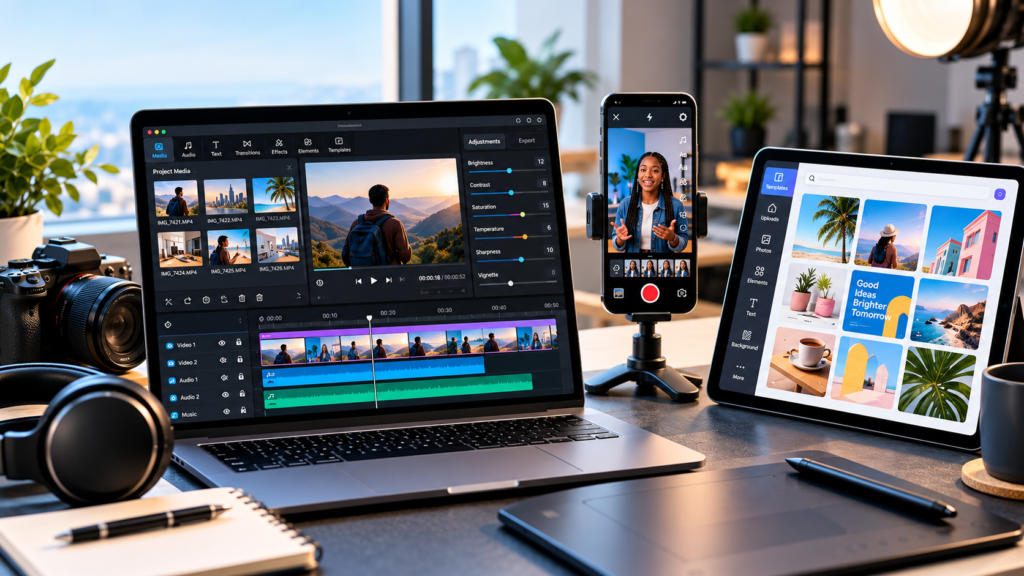
Choosing the right combination among the best social media content creation apps depends entirely on your core content formats, team size, budget, and distribution goals. Whether you run a direct-to-consumer (DTC) brand, manage marketing campaigns, or create content independently as a solo operator, this guide breaks down 13 of the best social media content creation apps, analyzing their primary use cases, pros, limitations, and practical value.
Quick Comparison: 13 Social Media Content Creation Apps
To build a high-performing digital workflow, you rarely rely on a single platform. The following breakdown maps out the 13 best social media content creation apps by their primary utility—helping you quickly evaluate which software aligns with your content production, editing, and distribution requirements.
| App | Best For | Main Strength | Main Consideration |
| Canva | Graphics & brand assets | Extensive template library & intuitive visual design | Advanced brand kits require a paid subscription |
| Adobe Express | Fast, branded content | Integrated design, photo, and quick-video tools | Premium assets require paid tier |
| CapCut | Short-form video editing | Accessible mobile/desktop effects & snappy workflows | Cloud storage limits and feature availability vary |
| InShot | Mobile video editing | Quick trims, text, and music integration on-the-go | Lacks deep capabilities for complex desktop projects |
| DaVinci Resolve | Advanced video production | Industry-grade editing, audio, & color grading | Steep learning curve; requires robust hardware |
| Descript | Audio, video & captions | Text-based editing and automated transcription | Free-plan export limits restrict high-volume production |
| OpusClip | Video repurposing | AI-driven extraction of viral short-form clips | Automated clip selections require manual review |
| ChatGPT | Ideation & copywriting | Rapid scriptwriting, hooks, and content variations | Outputs require human editing and fact-checking |
| Buffer | Scheduling & publishing | Clean, straightforward multi-platform queue management | Free plan has strict calendar limits |
| Later | Visual planning | Drag-and-drop content calendar and media planner | Feature sets scale heavily by tier |
| Metricool | Analytics & reporting | Unified performance data and cross-platform publishing | Free plan restricts deep analytics access |
| Hootsuite | Enterprise operations | Scalable publishing, social listening, and engagement | Overbuilt and cost-prohibitive for solo creators |
| Content Rewards | Creator campaigns | Connecting brands with UGC creators for campaigns | Requires allocated campaign budget and active briefs |
Strategic Takeaway
No single app solves every workflow constraint. A video editor cannot replace a publishing scheduler, and an analytics suite cannot generate engagement without strong creative assets. Build your stack by combining tools that cover distinct phases of your pipeline: ideation (ChatGPT), creation (Canva/CapCut), repurposing (OpusClip), and distribution/tracking (Buffer/Metricool).
Canva: Best for Social Media Graphics and Branded Content
Canva remains a foundational asset among the best social media content creation apps for creators and marketing teams that need to produce high-impact visual collateral without mastering complex design software.
Its drag-and-drop visual editor powers Instagram carousels, TikTok graphics, YouTube thumbnails, promotional assets, and lightweight video snippets. Pre-built templates and centralized brand kits help teams maintain visual consistency across multiple social channels.
Best Uses
- Designing multi-slide Instagram carousels and Facebook post graphics.
- Rapidly prototyping high-click-through-rate YouTube thumbnails and banner ads.
- Producing branded educational infographics and quote cards.
- Instantly resizing and adapting a single graphic for multiple platform dimensions.
Pricing & Packaging
Canva offers a robust free tier for basic design needs. Paid tiers (Pro and Teams) unlock advanced background removers, premium stock assets, automated resizing, brand management tools, and built-in content scheduling.
Limitations
- Template Over-Reliance: Out-of-the-box templates can easily look generic or overused if not heavily customized.
- Asset Gating: Certain graphics, photos, and fonts are restricted to paid tiers, which can interrupt creation workflows on the free plan.
Expert Recommendation
Start with Canva Free if your primary workflow involves basic graphic creation and manual exports. Upgrade to a paid plan only when team collaboration, brand kit enforcement, or native platform scheduling provide clear operational ROI.
Adobe Express: Best for Quick Branded Designs and Lightweight Video
Adobe Express is an essential entry among the best social media content creation apps, offering a streamlined bridge between quick design templates and Adobe’s professional-grade creative engine. It is ideal for creators and brand teams who want to produce polished visual assets and short videos without the steep learning curve of Photoshop or Premiere.
The platform integrates web and mobile tools for graphic design, basic photo retouches, video editing, and text styling. Its native integration with Adobe Creative Cloud libraries makes it particularly useful for teams maintaining strict visual brand governance.
Best Uses
- Building branded social media graphics and campaign announcements quickly.
- Producing short-form promotional videos with animated text overlays.
- Applying fast, one-click photo background removals and quick edit actions.
- Maintaining brand consistency across channels using shared Adobe Creative Cloud assets.
Pricing & Packaging
Adobe Express provides a comprehensive free plan that includes core design tools, a vast library of free Adobe Stock assets and fonts, 5 GB of cloud storage, and basic social media scheduling (for one account per social network). The Premium tier unlocks the full Adobe Stock collection, advanced AI features (via Adobe Firefly), additional storage, and deeper Creative Cloud integrations.
Limitations
- Asset Availability: Certain stock photos, templates, and premium fonts require an active subscription or Adobe Creative Cloud account.
- Pro-Tool Scope: While powerful for fast turnarounds, it lacks the precise timeline, layer, and motion control found in dedicated software like Photoshop or Premiere Pro.
Expert Recommendation
Use Adobe Express if you already rely on the Adobe ecosystem or need high-quality stock typography and graphics. Before upgrading to a paid tier, evaluate it alongside Canva—most creators only need one primary design tool in their stack to handle social media content creation.
CapCut: Best for Short-Form Social Media Videos
CapCut is a dominant force among the best social media content creation apps for producers focusing on vertical video, tutorials, product demonstrations, and platform-native content.
Available across mobile and desktop environments, its interface combines a traditional multi-track timeline with modern, automated editing aids. This makes it efficient for assembling raw footage, applying motion tracking, and fine-tuning cuts for platforms like TikTok, Instagram Reels, and YouTube Shorts.
Best Uses
- Editing high-retention short-form educational and promotional videos.
- Automatically generating styled captions and localized text overlays.
- Applying dynamic visual transitions, motion effects, and color grades.
- Rapidly scaling video output for multi-channel vertical distribution.
Pricing & Packaging
CapCut operates on a freemium model, offering a robust free version for basic cuts, text animations, and standard effects. Paid tiers (CapCut Pro) unlock advanced AI features, cloud storage, premium templates, and advanced audio-visual effects. Note: Exact feature availability and subscription pricing vary by region and account type.
Limitations
- Template Fatigue: Heavy reliance on out-of-the-box templates can lead to derivative content that blends in rather than standing out.
- Feature Gating: Key AI-assisted tools and professional assets frequently sit behind paywalls, requiring an active Pro subscription for advanced use cases.
Expert Recommendation
Test the free version first to see if its timeline and export features meet your workflow demands. Only upgrade to Pro if automated tools, advanced asset libraries, or cloud collaboration directly accelerate your publishing velocity.
InShot: Best for Straightforward Mobile Video Editing
InShot is a dependable mobile-first option among the best social media content creation apps for creators who shoot, edit, and publish content entirely from a smartphone.
By prioritizing speed over deep desktop functionality, InShot streamlines the editing process for content creators who need to push out reactive, fast-paced videos without sitting at a workstation.
Best Uses
- Trimming, cutting, and stitching raw smartphone footage on the fly.
- Formatting and framing vertical videos for platform-specific aspect ratios.
- Overlaying popular background music, sound effects, and simple text captions.
- Executing urgent edits and quick publish updates while traveling or away from a computer.
Pricing & Packaging
InShot operates on a freemium model with core editing features available for free. Premium upgrades are typically handled via in-app purchases or subscriptions to remove watermarks, unlock full transition packs, and access advanced asset libraries. Exact pricing and regional availability vary by app store.
Limitations
- Desktop Scalability: Phone-based timelines become difficult to manage when handling multi-layered projects, complex audio mixing, or detailed color grading.
- Feature Restrictions: Free exports may carry watermarks or limit access to higher-end visual effects until unlocked.
Expert Recommendation
Use InShot if your entire workflow is mobile-centric and you need a lightweight editor for quick social clips. Before committing to a paid subscription, compare its capabilities directly against CapCut to determine which interface aligns better with your editing habits.
DaVinci Resolve: Best for Advanced Desktop Video Editing
DaVinci Resolve is the industry heavyweight among the best social media content creation apps for producers who require absolute control over their video production pipeline. It integrates professional editing, advanced color grading, visual effects (Fusion), motion graphics, and audio engineering (Fairlight) into a single, comprehensive desktop suite.
Blackmagic Design’s free version is famously robust, supporting an extensive range of 8-bit video formats at up to 60 frames per second and resolutions up to Ultra HD (3840 × 2160), with enterprise-grade tools reserved for the paid Studio upgrade.
Best Uses
- Producing high-end, cinematic-quality brand videos and mini-documentaries.
- Editing high-retention long-form YouTube videos, masterclasses, and courses.
- Performing precise color grading and color-matching across multi-camera shoots.
- Integrating custom motion graphics and complex visual effects natively.
Pricing & Packaging
DaVinci Resolve offers an exceptionally capable free tier that surpasses many paid competitors. DaVinci Resolve Studio is available as a one-time perpetual license purchase, unlocking neural engine features, 4K+ exports, stereoscopic 3D, and advanced multi-user collaboration tools.
Limitations
- Steep Learning Curve: The software is designed for professional post-production, making it significantly harder to learn than lightweight mobile apps.
- Hardware Demands: High-resolution rendering requires a powerful computer equipped with a dedicated, high-performance GPU and sufficient RAM.
Expert Recommendation
Choose DaVinci Resolve if production quality, flawless audio balancing, and advanced color grading are non-negotiable for your brand. If your workflow only demands quick vertical cuts and automated templates, a simpler tool will save you time and processing overhead.
Descript: Best for Editing Spoken Content and Captions
Descript is a game-changing tool among the best social media content creation apps for creators who produce spoken-word content like podcasts, interviews, and talking-head videos. By pivoting away from a traditional timeline, Descript lets you edit audio and video simply by editing text in a word processor.
Its automated transcription engine, overdub technology, dynamic captions, and screen-recording features make it exceptionally efficient for turning raw recordings into polished, publish-ready social assets.
Best Uses
- Editing long-form interviews and talking-head videos by deleting or rearranging text in the transcript.
- Instantly generating and styling burned-in dynamic captions for short-form video.
- Producing educational explainers, tutorials, and webinar clips.
- Stripping out filler words (“ums,” “ahs”) and dead air with a single click.
Pricing & Packaging
Descript offers a free plan alongside several tiered paid subscriptions. The published free tier typically includes up to one hour of transcription per month and 720p video exports. Paid tiers remove watermarks, unlock 4K exports, expand monthly transcription allowances, and introduce advanced AI features. (Check Descript’s official pricing page for current limits and feature splits.)
Limitations
- Transcription Errors: Automated transcripts can occasionally misinterpret technical jargon, uncommon brand names, regional accents, or complex industry terms.
- Manual Proofing Required: You must review the final transcript and video cuts before publishing to ensure captions do not display embarrassing typos, incorrect pricing figures, or flawed instructions.
Expert Recommendation
Descript is an essential asset if your content relies heavily on dialogue, interviews, and spoken narrative. However, if your video production focuses purely on cinematic B-roll, music edits, or visual-first product demos, a traditional timeline editor will serve your workflow better.
OpusClip: Best for Turning Long Videos into Short Clips
OpusClip stands out among the best social media content creation apps for its ability to automate the heavy lifting of video repurposing. By leveraging generative AI, the platform scans long-form assets—such as podcasts, webinars, interviews, and educational masterclasses—and segments them into bite-sized, high-retention short clips optimized for TikTok, Reels, and Shorts.
The tool analyzes the source video for narrative hooks, scores clips based on viral potential, auto-crops speakers to vertical formats, and generates synchronized captions in a single pass.
Best Uses
- Transforming hour-long podcast episodes into a series of short, standalone social assets.
- Extracting key insights and highlight reels from recorded corporate webinars.
- Repurposing long educational videos to scale daily output across multiple platforms.
- Auto-formatting talking-head footage into clean 9:16 vertical layouts with dynamic text.
Pricing & Packaging
OpusClip operates on a freemium model using a monthly credit system based on processing time. The free tier typically allows users to test the AI clipping engine, though it includes watermarked exports and capped monthly minutes. Paid tiers scale up processing hours, remove watermarks, and unlock advanced custom branding features. (Check OpusClip’s official pricing page for current credit allocations.)
Limitations
- AI Selection Gaps: An AI-generated highlight is not a guaranteed winner. Algorithms can occasionally strip out crucial context, truncate a punchline, or select secondary moments instead of the core takeaway.
- Editing Dependency: You cannot rely entirely on automation; manual review is required to ensure smooth pacing, proper context, and brand safety.
Expert Recommendation
Use OpusClip to drastically accelerate your first-pass editing workflow and surface hidden moments in your long-form archives. Always treat the output as a rough draft—review, trim, and polish every clip before publishing it to your channels.
ChatGPT: Best for Content Ideas, Scripts and AI-Assisted Creative Work
ChatGPT is an essential foundational tool among the best social media content creation apps for managing the ideation, scripting, and strategy phases of your content pipeline. Beyond generating text, it acts as a flexible brainstorming partner that can map out cross-platform campaigns, draft engaging copy, outline video scripts, and structure multi-format asset creation.
Best Uses
- Brainstorming niche-specific topic ideas tailored to a clearly defined target audience.
- Drafting high-conversion video hooks, punchy scripts, and platform-optimized captions.
- Repurposing a single core piece of content (like a blog post) into multiple derivative formats.
- Developing strategic creative briefs, content calendars, and campaign variations.
- Generating visual concepts, layout wireframes, or image prompts for downstream design tools.
Pricing & Packaging
ChatGPT offers a robust free tier featuring core text-generation capabilities and limited access to advanced models and image creation. Paid subscriptions (such as ChatGPT Plus, Team, or Enterprise) unlock higher message caps, priority access to frontier models, custom GPTs, advanced data analysis, and enhanced image generation via DALL-E.
Limitations
- Hallucinations & Generic Output: Left unguided, AI models can produce factual inaccuracies, generic buzzwords, or uninspired copy that fails to resonate with sophisticated audiences.
- Visual Artifacts: AI-generated images can occasionally contain geometric errors, text rendering issues, or anatomical flaws that require careful human review.
Expert Recommendation
Treat ChatGPT as a high-speed creative assistant rather than an autonomous content engine. To get exceptional output, feed the model explicit constraints: provide your exact audience demographics, platform guidelines, explicit content goals, and reference examples of your unique brand voice.
Practical Test: Prompt ChatGPT to take a single customer support question and expand it into a short-form video script, an Instagram carousel outline, and a direct response caption. Always review, edit, and fact-check outputs before sending them to production.
Buffer: Best for Straightforward Social Media Scheduling
Buffer is a reliable scheduling solution among the best social media content creation apps for creators and small businesses focused on publishing consistency. It removes the friction of manual posting by providing an intuitive interface for planning, queueing, and analyzing multi-channel social output without the bloat of an enterprise marketing suite.
Best Uses
- Scheduling and staging social media posts weeks in advance.
- Establishing and maintaining a consistent, predictable publishing cadence.
- Managing multiple social channels (like LinkedIn, X, Instagram, and Facebook) from a single workspace.
- Reviewing basic post performance and engagement insights.
Pricing & Packaging
Buffer offers a free plan that supports up to three channels with a limited queue (typically ten scheduled posts per channel). Paid tiers unlock unlimited scheduled posts (subject to fair-use policies), advanced performance analytics, landing page builders, and collaborative team workflows.
Limitations
- Free Tier Caps: The limits on scheduled posts and connected channels on the free plan can quickly become restrictive for active creators or brands scaling their output.
- Platform Restrictions: Specific social networks enforce unique API constraints regarding automated publishing, video formats, or account types—always verify your format is supported.
Expert Recommendation
Buffer is an ideal starting point for solo creators and lean teams that need a clean, dependable calendar tool to organize their distribution pipeline. Upgrade only when you outgrow the channel caps or require deep multi-user approval workflows.
Later: Best for Visual Content Planning and Scheduling
Later stands out among the best social media content creation apps for brands and creators built around strong visual identities. Originally launched as an Instagram-first scheduler, the platform emphasizes aesthetic grid planning, drag-and-drop calendars, and media asset management across major social networks.
Best Uses
- Visually mapping out and previewing your Instagram feed grid before publishing.
- Storing, organizing, and tagging media assets in a centralized content library.
- Coordinating scheduled posts and campaigns across multiple social channels.
- Tracking cross-platform performance using built-in analytics and reporting tools.
Pricing & Packaging
Later operates on a tiered subscription model, with pricing scaling based on the number of social sets, user seats, scheduling volume, and advanced analytics depth. (Note: Free plan availability and exact feature distributions update periodically—check Later’s pricing page for current tiers.)
Limitations
- API Constraints: Automated publishing capabilities depend heavily on third-party platform rules and account types (e.g., personal vs. professional social profiles). Certain video formats or story types may rely on push notifications rather than true background automation.
- Feature Gating: Advanced visual planning tools, multi-user collaboration, and deep analytics are locked behind higher-tier paid plans.
Expert Recommendation
Choose Later if your content strategy relies heavily on visual storytelling (such as photography, lifestyle branding, or product commerce) where grid layout and aesthetic curation matter. If your primary focus is text-based thought leadership or high-volume short-form video without strict grid curation, a simpler scheduling tool like Buffer will likely suit your workflow better.
Metricool: Best for Combining Publishing and Social Analytics
Metricool stands out among the best social media content creation apps for its dual focus on execution and rigorous data analysis. Instead of treating scheduling and metrics as separate workflows, Metricool unifies them into a single dashboard, helping creators and marketing teams track performance without manually harvesting data from disparate platform analytics pages.
Best Uses
- Planning, scheduling, and queueing social posts across multiple networks.
- Reviewing granular account growth, post engagement, and audience behavior analytics.
- Comparing performance metrics side-by-side across different channels.
- Monitoring competitor growth and publishing activity (where permitted by plan tier).
- Generating white-label performance reports for clients or internal stakeholders.
Pricing & Packaging
Metricool offers a freemium model. The free plan typically supports one brand, up to 20 scheduled posts per month, and 30 days of analytics history. Paid tiers unlock multiple brands, expanded historical data, advanced competitor tracking, unlimited scheduling queues, and team-sharing seats.
Limitations
- Platform Discrepancies: While centralized dashboards are convenient, social networks define metrics (such as “views” or “engagement rate”) differently. A single dashboard does not automatically reconcile those underlying platform discrepancies.
- Free Tier Restrictions: The limitations on historical data and brand counts on the free plan mean active creators and agencies will need a paid subscription to unlock its full strategic utility.
Expert Recommendation
Metricool is an essential addition to your stack if data-driven iteration is core to your content strategy. It bridges the gap between publishing content and understanding its ROI. If you run an agency or manage multiple brands, carefully review the team seats, report customization, and multi-brand caps before choosing a paid plan.
Hootsuite: Best for Larger Social Media Operations
Hootsuite is a veteran enterprise-grade choice among the best social media content creation apps for organizations managing complex, multi-channel social footprints. Rather than focusing strictly on asset creation, it serves as an all-in-one command center designed for publishing at scale, monitoring brand sentiment, managing customer service interactions, and coordinating team workflows.
Best Uses
- Coordinating large-scale publishing campaigns across numerous social profiles and brands.
- Managing incoming messages, comments, and direct interactions through a unified social inbox.
- Tracking brand mentions, keyword trends, and competitor activity via social listening tools.
- Generating comprehensive performance reports for stakeholders.
- Supporting multi-user workflows that require approval chains and role-based permissions.
Pricing & Packaging
Hootsuite operates entirely on paid subscriptions (alongside a limited trial). Its entry-level plans generally support up to ten social accounts and unlimited scheduled posts, while higher tiers scale up team seats, advanced social listening, automated routing, and deeper analytics integrations.
Limitations
- Overkill for Solo Operators: The platform is heavily overbuilt and cost-prohibitive for individual creators or lean teams who only need a straightforward content calendar.
- Cost Structure: Enterprise pricing can strain smaller marketing budgets unless the advanced listening and collaboration features are actively utilized.
Expert Recommendation
Consider Hootsuite only when social media management functions as a core enterprise operation involving multiple team members, department silos, and high-volume customer engagement. If your primary goal is simply scheduling your own content, a lightweight alternative will save you both money and operational friction.
Content Rewards: Best for Creator Campaigns and UGC Operations
Content Rewards serves a fundamentally different purpose than the design, video editing, or scheduling platforms on this list. Rather than being an asset creation app, it operates as a specialized creator-campaign and user-generated content (UGC) platform.
The platform connects brands looking to scale promotional content with creators who produce, edit, and publish content based on structured briefs. Brands launch campaigns, set clear guidelines, and fund payout pools, while creators discover opportunities, submit eligible posts, and earn rewards based on performance or deliverables.
Best Uses
- Direct-to-Consumer (DTC) brands scaling authentic UGC, product demos, and unboxing videos.
- Marketing teams organizing high-volume video clipping or viral creator campaigns.
- Businesses seeking a standardized workflow for brief distribution, submission review, and creator payouts.
- Independent creators looking for eligible, performance-based paid campaign opportunities.
Pricing & Budget
Content Rewards operates on a pay-per-campaign structure, typically requiring a minimum campaign pool starting at $1,000.The platform charges a 10% platform fee on delivered campaign work, plus standard processing fees. Payout models include Cost Per Mille (CPM / pay-per-1,000-views), fixed per-post rates, and retainer structures. (Always verify current platform terms and billing structures before launching a campaign).
Limitations
- Not an Editing App: Content Rewards provides no native video editing, graphic design, or post-scheduling tools; creators must bring their own creation stack.
- Outcome Dependency: Campaign success relies heavily on brief clarity, creator alignment, content quality, platform distribution, and audience resonance.
- Verification Auditing: View-verification algorithms and performance reporting should be actively monitored against your broader campaign KPIs.
Expert Recommendation
Incorporate Content Rewards into your stack when your goal shifts from creating your own content to coordinating and scaling third-party creator output. If your current operational bottleneck is simply designing graphics, editing videos, or managing your brand’s owned publishing calendar, stick to dedicated creation apps like Canva, CapCut, or Buffer.
How to Choose the Right Social Media Content Creation Apps
The right software stack depends entirely on your primary operational bottleneck. Before adding another subscription to your budget, identify the exact task that consumes the most time, compromises your quality, or prevents you from measuring performance accurately.
If You Are a Solo Creator
- The Stack: Start lean with a core creative baseline: Canva for graphics, CapCut or InShot for video editing, and Buffer for basic multi-platform scheduling.
- Strategic Advice: Resist the urge to pay for every premium tool upfront. Test the free versions first to confirm whether they actually cover your publishing needs before upgrading.
If You Run a DTC (Direct-to-Consumer) Brand
- The Stack: Prioritize consistent branding, product demos, campaign assets, and measurable ROI. Canva or Adobe Express handles creative production, while a dedicated video editor ensures high-converting product clips.
- Strategic Advice: If you leverage user-generated content (UGC), establish clear briefs, usage rights, deliverables, approval gates, and measurement KPIs. Use a dedicated platform like Content Rewards only when you are ready to manage external creator campaigns at scale.
If You Manage a Marketing Team
- The Stack: Look beyond surface-level features. Evaluate user permissions, internal approval workflows, shared brand asset libraries, team seats, reporting exports, and multi-account caps.
- Strategic Advice: Compare Later, Metricool, and Hootsuite based on how their specific planning, publishing, and analytics layers match your organizational structure and approval needs.
If You Produce Long-Form Content (Podcasts, Webinars, or Masterclasses)
- The Stack: Invest in tools that lower the cost of editing and repurposing long-form archives. Use DaVinci Resolve for high-end desktop editing, Descript for spoken-word editing and captions, and OpusClip to accelerate short-form extraction.
- Strategic Advice: Always review AI-generated clips manually to ensure they retain proper context, accurate attribution, and high narrative value before publishing.
A Practical Workflow for Creating and Publishing Content
An efficient tech stack relies on a repeatable, streamlined production process. You do not need a separate app for every task; instead, connect a lean set of tools to execute an 8-step operational pipeline:
- Plan: Identify a specific audience pain point, campaign objective, or customer question before opening any software.
- Draft: Leverage your internal expertise and—where useful—ChatGPT to brainstorm angles, draft captions, and outline scripts.
- Create: Produce visual graphics in Canva or Adobe Express, or capture and edit footage using CapCut, InShot, or DaVinci Resolve.
- Repurpose: Run long-form podcasts, webinars, or interviews through Descript or OpusClip to extract high-impact short-form assets.
- Review: Conduct a final quality control check for factual accuracy, caption typos, accessibility, brand consistency, usage rights, and platform specs.
- Publish: Stage and queue your approved assets using Buffer, Later, Metricool, or Hootsuite to maintain a consistent publishing rhythm.
- Measure: Track core performance indicators—such as reach, watch time, engagement rate, clicks, and conversions—tied directly to your campaign objectives.
- Improve: Analyze your results to refine future topic selection, creative formats, distribution schedules, and calls to action.
The objective of any modern content stack is to eliminate operational friction and manual overhead—not to accumulate unnecessary software subscriptions.
How to Measure Whether Your Tools Are Working
A social media content creation app should ultimately be evaluated by the tangible outcomes it helps you achieve—not by its feature list or the sheer volume of posts it allows you to generate.
Use the following framework to map your specific business goals to the core metrics that prove your stack is delivering ROI:
| Core Business Goal | Primary Metrics to Track |
| Increase Brand Visibility | Reach, impressions, brand mentions, and video view counts |
| Improve Content Engagement | Shares, comments, saves, and platform-specific engagement rates |
| Drive Website Traffic | Outbound link clicks, tracked landing page sessions, and referral traffic |
| Generate Qualified Leads | Form submissions, lead magnet downloads, and Cost Per Lead (CPL) |
| Drive Revenue & Sales | Attributed purchases, conversion rate, and Customer Acquisition Cost (CAC) |
| Improve Production Efficiency | Production time per asset, approval turnaround time, and publishing velocity |
| Manage Creator Campaigns | Approved deliverables, eligible campaign views, cost per result, and influencer ROI |
Key Measurement Guidelines
- Standardize Metrics Across Platforms: Definitions for terms like “view,” “impression,” or “engagement” vary wildly between platforms (e.g., a 3-second view vs. a 10-second view). Compare like-for-like metrics and document how each platform measures performance.
- Track Beyond the Native App: Use UTM parameters, tracked links, and campaign-specific identifiers to attribute website sessions, sign-ups, and sales directly back to your social channels.
- Prioritize Efficiency and Value Over Volume: A faster production workflow is valuable, but only if the output remains high-quality, relevant to your audience, and aligned with your underlying business objectives.
Common Mistakes to Avoid
As you build and optimize your social media stack, watch out for these operational pitfalls that can drain your budget, dilute your brand, or expose you to compliance risks:
- Paying for Overlapping Tools: Subscribing to multiple design apps or redundant scheduling platforms creates unnecessary overhead. Map your requirements clearly before purchasing and designate a single primary “source of truth” tool for each stage of production.
- Assuming AI Content Is Ready to Publish: While AI accelerates ideation, transcription, and drafting, automated outputs frequently contain factual errors, generic buzzwords, or subtle visual artifacts. Treat AI as an assistant and always enforce a human review step before publication.
- Cross-Posting Without Adaptation: Pushing the exact same asset across every platform ignores native user expectations and technical constraints. Adapt your captions, aspect ratios, and calls to action to fit the context of each specific channel.
- Measuring Activity Instead of Outcomes: High-volume publishing is not a proxy for business growth. Avoid vanity metrics and focus on the performance indicators tied directly to your core objectives over consistent time horizons.
- Ignoring Usage Rights and Disclosures: Always verify licensing terms for third-party stock assets, fonts, and background music. For creator campaigns and UGC partnerships, explicitly define content ownership, paid-promotion disclosures, usage rights, and approval protocols before any work begins.
What is the best app for creating social media content?
There is no single “best” app because the ideal tool depends entirely on your specific bottleneck. Canva dominates for graphic design and layouts, CapCut leads for short-form video, ChatGPT excels at AI-assisted ideation and drafting, and Buffer offers straightforward scheduling. Choose your tools based on the exact production tasks you need to complete.
Which social media content creation apps are free?
Several industry-standard tools offer robust free tiers, including Canva, Adobe Express, CapCut, DaVinci Resolve, Descript, OpusClip, Buffer, and Metricool. However, free plans come with strict limitations—such as watermarked exports, restricted export resolutions, capped monthly transcription hours, or limits on scheduled posts per channel. Always verify current plan restrictions before relying on them for production.
Which apps are best for beginners?
Canva is the most intuitive starting point for general graphic design and social layouts. For beginners breaking into video, CapCut or InShot provide user-friendly mobile and desktop timelines. To keep distribution organized without a steep learning curve, Buffer offers a clean, straightforward scheduling calendar. Start lean and only add complexity when your workflow demands it.
Which tools are best for marketing teams?
Marketing teams require platforms that support multi-user collaboration, approval workflows, shared asset libraries, and deep analytics. Later, Metricool, and Hootsuite are the leading contenders to compare, depending on whether your priority is visual grid planning, integrated publishing analytics, or enterprise-grade social listening and multi-account management.
Can AI apps create all my social media content?
No. While AI tools dramatically accelerate ideation, drafting, transcription, and short-form extraction, they cannot replace human oversight. Automated tools are prone to factual errors, generic phrasing, and contextual blind spots. You remain entirely responsible for editorial accuracy, brand voice, legal compliance, and the actual utility of the final output.
Do more social media tools guarantee faster growth?
No. Software can reduce operational friction, automate distribution, and speed up production, but tools alone cannot manufacture reach, engagement, or sales. Sustainable growth relies on deep audience fit, high-value content, strategic distribution, consistent publishing, and your ability to adapt to performance data over time.
In Conclusion
The best social media content creation apps are those that directly resolve your operational bottlenecks without introducing unnecessary complexity or subscription bloat.
Begin by addressing the specific task that currently slows down your pipeline: deploy a visual design app for graphics, a dedicated editor for video production, a scheduling tool to organize distribution, and an analytics suite when performance visibility becomes critical. Reserve specialized platforms—such as creator-campaign networks—strictly for moments when external partnerships and UGC operations form a core part of your growth strategy.
Your Next Step
Select two or three tools that align precisely with your immediate workflow requirements, test them on a live content cycle, and evaluate both the time saved and the results produced. Expand your tech stack only when a clear, measurable business requirement justifies the addition.