The rapid evolution of generative AI has made crafting effective instructions a core digital skill, yet manual trial-and-error often leads to inconsistent results. This is where prompt engineering tools become essential.
Prompt engineering tools are specialized software platforms designed to help you design, test, version, and optimize instructions for large language models. Rather than relying on guesswork, these prompt engineering tools allow you to benchmark outputs, manage collaborative prompt libraries, and track performance metrics across different AI models.
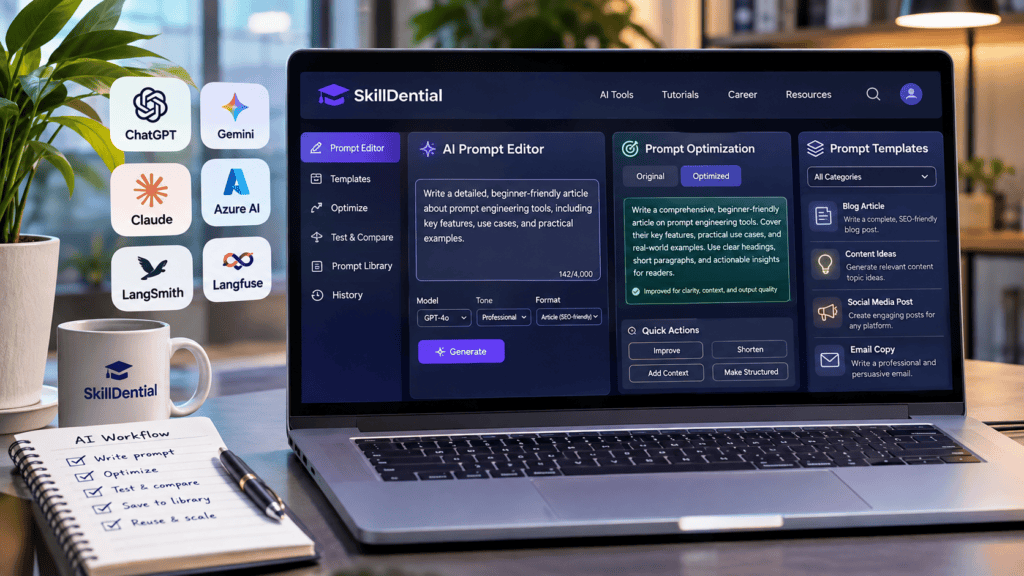
Whether you are a content creator, developer, freelancer, or business owner, integrating the right prompt engineering tools into your daily routine transforms your AI workflows from unpredictable experiments into scalable, high-efficiency systems.
However, not every option serves the same purpose. Some prompt engineering tools cater to beginners looking to refine text generation. At the same time, advanced development platforms allow engineers to evaluate model responses, manage version control, and monitor production-grade AI applications.
In this guide, you will discover 15 powerful prompt engineering tools, what they do, who should use them, and how to select the ideal solutions for your specific operational goals.
What Are Prompt Engineering Tools?
Prompt engineering tools are specialized software applications and platforms that help users design, refine, organize, test, and evaluate instructions for large language models (LLMs).
Rather than relying on repetitive trial and error with random text inputs, these prompt engineering tools provide structured environments to engineer prompts, benchmark responses across models, identify output weaknesses, and build repeatable, scalable workflows.
The use cases vary by user profile. For instance, a content creator might use a prompt-building assistant to generate high-performing blog-writing templates. At the same time, an AI engineer might deploy a prompt evaluation platform to ensure a production chatbot consistently outputs accurate, hallucination-free answers.
To understand the landscape, prompt engineering tools generally fall into five distinct categories:
- Prompt Creation and Optimization: Platforms that help users draft, structure, and automatically enhance raw instructions for better LLM performance.
- Prompt Libraries: Repositories and asset managers that store, share, and organize reusable prompt templates for teams and individuals.
- Experimentation and Model Testing: Environments that allow developers to test single prompts against multiple AI models simultaneously to compare cost, latency, and tone.
- Testing and Evaluation: Frameworks used to measure the quality, accuracy, safety, and reliability of AI outputs at scale.
- Prompt Management and Monitoring: Production-grade systems that help engineering teams track prompt versions, collaborate on codebases, and monitor live AI applications.
15 Best Prompt Engineering Tools You Should Know
Here are 15 industry-leading prompt engineering tools worth exploring, purposefully categorized by their primary use cases so you can match the right solution to your specific workflow needs rather than treating them as interchangeable software.
Prompt Creation and Optimization Tools
These tools are ideal for beginners, content creators, marketers, freelancers, and professionals looking to elevate the precision and output quality of their AI instructions without needing to build complex, programmatic applications.
PromptPerfect
PromptPerfect is an advanced prompt optimization tool designed to help users transform basic instructions into precise, highly structured prompts.
Instead of wasting time on manual trial-and-error rewriting, you can feed in a raw idea and leverage automated optimization to maximize clarity and alignment. It works seamlessly across various generative AI applications, supporting both text and image generation workflows.
- Best for: Optimizing and refining existing AI prompts.
- Key Capabilities:
- Automated prompt optimization and refinement.
- Structural enhancement for better LLM token comprehension.
- Cross-model support for text and image generation frameworks.
- Reusable instruction templating for streamlined workflows.
- Who Should Use It: Content creators, digital marketers, freelancers, and AI enthusiasts who want to boost their output quality without diving into complex coding.
FlowGPT
FlowGPT is a prominent open-source style platform where users can discover, test, and share prompts and AI-powered applications built by a global community. Instead of starting from a blank page, you can leverage proven templates to solve specific challenges, making it an essential hub for prompt inspiration and practical learning.
- Best for: Discovering and exploring community-created AI prompts.
- Key Capabilities:
- Community-driven prompt discovery across diverse niches.
- Searchable categorization for writing, productivity, business, and coding.
- Direct testing interfaces to preview prompt outputs.
- Collaborative user profiles showcasing trending and high-performing instructions.
- Who Should Use It: Students, beginners, creators, and professionals looking for ready-to-adapt prompt templates to accelerate their everyday tasks.
OpenAI Playground
The OpenAI Playground provides a flexible web-based environment for experimenting directly with large language models, testing new instructions, and fine-tuning parameters.
Rather than interacting through a standard chat interface, technical users gain granular control over how prompts behave, allowing for precise behavior testing before moving code into production.
- Best for: Experimenting with prompts and tuning OpenAI models.
- Key Capabilities:
- Direct prompt experimentation across advanced OpenAI models.
- Deep configuration controls for parameters like temperature, top_p, and token length.
- Prompt version history and reusable prompt configurations.
- Support for system instructions, functions, and structured output formats.
- Seamless pathways to transition tested prompts into API integrations.
- Who Should Use It: Developers, AI enthusiasts, technical learners, and product builders who need advanced control over model behavior and prompt architecture.
Google AI Studio
Google AI Studio is Google’s rapid prototyping environment designed specifically for experimenting with Gemini models. It provides an intuitive interface to build prompts, configure safety settings, test multimodal inputs (text, images, video, and audio), and immediately transition successful workflows into functional application code.
- Best for: Experimenting with Gemini prompts and building early-stage AI applications.
- Key Capabilities:
- Direct experimentation and tuning for the Gemini model family.
- Robust configuration for system instructions and chat history.
- Support for structured outputs, JSON schemas, and function calling.
- Rapid code generation to translate working prototypes into Python, JavaScript, cURL, and other languages.
- Generous free tier quotas for developer exploration and prototyping.
- Who Should Use It: Developers, students, AI researchers, and digital professionals looking to prototype applications powered by Google’s latest AI models.
Anthropic Claude Console
The Anthropic Claude Console is a powerful development playground designed specifically for experimenting with Claude models and exploring their API capabilities.
It allows users to write robust system instructions, test complex prompt variations, adjust parameters like temperature and max tokens, and deeply inspect model responses in a clean, developer-focused interface.
- Best for: Testing and optimizing prompts with Anthropic’s Claude models.
- Key Capabilities:
- Direct prompt experimentation across Anthropic’s latest Claude model family.
- Dedicated environment for crafting and testing system prompts.
- Granular parameter adjustments to fine-tune model behavior and tone.
- Request/response inspection for debugging token usage and API payloads.
- Code export tools to translate tested prompt configurations directly into Python, TypeScript, and other API requests.
- Who Should Use It: Developers, AI engineers, researchers, and technical professionals building production-grade applications powered by Claude.
Microsoft Foundry Prompt Optimizer
Built within Microsoft’s AI development ecosystem (Azure AI), the Microsoft Foundry Prompt Optimizer is designed to help developers and enterprise teams systematically enhance their instructions.
It tackles complex agent workflows by automatically restructuring unclear text, spotting contradictory rules, and iteratively refining prompt quality to ensure predictable, production-ready behavior.
- Best for: Refining system instructions and optimizing prompts for AI agents and enterprise applications.
- Key Capabilities:
- Automated optimization and restructuring for enterprise agent instructions.
- Conflict resolution to identify vague, ambiguous, or contradictory rules.
- Iterative prompt improvement workflows tailored for complex LLM tasks.
- Seamless integration with Microsoft’s broader AI development and monitoring environment.
- Who Should Use It: AI developers, enterprise engineering teams, product managers, and organizations deploying reliable, scaled AI agents.
Prompt Management and Collaboration Tools
Crafting an effective prompt is only the first step. When multiple team members collaborate on an AI application, organizations require centralized systems to organize prompt libraries, manage version revisions, track performance history, and maintain consistency across workflows. The following platforms address these operational requirements.
LangSmith
Developed by the creators of LangChain, LangSmith is a comprehensive developer platform designed to take AI applications from prototype to production. Beyond a standard testing playground, it provides robust prompt management infrastructure, letting engineering teams version control prompts, collaborate on templates, and trace execution flows across complex LLM chains.
- Best for: Managing, testing, evaluating, and monitoring prompts in production-grade AI applications.
- Key Capabilities:
- Centralized prompt management and version control for teams.
- Interactive prompt playground for experimenting with models, tools, and structured outputs.
- Advanced evaluation frameworks to benchmark prompt accuracy, latency, and cost.
- Production monitoring and debugging traces to inspect live LLM requests.
- Who Should Use It: AI developers, software engineering teams, and businesses deploying reliable applications powered by large language models.
Langfuse
Langfuse is a leading open-source LLM engineering platform designed to help developers manage prompts, track version histories, evaluate outputs, and monitor production applications.
By offering an open-source architecture, it gives engineering teams full data ownership and transparency while streamlining the entire prompt lifecycle from local experimentation to live deployment.
- Best for: Open-source prompt management, engineering, and LLM observability.
- Key Capabilities:
- Centralized prompt management with robust versioning and staging controls.
- Interactive prompt playground for side-by-side variation testing and model comparison.
- Comprehensive LLM observability, tracing, and cost/latency tracking.
- Built-in evaluation workflows to assess output quality and reliability.
- Who Should Use It: Developers, AI engineers, startups, and technical teams looking for an open-source, highly transparent solution to control their AI workflows.
PromptLayer
PromptLayer is a specialized prompt management platform designed to help engineering and product teams organize, track, and deploy prompts used across various AI applications.
By establishing a centralized prompt registry, it decouples prompts from application codebases, allowing both technical and non-technical stakeholders to collaborate on optimization and release management.
- Best for: Prompt versioning, team collaboration, and production deployment.
- Key Capabilities:
- Centralized prompt registry to store and organize templates.
- Comprehensive version history with diff tracking and rollbacks.
- Cross-functional collaboration tools for developers, product managers, and copywriters.
- Evaluation workflows to test prompt performance before pushing updates to production.
- Streamlined release management for managing multiple AI features.
- Who Should Use It: Developers, AI product teams, agencies, and businesses managing multiple production-grade AI workflows.
Agenta
Agenta is an open-source LLM development platform that provides a unified environment for engineering, managing, and deploying prompts.
It bridges the gap between early-stage experimentation and production readiness, allowing teams to systematically test prompt variations and track performance without relying on scattered spreadsheets or manual code updates.
- Best for: Building, testing, evaluating, and deploying prompts across multiple AI models.
- Key Capabilities:
- Interactive prompt playground for side-by-side multi-model experimentation.
- Centralized prompt version control and history tracking.
- Automated evaluation and testing suites to measure output quality and regression.
- Seamless workflows to transition prompts from development to production deployment.
- Who Should Use It: AI developers, product engineering teams, startups, and technical builders scaling LLM-powered applications.
Prompt Testing and Evaluation Tools
A prompt that performs well on a single test case can easily fail when exposed to edge cases, unexpected user inputs, or model drift. This is why systematic prompt testing and evaluation are critical.
These platforms help developers measure output quality, identify hallucination risks, compare prompt variations side-by-side, and ensure the reliability of production-grade AI applications.
Promptfoo
Promptfoo is a robust open-source CLI and library designed to evaluate and secure large language model applications. It enables developers to run automated test suites against prompts and models to catch regressions early, assess output quality, and systematically test for security vulnerabilities like prompt injection, PII leaks, and jailbreaks.
- Best for: Automated prompt testing, regression evaluation, and AI security red teaming.
- Key Capabilities:
- Automated prompt and model evaluation framework.
- Side-by-side comparison matrices across different LLMs.
- Built-in red teaming modules for AI security and vulnerability scanning.
- Regression testing to prevent prompt updates from breaking application outputs.
- CI/CD pipeline integration for continuous AI validation.
- Who Should Use It: Developers, AI engineers, security professionals, and technical teams building production-ready, secure AI applications.
Braintrust
Braintrust is an enterprise-grade AI evaluation and observability platform built to help cross-functional teams systematically test, score, and monitor large language model applications.
By providing rigorous dataset-based evaluations, it allows engineers and product teams to see precisely how prompt updates impact model outputs before rolling changes out to live users.
- Best for: Evaluating AI outputs, scoring quality, and comparing prompt performance at scale.
- Key Capabilities:
- Interactive prompt playground for side-by-side variation testing.
- Dataset-based evaluation workflows to benchmark accuracy and regression.
- Automated quality scoring using custom metrics and LLM-as-a-judge frameworks.
- Production monitoring and observability for live AI application traffic.
- Who Should Use It: AI developers, product managers, engineering teams, and organizations deploying production-grade AI systems that require rigorous validation.
Weights & Biases Weave
Developed by Weights & Biases—a trusted name in machine learning operations—Weave is a lightweight toolkit designed to help developers trace, evaluate, and debug LLM applications.
It provides deep visibility into how prompts, model parameters, and external data interact, enabling engineering teams to systematically measure output quality and reproduce experimental results.
- Best for: Tracking, evaluating, and improving LLM applications through deep tracing and experimentation.
- Key Capabilities:
- Granular LLM tracing to inspect end-to-end execution flows and internal steps.
- Robust evaluation frameworks to score prompt performance and output accuracy.
- Experiment comparison tools to track how prompt revisions impact cost, latency, and tone.
- Seamless integration with machine learning tracking workflows for team reproducibility.
- Who Should Use It: AI engineers, machine learning developers, researchers, and technical teams building complex, multi-step AI workflows.
Helicone
Helicone is an open-source LLM observability platform designed to give developers deep visibility into their applications’ interactions with large language models.
By integrating seamlessly with major AI providers, it tracks critical production metrics like cost, latency, usage patterns, and request logs in real time, helping engineering teams spot performance bottlenecks and regressions linked to prompt updates.
- Best for: Monitoring AI applications, tracking model costs, and understanding usage analytics.
- Key Capabilities:
- Real-time LLM request monitoring and logging.
- Granular cost and token usage tracking per user, prompt, or model.
- Latency monitoring to optimize response times.
- Caching features to reduce API expenses and improve application speed.
- Who Should Use It: Developers, AI startups, and engineering teams scaling production-grade AI applications.
PromptHub
PromptHub is a dedicated prompt management platform built to help individuals and teams escape the chaos of scattered documents and chat histories. It provides a centralized repository where teams can create, store, test, and share high-performing prompt templates, streamlining collaborative workflows across marketing, content, and operations.
- Best for: Organizing, testing, and collaborating on reusable AI prompts.
- Key Capabilities:
- Centralized prompt repository and template management.
- Collaborative workspaces for teams, agencies, and clients.
- Built-in prompt testing and version iteration tools.
- Easy sharing and deployment of reusable instructions.
- Who Should Use It: Content teams, marketing agencies, freelancers, AI consultants, and organizations looking to build and maintain a standardized prompt library.
Comparison of the 15 Best Prompt Engineering Tools
The following table summarizes the primary use case and target audience for each platform covered in this guide:
| Tool | Primary Purpose | Best Suited For |
| PromptPerfect | Prompt optimization | Creators and marketers |
| FlowGPT | Prompt discovery | Beginners and creators |
| OpenAI Playground | Prompt experimentation | Developers |
| Google AI Studio | Gemini experimentation | Developers and learners |
| Claude Console | Claude prompt testing | Developers |
| Microsoft Foundry | Agent prompt optimization | Enterprise teams |
| LangSmith | Prompt development and evaluation | AI engineers |
| Langfuse | Prompt management and observability | Developers |
| PromptLayer | Prompt versioning | Product teams |
| Agenta | Prompt development and deployment | AI developers |
| Promptfoo | Testing and red teaming | Developers |
| Braintrust | AI evaluation | AI product teams |
| Weave | Evaluation and tracing | AI engineers |
| Helicone | AI observability | Engineering teams |
| PromptHub | Prompt collaboration | Agencies and teams |
Important
These platforms are not direct substitutes. Some focus on prompt creation and optimization for everyday users, while others provide robust MLOps infrastructure for developing, testing, and operating production-grade AI applications. Feature availability, model integrations, and pricing tiers vary across each platform.
How to Choose the Right Prompt Engineering Tool
The best prompt engineering tool depends entirely on your objective, your technical skill level, and the complexity of your AI workflow.
Here are practical recommendations tailored to different user profiles:
If You Are a Beginner
Start with accessible platforms that help you discover, create, and refine prompts without requiring programming knowledge.
- Top Options: FlowGPT (for inspiration and ideas), PromptPerfect (for optimization), OpenAI Playground (for low-friction experimentation), and Google AI Studio (for exploring Gemini).
- Key Takeaway: You do not need to master complex MLOps frameworks to become proficient at writing high-performing AI instructions.
If You Are a Content Creator or Marketer
Focus on solutions that help you build repeatable instructions for writing, research, marketing campaigns, and productivity.
- Top Options: PromptPerfect, FlowGPT, PromptHub, and OpenAI Playground.
- Key Takeaway: Use these tools to build a personal library of reusable templates for blog writing, social media posts, email copywriting, and everyday operational tasks.
If You Are a Developer
You need robust infrastructure that goes beyond simple prompt generation. Look for platforms that support model experimentation, version control, API integration, and application testing.
- Top Options: OpenAI Playground, Google AI Studio, Claude Console, LangSmith, and Agenta.
- Key Takeaway: These environments bridge the gap between testing individual prompts and building production-ready, scalable AI applications.
If You Work With an Enterprise AI Team
Choose collaborative platforms built for organization-wide visibility, regression testing, output evaluation, and production monitoring.
- Top Options: PromptLayer, Langfuse, Braintrust, Weights & Biases Weave, and Helicone.
- Key Takeaway: Your primary focus should be establishing a structured workflow where prompt updates can be safely tracked, version-controlled, peer-reviewed, and monitored in real time.
How to Use Prompt Engineering Tools Effectively
Simply having access to advanced prompt engineering tools will not automatically make your outputs better. You need a systematic, repeatable workflow to extract maximum value from them.
Here is a 6-step practical framework you can apply immediately:
Step 1: Define Your Objective
Before touching any prompt optimization software, establish precisely what you want the AI model to accomplish.
- Vague approach: “Write an article about artificial intelligence.”
- Structured approach: “Write an educational article explaining how artificial intelligence is transforming digital marketing. Target beginners, use practical examples, and organize the response with descriptive headings.”
Step 2: Add Relevant Context
Feed the model the necessary background information. Include details about your target audience, core purpose, operational constraints, and any reference material it should draw from. The more precise your context, the more accurate and tailored the output will be.
Step 3: Define the Expected Output
Explicitly instruct the model on how you want the final response structured and formatted. Set clear parameters for:
- Tone and Voice: Professional, conversational, authoritative, or educational.
- Format: Bullet points, tables, code blocks, or structured paragraphs.
- Boundaries: Length limits, style guidelines, and rules against unsupported claims.
Step 4: Test Different Prompt Variations
Leverage a prompt playground or optimization platform to experiment with alternative phrasings and system instructions. Compare outputs side-by-side rather than assuming that longer, more complex prompts always yield the best results.
Step 5: Evaluate and Improve
Critically review the generated output against your original objective. Check for tone consistency, instruction compliance, and factual accuracy. For advanced workflows, run automated evaluation suites or test cases to catch edge cases and recurring failure points.
Step 6: Save Successful Prompts
Once a prompt consistently delivers high-quality results, store it in your centralized prompt library or management platform. Give it a descriptive name, document its ideal parameters, and update it as your workflow requirements evolve. This turns prompting into a scalable asset rather than a repetitive guessing game.
Common Mistakes to Avoid When Using Prompt Engineering Tools
Even with the most sophisticated prompt engineering tools, users frequently fall into traps that degrade output quality, introduce security risks, or bloat their workflows.
Watch out for these six common pitfalls:
Depending Entirely on Automated Prompt Generators
Automated optimization tools provide fantastic starting points, but they are not infallible. Blindly accepting a generated prompt without reviewing its logic often leads to generic or misaligned outputs. Always inspect the underlying instructions and tailor them to your exact operational requirements.
Assuming Longer Prompts Are Always Better
While comprehensive context is essential for complex tasks, bloating a prompt with redundant instructions or filler words only increases token costs and model confusion. Strive for concise clarity—include everything necessary, but remove conflicting rules that fight for the model’s attention.
Ignoring Output Evaluation
A well-formatted, eloquent response can easily hide factual inaccuracies or logical hallucinations. Never mistake stylistic polish for factual truth. Always audit important data claims, cross-reference critical outputs, and test your AI workflows against rigorous benchmarks.
Using Too Many Tools
Collecting every new software platform in the AI ecosystem creates unnecessary friction. You do not need a dozen different prompt engineering environments. Select a lean, focused tech stack (such as one optimization tool, one playground, and one management system) that genuinely addresses your specific daily requirements.
Ignoring Privacy and Security
Pasting proprietary code, unmasked customer records, internal financial data, or confidential business documents into public-facing or unverified tools can breach data compliance regulations. Always review a platform’s data privacy policies, turn off training sharing where available, and adhere to strict organizational security standards.
Failing to Document Successful Prompts
Treating prompts as throwaway chat messages forces you to reinvent the wheel every time a similar task arises. If an instruction consistently produces high-value results, document it immediately in your centralized prompt library, tag its use case, and keep track of its revision history.
What are the best free prompt engineering tools?
Several platforms offer generous free tiers, open-source access, or free experimentation environments. Notable options include Google AI Studio, OpenAI Playground, FlowGPT, Promptfoo, and Langfuse.
However, keep in mind that free access often applies to basic testing or local use; API consumption, advanced enterprise features, team collaboration tools, and hosted cloud services may incur costs.
Are prompt engineering tools suitable for beginners?
Yes. Many platforms are specifically built to help users create, discover, and refine prompts without requiring any programming background.
Beginners can easily start with FlowGPT for inspiration, PromptPerfect for optimization, and the public playgrounds offered by major model providers. More advanced platforms like Langfuse, LangSmith, and Promptfoo are tailored for developers and technical teams.
Do I need coding skills to use prompt engineering tools?
No. Basic prompt creation, optimization, and template organization can be done entirely without code. However, programming knowledge becomes essential when integrating prompts into software applications via APIs, setting up automated evaluation scripts, managing CI/CD pipelines, and deploying production AI systems.
What is the difference between a prompt generator and a prompt optimizer?
Prompt generators take a basic objective or raw idea and build a structured instruction from scratch.
Prompt optimizers take an existing, working instruction and refine its clarity, structure, context, and formatting to maximize model performance.
Many advanced platforms incorporate both capabilities.
Can prompt engineering tools help me build a career?
Yes, mastering them helps you develop practical AI skills and demonstrates your ability to work effectively with large language models.
However, relying solely on basic prompt generation tools is rarely enough for advanced AI roles. To truly future-proof your career, you should pair prompting skills with competencies in AI automation, model evaluation, API integration, and workflow design.
What is the difference between prompt engineering and context engineering?
Prompt engineering focuses specifically on crafting the textual instructions, constraints, and guidelines that guide an AI model’s behavior.
Context engineering takes a broader systems approach by managing all external inputs supplied to the AI, including retrieved documents (RAG), user memory, execution tools, system data, and previous conversation history. Both are crucial for building reliable AI applications.
In Conclusion
Prompt engineering tools simplify the process of crafting precise AI instructions, testing across different models, organizing reusable libraries, and building reliable, scalable workflows.
However, success does not come from adopting every platform on the market; it comes from aligning your specific technical needs and workflow requirements with the right software stack.
- Beginners can start with accessible options like FlowGPT, PromptPerfect, or Google AI Studio.
- Developers can explore technical playgrounds and observability platforms like OpenAI Playground, LangSmith, Langfuse, Agenta, and Promptfoo.
- Product and engineering teams scaling production systems can leverage robust enterprise tools like Braintrust, Weights & Biases Weave, and PromptLayer.
Ultimately, mastering prompt engineering goes far beyond writing clever text. It requires a rigorous understanding of model behavior, systematic output evaluation, structured workflow design, and continuous iteration.
Your next step
Select a single tool from this guide, apply it to a task you perform regularly, test the output, and refine your instructions until you achieve consistent, high-quality results.