Mode Analytics SQL Tutorial for Beginners: A Complete Guide
The Mode Analytics SQL Tutorial (now hosted by ThoughtSpot) is a free, browser-based resource that teaches SQL specifically for data analysis. This guide explains how to get started, what you’ll learn, and how to turn the tutorial into practical, job-ready skills—even if you’ve never written code before.
This article is designed for complete SQL beginners who want a structured, practical introduction to SQL for data analysis using the Mode Analytics SQL Tutorial. You’ll find it especially useful if you are:
- An aspiring data analyst with little or no coding experience
- A student or recent graduate building employable data skills
- A career changer moving into data analytics or business intelligence
- A junior analyst strengthening SQL fundamentals
- A self-directed learner searching for free, high-quality SQL practice
If you’ve used Excel but never written a query, leveraging a resource like the Mode Analytics SQL Tutorial is one of the fastest ways to build your foundation.
What Is Mode Analytics and Its SQL Tutorial?
Mode Analytics was a business intelligence and analytics platform acquired by ThoughtSpot in 2023. The original Mode SQL Tutorial remains available as a free, standalone learning resource hosted on ThoughtSpot’s website.
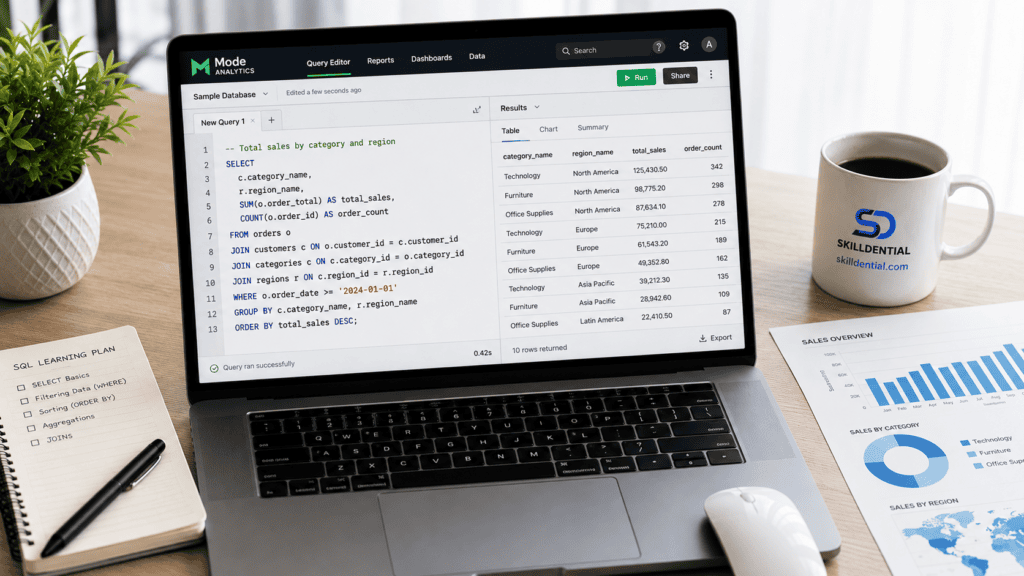
The Mode Analytics SQL Tutorial is a text-based, self-paced curriculum covering 52 lessons across four distinct proficiency levels:
- Basic SQL (15 lessons):
SELECT,FROM,WHERE,ORDER BY, basic filtering, and sorting mechanics. - Intermediate SQL (20 lessons):
JOINoperations, aggregate functions,GROUP BY, and subqueries. - SQL Analytics Training (8 lessons): Real-world analytics patterns, business logic translation, and practical case studies.
- Advanced SQL (9 lessons): Window functions, complex subqueries, and advanced analytical queries.
Unlike video-heavy formats, the Mode Analytics SQL Tutorial utilizes technical written explanations paired with production-style query examples. Learners review the instructional text, study the query syntax, and execute code in an integrated scratchpad environment or external SQL sandbox to validate their understanding.
Why Learn SQL with the Mode Analytics SQL Tutorial?
SQL (Structured Query Language) is the industry-standard language for querying relational databases, making it a foundational skill for data analysts, data scientists, and business intelligence professionals.
While dozens of introductory platforms exist, the Mode Analytics SQL Tutorial stands out as a high-leverage learning path for several key reasons:
- Analytics-Focused Framing: Lessons mirror real-world business scenarios—such as calculating average order value by region or identifying quarterly retention trends—rather than focusing on abstract database administration tasks.
- Zero Friction: It is completely free, browser-based, and accessible immediately without requiring software installation, environment configuration, or account creation.
- Depth Beyond the Basics: The curriculum doesn’t stop at simple queries; it moves into advanced analytical topics like window functions, CTEs, and complex subqueries that many beginner resources omit.
- Standard SQL Dialect: It teaches ANSI-standard SQL, ensuring the concepts and syntax you learn seamlessly transfer across systems like PostgreSQL, BigQuery, Snowflake, and MySQL.
Limitations to Consider
Despite its strengths, the Mode Analytics SQL Tutorial lacks interactive inline code execution, progress tracking, and formal certification. To maximize skill acquisition, pair the tutorial with an external SQL sandbox or local database to write and test queries hands-on as you progress.
How to Get Started with the Mode Analytics SQL Tutorial
Getting started with the Mode Analytics SQL Tutorial takes only a few minutes and requires zero upfront software installation:
- Open the Tutorial Hub: Navigate to the resource directly via the ThoughtSpot learning platform or search for the official landing page.
- Start with Basic SQL: Begin sequentially at Lesson 1 (Introduction to SQL for Data Analysis) to establish a strong foundational understanding of database schemas and query structures.
- Set Up an External Practice Environment: Because the tutorial is text-based without an integrated code editor, open a separate browser tab with a free interactive SQL sandbox to test your queries:
- SQLBolt: A lightweight, interactive platform requiring no account setup.
- Kaggle Learn SQL: Free micro-courses with built-in coding notebooks.
- PostgreSQL/SQLite (Local): A local installation if you prefer working within a terminal or database GUI like DBeaver.
- Type and Execute Queries: Actively recreate every example query from the Mode Analytics SQL Tutorial in your sandbox. Intentionally alter parameters, filter conditions, and table aliases to observe how the output changes.
- Maintain a Technical Log: Keep a structured document or digital notebook capturing critical syntax patterns, recurring error messages, and complex query structures like window functions or correlated subqueries for future reference.
Core SQL Concepts Explained in the Mode Analytics SQL Tutorial
The Mode Analytics SQL Tutorial progresses logically from fundamental retrieval syntax to complex analytical queries. Mastering these core concepts forms the backbone of technical data analysis.
SELECT and FROM: Retrieving Data
Every SQL query starts with SELECT (specifying the columns you want) and FROM (identifying the source table).
SQL
SELECT name, email
FROM customers;
This query extracts the name and email columns from the customers table. In spreadsheet terms, this is equivalent to hiding unneeded columns and isolating specific fields.
WHERE: Filtering Rows
The WHERE clause filters rows based on conditional logic, dictating which records make it into your final output.
SQL
SELECT name, email
FROM customers
WHERE country = 'Nigeria';Code language: JavaScript (javascript)
This returns only the subset of records where the country condition is met. Filtering is essential for answering targeted business questions such as identifying users who signed up within a specific date range or flagging high-value transactions.
ORDER BY: Sorting Results
Use ORDER BY to organize output rows in ascending (ASC) or descending (DESC) order.
SQL
SELECT name, signup_date
FROM customers
ORDER BY signup_date DESC;
Sorting records by date or numeric values lets you instantly highlight recent activity, top performers, or anomalies within your dataset.
Aggregate Functions: Summarising Data
Aggregate functions compute summary statistics across multiple rows simultaneously, reducing rows of granular data into actionable metrics:
COUNT(): Counts the total number of rows or non-null values.SUM(): Calculates the total sum of a numeric column.AVG(): Computes the arithmetic mean.MIN()/MAX(): Finds the smallest or largest value in a set.
SQL
SELECT COUNT(*) AS total_customers,
       AVG(order_amount) AS average_order
FROM orders;Code language: PHP (php)
This query calculates macro-level KPIs like total order volume and average basket size—performing the function of a pivot table directly within the database.
GROUP BY: Grouping Results
GROUP BY aggregates data into discrete categories, allowing you to compute metrics segmented by attributes like region, category, or time period.
SQL
SELECT country, COUNT(*) AS customers_per_country
FROM customers
GROUP BY country;Code language: PHP (php)
Grouping transforms flat row data into segmented distributions, providing the structural foundation for comparative business reporting.
JOIN: Combining Tables
Real-world relational databases store data across normalized tables. JOIN operations stitch these tables back together using shared keys (such as customer_id).
SQL
SELECT c.name, o.order_amount, o.order_date
FROM customers c
INNER JOIN orders o
  ON c.customer_id = o.customer_id;
Joins eliminate data silos, unlocking the ability to answer complex relational questions like calculating total revenue per customer or identifying cross-selling patterns across product lines.
Subqueries and Window Functions: Advanced Analysis
The final modules of the Mode Analytics SQL Tutorial introduce advanced constructs designed for complex data manipulation:
- Subqueries: Queries nested inside a main query, useful for multi-step data filtration or dynamic threshold calculations (e.g., finding orders that exceed the overall average order value).
- Window Functions: Compute calculations across a sliding or specific “window” of related rows without collapsing the output rows (e.g., generating running totals or moving averages over time).
While challenging for absolute beginners, these advanced features separate basic data lookups from true analyst-level engineering.
Practical Examples: From Tutorial to Real Analysis
The Mode tutorial uses sample datasets (such as Academy Awards data, e-commerce orders, and financial data). Here is how to translate tutorial lessons into real-world analysis tasks.
Example 1: Filtering and Sorting Customer Data
- Tutorial concept:
WHEREandORDER BY - Real task: Identify high-value customers who signed up recently.
SQL
SELECT name, email, signup_date, total_spent
FROM customers
WHERE signup_date >= '2025-01-01'
  AND total_spent > 1000
ORDER BY total_spent DESC;Code language: JavaScript (javascript)
This query helps a marketing team target recent, high-spending customers for a loyalty campaign.
Example 2: Aggregating Sales by Product Category
- Tutorial concept:
GROUP BYand aggregate functions - Real task: Calculate total revenue and average order value per product category.
SQL
SELECT category,
       SUM(revenue) AS total_revenue,
       AVG(order_amount) AS avg_order_value,
       COUNT(*) AS number_of_orders
FROM orders
GROUP BY category
ORDER BY total_revenue DESC;Code language: PHP (php)
This analysis informs inventory planning and marketing budget allocation.
Example 3: Joining Tables to Answer Business Questions
- Tutorial concept:
JOINoperations - Real task: Find the top 10 customers by total spending, including their contact information.
SQL
SELECT c.name, c.email, SUM(o.order_amount) AS total_spent
FROM customers c
INNER JOIN orders o
  ON c.customer_id = o.customer_id
GROUP BY c.customer_id, c.name, c.email
ORDER BY total_spent DESC
LIMIT 10;Code language: PHP (php)
This query supports customer success outreach or VIP programme identification.
Common Mistakes Beginners Make in the Mode Analytics SQL Tutorial (and How to Avoid Them)
Learning SQL involves inevitable trial and error. Here are the most frequent pitfalls beginners encounter while working through the Mode Analytics SQL Tutorial and how to sidestep them:
Forgetting the Execution Order of SQL Clauses
SQL clauses must be written and executed in a strict logical sequence. Mixing up this order causes syntax errors that puzzle beginners:
SQL
SELECT ...
FROM ...
WHERE ...
GROUP BY ...
HAVING ...
ORDER BY ...
LIMIT ...;- The Pitfall: Writing a
WHEREclause after aGROUP BY, or placing anORDER BYbefore theSELECTstatement. - The Fix: Memorize the structural sequence early. Remember that raw rows are filtered (
WHERE), then grouped (GROUP BY), then aggregated groups are filtered (HAVING), before finally being sorted (ORDER BY) and sliced (LIMIT).
Confusing WHERE and HAVING
Both clauses filter data, but they operate at entirely different stages of query execution.
WHERE: Filters individual rows before any aggregation occurs.HAVING: Filters summarized groups after aggregation has taken place.
SQL
-- Correct: Filter aggregated groups with more than 5 orders
SELECT customer_id, COUNT(*) AS order_count
FROM orders
GROUP BY customer_id
HAVING COUNT(*) > 5;Code language: JavaScript (javascript)- The Pitfall: Attempting to use an aggregate function like
COUNT()orSUM()inside aWHEREclause. - The Fix: Use
WHEREfor raw row attributes (e.g.,WHERE signup_date >= '2025-01-01') andHAVINGexclusively for conditions applied to aggregate metrics.
Omitting Column Aliases for Readability
As queries grow more complex, raw function names as column headers quickly obscure meaning.
- The Pitfall: Writing
SELECT COUNT(*), AVG(amount) FROM orders;, which outputs default system-generated headers likecountandavg. - The Fix: Always leverage the
ASkeyword to assign clear, descriptive labels to your output metrics:
SQL
SELECT COUNT(*) AS total_orders,
       AVG(amount) AS average_amount
FROM orders;Code language: PHP (php)
Mishandling NULL Values
In SQL, NULL represents the complete absence of data, not a zero or an empty string.
- The Pitfall: Using standard equality operators to check for missing values, such as
WHERE phone = NULL. This always evaluates to an unknown state and returns zero rows. - The Fix: Always use
IS NULLorIS NOT NULLoperators when testing for missing data:
SQL
SELECT name, email
FROM customers
WHERE phone IS NULL;Code language: PHP (php)
Passive Reading Without Hands-On Practice
Because the Mode Analytics SQL Tutorial relies heavily on text explanations rather than embedded code editors, it is easy to fall into the trap of passive consumption.
- The Pitfall: Reading through lessons and nodding along without actually writing or executing the queries.
- The Fix: Treat reading as only half the work. Every time you encounter a query example in the Mode Analytics SQL Tutorial, immediately recreate and modify it in a sandbox environment like SQLBolt or Kaggle Learn SQL to build genuine muscle memory.
Strengths and Limitations of the Mode Analytics SQL Tutorial
Understanding what the Mode Analytics SQL Tutorial does—and doesn’t—offer helps you deploy it effectively as part of your learning stack.
Strengths
- Comprehensive Coverage: Spans 52 structured lessons moving smoothly from foundational syntax to advanced analytical patterns.
- Analytics-Oriented Examples: Frames problems around realistic business scenarios rather than abstract database management.
- Free and Permanent Access: Completely open-access with no paywalls, subscriptions, or trial expirations.
- Standard SQL Dialect: Focuses on ANSI-compliant SQL, ensuring your syntax and logic transfer directly to platforms like PostgreSQL, Snowflake, and BigQuery.
Limitations
- No Interactive Exercises: It lacks a built-in code editor, requiring you to set up an external sandbox to write and test queries.
- No Progress Tracking or Certificate: Offers no automated tracking dashboards or formal completion credentials, demanding high self-motivation.
- Text-Heavy Format: Relies entirely on written explanations and code blocks, which may not suit visual or video-first learners.
- Dated Dataset Examples: Certain lessons utilize older datasets (such as historical Google Finance data from 2014), though the underlying analytical concepts remain entirely valid.
Best Suited For
The Mode Analytics SQL Tutorial works best as a core reference guide or a bridge between beginner tutorials and intermediate practice. Pair it with an interactive platform—or use it to deepen your mastery of subqueries, window functions, and real-world analytical query structures after grasping basic syntax.
What to Learn After Completing the Mode Analytics SQL Tutorial
Finishing the Mode Analytics SQL Tutorial is a major milestone, but SQL is only one component of a modern data toolkit. Here is how to strategically continue building your analytical capabilities:
Practice on Real Datasets
Move beyond sanitized tutorial examples and test your skills on messy, real-world data:
- Kaggle Datasets: Thousands of free, community-contributed datasets covering e-commerce, finance, sports, and healthcare.
- Google BigQuery Public Datasets: Enterprise-scale datasets designed for practicing cloud-based querying and large-scale data handling.
- UCI Machine Learning Repository: Classic academic and industry datasets ideal for structured analysis projects.
Portfolio Tip
Don’t just write queries—document an end-to-end analysis. Formulate a business question, query the data, visualize the results, and publish your findings in a GitHub repository or on a technical blog.
Deep Dive Into a Production SQL Dialect
While the Mode Analytics SQL Tutorial teaches standard ANSI SQL, production environments utilize specific database management systems (DBMS) with unique optimization quirks and extensions. Pick one to master:
- PostgreSQL: The industry favorite for modern web applications and analytics, featuring powerful extensions and native JSON support.
- MySQL: Ubiquitous in web development and the open-source ecosystem.
- Google BigQuery: A serverless cloud data warehouse built for massive analytical workloads.
- Microsoft SQL Server: Widely adopted in enterprise, finance, and healthcare environments.
Master Advanced SQL Engineering
Once you are comfortable with joins and basic aggregations, level up your query architecture:
- Window Functions: Master
ROW_NUMBER(),RANK(),LAG(),LEAD(), and running totals without collapsing rows. - Common Table Expressions (CTEs): Use
WITHclauses to break down monolithic, unreadable queries into modular, maintainable steps. - Query Optimization: Learn how indexes work, analyze execution paths using
EXPLAINplans, and tune slow-running queries. - Data Modeling: Understand relational database design, schema normalization, and primary/foreign key constraints.
Prepare for Data Analyst Interviews
If your goal is career transition, transition from learning concepts to solving timed technical challenges:
- DataLemur: Highly curated SQL interview questions sourced directly from tech companies like Meta, Google, and Amazon, tailored specifically for data analysts.
- LeetCode (Database Section): Hundreds of algorithmic and relational challenges ranging from easy to hard.
- HackerRank SQL: Timed coding challenges that test speed, accuracy, and edge-case handling.
Expand Into Complementary Technical Skills
A data analyst’s value lies in end-to-end execution. Combine your SQL foundation with neighboring disciplines:
- Python or R: For advanced statistical modeling, data cleaning, and automation.
- Data Visualization Tools: Learn Tableau, Power BI, or Looker to translate raw SQL outputs into executive dashboards.
- Version Control (Git): Track changes in your SQL scripts and collaborate seamlessly on analytical pipelines.
Is the Mode Analytics SQL Tutorial still available?
Yes. After ThoughtSpot acquired Mode Analytics in 2023, the SQL Tutorial remained freely accessible on ThoughtSpot’s website under the name “ThoughtSpot SQL Tutorial” (formerly Mode SQL Tutorial).
Do I need prior programming experience to use this tutorial?
No. The tutorial assumes zero coding background. It is tailored for professionals and students who have worked with Excel spreadsheets but have never written a line of code. SQL syntax is heavily English-like and beginner-accessible.
How long does it take to complete the Mode SQL Tutorial?
The 52 lessons are entirely self-paced. Most learners complete the Basic and Intermediate sections in 2 to 4 weeks with consistent daily practice (30 to 60 minutes per day). The Advanced and Analytics Training sections may require an additional 2 to 3 weeks.
Can I get a certificate after finishing the tutorial?
No. The Mode/ThoughtSpot SQL Tutorial does not feature built-in progress tracking, automated test cases, or formal completion certificates. If a credential is required for your resume, consider alternative platforms like Kaggle Learn SQL (which offers a free certificate) or DataCamp.
Should I use the Mode tutorial as my only SQL resource?
No. Because the resource is text-based and lacks interactive code validation, it functions best as a comprehensive reference guide or a companion piece. Pair it with a hands-on platform (such as SQLBolt or Kaggle) to write and test queries actively as you progress.
What SQL dialect does the Mode tutorial teach?
The tutorial teaches standard ANSI SQL, ensuring your foundational syntax and logic transfer smoothly across major database management systems like PostgreSQL, MySQL, BigQuery, and SQL Server.
In Conclusion
The Mode Analytics SQL Tutorial (now hosted by ThoughtSpot) is a free, comprehensive, text-based resource covering 52 lessons from basic SQL to advanced analytics.
It’s best suited for learners who want a thorough reference guide or a path to deepen their understanding of subqueries, window functions, and real-world analytics patterns.
Because the tutorial lacks interactive exercises, progress tracking, and formal certificates, pairing it with hands-on platforms like SQLBolt, Kaggle, or DataCamp ensures you build active muscle memory alongside your reading.
Core SQL concepts such as SELECT, WHERE, GROUP BY, JOIN, aggregate functions, and window functions form the foundational toolkit required for technical data analysis across industries.
After completing the curriculum, you can continue scaling your capabilities through real-world portfolio datasets, dialect-specific practice, technical interview preparation, and complementary technical skills like Python, data visualization, and Git.
To get started today, open the ThoughtSpot SQL Tutorial in one browser tab and a sandbox like SQLBolt or Kaggle Learn SQL in another. Begin at Lesson 1, actively recreate every example query in your practice environment, and modify them to test edge cases. With consistent daily practice, you will transition from a beginner to writing production-ready queries with confidence.