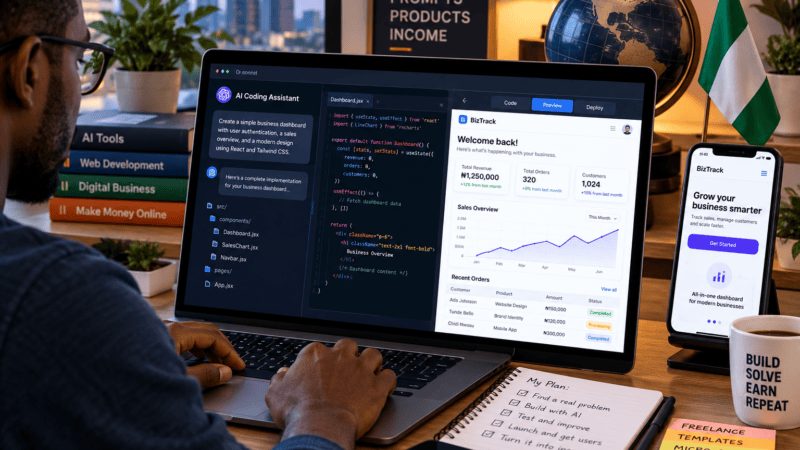
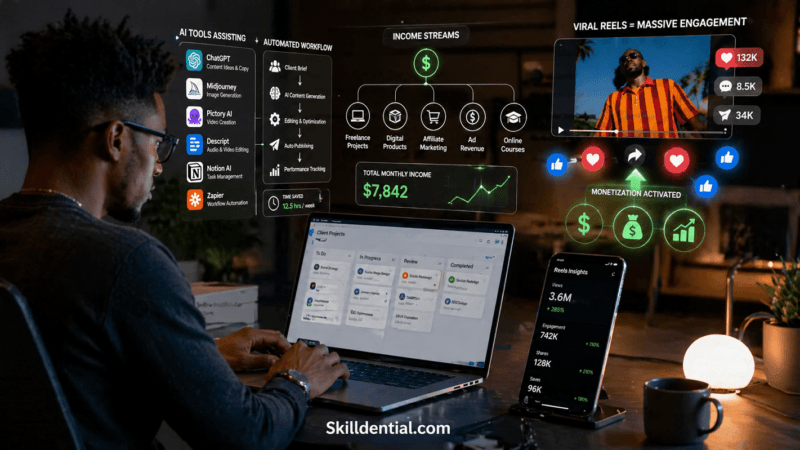
How to Build an App and Make Money: A Beginner’s Guide
Building an app and making money starts with solving a high-value problem for a specific audience and pairing it with the right monetization strategy. Today, technical barriers no longer exist: no-code platforms, AI development tools, and freelance networks make it possible to launch without writing a line of code.
However, publishing an app does not automatically generate revenue. Success requires validating real demand, launching a focused minimum viable product (MVP), acquiring active users, and iterating based on usage data.
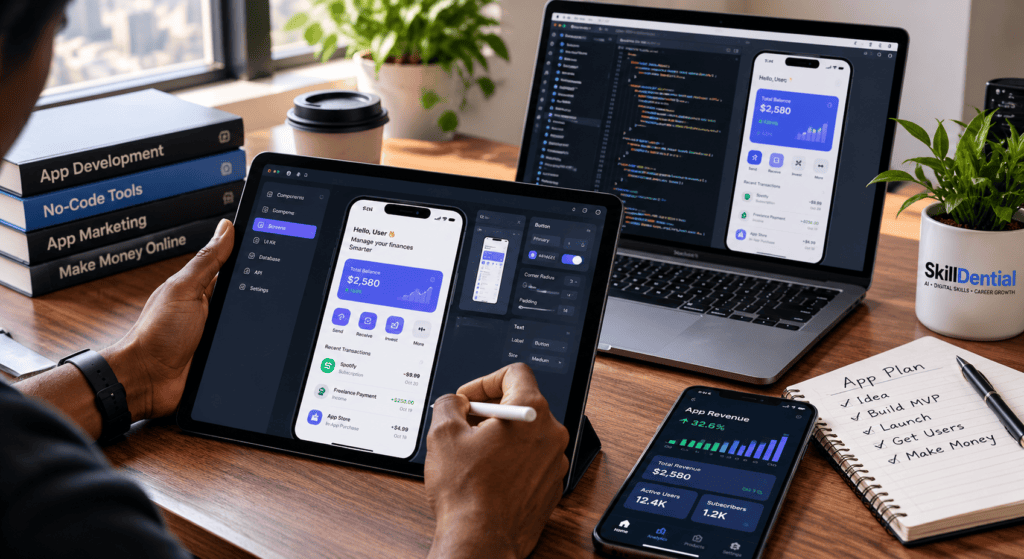
This guide breaks down how to build an app and make money by taking you step-by-step through every critical stage of the development lifecycle—moving seamlessly from your initial concept and market validation to building a functional product, launching to your target audience, and engineering a scalable, predictable revenue model.
What Does It Mean to Build an App and Make Money?
At its core, building an app and making money starts with one premise: software is a vehicle for solving a specific problem or delivering high utility at scale. Building an app means creating digital tools that allow users to streamline workflows, access information, communicate, or automate complex tasks. Making money from that app requires engineering a viable monetization model that captures a fraction of the value your product generates.
For instance, you might build a specialized budgeting application for freelancers to track erratic cash flow, offering a freemium tier for core tracking and a paid subscription for automated tax reporting and analytics. Other viable directions include revision applications for students, automated booking portals for local service providers, or niche productivity dashboards for lean teams.
Crucially, knowing how to build an app and make money is no longer restricted to veteran software engineers. The modern digital landscape lowers the technical barrier entirely. Success depends less on writing raw code and more on your ability to pinpoint genuine market friction, architect a functional solution, and distribute it directly to an audience willing to pay for results.
Find an App Idea That Solves a Real Problem
When learning how to build an app and make money, your starting point must always be identifying a problem worth solving. Avoid the temptation to build a complex, feature-heavy platform right out of the gate. A focused micro-tool that addresses a single, high-friction problem is often the fastest path to market validation and initial profitability.
Begin by analyzing the daily inefficiencies, friction points, and manual workflows you observe in business, work, education, or everyday life:
- Students: Organizing structured revision schedules around exam deadlines.
- Freelancers: Tracking unpaid invoices, client follow-ups, and payment milestones.
- Small Business Owners: Managing customer appointments without double-booking or missed slots.
- Job Seekers: Tracking multi-stage applications, interview notes, and follow-up timelines.
- Content Creators: Planning, scheduling, and repurposing long-form content across multiple channels.
Important
Identifying a potential problem is only a hypothesis—it is not proof of market demand. Before investing capital or development time, you must confirm whether target users actually experience this pain point severely enough to seek out and pay for a solution.
How to Evaluate Your App Idea
To systematically assess whether an idea has commercial potential, evaluate it against this analytical framework:
| Evaluation Question | Strategic Objective / Key Discovery |
| Who has the problem? | Define a clear, accessible niche audience rather than a generic market segment. |
| How frequently does it occur? | Determine whether the issue is a daily/weekly operational friction or a rare occurrence. |
| How do people solve it now? | Identify existing workarounds (e.g., spreadsheets, manual processes, competing tools). |
| What is missing? | Pinpoint a clear advantage or missing feature compared to legacy alternatives. |
| Would people pay? | Gather evidence showing clear willingness to pay, subscribe, or upgrade for a solution. |
| Can you reach these users? | Establish realistic distribution channels to market and acquire customers cost-effectively. |
Thorough competitive research is non-negotiable. The US Small Business Administration (SBA) offers foundational frameworks for market research and competitive analysis that apply universally—helping you evaluate market saturation, target demographics, and positioning long before writing code.
Validate Demand Before Building
Validating market demand early is a core strategy when figuring out how to build an app and make money without wasting resources. Take practical steps to confirm intent before starting development:
- Conduct Problem Interviews: Speak directly with potential users. Focus on how they currently solve the issue, what frustrates them about existing tools, and what an ideal workflow looks like.
- Build a High-Converting Landing Page: Create a simple landing page detailing the proposed features, value proposition, and an email waitlist sign-up.
- Test with Prototypes or Manual MVPs: Share interactive wireframes or offer a manual version of the service (concierge MVP) to observe real user behavior.
Look for stronger validation signals than polite feedback. A potential user saying an idea “sounds great” is meaningless compared to concrete intent—such as an email waitlist submission, a pilot program commitment, or a deposit.
Primary Takeaway: Identify a genuine problem for a specific group of people, and secure verifiable proof that your solution provides enough value to support a business.
Choose the Type of App You Want to Build
Once you have validated market demand, the next strategic step in learning how to build an app and make money is selecting the right platform architecture. You do not automatically need to build a native mobile app for iOS or Android. In fact, starting with a responsive web application is often a faster, more cost-effective way to test your core value proposition and begin generating early revenue.
Select the architecture that aligns best with user habits, functional requirements, and your go-to-market strategy:
- Mobile App (iOS / Android): Software installed directly on smartphones or tablets via distribution platforms like Apple’s App Store or Google Play.
- Best for: Products that require native hardware features (e.g., GPS, camera, push notifications, offline access) or daily high-frequency usage.
- Example: A fitness workout logger or an interactive student study planner.
- Web App: Software hosted on a server and accessed through any standard web browser without downloading software.
- Best for: Business tools, dashboards, and SaaS platforms that benefit from frictionless onboarding, desktop accessibility, and instant updates.
- Example: An automated invoice generator or an online appointment scheduling engine.
- Internal Business App: Custom software designed to streamline internal operations for a specific organization or niche industry vertical.
- Best for: B2B automation tools, operational management systems, or client portals where corporate clients pay premium rates for custom efficiency gains.
- Example: A real-time inventory management tool for local retailers or a white-label client portal for agencies.
Execution Rule
For your initial release, always choose the simplest architecture that solves the problem effectively. Minimizing technical overhead allows you to test your monetization model faster, with option to expand across platforms once revenue and user retention justify the additional development cost.
Decide How to Build Your App
Selecting the right development methodology is a critical milestone when execution planning how to build an app and make money. The modern software ecosystem offers multiple build strategies depending on your technical capabilities, initial capital outlay, desired speed to market, and product complexity.
Option 1: Leverage No-Code or Low-Code Platforms
No-code and low-code platforms allow non-technical founders to design, build, and deploy functional applications using visual drag-and-drop interfaces, prebuilt logic modules, and managed backend databases.
- Bubble: Exceptional for complex, data-driven web applications with advanced dynamic workflows.
- FlutterFlow: Designed for building cross-platform native mobile and web applications with visual UI design and clean code-export options.
- Glide: Ideal for rapidly transforming spreadsheets and structured data into internal tools or simple customer-facing mobile apps.
Tip
Review platform pricing structures, usage limits, data hosting compliance, and database export features (such as Bubble, FlutterFlow, or Glide pricing) before locking into an ecosystem.
- Key Advantages: Rapid prototyping, low upfront capital investment, zero coding experience required to launch a functional MVP.
- Key Trade-offs: Potential platform lock-in, monthly subscription overheads, and architectural limitations for highly complex custom logic.
Option 2: Build the App with Custom Code (And AI Tools)
Developing your software with custom code grants absolute flexibility and ownership over your intellectual property. Modern software engineering relies heavily on modern tech stacks:
- Web Applications: Typically built using JavaScript/TypeScript frameworks (e.g., React, Next.js, Node.js).
- Mobile Applications: Built using cross-platform tools (e.g., React Native, Flutter) or native stacks (Swift for iOS, Kotlin for Android).
Integrating AI Coding Assistants
Modern tools like GitHub Copilot, Cursor, or Claude Code significantly accelerate manual development by generating boilerplate code, identifying bugs, and refactoring performance bottlenecks. However, you remain responsible for code security, unit testing, and server architecture.
- Key Advantages: Total control over system performance, zero third-party platform lock-in, and lower marginal hosting costs at scale.
- Key Trade-offs: Steeper learning curve, longer initial development cycles, and full responsibility for ongoing software maintenance.
Option 3: Hire a Freelance Software Engineer
Outsourcing development to an experienced freelancer allows you to focus strictly on market validation, marketing strategies, and user acquisition—core components of how to build an app and make money.
To ensure a successful build, prepare a comprehensive project brief detailing:
- Functional MVP features vs. non-essential post-launch features.
- Explicit design wireframes and target user flows.
- Platform delivery requirements, IP ownership terms, source code handover, and post-launch maintenance SLAs.
Warning
Avoid choosing contractors based solely on the lowest price. Poor architectural code and lack of documentation often lead to expensive codebase rewrites later. Use milestone-based payments tied to clear deliverables.
Option 4: Partner with an Agency or Technical Co-Founder
For projects requiring specialized expertise, institutional scaling, or long-term technical leadership:
- Development Agencies: Provide full-stack teams (UI/UX designers, frontend/backend engineers, QA testers, project managers). While high-cost, agencies deliver complete end-to-end execution.
- Technical Co-Founders: A long-term partner who builds and manages the technology layer in exchange for equity. Ensure co-founder vesting schedules, equity split agreements, and IP assignments are legally documented upfront.
Comparison: Which Build Method Fits Your Model?
| Development Method | Primary Advantage | Primary Trade-off | Ideal Use Case |
| No-Code / Low-Code | Fastest speed-to-market; minimal upfront capital | Platform limits & recurring SaaS fees | Rapid MVP validation & lean business models |
| Custom Code (+ AI) | Complete architectural freedom & full IP ownership | High time investment to learn & build | Technically unique or highly scalable tools |
| Freelance Developer | Specialized engineering without full-time payroll | Requires active project management & budget | Clear functional scope with dedicated funding |
| Agency | Multi-disciplinary expert team end-to-end | Premium pricing overhead | High-budget commercial or institutional projects |
| Technical Co-Founder | Dedicated long-term technical leadership | Equity dilution & shared decision-making | Complex products needing continuous engineering |
Strategic Summary
If your primary goal is learning how to build an app and make money on a lean budget, start with a no-code prototype or a simple web app. Transition to custom engineering or hired development only when revenue and user retention demand it.
Define Your Minimum Viable Product (MVP)
A critical phase in learning how to build an app and make money is learning how to scope a Minimum Viable Product (MVP). An MVP is the leanest, most functional version of your software that solves the core problem for your target audience, allowing you to test key commercial hypotheses with real users while minimizing time and capital investment.
Building an MVP does not mean shipping an incomplete or buggy product. Instead, it means ruthlessly prioritizing essential features while eliminating non-essential bloat.
For example, if you are building an invoice tracking application for freelancers, your initial version only needs to include:
- Client Management: Creating and managing basic client contact profiles.
- Invoice Tracking: Inputting invoice numbers, amounts, and payment due dates.
- Status Dashboards: Viewing clear summaries of paid vs. outstanding balances.
- Automated Reminders: Triggering simple email or push alerts when payments are overdue.
Advanced capabilities—such as automated bank reconciliation, multi-currency conversions, team access controls, or AI-driven financial forecasting—should be deferred. When mastering how to build an app and make money, you only add secondary features after user usage data and subscription demand prove they are necessary.
Create a 1-Page Product Specification.
To maintain focus and avoid scope creep (the continuous addition of features before launching), document these five core variables before writing a single line of code or building wireframes:
| Specification Element | Strategic Objective | Practical Example (Freelancer App) |
| 1. Target User | Define the specific audience segment you can reach directly. | Independent freelance designers and writers. |
| 2. Core Problem | Pinpoint the primary operational friction or pain point. | Late payments due to forgotten follow-ups and manual tracking. |
| 3. Core Feature Set | Identify the minimum functionality needed to solve the problem. | Dashboard of unpaid invoices with automated email alerts. |
| 4. Success Metric | Establish quantifiable indicators of user engagement and retention. | High daily active usage and consistent invoice creation. |
| 5. Revenue Model | Formulate a clear hypothesis for commercial monetization. | A 14-day free trial converting to a $9/month tier. |
Strategic Takeaway
A lean product specification acts as an execution guardrail. It keeps your development timeline short, protects your initial budget, and accelerates your time-to-market.
Design the User Experience for Maximum Retention
A crucial factor when learning how to build an app and make money is user experience (UX) design. No matter how advanced your underlying tech stack is, an app will fail to retain users and generate revenue if the onboarding is confusing or the core workflow is difficult to navigate. High user retention—a primary driver of subscriptions, in-app purchases, and ad revenue—depends directly on intuitive, low-friction UX design.
Start by mapping out a streamlined User Journey that takes a new user from initial sign-up to their first moment of value (the “Aha!” moment).
For example, a freelance financial tracker journey should follow a simple sequence:
- Frictionless Onboarding: Quick account creation or guest preview mode.
- Data Input: Simple inputs for recurring income and expenses.
- Instant Insights: Clear visual summary of active cash flow and unpaid invoices.
- Actionable Setup: One-click automated payment alerts and tax savings goals.
- Ongoing Value: Weekly progress reports and automated notification reminders.
Core UI/UX & Security Principles
Before writing code or building inside a no-code editor, sketch your wireframes or mock them up using visual design tools like Figma. Test these visual flows with target users to catch navigation bottlenecks early.
| UX & Security Focus | Implementation Best Practice | Commercial Impact |
| Responsive Design | Ensure layout flexibility across desktop, tablet, and mobile displays. | Prevents user drop-off across different devices. |
| Accessibility & Usability | Maintain high contrast ratios, readable typography, and keyboard accessibility. | Expands your total addressable market (TAM). |
| Clear Feedback Loops | Use clear, actionable error messages and explicit confirmation states. | Reduces support tickets and user frustration. |
| Data Privacy & Security | Minimize unnecessary data collection; encrypt sensitive payment and user records. | Builds brand trust and ensures regulatory compliance (GDPR/CCPA). |
Key Rule
Great UX design directly powers conversion rates. When users can achieve their goals with zero friction, they are significantly more likely to upgrade to paid tiers and recommend your app to others.
Build and Test the App for Market Readiness
With your product scope locked and user flows defined, the next operational phase in how to build an app and make money is executing the build and rigorously testing the application before a public launch. Bugs, failed transactions, or data loss during a user’s initial session will destroy trust, drive negative reviews, and cripple your conversion rates.
Comprehensive quality assurance (QA) goes far beyond verifying that the home screen loads. You must systematically test how the app handles edge cases, network drops, invalid user inputs, and unexpected system failures.
Pre-Launch QA Checklist
Before opening your application to paying customers, run your build through this baseline verification checklist:
| Testing Area | Critical Verification Requirements | Strategic Importance |
| Core Functionality | Every primary workflow executes reliably without crashing or losing state. | Ensures primary user value is delivered consistently. |
| Authentication & Accounts | Sign-up, login, password resets, and session persistence function seamlessly. | Protects user access and keeps onboarding drop-off low. |
| Monetization Engines | Payment gateways, checkout flows, and paywall access triggers work flawlessly. | Prevents lost revenue and unauthorized access to paid tiers. |
| Cross-Device Responsiveness | UI layouts adjust dynamically across various screen sizes, devices, and browsers. | Ensures broad market accessibility across all target demographics. |
| Error Handling & Resilience | System gracefully handles network losses or third-party API outages without corrupting data. | Maintains user confidence during service interruptions. |
| Security & Privacy | User data is encrypted, permissions are locked down, and privacy disclosures are clear. | Ensures legal compliance (GDPR/CCPA) and protects brand trust. |
Beta Testing & AI Verification
- Conduct Staged Beta Testing: Onboard a small cohort of real target users. Observe where they get stuck, log operational friction, and prioritize fixes that unblock the core user journey before your public marketing launch.
- Audit AI-Generated Code: If you leverage AI coding assistants or no-code logic builders to build your application, review the code and data structures carefully. AI outputs can introduce security vulnerabilities, improper permission gates, or inefficient logic that scales poorly under load.
- Use Synthetic Test Data: Never use live customer records during early development and testing phases. Use synthetic, mock data environments to preserve privacy and prevent accidental data breaches.
Choose How Your App Will Make Money
Selecting the right monetization architecture is the single most critical decision when determining how to build an app and make money. Your revenue model must align with the specific value your software provides, how frequently your audience uses the tool, and your ongoing operational costs (such as server hosting, database scaling, and third-party API usage).
You do not need to layer every revenue channel into your product at launch. In fact, testing one well-structured, friction-free monetization model is far more effective than confusing users with competing upsells.
7 Proven Monetization Frameworks
- Subscriptions (SaaS Model):
- Mechanism: Users pay a predictable monthly or annual recurring fee to retain ongoing access to software utility, data sync, or premium tools.
- Best For: Apps that provide continuous, long-term utility (e.g., project management, personal finance, CRM tools).
- Freemium Upgrades:
- Mechanism: Core functionality is free to build top-of-funnel usage, while power features, advanced reports, or higher usage limits sit behind a paywall.
- Best For: Products where a free tier attracts high user volume and the upgrade path delivers clear, unmistakable value.
- In-App Purchases & Credits:
- Mechanism: Users purchase non-recurring digital assets, individual feature unlocks, or consumable credit packs.
- Best For: Design tools, media editing apps, or pay-per-use utility software.
- Advertising & Direct Sponsorships:
- Mechanism: Earn revenue through ad networks (e.g., Google AdMob) or direct brand sponsorships displayed within the app UI.
- Best For: High-traffic consumer tools with large daily active user (DAU) bases. Niche, high-value B2B audiences can also command premium direct sponsorships.
- Commissions & Marketplace Transaction Fees:
- Mechanism: Collect a percentage or flat platform fee on completed transactions, bookings, or peer-to-peer payments.
- Best For: Two-sided marketplaces, service booking portals, and transactional platforms.
- B2B Software Licensing & Enterprise Contracts:
- Mechanism: Charge businesses or institutions recurring seat-based, usage-based, or site-wide licensing fees to streamline their operations.
- Best For: Specialized B2B software, internal workflow automation, and industry vertical tools.
- Paid Downloads (Upfront Purchase):
- Mechanism: Users pay a single upfront price to download the application from the app store.
- Best For: Standalone utility tools with minimal ongoing server, API, or support overhead.
Comparing App Monetization Models
| Monetization Model | Best Suited For | Primary Operational Focus |
| Subscription | High-frequency tools with ongoing value | User retention, reducing churn, and recurring value delivery |
| Freemium | Broad-audience applications needing rapid growth | Optimizing free-to-paid conversion funnels |
| In-App Purchases | Consumable credit systems & selective upgrades | Unit economics, purchase flow UX, and platform rules |
| Advertising | Large consumer products with massive traffic | Driving high daily usage, ad placement, and UX balance |
| Commissions | Multi-sided platforms and marketplaces | Facilitating trust, payment routing, and dispute resolution |
| Licensing | B2B solutions solving costly operational problems | Direct sales cycles, account management, and SLA support |
| Paid Downloads | Standalone offline utilities with low server maintenance | Consistent new customer acquisition without recurring support costs |
How to Select a Profitable Monetization Model
To make a data-backed decision when planning how to build an app and make money, evaluate three core vectors:
- Utility Frequency: Does your product solve a daily operational headache (subscription candidate) or an occasional, discrete task (pay-per-use/one-time payment candidate)?
- Target Demographics: Are you selling directly to price-conscious consumers (freemium/ads) or budget-backed business decision-makers (B2B licensing/high-ticket subscriptions)?
- Unit Economics & Margin Analysis: Account for all operational liabilities—including cloud hosting, database queries, AI model API tokens, payment processing gateway fees, customer support overhead, and platform commissions.
App Store Platform Fees
If distributing through official channels, factor in platform commission structures. Programs such as the Apple App Store Small Business Program or Google Play’s reduced fee tiers offer lower commission rates (typically 15% instead of 30%) for eligible developers meeting specific revenue thresholds. Always review official terms to model your net profit margins accurately.
Calculate Whether Your App Can Make a Profit
Understanding how to build an app and make money requires a clear distinction between gross revenue (total cash collected) and net profit (what remains after deducting all operating liabilities, platform fees, and taxes). A product with thousands of users can easily lose money if operating costs or user acquisition expenses outpace subscription earnings.
To model your financial viability early, build a simple unit economics projection based on target pricing, active paid subscribers, and estimated overhead costs.
Illustrative Monthly Revenue Scenarios
The table below illustrates four hypothetical scenarios for a subscription-based mobile or web application:
| Metric | Scenario A (Niche MVP) | Scenario B (Free Tier Only) | Scenario C (Growing SaaS) | Scenario D (Scale) |
| Paying Subscribers | 100 | 0 | 500 | 1,000 |
| Monthly Subscription Price | $5 | $1 | $15 | $30 |
| Estimated Monthly Revenue | $500 | $0 | $7,500 | $30,000 |
| Estimated Monthly Operating Costs | $200 | $0 | $2,500 | $5,000 |
| Gross Operating Balance | +$300 | $0 | +$5,000 | +$25,000 |
Important Accounting Note
These simplified figures calculate gross balance, not net take-home profit. Actual net income depends on additional operational variables, including payment gateway processing fees (e.g., Stripe/PayPal), app store developer commissions (Apple/Google 15%–30% fees), refund rates, subscriber churn, customer acquisition cost (CAC), taxes, and initial software development expenses.
Determining Your Break-Even Target
A fundamental milestone when executing how to build an app and make money is finding your break-even point—the minimum number of paying users required for monthly revenue to cover fixed operating costs.
$$\text{Break-Even Subscribers} = \frac{\text{Fixed Monthly Operating Costs}}{\text{Monthly Price per Subscriber}}$$
- Example: If your infrastructure (hosting, database, domain, support software) costs $500/month and your product costs $5/month, your baseline target is 100 paying subscribers just to break even before fees and taxes.
Calculating this baseline converts a vague ambition into a concrete, measurable goal. Instead of asking how to generate income in abstract terms, you can focus on acquiring and retaining the exact number of customers required to make your business self-sustaining.
Publish Your App to Market
Once your MVP passes quality assurance and testing, the final operational step in how to build an app and make money is choosing the right distribution channel. Your deployment strategy should align with where your audience spends time and how they prefer to interact with your product.
Comparing App Distribution Channels
| Channel | Setup Requirements & Costs | Primary Advantages | Considerations & Governance |
| Web App Deployment | Custom domain name, cloud hosting (e.g., Vercel, AWS, Render), SSL/HTTPS certificates. | Immediate updates without approval delays; zero platform commission on web payments. | Requires self-managed security, database backups, uptime monitoring, and web SEO marketing. |
| Google Play Store (Android) | $25 one-time developer registration fee via the Google Play Console. | Access to billions of global Android devices and built-in store discoverability. | New personal developer accounts must pass Google’s closed testing rules (20+ testers for 14 days) before public submission. |
| Apple App Store (iOS) | $99/year Apple Developer Program membership fee. | Access to high-LTV, high-spending iOS demographics. | Strict manual review process via Apple’s App Review Guidelines covering UX, privacy, security, and in-app purchases. |
Cost Distinction
Developer account fees cover marketplace distribution rights only—they do not include backend infrastructure, third-party software subscriptions, or customer acquisition costs.
Pre-Launch Assets & Legal Compliance Checklist
To ensure your application is approved by app stores and earns user trust immediately upon launch, prepare these essential go-to-market materials:
- Clear Store Metadata: A compelling app title, concise subtitle, and keyword-optimized description explaining the product’s core value proposition.
- High-Quality Visual Assets: Clear screenshots, app icons, and short demonstration videos showing the software UI in action across multiple device viewports.
- Transparent Commercial Terms: Unambiguous pricing, explicit subscription billing terms, and details on refund or trial policies.
- Legal & Compliance Infrastructure: A legally compliant Privacy Policy (addressing data collection under GDPR/CCPA) and standard Terms of Service (ToS).
- Customer Support & Feedback Channels: An accessible support email, help center documentation, and an in-app bug reporting framework.
- Intellectual Property Audit: Verification that all fonts, visual design assets, logos, third-party libraries, and code snippets are legally licensed for commercial use.
Execution Rule
Avoid overpromising features that are deferred to future updates. Honesty in your app store listings builds user trust, yields positive initial reviews, and prevents app store rejection or suspension.
Acquire Your First Users & Track Key Metrics
An app cannot generate sustainable revenue if your target audience never discovers it. A common failure mode when learning how to build an app and make money is treating user acquisition as an afterthought. You must plan your distribution strategy long before launch, selecting channels where your prospective customers already seek solutions to their problems.
4 Proven Channels for Early User Acquisition
- Content Marketing & Search Engine Optimization (SEO):
- Strategy: Build targeted, high-intent content (tutorials, comparison pages, workflow guides, and problem-solving articles) that ranks for search queries related to your product’s core utility.
- Example: A freelance invoice tracker can target keywords like “how to track unpaid invoices” or “freelance invoice templates.”
- Problem-Focused Social Media Marketing:
- Strategy: Create short-form video demonstrations, visual walkthroughs, and real-world case studies showing your product actively solving a problem.
- Focus: Focus strictly on platforms where your target demographic spends time (e.g., LinkedIn for B2B tools, X/Twitter for developer/indie products, TikTok/Instagram for consumer utilities).
- Niche Community Engagement & Direct Outreach:
- Strategy: Engage authentically in online communities (Reddit, specialized forums, Discord/Slack groups, Facebook groups). Answer questions, provide genuine value, and introduce your app only when relevant.
- B2B Sales: Reach out directly to small business owners, agencies, or industry professionals with a personalized value proposition and an offer for a live demonstration or pilot program.
- Strategic Distribution Partnerships:
- Strategy: Partner with educators, professional associations, creators, or complementary (non-competing) SaaS tools that already serve your target customer base.
Measuring What Matters: Post-Acquisition Analytics
To build a predictable, scalable business, track how users behave after landing on your page or downloading the app. Vanity metrics (like total page views or app store impressions) do not reflect commercial health.
| Performance Metric | Strategic Focus & Calculation | What It Tells You |
| Activation Rate | % of sign-ups that complete their first primary action | Measures onboarding efficiency and immediate time-to-value. |
| User Retention | % of users returning on Day 1, Day 7, Day 30, and beyond | Indicates genuine product-market fit and long-term utility. |
| Paid Conversion Rate | % of free or trial users who upgrade to a paid tier | Evaluates paywall design, pricing, and monetization strength. |
| Subscriber Churn | % of paying customers who cancel per month | Highlights product satisfaction, feature gaps, or pricing fatigue. |
| Customer Acquisition Cost (CAC) | Total marketing/sales spend divided by new customers acquired | Determines how much you spend to buy a paying customer. |
| Average Revenue Per User (ARPU) | Total recurring revenue divided by total paying users | Measures baseline customer value and expansion potential. |
Analytics Rule
Measuring these parameters turns execution guesswork into quantitative optimization. If activation is high but retention is low, your product needs work. If retention is high but conversions are low, your pricing model or paywall needs refinement.
Improve the App After Launch: Iteration & Long-Term Optimization
Publishing your product is not the finish line—it is the baseline for continuous data collection. The ultimate success of how to build an app and make money depends on how effectively you iterate based on real-world usage, user feedback, and churn analysis.
Post-Launch Refinement Framework
- Optimize Onboarding First:
- Strategy: Analyze where users drop off during their initial session. If users abandon an invoicing app during account setup, simplify input fields, offer guest previews, or streamline social logins before adding secondary features.
- Prioritize High-Impact Iterations:
- Strategy: Resist the urge to add feature bloat. Every additional feature increases code complexity, server overhead, and maintenance costs. Only build new capabilities when usage data and subscriber feedback explicitly request them.
- Budget for Ongoing Technical Maintenance:
- Strategy: Software is never static. Operating systems, browser standards, API endpoints, payment webhooks, and security protocols change constantly. Allocate time and budget for regular dependency updates, bug fixes, and infrastructure patches to maintain reliability and performance.
- Maintain Strict Privacy & Compliance Standards:
- Strategy: Practice ongoing data minimization—collect and store only necessary user records. Implement robust data encryption, secure user access controls, and transparent deletion workflows.
- Platform Compliance: Maintain compliance with app store policies, such as Apple’s App Store Guidelines, which mandate clear privacy disclosures, easy data deletion mechanisms, and strict consent rules for applicable apps.
Continuous Growth Takeaway
Building a profitable software business requires a cycle of continuous optimization: release lean functionality, measure real user behavior, optimize the core workflow, and maintain system health.
Common Mistakes to Avoid When Building an App
Understanding how to build an app and make money requires avoiding the structural pitfalls that derail early-stage software projects. Beginners often waste time, capital, and momentum by repeating preventable errors. Review these common mistakes before committing resources to development:
- Building Without Market Validation:
- Assuming an idea is valuable without testing real user demand leads to products nobody wants. Always confirm that target users experience severe pain before writing code.
- Feature Bloat (Over-Engineering the MVP):
- Attempting to launch a feature-rich app inflates costs and delays launch timelines. Start with the leanest feature set required to solve the primary problem.
- Choosing Platforms Solely on Advertised Simplicity:
- Selecting no-code tools or tech stacks based purely on marketing promises can lead to sudden architectural walls. Audit platform limits, export flexibility, and recurring fees beforehand.
- Mismatched Monetization Strategy:
- Forcing a subscription model onto a tool with occasional usage drives users away. Similarly, relying on ad revenue for a small, specialized audience yields negligible returns.
- Confusing Top-of-Funnel Downloads with Revenue:
- App store downloads do not equal profitability. Focus on active retention, subscriber conversion rates, and lifetime value rather than vanity metrics.
- Treating Marketing as an Afterthought:
- Software does not market itself. Without a deliberate distribution strategy mapped out prior to launch, even well-designed applications fail to find traction.
- Neglecting Security, Privacy, and Maintenance:
- Skipping basic security safeguards damages trust and violates platform policies. Furthermore, failing to account for recurring infrastructure, hosting, and API costs can quickly turn an operational app into a financial loss.
Reality Check
Viewing your initial launch as an experiment rather than a guaranteed paycheck keeps expectations grounded and allows you to adapt based on real market feedback.
Can I build an app and make money without coding?
Yes. You can build functional, revenue-generating software without writing code by leveraging visual no-code builders (such as Bubble, FlutterFlow, or Glide) and modern AI coding assistants.
These tools handle complex logic, user authentication, and database connections visually. However, non-technical creators must still understand core product logic, user experience design, and security testing to maintain long-term app health.
How much does it cost to build an app?
There is no fixed cost to build an app. A lean Minimum Viable Product (MVP) built using no-code platforms or free development tiers may only cost your time plus basic hosting ($20–$100/month).
Conversely, hiring custom development agencies for complex software can run into thousands of dollars. Always factor in ongoing distribution expenses, such as Apple’s $99/year developer fee, Google Play’s $25 one-time fee, server hosting, AI API token usage, and customer acquisition costs.
What kind of apps make the most money?
Apps that generate consistent revenue usually solve specific, high-friction operational or daily productivity problems. Successful categories include B2B SaaS utilities, niche workflow automation, educational platforms, service booking marketplaces, and specialized calculators.
Ultimately, commercial viability depends less on the category and more on market demand, effective distribution, and aligning your value proposition with a proven monetization model.
How do free apps make money?
Free apps generate revenue primarily through freemium upgrades, in-app advertising, optional in-app purchases, transaction fees, or direct brand sponsorships. In a freemium framework, basic utility remains free to drive top-of-funnel user volume, while advanced tools, analytics, or automated features sit behind a paid paywall.
Do I need to publish my app on Google Play or the Apple App Store?
Not necessarily. If your product operates well in standard browsers, launching a responsive web app bypasses app store submission rules, review delays, and 15%–30% platform commissions.
However, if your solution relies on native mobile hardware (e.g., camera access, background location tracking, or daily push notifications), publishing to Apple’s App Store or the Google Play Store is recommended.
How long does it take to build a market-ready app?
Timelines vary based on feature complexity and development strategy. A lean no-code web application or simple prototype can be built and deployed in 2 to 4 weeks. A custom-coded mobile app with payment integrations, user roles, and database architecture typically requires 2 to 6 months of development and QA testing.
Can I make money from an app with a small user base?
Yes. If you solve a high-value problem for a niche B2B or specialized audience, you can generate significant income from a small user base through premium subscriptions ($50–$500/month) or annual enterprise licensing contracts. High volume is primarily required for ad-supported consumer apps, whereas specialized tools depend on high unit margins.
Should I build for Android, iOS, or the Web first?
Choose the platform that aligns with your audience’s usage habits. A web app is often the fastest, most cost-effective starting point for B2B tools, productivity dashboards, and initial market validation. Mobile-first native builds (iOS or Android) are ideal when daily mobile interaction, native device features, or location-based utility are essential to core functionality.
In Conclusion
Ultimately, learning how to build an app and make money starts with understanding a high-value problem, not selecting a tech stack. Successful software founders prioritize market validation over complex code: they pinpoint a specific target audience, prove market demand, choose a lean build methodology, and deploy the smallest useful solution to gather real-world usage data.
Monetization follows utility. Once your Minimum Viable Product (MVP) delivers clear value, you can select an aligned revenue model, establish sustainable customer acquisition channels, and monitor unit economics to ensure earnings exceed operational overhead. You do not need an overly complex platform to launch a profitable business—you need a high-friction problem, a focused initial version, and a disciplined process for gathering user feedback.
Your Next Step: Execute a 1-Page App Specification
Before writing code or spending capital, draft a 1-page app specification detailing:
- Target Audience: Who specifically experiences the pain point?
- Core Problem: What exact operational friction or manual task will you eliminate?
- Key MVP Features: What are the 3 essential features needed for V1?
- Monetization Model: How will the product capture a portion of the value it delivers?
- Primary Distribution Channel: Where and how will you acquire your first 10 paying users?
Execution Rule
Validate these core hypotheses with prospective users before making significant financial or development investments. Rapid validation is the foundation of a scalable, profitable app business.