Lenovo Education vs. Dell Education: Student Laptop Options
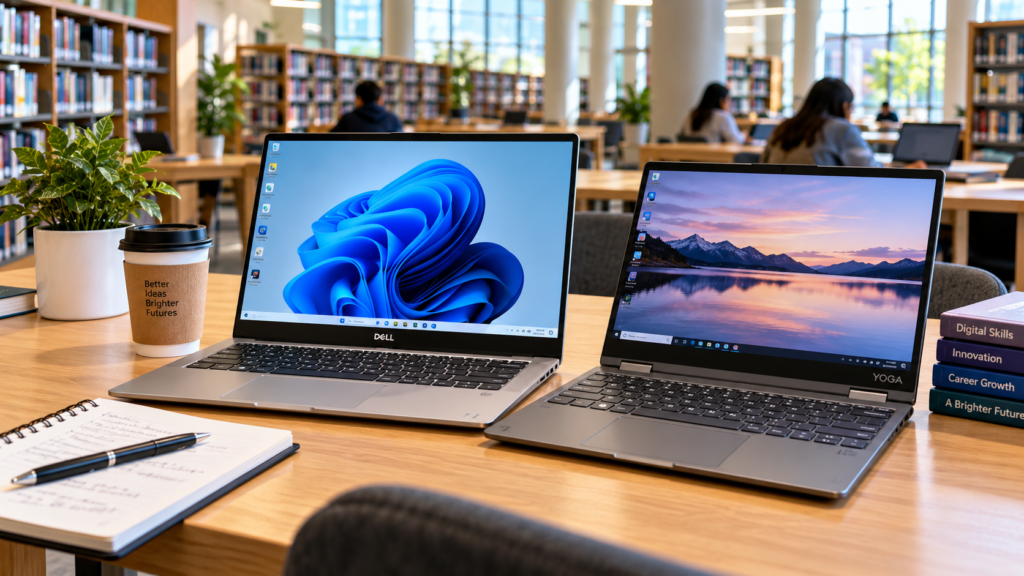
When equipping yourself for academic success, choosing the right hardware platform is critical. Dell Education and Lenovo Education are dedicated manufacturer programmes providing verified students and educators with exclusive discounted pricing on high-performance laptops tailored for coursework. While Lenovo offers an extra 5% off, Dell Education provides savings of up to 10% following verification through services like UNiDAYS or Student Beans.
Ultimately, selecting the right device goes beyond brand loyalty—it requires aligning specific laptop families, processing power, and form factors with your curriculum, budget, and local market availability. Whether you’re considering Dell Inspiron and XPS lines or evaluating alternative student hardware ecosystems, Dell Education discounts help you maximize the value of your academic investment.
Who This Guide Is For
- University & College Students: Undergraduates and postgraduates navigating intensive coursework, research, and daily campus mobility.
- Parents & Guardians: Decision-makers investing in reliable student technology that lasts through multi-year degree programmes.
- Educators & Administrators: Teachers, lecturers, and institutional buyers assessing student hardware standards.
- Technical & Creative Majors: Students in engineering, architecture, computer science, and digital design who require specialized machines capable of running resource-intensive software like AutoCAD, local AI applications, and advanced integrated development environments (IDEs).
What Lenovo Education and Dell Education Actually Offer
Lenovo Education and Dell Education provide technology solutions designed to support students, educators, and educational institutions. While both brands offer laptops and computing devices for academic use, their education offerings can differ in device range, performance, durability, management features, support, and pricing.
Understanding what each program actually offers makes it easier to identify the right student laptop for different academic needs and budgets.
Lenovo Education
Lenovo Education is a verified student and teacher procurement portal designed to lower hardware costs for academic users. Key offerings include:
- Stackable Discounts: An additional price reduction (typically around 5% depending on regional markets) applied on top of existing sales after verifying status through platforms like ID.me or SheerID.
- Curated Hardware Portfolios: Dedicated access to student-focused configurations across IdeaPad (value/daily use), ThinkPad (durability/business typing), Yoga (2-in-1 flexibility), and LOQ/Legion (high-performance creative and gaming workloads).
- Peripherals & Bundles: Regular back-to-school promotions offering discounted accessories such as monitors, mice, and sleeves.
- Key Hardware Strengths: Renowned for class-leading keyboards (particularly on ThinkPads) and versatile touchscreen/hinge options across the Yoga lineup.
Dell Education
Dell Education is a parallel direct-to-consumer academic savings programme tailored for higher education and K-12 users. Key offerings include:
- Enhanced Savings: Discount structures reaching up to 10% in many regions for verified students and educators via SheerID, integrated directly with Dell Rewards accounts.
- Segmented Device Lines: Tailored store pages highlighting Inspiron (mainstream value), XPS (premium creator and power-user builds), and Latitude (enterprise-grade reliability).
- Financing & Perks: Regional promotional financing options and seasonal hardware-plus-gift-card bundles.
- Key Hardware Strengths: Exceptional build quality, robust thermal management in performance tiers, and long-lasting battery profiles suited for heavy daily campus use.
Laptop Families You’ll Actually See as a Student
Lenovo and Dell offer several laptop families that can suit students, from affordable everyday notebooks to more powerful systems for demanding academic workloads. The right choice depends on your course, software requirements, portability needs, performance expectations, and budget. Here’s a look at the main laptop families students are likely to encounter from both brands.
Lenovo Student Laptop Families
- IdeaPad (Slim 3, Slim 5, Flex): Budget-to-mid-range options designed for general coursework, web research, document editing, and daily multitasking.
- ThinkPad (E, T, and X Series): Business-grade workhorses featuring industry-leading keyboards and rugged build quality—ideal for programming, data analysis, and intensive daily typing.
- Yoga (7, 9, Slim 7x, 2-in-1): Versatile convertible devices with 360-degree hinges, premium OLED display options, and active pen support, suited for digital design, hand-written note-taking, and multimedia consumption.
- LOQ / Legion: High-performance gaming and compute-heavy laptops featuring dedicated GPUs, making them optimal for engineering simulations, 3D modeling, video editing, and off-hours gaming.
Dell Student Laptop Families
- Inspiron (14, 15, 16, Plus): Mainstream, reliable machines built for everyday academic tasks, virtual lectures, and general productivity across multiple screen sizes.
- XPS (13, 14, 16): Premium thin-and-light powerhouses featuring stunning high-resolution displays, tailored for creative majors, media production, and power users prioritizing mobility and screen fidelity.
- Latitude (3000, 5000, 7000 Series): Enterprise-focused rugged laptops engineered with advanced security and exceptional battery longevity, favored by students requiring all-day campus reliability.
- Dell Pro / Plus (Including AI-enabled models like the Dell 14 Plus & 16 Plus): Next-generation performance tiers equipped with modern multi-core processors and hardware-accelerated AI capabilities targeting software developers, creators, and advanced workflows—maximizing the value proposition of Dell Education configurations.
Matching Laptops to Your Course and Workload
The best student laptop depends less on the brand and more on what you need to do with it. A laptop for documents, research, and online classes may require far less power than one used for programming, AutoCAD, 3D modeling, video editing, or AI-related workloads. This section matches Lenovo and Dell laptop options to common academic needs, helping students focus on the specifications that matter for their course and workload.
Basic Productivity, Humanities, Social Sciences, & Business
For writing essays, creating presentations, conducting web research, and attending virtual lectures, your priority should be portability and solid battery life rather than raw processing muscle:
- CPU: Intel Core i3/i5 or AMD Ryzen 3/5 (recent generations)
- RAM: 8GB minimum; 16GB strongly recommended for long-term multitasking longevity
- Storage: 256GB SSD minimum
- Battery Life: 8+ hours of real-world use
- Weight: Under 1.8 kg for easy daily campus commuting
Top Contenders:
- Lenovo: IdeaPad Slim 3 / Slim 5, ThinkPad E14, or mid-range configurations of the Yoga 7 2-in-1.
- Dell:Dell Education configurations of the Inspiron 14/15/16, standard Dell 14, or Latitude 3000 series.
Programming, Data Science, IT, & Computer Science
Compiling code, running local integrated development environments (IDEs), spinning up virtual machines (VMs), managing containers, and processing large datasets require strong multi-core processing and memory headroom:
- CPU: Intel Core i5/i7 or AMD Ryzen 5/7 (H-series preferred)
- RAM: 16GB minimum; 32GB if you frequently run resource-heavy VMs or large databases
- Storage: 512GB SSD or higher
- Ergonomics: A tactile, durable keyboard and robust port selection for external peripherals
Top Contenders:
- Lenovo: ThinkPad E14/E16, T14, or higher-spec IdeaPad/Yoga models featuring 16GB+ RAM.
- Dell:Dell Education selections from the Latitude 5000/7000 series, or the Dell 14 Plus / 16 Plus powered by Core Ultra or Ryzen AI processors.
Engineering, Architecture, CAD, & 3D Modelling
Heavy computer-aided design, structural simulations, and 3D rendering in applications like AutoCAD, SolidWorks, and Revit demand professional-grade graphics and sustained thermal performance:
- CPU: Intel Core i7/i9 or AMD Ryzen 7/9 (H-series)
- RAM: 16GB minimum; 32GB recommended for complex multi-part assemblies
- GPU: Dedicated NVIDIA RTX (or equivalent) for hardware-accelerated 3D rendering
- Storage: 512GB to 1TB SSD
- Chassis & Display: Robust cooling architecture and a sharp, high-resolution display (Full HD minimum)
Top Contenders:
- Lenovo: LOQ or Legion series with dedicated RTX graphics, or ThinkPad P-series mobile workstations.
- Dell:Dell Education options such as Inspiron Plus or Dell 16 Plus builds with dedicated GPUs, or high-end Latitude configurations with discrete graphics.
Design, Media, Video Editing, & Content Creation
Color-accurate displays and rapid media encoding are essential when working across Adobe Photoshop, Illustrator, Premiere Pro, and After Effects:
- CPU: Recent Intel Core i7 or AMD Ryzen 7 (or better)
- RAM: 16GB minimum; 32GB if handling 4K video timelines or heavy multitasking workflows
- GPU: Dedicated GPU to accelerate rendering, timeline scrubbing, and visual effects
- Display: High-resolution, wide color gamut (OLED or premium IPS panels)
- Storage: 512GB to 1TB fast NVMe SSD
Top Contenders:
- Lenovo: Yoga 7, Yoga 9, or Yoga Slim 7x featuring vibrant OLED touch screens and 16GB+ RAM.
- Dell:Dell Education discounts applied to premium XPS 14 / XPS 16 models or Dell 14 Premium configurations featuring gorgeous OLED displays and powerful processor-graphics pairings.
Key Specification Comparisons to Watch
When evaluating specific models through Dell Education versus Lenovo Education, focus your decision on hardware specifications and real-world ergonomics rather than the brand name alone:
Processor and Performance
- Architecture Generation: Look for recent-generation Intel Core Ultra, Core i5/i7, or AMD Ryzen 5/7/9 processors.
- H-Series vs. U-Series: H-series processors (such as Intel Core i7-H or Ryzen 7 H) provide higher sustained performance and wattage for heavy computing workloads, whereas U-series chips prioritize energy efficiency and thin-and-light portability.
- AI Acceleration: Modern Dell Education configurations featuring Intel Core Ultra or AMD Ryzen AI chips include dedicated Neural Processing Units (NPUs) that handle local AI workflows and accelerate future productivity software efficiently.
RAM and Storage
- Memory Headroom: While 8GB RAM serves as a bare minimum, 16GB is strongly recommended for most university students to prevent slowdowns during multitasking.
- Drive Technology: Always prioritize solid-state drives (SSDs) over legacy hard drives (HDD) or slow eMMC storage for rapid boot times and snappy application launches.
- Storage Capacity: A 256GB SSD is the baseline for general writing tasks, but 512GB or higher is necessary if you handle large datasets, multimedia files, or multi-course software packages.
Display, Portability, and Battery Life
- Screen Form Factor: 13 to 14-inch screens offer maximum portability for campus mobility, while 15 to 16-inch displays provide expansive workspace and physical numeric keypads.
- Resolution Quality: Full HD (1920×1080 or 1920×1200) is the functional baseline, though 2.2K, 2.8K, and OLED panels greatly benefit design and media production majors.
- Battery Longevity: Target at least 8 hours of real-world use, noting that modern ultraportables can reach well past 15 hours on a single charge.
- Weight Profile: Aim for under 1.5 to 1.8 kg for comfortable daily carrying, keeping in mind that high-performance engineering laptops will naturally weigh more.
Build Quality, Keyboard, and Ports
- Chassis & Typing: Enterprise and education mainstays like Lenovo ThinkPad and Dell Latitude are renowned for robust mil-spec chassis and exceptional tactile feedback during long writing sessions.
- Port Selection: Verify that the device offers enough USB-C/Thunderbolt, USB-A, HDMI, and potential wired Ethernet ports to support lab equipment and external peripherals without dongle clutter.
- Flexibility: 2-in-1 hinges and touchscreens (found across Lenovo Yoga and select Dell Education convertible builds) offer great utility for hand-written digital note-taking, sketching, and slide presentations.
Student Discounts and Education Pricing
Maximizing your savings through manufacturer academic programs is one of the smartest ways to get high-end hardware on a student budget. Both Lenovo and Dell Education offer streamlined verification workflows to unlock exclusive price breaks.
Lenovo Student Discount
Lenovo provides verified academic users with competitive promotional savings:
- Discount Value: Typically an extra ~5% off eligible laptops and accessories, which frequently stacks on top of existing sale prices and active site-wide eCoupons.
- Eligibility: Full-time and part-time college or university students, educators, faculty members, and in many regions, incoming students with formal university acceptance letters.
- How to Claim:
- Navigate to the Lenovo Education or Student Deals portal.
- Verify your academic status using ID.me or SheerID (using a valid
.eduinstitutional email address or official enrollment documentation). - Browse and shop directly from the dedicated education catalog, where your verified discount will automatically apply at checkout.
Dell Student Discount
Dell Education provides robust, tiered savings tailored for high school seniors, higher-education students, and educators:
- Discount Value: Up to 10% off eligible laptops, monitors, and peripherals for verified members, though certain doorbuster deals or limited-quantity offers may be excluded.
- Eligibility: High school students (ages 16 and older), college and university undergraduates/postgraduates, and students attending accredited trade or post-secondary institutions in supported countries.
- How to Claim:
- Create or sign in to your primary Dell account and enroll in the free Dell Rewards program.
- Complete your student or teacher status verification via SheerID located in the membership or education section.
- Shop through the dedicated Dell Education storefront pages, where your unique discount will automatically populate and apply directly in your shopping cart.
Availability and Purchasing in Nigeria & African Markets
Both Lenovo and Dell maintain a significant commercial presence across Nigeria and the broader African tech ecosystem. However, local purchasing mechanics, warranty support structures, and model inventories differ substantially from standard US or European digital storefronts.
Because localized online education portals and direct student verification codes (like SheerID or ID.me) are rarely integrated into third-party retail channels, students across the region must navigate a hybrid landscape of authorized distributors, retail partners, and the robust secondary market.
Lenovo in Nigeria
Lenovo operates an official regional web presence anchored by a comprehensive “Where to Buy” directory, partnering closely with tier-one regional distributors such as TD Africa.
- Model Availability: Popular consumer and professional lineups—including the IdeaPad, ThinkBook, Yoga, and Legion series—are readily stocked through authorized partners and major regional marketplaces like Jumia.
- Education Pricing Realities: Standard Western student discount programs do not automatically translate to Nigerian retail networks. Nigerian students should verify local promotional campaigns directly through authorized Lenovo partners or regional institutional reps.
- Current Market Price Bands:
- Entry-Level (IdeaPad / Chromebook): ~₦350,000 – ₦480,000 for Core i3 or Ryzen 3 configurations paired with 8GB RAM and a 256GB SSD.
- Mid-Range (ThinkPad / IdeaPad): ~₦450,000 – ₦780,000 for Core i5 or Ryzen 5 models with 8GB to 16GB RAM and 512GB storage.
- Budget Alternative: Refurbished business-grade ThinkPads (such as the classic T480 series) remain extremely popular among Nigerian undergraduates, generally retailing between ₦250,000 and ₦320,000 depending on RAM and storage upgrades.
Dell in Nigeria
Dell is distributed heavily through enterprise channels and tier-one supply networks like TD Africa, feeding into prominent online and physical storefronts including Kara, 360 Gadgets Africa, and specialized computer markets (such as Computer Village in Lagos).
- Model Availability: Mainstream Inspiron and enterprise-grade Latitude laptops dominate local stock. While flagship XPS machines are available, they command steep luxury-tier pricing.
- Education Pricing Realities: Direct regional student portals for Dell Education are limited. Buyers should cross-reference standard retail promotions with authorized dealers to check for back-to-school bundles or corporate-backed student discounts.
- Current Market Price Bands:
- Entry-Level (Inspiron / Latitude): ~₦200,000 – ₦400,000 covering light-use or verified pre-owned configurations.
- Mid-Range (Core i5 Inspiron / Latitude): ~₦450,000 – ₦950,000 heavily dependent on hardware specs, battery health, and new-versus-refurbished status.
- Premium (XPS & High-Spec Latitudes): Frequently priced upwards of ₦1,200,000.
Strategic Advice for African Students
For students operating on strict budgets across Nigeria and neighboring African markets, investing in certified “UK-used” or enterprise-grade refurbished business laptops—specifically the Dell Latitude 5000/7000 series or Lenovo ThinkPad T-series—often provides far superior durability, build quality, and upgrade flexibility than purchasing low-tier, brand-new consumer plastic laptops. Always purchase from reputable vendors offering clear grading metrics and short-term hardware warranties.
Practical Decision Framework: How to Shortlist
To cut through the noise and land on the right device for your academic career, use this structured, first-principles decision framework:
- List Your Course Requirements First: Consult your department or syllabus to identify mandatory hardware baselines. Check whether your coursework requires specialized software (such as AutoCAD, MATLAB, local AI toolchains, or the Adobe Creative Cloud suite) that dictates specific CPU, RAM, or dedicated GPU requirements.
- Define Your Hard Budget Ceiling: Establish your maximum financial limit. Decide upfront whether you are buying a brand-new machine using Dell Education or Lenovo student discounts, or if you need to tap into certified refurbished or enterprise-grade “UK-used” markets to maximize performance per naira.
- Map Your Workload to the Right Laptop Family
- General Study & Writing: Lenovo IdeaPad or Dell Inspiron.
- Intensive Coding, Daily Typing & Durability: Lenovo ThinkPad or Dell Latitude.
- Creative Design & Tablet Flexibility: Lenovo Yoga or Dell XPS / 2-in-1 lines.
- Engineering, CAD, & 3D Rendering: Lenovo LOQ/Legion or Dell Inspiron Plus / Dell 16 Plus with discrete graphics.
- Enforce 2026 Baseline Minimums: Never compromise on core modern performance standards:
- Processor: Recent-generation Intel Core Ultra/i5 or AMD Ryzen 5.
- Memory: 8GB RAM as an absolute floor; 16GB strongly recommended for seamless multitasking.
- Storage: Fast NVMe SSD storage (minimum 256GB, with 512GB+ preferred).
- Display & Battery: Full HD (1920×1080/1200) resolution and at least 6–8 hours of real-world battery life for general use (scale higher for heavy technical workloads).
- Verify Local Availability & Warranty Support: Cross-reference your preferred models against authorized regional distributors and trusted retailers in your market (such as TD Africa partners or major local suppliers) to guarantee genuine hardware and accessible after-sales support.
- Apply Education Discounts & Compare Final Pricing: Before checking out, complete your verification via ID.me or SheerID on official portals—or coordinate with local institutional reps—to ensure you capture every available price cut through Dell Education or Lenovo promotions.
Common Misconceptions and Pitfalls
When navigating student laptop purchases, avoid these common traps and flawed assumptions:
- “Brand X is always better for students.”: There is no universal winner. A computer science major will benefit far more from a rugged, keyboard-optimized Lenovo ThinkPad, while a digital arts student will get more value out of a Lenovo Yoga or a premium Dell XPS. Always match the hardware family to your actual curriculum, not brand loyalty.
- “More expensive always means better for school.”: Overspending on high-end gaming laptops or top-tier processors you don’t need often results in heavy chassis designs and poor battery life. A well-balanced mid-range machine with ample RAM and an efficient CPU will serve you better on campus than an over-budget status symbol.
- “Education discounts are massive game-changers.”: While student savings programs are fantastic, a 5% to 10% discount rarely turns a poorly priced or outdated laptop into a bargain. Always compare final out-of-the-box pricing and hardware specs across competing retailers and alternative sales before pulling the trigger.
- “Any laptop can run AutoCAD or engineering software.”: Assuming a standard budget consumer laptop can handle intensive engineering or 3D modeling packages is a recipe for system crashes and wasted money. Always check your university department’s minimum technical guidelines before buying.
Is Lenovo or Dell better for students?
Neither brand is universally “better.” Lenovo is renowned for its industry-leading keyboards on ThinkPads and versatile 2-in-1 designs in the Yoga lineup, while Dell excels with reliable Inspiron mainstays, premium XPS creator laptops, and rugged, secure business-grade Latitudes. The right choice depends entirely on your specific course requirements, budget, and local inventory.
Can I use a Chromebook for university?
Chromebooks are great for students whose coursework is strictly web-based—such as managing learning management systems (LMS), writing papers, and joining video lectures.
However, many university courses in engineering, computer science, data science, and graphic design require heavy desktop software, specialized drivers, or Windows/macOS compatibility, making a traditional Windows laptop essential.
How much RAM do I really need as a student?
While 8GB RAM serves as a bare minimum for light, browser-based tasks, 16GB is strongly recommended to ensure smooth multitasking across multiple apps, research tabs, and video calls without system slowdowns. Students in technical fields like programming, engineering, or media production should consider 16GB an absolute baseline and look toward 32GB for heavy workloads.
Should I buy brand-new or a UK-used business laptop in Nigeria?
For budget-conscious students across Nigeria, certified “UK-used” or enterprise-grade refurbished business laptops (like the Lenovo ThinkPad T-series or Dell Latitude 5000/7000 series) often provide superior build quality and performance-per-naira compared to cheap, brand-new consumer plastic laptops. Brand-new options remain preferable if you require a factory warranty, latest-generation AI processors, or customized Dell Education configurations.
Do Lenovo and Dell education discounts work in Nigeria?
Both Lenovo and Dell maintain global academic frameworks, but automated student verification tools (like SheerID or ID.me) do not always map cleanly onto third-party regional retail networks in Nigeria.
Nigerian students should cross-reference local web listings with authorized enterprise distributors (such as TD Africa) and reputable local computer merchants to confirm active educational pricing, back-to-school bundles, or promotional discounts.
In Conclusion
Choosing between Lenovo Education and Dell Education ultimately comes down to matching the right laptop and configuration to your academic needs rather than choosing a brand based on reputation alone. Consider your course requirements, software workload, processor, RAM, storage, battery life, durability, budget, and local availability before making a decision.
For students in markets such as Nigeria, it is also important to verify current prices, student discounts, warranty coverage, and the reputation of the seller. By defining your workload and budget first, you can narrow down suitable Lenovo and Dell models and compare their specifications and total cost more effectively.
- Verification Over Brand: Lenovo Education and Dell Education are verification-based discount portals rather than distinct hardware lines; the true comparison lies in selecting the right model and configuration for your studies.
- Match Hardware to Workload: Align your device family with your curriculum—IdeaPad and Inspiron for general studies, ThinkPad and Latitude for heavy typing and coding, Yoga and XPS for creative portability, and LOQ/Legion or high-end Plus configurations for engineering and intensive rendering.
- Enforce Modern Baselines: Target current-generation processors (Intel Core Ultra or AMD Ryzen), a minimum of 8GB RAM (with 16GB strongly recommended), fast NVMe SSD storage, and solid battery longevity, scaling up significantly for demanding technical majors.
- Navigate Regional Realities: In markets like Nigeria, balance brand-new retail purchases against certified, reputable UK-used enterprise business lines, and always confirm active pricing structures through authorized regional partners.
Your Action Plan
Write down your specific course software requirements, set a hard budget ceiling, and shortlist two Lenovo models alongside two Dell Education configurations. Compare their final pricing after applying valid student discounts to lock in the ideal machine for your academic success.