You can study DevOps concepts through documentation, tutorials, and courses, but true competency requires hands-on execution. Reading about containerization or infrastructure-as-code is not the same as configuring a live environment.
Using free DevOps labs allows you to practice Linux commands, manage Docker containers, orchestrate Kubernetes clusters, and build automated CI/CD pipelines without incurring heavy cloud costs or purchasing expensive training packages.
DevOps bridges the gap between software development and IT operations to accelerate delivery, improve system reliability, and scale infrastructure seamlessly. However, the biggest bottleneck for learners is finding a safe, cost-effective place to experiment.
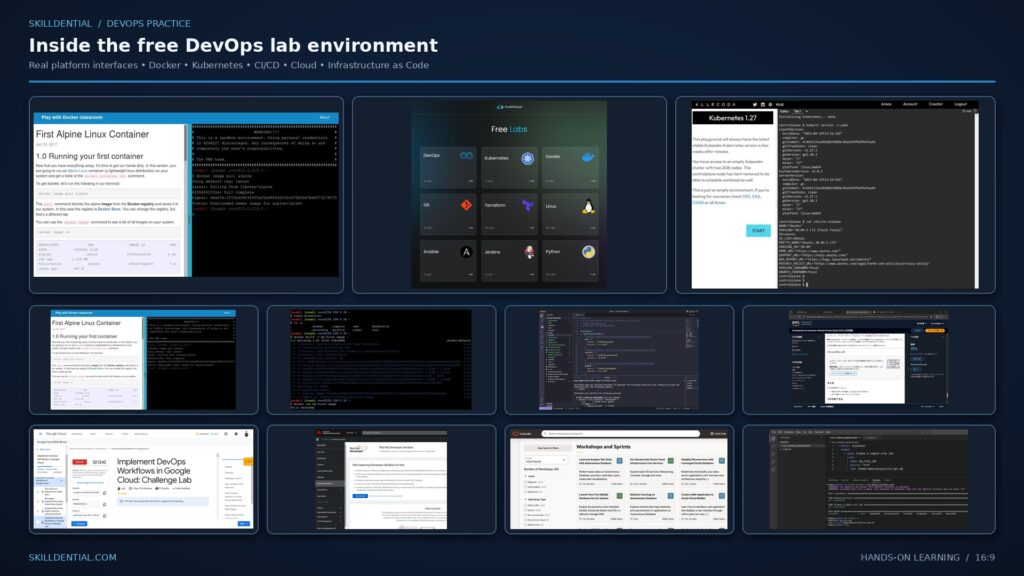
You might understand the theory behind a Dockerfile, but can you troubleshoot a failed deployment under pressure? The same challenge applies to Kubernetes, Terraform, Ansible, and Jenkins. Conceptual knowledge only turns into marketable capability when tested in real-world scenarios.
This is where free DevOps labs and interactive sandboxes change the game. By leveraging browser-based terminals, guided simulations, and temporary cloud environments, both beginners and experienced professionals can test tools risk-free.
In this comprehensive guide, we examine 15 of the best free DevOps labs and hands-on platforms, breaking down what you can practice on each, their core limitations, and how to maximize them to accelerate your career.
What Are DevOps Labs?
DevOps labs bridge the critical gap between theoretical knowledge and real-world execution. Because technologies like Kubernetes, Terraform, and Docker require complex setups, physical or self-hosted test environments can be prohibitively expensive or time-consuming to configure.
Using structured labs enables you to:
- Accelerate Skill Acquisition: Move from understanding how a tool works to knowing how to configure, debug, and scale it under realistic conditions.
- Eliminate Infrastructure Overhead: Eliminate the need to provision personal cloud accounts (and risk accidental billing spikes) by leveraging pre-configured sandboxes.
- Build Job-Ready Competency: Simulate production incidents, pipeline failures, and system troubleshooting—scenarios that traditional tutorials rarely replicate.
Key Types of DevOps Labs
| Lab Type | How It Works | Best For |
| Browser-Based Terminals | Interactive command-line interfaces embedded directly in the web browser (e.g., Katacoda-style interfaces). | Quick tutorials, Linux command practice, and lightweight tool testing. |
| Temporary Cloud Sandboxes | Provisioned virtual machines or cloud accounts with time limits or usage quotas. | Multi-node Kubernetes clusters, Infrastructure-as-Code (Terraform) deployments, and complex cloud architectures. |
| Local Virtualization Environments | Using tools like Vagrant, Minikube, or Docker Desktop on local hardware. | Long-term experimentation, offline learning, and custom sandbox creation. |
15 Best Free DevOps Labs to Practise DevOps Skills Online
The following platforms and resources offer diverse approaches to practical learning through free DevOps labs. While some provide fully containerized, browser-based terminals for instant experimentation, others feature guided scenarios that use local virtualization or temporary cloud accounts to simulate enterprise-grade workflows.
Killercoda
- Best for: Linux, Kubernetes, containers, and cloud-native DevOps practice.
- Skill Level: Beginner to advanced.
- Environment: Browser-based.
Killercoda is one of the premier platforms for learners looking to utilize free DevOps labs without installing complicated software or configuring local virtual machines. It provides interactive, browser-based environments where you can execute commands, follow guided scenarios, and experiment with real cloud-native tools instantly.
Covering areas such as Linux, Kubernetes, container orchestration, and networking, Killercoda helps bridge the gap between theory and execution by letting you see how technical components interact in temporary sandbox environments.
What You Can Practice:
- Linux administration and advanced terminal commands.
- Kubernetes cluster management and orchestration.
- Container operations and lifecycle management.
- Networking fundamentals and cloud-native architectures.
- Hands-on DevOps troubleshooting scenarios.
How to Get Started:
- Visit the Killercoda website.
- Create a free account.
- Explore the available technology categories and learning paths.
- Select a scenario aligned with your skill goals.
- Follow the step-by-step instructions and run commands directly in the browser terminal.
Free Access & Limitations:
Killercoda’s free tier provides full access to its extensive library of scenarios (excluding premium courses). Each free scenario session lasts for up to one hour before the environment resets, after which you can easily spin up a new session.
LabEx
- Best for: Linux, Docker, Kubernetes, and structured technical exercises.
- Skill Level: Beginner to intermediate.
- Environment: Browser-based.
LabEx offers interactive, browser-based environments designed to help learners gain confidence with foundational IT tools through guided execution. Rather than requiring users to configure complex local setups, the platform provides pre-built sandboxes tailored for structured practice, making it a strong option for individuals utilizing free DevOps labs to learn by doing.
Covering everything from basic command-line operations to container orchestration, LabEx breaks down technical skills into manageable, step-by-step challenges.
What You Can Practice:
- Linux command-line operations and file management.
- Docker container management and deployment basics.
- Kubernetes fundamentals and cluster exploration.
- Shell scripting and workflow automation.
- System administration and introductory DevOps tasks.
How to Get Started:
- Open the LabEx website and create a free user profile.
- Browse the platform’s catalog of free labs and learning paths.
- Select a Linux, Docker, or DevOps module.
- Launch the virtual environment directly inside your browser.
- Follow the step-by-step instructions and complete the practical assignments.
Free Access & Limitations:
LabEx offers a free tier that permits up to three virtual machine launches per day. Note that free virtual machines do not have open internet access, and advanced enterprise-grade or specialized labs require a paid subscription.
SadServers
- Best for: Linux administration, incident response, and real-world troubleshooting.
- Skill Level: Beginner to advanced.
- Environment: Browser-based.
SadServers takes a unique, scenario-driven approach to technical training. Instead of walking you through standard setup tutorials, it drops you straight into broken, misconfigured virtual machines. These hands-on labs simulate real-world outages where a web service has crashed, a network interface is misconfigured, or a storage volume is out of inodes.
Your objective is to diagnose the root cause and fix the issue using standard command-line tools. This focus on post-mortem and debugging makes it an exceptional resource for anyone looking to build real-world competency through free DevOps labs.
What You Can Practice:
- Advanced Linux system administration and log analysis.
- Bash scripting and terminal-based investigation.
- Network troubleshooting and port/firewall diagnostics.
- Web server configuration and debugging (Nginx, Apache).
- Container, Kubernetes, and infrastructure-as-code troubleshooting.
- System observability, performance metrics, and error diagnosis.
How to Get Started:
- Visit the SadServers website.
- Review the list of available troubleshooting scenarios and difficulty ratings.
- Choose a beginner-friendly challenge to get familiar with the environment.
- Launch the browser-based terminal.
- Inspect system logs, isolate the failure, and implement a permanent fix.
Free Access & Limitations:
SadServers offers a free Hobbyist tier that provides access to a selection of scenarios with daily usage limitations. Access to the full catalog of advanced debugging labs requires a paid subscription.
KodeKloud
- Best for: Structured DevOps learning, certification prep, and Kubernetes practice.
- Skill Level: Beginner to advanced.
- Environment: Browser-based labs and playgrounds.
KodeKloud is widely recognized as one of the premier platforms for mastering cloud-native engineering and infrastructure automation. It pairs high-quality video instruction directly with hands-on free DevOps labs, making it easy to transition from high-level architecture theory to actual terminal execution.
Whether you are preparing for certifications like the Certified Kubernetes Administrator (CKA) or looking to gain foundational proficiency in modern DevOps toolchains, KodeKloud provides immersive sandboxes right inside your web browser.
What You Can Practice:
- Docker containerization and image building.
- Kubernetes cluster architecture, administration, and troubleshooting.
- Linux fundamentals and shell configuration.
- Jenkins pipelines and continuous integration workflows.
- Infrastructure-as-Code using Terraform.
- Configuration management using Ansible.
How to Get Started:
- Create a free account on the KodeKloud platform.
- Filter the catalog to explore courses and modules marked as free.
- Access the free tier’s available lab playgrounds.
- Select a hands-on exercise or playground matching your current technical level.
- Launch the environment and execute the practical tasks.
Free Access & Limitations:
KodeKloud provides a freemium model offering selected free courses, instructional videos, and limited sandbox playgrounds. While the free tier gives you a great taste of their lab environment, access to their complete, comprehensive catalog of advanced labs and professional courses requires a paid subscription.
Play with Docker
- Best for: Learning Docker, container management, and swarm orchestration.
- Skill Level: Beginner to intermediate.
- Environment: Browser-based.
Play with Docker (PWD) is a classic, lightweight sandbox designed specifically for testing containerized workflows. It provides a temporary Linux terminal directly in your browser, allowing you to experiment with Docker engines without installing Docker Desktop or configuring local virtualization.
Because it removes local hardware barriers, it is one of the fastest ways for absolute beginners to start utilizing free DevOps labs to master container concepts.
What You Can Practice:
- Pulling and inspecting container images from registries.
- Creating, running, and managing container lifecycles.
- Configuring Docker networking and bridges.
- Deploying multi-container applications using Docker Compose.
- Setting up and testing multi-node Docker Swarm clusters.
How to Get Started:
- Visit the Play with Docker website (Docker ID login is typically required).
- Start a new playground session.
- Click “Add New Instance” to provision a virtual machine node.
- Execute standard Docker commands in the browser-based terminal.
Free Access & Limitations:
The hosted playground is completely free to use, but sessions are strictly temporary (usually lasting up to four hours) and data is wiped when the session ends. It is designed purely for learning and experimentation, meaning you should never store critical project files, source code, or production credentials on the platform.
Docker Labs and Documentation
- Best for: Mastering containerization, writing production-grade Dockerfiles, and understanding official workflows.
- Skill Level: Beginner to intermediate.
- Environment: Local installation or compatible development environment.
While browser-based sandboxes are convenient, mastering containerization eventually requires working with a local setup. The official Docker Labs and Getting Started documentation provide structured, hands-on tutorials created directly by the creators of Docker.
These resources guide you through building production-ready images, structuring multi-service applications, and managing persistent data volumes. It serves as an essential companion for anyone building practical skills through free DevOps labs and official guides.
What You Can Practice:
- Writing efficient, multi-stage Dockerfiles.
- Building and tagging custom container images.
- Running, inspecting, and managing container lifecycles.
- Orchestrating multi-container apps using Docker Compose.
- Managing persistent storage volumes and bind mounts.
- Configuring container networking and port mapping.
How to Get Started:
- Visit the official Docker documentation and learning hub.
- Open the “Getting Started” or “Docker Labs” tutorial series.
- Install Docker Desktop or a compatible container runtime on your local machine.
- Follow the step-by-step practical exercises.
- Build, run, and test your own containerized applications locally.
Free Access & Limitations:
All instructional documentation, code samples, and lab guides are completely free. However, unlike pure browser-based sandboxes, the official exercises run locally on your own computer using Docker Desktop, meaning you must have a machine capable of running virtualization features (Hyper-V, WSL 2, or Apple Silicon virtualization).
GitHub Skills
- Best for: Git workflows, collaborative software development, and CI/CD automation.
- Skill Level: Beginner to intermediate.
- Environment: Browser-based GitHub exercises.
GitHub Skills is an official learning platform designed to help developers master version control and collaboration by working directly within the GitHub ecosystem. Instead of relying purely on simulated environments, it utilizes real GitHub repositories, issues, and pull requests to guide you through hands-on exercises.
Because GitHub is the industry standard for code hosting and pipeline automation, integrating it into your routine alongside other free DevOps labs is essential for understanding modern software delivery lifecycles.
What You Can Practice:
- Git fundamentals (commit, push, pull, stash).
- Branching strategies and pull request management.
- Collaborative development and code review processes.
- Setting up and configuring GitHub Actions for CI/CD automation.
- Automating testing, building, and deployment workflows.
How to Get Started:
- Visit the GitHub Skills website.
- Sign in with your free GitHub account.
- Choose an interactive course or learning track (such as “Introduction to GitHub” or “GitHub Actions”).
- Follow the step-by-step instructions provided directly inside the generated repository interface.
- Complete the tasks and verify your progress through automated feedback checks.
Free Access & Limitations:
The courses and interactive learning paths on GitHub Skills are completely free. However, if a specific course utilizes GitHub Codespaces for its environment, standard free-tier monthly limits (or separate billing conditions if quotas are exceeded) will apply.
HashiCorp Developer Tutorials
- Best for: Terraform, Infrastructure-as-Code (IaC), and cloud provisioning fundamentals.
- Skill Level: Beginner to advanced.
- Environment: Guided tutorials, local terminal workflows, and HCP Terraform cloud workspaces.
HashiCorp Developer provides official, industry-standard learning tracks for mastering Infrastructure-as-Code. Rather than relying on third-party walkthroughs, these tutorials are maintained directly by the creators of Terraform, Vault, and Nomad.
The platform blends conceptual documentation with command-line exercises, helping engineers transition from writing basic configuration files to deploying complex multi-cloud architectures. It is an indispensable resource for anyone looking to leverage structured, free DevOps labs for cloud automation.
What You Can Practice:
- Terraform configuration language (HCL) and syntax fundamentals.
- Infrastructure provisioning across AWS, Azure, Google Cloud, and Oracle Cloud.
- Managing state files, dependencies, and resource lifecycles.
- Utilizing HCP Terraform for remote runs, version control collaboration, and team workspaces.
- Automated module creation and policy enforcement (Sentinel/OPA).
How to Get Started:
- Visit the HashiCorp Developer portal and navigate to the Terraform tutorial library.
- Choose a beginner learning path (such as AWS, Azure, Docker, or GCP Basics).
- Set up your local terminal environment or sign up for a free HCP Terraform account.
- Follow the step-by-step configuration exercises to build, modify, and destroy test infrastructure.
Free Access & Limitations:
The learning tutorials, documentation, and guides are entirely free to access. However, executing the labs typically requires either a local installation of Terraform combined with your own cloud provider sandbox accounts (which may incur standard cloud costs if resources are left running) or a free-tier HCP Terraform account, which limits organizations to 500 managed resources under management.
Kubernetes Official Tutorials
- Best for: Container orchestration, cluster administration, and deep-dive Kubernetes mechanics.
- Skill Level: Beginner to advanced.
- Environment: Guided tutorials (utilizing Minikube, Kind, or compatible clusters).
The official Kubernetes documentation offers some of the most rigorous, authoritative learning tracks available for cloud-native engineering. Rather than skimming the surface, these tutorials guide you through the architectural core of container orchestration—teaching you how workloads are scheduled, secured, and scaled across cluster nodes.
While many online guides abstract away the underlying architecture, working through the official tutorials provides the foundational knowledge required for production environments and professional certifications like the CKA.
What You Can Practice:
- Deploying applications and managing containerized workloads using Pods and Deployments.
- Exposing applications internally and externally through Services and Ingress.
- Managing application configuration and sensitive data using ConfigMaps and Secrets.
- Scaling applications manually and automatically (HPA).
- Inspecting cluster states, cluster components, and system logs via
kubectl.
How to Get Started:
- Visit the official Kubernetes documentation website.
- Navigate to the Tutorials section (starting with Kubernetes Basics or Learn Kubernetes).
- Set up a local test cluster using Minikube, Kind (Kubernetes in Docker), or a lightweight tool of your choice.
- Follow the step-by-step interactive exercises and execute the commands against your local cluster.
Free Access & Limitations:
The tutorials and documentation are entirely free. However, unlike dedicated browser-based sandboxes, the official tutorials require you to operate your own cluster environment—meaning you will need to run a local virtualization tool (like Minikube) or provision a small cloud cluster to complete the exercises.
AWS Skill Builder
- Best for: Cloud computing, AWS cloud infrastructure, and cloud-native DevOps pipelines.
- Skill Level: Beginner to advanced.
- Environment: Online learning modules and selected provisioned lab environments.
AWS Skill Builder is Amazon’s official learning platform, designed to help developers and system administrators master cloud architecture. Because modern DevOps heavily relies on cloud platforms, learning how to provision, secure, and monitor workloads within AWS is a crucial career skill.
The platform offers hundreds of hours of digital training, alongside hands-on lab environments that let you interact directly with the AWS Management Console without purchasing an enterprise subscription.
What You Can Practice:
- AWS cloud fundamentals and architectural best practices.
- Provisioning and managing cloud infrastructure using EC2, VPC, S3, and IAM.
- Configuring deployment workflows and infrastructure automation.
- Setting up serverless architectures (AWS Lambda, API Gateway).
- Cloud monitoring, logging, and operational management (CloudWatch).
How to Get Started:
- Visit the AWS Skill Builder website.
- Sign in or create a free account using an AWS Builder ID.
- Search for DevOps, cloud operations, or architecture learning plans.
- Filter for digital courses that include hands-on learning components.
- Launch the available lab modules and follow the guided instructions.
Free Access & Limitations:
AWS offers an extensive library of free digital training courses and foundational modules. However, advanced hands-on labs (such as AWS Builder Labs) and specialized exam prep courses often require a paid subscription.
Additionally, if a tutorial requires you to use your own personal AWS account sandbox rather than a provisioned lab, leaving resources running can incur standard cloud service charges—always check cost estimates and cleanup instructions.
Google Cloud Skills Boost (Google Skills)
- Best for: Google Cloud Platform (GCP), Google Kubernetes Engine (GKE), and enterprise cloud-native DevOps.
- Skill Level: Beginner to advanced.
- Environment: Live Google Cloud console sandboxes and guided challenge labs.
Google Cloud Skills Boost (formerly Qwiklabs) provides official, hands-on training for engineers looking to master GCP infrastructure and automation. Rather than relying on static tutorials, the platform spins up real, temporary Google Cloud console environments where you execute actual administrative commands.
It is particularly well-known for its Challenge Labs (such as Implement DevOps Workflows in Google Cloud: Challenge Lab – GSP330), which test your ability to build pipelines, deploy applications, and troubleshoot clusters under real-world constraints without step-by-step hand-holding.
What You Can Practice:
- Provisioning and managing GCP infrastructure (Compute Engine, VPC, Cloud Storage).
- Deploying and scaling containerized applications using Google Kubernetes Engine (GKE).
- Building CI/CD pipelines utilizing Cloud Build, Artifact Registry, and Jenkins on GCP.
- Monitoring, logging, and troubleshooting cloud workloads using Cloud Operations (Stackdriver).
- Automating infrastructure deployments using Terraform on Google Cloud.
How to Get Started:
- Visit the Google Cloud Skills Boost website.
- Sign in using your Google account.
- Explore the catalog or search for specific DevOps-related learning paths or quests.
- Launch an available lab to provision a temporary, fully functional Google Cloud project.
- Complete the practical instructions or challenge lab objectives within the time limit.
Free Access & Limitations:
Google Cloud Skills Boost offers a selection of introductory quests and individual labs for free. Additionally, the Starter tier often provides recurring monthly credits or access to specific baseline modules. However, completing advanced multi-course quests or high-resource labs typically requires purchasing subscription credits or completing promotional free lab days.
Red Hat Developer Sandbox
- Best for: Enterprise OpenShift, Kubernetes workflows, and Red Hat cloud-native toolchains.
- Skill Level: Intermediate to advanced.
- Environment: Hosted cloud environment (Shared multi-tenant OpenShift cluster).
The Red Hat Developer Sandbox provides a zero-friction way for developers to experiment with enterprise Kubernetes without installing complex local software or managing cloud billing.
It grants private access to a pre-configured, shared Red Hat OpenShift cluster, allowing you to practice deploying microservices, configuring CI/CD pipelines, and utilizing enterprise-grade developer tooling straight from your browser.
For anyone leveraging free DevOps labs to learn production-grade platform engineering, OpenShift is an essential enterprise ecosystem to master.
What You Can Practice:
- Deploying and managing containerized applications on OpenShift.
- Building continuous integration pipelines using OpenShift Pipelines (Tekton-based).
- Utilizing cloud-hosted IDEs with Red Hat OpenShift Dev Spaces (VS Code in the browser).
- Implementing GitOps workflows and automated deployments.
- Exploring infrastructure automation using Red Hat Ansible Automation Platform.
- Experimenting with AI/ML model deployment using OpenShift AI.
How to Get Started:
- Visit the Red Hat Developer Sandbox website.
- Sign in or register for a free Red Hat account.
- Complete the initial account verification steps.
- Launch your provisioned OpenShift cluster environment.
- Explore the guided learning activities and deploy your first application.
Free Access & Limitations:
Red Hat offers the Developer Sandbox as a no-cost, 30-day trial environment. Because it runs on a shared multi-tenant cluster, certain technical constraints apply: individual pods are automatically deleted after running continuously for 12 hours, and standalone virtual machines shut down after one hour of continuous operation (though you can easily restart your workflows).
Oracle LiveLabs
- Best for: Enterprise cloud infrastructure, container deployment, and database-integrated DevOps.
- Skill Level: Beginner to advanced.
- Environment: Hosted workshop environments and live cloud sandboxes.
Oracle LiveLabs is a comprehensive, hands-on learning platform offering thousands of free workshops created by Oracle engineers and product experts. Unlike traditional static documentation, LiveLabs provides pre-configured, live cloud environments for many of its tutorials, meaning you can test enterprise-grade tools without configuring your own cloud billing account.
For developers expanding their skills through free DevOps labs, LiveLabs is an exceptional resource for exploring how cloud infrastructure, automated deployments, and container orchestration operate at scale.
What You Can Practice:
- Oracle Cloud Infrastructure (OCI) provisioning and architecture.
- Container deployment and container registry management.
- Kubernetes cluster management using OCI Container Engine for Kubernetes (OKE).
- Cloud networking, load balancing, and security configuration.
- Automated CI/CD deployments and infrastructure management.
How to Get Started:
- Visit the official Oracle LiveLabs website.
- Sign in or register for a free Oracle account.
- Browse or search the workshop catalog for DevOps, Kubernetes, or OCI topics.
- Select an available workshop and launch or reserve your live session.
- Follow the step-by-step instructions provided in the interactive workshop console.
Free Access & Limitations:
Oracle LiveLabs workshops are completely free to use. However, the availability of fully hosted environments (where Oracle provides the sandbox infrastructure) depends on the specific workshop—some exercises may require you to use your own free-tier OCI account. Additionally, live workshop sessions have set time limits before the environment expires.
Microsoft Learn
- Best for: Enterprise Azure pipelines, GitHub Actions integration, and official Microsoft certifications.
- Skill Level: Beginner to advanced.
- Environment: Guided online learning paths, code repositories, and selected cloud sandboxes.
Microsoft Learn is the comprehensive, official training platform for mastering Microsoft Azure, .NET deployments, and enterprise development toolchains. For DevOps engineers focusing on the Microsoft ecosystem, Microsoft Learn provides structured modules that map directly to industry certifications—such as the AZ-400 (Designing and Implementing Microsoft DevOps Solutions).
The platform bridges the gap between theory and practice by integrating guided exercises, interactive code snippets, and occasional live sandbox environments directly into its learning paths.
What You Can Practice:
- Setting up and managing Continuous Integration (CI) and Continuous Delivery (CD) using Azure Pipelines.
- Automating workflows and managing secrets with GitHub Actions.
- Provisioning and managing Azure cloud resources using Infrastructure-as-Code (ARM templates, Bicep, Terraform).
- Containerizing applications and deploying them to Azure Kubernetes Service (AKS).
- Implementing security, monitoring, and governance across cloud pipelines.
How to Get Started:
- Visit the Microsoft Learn website.
- Search for DevOps learning paths (such as the AZ-400 collection or GitHub Actions modules).
- Select a specific learning module or guided project.
- Follow the instructional documentation and step-by-step coding exercises.
- Complete any associated checkpoint assessments to track your progress.
Free Access & Limitations:
All training modules, text documentation, and learning paths on Microsoft Learn are completely free to access. However, keep in mind that not all practical exercises include a hosted sandbox environment; certain modules require an active Azure subscription or a free-tier Azure account, and leaving deployed cloud resources running can incur standard billing charges.
Ansible Workshops
- Best for: Configuration management, infrastructure automation, and automated playbook authoring.
- Skill Level: Intermediate to advanced.
- Environment: Official workshop repository, guided scenarios, and companion terminal labs.
Ansible is an essential tool in the modern DevOps stack, prized for its agentless architecture and simplicity in managing server configurations at scale.
Maintained directly by Red Hat and the Ansible community, the official Ansible Workshops provide a comprehensive collection of structured, hands-on labs designed to take learners from basic command-line execution to complex infrastructure orchestration.
Instead of relying on fragmented tutorials, these workshops offer a standardized curriculum used in official training courses, making them an incredible resource for anyone leveraging free DevOps labs and open-source documentation to master automation.
What You Can Practice:
- Writing and organizing Ansible playbooks and roles using YAML.
- Managing static and dynamic inventory files across multiple target servers.
- Automating software installation, user management, and system configuration.
- Executing idempotent infrastructure tasks and handling error conditions.
- Extending automation to network operations, security patching, and cloud provisioning.
How to Get Started:
- Visit the official Ansible Workshops repository on GitHub (or the corresponding Red Hat Developer learning portal).
- Review the available track options (such as Ansible Basics, Advanced Ansible, or network automation tracks).
- Follow the setup instructions to provision a local control node and target environment using Vagrant, Docker, or a cloud instance.
- Step through the guided exercises, writing and executing your own automation playbooks.
Free Access & Limitations:
All workshop guides, presentation slides, and lab instructions are completely open-source and free to access on GitHub. However, executing the labs typically requires your own practice environment—such as a local virtual machine setup, a containerized lab, or a small cloud instance—since the GitHub repository provides the curriculum rather than a hosted, browser-based sandbox.
Quick Comparison: Which Free DevOps Lab Should You Choose?
The best platform depends entirely on the specific tool you want to master and whether you prefer instant browser-based execution or setting up a local/cloud environment. Use this quick-reference table to choose the right sandbox for your goals:
| Platform | Main Skills | Free Access Level | Browser-Based? |
| Killercoda | Linux, Kubernetes, Cloud-Native | Free scenarios (1-hr sessions) | Yes |
| LabEx | Linux, Docker, Shell Scripting | Limited free labs (3 VM launches/day) | Yes |
| SadServers | Linux Troubleshooting, Incident Response | Limited free scenarios | Yes |
| KodeKloud | DevOps, Kubernetes, Terraform | Selected free courses & playgrounds | Yes |
| Play with Docker | Docker, Containers, Swarm | Free temporary playground | Yes |
| Docker Labs | Docker, Containerization | Free official documentation & guides | Local Setup |
| GitHub Skills | Git, GitHub Actions, CI/CD | Free interactive repository exercises | Yes |
| HashiCorp Tutorials | Terraform, Infrastructure-as-Code | Free tutorials & HCP free tier | Mixed |
| Kubernetes Docs | Container Orchestration, kubectl | Free official tutorials | Mixed |
| AWS Skill Builder | AWS, Cloud Infrastructure, DevOps | Free digital training & selected labs | Mixed |
| Google Skills | Google Cloud, GKE, GCP DevOps | Monthly credits & free introductory labs | Yes |
| Red Hat Sandbox | OpenShift, Enterprise Kubernetes | No-cost 30-day developer sandbox | Yes |
| Oracle LiveLabs | OCI Cloud, Kubernetes, Databases | Free workshops & hosted labs | Yes |
| Microsoft Learn | Azure Pipelines, GitHub Actions | Free learning paths & documentation | Mixed |
| Ansible Workshops | Configuration Management, Playbooks | Open-source guides & materials | Setup Required |
Important Note:
“Free access” does not always mean unlimited access. Many platforms enforce daily usage caps, session time limits, or require you to provide your own cloud provider account (which can incur service charges if resources are left running). Always check cleanup and cost guidelines before launching cloud infrastructure!
Which DevOps Labs Are Best for Beginners?
If you are new to the field, jumping straight into multi-node Kubernetes clusters or enterprise cloud architectures can lead to unnecessary frustration. Instead, beginners should prioritize platforms that offer guided instructions, instant feedback, and pre-configured sandboxes that remove local setup friction.
Use this objective-based breakdown to choose the right starting point for your foundational skills:
| Learning Objective | Recommended Platform | Why It Fits Beginners |
| Learn Linux Commands | LabEx | Offers step-by-step guidance for basic command-line operations and file management without complex configuration. |
| Practice Linux Troubleshooting | SadServers | Drops you into beginner-friendly, real-world failure scenarios to build diagnostic thinking early. |
| Learn Docker & Containers | Play with Docker | Eliminates local installation barriers (like Docker Desktop hurdles) with instant browser-based terminals. |
| Understand Kubernetes Basics | Killercoda | Provides temporary, interactive scenarios that make orchestrating containers approachable. |
| Learn Git & GitHub | GitHub Skills | Uses real repositories and automated checks to teach version control workflows natively. |
| Practice Terraform (IaC) | HashiCorp Tutorials | Features clean, incremental configuration guides tailored for first-time Infrastructure-as-Code learners. |
| Understand CI/CD Workflows | GitHub Skills | Introduces automated building and testing through beginner-friendly GitHub Actions exercises. |
| Learn Cloud Infrastructure | AWS Skill Builder | Combines fundamental cloud architecture training with guided, zero-risk digital learning paths. |
| Explore OpenShift / Enterprise | Red Hat Sandbox | Provides a shared, pre-configured sandbox to experience enterprise container platforms safely. |
| Learn Configuration Automation | Ansible Workshops | Offers structured YAML playbook tutorials for automating server configurations. |
Recommended Beginner Roadmap:
If you are just starting out, prioritize Killercoda, LabEx, SadServers, Play with Docker, and GitHub Skills. These platforms allow you to focus 100% of your energy on mastering core tools and terminal execution without getting bogged down by infrastructure provisioning or software installation overhead.
How to Practice DevOps Skills in the Right Order
Having access to 15 different platforms does not automatically make you a skilled DevOps engineer. Without a structured roadmap, learners often bounce between tools—trying to configure Kubernetes before understanding basic containerization, or writing Terraform scripts without knowing fundamental networking.
To build true competency, follow a progressive learning path that moves systematically from foundational system administration to enterprise-grade cloud deployment.
Your Practical DevOps Learning Roadmap
| Stage & Core Focus | What You Need to Learn | Recommended Free Labs |
| Stage 1: Linux & Networking | Terminal commands, file permissions, processes, SSH, basic routing, and server administration. | • LabEx • Killercoda • SadServers |
| Stage 2: Git & Version Control | Repositories, branching, commits, merging, pull requests, and collaborative workflows. | • GitHub Skills |
| Stage 3: Docker & Containers | Writing Dockerfiles, building container images, managing volumes, and container networking. | • Play with Docker • Docker Labs |
| Stage 4: Kubernetes | Pods, Deployments, Services, Ingress, scaling, and container orchestration basics. | • Killercoda • Kubernetes Tutorials |
| Stage 5: Infrastructure as Code (IaC) | Provisioning, modifying, and destroying cloud and local resources using declarative configuration files. | • HashiCorp Terraform Tutorials |
| Stage 6: Configuration Management | Writing playbooks, managing static/dynamic inventories, and automating repetitive server tasks. | • Ansible Workshops |
| Stage 7: CI/CD & Automation | Building automated workflows for linting, testing, building, and continuous delivery. | • GitHub Skills • Microsoft Learn • AWS Skill Builder |
| Stage 8: Cloud Infrastructure & Operations | Deploying full-stack applications, monitoring performance, and performing incident troubleshooting. | • Google Cloud Skills Boost • AWS Skill Builder • Oracle LiveLabs • Red Hat Sandbox |
Pro Tip:
You do not need to master every single technology in a stage before moving forward. Focus on grasping core fundamentals, completing hands-on exercises on free DevOps labs, and letting real-world problem-solving guide your deeper dives.
5 Practical DevOps Projects You Can Build After Using These Labs
Completing guided exercises is a crucial first step, but building your own independent projects bridges the gap between learning syntax and demonstrating job-ready engineering competence. Utilizing the free DevOps labs covered in this guide gives you the sandboxes needed to experiment safely before tackling these production-style projects.
Here are five hands-on projects you can build and add to your portfolio:
Deploy a Web Application Using Docker
Containerization is the foundational building block of modern DevOps. This project requires you to take a basic application (such as a Node.js, Python, or Go web server) and package it entirely inside a container.
- What Your Project Should Demonstrate:
- Writing an optimized multi-stage
Dockerfile. - Building, tagging, and scanning Docker images.
- Running and detaching containers with proper port mapping.
- Managing data persistence using volumes and bind mounts.
- Troubleshooting container startup errors and inspecting application logs.
- Writing an optimized multi-stage
Build a CI/CD Pipeline Using GitHub Actions
Moving code from a local machine to production requires automation. This project involves setting up a GitHub repository that automatically validates code quality and runs tests every time a developer pushes changes.
- What Your Project Should Demonstrate:
- Advanced Git workflows (branching, merging, and pull request reviews).
- Writing custom workflow YAML files inside
.github/workflows. - Triggering automated testing, linting, and build jobs.
- Handling environment secrets and secure credential management.
- Debugging failed workflow runs using GitHub Actions terminal logs.
Deploy an Application Using Kubernetes
Once you understand single containers, the next step is orchestration. This project involves deploying a multi-tier containerized application to a local or hosted Kubernetes cluster (using Minikube, Killercoda, or Kind).
- What Your Project Should Demonstrate:
- Creating declarative Kubernetes
DeploymentandPodmanifests. - Exposing workloads internally and externally using
Serviceobjects (ClusterIP, NodePort, or LoadBalancer). - Managing configuration data securely via
ConfigMapsandSecrets. - Scaling application replicas dynamically and testing self-healing features.
- Inspecting cluster states, node health, and pod logs using
kubectl.
- Creating declarative Kubernetes
Provision Infrastructure Using Terraform
Manual cloud configuration is prone to human error. This project uses Infrastructure-as-Code (IaC) to define and spin up cloud resources declaratively. (Tip: Start with local providers like Docker, or free-tier cloud sandboxes before touching paid resources).
- What Your Project Should Demonstrate:
- Writing clean, modular Terraform configuration files in HashiCorp Configuration Language (HCL).
- Defining infrastructure resources (such as virtual networks, security groups, or instances).
- Executing
terraform planto review changes andterraform applyto provision resources. - Managing local and remote Terraform
statefiles safely. - Properly tearing down environments using
terraform destroyto prevent runaway cloud costs.
Automate Server Configuration Using Ansible
Manually configuring servers is inefficient and inconsistent. This project requires you to write automation code that turns a bare-bones Linux server into a fully configured web application host.
- What Your Project Should Demonstrate:
- Authoring idempotent Ansible playbooks using YAML.
- Structuring static and dynamic inventory files to manage target nodes.
- Automating software package installations, user creation, and service management.
- Managing and templating configuration files dynamically.
- Running repeatable, reliable automation tasks via an SSH-connected control node.
Portfolio Pro-Tip: How to Showcase Your Work
Simply having code in a repository is not enough to catch a recruiter’s eye. Publish your completed projects on GitHub and include a professional README.md that covers:
- The Problem / Objective: What does the project solve?
- Architecture & Tools Used: A brief diagram or list of technologies (e.g., Terraform + AWS + Docker).
- Step-by-Step Setup Instructions: How someone else can run your code.
- Challenges & Troubleshooting: Highlight a tough bug you solved during development.
- Final Outcome & Screenshots: Visual proof that your project works seamlessly.
Are Free DevOps Labs Enough to Become a DevOps Engineer?
Yes, free DevOps labs can help you develop substantial, job-relevant technical skills, but they are not a complete substitute for professional production experience.
You can leverage them to master terminal commands, build containerized workflows, practice infrastructure-as-code, troubleshoot simulated outages, and create a strong portfolio. However, operating within a real-world enterprise environment introduces distinct complexities and responsibilities that isolated sandbox labs cannot fully replicate:
- Managing Complex Security & Compliance: Implementing least-privilege IAM policies, managing secrets rotation, securing container registries, and passing compliance audits.
- Handling High-Stakes Production Incidents: Troubleshooting live outages under intense pressure while balancing mean time to resolution (MTTR) and customer impact.
- Cost Optimization & FinOps: Monitoring cloud expenditure, rightsizing enterprise infrastructure, and preventing accidental billing spikes in multi-account environments.
- Cross-Functional Collaboration: Negotiating release schedules with development teams, handling conflicting operational priorities, and translating business requirements into scalable architecture.
- Disaster Recovery & Business Continuity: Designing multi-region failover systems, executing backup restoration tests, and managing data integrity during catastrophic failures.
The Verdict: How to Bridge the Gap
While free labs provide the foundational technical muscle required to pass technical interviews and complete core tasks, becoming a hireable DevOps engineer requires a holistic strategy:
- Build End-to-End Projects: Move beyond guided tutorials by combining multiple tools (e.g., Terraform + AWS + Kubernetes + GitHub Actions) into a single, cohesive deployment pipeline.
- Simulate Production Constraints: Intentionally break your own environments, introduce latency, misconfigure security groups, and practice debugging using logs and metrics.
- Contribute to Open Source: Gain real-world collaboration experience by reviewing code, submitting pull requests, and resolving issues in open-source infrastructure projects.
- Master the “Why,” Not Just the “How”: Focus heavily on system architecture, design patterns, and engineering trade-offs rather than just memorizing command-line syntax.
Important Things to Consider Before Choosing a Free DevOps Lab
Not every platform advertised as “free” offers unrestricted access or a complete development environment. Before committing your time to a particular learning path, evaluate each resource against these six critical factors:
- Free Access Restrictions Some platforms provide completely free access to baseline scenarios, while others impose strict daily limits on VM launches, session counts, or advanced tracks. Always verify the free-plan boundaries before investing hours into a tutorial series.
- Session Duration & Persistence Browser-based sandboxes are temporary. Virtual machines and containers typically reset or self-destruct after a set period (ranging from 30 minutes to a few hours). Always save your configuration files, scripts, and documentation in an external repository (like GitHub) rather than relying on the sandbox for storage.
- Internet Access & Package Availability Many free-tier environments isolate their virtual machines for security reasons, meaning they operate without external internet access. For instance, LabEx restricts outbound web traffic on free VMs. This can prevent you from pulling fresh container images, installing third-party packages, or connecting to external APIs.
- Hidden Cloud Infrastructure Costs Free learning platforms frequently teach cloud concepts (such as AWS, Azure, or GCP) but require you to spin up resources inside your own personal cloud account. Always verify whether an exercise creates billable resources, and cultivate the habit of checking cost estimates and running cleanup commands (
terraform destroy, etc.).
- Security and Privacy Best Practices Never paste production credentials, private SSH keys, master API tokens, or proprietary company code into public practice environments or shared sandbox terminals. Always use dummy data, generate temporary test keys, and purge your credentials when finishing an exercise.
- Transferable Skills & Portfolio Support The ultimate goal of using free DevOps labs is not just checking off completed tutorials—it is building deployable, real-world competence. Choose platforms and exercises that allow you to take what you’ve learned and reproduce it independently in your own local environment or portfolio project.
Can I learn DevOps for free?
Yes. You can master a significant portion of DevOps fundamentals using free online tutorials, interactive browser-based labs, official documentation, and open-source tooling.
Platforms like Killercoda, LabEx, GitHub Skills, and SadServers allow you to practice real technical commands without spending money on training programs.
However, keep in mind that advanced enterprise cloud sandboxes or certification prep courses may eventually require paid subscriptions or your own cloud credits.
Which is the best free DevOps lab for beginners?
Killercoda is widely considered one of the best starting points because it provides instant, browser-based environments covering Linux, containers, and Kubernetes.
LabEx is also fantastic for step-by-step guided exercises, while SadServers is uniquely valuable for beginners looking to build critical troubleshooting and debugging instincts.
Can I practice Kubernetes online for free?
Yes. Killercoda offers dedicated, free interactive Kubernetes scenarios that run directly in your web browser. Additionally, the official Kubernetes documentation provides structured tutorials.
For long-term or local practice, you can easily spin up a single-node cluster using Minikube or Kind (Kubernetes-in-Docker) on your own machine.
Can I practice Docker without installing it on my computer?
Yes. Play with Docker (PWD) provides a temporary, browser-based Linux environment that lets you execute Docker commands, build container images, and test Docker Swarm without installing Docker Desktop. However, advanced production workflows and multi-service development will eventually require a local container runtime.
Do I need a powerful computer to practice DevOps?
Not necessarily. One of the greatest benefits of browser-based free DevOps labs (like Killercoda, GitHub Skills, and Play with Docker) is that heavy workloads run on remote servers, meaning you can practice even on an entry-level laptop or Chromebook.
However, if you choose to run local clusters (like Minikube), multiple Docker containers, and virtual machines simultaneously, you will need a machine with at least 8GB to 16GB of RAM.
Are free DevOps labs enough to get a job as a DevOps engineer?
They provide the vital foundational skills needed to pass technical interviews and complete core tasks, but labs alone are not enough.
To become fully job-ready, you must combine guided lab exercises with independent portfolio projects, real-world troubleshooting practice, and a strong understanding of system architecture and security.
What should I learn before starting DevOps?
Before diving into complex cloud infrastructure, you should build a solid baseline in:
Linux Fundamentals: Terminal commands, file permissions, and basic system administration.
Networking Basics: IP addresses, DNS, ports, and HTTP/HTTPS traffic.
Version Control: Git workflows (commits, branches, pull requests).
Programming Basics: Basic scripting in Bash or Python to automate tasks.
Can I prepare for DevOps certifications using free labs?
Yes. Platforms like Killercoda, HashiCorp Developer Tutorials, and official Kubernetes documentation provide the exact practical experience required for certifications like the Certified Kubernetes Administrator (CKA) or HashiCorp Terraform Associate.
However, always review official exam guides, as free labs may not cover 100% of the proprietary or advanced topics tested on official exams.
In Conclusion
Mastering DevOps does not require expensive training subscriptions or complex local infrastructure setups.
The 15 resources covered in this guide provide diverse, accessible pathways to develop practical, job-ready skills in Linux administration, containerization, Kubernetes orchestration, infrastructure-as-code, configuration management, and automated CI/CD pipelines.
The most critical differentiator in your learning journey is active execution. Avoid the trap of passive tutorial-watching:
- Pick a starting point: Select one platform from this guide (such as Killercoda, LabEx, or Play with Docker).
- Execute and break things: Run commands, intentionally troubleshoot errors, and experiment with configurations.
- Progress systematically: Build your foundation in Linux and Git before scaling up to Docker, Kubernetes, Terraform, and cloud operations.
- Document and build: Turn your lab exercises into independent portfolio projects with clear documentation.
Your ultimate goal is not to check off completed tutorials, but to build the practical competence required to solve real-world technical problems.
Ready to begin?
Choose your first platform from the list above, spin up a sandbox, and complete your very first hands-on exercise today!