How to Learn Digital Skills for Free: A Beginner’s Guide
You can learn digital skills for free by choosing one high-impact, career-relevant skill, leveraging reputable learning platforms, practicing through small hands-on projects, and building a public portfolio. The key to success isn’t collecting certificates; it is consistently turning what you study into tangible proof of work.
Whether you are a student, job seeker, career changer, freelancer, or entrepreneur, this guide provides a structured roadmap to learn digital skills without spending money. You will discover which high-demand skills to target, where to access the best free resources, how to build practical experience, and how to monetize your new capabilities for jobs, client work, or business growth.
What Are Digital Skills?
Digital skills are the technical capabilities, practical software proficiencies, and problem-solving abilities required to use technology effectively across modern work environments, business communications, and online workflows.
Rather than just knowing how to browse the internet, practical digital literacy spans a broad spectrum:
- Foundational Workplace Skills: Essential tools like professional email communication, cloud document collaboration, and spreadsheet data entry.
- Specialized High-Value Skills: Technical disciplines such as web development, data analysis, digital marketing, system automation, and AI-assisted workflows.
Focus on Applied Digital Skills
For career advancement, job placement, or business growth, you must focus on applied digital skills—the practical ability to execute concrete tasks, solve tangible business problems, or deliver commercial services.
Applied Skill Example
“Knowing Canva” is a basic tool capability. Transforming that knowledge into designing a complete, multi-channel social media marketing kit for a small business is an applied digital skill.
Why Digital Skills Are Essential Today
Modern organizations across every industry now operate on cloud-first, digitally integrated infrastructure. Consequently, employers expect professionals to communicate asynchronously, manage distributed information, adopt new software platforms, and interpret data insights.
Developing digital skills is no longer reserved for traditional tech roles; it is a baseline professional requirement that drives career mobility, operational efficiency, and long-term adaptability in the modern workforce.
The Shift to Digital-First Operations
Traditional office workflows have been replaced by cloud environments, project management software, and automated pipelines. Whether working remotely or in-office, professionals must navigate distributed systems, collaborate via asynchronous channels, and manage digital data securely without heavy reliance on IT support.
Cross-Disciplinary Demand
Technology is no longer siloed within engineering or IT departments. Marketing teams rely on data analytics, HR departments leverage automated applicant tracking systems, and sales professionals use CRM platforms. Possessing foundational digital skills allows non-technical professionals to optimize their daily tasks, automate repetitive work, and scale their output.
Future-Proofing Your Career
As artificial intelligence and software automation reshape the global labor market, routine administrative and manual tasks are increasingly automated. Cultivating advanced digital skills shifts your value from executing repetitive tasks to managing tools, solving complex problems, and driving strategic initiatives—protecting your career against economic shifts and technological disruption.
Skills Worth Learning for Free
When you learn digital skills, start with one capability that directly aligns with your goal rather than trying to master everything at once. The best first skill is the one that maps cleanly to a role you want, a freelance service you can offer, or a specific problem you need to solve.
| Skill Category | What You Learn | Best For | Free Starting Point |
| Digital Marketing | Content, SEO, social media, email, ads, analytics | Marketing roles, freelancing, small businesses | Google Skillshop & Google’s digital marketing training |
| Web Development | HTML, CSS, JavaScript, responsive design, Git | Developer roles, freelance websites, startups | freeCodeCamp & W3Schools |
| Graphic Design | Layout, typography, branding, social graphics | Content creation, freelancing, brand building | Canva Design School |
| Data Analysis | Spreadsheets, SQL, charts, dashboards, basic Python | Business, operations, finance, product roles | Khan Academy, Microsoft Learn, & freeCodeCamp |
| AI Tools | Prompting, research, writing assistance, automation | Almost every modern knowledge-work role | Canva Design School & Microsoft Learn |
| Productivity Tools | Google Workspace, Microsoft 365, project tools, cloud storage | Office jobs, administration, remote work | Google Skillshop & Microsoft Learn |
Choose Based on Your Goal
To maximize your return on investment when you learn digital skills, select your starting path based on your immediate professional objective:
- Want a job quickly? Focus on digital marketing, data analysis, customer support tools, or enterprise productivity software.
- Want to freelance? Focus on a tangible, deliverable-based skill like graphic design, web development, AI-assisted copywriting, or social media management.
- Want to build a business? Master website fundamentals, digital marketing, content creation, and simple analytics.
- Want a technology career? Prioritize web development, data analysis, cloud fundamentals, or cybersecurity basics.
- Want to stay competitive at your current job? Master AI tools, advanced spreadsheets, cross-functional collaboration platforms, and basic data literacy.
The Output Rule
Always choose to learn digital skills that produce a clear, verifiable output—such as a live website, a published marketing campaign, an analytical dashboard, a brand design pack, an automated workflow, or a business report.
Where to Learn Digital Skills for Free
When you set out to learn digital skills, use official or well-established platforms first. They provide up-to-date curricula, structured learning paths, and far greater industry credibility than unverified social-media tutorials.
| Platform | Best For | What Is Free |
| Google Skillshop | Google Ads, Analytics, workplace tools, digital marketing | Free training modules and selected product certifications |
| Google Digital Marketing Course | Beginner digital marketing strategies | A complete self-paced course featuring 17 modules and practical exercises |
| freeCodeCamp | Coding, web development, Python, and data skills | Entire curriculum, interactive projects, and certifications are 100% free |
| W3Schools | HTML, CSS, JavaScript, SQL, and Python references | Comprehensive tutorials with browser-based examples (certificates are paid) |
| Khan Academy | Computing foundations and mathematics for data analysis | Entirely free for individual learners and students |
| Microsoft Learn | Cloud computing, AI, Microsoft 365, and role-based tech skills | Free learning paths, modules, and virtual training days |
| Canva Design School | Graphic design, social media content, video editing, and AI tools | Self-paced courses and select shareable certificates |
| Coursera | University-style courses across specialized subjects | Individual courses can be audited for free (access to reading and videos) |
Important Limitations to Keep in Mind
As you navigate platforms to learn digital skills, keep these critical caveats in mind:
- “Free” Does Not Mean All-Inclusive: Platforms like Coursera allow free course auditing, but restrict graded assignments, feedback loops, and verified certificates behind a paywall. Similarly, W3Schools offers completely free reference material, while its official certifications require a separate fee. Always verify the enrollment details before starting.
- Course Depth vs. Job Readiness: A short introductory course provides conceptual familiarity, but it cannot make you job-ready on its own. True competency requires combining free lessons with hands-on projects, deliberate repetition, and a public portfolio of real work.
A Simple 90-Day Learning Plan
A focused 90-day execution plan is all it takes to move from an absolute beginner to building a functional portfolio. Treat this framework as a minimum viable learning system rather than a rigid rulebook.
Days 1–7: Choose One Skill & Set Your Scope
- Define Your Goal: Pinpoint your exact objective—whether it is securing employment, launching a freelance practice, accelerating business growth, or executing a career change.
- Select One Skill: Pick a single focus area from the framework above to learn digital skills effectively without spreading your attention thin.
- Commit to a Single Resource: Identify one primary course or official learning path. Avoid the trap of enrolling in five different courses simultaneously; completing one structured path with hands-on projects is exponentially more valuable than collecting unfinished certificates.
- Establish a Schedule: Allocate a realistic time block, such as 45 to 90 minutes per day, five days a week.
- Set Up a Tracker: Create a lightweight progress tracker in a spreadsheet or notes app to maintain momentum.
Days 8–30: Learn the Core Fundamentals
Work through the foundational modules, but avoid passive video consumption. Active recall is mandatory: after every single lesson, recreate the example yourself from scratch and intentionally modify one variable to test your understanding.
- Example: If you are learning web development, build a basic landing page immediately after covering HTML and CSS. If you are learning digital marketing, draft a real content calendar for a hypothetical local business alongside the video modules.
Days 31–60: Build Applied Mini-Projects
Execute two to three small projects designed to solve a specific problem. If you do not yet have active clients, use realistic, self-generated hypothetical briefs:
- Digital Marketing: Create a one-month social media distribution plan, three sample post designs, and a basic campaign performance-report template for a fictional local bakery.
- Web Development: Build a responsive, mobile-friendly portfolio site featuring an About page, a project showcase section, and a functional contact form.
- Graphic Design: Design a clean logo concept, reusable social media templates, and a one-page brand guidelines document for a fictional event business.
- Data Analysis: Clean a public CSV dataset, generate visual charts, and summarize three actionable insights in plain, executive-ready language.
- AI Tools: Build a repeatable prompt workflow for conducting topic research, drafting long-form content, refining tone, and organizing the structured output.
Days 61–90: Package Proof and Deploy Your Skills
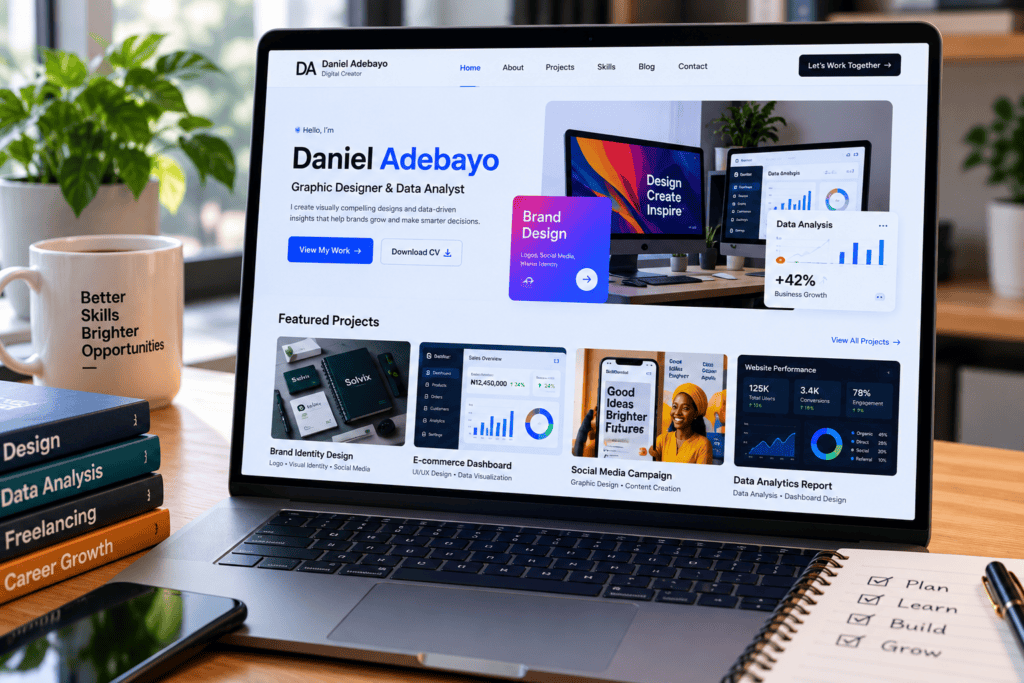
Consolidate your mini-projects into a clean, accessible portfolio. For every project featured, document:
- The Brief: The underlying problem or client objective.
- The Stack: Tools, software, and platforms used.
- The Process: Your step-by-step execution methodology.
- The Evidence: Live links, screenshots, or exportable files.
- The Takeaway: The final result and what you would optimize in the next iteration.
Once your proof of work is live, begin deploying your capabilities. Apply for entry-level positions, pitch a micro-service to a local business, volunteer your skills for a nonprofit, or immediately integrate the capability into your primary business. Real-world friction and application will reveal critical skill gaps that passive courses can never replicate.
How to Build a Portfolio Without Experience
You don’t need paid client history to build a credible portfolio when you’re learning digital skills. You need concrete evidence that you can execute useful, problem-solving work.
If you are starting from scratch, deploy these five strategies to build proof of work:
- Personal Projects: Build a functioning website, an analytical dashboard, a marketing campaign, or a design system centered around a personal interest or hobby.
- Redesign Briefs: Recreate and improve an existing website, advertisement, corporate report, or social media page. Always label these clearly as conceptual redesigns.
- Volunteer Work: Offer pro bono assistance with digital marketing, web maintenance, data entry, or content creation for a local school, religious organization, nonprofit, or community group.
- Open-Source Contributions: If you are learning web development, start by fixing documentation, reporting bugs, or contributing small enhancements to public repositories.
- Problem-Centric Case Studies: For every portfolio piece, do not just display the final asset. Document the problem, your strategic approach, the tool stack used, your decision-making process, and the outcome.
The Integrity Rule
Never present practice work or fictional projects as paid client deliverables. Always label them transparently as personal, conceptual, or learning projects. Radical honesty protects your professional credibility.
Common Mistakes to Avoid
When you learn digital skills, avoiding costly strategic missteps is just as important as choosing the right resources. Watch out for these six common pitfalls:
Course Collecting (The “Tutorial Hell” Trap)
Course collecting occurs when you continuously enroll in, bookmark, or start multiple training programs across different platforms without finishing a single curriculum or building a tangible, real-world project.
While enrolling in new courses creates a false sense of productivity, passive learning without execution quickly leads to burnout and zero practical progress.
- Why It Happens: It is psychologically comforting to watch someone else solve a problem on screen. Completing video modules triggers quick hits of dopamine without requiring the hard, uncomfortable mental effort needed to troubleshoot code, design from a blank canvas, or draft a campaign strategy from scratch.
- The Real Cost: You end up with a collection of half-completed course dashboards, fragmented knowledge, and zero proof of work to show potential employers or clients.
- How to Avoid It: Enforce a strict “One In, One Out” rule. Commit to completing one primary learning path before signing up for another. Pair every hour of video instruction with at least two hours of hands-on execution to ensure you actually learn digital skills rather than just collect educational content.
Learning Without Output (The Passive Consumption Trap)
Learning without output happens when you consume hours of educational video tutorials, read guides, or listen to lectures without stopping to recreate, modify, and test the work independently from scratch.
This is the fastest path to “tutorial hell”—a state where you feel like you are learning because you understand the material while watching an expert, but you completely freeze the moment you open a blank document or an empty code editor.
- Why It Happens: Human brains confuse recognition (recognizing how a concept works when someone else explains it) with recall (retrieving and executing that concept from your own working memory). Passive watching requires low cognitive friction; building from scratch requires high cognitive effort.
- The Real Cost: You build zero muscle memory. When a client or employer asks you to execute a task, you will find yourself constantly searching for step-by-step tutorials rather than solving the problem autonomously.
- How to Avoid It: Apply the “1:2 Rule”—for every 30 minutes of instructional video or reading, spend at least 60 minutes actively building, breaking, and troubleshooting. When you learn digital skills, never copy an example verbatim; always change at least one major variable to prove you understand the underlying mechanics.
Choosing Based Solely on Hype (The Trend-Chasing Trap)
Choosing based solely on hype happens when you commit your time and energy to a skill purely because it is trending across social media, tech newsletters, or viral video feeds.
While emerging technologies and viral career paths generate massive noise, headline popularity does not guarantee structural alignment with your personal strengths, immediate market demand, or long-term income goals.
- Why It Happens: Social media algorithms amplify sensationalized success stories—such as overnight freelancers or instant AI millionaires—triggering FOMO (Fear of Missing Out) and pressuring beginners to abandon stable, high-demand fundamentals in pursuit of the newest shiny object.
- The Real Cost: By the time you spend months chasing a heavily saturated, hype-driven trend, the initial wave often crests, leaving you with superficial knowledge in a crowded field where you lack both foundational competence and genuine interest.
- How to Avoid It: Filter every prospective skill through three pragmatic criteria before you start:
- Market Utility: Does local or remote business demand actually exist for this service outside of social media speculation?
- Leverage of Strengths: Does this skill compound your existing background (e.g., combining writing skills with AI tools, or finance experience with data analysis)?
- Monetization Speed: Can you realistically package this into a tangible deliverable within 30 to 60 days?
When you learn digital skills, prioritize proven economic utility and durable problem-solving over viral trends.
Ignoring Core Fundamentals (The Shortcut Trap)
Ignoring core fundamentals happens when you over-rely on generative AI tools, no-code drag-and-drop templates, and automated software shortcuts to bypass the hard work of learning baseline mechanics.
While modern software and AI allow you to bypass syntax errors or design layouts instantly, treating tools as a substitute for foundational knowledge severely caps your professional ceiling.
- Why It Happens: Advanced tools create an illusion of mastery. When an AI generates a marketing strategy or a no-code platform spins up a clean landing page in seconds, it is tempting to believe you no longer need to understand market positioning, copywriting, or UI/UX principles.
- The Real Cost: You become entirely dependent on the tool. When an AI hallucinates, a template breaks, or a complex custom edge case arises, you lack the underlying diagnostic framework to fix it. More importantly, you cannot evaluate whether an AI-generated output is mediocre or exceptional if you do not understand the core principles of the craft.
- How to Avoid It: Use advanced tools as multipliers, not replacements. A solid baseline understanding of writing structure, data analysis, visual design principles, or basic coding makes these advanced tools exponentially more powerful. When you learn digital skills, master the underlying theory first; then use automation and AI to scale your execution speed.
Waiting Until You “Feel Ready” (The Perfectionism Trap)
Waiting until you “feel ready” happens when you trap yourself in an endless cycle of preparation—taking more courses, tweaking your portfolio, and polishing projects indefinitely—because you are terrified to put your work into the real world.
This form of psychological self-sabotage convinces you that readiness is a distinct emotional milestone you will one day reach, rather than a state forged through action and exposure.
- Why It Happens: Perfectionism acts as a defense mechanism against rejection, criticism, and impostor syndrome. Keeping your work hidden in a private folder feels safe because it protects you from external failure; launching it into the wild feels risky.
- The Real Cost: While you wait for absolute certainty, your competitors—who may know significantly less than you—are shipping imperfect work, landing clients, gathering real-world feedback, and compounding their practical experience.
- How to Avoid It: Adopt a “Ship Before You’re Ready” operating model. Understand that your first iteration will inevitably be flawed, and that is entirely normal. Publish imperfect practice projects, pitch local businesses before your website is fully optimized, and solicit raw constructive feedback. When you learn digital skills, market friction is your greatest teacher; rapid iteration will always teach you more in one week of real-world deployment than six months of passive preparation.
Neglecting Digital Privacy and Security (The Vulnerability Trap)
Neglecting digital privacy and security happens when you overlook basic operational hygiene—such as using weak credentials, skipping authentication safeguards, or carelessly handling data—while navigating online learning platforms and modern software tools.
As you expand your digital capabilities and start working with online tools, cloud services, and early-stage clients, treating security as an afterthought can lead to catastrophic data breaches, compromised accounts, or legal liabilities.
- Why It Happens: Beginners often assume that standard learning platforms and freemium software tools are inherently secure, or they prioritize speed and convenience over safety when setting up new accounts, repositories, or AI workspaces.
- The Real Cost: A single compromised account can destroy your online reputation, lock you out of critical digital assets, or leak proprietary client data. Furthermore, pasting confidential business data into public AI models without checking enterprise privacy policies can trigger severe data privacy violations and breach non-disclosure agreements (NDAs).
- How to Avoid It: Enforce strict digital hygiene protocols from day one. Always utilize strong, unique passphrases managed through a reputable password manager, and mandate two-factor authentication (2FA) across every platform you use. When you learn digital skills involving AI models or cloud software, always review platform data retention policies, opt out of training on your private inputs where possible, and never paste sensitive client data, internal financials, or proprietary source code into public-facing AI tools.
How to Turn Skills Into Income
Once you can reliably produce a useful, high-quality result, stop collecting credentials and immediately look for the smallest real-world application of your capability. Monetization is the ultimate validation loop when you learn digital skills.
Choose the commercial path that aligns with your current professional trajectory:
- Employment: Overhaul your resume and LinkedIn profile by moving away from passive course lists. Highlight concrete projects, specify the tool stack used, and quantify your outcomes (e.g., “Optimized social media workflow reducing weekly content creation time by 40%”).
- Freelancing: Package your capabilities into a hyper-narrow, transactional service. Instead of offering vague “digital marketing,” sell specific deliverables like “conversion-focused landing page redesigns,” “30-day social media content packs,” or “basic CSV data cleaning and executive reporting.”
- Entrepreneurship: Apply your new capabilities directly to building an independent digital product, launching a niche content channel, or upgrading a local business offering.
- Internal Career Advancement: Volunteer to own digital bottlenecks within your current job—such as building automated spreadsheet reports, creating internal training documentation, or managing content systems—to position yourself for internal promotions.
The Proven 4-Step Monetization Progression
To eliminate guesswork, follow this repeatable path from absolute beginner to paid execution:
- Master the Fundamentals: Focus on one core curriculum.
- Build Proof of Work: Complete three distinct portfolio mini-projects.
- Execute a Practical Brief: Deliver one real, pro bono, or simulated client project to test your workflow against real-world friction.
- Deploy and Iterate: Seek out public feedback, leverage your portfolio, and actively pitch for paid work, internal projects, or freelance contracts.
Can I really learn digital skills for free?
Yes. Comprehensive educational platforms such as Google Skillshop, freeCodeCamp, Khan Academy, Microsoft Learn, W3Schools, and Canva Design School offer robust, high-quality learning resources at zero financial cost. When you learn digital skills via these platforms, your primary investments are time, personal discipline, and reliable internet access.
Which digital skill should a complete beginner learn first?
Your starting point should always depend on your primary objective:
For broad, immediate employability across traditional office environments, start with enterprise productivity tools or foundational digital marketing.
For quick entry into remote work or side-project freelancing, choose a tangible, deliverable-based skill such as graphic design, web development, or content creation.
Do free courses give certificates?
Some do, but it varies by platform. Google Skillshop provides recognized product training certificates, Canva offers select free shareable certificates, and freeCodeCamp issues 100% free certifications upon project completion.
However, many major course platforms reserve official verification, graded assignments, and accredited certificates for paid subscription tiers. Always verify a platform’s policy before enrolling if a credential is your primary goal.
How long does it take to learn a digital skill?
Timeline depends heavily on the complexity of the skill, your starting baseline, and your daily practice volume. With a consistent, active study routine (e.g., 45 to 90 minutes daily), an absolute beginner can build functional competence within 30 to 90 days. However, true market readiness and employability require moving beyond coursework to build public portfolio evidence and real-world project experience.
Are AI skills enough on their own?
No. Generative AI tools are force multipliers, but they are not standalone solutions. AI is most valuable when combined with human domain knowledge, strategic judgment, and baseline technical literacy. Master the fundamentals of how to prompt effectively, critically verify model outputs, maintain data privacy, and apply AI automation to specific domains like writing, design, research, or data analysis.
In Conclusion
Mastering modern capabilities does not require an expensive degree or a massive financial investment. When you set out to learn digital skills, success comes down to disciplined execution and practical application:
- Focus on One Objective: Learn a single digital skill at a time and tie it directly to a tangible career, freelance, or business income goal.
- Leverage Reputable Resources: Utilize established, trusted free platforms, keeping in mind that official certificates or graded assessments may require separate verification or paid tiers.
- Prioritize Active Execution: Build competence through hands-on projects and trial-and-error, avoiding the trap of passive video consumption.
- Showcase Real Proof: Build a clean portfolio featuring clearly labeled personal, volunteer, or practice work to demonstrate your capabilities.
- Deploy Immediately: Put your new skills to work through targeted job applications, freelance pitches, pro bono community projects, or your own business ventures.
Your Immediate Next Step
Do not wait for the “perfect” moment to begin. Choose one skill today, select a single free learning path from the resources above, and block out your first 45-minute execution session right now.