SQL Developer Career Guide: Skills, Tools, & Certifications
An SQL Developer designs, builds, queries, and improves relational databases that applications and organizations rely on to store and retrieve structured data. To become job-ready, you need more than basic syntax: employers expect database design, complex querying, performance optimization, security, troubleshooting, version control, and familiarity with at least one major database platform.
Navigating these requirements effectively requires a strategic roadmap. This SQL developer career guide outlines the core skills to master, the essential tools to practice with, high-value certifications to pursue, and the optimal career paths available in the data engineering and analytics landscape.
Role Breakdown: What Is an SQL Developer?
An SQL Developer is a technical professional who uses Structured Query Language (SQL) and relational database technologies to create, manipulate, retrieve, and optimize data.
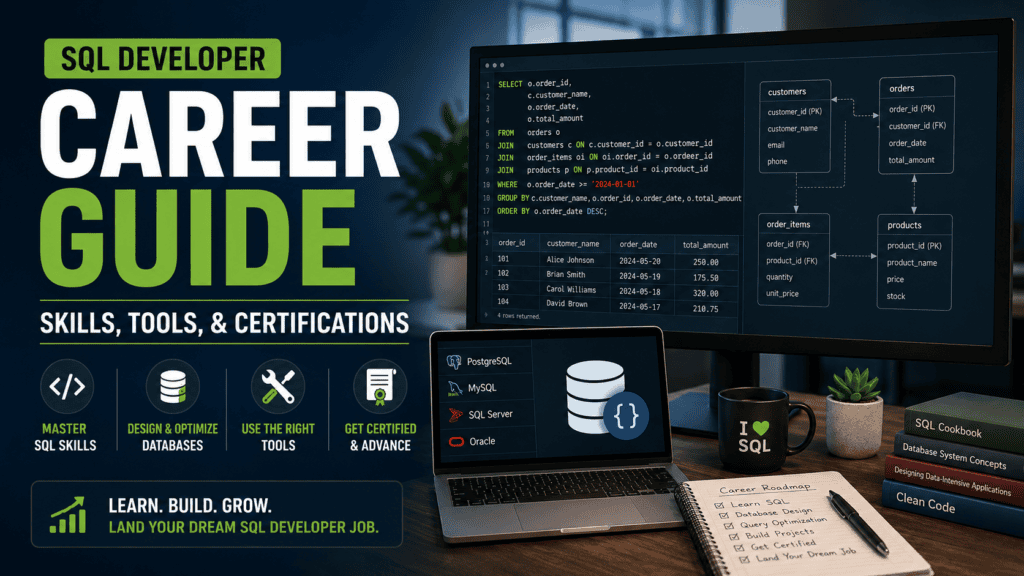
Responsibilities vary significantly by organization. One company may require an SQL Developer to focus strictly on writing queries and stored procedures for business applications, while another may blend the role with database administration, backend engineering, business intelligence, or data engineering.
Job Title Variations
Employers frequently use different titles for roles centered on database development. Recognizing these variations is critical for accurate job searching:
- Database Developer / SQL Database Developer
- SQL Server / PL/SQL Developer
- Database Engineer / Data Engineer
- Business Intelligence / ETL Developer
- Backend Developer / Database Administrator
- Data Analyst
SQL functions as a versatile foundational skill rather than a single siloed job title, unlocking multiple distinct career trajectories across the data ecosystem.
Core Responsibilities of an SQL Developer
An SQL Developer bridges the gap between raw data storage and application performance, building and maintaining the relational database foundations that reporting systems, applications, and data pipelines depend on.
Database Design & Architecture
- Designing and implementing normalized relational database schemas.
- Creating tables, defining relationships via primary and foreign keys, and enforcing data integrity through constraints.
- Documenting database structures, schemas, and custom code.
Query Development & Logic
- Writing complex SQL queries to extract, transform, and aggregate data.
- Developing programmatic components including views, user-defined functions, and stored procedures.
- Managing transactions and concurrency controls to maintain data consistency.
Performance Optimization & Troubleshooting
- Diagnosing and rewriting inefficient, slow, or resource-heavy queries.
- Creating and maintaining indexes to accelerate data retrieval.
- Analyzing query execution plans to identify bottlenecks and optimize schema performance.
System Support & Collaboration
- Supporting database migrations, version control integrations, and schema updates.
- Configuring and reviewing basic permissions, roles, and access controls.
- Collaborating with software engineers, data analysts, and BI developers to support production workflows.
Development vs. Database Administration (DBA)
While responsibilities overlap depending on team size, the boundaries between development and operations are distinct:
- SQL Developers focus heavily on schema design, query logic, data manipulation, and performance tuning inside the application layer.
- Database Administrators (DBAs) typically own underlying infrastructure, disaster recovery, high availability, advanced security auditing, infrastructure backups, and server-level monitoring.
A grounded working knowledge of these operational domains ensures you can build production-ready systems that integrate smoothly into enterprise environments.
SQL Developer Career Roadmap
A practical SQL developer career guide roadmap follows a structured, seven-stage progression:
- Relational Database Fundamentals: Understand how data is modeled and stored.
- Foundational SQL: Master basic querying and data retrieval.
- Intermediate & Advanced SQL: Handle complex logic, window functions, and procedures.
- Database Design: Build efficient schemas, normalization rules, and relationships.
- Performance & Operations: Optimize queries, analyze execution plans, and manage indexing.
- Professional Tools & Workflows: Integrate version control, deployment pipelines, and environment management.
- Portfolio Projects: Build and showcase end-to-end projects proving competency.
Mastering every database product simultaneously is unnecessary. Gaining deep competence in a single relational database management system (RDBMS) first provides a strong anchor before expanding to alternative platforms.
Stage 1: Relational Database Fundamentals (Refined)
Before concentrating on advanced syntax within an SQL developer career guide, you must understand how a relational database operates conceptually and why its structural components exist.
Core Structural Concepts
- Databases, Schemas, & Tables: Organizing containers, namespaces, and structured collections of data.
- Rows, Columns, & Data Types: The granular level of data storage, enforcing strict typing (integers, varchar, timestamps, booleans).
- Primary & Foreign Keys: Enforcing entity integrity and defining logical relationships between tables.
- Relationships: Connecting disparate entities (One-to-One, One-to-Many, Many-to-Many).
- Constraints & Transactions: Guaranteeing data validity and managing atomic groups of operations.
- Views & Indexes: Creating virtual tables for abstraction and internal structures for accelerated data access.
Rather than memorizing commands, focus on architectural rationale. For example, in an e-commerce system, duplicating customer addresses across every single order record introduces high update anomalies. Storing customers in a dedicated table and linking them via a foreign key (customer_id) enforces modular, maintainable data structures.
Understanding Normalization
Normalization is the systematic process of structuring relational data to minimize redundancy and prevent data anomalies.
Essential Normal Forms to Master
- First Normal Form (1NF): Ensuring atomic values within columns and eliminating repeating groups.
- Second Normal Form (2NF): Satisfying 1NF and removing partial dependencies (every non-key attribute must depend on the entire primary key).
- Third Normal Form (3NF): Satisfying 2NF and removing transitive dependencies (non-key attributes should depend only on the primary key, not on other non-key attributes).
Pragmatic Design Trade-Offs
Strict adherence to 3NF is not a universal rule. Real-world architecture often requires intentional denormalization to speed up complex analytical queries, reduce expensive joins, or meet strict performance SLAs. Focus on understanding the specific anomalies (insert, update, and delete anomalies) that normalization prevents rather than treating rules as dogma.
Stage 2: Master Foundational SQL
Once you grasp database architecture, build fluency in core SQL operations. Modern data tasks rely heavily on reading, writing, and modifying data efficiently using standard Data Query Language (DQL) and Data Manipulation Language (DML) commands.
Core Syntax Essentials
- Data Retrieval:
SELECT,FROM,WHERE,ORDER BY,DISTINCT - Data Modification:
INSERT,UPDATE,DELETE - Schema Definition:
CREATE TABLE,ALTER TABLE,DROP TABLE - Aggregation:
COUNT(),SUM(),AVG(),MIN(),MAX(), alongsideGROUP BYandHAVINGfilters.
Structured progression is vital. For example, authoritative resources like the PostgreSQL official tutorial systematically introduce data creation, querying, and basic updates before advancing to complex constraints, transactions, and window functions.
Mastering SQL Joins
Real-world applications rarely store all necessary data in a single table. You must be able to combine data seamlessly across multiple relational tables.
Essential Join Types
- INNER JOIN: Returns records that have matching values in both tables.
- LEFT JOIN (and RIGHT JOIN): Returns all records from the left (or right) table, plus matched records from the alternate table, handling missing matches with NULLs.
- FULL OUTER JOIN: Returns all records when there is a match in either the left or right table.
- Self Joins & Cross Joins: Joining a table to itself (useful for hierarchical data like organizational charts) and generating Cartesian products.
True proficiency goes beyond memorizing syntax. An effective SQL developer must be able to reason about table cardinalities, row expansion, and how mismatched join conditions alter the final result set.
Stage 3: Intermediate & Advanced SQL
Transitioning from foundational queries to advanced constructs is what separates junior practitioners from experienced professionals. This stage covers the programmatic and analytical capabilities required to handle complex data manipulation.
Subqueries & Alternative Constructs
Subqueries embed one query inside another. You must master:
- Scalar & Multi-row Subqueries: Handling single-value outputs versus lists.
- Correlated Subqueries: Executing a dependent subquery for every row processed by the outer query.
- EXISTS & NOT EXISTS: Optimizing conditional logic for existence checks over large datasets.
- Architectural Trade-offs: Knowing when a
JOINor Common Table Expression provides better readability and execution performance than a nested subquery.
Common Table Expressions (CTEs)
CTEs (defined using the WITH clause) break complex queries into modular, readable named result sets.
- Standard CTEs: Simplify multi-step aggregations and clean up deeply nested queries.
- Recursive CTEs: Essential for traversing hierarchical data models, including organizational charts, multi-level product categories, and directory tree structures.
Window Functions
Window functions perform calculations across sets of table rows related to the current row without collapsing the overall result set like standard GROUP BY aggregations.
- Ranking & Numbering:
ROW_NUMBER(),RANK(),DENSE_RANK() - Offset Analysis:
LAG()andLEAD()to compare current rows with previous or subsequent rows. - Partitioning: Using
PARTITION BYand windowed aggregates to compute running totals, moving averages, and cumulative distributions.
Views, Stored Procedures, & Triggers
Encapsulating logic within database objects enhances maintainability, security, and abstraction:
- Views: Serving as virtual tables to simplify complex queries and restrict direct column-level access to underlying tables.
- Stored Procedures & Functions: Implementing server-side data processing logic using platform-specific dialects like T-SQL (SQL Server), PL/SQL (Oracle), or PL/pgSQL (PostgreSQL).
- Triggers: Automated event-driven scripts that execute in response to
INSERT,UPDATE, orDELETEoperations. Use them judiciously to avoid hidden architectural side effects.
Stage 4: Learn Database Design
Writing sophisticated queries is only part of the equation; a professional database developer must be able to translate abstract business requirements into high-performing, scalable database structures.
Core Design Capabilities
- Entity & Attribute Discovery: Identifying core business concepts and mapping them to distinct tables and columns.
- Key Selection & Enforcement: Choosing appropriate primary keys (surrogate vs. natural keys) and establishing foreign key constraints to maintain referential integrity.
- Data Type Selection: Allocating precise data types and storage limits to optimize memory and disk space utilization.
- Integrity & Indexing Strategy: Implementing check constraints, unique constraints, and initial indexing strategies to protect data quality and speed up access.
Entity-Relationship Diagrams (ERDs)
An Entity-Relationship Diagram (ERD) visually maps database architecture, establishing the structural blueprint before any implementation code is written.
- Standard Modeling Flow: A classic e-commerce ERD maps a logical data cascade:
Customers(1) to (Many)Orders(1) to (Many)Order Items(Many) to (1)Products. - Professional Workflow: Constructing an ERD before building a portfolio database forces architectural clarity, prevents costly schema refactoring later, and mirrors standard software engineering practices.
Stage 5: Learn Query Performance and Optimization
Writing queries that return correct results is only half the battle; ensuring they scale under heavy production workloads is what defines a strong database developer. An unoptimized query can cripple application performance as data volume expands.
Indexing Fundamentals & Strategy
Indexes drastically accelerate data retrieval by allowing the database engine to locate rows without scanning entire tables. However, every index introduces write overhead and consumes storage space.
- Index Types: Master B-tree indexes (the default standard for range and equality searches), unique indexes, and composite (multicolumn) indexes.
- Selectivity & Coverage: Understand index selectivity (how unique the values are) and leverage covering or index-only scans where supported to satisfy queries directly from the index structure.
- Trade-offs: Recognize when indexes harm performance—specifically during high-frequency
INSERT,UPDATE, andDELETEoperations where every index must also be updated.
Execution Plans & Query Diagnostics
Never optimize queries based on intuition or guesswork. Modern relational databases provide diagnostic tools to inspect how the optimizer processes a query.
- Execution Plan Inspection: Utilize tools like
EXPLAINandEXPLAIN ANALYZE(or graphical query analyzers) to read the database engine’s step-by-step blueprint. - Key Metrics to Monitor: Identify heavy operations such as full sequential table scans vs. index scans, expensive sort operations, join algorithms (nested loops, hash joins, merge joins), and variances between estimated and actual row counts or query costs.
Stage 6: Understand Transactions and Concurrency
Production databases handle concurrent requests from multiple users and applications simultaneously. Without proper controls, parallel operations can lead to data corruption, race conditions, or system failures.
Core Transaction Principles (ACID)
- Atomicity: Ensuring all operations within a transaction complete successfully, or the entire transaction is aborted.
- Consistency: Guaranteeing that every transaction brings the database from one valid state to another, enforcing all rules and constraints.
- Isolation: Determining how and when changes made by one concurrent transaction become visible to others.
- Durability: Ensuring that once a transaction is committed, its changes survive permanently, even during system crashes.
Concurrency Control & Management
- Transaction Commands: Using
COMMITto finalize changes andROLLBACKto revert state upon error. - Isolation Levels: Understanding Read Uncommitted, Read Committed, Repeatable Read, and Serializable levels, along with phenomena like dirty reads, non-repeatable reads, and phantom reads.
- Locks, Blocking, & Deadlocks: Recognizing how shared and exclusive locks manage concurrent access, diagnosing blocking chains, and resolving deadlocks when two transactions mutually block each other.
Stage 7: Learn Security Fundamentals
Even when an organization employs dedicated DBAs or security teams, a professional database developer must build security into every layer of application code and schema design.
Core Security Concepts
- Authentication & Authorization: Verifying user identity and managing precise access rights to database objects.
- Users & Roles: Utilizing platform mechanisms (such as PostgreSQL roles, which can own database objects and hold specific privileges) to group users and manage permissions cleanly.
- Principle of Least Privilege: Restricting users, services, and applications to the absolute minimum set of privileges required to perform their functions.
- Secure Credential Handling: Never hardcoding connection strings, usernames, or passwords in source code; utilizing environment variables and secret management tools.
- Encryption & Auditing: Understanding data encryption at rest and in transit, alongside logging practices for sensitive data modifications.
Understanding & Preventing SQL Injection
SQL injection (SQLi) remains one of the most critical web application vulnerabilities.
- The Core Flaw: Building dynamic queries by blindly concatenating untrusted user input directly into SQL statement strings. This allows malicious inputs to manipulate query logic and compromise the entire database.
- The Solution: Always implement parameterized queries or prepared statements in whichever programming language or framework you use (e.g., using proper driver bindings in Python, Node.js, PHP, or Java).
Treating query construction as safe, parameterized code rather than raw text protects production systems from structural manipulation.
Stage 8: Backups, Restores, and Database Migrations
While an SQL Developer does not need to master full-scale infrastructure administration like a dedicated DBA, understanding how data is protected, backed up, and deployed across environments is essential for building production-ready systems.
Core Operations to Master
- Logical vs. Physical Backups: Understanding logical backups (exporting database structures and data as SQL statements or script files, such as using PostgreSQL’s
pg_dumputility) versus physical file-system-level backups. - Schema & Data Migrations: Managing incremental changes to database schemas over time using version-controlled migration tools (e.g., Flyway, Liquibase, or framework-native migration runners).
- Rollback Planning: Designing deployment strategies and rollback scripts to safely revert failed database changes without causing extended downtime or data loss.
The Golden Rule of Recovery
A common pitfall for developers is assuming that generating a backup guarantees safety.
- The Reality: Creating a backup is only half of the process. You must always know how restoration works.
- Best Practice: A backup that has never been tested for restoration provides zero real assurance. Regularly practice restoring databases into clean environments to verify your recovery procedures before an emergency happens.
Which Database Should an Aspiring SQL Developer Learn?
You do not need to learn every database platform simultaneously. The most efficient trajectory is to master core SQL fundamentals first, specialize deeply in one relational database management system (RDBMS), and then branch out to understand how other platforms differ.
Four major platforms dominate the industry, each serving distinct enterprise ecosystems:
| Platform | Particularly Useful For |
| PostgreSQL | General SQL development, modern backend applications, open-source environments, and advanced relational feature learning. |
| Microsoft SQL Server | Microsoft-centric organizations, enterprise .NET applications, T-SQL programming, Azure cloud data services, and BI ecosystems. |
| MySQL | Web applications, content management systems, and high-volume open-source stacks where MySQL is already established. |
| Oracle Database | Large enterprise environments, financial institutions, and specialized careers explicitly requiring Oracle stacks and PL/SQL. |
While these boundaries are fluid—each platform supports a broad range of general workloads—enterprise toolchains heavily dictate what you should prioritize.
Selecting Your Platform: A Practical Decision Framework
If you have no immediate employer or market requirement steering you toward a specific technology, use this decision framework:
- The Default General-Purpose Choice: PostgreSQL is an exceptional starting point for most aspiring developers. It strictly adheres to SQL standards, features robust documentation that covers everything from basic queries to advanced window functions and concurrency, and powers a massive share of modern backend infrastructure.
- The Enterprise Microsoft Route: If your target job market is heavily invested in the Microsoft stack, start directly with Microsoft SQL Server and T-SQL to align with regional enterprise demands.
- The Specialized Path: If local or remote job advertisements repeatedly demand Oracle and PL/SQL, focus your portfolio there.
Ultimately, the correct specialization is driven by the specific roles, industries, and job listings you intend to target.
Essential SQL Developer Tools
Mastering SQL syntax is only part of becoming an effective professional. Building a modern, productive development environment requires the right supporting toolchain.
Database Platform & Management Clients
- Primary Database Engine: Select one primary RDBMS (e.g., PostgreSQL, SQL Server, MySQL, or Oracle) to anchor your learning.
- Database Management Tools: Use the standard GUI client for your platform—such as DBeaver (a universal client), pgAdmin, SQL Server Management Studio (SSMS), MySQL Workbench, or Oracle SQL Developer.
- Pro Tip: Avoid wasting time constantly switching between graphical clients when starting. Focus your energy on mastering the underlying database engine, query optimization, and schema design.
Version Control (Git & GitHub)
Database development should never live exclusively inside a local graphical SQL editor. Use Git to track changes across:
- SQL migration scripts, schema definitions, and seed data.
- Stored procedures, functions, and custom views.
- Project documentation.
- Publishing your scripts and schemas to a public GitHub portfolio gives recruiters and engineering managers concrete evidence of your technical execution.
Containerization (Docker)
Docker provides isolated, reproducible local database environments without polluting your native operating system.
- Run databases instantly inside containers for local testing and development.
- Write simple configuration files (like
docker-compose.yml) so any developer can recreate your exact database environment with a single command. - Note: You do not need advanced container orchestration skills early on; basic Docker competence is more than sufficient for an entry-level SQL developer.
A Complementary Programming Language
SQL thrives when paired with a general-purpose programming language. Choose one based on your specific career trajectory:
- Python: The premier choice for data engineering, automation, scripting, and analytics pipelines.
- C#: Ideal for Microsoft-centric enterprise ecosystems and backend development.
- Java: A natural combination for large-scale enterprise application development.
- JavaScript/TypeScript: Essential for full-stack web applications interfacing with relational databases.
Focus strictly on pairing your primary database with one language rather than trying to learn every tool simultaneously.
What Should an SQL Developer Portfolio Include?
A strong portfolio must prove your ability to solve complex, realistic data challenges rather than merely showing that you completed basic tutorial exercises.
- Quality Over Quantity: Three substantial, end-to-end projects are far more convincing to hiring managers than dozens of sparse repositories filled with isolated
SELECTstatements. - Core Demonstration Areas: Each project should showcase database design (ERDs), complex query logic, performance indexing, and integration with version control or an application layer.
Project 1: E-commerce Database
An e-commerce database is the quintessential relational modeling project because it mirrors real-world business structures, multi-table relationships, and transactional workloads.
Architectural Requirements & Schema Design
- Core Entities & Tables:
Customers,Products,Categories,Orders,Order Items,Payments, andInventory. - Structural Implementation:
- Establish proper primary and foreign key constraints to enforce referential integrity across all relationships (e.g., mapping
OrderstoCustomers, andOrder Itemsto bothOrdersandProducts). - Implement check constraints (e.g., ensuring inventory quantities or prices cannot be negative).
- Design appropriate B-tree and composite indexes on frequently filtered columns, such as order dates and foreign key reference columns.
- Establish proper primary and foreign key constraints to enforce referential integrity across all relationships (e.g., mapping
Technical Features to Demonstrate
- Advanced Querying: Execute multi-table
INNERandLEFTjoins, aggregate functions (SUM,AVG,COUNT), and window functions for running totals or category rankings. - Views & Procedures: Create reusable views for reporting summaries and transactional blocks (using explicit
BEGIN TRANSACTION,COMMIT, orROLLBACK) to process customer checkouts safely.
Key Business Questions to Answer in Your Code
Your project should include documented SQL scripts answering these practical business queries:
- Revenue Leaders: Which products generate the highest total gross revenue?
- Customer Lifetime Value (LTV): Which customers have the highest cumulative order value over time?
- Inventory Alerts: Which products are currently running low or out of stock based on active inventory thresholds?
- Category Performance: What is the monthly revenue breakdown segmented by product category?
Project 2: Employee Management System
An Employee Management System tests your ability to handle human resources workflows, temporal data (such as historical salaries), complex organizational hierarchies, and internal security permissions.
Architectural Requirements & Schema Design
- Core Entities & Tables:
Employees,Departments,Positions,Salaries,Managers, andAttendance(or Leave tracking). - Structural Implementation:
- Design self-referencing relationships within the
Employeestable (or via a dedicatedManagersmapping) to handle organizational reporting lines. - Structure temporal tables like
Salariesto track historical compensation changes over time rather than overwriting current records. - Enforce strict foreign key constraints linking employees to specific departments and positions.
- Design self-referencing relationships within the
Technical Features to Demonstrate
- Hierarchical Queries: Use Recursive CTEs to map and traverse multi-tier management reporting chains (e.g., finding all direct and indirect reports for a specific executive).
- Advanced Analytics: Leverage Window Functions (
RANK(),LAG(), partition aggregates) to compare individual salaries against departmental averages or track month-over-month attendance trends. - Procedural Logic: Implement stored procedures or functions to automate internal workflows, such as promoting an employee (updating both position and salary within a single transaction).
- Role-Based Access Control (RBAC): Create secure views and user roles that restrict access to sensitive data (e.g., ensuring standard managers can view department attendance but cannot query confidential executive salaries).
Project 3: Query Optimization Case Study
Many entry-level portfolios stop after demonstrating basic query syntax. A standout SQL developer career guide portfolio project goes a step further by proving you can diagnose and fix real-world performance bottlenecks.
Create or generate a sufficiently large hypothetical dataset (clearly labeling any synthetic data as such) and deliberately test an unoptimized workflow.
Documentation Structure to Include
Your project repository should document the end-to-end optimization process:
- The Original Query: An inefficient query processing large volumes of data without proper indexing or structure.
- The Execution Plan: The initial diagnostic output (e.g., using
EXPLAIN ANALYZE) revealing expensive operations like full sequential table scans or nested loops. - The Identified Bottleneck: A clear explanation of why the database engine struggled with the initial query.
- The Applied Fix: The strategic intervention you implemented (such as adding a composite index, rewriting a correlated subquery into a JOIN, or restructuring a predicate).
- The New Execution Plan: The updated diagnostic output showing a shift to efficient index scans.
- The Measured Result: Hard performance metrics proving the reduction in query execution time and resource consumption in your test environment.
This project demonstrates deep engineering reasoning rather than simple syntax memorization.
How to Document SQL Projects on GitHub
A standout portfolio featured in any competitive SQL developer career guide must treat each repository like a production-ready engineering project. A polished GitHub profile proves not only that you can write code, but that you possess professional discipline and technical communication skills.
Essential Elements for Your README
Every repository should include a comprehensive README.md file covering:
- Project Overview & Business Problem: What the project does and the practical business challenge it solves.
- Platform & Environment: The specific database platform and version used (e.g., PostgreSQL 16).
- Database Schema & ERD: Visual Entity-Relationship Diagrams and schema documentation.
- Installation & Setup Instructions: Step-by-step commands on how to spin up the database, execute migration scripts, and load sample data.
- Key Queries & Implementation: Highlight your most sophisticated queries, views, or stored procedures.
- Engineering Rationale: Document your design decisions, indexing strategy, and performance choices.
- Security & Limitations: Detail your security assumptions, access controls, and any known architectural limitations.
Security Best Practices
- Never commit secrets: Keep database connection strings, passwords, API keys, and sensitive user data strictly out of public repositories. Use environment variables (
.env.example) for configuration templates.
A professional portfolio demonstrates rigorous engineering habits, transforming raw code into verifiable business value.
Are SQL Certifications Worth It?
SQL certifications can be a valuable asset within a comprehensive SQL developer career guide, but they should complement practical capability rather than replace it.
The Strategic Benefits of Certifications
- Structured Learning: They provide a formal curriculum and clear milestones for mastering a specific technology stack.
- Vendor Validation: They demonstrate verified familiarity with a specific enterprise ecosystem (such as Microsoft SQL Server or Oracle).
- Resume Enhancement: They add a recognized credential that can help bypass automated initial screening filters for early-career roles.
The Reality of Certification Limits
Passing an exam proves theoretical knowledge, but it does not automatically prove that you can independently design schemas, debug production bottlenecks, optimize slow execution plans, or document a real database system.
The Winning Formula
For most aspiring developers, the optimal strategy combines multiple validation layers:
Core SQL Knowledge + End-to-End Projects + GitHub Evidence + Platform Specialization + Strategic Certification
Microsoft: Azure Database Administrator Associate
For professionals targeting the Microsoft data stack, the Microsoft Certified: Azure Database Administrator Associate is a premier role-based credential outlined in this SQL developer career guide.
Certification Scope & Focus
- Target Audience: Designed as an intermediate certification for professionals administering relational database infrastructure.
- Core Environment: Covers both traditional on-premises SQL Server deployments and modern cloud workloads using Azure SQL services across hybrid environments.
- Key Exam Domains: Data platform resources, database security, monitoring, performance optimization, operational automation, and high availability/disaster recovery (HA/DR).
Strategic Timing
This certification heavily emphasizes administration, infrastructure, and cloud operations rather than basic query writing. It should be pursued only after you have established a strong foundation in SQL, relational database design, and core programming principles.
Oracle Database SQL (Exam 1Z0-071)
For careers centered on enterprise environments utilizing the Oracle data stack, Oracle University offers the Oracle Database SQL (Exam 1Z0-071) certification.
Certification Focus & Value
- Target Stack: Specifically validates core SQL query-writing proficiency, single-row and aggregate functions, subqueries, and table creation using Oracle Database syntax.
- Target Roles: Highly relevant if local job listings explicitly demand Oracle Database proficiency, PL/SQL development, or enterprise-grade Oracle administration.
- Strategic Caution: Because certification offerings, naming conventions, and pricing policies update frequently, always verify exam details and requirements directly on the official Oracle University portal before enrolling.
Integrating an Oracle-specific credential into an SQL Developer career guide study plan makes sense only when your targeted job market or employer ecosystem explicitly requires the Oracle platform.
IBM Db2 Database Administrator Certification
For professionals targeting enterprise environments utilizing IBM data infrastructure, IBM provides dedicated platform credentials within a comprehensive SQL Developer career guide.
Certification Overview
- Active Credential: The IBM Certified Db2 v12.1 Database Administrator – Professional credential validates deep expertise in the IBM Db2 ecosystem.
- Assessed Domains: Core competencies include database design, implementation, system management, monitoring, security, recovery, performance tuning, and business continuity.
- Prerequisite Experience: IBM recommends that candidates possess substantial practical experience—typically at least two years of hands-on experience working directly with Db2 products or enterprise solutions.
Strategic Timing
Given its advanced focus on administration, recovery, and enterprise architecture, this is an advanced specialization credential rather than a starting point for beginners learning foundational SQL. It should be pursued only after you have established strong relational database fundamentals and secured hands-on operational experience.
Do You Need a Certification to Get an SQL Developer Job?
Certifications are not strictly required to land an SQL developer career role. While a credential can strengthen your resume—especially when it aligns directly with the technology stack of your target employers—it should never replace practical, demonstrable experience.
Prioritization Framework for Limited Resources
If you are balancing limited time or budget, focus your energy on the high-leverage elements that hiring managers care about most:
- Core SQL Proficiency: Advanced querying, joins, subqueries, and window functions.
- Database Design: Normalization, ERDs, and data integrity constraints.
- Primary Platform Mastery: Deep competence in one major RDBMS (PostgreSQL, SQL Server, MySQL, or Oracle).
- Portfolio Projects: End-to-end applications demonstrating real-world problem-solving.
- Version Control & Documentation: Clean GitHub repositories with professional
READMEguides. - Performance Fundamentals: Indexing strategies and execution plan analysis.
- Targeted Certifications: Pursued strictly when they support a clear, deliberate career objective.
Collect credentials strategically based on the specific job listings you intend to target, rather than accumulating certificates as substitutes for real engineering competence.
SQL Developer vs. Database Administrator
While these two technical tracks overlap significantly, they emphasize distinct primary responsibilities across an organization. A comprehensive SQL developer career guide must distinguish between the two paths:
| SQL Developer | Database Administrator (DBA) |
| Writes and maintains application database code. | Operates, maintains, and scales database infrastructure. |
| Develops complex queries, views, and functions. | Manages high availability and system uptime. |
| Builds and optimizes application-facing schemas. | Manages backup, recovery, and disaster planning. |
| Tunes queries for application performance. | Monitors overall server health and engine performance. |
| Works closely with software engineers and product teams. | Manages operational security, user roles, and permissions. |
The Reality of Overlap
These boundaries are fluid. In smaller organizations or startup environments, the roles frequently merge into a single, hybrid position. Gaining baseline DBA competencies—such as understanding backups, locks, and indexing strategies—makes an SQL developer vastly more versatile and valuable to cross-functional engineering teams.
SQL Developer vs. Data Analyst
While both roles rely heavily on SQL, their primary objectives, daily workflows, and technical scopes differ significantly within the data ecosystem. A well-rounded SQL developer career guide must clarify the boundary between analytics and development:
- Data Analysts use SQL primarily as an extraction and reporting tool to query existing databases, aggregate business metrics, build dashboards, and answer ad-hoc analytical questions.
- SQL / Database Developers focus on the underlying architecture, building the schemas, tables, stored procedures, and performance frameworks that make reliable data extraction possible in the first place.
The Transition Gap: Analyst to Developer
For data analysts aiming to transition into SQL development, bridging the skill gap requires mastering core software engineering and database administration principles:
- Database Design & Architecture: Moving beyond querying read-only tables to designing normalized schemas, ERDs, and enforcing referential integrity.
- Engineering Rigor: Mastering transactions, data types, constraints, and custom procedural logic via stored procedures or functions.
- Performance & Infrastructure: Learning how to read execution plans, build deliberate indexing strategies, and tune queries for high-volume workloads.
- Production Workflows: Adopting software-development practices, including version control with Git, database migrations, security configurations, and deployment pipelines.
Strong analytical SQL provides an invaluable foundation, but transitioning into production database development demands a shift toward systems engineering and architectural ownership.
SQL Developer vs. Data Engineer
While data engineering utilizes SQL extensively, the role expands far beyond relational database development to encompass large-scale data infrastructure and pipeline orchestration.
Scope of Modern Data Engineering
Data Engineers build the end-to-end systems that ingest, transform, transport, and store enterprise data. Beyond core SQL, modern data engineering typically requires proficiency in:
- Languages & Scripting: Python (or Scala/Java) for automation and data transformations.
- Pipelines & Orchestration: Building and scheduling ETL/ELT workflows using tools like Apache Airflow, Prefect, or dbt.
- Cloud Data Warehouses & Lakes: Managing data platforms like Snowflake, Google BigQuery, or AWS Redshift.
- Distributed Processing & Streaming: Handling big data with Spark or real-time event streams using Kafka.
The Career Bridge
An SQL developer career guide pathway serves as an exceptional launchpad for data engineering. Mastering relational databases, query optimization, indexing, and data modeling provides the foundational data literacy required to design scalable, high-performance data pipelines.
SQL Developer vs. Backend Developer
While Backend Developers focus on broad server-side application logic, their work constantly intersects with data layers. A comprehensive SQL developer career guide highlights how these two technical paths complement one another:
- Backend Developers build application functionality using general-purpose languages (such as Python, Java, C#, Go, PHP, or JavaScript/TypeScript). While they frequently write queries and interact with databases, their primary focus remains application architecture, APIs, and core business logic.
- SQL Developers specialize deeply in database engines, relational schema design, complex query optimization, transactional integrity, and procedural programming.
The Cross-Disciplinary Advantage
- For Backend Engineers: Developing robust SQL expertise allows you to design cleaner relational schemas, diagnose inefficient queries, and handle transactions safely without relying blindly on Object-Relational Mappers (ORMs).
- For SQL Developers: Learning a general-purpose backend language bridges the gap into full-stack engineering or specialized application backend roles, dramatically expanding your career trajectory.
Common Mistakes Aspiring SQL Developers Should Avoid
When breaking into the industry, aspiring developers often fall into predictable traps. Avoiding these common mistakes will accelerate your growth and make your portfolio stand out:
- Learning Syntax Without Database Design: Knowing how to write a basic
SELECTstatement does not mean you can design a reliable, scalable relational database. Always study normalization, constraints, and underlying relational concepts.
- Spreading Too Thin Across Databases: Trying to learn PostgreSQL, SQL Server, Oracle, and MySQL simultaneously leads to superficial knowledge. Master one platform deeply first, then expand.
- Ignoring Query Performance: Getting the correct answer is only half the job. If your query brings down a production server due to a missing index or unoptimized join, it fails the professional standard.
- Relying Exclusively on Tutorial Projects: Step-by-step tutorials teach syntax, but hiring managers look for original problem-solving. Build projects from scratch with your own schemas, business logic, and documentation.
- Neglecting Version Control (Git): SQL scripts are code and should be treated as such. Never manage database schemas or migration scripts outside of a version control workflow.
- Exposing Sensitive Data: Never push employer, customer, PII (Personally Identifiable Information), or production secrets to a public repository. Always use synthetic or appropriately licensed test data.
- Prioritizing Certifications Over Practical Skills: Certificates validate knowledge, but employers hire problem-solvers. Build your practical portfolio first, and use certifications strategically later.
A Practical 90-Day SQL Developer Learning Plan
This structured roadmap outlines a sequential progression toward building professional competence. Treat it as a milestone-driven framework rather than a strict guarantee of employment within exactly 90 days, as individual pacing depends heavily on your prior technical background and available study hours.
Days 1–30: SQL and Relational Foundations
Build core fluency in querying data and structuring relational tables from the ground up.
- Core Topics: Relational concepts, table design, data types, primary/foreign keys, and integrity constraints.
- Querying Skills: Basic
SELECTstatements, filtering, sorting, multi-table joins, aggregate functions, and subqueries. - Actionable Step: Build a small, custom relational database locally rather than relying exclusively on browser-based code editors.
Days 31–60: Advanced Development & Engineering Skills
Transition from basic querying to writing robust, modular database logic and managing code state.
- Advanced Querying: Common Table Expressions (CTEs), window functions, views, custom functions, and procedural blocks (stored procedures).
- Architecture & Performance: Database normalization, ERD design, indexing strategies, and analyzing execution plans.
- Engineering Workflows: Transactions (
COMMIT/ROLLBACKversion control with Git, and initiating your first major portfolio project.
Days 61–90: Production-Grade Operations & Portfolio Polish
Focus on the deployment, security, and maintenance practices required for production environments.
- Production & Ops: Query optimization, security roles and permissions, backup/restore procedures, and schema migration tools.
- Infrastructure: Basic Docker usage, containerized database environments, and optional cloud-hosted database deployment.
- Career Readiness: Finalizing two to three robust portfolio projects with comprehensive documentation, practicing technical SQL interview questions, and mapping your skill set directly against live job descriptions in your target market.
Pro Tip: Do not wait until you feel you have learned everything before applying or sharing your work. Database technology is vast, and practical momentum matters far more than theoretical perfection.
How to Prepare for SQL Developer Interviews
SQL developer interviews evaluate both your ability to write clean, correct code and your deeper systems reasoning. Hiring managers want to see how you think through performance, schema design, and trade-offs.
Core Technical Concepts to Master
Be prepared to explain these foundational topics clearly and concisely during technical rounds:
- Query Mechanics:
WHEREvs.HAVING,UNIONvs.UNION ALL, Common Table Expressions (CTEs) vs. subqueries, and different types of joins. - Architecture & Integrity: Primary vs. foreign keys, database normalization, table constraints, and handling duplicate records.
- Advanced Code: Window functions, stored procedures, views, and database transactions.
COMMIT/ROLLBACK). - Performance & Tuning: B-tree and composite indexes, analyzing execution plans, and diagnosing slow, unoptimized queries.
Interview Best Practices
- Live Coding & Schema Scenarios: You will likely be given a schema and asked to write queries on the fly. Focus first on correctness, then on edge cases (like handling
NULLvalues or duplicates). - Explain Your Reasoning: Never memorize static answers from interview prep sites. Practice explaining why your query works, what assumptions you made about the data distribution, and what architectural steps you would take if the query slowed down at scale.
SQL Developer Job-Readiness Checklist
Before submitting applications for junior SQL development roles, benchmark your current capabilities against this practical readiness checklist.
Core Querying & Analytics
- [ ] Write multi-table inner, outer, and self-joins confidently.
- [ ] Apply group-by aggregations and correct filtering (
WHEREvs.HAVING). - [ ] Structure queries using subqueries and Common Table Expressions (CTEs).
- [ ] Leverage window functions (
ROW_NUMBER(),RANK(), running totals) for analytical tasks.
Schema Design & Architecture
- [ ] Create and modify tables cleanly using DDL statements.
- [ ] Define primary keys, foreign keys, and referential integrity constraints.
- [ ] Apply appropriate data constraints (e.g.,
CHECK,UNIQUE,NOT NULL). - [ ] Design a properly normalized relational schema with an accompanying Entity-Relationship Diagram (ERD).
Procedural Logic & Advanced Objects
- [ ] Create and query reusable views.
- [ ] Write, debug, and understand stored procedures and custom functions.
- [ ] Explain and implement database transactions (
COMMITandROLLBACK).
Performance, Operations, & Engineering Rigor
- [ ] Create, evaluate, and justify basic B-tree or composite indexes.
- [ ] Inspect and interpret query execution plans to identify bottlenecks.
- [ ] Explain basic database user permissions, roles, and the principle of least privilege.
- [ ] Perform basic backup and restore routines on your local database environment.
- [ ] Use Git and GitHub to version-control all SQL scripts, schema definitions, and migrations.
- [ ] Document a database project comprehensively via a professional
README.md. - [ ] Articulate your technical design decisions and engineering trade-offs clearly.
- [ ] Showcase at least two substantial, end-to-end portfolio projects.
A Quick Reminder for Job Seekers
You do not need expert-level mastery across every single item before applying. Junior positions exist precisely because entry-level candidates are expected to be developing their professional skills. Use this checklist as a diagnostic tool to close critical gaps, not as an artificial barrier keeping you from entering the job market.
Is SQL Developer a good career?
SQL development skills support multiple high-demand technical directions, including database development, backend engineering, business intelligence, database administration, data analytics, and data engineering.
Rather than looking strictly for the exact job title “SQL Developer,” evaluate the broader market for roles requiring substantial relational database expertise.
Is SQL enough to get a job?
While SQL is a powerful foundation, technical positions usually require complementary competencies. An aspiring database developer should pair SQL with database design, query performance optimization, version control (Git), security fundamentals, and platform-specific knowledge.
Data Analysts typically need visualization tools, Excel, or Python.
Data Engineers & Backend Developers require a broader software engineering and pipeline stack.
Do SQL Developers need Python?
Not every SQL Developer needs Python. However, Python is an exceptionally useful complementary skill for test automation, data processing scripts, backend integration, and modern data engineering pipelines. Master SQL deeply first rather than letting Python distract you from foundational database mechanics.
Should I learn PostgreSQL or MySQL first?
Both platforms teach essential relational database concepts. If you have no specific employer requirement, PostgreSQL provides an exceptional environment for learning rigorous SQL standards and advanced relational features. If your target job market consistently demands MySQL, prioritize MySQL. Let market demand drive your choice.
Should I learn SQL Server?
Yes, especially if you intend to work within organizations utilizing Microsoft’s enterprise data ecosystem. Learning SQL Server introduces you to T-SQL and provides a clear pathway toward Azure SQL and Microsoft-focused database engineering roles.
Do SQL Developers need certifications?
Certifications are entirely optional. Pursue a certification only when it validates a database platform you already use or directly aligns with the requirements of your target employers. Never assume that a certificate replaces practical project evidence or makes you job-ready on its own.
How long does it take to become an SQL Developer?
There is no universal timeframe. Individuals with prior programming or data analysis experience often progress much faster than complete beginners. A better measure of readiness is functional capability:
Can you independently design a normalized relational schema?
Can you write, optimize, and troubleshoot complex queries?
Can you manage indexes, transactions, and user permissions?
Can you version-control your code and articulate the engineering decisions behind your projects?
Focus on measurable technical skills rather than an arbitrary calendar timeline.
In Conclusion
Becoming a professional SQL Developer requires moving far beyond the memorization of basic syntax. Building a sustainable, high-impact career demands mastering the entire lifecycle of data storage, retrieval, security, and performance.
The Core Foundation for Success
- Query Mastery & Advanced SQL: Moving from basic filtering to multi-table joins, aggregations, subqueries, CTEs, and window functions.
- Architectural Rigor: Designing normalized relational schemas, defining primary and foreign keys, and enforcing integrity constraints.
- Platform Specialization: Deepening your expertise in one primary database ecosystem (such as PostgreSQL for open-source and general backend workloads, SQL Server for Microsoft-oriented enterprises, or specialized platforms like MySQL, Oracle, and Db2).
- Performance & Operations: Understanding B-tree indexes, execution plans, transaction management (ACID, locks, concurrency), security fundamentals, and backup/restore procedures.
- Engineering Workflows: Leveraging Git, GitHub, documentation discipline, and containerization (Docker) to treat SQL scripts as production-grade code.
Your Immediate Next Step
Stop relying solely on tutorial exercises or isolated code snippets.
- Choose your primary database platform (such as PostgreSQL).
- Build a relational database from scratch: Design an ERD, write the DDL schema, and populate it with clean sample data.
- Execute complex workflows: Write queries, views, stored procedures, and test transactional blocks.
- Publish your work: Version-control your code using Git and document your architecture comprehensively on a public GitHub repository.
By converting passive study into verifiable, production-style projects, you transition definitively from learning SQL syntax to working like a professional database developer.