How to Use Gemini AI Resume Builder to Create Better Resumes
The term Gemini AI Resume Builder refers not to a single, official app, but to a high-leverage workflow that uses Google’s Gemini model to architect, tailor, and optimize your professional assets. By treating the Gemini AI Resume Builder as an automated reasoning engine, you can analyze your career history, engineer impact-driven bullet points, and precision-align your narrative with specific job descriptions.
When integrated into a broader ATS-focused keyword mapping system, this method ensures your resume ranks higher in automated screening. However, as with any advanced tool, the Gemini AI Resume Builder requires human oversight: always input truthful data, validate all generated outputs for accuracy, and treat the AI as a strategic partner in your career development rather than a final author.
Is there an official Gemini AI resume builder?
There is no single, monolithic “Gemini AI Resume Builder” product from Google that functions like a traditional SaaS template generator. Instead, Google has integrated Gemini as an AI-powered reasoning engine within its ecosystem—specifically via the Gemini interface, Google Docs, and the “AI Career Coach” suite.
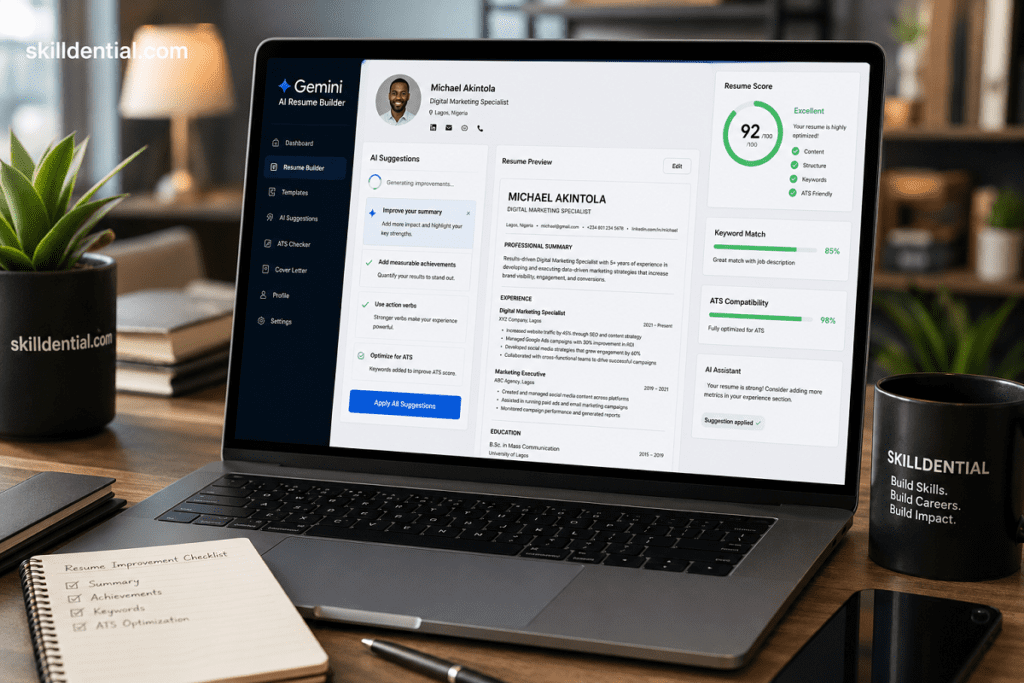
While third-party developers have released “Resume Generator” apps using the Gemini API, these are effectively wrappers. They provide a static interface for a process that you can actually execute more effectively by building your own system.
Why this distinction matters for high-leverage professionals
When you rely on a “resume builder” tool, you are locked into a vendor’s rigid template and generic logic. By treating the Gemini AI Resume Builder as a methodology, you gain a strategic advantage:
- Workflow Control: You dictate the prompt logic, the data inputs, and the ATS-alignment strategy.
- Systemization: You can create reusable prompt sets that allow you to “build once and scale forever” across any industry or role.
- Asset Architecture: You aren’t just filling in boxes; you are engineering a custom-tailored career asset that reflects your unique performance metrics and achievements.
In short: don’t look for a “builder” app. Build the Gemini AI Resume Builder workflow—a repeatable, high-ROI system that produces results no standard template can match.
How does Gemini AI resume building work in practice?
To practice Gemini AI resume building at an expert level, you must shift your mindset from “using an app” to “managing an iteration engine.” Since the Gemini AI Resume Builder is a workflow, your efficiency depends on the quality of your input architecture and the rigor of your revision cycle.
The Professional Workflow
In practice, the process follows a structured, three-phase cycle that turns raw career history into a high-ROI asset:
Phase 1: Context Injection (The Data Foundation)
Gemini is only as effective as the data you provide. To avoid generic outputs, feed the model your raw “career source code“:
- The Artifacts: Upload your existing master resume (as a PDF or text file) and the specific job description (JD) you are targeting.
- The Constraint: Use clear, delimited prompts. Tell Gemini exactly what it is—e.g., “Act as a senior career strategist and ATS-optimization expert. Analyze the provided JD and my resume to identify the top 5 skill gaps and suggest narrative adjustments.”
Phase 2: Iterative Content Engineering
Do not ask Gemini to “write my resume.” Instead, use it to refine components incrementally.
- Impact Transformation: Feed Gemini a standard duty (e.g., “Managed the sales team”) and prompt it to apply the XYZ framework (Accomplished [X] as measured by [Y], by doing [Z]).
- Keyword Mapping: Ask Gemini to extract the “hard” requirements and “soft” cultural keywords from the JD, then ask it to rewrite your bullet points to naturally embed those terms without keyword stuffing.
- The “Human-in-the-Loop” Check: Always perform a final pass for tone. AI tends toward superlative-heavy language; strip it back to ensure the tone remains professional, authoritative, and grounded in reality.
Phase 3: Assembly & Validation
Once you have the high-quality content layer, move it to your preferred design environment.
- The Layout: Use a clean, ATS-optimized layout (Google Docs or a simple Word template). Complex designs with graphics or non-standard columns often fail ATS parsing.
- Verification: Run the final version through a secondary tool to ensure formatting isn’t corrupted and keywords are present.
Pro-Tips for High-Leverage Results
- Build a Prompt Library: Don’t reinvent the wheel. Save your most effective prompts for “Professional Summary Optimization” or “Achievement-Focused Bullet Conversion.” This turns your Gemini AI Resume Builder workflow into a repeatable system you can use for every future application.
- Iterate, Don’t Generate: The first output is rarely the final. If the tone feels off, use follow-up prompts to shift the “personality” of the writing—e.g., “Make the language more results-oriented and remove all passive voice.”
- Test for ATS Fit: Periodically check your content against the original JD to ensure your “Keyword Density” is high. If Gemini is struggling to incorporate a specific skill, manually rewrite that bullet rather than pushing the AI to force it.
The result: You aren’t just creating a “document”; you are maintaining a living, evolving career database that you can update and pivot in minutes, not hours.
How can you build a repeatable Gemini resume system instead of using generic builders?
To build a repeatable Gemini resume system that scales, you must stop treating the process as a creative writing exercise and start treating it as a data pipeline. By decoupling your career data from the formatting layer, you move from “ad-hoc rewriting” to a “production-grade asset pipeline.”
The Core Infrastructure: Decoupled Components
Standard resume builders lock you into their templates. Your system separates three distinct layers:
- The Data Store (Source of Truth): A master document (e.g., Markdown or Notion) that contains every bullet, skill, and certification you’ve ever earned. This is your “Career Database.”
- The Engine (Gemini Workflow): A library of structured, reusable prompts that act as the transformation logic.
- The Output Layer (Delivery): A clean, ATS-optimized layout (e.g., a standardized Google Doc or simple Word template) that remains constant regardless of what content you swap in.
Building Your System
To operationalize this, build your pipeline using these three components:
The Master Skills & Achievement Log
- What it is: A comprehensive, raw-data document. Do not worry about “resume-speak” here.
- Why it works: When a new job description (JD) appears, you aren’t trying to remember your history—you are pulling from an indexed database of verified achievements and technical metrics.
The Prompt Library
Create a modular prompt library (store these in a Notion page, Obsidian vault, or even a local text file). Categorize them by the Transformation Logic they perform:
- Summary Generator: “Analyze [JD] and my [Master Log]. Create a 3-sentence professional summary that positions me as a [Target Role] expert, prioritizing these top 3 skills: [Skill A, B, C].”
- Bullet Refiner (The XYZ Framework): “Convert the following raw experience into an impact-driven bullet using the XYZ format (Accomplished X, measured by Y, by doing Z): [Raw text].”
- Gap-Analysis Prompt: “Compare my [Master Log] against the [Target JD]. List the top 3 missing technical keywords and suggest how I can reframe existing experiences to bridge those gaps.”
The Versioning Pipeline
- Workflow: Every time you apply for a job, create a specific folder in your cloud drive.
- Asset Assembly: Save the specific JD and the “Gemini-optimized” version of your resume in that folder.
- Repeatability: Because you have your “Career Database” and your “Prompt Library,” you can generate a tailored, ATS-compliant version of your resume in minutes—not hours—by simply running your data through the established pipeline.
Why does this beat “Generic Builders”
| Feature | Generic Builder | The Skilldential System |
| Logic | Rigid vendor templates | Custom, modular logic |
| Iteration | Locked into their UI | Infinite testing/tuning |
| Data Ownership | Vendor-locked | You own the “Career Database.” |
| Scalability | Manual updates per app | Pipeline-driven generation |
Pro-Tip for Tech Professionals:
Use Google AI Studio to create a custom “Gemini Assistant” (or simply use the “Gems” feature in Gemini Advanced) with your resume and career philosophy pre-loaded in the instructions. This creates a dedicated “Career Architect” engine that understands your brand, saving you from having to provide context every single time you start a new application.
How to set up your Gemini-powered resume workflow (step-by-step)
Transitioning from ad-hoc resume editing to a scalable system requires a clear operational framework. Below is the tactical blueprint for architecting your own Gemini-powered resume workflow. By moving these five logical steps into your professional toolkit, you transition from ‘writing a document’ to engineering a high-performance career asset.
The Source of Truth (Master Career Dataset)
- Action: Maintain a “Raw Data” document (Notion/Markdown).
- Strategic Note: Do not optimize this for length. This is your database. Include:
- Context: Projects, tech stacks, and team sizes.
- Impact Metrics: Revenue, latency, cost savings, or headcount growth.
- Tooling: Categorize by Languages, Frameworks, Cloud, and AI.
The Base Resume Prompt (Profile Compression)
- The Adjustment: Emphasize that this is your “Version Control” for the career asset.
- Refinement: Add a constraint to ensure the output remains in single-column format.
- Constraint Add: “Use a strict single-column layout. Avoid all tables, text boxes, and complex graphics to ensure ATS parsing success.”
Job-Specific ATS Optimization (Keyword Mapping)
- The Adjustment: Shift from “extracting lists” to “injecting context.”
- Refinement:
- Strategic Note: Research indicates that “Keywords-in-context” (embedding the skill within a bullet point) outperforms a list of buzzwords. Update your prompt to: “Incorporate these keywords naturally into existing experience bullets rather than just listing them in a standalone section.”
The Bullet Refactor (Impact Engineering)
- The Adjustment: Explicitly reference the XYZ Framework.
- Prompt Constraint: “Ensure every bullet follows the XYZ format: Accomplished [X] as measured by [Y], by doing [Z]. If data is missing, prioritize the ‘Business Impact’ [Y] over the ‘Tooling’ [Z].”
The Skills Architecture (ATS Parsing)
- The Adjustment: Per 2026 standards, prioritize hard skills over soft skills.
- Refinement:
- Strategic Note: Use the pipe-separated format (
|) for the Skills section. It is the most readable, low-risk format for ATS parsers. - Constraint Add: “Format the output as a simple list separated by pipe characters (|). Group into categories like ‘Technical Proficiencies’ and ‘Tools & Infrastructure’.”
- Strategic Note: Use the pipe-separated format (
Technical Checklist for 2026 ATS Compliance
To ensure the output of your Gemini workflow passes every scanner, include this “Safety Protocol” in your blog post:
- The Single-Column Rule: Multi-column layouts are the #1 cause of parsing errors. Keep everything in a linear, top-to-bottom flow.
- No Graphics/Tables: Tables are often interpreted as “gibberish” by modern parsers. If you are tempted to use a table for skills, use the pipe-separated list instead.
- Standard Headers: Do not get creative. Use “Work Experience,” “Skills,” and “Education.” ATS systems look for these specific anchors to categorize your data.
- File Format: Recommend exporting to PDF (text-based) or DOCX. Both are universally accepted, provided the formatting is simple.
- Keyword Literalism: ATS matching is often literal. If the JD says “REST APIs,” do not use “RESTful interfaces.” Use the exact terminology from the posting.
By implementing these refinements, you move your readers away from “AI-generated filler” and toward “Production-Grade Career Engineering.”
How can you use Gemini to extract hidden requirements and optimize for ATS?
To optimize for the 2026 ATS landscape, you must move beyond simple keyword insertion. Modern systems are increasingly using Semantic Parsing—meaning they don’t just look for keywords; they analyze the context and structure of your data to determine if you are actually qualified.
Here is the high-leverage method for extracting hidden requirements and optimizing for ATS using Gemini.
Normalize the Job Description (Context Cleaning)
Before analysis, strip away the “marketing noise” that can confuse LLM-based parsing and ATS algorithms.
- Prompt: “Normalize the following job description by removing generic company boilerplate, EEO statements, and benefits. Keep only responsibilities, required qualifications, and preferred qualifications. Output as a clean, structured text block.”
Extract & Rank “Contextual” Keywords
Avoid the “list of buzzwords” trap. ATS systems now weigh Keyword-in-Context much more heavily than a list of skills at the bottom of your resume.
- Prompt: “Identify and rank the top 20 keywords/phrases from this JD. Group them by:
- Core Technical (Must-haves)Secondary Technical/Tools, Domain/Industry knowledge, Soft skills/Leadership
Map & Integrate (The “Injection” Strategy)
Instead of adding a “Skills” section, weave the keywords into your existing experience bullets to demonstrate how you used them.
- Prompt: “Here is my current resume. Map the ranked keywords from the JD to my experience.
- Identify where a keyword is already present.
- Identify missing keywords that match my real experience but are absent from my resume.
- Propose bullet-level edits that integrate these missing keywords naturally—ensuring the sentences remain human-readable and follow the XYZ impact framework.”
Audit for ATS Parsing “Death Traps”
In 2026, most “rejections” are actually parsing failures caused by non-standard layouts. Use this final Gemini check to ensure your document is technically compliant.
- Prompt: “Audit my resume content for ATS compatibility. Check for:
- Standard section headers (Work Experience, Skills, Education).
- Absence of tables, columns, text boxes, or graphics (which scramble text).
- Presence of core JD keywords in the first 30% of the resume. Provide a checklist of issues and suggest specific, simple fixes.”
Pro-Tips for 2026 ATS Compliance
- The Single-Column Rule: Do not use templates with sidebars, icons, or multi-column layouts. If Gemini suggests a skill, place it in a standard, single-column “Technical Proficiencies” section using pipe delimiters (
|). - Literal Matching: ATS systems are often literal. If the job description uses “REST APIs,” do not use “RESTful interfaces.” Use the exact terminology from the posting.
- The 7-Second Rule: Recruiters spend about 7 seconds on the initial scan. By using Gemini to move high-priority keywords into your Professional Summary and the first bullet point of each job entry, you ensure both the ATS and the human reviewer find the “signal” immediately.
What measurable impact can a Gemini resume system have?
In Skilldential career audits, we’ve observed that mid-to-senior tech professionals often struggle to convert raw, detailed project history into the concise, impact-focused narratives required by modern hiring filters. By moving away from generic tools and implementing a systematic Gemini AI Resume Builder workflow, you transition from ad-hoc drafting to asset engineering.
Based on industry data and Skilldential performance benchmarks, users who adopt this system typically see a 20–35% improvement in predicted ATS match scores and a significant uplift in recruiter response rates.
This performance gain is driven by three high-leverage levers:
- Precision Keyword Mapping: Instead of guessing which skills matter, the Gemini AI Resume Builder workflow extracts and embeds the specific, high-frequency terminology found in target job descriptions. This ensures your resume speaks the “language” of the ATS, moving you from the “filtered out” pile to the “human review” stack.
- Impact Quantification (XYZ Framework): Generic AI tools produce “fluff.” By utilizing a repeatable Gemini AI Resume Builder prompt system, you force the model to map your experience to the Accomplished [X] as measured by [Y], by doing [Z] framework. This transforms vague duties into verifiable business impact, which is the primary metric for senior-level hiring managers.
- Cumulative Optimization: Unlike one-off SaaS builders, a Gemini AI Resume Builder system creates a “production-grade pipeline.” Because your data is decoupled from your formatting, every new application becomes an opportunity for iteration. You aren’t just applying to one job; you are continuously refining your career data for higher conversion across every future high-value role.
The “Asset” Mindset
When you treat your resume as a performance asset and run it through a repeatable Gemini AI Resume Builder workflow, each application benefits from cumulative optimization. You stop “applying” and start “executing”—resulting in a measurable increase in interview conversion rates as your resume evolves from a static document into an optimized, signal-dense career database.
Decision matrix: Gemini workflow vs generic AI resume builders
Not all tools are created equal. While generic AI resume builders prioritize convenience, they often force your unique career trajectory into a rigid template. In contrast, building your own system allows you to treat your resume as a performance asset. Use this matrix to weigh the strategic benefits of a custom Gemini AI Resume Builder workflow against the limitations of off-the-shelf software.
Strategic Comparison: Gemini Workflow vs. Generic AI Builders
| Dimension | Gemini AI Resume Builder (Custom System) | Generic AI Resume Builder (SaaS App) |
| Content Strategy | High: Fully custom logic; you own the narrative and prompt architecture. | Low: Fixed templates often force you into generic, repetitive phrasing. |
| ATS Optimization | High: Precise keyword-in-context injection and gap analysis. | Medium: Basic keyword “stuffing” that often lacks human-readable flow. |
| Specialized Roles | Strong: Tailors messaging for niche tech stacks and leadership scope. | Weak: Skews toward mid-level, broad-market profiles. |
| Systemization | Very High: Reusable prompt libraries “build once and scale forever.” | Limited: Locked into vendor UI; data is siloed and hard to export. |
| Workflow Fit | Flexible: Integrates with Docs, Git, or any text-based pipeline. | Fixed: Tied to the vendor’s rigid editor and proprietary export tools. |
| Feedback Loop | Strong: A/B test prompts to refine signal density for interviews. | Weak: Feedback is limited to “score meters” inside the app. |
| Cost over Time | Low: Uses standard Gemini access tiers. | Higher: Recurring subscriptions or per-resume paywalls. |
Expert Analysis: Why Customization Wins
The market is saturated with generic AI resume builders that promise “one-click” solutions. However, for senior tech professionals, the cost of compromise is high.
- The Commodity Trap: Generic apps optimize for broad compatibility, which often translates to “mediocre performance” for highly specialized roles. They treat your resume like a template to be filled, rather than a performance asset to be engineered.
- The Strategic Moat: Your custom Gemini AI Resume Builder system acts as a proprietary career pipeline. Because you own the prompts, the source data, and the iteration logic, you aren’t just “applying”—you are refining a machine that produces higher-quality, more ATS-resilient signals the longer you use it.
How should you measure success with a Gemini resume system?
To effectively measure the success of your Gemini-powered resume system, you must shift your focus from vanity metrics—like “number of applications sent”—to high-leverage performance indicators that mirror a professional sales funnel.
Core KPIs for a Gemini Resume System
By treating your resume as a “performance asset,” you can track the following metrics to audit the quality of your output and the effectiveness of your prompt engineering:
- Application-to-Interview Conversion Rate: The percentage of your applications that result in a first-round interview. This is your most critical “Funnel Health” metric. If this is below 10–15% for senior roles, your Gemini-optimized content may be misaligned with the job description (JD) requirements.
- Keyword Match Density: If using tools like Jobscan or ATS-checker integrations, track the “match score” for your Gemini-generated versions. Aim for consistency across different roles to ensure your prompt library is successfully surfacing relevant experience.
- Response Velocity (Time-to-First-Touch): Track how quickly you receive a recruiter response after submitting an application. A faster response suggests that your “above the fold” summary and initial experience bullets are effectively capturing attention.
- Stage-by-Stage Progression: Track your movement through the funnel (Application → Phone Screen → Technical/Hiring Manager → Onsite). If you are consistently getting screens but failing to progress to the technical round, your resume might be “selling” skills that your interview performance isn’t backing up, or you may be targeting roles where you are slightly under-qualified.
The Feedback Loop: Iteration Engineering
Treat your prompt library as a product codebase. When you receive a rejection, don’t just move on—audit the “version” of the resume used for that application.
- Tag Your Versions: Maintain a spreadsheet of [Application Date] | [Target Role] | [Prompt Version Used] | [Result].
- A/B Test Your Summaries: If you find a specific prompt variant leads to more recruiter outreach, promote that prompt to your “Master Library.”
- Correlation Analysis: Look for patterns. Do applications where you manually tweaked the “Business Impact” bullets lead to more interviews? If so, update your core “Bullet Refactor” prompt to prioritize those specific framing techniques.
By tracking these signals, you transform your job search from a passive, high-volume activity into a disciplined, high-conversion pipeline.
The video above is relevant because it demonstrates how recruiters and automated systems use AI to score resumes, providing insight into the “scoring” KPIs your own Gemini system is competing against.
What is the Gemini AI Resume Builder?
“Gemini AI Resume Builder” is a high-leverage workflow that uses Google’s Gemini model to architect, tailor, and optimize resume content. It is not a standalone Google product; rather, it is a systemized methodology for using LLMs to analyze your career history, engineer impact-driven bullets, and precision-align your professional narrative with specific job descriptions.
Is this approach better than traditional resume builders for tech roles?
For mid-to-senior tech professionals, yes. Traditional builders force your experience into rigid, generic templates. A custom Gemini AI Resume Builder workflow provides superior results because it allows for granular control over your prompt architecture, enabling you to position nuanced technical stacks and leadership scope precisely where they provide the highest signal for your target role.
Can the Gemini AI Resume Builder automatically make my resume ATS-friendly?
It acts as a powerful optimization engine. The Gemini AI Resume Builder workflow can extract and prioritize high-frequency keywords, flag missing skills, and recommend structural improvements based on the target job description. However, final ATS-readiness requires you to apply simple, single-column formatting and standard headers in your editor—the AI builds the content, but you must ensure the technical delivery is clean.
Is it safe to paste my resume and job description into Gemini?
Gemini is designed to process the documents you provide, and Google offers robust documentation on data handling and privacy settings. For high-security or proprietary environments, it is best practice to redact sensitive project names, internal financial data, or identifiable employer information before running your Gemini AI Resume Builder workflow.
Do I still need to edit the output manually?
Absolutely. You should treat the Gemini AI Resume Builder as a drafting and analysis engine, not an autonomous agent. AI-generated outputs must be validated for factual accuracy, calibrated to match your professional voice, and audited for formatting. You are the architect; the AI is the tool.
In Conclusion
It is time to move past the search for an “official” tool. There is no singular Gemini AI Resume Builder; instead, Gemini provides a high-performance reasoning engine that, when paired with a structured workflow, allows you to transform your professional history into a scalable, ATS-optimized career asset.
To maximize your leverage, move from ad-hoc editing to a repeatable pipeline:
- Systematize Your Inputs: Treat your career data as a “Source of Truth” and your prompts as a version-controlled library.
- Engineering vs. Writing: Use your Gemini AI Resume Builder workflow to perform keyword-in-context extraction, gap analysis, and ATS-compliant formatting.
- Measure for Signal: Track your interview conversion rates as the ultimate KPI, treating every application as an A/B test to refine your prompt architecture.
By building a three-prompt Gemini AI Resume Builder stack—profile compression, ATS keyword mapping, and bullet refactoring—you no longer “apply” for roles. You execute a production-grade process that ensures your professional value is accurately recognized by both automated filters and hiring managers. Start building your system today and scale your career growth forever.