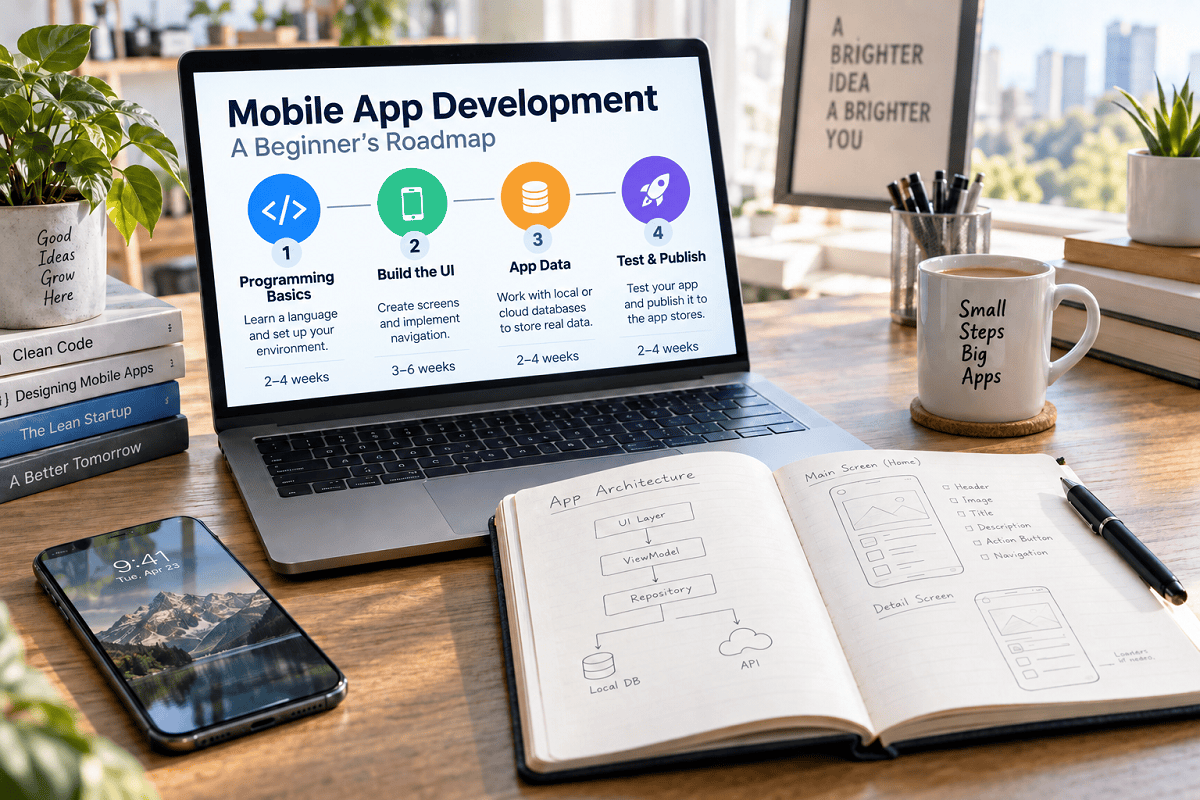
Choosing the best Android app programming language can feel confusing when you are just getting started. Should you learn Kotlin, Java, Dart, or JavaScript? For native Android development, Kotlin is the best overall choice for beginners. Google announced its Kotlin-first approach in 2019 and recommends starting with Kotlin when building Android apps. Kotlin is now used by more than 60% of professional Android developers, according to Android Developers.
However, the right language depends on what you want to build. If you want to create native Android apps, choose Kotlin. If you want to build Android and iOS apps from one codebase, Dart with Flutter may be more suitable. If you already understand JavaScript, React Native could offer a more familiar entry point.
This guide compares the leading options and helps you choose the best Android app programming language based on your experience, career plans, and development goals.
Who This Guide Is For
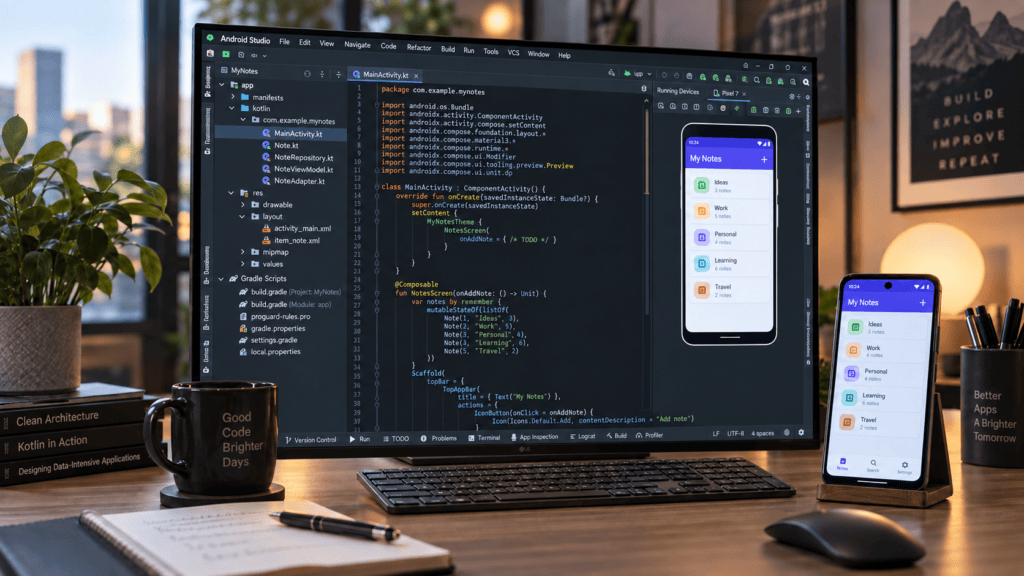
This guide is for students, career changers, self-taught programmers, entrepreneurs, and web developers who want to build Android applications but feel overwhelmed by the available language choices.
You will learn how each Android app programming language works, the difference between native and cross-platform development, and the advantages and limitations of Kotlin, Java, Dart, and JavaScript. By the end, you should be able to choose the right language for your goals and follow a practical roadmap to begin building your first Android app.
Why Choosing the Right Language Matters
Selecting your first Android app programming language dictates your learning curve, iteration speed, and long-term career trajectory. Committing to an obsolete or mismatched technology stack can trap you in legacy maintenance loops, costing months of wasted effort. With Android capturing roughly 70% of the global mobile operating system market, prioritizing a language backed by robust community ecosystems, modern tooling, and sustained employer demand is non-negotiable.
What You Will Learn
This comprehensive breakdown covers everything you need to navigate the ecosystem effectively:
- The core options for Android app programming language development, spanning both native and multiplatform frameworks.
- Native versus cross-platform development contrasted through a clear, architectural lens.
- A granular comparison of Kotlin, Java, Dart, JavaScript, and C#.
- Diagnostic frameworks to match your unique background and project goals to the right option.
- Market projections, career prospects, and comparative compensation data.
- A sequential, step-by-step learning roadmap tailored to your chosen tool stack.
- Critical anti-patterns and common beginner mistakes to avoid early on.
Understanding Android Development Approaches
Before comparing individual options, you must master the two fundamental paradigms of mobile engineering: native versus cross-platform development. Your choice of an Android app programming language depends entirely on which of these structural routes you take.
Native Android Development
Native development means building applications exclusively for the Android ecosystem using platform-optimized tools. You write code in Kotlin or Java, compile through Android Studio, and interface directly with the full Android SDK.
- Advantages:
- Maximum execution performance and fluid user experiences.
- Direct, unconstrained access to device hardware, platform features, and APIs.
- Mature community ecosystems, deep documentation, and robust enterprise backing.
- Highest employer preference for dedicated Android engineering roles.
- Disadvantages:
- Requires building a completely separate codebase for iOS if targeting multiple platforms.
- Steeper initial learning curve for absolute beginners.
- Extended time-to-market when building multi-platform products.
Cross-Platform Development
Cross-platform frameworks allow you to write a single unified codebase that deploys to both Android and iOS. Dominant frameworks include Flutter (using Dart), React Native (using JavaScript/TypeScript), and .NET MAUI (using C#).
- Advantages:
- Shared codebase slashes duplicate engineering efforts.
- Accelerated development cycles ideal for MVPs and early-stage startups.
- Streamlined maintenance managed by a single product team.
- Reduced capital expenditure for businesses launching dual-platform products.
- Disadvantages:
- Subtle performance overhead compared to purely native applications.
- Potential friction when accessing niche, platform-specific hardware features.
- Heavy dependency on third-party framework maintenance and ecosystem health.
- Larger base application file sizes (binaries).
Decision Framework: Which Should You Choose?
- Go Native (Kotlin): If your primary focus is deep Android specialization, maximum long-term career leverage, or building high-performance applications tailored specifically to the platform.
- Go Cross-Platform (Flutter / React Native): If your objective is rapid dual-platform deployment (Android and iOS) under tight resource constraints or fast-iteration business models.
The five main Android programming languages
Choosing the right Android app programming language depends on your goals, previous coding experience, and whether you want to build native or cross-platform apps. The five main options are Kotlin, Java, Dart, JavaScript, and C#, each offering different advantages, learning requirements, and development tools.
Kotlin: The Undisputed Standard for Native Android Development
- Recommended For: Complete beginners, career-focused mobile developers, students, and anyone starting new Android projects.
- Overview: Developed by JetBrains and officially endorsed by Google since 2019, Kotlin is a modern, concise Android app programming language running on the Java Virtual Machine (JVM). It offers complete interoperability with Java, allowing developers to leverage legacy libraries while writing cleaner, safer code.
Why Kotlin Wins for Beginners
- Cleaner Syntax: Requires significantly less boilerplate code than legacy alternatives, lowering cognitive load during the learning phase.
- Null Safety: Features a built-in type system designed to eliminate the notorious “NullPointerException” bugs that frequently plague newcomers.
- Modern Tooling: Packs advanced capabilities out-of-the-box, including coroutines for asynchronous execution, data classes, and extension functions.
- Ecosystem Dominance: Google prioritizes Kotlin across all official documentation and Android APIs, with nearly all modern production projects utilizing it.
- Industry Adoption: Over 60% of professional Android engineers rely on Kotlin as their primary language, backed by high developer satisfaction ratings.
Learning Curve, Career Prospects, and Ecosystem
- Learning Difficulty: Moderate. Absolute beginners typically require 2 to 4 weeks to grasp core fundamentals before building functional apps.
- Career Outlook: Excellent. Kotlin developers command competitive salaries (averaging higher than traditional Java roles), with strong remote work demand and rapid year-over-year job growth.
- Core Tooling:
- Android Studio: The official, deeply integrated IDE.
- Jetpack Compose: Google’s modern declarative UI toolkit.
- Kotlin Multiplatform: Allows business logic sharing across Android, iOS, and the web.
When to Choose vs. Avoid Kotlin
- Best For: First-time mobile developers, students, career switchers, and startups launching Android-first products.
- Not Ideal For: Developers strictly maintaining massive legacy Java codebases without migration plans, or teams needing immediate native iOS deployments without adopting multiplatform frameworks.
Java: The Established Enterprise Alternative
- Recommended For: Developers maintaining legacy Android apps, enterprise backend engineers expanding into mobile, or computer science students with a strict Java curriculum.
- Overview: Java powered the Android ecosystem from its inception in 2008 until Kotlin’s ascent. Although Google transitioned to a Kotlin-first approach, Java remains operational for legacy maintenance and understanding foundational mobile architecture.
Key Characteristics and Ecosystem
- Ecosystem Maturity: Backed by decades of libraries, documentation, and enterprise frameworks.
- Enterprise Presence: Heavily entrenched in corporate backend systems and large-scale cloud applications.
- Backward Compatibility: Highly stable, ensuring older codebases continue to execute reliably.
- Verbosity and Syntax: Requires substantially more boilerplate code than Kotlin for identical tasks, introducing cognitive friction.
Learning Curve, Market Demand, and Compensation
- Learning Difficulty: Moderate to high. Absolute beginners often struggle with Java’s verbose design patterns, requiring 4 to 6 weeks of consistent study before building basic apps.
- Career Outlook: Stable but plateauing. While Java commands a steady share of LinkedIn job openings, its year-over-year growth significantly trails Kotlin, with average mid-level salaries hovering around $132,000.
When to Choose vs. Avoid Java
- Choose Java If: You are assigned to maintain an existing legacy codebase, operating within a strict enterprise backend environment, or fulfilling a legacy academic requirement.
- Avoid Java If: You are initiating a brand-new project, prioritizing rapid development cycles, or entering the industry as an unconstrained beginner looking for a streamlined Android app programming language.
Reality Check: For modern mobile development, Kotlin is the superior choice, sparing learners from redundant boilerplate and legacy overhead.
Dart with Flutter: The Cross-Platform Powerhouse
- Recommended For: Entrepreneurs, freelancers, startups, and developers who need to launch dual-platform applications on both Android and iOS quickly using a single Android app programming language and codebase.
- Overview: Flutter is Google’s open-source UI framework powered by the Dart programming language, enabling natively compiled applications across mobile, web, and desktop from a unified codebase.
Why Flutter and Dart Appeal to Developers
- Single Codebase: Write once and deploy seamlessly to Android, iOS, web, and desktop.
- Hot Reload: Instant code injection lets you visualize modifications immediately without restarting the application.
- Rich Widget Library: Empowers developers to build high-performance, pixel-perfect, and fully customizable user interfaces.
- Near-Native Performance: Dart compiles directly to native machine code, sidestepping the overhead of traditional hybrid web-view wrappers.
- Accessible Syntax: Dart synthesizes familiar paradigms from Java, JavaScript, and C#, smoothing the adoption curve.
Learning Curve, Market Demand, and Tooling
- Learning Difficulty: Moderate. Expect 3 to 5 weeks to grasp object-oriented concepts and deploy your first functional cross-platform application.
- Career Outlook: Surging demand across agencies and early-stage startups seeking cost-effective, multi-platform engineering talent.
- Core Tooling:
- Flutter SDK: Includes the Dart runtime, pre-built widgets, and diagnostic tooling.
- VS Code & Android Studio: Fully supported via robust, official plugins.
- Pub.dev: The central package repository hosting thousands of community-built libraries.
Strategic Trade-Offs and When to Choose
- Trade-Offs to Weigh: Dart has a narrower standalone ecosystem compared to mainstream web languages, and base compiled binary sizes run larger (typically 10-20 MB minimum) than pure native builds.
- Best For: Lean teams launching MVPs, agencies operating on tight budgets, and consumer-facing applications prioritizing custom aesthetics.
- When to Avoid: Projects requiring deep, bleeding-edge platform-specific APIs where maintaining separate native native codebases is more efficient.
JavaScript/TypeScript with React Native: The Web Developer’s Gateway
- Recommended For: Web developers fluent in JavaScript or React, engineering teams leveraging existing web expertise, and products requiring rapid cross-platform deployment.
- Overview: Developed by Meta, React Native allows developers to build mobile applications using JavaScript, TypeScript, and standard React components, targeting both Android and iOS simultaneously.
Advantages for JavaScript Developers
- Zero-Friction Language Transfer: If you already write JavaScript, you can transition directly into mobile engineering without learning a brand-new Android app programming language.
- Massive Ecosystem Synergy: Directly inherits the vast community, third-party libraries, and architectural patterns of the React web ecosystem.
- True Native Components: Renders actual native UI elements rather than wrapping everything in a web view, ensuring a genuine platform feel.
- Global Dominance: Backed by the world’s most widely used programming language, ensuring endless troubleshooting resources and package support.
- TypeScript Integration: Optional static typing catches bugs early and enhances long-term code maintainability.
Learning Curve, Market Demand, and Tooling
- Learning Difficulty: Low to moderate for experienced web developers (expect 2 to 3 weeks to build a first app). Absolute beginners face a steeper climb (6 to 8 weeks) since they must master JavaScript fundamentals concurrently.
- Career Outlook: Exceptionally strong. JavaScript commands the highest recruiter demand globally, and full-stack engineers who can bridge web and mobile app development are highly valued.
- Core Tooling:
- Expo or React Native CLI: Streamlines the build and testing workflow.
- VS Code: The industry-standard IDE for React Native.
- npm/Yarn: Instant access to millions of open-source packages.
Strategic Limitations and When to Choose
- Limitations to Consider: Slight performance overhead in graphics-heavy tasks compared to native or Flutter; occasional friction when native module integration requires Kotlin or Swift; dependency management overhead during major framework updates.
- Best For: Content-driven applications, enterprise business tools, and teams looking to share business logic seamlessly between web and mobile properties.
- When to Avoid: High-performance 3D games or heavy animation rendering engines where absolute native speed is non-negotiable.
C# with .NET MAUI: The Enterprise Cross-Platform Option
- Recommended For: Enterprise developers, .NET professionals, and teams already deeply embedded in Microsoft’s software ecosystem.
- Overview: C# with .NET MAUI (Multi-platform App UI) is Microsoft’s evolution of Xamarin, enabling developers to build native cross-platform applications for Android, iOS, Windows, and macOS from a single unified C# codebase.
Key Characteristics and Enterprise Integration
- Microsoft Ecosystem Synergy: Seamlessly integrates with Azure cloud services, SQL Server, and enterprise authentication protocols.
- Modern C# Language: A type-safe, robust, object-oriented language backed by world-class tooling in Visual Studio.
- Unified Multi-Platform Rendering: Write once and deploy across desktop and mobile form factors with native UI abstraction.
- Proven Stability: Built on over a decade of continuous enterprise adoption and framework refinement.
Learning Curve, Market Demand, and Tooling
- Learning Difficulty: Moderate. Because C# shares conceptual and syntactical roots with Java and C++, experienced engineers transition smoothly (requiring 4 to 6 weeks to build functional cross-platform apps).
- Career Outlook: Niche yet exceptionally stable. Demand is concentrated within corporate enterprise environments, healthcare, finance, and government sectors, though mobile-specific roles are fewer than those for Kotlin or JavaScript.
- Core Tooling:
- Visual Studio / VS Code: Comprehensive IDE support.
- .NET SDK & MAUI Workload: The underlying compilation and framework architecture.
- NuGet: The expansive central package manager for .NET libraries.
Strategic Evaluation: When to Choose vs. Avoid C#
- Best For: Enterprise applications tied to Microsoft backends, existing .NET development teams expanding into mobile, and projects requiring rigorous Windows desktop integration alongside Android and iOS.
- When to Avoid: Unconstrained beginners with no prior .NET exposure, developers targeting high-growth consumer startups, or projects prioritizing the absolute largest community tutorial base and Android-first native specialization.
Comparison table: Android programming languages at a glance
The table below compares the leading Android app programming languages by learning difficulty, development type, supporting framework, performance, and ideal use case. Use it to quickly identify which language best matches your experience and app development goals.
| Feature | Kotlin (Native) | Java (Native) | Dart + Flutter (Cross-platform) | JavaScript + React Native (Cross-platform) | C# + .NET MAUI (Cross-platform) |
|---|
| Feature | Kotlin (Native) | Java (Native) | Dart + Flutter (Cross-platform) | JavaScript + React Native (Cross-platform) | C# + .NET MAUI (Cross-platform) |
|---|---|---|---|---|---|
| Best for | Beginners, career Android developers | Legacy apps, enterprise | Startups, MVPs, beautiful UIs | Web developers, React users | Enterprise, Microsoft ecosystem |
| Learning curve | Moderate (2-4 weeks) | Moderate-High (4-6 weeks) | Moderate (3-5 weeks) | Low-Moderate (2-3 weeks if you know JS) | Moderate (4-6 weeks) |
| Performance | Excellent (native) | Excellent (native) | Near-native | Good (uses native components) | Good (native rendering) |
| Job demand (2026) | High (+22% YoY growth) | Stable (+3% YoY) | Growing rapidly | High (JavaScript dominates) | Niche but stable |
| Average salary (US) | ~$148,000 | ~$132,000 | Competitive | Varies widely | Competitive in enterprise |
| Community size | Large and growing | Very large | Growing | Very large | Moderate |
| Official backing | Google (Android-first) | Oracle, Google (legacy) | Meta (Facebook) | Microsoft | |
| Code reusability | Android only | Android only | Android, iOS, web, desktop | Android, iOS, web | Android, iOS, Windows, macOS |
| App size | Small | Small | Larger (10-20 MB minimum) | Moderate | Moderate |
| Developer satisfaction | 72% want to continue tech-insider | 45% want to continue tech-insider | High | High | Moderate |
| Recommended for beginners | ✅ Yes (top choice) | ⚠️ Only for legacy/enterprise | ✅ Yes (for cross-platform) | ✅ Yes (if you know JavaScript) | ⚠️ Only for .NET professionals |
How to Choose Your First Android Programming Language
Your optimal choice depends on your background, project scope, and professional goals. Use this diagnostic framework to determine the exact Android app programming language you should commit to:
Step 1: Platform Scope
- Android Only: Choose Kotlin for native development. It delivers uncompromised performance, direct hardware access, and superior career leverage.
- Both Android and iOS: Choose Dart with Flutter if you prioritize custom UIs and rapid prototyping, or JavaScript with React Native if you have an existing web background.
Step 2: Prior Programming Experience
- Complete Beginner: Start with Kotlin. Its clean syntax and modern features lower cognitive load compared to legacy alternatives.
- Familiar with Python or JavaScript: Kotlin remains ideal for mobile specialization, though React Native provides a frictionless transition if your JavaScript skills are already robust.
- Experienced Java Developer: You can build apps immediately, but migrate to Kotlin for new projects to maximize productivity.
- Web / React Developer: React Native allows you to leverage existing knowledge instantly.
- Enterprise .NET Professional: C# with .NET MAUI aligns seamlessly with your current technical stack.
Step 3: Career and Business Goals
- Professional Mobile Developer: Learn Kotlin to target the dominant market share of modern Android-first production environments.
- Freelancer or Startup Founder: Choose Flutter to build and deploy cross-platform MVPs with a single codebase.
- Enterprise Ecosystem: Target Java or C# depending on whether corporate infrastructure is Java-based or Microsoft-centric.
Step 4: Timeline and Commitments
- Fast Launch (1–3 Months): Choose Flutter or React Native for rapid dual-platform delivery.
- Long-Term Skill Building (6–12 Months): Choose Kotlin for deep platform mastery and sustained career growth.
- Legacy Maintenance: Adopt whatever language the existing codebase utilizes (typically Java or Kotlin).
Final Decision Summary
- Choose Kotlin if: You are an Android-first beginner prioritizing peak performance, modern tooling, and long-term career value.
- Choose Dart with Flutter if: You are an entrepreneur or freelancer needing to launch high-performance apps on both Android and iOS quickly.
- Choose JavaScript with React Native if: You are an experienced web developer wanting to leverage your React expertise for mobile.
- Choose Java if: You are locked into maintaining legacy enterprise Android architectures.
- Choose C# with .NET MAUI if: You are deeply embedded in the Microsoft enterprise stack.
Practical Learning Roadmap for Kotlin: From Zero to App Developer
Because Kotlin is the premier recommendation for modern native mobile development, this structured, 24-week roadmap takes you from absolute beginner to a job-ready professional using an efficient Android app programming language learning path.
Phase 1: Foundations (Weeks 1–2)
- Goal: Master core Kotlin syntax and fundamental programming logic.
- Core Actions:
- Install Tools: Download Android Studio and configure your emulator or physical test device.
- Master Syntax: Study variables (
val,var), basic types, control flow (when,if-else), functions, lambdas, collections, and Kotlin’s signature null safety mechanics (?,?.,?:).
- Resources & Practice: Use official Kotlin documentation, Kotlin Koans, and build simple console applications like command-line calculators or text-based to-do lists.
Phase 2: Android Fundamentals (Weeks 3–5)
- Goal: Understand mobile app architecture and construct your first functional user interfaces.
- Core Actions:
- Core Concepts: Learn Activities, Fragments, Intents, navigation components, XML layouts, and the Android Manifest.
- Build Projects: Create a basic calculator, a unit converter, and a local storage to-do app using Room.
- Resources & Practice: Leverage Google’s official Android Basics in Kotlin course and developer documentation.
Phase 3: Modern Android Development (Weeks 6–10)
- Goal: Adopt current industry standards, reactive UIs, and robust app architectures.
- Core Actions:
- Jetpack Compose: Build modern, declarative interfaces with Material Design 3 instead of legacy XML layouts.
- Architecture & Networking: Implement MVVM patterns, dependency injection (Hilt/Koin), asynchronous coroutines, and REST API consumption via Retrofit.
- Portfolio Projects: Build a live weather forecasting app, a news reader, or an e-commerce mockup.
Phase 4: Advanced Topics (Weeks 11–16)
- Goal: Learn professional testing, performance optimization, and Google Play deployment.
- Core Actions:
- Testing: Write unit tests (JUnit, MockK) and UI tests (Espresso).
- Optimization: Profile memory leaks, monitor network traffic, and optimize execution speed.
- Publishing: Configure the Google Play Console, handle app signing, and execute release builds.
Phase 5: Job Readiness (Weeks 17–24)
- Goal: Package your skills, build a compelling GitHub portfolio, and secure employment.
- Core Actions:
- Portfolio & Polish: Push 3 to 5 fully documented repositories to GitHub and publish at least one live application to the Google Play Store.
- Interview Prep & Networking: Master common Android architectural questions, join developer communities (r/androiddev, Kotlin Slack), and target junior mobile engineering roles.
Timeline Summary: Expect a total commitment of roughly 6 months with consistent daily practice (2 to 3 hours per day) to transition successfully into a professional Kotlin developer.
Common Beginner Mistakes to Avoid in Android Development
Navigating your first mobile development journey requires avoiding major pitfalls. Here are the seven most common beginner mistakes and how to bypass them when mastering your chosen Android app programming language:
Mistake 1: Trying to Learn Multiple Languages Simultaneously
- The Problem: Beginners frequently attempt to learn Kotlin, Java, and Flutter concurrently, resulting in syntax confusion, cognitive overload, and stagnant progress.
- The Solution: Commit to a single Android app programming language (such as Kotlin) for at least 3 to 6 months. Depth always beats breadth during the early acquisition phase.
Mistake 2: Skipping Fundamentals for Frameworks
- The Problem: Jumping straight into advanced UI frameworks like Jetpack Compose or complex external libraries without understanding basic Kotlin syntax or core programming concepts.
- The Solution: Spend 2 to 4 weeks on pure Kotlin logic before touching Android-specific code. Build simple console applications first to lock down your foundations.
Mistake 3: Copying Code Without Understanding
- The Problem: Blindly lifting code snippets from Stack Overflow or tutorials without comprehending the underlying mechanics.
- The Solution: Type out code manually, experiment with parameter changes, and consciously ask “why does this work?” for every block. Conceptual understanding trumps rote memorization.
Mistake 4: Building Only Tutorial Projects
- The Problem: Following step-by-step video tutorials blindly without ever building an original project independently, which stalls real-world problem-solving skills.
- The Solution: After completing any guide, build a modified variant of that app entirely on your own. Alter features, introduce new APIs, and debug issues without a safety net.
Mistake 5: Ignoring Version Control (Git)
- The Problem: Delaying Git usage until later stages makes code management, debugging regressions, and portfolio building unnecessarily difficult.
- The Solution: Learn fundamental Git commands (
commit,push,pull,branch) by your second week. Host all projects publicly on GitHub to establish a visible developer footprint.
Mistake 6: Not Reading Official Documentation
- The Problem: Relying exclusively on third-party blog posts or outdated YouTube videos, which often exposes learners to deprecated APIs and anti-patterns.
- The Solution: Make
developer.android.comandkotlinlang.orgyour primary references. Official documentation remains the single source of truth.
Mistake 7: Perfectionism and “Tutorial Hell”
- The Problem: Endlessly consuming tutorial content without actually shipping software, or obsessing over pristine code architecture before an app is functional.
- The Solution: Build and ship imperfect applications. True engineering competence is forged through iterative debugging and real-world execution, not theoretical perfection.
Is Kotlin harder than Java for beginners?
No, Kotlin is generally easier for beginners. Its concise syntax requires significantly less boilerplate code, built-in null safety eliminates common crash vectors, and modern language features reduce cognitive load. Developer surveys consistently report higher productivity with Kotlin compared to legacy alternatives.
Do I need to learn Java before Kotlin?
No, you do not need to learn Java first. Kotlin is designed to be learned entirely independently, and Google’s official Android documentation prioritizes Kotlin as the default standard. Learning Java first only adds unnecessary time and syntax complexity for newcomers.
Can I get a job with only Kotlin skills?
Yes, many companies hire Kotlin-exclusive Android developers, particularly startups and modern mobile-first tech companies. However, because legacy codebases exist, understanding basic Java interoperability can be helpful later on. Your priority should be mastering Kotlin first.
Is Flutter better than Kotlin for beginners?
It depends entirely on your project goals. If you want to specialize in native Android development or target a dedicated mobile engineering career, Kotlin is superior. If you need to ship a product to both Android and iOS simultaneously on a lean budget, Flutter is more efficient.
How long does it take to learn Kotlin for Android development?
Expect 2 to 4 weeks to grasp core Kotlin syntax, 2 to 3 months to build functional apps, and roughly 6 months of consistent daily practice (2 to 3 hours per day) to reach professional job-readiness.
Should I learn React Native instead of Kotlin?
Choose React Native if you are already fluent in JavaScript and React or require cross-platform deployment from day one. Choose Kotlin if you want to specialize in high-performance native Android engineering.
Is Android development still worth learning?
Yes, Android captures over 70% of the global mobile operating system market, ensuring sustained employer demand. Skilled Kotlin developers command high average compensation in the United States, backed by robust year-over-year job growth.
What if I change my mind after choosing a language?
Core programming fundamentals transfer seamlessly across languages. If you master Kotlin first, picking up Dart, JavaScript, or Java later requires minimal effort because logic structures remain identical.
Do I need a computer science degree to learn Android development?
No. A large percentage of successful mobile engineers are self-taught or bootcamp graduates. Employers prioritize a demonstrated portfolio of functional applications, clean code repositories, and proven problem-solving abilities over formal credentials.
Which language has the best community support?
While JavaScript boasts the largest overall developer community, Kotlin’s mobile ecosystem is exceptionally active. Backed by official Google documentation, extensive SDK guides, and thriving developer forums (such as r/androiddev and the Kotlin Slack), learners have access to world-class support.
In Conclusion
Choosing the right Android app programming language dictates your momentum, efficiency, and long-term career trajectory. To summarize your options:
- Kotlin: The definitive choice for native Android development, backed by Google, clean syntax, and rapid 22% year-over-year job growth.
- Dart (Flutter): The optimal cross-platform route for startups, entrepreneurs, and freelancers needing dual-platform apps quickly from a single codebase.
- JavaScript (React Native): The ideal pathway for web developers wanting to transition to mobile concepts using existing React expertise.
Avoid the trap of analysis paralysis or learning multiple languages concurrently. Depth beats breadth: commit to a single stack for 3 to 6 months to forge unshakeable programming fundamentals.
Your Immediate Action Plan
- Take the First Step Today: Download Android Studio, enroll in Google’s free Android Basics in Kotlin course on
developer.android.com, and deploy your first simple application within the next two weeks. - Engage the Community: Connect with experienced developers and peers through platforms like the
r/androiddevsubreddit, Kotlin Slack, or local tech meetups to accelerate your growth.
The Bottom Line
The absolute best programming language is the one you actively use to build software. Pick Kotlin, maintain daily consistency, and let real-world project creation guide your mastery forward.