How to Write a Virtual Assistant Gig Description on Fiverr
If you are planning to offer virtual assistant services on Fiverr, one of the most important parts of setting up your gig is learning how to write a Virtual Assistant gig description that clearly communicates what you can do for potential clients.
Your description is where prospective buyers learn who you can help, the virtual assistant tasks you handle, what they can expect when they place an order, and why they should choose you over another seller offering similar services.
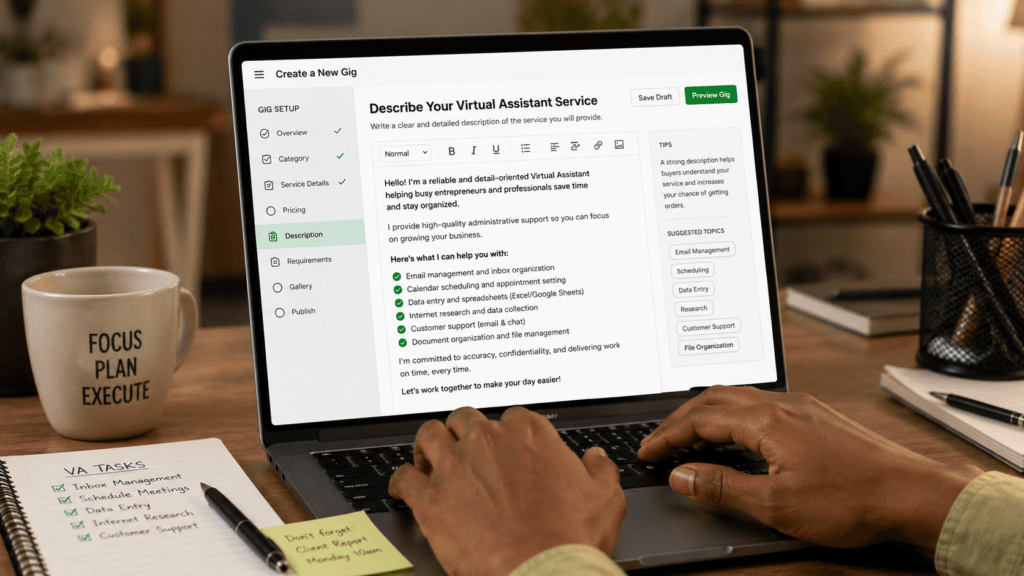
A strong Virtual Assistant gig description should do more than list services such as data entry, email management, internet research, scheduling, customer support, or administrative assistance. It should help potential clients understand how your services can solve their problems, save them time, reduce their workload, or help them manage important day-to-day business activities more efficiently.
Your description should also be
- specific,
- client-focused,
- easy to read, and
- honest about your
- experience,
- capabilities,
- availability, and
- the scope of the services you provide.
Instead of relying on vague claims or copying another seller’s description, you should explain your services in your own words and give buyers enough relevant information to determine whether your gig is suitable for their needs.
In this guide, you will learn how to write a Virtual Assistant gig description on Fiverr step by step, including what information to include, how to structure your description, and the common mistakes you should avoid. You will also find practical Virtual Assistant gig description examples and a customizable template that you can adapt to your own skills, services, experience, and target clients.
Whether you are creating your first Virtual Assistant gig or improving an existing one that is not attracting the right buyers, the goal is to help you create a clear and professional description that accurately represents what you offer and makes it easier for potential clients to understand the value of your services.
What a Fiverr Virtual Assistant Description Should Do
A high-converting Virtual Assistant gig description on Fiverr helps potential clients quickly confirm that your service solves their exact problem. Your description must clearly answer five core questions:
- Target Audience: Who is this service designed for?
- Problem Solved: What specific pain point or bottleneck do you resolve?
- Scope of Work: What precise administrative or technical tasks will you perform?
- Deliverables: What tangible results or updates does the buyer receive?
- Pre-Order Instructions: What info or access must the buyer provide before placing an order?
Fiverr limits gig descriptions to 1,200 characters, making high-signal, concise messaging essential. Fiverr’s official seller guidelines emphasize that buyers evaluate gigs based on explicit scope and deliverables rather than background qualifications. Treat your description as a conversion-focused landing page for one well-defined service—not a resume.
Weak vs. Specific Wording
| Wording Type | Example | Analysis |
| Weak | “I am a hardworking and dedicated virtual assistant. I can do many tasks and always provide the best service.” | Relies on generic self-praise and vague promises without defining deliverables or scope. |
| Stronger | “Need help keeping your inbox, calendar, and spreadsheets organized? I provide reliable administrative assistance, including email sorting, calendar scheduling, web research, and data entry.” | Directly identifies buyer pain points and lists clear, scannable service offerings. |
Use This Description Structure
A high-converting structure for your Fiverr Virtual Assistant gig description follows a clear, logical flow:
- Opening Hook & Problem Statement
- Target Audience Definition
- Scope of Services
- Concrete Deliverables & Benefits
- Credibility & Tool Stack
- Scope Boundaries & Expectations
- Call to Action (CTA)
Start with the Buyer’s Need
Lead with the specific outcome or pain point your client is facing. Skip long personal bios and focus immediately on buyer value.
- Examples:
- “Are unanswered emails, scheduling conflicts, and messy spreadsheets taking up your time?”
- “Need a reliable Virtual Assistant to handle daily admin bottlenecks so you can focus on scaling?”
Define a Specific Target Audience
Specialized positioning helps your gig stand out against generic offers. Specify who you serve best:
- Target Niches: E-commerce founders, coaches, real estate agents, busy executives, course creators, or recruitment agencies.
- Positioning Example: “I provide high-efficiency admin support for coaches, founders, and small business owners who need organized operations.”
List Deliverable Services Clearly
Focus on specific, scannable tasks rather than broad assertions like “I can do anything.”
- Core Admin Support: Email sorting and inbox management, calendar scheduling, web research, file organization.
- Technical & Operational: Data entry and formatting, customer support tickets, social media scheduling, document conversion, CRM updates.
Detail Tangible Deliverables
Explicitly define what the client gets upon project completion to reduce friction and build trust:
| Service Category | Concrete Deliverable |
| Lead Research | Formatted Google Sheet/Excel file with verified contact details |
| Inbox Cleanup | Categorized folders, unsubscribed junk lists, and flagged priority messages |
| Social Media Support | Content scheduled for 7/14/30 days via Buffer or Later |
| Data Entry | Cleaned, formatted database in requested file format (.CSV, .XLSX, Google Sheets) |
Communicate Value Without Exaggeration
Highlight realistic operational benefits rather than making unsubstantiated earnings or performance guarantees.
- High-Value Benefits: Reclaim 10+ hours weekly, eliminate missed follow-ups, maintain organized business records, streamline routine workflows.
- Phrases to Avoid: “Guaranteed 10x ROI,” “Top VA on Fiverr,” or “100% error-free guaranteed.”
Establish Relevant Credibility
Highlight core competencies, software expertise, and working methodologies to instill buyer confidence.
- Tool Proficiency: Google Workspace, MS Office, Notion, Trello, Asana, Slack, ClickUp, HubSpot.
- New Seller Strategy: If you lack extensive client history, emphasize process reliability, clear communication, rapid response times, and sample portfolios over fabricated experience.
Set Boundaries & Include a Call to Action
Mitigate scope creep and non-compliant buyers by establishing clear rules before ordering.
- Operational Parameters: Working hours, supported time zones, software/access requirements, and revision terms.
- Policy Compliance: Keep all communication and payments strictly on Fiverr. Never share direct contact details.
- Call to Action: “Send me a message with your project details before placing an order so we can select the best package for your needs.”
Customizable Fiverr Virtual Assistant Gig Template
Use the structured template below to assemble your Fiverr VA gig description. Replace every bracketed placeholder with your specific skills, target audience, and operating parameters before publishing.
Fiverr VA Description Template
Headline / Hook
Struggling to manage daily administrative tasks, disorganized spreadsheets, and a overflowing inbox? I offer high-accuracy virtual assistant support tailored specifically for [target audience, e.g., small business owners, e-commerce sellers, agency owners].
Services Provided:
- [Service 1, e.g., Email & Calendar Management]: Sorting priority messages, unsubscribing from spam, scheduling client appointments.
- [Service 2, e.g., Data Entry & Formatting]: Organizing raw data into clean [Google Sheets / Excel] workbooks.
- [Service 3, e.g., Web Research]: Gathering leads, competitor data, or market insights with verified details.
- [Service 4, e.g., File & Document Organization]: Formatting Word/PDF documents and updating digital drives.
Deliverables & Workflow:
You will receive [specific deliverables, e.g., structured reports, updated spreadsheets, categorized inboxes] delivered with high accuracy and ongoing progress updates. I am proficient in [Tools/Software, e.g., Google Workspace, MS Office, Notion, Trello, ClickUp].
Requirements & Boundaries:
- Best Suited For: [Type of business or project size].
- Before Ordering: Please send [required info, e.g., project guidelines, credentials/access needs, sample files].
- Turnaround & Revisions: Includes [number] revision(s). Response times align with [Time Zone, e.g., EST / GMT] business hours.
Call to Action:
Have a unique workflow or custom requirement? Send me a message via Fiverr before placing an order so we can select or build the exact package for your needs!
Instructions for Customization
- Avoid Default Text: Leaving placeholder language in a live Fiverr listing signals low effort to prospective buyers and damages account conversions.
- Respect Character Limits: Ensure your finalized text remains strictly under Fiverr’s 1,200-character limit.
- Align Scope with Pricing: Match your promised deliverables directly to your Tiered Packages (Basic, Standard, Premium) to avoid scope creep.
Virtual Assistant Description Examples
The following structured examples demonstrate how to apply these principles across different skill levels and specialized niches. Adapt them to reflect your exact experience, tool proficiencies, working hours, and service limits.
Example 1: Beginner VA (Focus on Process & Execution)
Need help with routine administrative tasks? I provide dependable virtual assistant support for small businesses, students, and busy professionals.
I offer:
- Data entry & spreadsheet updates
- Web research & information gathering
- Document formatting & digital file organization
- Basic inbox & administrative support
You will receive accurate, well-organized work delivered in your preferred file format, supported by clear communication throughout the project. I am proficient in Google Docs, Google Sheets, Microsoft Word, and Excel.
Requirements & Scope: Please provide your exact instructions, source files, and deadline before work begins. This gig is designed for single-task projects and clearly defined workflows. Contact me via Fiverr if your project involves recurring support, confidential data, or larger volume so we can set up a custom order.
Why this works:
- Avoids inflating experience while focusing on accuracy and process.
- Clearly specifies required buyer inputs before work starts.
- Establishes a firm scope boundary around high-volume or ongoing contracts.
Example 2: General Admin VA (Focus on Workflow Efficiency)
Are repetitive administrative tasks draining your focus? I provide organized virtual assistant support to keep your daily business operations running smoothly.
Services include:
- Email organization & calendar management
- Web research & lead list compilation
- Data entry & spreadsheet clean-up
- Document preparation & file structure maintenance
I work with Google Workspace, Microsoft Office, Trello, and Notion. This service is ideal for entrepreneurs, consultants, creators, and small business owners who need reliable admin support.
Before Ordering: Please send your instructions, software access requirements, and project deadline. Contact me on Fiverr to discuss recurring administrative support or tailored task lists.
Why this works:
- Targets a specific business pain point (time loss on repetitive work).
- Defines a coherent suite of administrative services.
- Mentions relevant software naturally without cluttering the offer.
Example 3: Specialized Social Media Admin VA (Focus on Operations)
Need help keeping your social media publishing organized? I assist small business owners, coaches, and content creators with social media administrative tasks.
Scope of support:
- Content calendar organization & formatting
- Scheduling approved posts via your preferred platform
- Basic hashtag research & caption database formatting
- Publishing tracker updates
You provide the final media assets, brand guidelines, and platform access; I handle the operational execution. I am experienced with Meta Business Suite, Canva, Google Sheets, and standard scheduling tools.
Note on Scope: This gig covers administrative scheduling and file management—it does not include ad management, copywriting, or follower growth guarantees. Message me on Fiverr before ordering to set up a monthly content management plan.
Why this works:
- Draw a clear distinction between administrative support and marketing strategy/ad execution.
- Explicitly defines what assets the buyer must supply.
- Filters out clients looking for marketing outcomes rather than operational support.
Example 4: Specialized E-Commerce VA (Focus on Catalog Maintenance)
Need assistance maintaining your online store’s backend? I provide e-commerce virtual assistant support focused on product catalog administration.
Services provided:
- Product data entry & catalog listing updates
- Inventory record updates & spreadsheet management
- Image file organization & basic web research
Work is completed according to your exact product guidelines and returned in organized CSV/Excel formats.
Requirements & Limitations: Please provide raw product data, field specifications, platform login credentials, and guidelines. This gig does not cover pricing strategy, legal compliance advice, advanced copywriting, or sales guarantees. Contact me via Fiverr prior to placing an order if you have a large product catalog or require ongoing store management.
Why this works:
- Clear focus on catalog/inventory data management.
- Sets firm boundaries regarding marketing, legal, and financial decisions.
- Uses pre-order messaging to manage expectations for large-volume catalogs.
How to Use Keywords Naturally
Integrating a primary keyword like—virtual assistant gig description on Fiverr—should feel seamless and unforced. Overusing terms or engaging in keyword stuffing degrades readability and creates a poor impression with prospective clients.
Key Keyword Placement Locations
Strategically place your focus keyword and related terms in high-impact areas:
- Gig Title: Include core terms near the beginning (e.g., “I will provide professional virtual assistant support for your business”).
- First Paragraph / Opening Hook: Set context within the first two sentences to signal relevance to both buyers and search algorithms.
- Service / Scope Section: Use natural variations when defining your core offerings or describing target client workflows.
- Relevant FAQ Section: Incorporate search terms naturally when answering common client pre-purchase questions.
- Search Tags & Package Descriptions: Align backend tags directly with buyer search intent.
Wording Comparison
| Approach | Example | Why It Matters |
| Awkward / Keyword Stuffed | “Need a virtual assistant gig description for a virtual assistant Fiverr gig? My virtual assistant service provides the best virtual assistant solutions.” | Hard to read, appears spammy, and reduces client conversion rates. |
| Natural / High-Signal | “Need reliable administrative support? I provide virtual assistant services for email organization, calendar scheduling, web research, and data management.” | Clear, professional, and communicates immediate value while retaining search visibility. |
Core Principles for On-Page Optimization
- Write for Humans First: Prioritize clear value proposition and readability over search engine density.
- Fiverr Search Best Practices: Fiverr’s algorithm indexes the Gig Title, Category, and Search Tags heavily. Leverage your description for clarity, conversions, and answering buyer objections rather than forcing repetitive search phrases.
Common Mistakes to Avoid
When writing a Virtual Assistant gig description on Fiverr, avoiding common operational and copywriting pitfalls is essential for attracting high-quality buyers, preventing scope creep, and maintaining high seller ratings.
Vague Scope & Overly Broad Claims
- The Mistake: Using ambiguous terms like “administrative support” or “I handle everything” without defining specific tasks, software, or deliverables.
- The Fix: Explicitly list your specific services, tool stack, and file formats (e.g., “Data entry in Excel/Google Sheets, calendar management in Google Workspace, and web research reported in clean CSV files”).
Focus-Heavy Personal Bios
- The Mistake: Filling the limited 1,200-character description with subjective self-praise (e.g., “I am a passionate, hardworking, and dedicated virtual assistant”).
- The Fix: Translate personal traits into client-facing benefits:
| Weak Personal Claim | Client-Focused Benefit |
| “I am very detail-oriented and organized.” | “I use structured checklists and double-check records to ensure 100% accurate data entry.” |
| “I communicate very well.” | “I provide daily progress updates and flag roadblocks early to keep projects running smoothly.” |
Copying Competing Gig Descriptions
- The Mistake: Duplicating text from top-ranking sellers on Fiverr.
- The Fix: Analyze top-ranking gigs to understand market standards, buyer pain points, and pricing tiers, but write completely original copy tailored to your exact capabilities and workflow.
Diluting the Gig with Unrelated Services
- The Mistake: Mixing unrelated services (e.g., cold calling, graphic design, bookkeeping, and web development) into a single listing.
- The Fix: Maintain tight positioning per gig. Create separate Fiverr gigs for distinct service categories—such as one for General Admin Support, another for E-Commerce Catalog Management, and a third for Social Media Administration.
Making Unrealistic Business Guarantees
- The Mistake: Promising outcomes outside your direct control, such as “Guaranteed 20% revenue growth,” “1,000 new followers,” or “100% error-free guarantee.”
- The Fix: Focus on process-driven deliverables and operational accuracy. Guarantee your execution quality, turnaround adherence, and scope fulfillment—not the buyer’s ultimate revenue or business metrics.
Poor Security & Access Handling
- The Mistake: Requesting sensitive credentials or passwords directly in the public gig description.
- The Fix: Use Fiverr’s dedicated Gig Requirements section to request necessary files, guidelines, and access links post-purchase. Outline your commitment to data privacy and process confidentiality in your description without sharing login mechanisms publicly.
Omitting Key Exclusions & Boundaries
- The Mistake: Failing to state services you do not offer, leading to unexpected orders and scope disputes.
- The Fix: Explicitly state operational boundaries where relevant (e.g., “This gig covers text/data administration; it does not include inbound/outbound phone support, legal advice, or paid ad setup”).
Overloading the Description with Onboarding Details
- The Mistake: Trying to fit every single instruction, questionnaire, or file delivery rule into the description body.
- The Fix: Keep the description focused on value, scope, and conversions. Utilize Fiverr’s FAQ section (up to 10 questions) and Requirement fields to capture technical instructions, intake forms, and onboarding materials after the buyer places an order.
A Final Editing Checklist
Before publishing your Fiverr gig, run through this final pre-launch checklist to ensure your text is high-converting, compliant, and clearly defined:
- [ ] Identifies Target Buyer: Specifies who the service is designed for (e.g., e-commerce founders, coaches, executives).
- [ ] Strong Opening Hook: Begins directly with a clear buyer pain point or desired business result rather than a personal bio.
- [ ] Natural Keyword Use: Integrates terms like virtual assistant smoothly without awkward repetition or keyword stuffing.
- [ ] Defined Scope & Services: Lists specific, actionable tasks rather than vague promises like “handling everything.”
- [ ] Concrete Deliverables: Explains exactly what tangible files or reports the client will receive upon completion.
- [ ] Relevant Tool Stack: Mentions software and platforms (e.g., Google Workspace, MS Excel, Trello) only where directly applicable.
- [ ] Turnaround & Revision Rules: States turnaround expectations and revision terms clearly.
- [ ] Buyer Requirements Outlined: Mentions the initial files, access, or instructions required from the buyer to start work.
- [ ] Clear Service Exclusions: Outlines what the gig does not cover to prevent scope creep and disputes.
- [ ] Accurate Credibility: Represents your experience, skills, and portfolio truthfully without fabricated history.
- [ ] Policy Compliant: Completely free of direct contact details, personal email addresses, or off-platform payment references.
- [ ] Polished Copy: Free of grammatical errors, awkward phrasing, or spelling mistakes.
- [ ] Fits Character Limits: Stays strictly within Fiverr’s 1,200-character limit for description copy.
The Clarity Test
Show your finalized description to a colleague or peer and ask them two questions:
- “What exact service or deliverables would you receive if you bought this gig?”
- “What files, access, or information would you need to send me before work could begin?”
If they cannot answer both questions within 30 seconds of reading, simplify your phrasing and make your scope more explicit before publishing.
What should I write in a Fiverr Virtual Assistant description?
Focus on client value. Explain who you help, the precise tasks you perform, the tangible deliverables the buyer receives, the software tools you use, the onboarding requirements you need, and any service boundaries. Always lead with the buyer’s operational problem rather than a generic personal introduction.
How long should a Virtual Assistant gig description be?
Fiverr limits gig descriptions to 1,200 characters. Use the available space to provide clear, high-signal information about your scope and process, avoiding filler or repetitive text just to meet the limit.
Can a beginner create a VA gig without prior client experience?
Yes. Maintain strict accuracy by focusing on your process, tool proficiencies (e.g., Google Workspace, MS Excel), transferable administrative skills, sample projects, or certifications.
Offer well-defined, straightforward tasks (like data entry or basic research) rather than promising complex operational services you cannot yet execute to a professional standard.
Should I offer general or specialized VA services?
Specialized gigs (e.g., E-Commerce Catalog VA or Social Media Admin VA) often convert higher because they solve precise pain points for targeted buyers.
General admin gigs appeal to a broader audience but face higher competition. If your account limits allow, create separate gigs for distinct service lines rather than combining unrelated offers into a single listing.
Should I include my email address, phone number, or WhatsApp?
No. Sharing direct contact information or attempting to move communications and payments off-platform violates Fiverr’s Terms of Service and will risk account suspension. Keep all interactions strictly within Fiverr’s messaging system.
What should I put in the call to action (CTA)?
Use a clear, direct invitation that encourages buyers to confirm project scope before ordering:
“Send me a message on Fiverr with your project details and requirements before placing an order so we can select the ideal package for your workflow.”
In Conclusion
A high-converting Virtual Assistant gig description on Fiverr is specific, client-focused, and transparent. Long-term success on the platform relies on clearly defining one core service, outlining exact deliverables, establishing firm operational boundaries, and integrating search terms naturally without compromising copy quality.
Next Steps for Implementation
Draft your description using this high-signal framework:
Buyer Problem ➔ Core Services ➔ Deliverables ➔ Credibility & Tools ➔ Requirements ➔ Scope Exclusions ➔ Call to Action
Once your draft is complete, review it critically: remove any sentence or filler word that does not directly help a prospective client decide whether your service solves their problem.