DevOps Engineer Roadmap: From Linux to Cloud & Automation
Modern software delivery requires bridging development and operations through automation, repeatable pipelines, and resilient infrastructure. A structured DevOps engineer roadmap cuts through tool fatigue, providing a clear progression from foundational systems (Linux, networking, Git, and scripting) to cloud architecture, containerization, and Infrastructure as Code.
The objective of a modern DevOps engineer roadmap is not to memorize dozens of isolated tools. Instead, it equips you with the mental models and technical architecture needed to take code from a local development environment into a scalable, observable, and secure production pipeline.
What Is DevOps?
DevOps is an operational framework, cultural philosophy, and technical toolchain designed to accelerate software delivery without compromising stability, security, or scale.
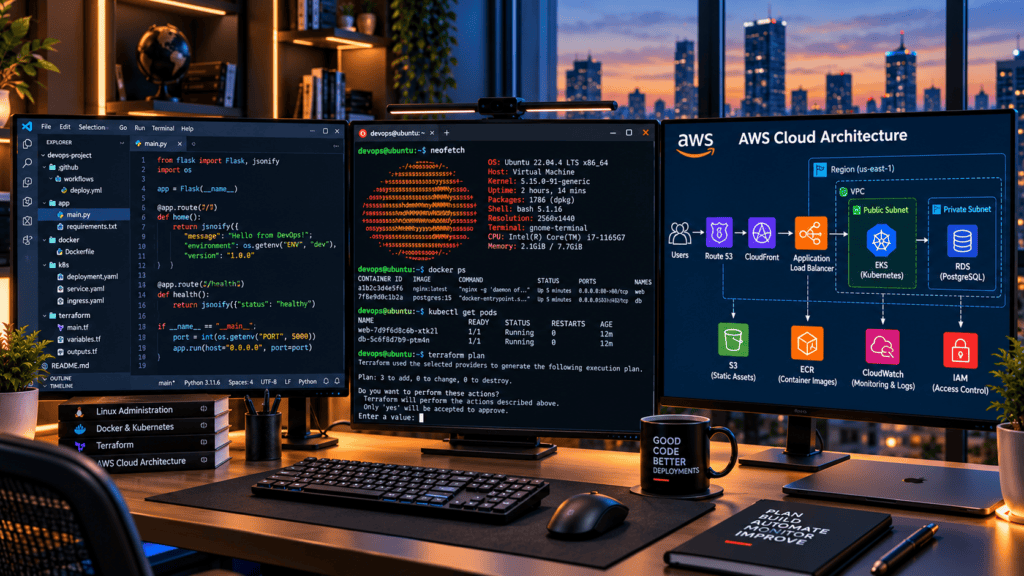
As defined by AWS, it combines cultural philosophies, practices, and tools that help organizations deliver applications and services at higher velocity while maintaining quality and reliability.
Modern DevOps spans several core technical pillars:
- Version Control: Git, branching strategies, and collaborative code workflows.
- Continuous Integration & Delivery (CI/CD): Automated build, test, and deployment pipelines.
- Infrastructure & Orchestration: Cloud platforms (AWS, Azure, GCP), containerization (Docker), and orchestration (Kubernetes).
- Infrastructure as Code (IaC) & Configuration Management: Declarative provisioning using tools like Terraform and Ansible.
- Observability: Centralized logging, metrics, performance monitoring, and distributed tracing.
- Security (DevSecOps): Automated vulnerability scanning, compliance checks, and secrets management embedded across the software lifecycle.
DevOps is not a single technology or a tool stack. You do not master this discipline simply by learning Docker, Kubernetes, or Jenkins in isolation. A successful DevOps engineer roadmap requires understanding how code, infrastructure, automation, security, and operations fit together as an integrated, end-to-end system.
What Does a DevOps Engineer Do?
A DevOps engineer operates at the intersection of software development and IT infrastructure, managing the end-to-end software delivery lifecycle. Day-to-day responsibilities vary significantly depending on organizational scale and maturity.
Core Responsibilities
- Infrastructure Provisioning & Management: Managing Linux environments and multi-cloud architectures (AWS, Azure, GCP) using Infrastructure as Code (IaC).
- CI/CD Pipeline Engineering: Designing, building, and maintaining automated build, test, and release pipelines.
- Containerization & Orchestration: Deploying and scaling containerized workloads with Docker and Kubernetes.
- Reliability & Observability: Implementing centralized logging, metrics, alerting, and distributed tracing to maintain system uptime and diagnose production bottlenecks.
- Automation & Configuration Management: Eliminating manual toil through scripting and declarative configuration tools.
- DevSecOps Integration: Embedding security controls, compliance checks, and secure secrets management into developer workflows.
Organizational Scope
- Startups & SMBs: A DevOps engineer often functions as a generalist, owning everything from cloud architecture and CI/CD to database maintenance, monitoring, and security.
- Enterprise Organizations: Responsibilities are typically specialized, split across dedicated Platform Engineering, Site Reliability Engineering (SRE), Cloud Infrastructure, and Security teams.
The DevOps Engineer Roadmap
A structured learning progression prevents tool fatigue and builds a robust mental model for modern systems. The complete DevOps engineer roadmap follows this chronological sequence:
$$\text{Linux} \rightarrow \text{Networking} \rightarrow \text{Git} \rightarrow \text{Scripting} \rightarrow \text{Cloud} \rightarrow \text{Docker} \rightarrow \text{CI/CD} \rightarrow \text{IaC} \rightarrow \text{Kubernetes} \rightarrow \text{Observability} \rightarrow \text{Security} \rightarrow \text{Advanced Automation}$$
Execution Strategy
- Iterative Progress: You do not need absolute mastery of one stage before exploring the next. Overlapping learning phases is normal and encouraged.
- Foundation First: Grasping operating systems, networking fundamentals, and version control before adopting high-level orchestration tools ensures long-term technical depth and easier troubleshooting later.
Phase 1: Linux Fundamentals
Linux is the operational bedrock of modern infrastructure. Since the vast majority of cloud environments, containers, and deployment targets run on Linux, command-line fluency is non-negotiable for any DevOps engineer roadmap.
You do not need to become a senior system administrator before moving forward, but you must be comfortable navigating and managing Linux environments.
Core Linux Competencies
- System Administration: File systems, permissions (
chmod/chown), users/groups, package management, and environment variables. - Process & Resource Management: Managing background services (
systemctl), monitoring processes (ps,top), and tracking disk/memory utilization (df,du). - Networking & Access: Secure shell (
ssh), network diagnostics, and core utilities (curl). - Automation & Logging: Scheduled tasks via
cronand system logging (journalctl).
High-Impact CLI Utility Reference
Focus on understanding how these core commands function within a live environment rather than memorizing them in isolation:
- Navigation & Files:
pwd,ls,cd,mkdir,cp,mv,rm - Inspection & Search:
cat,less,grep,find - System & Service Control:
ps,top,df,du,systemctl,journalctl - Network & Connectivity:
curl,ssh - Permissions:
chmod,chown
The Troubleshooting Mindset
Memorizing commands is secondary to developing a diagnostic mental model. When an incident occurs—such as an unreachable web application on a remote server—your investigation should systematically check:
- Process State: Is the application process running?
- Network Binding: Is the service listening on the expected port?
- Perimeter Security: Do firewall and security group rules permit inbound connections?
- Name Resolution: Do DNS records correctly point to the server IP?
- Error Logs: What do the application and system logs reveal?
- Resource Exhaustion: Does the server have sufficient CPU, memory, and disk headroom?
Cultivating this structured troubleshooting approach is far more valuable than learning hundreds of isolated commands.
Phase 2: Networking Fundamentals
Networking is frequently underestimated, yet it forms the invisible architecture of every cloud environment. A DevOps engineer roadmap relies heavily on network fluency; you cannot effectively provision cloud infrastructure, secure container clusters, or troubleshoot production latency without understanding how systems communicate.
Core Networking Competencies
- Addressing & Segmentation: IP addresses (IPv4/IPv6), subnet masks, and CIDR notation for designing VPC topologies.
- Core Protocols & Ports: TCP, UDP, HTTP, HTTPS, SSH, DHCP, and standard port allocations.
- Traffic Routing & Perimeters: Routers, Network Address Translation (NAT), firewalls, security groups, and network ACLs.
- Load Distribution & Proxies: Layer 4 and Layer 7 load balancers, reverse proxies, and API gateways.
- Name Resolution & Security: DNS mechanics, routing policies, and TLS/SSL certificate lifecycle management.
The Diagnostic Standard: The URL Request Lifecycle
To test your network foundation within this DevOps engineer roadmap, you should be able to trace and explain every step that occurs when a user enters a URL into a browser:
Request:[https://example.com](https://example.com)
- DNS Resolution: The browser queries local caches, recursive resolvers, and authoritative nameservers to translate the domain name into an IP address.
- TCP Handshake: A three-way handshake establishes a reliable TCP connection with the target server.
- TLS Negotiation: A secure cryptographic session is established via the TLS handshake, verifying certificates and exchanging session keys.
- Load Balancing & Routing: Traffic hits the edge network, traversing CDNs, web application firewalls (WAF), and load balancers before reaching the compute instance.
- Application Processing: The server processes the HTTP request, interacts with internal databases or microservices, and compiles the response.
- Response Delivery: Data packets travel back across the network layers to render the application in the user’s browser.
Mastering this end-to-end packet journey provides the mental model required for advanced cloud architecture and incident response.
Phase 3: Version Control & Git
Version control is the bedrock of modern collaboration, reproducibility, and auditability. Within a modern DevOps engineer roadmap, Git is not treated merely as a tool for tracking software code; it is the control plane for your entire infrastructure lifecycle.
Essential Git Competencies
- Repository Lifecycle: Initializing, cloning, and managing remote repositories.
- Branching & Merging: Creating feature branches, pushing/pulling changes, merging codes, and systematically resolving merge conflicts.
- Code Review & Collaboration: Issuing and reviewing pull requests, inspecting commit history, and tagging release versions.
Version Control for Infrastructure
In a DevOps workflow, code is only part of the equation. Every configuration layer should be tracked, version-controlled, and audited through the exact same Git workflows used by software engineers:
- Infrastructure as Code templates (Terraform, OpenTofu)
- Container definitions (
Dockerfile) - Orchestration manifests (Kubernetes deployments, Helm charts)
- CI/CD pipeline definitions (GitHub Actions, GitLab CI)
The Core DevOps Habit
Rule of Thumb: If an important configuration change cannot be reviewed, reproduced, or traced, ask whether it should really be performed manually.
Embracing Git for infrastructure lays the groundwork for GitOps, automated rollbacks, and complete change transparency across teams.
Phase 4: Scripting & Automation
Automation sits at the center of modern infrastructure management. A practical DevOps engineer roadmap requires moving away from manual toil and toward repeatable, scripted workflows.
You do not need to become a software engineer, but you must be capable of writing maintainable automation to connect different tools and systems.
Master Bash Scripting
Bash is your primary interface for system-level automation and server-side execution. Focus on mastering:
- Control Flow: Variables, conditional statements (
if/else), and loops (for,while). - Functions & Arguments: Reusable script blocks and input handling.
- Flow Control: Exit codes, input/output redirection (
>,>>), and data piping (|). - Data Processing & Debugging: Text manipulation utilities and robust error handling.
Practical Application
Instead of manually verifying whether multiple services are online across a cluster, write a lightweight Bash script that loops through service endpoints, inspects exit codes, and alerts you to failures.
Add Python for General-Purpose Automation
While Bash handles local system tasks, Python provides the versatility needed for complex cloud operations. It is essential for:
- API Interactions: Querying REST APIs, integrating webhooks, and building custom tooling.
- Cloud Automation: Using SDKs (like Boto3 for AWS) to manage cloud resources programmatically.
- Operational Scripts: Data processing, log analysis, and automated testing suites.
The Objective
The goal is not to build monolithic software applications. It is to develop the scripting fluency required to eliminate manual friction, automate repetitive deployments, and orchestrate systems efficiently across your DevOps engineer roadmap.
Phase 5: Cloud Computing
Once your Linux, networking, Git, and scripting foundations are established, you are ready to enter cloud computing. The modern landscape is dominated by three hyperscale providers:
- Amazon Web Services (AWS)
- Microsoft Azure
- Google Cloud Platform (GCP)
You do not need to master all three simultaneously. Pick one provider—AWS is the current industry standard for most DevOps roles—and learn its core architecture deeply.
Core Cloud Concepts
Focus on functional abstractions rather than memorizing provider-specific product names:
- Compute: Virtual machines, serverless runtimes, and container hosts.
- Storage & Databases: Object storage, block storage, and managed relational/NoSQL databases.
- Networking & Peripherals: Virtual private clouds (VPCs), subnets, routing tables, and internet gateways.
- Identity & Access Management (IAM): Users, roles, policies, and the principle of least privilege.
- Traffic Management: Load balancers, content delivery networks (CDNs), and DNS management.
- Resilience & Governance: Autoscale groups, metric monitoring, centralized logging, and cost optimization.
Example Mapping (AWS)
While AWS uses specific terms like EC2 (compute), S3 (object storage), VPC (virtual network), and IAM (access control), the underlying architectural concepts are universal across Azure and GCP.
Practical Learning Progression
The most effective way to internalize cloud architecture along the DevOps engineer roadmap is through hands-on construction. Build a complete environment sequentially:
- Provision Compute: Spin up a virtual machine instance in the cloud.
- Establish Access: Securely connect to the instance using SSH and key pairs.
- Deploy Workloads: Install and run a simple web application.
- Harden Security: Configure firewalls and security groups to restrict inbound traffic.
- Attach Data: Connect the application to a managed database instance.
- Route Traffic: Configure custom DNS records to point to your server.
- Scale & Balance: Put a load balancer in front of the application with autoscaling policies.
- Observe: Set up basic health checks and infrastructure monitoring.
Completing this sequence manually reveals the limitations of click-driven console operations, creating a natural bridge into Infrastructure as Code (IaC).
Phase 6: Docker & Containerization
Containers have revolutionized modern software packaging, providing a consistent, isolated environment to build, ship, and run applications. Within the DevOps engineer roadmap, mastering containerization bridges the gap between local development and cloud infrastructure.
Core Docker Competencies
- Images & Containers: Understanding the immutable blueprint (image) versus the running runtime instance (container).
- Dockerfile Crafting: Writing efficient, multi-stage build instructions to package code and its dependencies.
- Docker Compose: Defining and running multi-container applications (e.g., a web service paired with a database) locally.
- Data Persistence & Networking: Managing volumes for state retention and virtual networks for inter-container communication.
- Registry Management: Pushing and pulling images from artifact repositories like Docker Hub or Amazon ECR.
- Operational Security: Setting resource limits, scanning images for vulnerabilities, and running containers with non-root users.
The Mental Shift: Code vs. Environment
Before containers, troubleshooting often involved tracking down environment discrepancies between a developer’s local machine and a staging or production server.
Docker separates concerns cleanly:
- Application Code: Your source files, scripts, and business logic.
- Runtime Environment: The OS dependencies, system libraries, binaries, and configurations packaged securely inside the container image.
Docker vs. Kubernetes
It is critical to distinguish between container engines and orchestration platforms:
- Docker focuses primarily on building, shipping, and running individual or multi-container applications on a single host.
- Kubernetes takes over where Docker stops, providing a complex orchestration platform for managing containerized workloads, scaling clusters, and handling automated failover across distributed nodes.
Phase 7: Continuous Integration & Continuous Delivery (CI/CD)
CI/CD automation is the engine of modern software delivery. By eliminating manual deployment steps, organizations can ship code frequently, reliably, and safely. This phase forms a core pillar of any practical DevOps engineer roadmap.
Core CI/CD Definitions
- Continuous Integration (CI): Developers merge code changes into a shared repository frequently. Each merge automatically triggers builds, linters, and unit/integration tests to catch bugs early.
- Continuous Delivery (CD): Validated build artifacts are automatically prepared and staged for release, ensuring software can be deployed to production at any time with a single click.
- Continuous Deployment: Extends continuous delivery by automatically pushing qualifying changes directly to production environments after passing all automated test and validation gates.
The Standard CI/CD Pipeline Architecture
$$\text{Code Commit} \rightarrow \text{Git Repo} \rightarrow \text{Automated Tests} \rightarrow \text{Build} \rightarrow \text{Security Scan} \rightarrow \text{Artifact Creation} \rightarrow \text{Staging Deploy} \rightarrow \text{Production Deploy}$$
Industry-Standard Tooling
- GitHub Actions & GitLab CI/CD: Popular, tightly integrated solutions native to code repositories.
- Jenkins: A mature, highly extensible open-source automation server.
- CircleCI & Azure Pipelines: Enterprise-grade options focused on scalability and speed.
Execution Strategy
Avoid tool hopping. Pick a single platform—such as GitHub Actions—and master its workflow syntax, environment secrets management, and caching strategies.
The Recommended Milestone Project
To cement your understanding along the DevOps engineer roadmap, build an end-to-end pipeline that performs these exact steps:
- Trigger: Detects a push or pull request merge in a Git repository.
- Environment Setup: Installs required dependencies and runtimes.
- Verification: Executes automated unit and integration tests.
- Compilation: Builds the application package.
- Containerization: Compiles the application into a Docker image.
- Artifact Storage: Pushes the versioned image to a container registry (e.g., Docker Hub or Amazon ECR).
- Staging Release: Automatically deploys the container to an isolated test or staging environment for validation.
Phase 8: Infrastructure as Code (IaC)
Infrastructure as Code (IaC) replaces manual, click-driven console provisioning with declarative configuration files. By treating infrastructure as code, teams can version-control, review, test, and repeatedly deploy cloud environments with precision. This phase is a cornerstone of any professional DevOps engineer roadmap.
Why IaC Matters
Manual infrastructure changes lead to configuration drift, undocumented environments, and human error. IaC introduces software engineering rigor to infrastructure operations, ensuring that staging and production environments match exactly.
Terraform: The Industry Standard
Terraform (and its open-source fork, OpenTofu) is widely adopted for multi-cloud provisioning. It uses declarative configuration files to describe desired state, managing the heavy lifting of dependency graphing and API calls.
According to Terraform’s core documentation, the standard workflow consists of three primary steps:
- Write: Define infrastructure resources in configuration files using HashiCorp Configuration Language (HCL).
- Plan: Preview the exact execution actions Terraform will take to match the configuration against current reality.
- Apply: Execute the planned changes safely across cloud providers.
Core IaC Competencies
- Syntax & Structure: Providers, resources, data sources, input variables, and output values.
- Modularity: Writing reusable, parameterized modules to avoid code duplication across projects.
- State Management: Understanding local vs. remote state backends (e.g., cloud object storage with state locking) to manage team collaboration.
- Environment Strategies: Managing multi-environment setups using workspaces, directory structures, or separate state files.
- Validation & Testing: Using plan files, linters, and static analysis tools to check infrastructure security before deployment.
Critical Security Rule: Protect Your State and Secrets
Infrastructure code must be treated with the exact same security rigor as production application code:
- Never commit secrets: Avoid hardcoding database passwords, API keys, or cloud provider credentials directly into your Terraform configurations.
- Secure your state: Terraform state files often contain sensitive attributes in plain text. Always store state files in secure, encrypted remote backends with restricted access control, and never commit state files into public Git repositories, as explicitly warned against in Terraform’s security documentation.
Phase 9: Kubernetes & Orchestration
Kubernetes is the industry standard for managing containerized workloads at scale. As defined by its official documentation, it is an open-source platform for automating the deployment, scaling, and operations of application containers across clusters of hosts.
Core Kubernetes Concepts
To build production-grade clusters along your DevOps engineer roadmap, master these fundamental objects:
- Cluster Architecture: Control plane nodes, worker nodes, and the Kubelet runtime.
- Workload Abstractions: Pods (the smallest deployable units), Deployments, and StatefulSets.
- Networking & Traffic: Services (ClusterIP, NodePort, LoadBalancer) and Ingress controllers for routing external traffic.
- Configuration & Security: ConfigMaps, Secrets, Namespaces, and Role-Based Access Control (RBAC).
- Storage & Resiliency: Persistent Volume Claims (PVC), liveness/readiness health probes, and horizontal pod autoscaling (HPA).
The Sequencing Warning: Why Kubernetes Comes Last
Crucial Rule: Never start your DevOps journey with Kubernetes.
This is one of the most common mistakes in self-taught paths. If you jump into Kubernetes without mastering Linux, networking, containerization, and process management, it becomes an opaque black box of complex commands (kubectl) that you can execute blindly without understanding how underlying packets route, how storage mounts fail, or why pods crash-loop.
Always understand the underlying infrastructure problems first, then learn how Kubernetes solves them.
Phase 10: Observability, Monitoring & Logging
Deploying an application into production is only half the battle. Without visibility into how that system behaves under real-world traffic, you are operating blindly. This phase of the DevOps engineer roadmap focuses on transforming raw system data into actionable operational insights.
The Three Pillars of Observability
Modern observability relies on three primary data streams:
- Metrics: Numerical time-series data measuring system health (e.g., CPU utilization, memory consumption, request rates).
- Logs: Immutable event records generated by applications and operating systems detailing what happened and when.
- Traces: Distributed tracking data mapping the lifecycle of a single user request as it traverses microservices and network boundaries.
Industry-Standard Tooling
- OpenTelemetry (OTel): The vendor-neutral observability framework for generating, collecting, and exporting unified telemetry (metrics, logs, and traces).
- Prometheus: The open-source monitoring and alerting toolkit designed for scraping and storing time-series metrics.
- Grafana: The leading visualization layer used to build real-time operational dashboards.
- Loki & ELK (Elasticsearch/OpenSearch): Centralized log aggregation platforms for searching and analyzing log streams.
- Jaeger: Distributed tracing software used to debug latency bottlenecks in microservice architectures.
Diagnostic Competencies
Your telemetry stack should allow you to answer critical operational questions instantly during an incident:
- Is the application currently available and responding?
- Are API latency and error rates spiking?
- Is compute capacity saturated (CPU/memory exhaustion)?
- Which specific microservice is causing downstream failures?
- What exact change preceded the system degradation?
The Core Objective
The goal of monitoring is not simply to install software or populate Grafana dashboards with green lights. The true objective is to build high-signal alerts and telemetry pipelines that turn system data into useful operational information, enabling rapid incident detection and resolution.
Phase 11: DevOps Security (DevSecOps)
Security cannot be treated as an afterthought or a final gatekeeper right before production. Modern delivery models integrate security protocols across every stage of development, testing, infrastructure provisioning, and deployment—a methodology widely known as DevSecOps.
Core DevSecOps Competencies
- Identity & Access Management (IAM): Enforcing strict authentication, multi-factor authentication, and the principle of least privilege across cloud accounts and Kubernetes clusters.
- Secrets Management: Securing API keys, database credentials, and certificates using dedicated vaults (e.g., HashiCorp Vault, AWS Secrets Manager) rather than hardcoding them in source code.
- Secure Communications: Enforcing robust SSH key hygiene, TLS encryption in transit, and strict network segmentation.
- Supply-Chain Security: Automated dependency scanning, software bill of materials (SBOM) generation, and continuous container image vulnerability analysis.
- Pipeline Hardening: Securing CI/CD runners, managing least-privilege pipeline tokens, and preventing unauthorized code modifications.
- Auditing & Compliance: Centralizing immutable logs and audit trails to track infrastructure changes and access events.
Security as Code
Just like infrastructure and applications, security guardrails should be automated and embedded directly into your pipelines. For example, a mature CI/CD pipeline automatically runs static code analysis, scans container images for Common Vulnerabilities and Exposures (CVEs), and checks infrastructure code (IaC) for misconfigurations before allowing any build to progress toward production.
By treating security as an integrated component rather than a manual roadblock, you ensure rapid delivery without compromising organizational risk posture.
Phase 12: Configuration Management & Advanced Automation
As your infrastructure scales, manual configuration becomes an operational bottleneck and a source of silent drift. The final core pillar of a mature DevOps engineer roadmap focuses on configuration management and advanced automation to guarantee absolute consistency across fleets.
Core Automation Toolset
- Configuration Management (Ansible): Using agentless, declarative playbooks to configure operating systems, install packages, and manage software state across hundreds of nodes simultaneously.
- Policy as Code: Enforcing compliance, security baselines, and governance rules automatically (e.g., using Open Policy Agent or Sentinel) before infrastructure changes are applied.
- Operational Orchestration: Combining advanced Python and Bash scripting to automate routine maintenance, failover procedures, and system recovery.
The Scalability Test
Consider this operational challenge:
- If you manually configure 5 servers today, can you reproduce their exact configuration six months from now?
- What about 50 servers distributed across multiple regions?
- What if another engineer has to rebuild the environment during an outage?
Undocumented manual procedures fail at scale. Configuration management eliminates tribal knowledge by encoding system state directly into repeatable manifests.
The Golden Rule of Automation
Do not automate for its own sake. Automate processes only when doing so directly improves consistency, reliability, speed, safety, or maintainability.
Phase 13: GitOps & Continuous Reconciliation
GitOps extends the principles of Infrastructure as Code and CI/CD by establishing Git as the single source of truth for declarative infrastructure and application deployments.
Instead of traditional push-based pipelines modifying production environments directly, a GitOps controller running inside the cluster continuously pulls configurations from your repository and automatically reconciles cluster state with the desired state defined in code.
The GitOps Workflow
$$\text{Configuration Change} \rightarrow \text{Git Commit} \rightarrow \text{Peer Review} \rightarrow \text{Automated Validation} \rightarrow \text{Cluster Reconciliation} \rightarrow \text{Production State}$$
Core Advantages
- Declarative Synchronization: Tools like Argo CD or Flux monitor your Git repositories, automatically applying updates and self-healing when drift occurs.
- Instant Rollbacks: Because every change is version-controlled, rolling back a faulty release is as simple as executing a
git revertcommand. - Enhanced Security: Production credentials do not need to be exposed to external CI/CD runners; the internal cluster agent initiates outbound pulls securely.
Prerequisites & Sequencing Warning
GitOps is predominantly applied within Kubernetes and cloud-native environments, though its core philosophy extends across infrastructure.
Crucial Rule
Before adopting GitOps tools, ensure you have mastered Git workflows, CI/CD mechanics, Infrastructure as Code, and container deployment fundamentals. Attempting to implement GitOps without these foundational layers introduces operational complexity you cannot effectively troubleshoot.
Phase 14: Reliability & Systematic Troubleshooting
Deploying infrastructure and automating pipelines is only half of a DevOps engineer’s responsibility. Production systems inevitably fail, and when they do, your value is measured by how methodically you diagnose and resolve the issue.
Common Production Failure Scenarios
To build real-world resilience along your DevOps engineer roadmap, practise troubleshooting these frequent failure modes:
- Availability & Access: Complete website outages, broken network routing, or incorrect IAM/file permissions.
- Name Resolution & Certificates: DNS propagation failures or expired TLS/SSL certificates breaking secure communication.
- Resource Saturation: High CPU utilization, memory exhaustion (OOM kills), or full disk partitions.
- Database & Connectivity: Dropped database connections, connection pool exhaustion, or unreachable microservices.
- Workload Stability: Container crash loops (
CrashLoopBackOff), failed deployments, or broken CI/CD pipeline runs.
The Systematic Troubleshooting Framework
Avoid random guessing or changing multiple variables at once. If you alter five configurations simultaneously and the service recovers, you have no idea which change fixed the problem—leaving you vulnerable to recurrence.
Instead, follow a disciplined, repeatable diagnostic process:
$$\text{Observe} \rightarrow \text{Form Hypothesis} \rightarrow \text{Test} \rightarrow \text{Isolate} \rightarrow \text{Fix} \rightarrow \text{Verify} \rightarrow \text{Document}$$
- Observe: Gather error messages, logs, and telemetry metrics to establish ground truth.
- Form Hypothesis: Propose a single, root-cause explanation based on the symptoms.
- Test: Run non-destructive checks or dry runs to validate your assumption.
- Isolate: Narrow the blast radius to confirm the exact component or layer causing the fault.
- Fix: Apply a targeted remediation (e.g., rolling back a bad config, resizing a volume, or renewing a certificate).
- Verify: Confirm that system health and performance metrics have fully recovered.
- Document: Record the incident cause and resolution in your team’s knowledge base to prevent future occurrences.
Phase 15: Cloud Cost Management & FinOps
Cloud infrastructure introduces a critical financial dimension to engineering: cost. A technically functional, highly scalable architecture can easily fail if it is financially unsustainable. Developing cost awareness is an essential discipline on any modern DevOps engineer roadmap.
Core Cost Competencies
- Resource Right-Sizing: Aligning compute, memory, and database configurations with actual workload demands rather than over-provisioning out of caution.
- Storage & Data Transfer Optimization: Monitoring egress fees, cross-region traffic, and transitioning inactive data to low-cost storage tiers (e.g., object lifecycle policies).
- Workload Lifecycle Management: Identifying and terminating orphaned resources, utilizing ephemeral or spot instances for non-production environments, and leveraging dynamic autoscaling.
- Commitment Strategies: Leveraging Reserved Instances, Savings Plans, and committed-use discounts for stable, predictable workloads.
- Attribution & Governance: Enforcing standardized resource tagging policies to accurately track cloud spend by team, application, or environment.
- Budgets & Guardrails: Configuring programmatic budget alerts and anomaly detection to prevent unexpected billing spikes.
The FinOps Mindset
You do not need to become a dedicated FinOps specialist, but you must recognize that every infrastructure decision has both operational and financial consequences.
Crucial Warning for Learners
Cloud environments bill by the second. Always verify pricing models and free-tier boundaries before provisioning resources. A forgotten NAT gateway, an unattached volume, or a left-running database cluster can quickly generate unexpected costs.
A Practical DevOps Learning Path
Avoiding tool fatigue requires a structured, sequential approach. Rather than trying to learn everything simultaneously, follow this chronological progression outlined in the DevOps engineer roadmap:
| Stage | Focus Area | Example Project / Milestone |
| 1 | Linux | Configure, secure, and troubleshoot a Linux server via CLI. |
| 2 | Networking | Trace a web request and troubleshoot basic network connectivity. |
| 3 | Git | Collaborate on a version-controlled codebase and infrastructure repo. |
| 4 | Bash/Python | Write maintenance scripts to automate repetitive administrative tasks. |
| 5 | Cloud | Provision a cloud virtual machine and host a web application. |
| 6 | Docker | Containerize the application and run it locally with Docker Compose. |
| 7 | CI/CD | Build an automated testing and deployment pipeline (e.g., GitHub Actions). |
| 8 | Terraform | Provision cloud infrastructure declaratively using Infrastructure as Code. |
| 9 | Kubernetes | Deploy, network, and scale containerized workloads on a cluster. |
| 10 | Observability | Implement metrics, logs, and traces with Prometheus, Grafana, and OpenTelemetry. |
| 11 | Security | Embed automated dependency scanning and container vulnerability checks into pipelines. |
| 12 | Advanced Automation | Build an end-to-end automated platform incorporating GitOps and configuration management. |
Following this step-by-step sequence along the DevOps engineer roadmap ensures you build a solid foundation of principles before tackling complex orchestration tools.
DevOps Projects to Build
Portfolio projects are the ultimate proof of capability. Moving past passive tutorials requires building concrete systems that demonstrate how individual technologies integrate across the DevOps engineer roadmap.
Automated Linux Server
Deploy, harden, and manage a standalone Linux instance.
- Requirements: Host a web service, enforce strict SSH key-based access, configure firewall rules (e.g.,
ufw), manage persistent system logs, and automate routine backups or updates usingcron. - Deliverable: A documented runbook detailing how the server was provisioned, secured, and maintained.
Containerized Application
Package a stateless or stateful service using Docker.
- Requirements: Write an optimized, multi-stage
Dockerfile, configure environment variables securely, attach Docker volumes for persistent storage, and push the versioned image to a public or private registry (Docker Hub or Amazon ECR). - Deliverable: A clean GitHub repository containing the application code,
Dockerfile, and adocker-compose.ymlfile for local multi-container orchestration.
CI/CD Pipeline
Automate the build, test, and release lifecycle.
- Requirements: Set up a repository in GitHub Actions (or GitLab CI) that triggers on code pushes, runs automated test suites, compiles a Docker container, and pushes the artifact to a registry upon success.
- Deliverable: A fully functioning workflow file (
.github/workflows/main.yml) with automated status badges in your repository README.
Infrastructure as Code (Terraform)
Provision cloud architecture declaratively.
- Requirements: Use Terraform to deploy a virtual private cloud (VPC), subnet configuration, security groups, and an EC2 compute instance.
- Workflow:$\text{Terraform} \rightarrow \text{Virtual Network} \rightarrow \text{Compute} \rightarrow \text{Security Rules} \rightarrow \text{Application}$
- Deliverable: A version-controlled Terraform module stored in Git with a comprehensive
README.mdexplaining how to executeterraform planandterraform apply.
Kubernetes Deployment
Orchestrate container workloads on a local or cloud cluster (e.g., Minikube or EKS).
- Requirements: Deploy a multi-tier application using Kubernetes manifests or Helm charts, incorporating Deployments, Services, ConfigMaps, Secrets, liveness/readiness probes, and horizontal pod autoscaling.
- Deliverable: A well-structured K8s manifest directory demonstrating resource requests, limits, and secure secret injection.
The Capstone: Complete End-to-End DevOps Pipeline
Combine all core competencies into a single, comprehensive portfolio project demonstrating mastery across the entire DevOps engineer roadmap.
$$\text{Git} \rightarrow \text{CI} \rightarrow \text{Tests} \rightarrow \text{Security Scan} \rightarrow \text{Docker} \rightarrow \text{Container Registry} \rightarrow \text{Terraform} \rightarrow \text{Cloud} \rightarrow \text{Kubernetes} \rightarrow \text{Observability}$$
- Requirements: Code pushed to Git triggers a CI pipeline that runs security vulnerability scans, builds a container image, provisions cloud infrastructure via Terraform, deploys the workload onto Kubernetes, and reports real-time metrics to an observability dashboard (Prometheus/Grafana).
- Deliverable: An architectural diagram, a clean repository structure, and a Loom video or written case study explaining your implementation choices and troubleshooting war stories.
How to Build a DevOps Portfolio
A high-impact DevOps portfolio must demonstrate systems thinking, engineering discipline, and architectural clarity—not simply a collection of random code snippets or UI screenshots.
When presenting projects along your DevOps engineer roadmap, structure each case study to answer eight core engineering dimensions:
The Problem Statement
- Objective: Define the business or technical problem you were trying to solve or automate.
- Focus: Highlight operational bottlenecks, manual toil, or architectural limitations that prompted the project.
The System Architecture
- Design: Provide a clear architectural diagram mapping how individual components interact.
- Flow: Illustrate the data path from user request or code commit down to infrastructure and data persistence.
Technology Selection
- Justification: Explain why you selected specific tools (e.g., choosing Terraform over CloudFormation, or GitHub Actions over Jenkins).
- Trade-offs: Acknowledge alternative solutions and why your chosen stack was optimal for the use case.
Automation Mechanics
- Before & After: Explicitly contrast what was previously manual (e.g., click-driven console deployments) with what your automation replaced.
- Execution: Detail how scripts, pipelines, or declarative files execute the workflow autonomously.
Security Architecture
- Defense in Depth: Explain how authentication, least-privilege IAM roles, secure networking (VPCs, security groups), and runtime encryption were enforced.
- Secrets Management: Detail how sensitive credentials, API tokens, and environment variables were protected and kept out of version control.
Observability & Telemetry
- Verification: Explain how you monitor system health and confirm whether the application is functioning correctly.
- Instrumentation: Detail what metrics, logs, or traces are collected and how alerts are triggered during failures.
Failure Modes & Resilience
- Resiliency Engineering: Describe how the system behaves when dependencies fail, nodes crash, or traffic spikes.
- Recovery: Outline the diagnostic and recovery procedures implemented to maintain uptime or minimize recovery time objectives (RTO).
Reproducible Documentation
- Runbooks: Provide clear, step-by-step instructions so another engineer can clone, provision, and reproduce the entire environment from scratch.
- Transparency: Treat your project documentation with the same rigor as an enterprise production runbook; a well-documented engineering project demonstrates far more practical competence than a static certificate alone.
Do You Need to Learn AWS, Azure, and Google Cloud?
No. You do not need to master AWS, Azure, and Google Cloud simultaneously. For anyone navigating the DevOps engineer roadmap, spreading your learning across three hyperscale platforms leads directly to tool fatigue and superficial understanding.
The Transferability of Cloud Concepts
Cloud providers use different product names, but the underlying architectural primitives remain identical. Once you master the core concepts on a single platform, translating your knowledge to another provider becomes straightforward:
| Concept | AWS Equivalent | Azure Equivalent | Google Cloud (GCP) Equivalent |
| Compute | EC2 / ECS | Virtual Machines / Container Instances | Compute Engine / Cloud Run |
| Object Storage | S3 | Blob Storage | Cloud Storage |
| Virtual Networks | VPC | Virtual Network (VNet) | VPC |
| Identity & Access | IAM | Entra ID (Azure AD) | Cloud IAM |
| Relational Database | RDS | Azure SQL / Database for PostgreSQL | Cloud SQL |
| Load Balancing | Application Load Balancer | Application Gateway | HTTP(S) Load Balancing |
Recommended Cloud Strategy
- Pick One Provider First: Choose a single market leader—AWS is currently the industry standard for the vast majority of DevOps roles—and learn its core architecture deeply.
- Focus on Fundamentals: Prioritize understanding how compute, networking, security, and automation interact rather than trying to memorize a vendor’s entire product catalogue.
- Expand Later: Once you are comfortable designing, provisioning, and troubleshooting end-to-end environments on your primary cloud, exploring equivalent services on Azure or GCP requires only learning new syntax, not new engineering principles.
Do You Need to Learn Kubernetes to Become a DevOps Engineer?
While Kubernetes is a dominant force in modern cloud-native architectures, it should not be your first stop on a DevOps engineer roadmap.
Attempting to master Kubernetes without a robust grounding in underlying systems leads to severe tool fatigue, turning a powerful orchestration platform into an opaque black box of complex commands that you can execute blindly without understanding how they work.
The Required Progression Order
Before tackling cluster orchestration, you must build your skills across the foundational layers in strict sequence:
$$\text{Linux} \rightarrow \text{Networking} \rightarrow \text{Containers} \rightarrow \text{Deployment} \rightarrow \text{Orchestration}$$
Essential Kubernetes Competencies for Beginners
You do not need to memorize every feature, plugin, or Custom Resource Definition (CRD) right away. Focus your initial learning on the core objects that drive 80% of day-to-day operations:
- Workloads: Pods, ReplicaSets, and Deployments.
- Networking & Traffic: ClusterIP, NodePort, LoadBalancer services, and Ingress routing.
- Configuration & Security: ConfigMaps and Secrets management.
- Resiliency & Storage: Persistent storage claims, liveness/readiness health probes, and resource requests/limits.
The Core Takeaway
Always understand the operational problems Kubernetes is designed to solve—such as automated scaling, self-healing container fleets, and distributed load balancing—before learning its specific API abstractions. Once your foundational layers are solid, Kubernetes becomes a logical extension of your container workflow rather than an overwhelming hurdle.
Do You Need to Be a Software Developer First?
No, you do not need to be a professional software developer to succeed along a DevOps engineer roadmap; however, foundational programming and scripting capabilities are non-negotiable.
A DevOps engineer does not need to specialize in writing application features. However, you must be fully capable of reading code, understanding application runtime behavior, interacting with REST APIs, automating manual tasks, and troubleshooting software failures.
Minimum Technical Competencies
Before tackling advanced automation, ensure you build practical fluency in:
- Scripting Languages: Bash for system-level execution and basic Python for API integration and tooling.
- Collaboration & Data Serialization: Git for version control, alongside YAML and JSON for configuration files and pipeline definitions.
- Application Comprehension: A working understanding of the programming language(s) used by the development teams and microservices you support.
The Value of Developer Empathy
The deeper your understanding of software engineering workflows, the easier it becomes to master build systems, package management, automated testing frameworks, and deployment bottlenecks.
While you do not need years of backend development experience, developing empathy for how software is built and packaged is a major accelerator on any modern DevOps engineer roadmap.
Common DevOps Learning Mistakes
Navigating a successful DevOps engineer roadmap requires avoiding common pitfalls that lead to tool fatigue, superficial understanding, or bad technical habits.
Learning Too Many Tools Simultaneously
Avoid the trap of trying to master AWS, Azure, GCP, Docker, Kubernetes, Jenkins, GitLab CI, GitHub Actions, Terraform, Ansible, Helm, Argo CD, Prometheus, and Grafana all at once. Choose a lean, practical stack, build end-to-end systems, and expand your tooling organically as projects require.
Starting with Kubernetes Too Early
Kubernetes is a powerful orchestration engine, but leaping into clusters before mastering Linux, networking, and standard container execution turns it into an opaque black box of complex commands you can execute blindly without understanding.
Ignoring Networking Fundamentals
Many stubborn cloud, container, and production bugs eventually trace back to fundamental network misconfigurations, routing failures, or restrictive security group policies. Never skip your networking baseline.
Memorizing Commands Instead of Concepts
Memorizing isolated command lists without understanding the underlying system state or diagnostic logic leaves you helpless when unexpected errors occur or syntax variations arise. Focus on mental models over rote memorization.
Relying Solely on Cloud Consoles
Click-driven console operations are useful for early exploration, but a professional DevOps engineer must master CLI tooling, programmatic automation, and reproducible infrastructure.
Treating Security as an Afterthought
Never commit plaintext credentials, API keys, or state files into public Git repositories, and avoid using overly permissive IAM policies or security groups simply to make a tutorial run. Secure hygiene must be baked in from day one.
Stagnant Tutorial Following
Following guided tutorials is a useful starting point, but true competence emerges only when you break things intentionally, modify code, troubleshoot failures, and document the resolution yourself.
Chasing Certifications Over Practical Skills
Certifications can validate structured knowledge and help with career positioning, but they should always complement hands-on engineering experience rather than replace real project execution.
A Budget-Friendly DevOps Learning Strategy
Mastering modern infrastructure does not require an expensive home lab or significant upfront financial investment. You can build a comprehensive learning environment locally before ever provisioning paid cloud resources.
The Lean Learning Toolkit
A fully functional local lab for your DevOps engineer roadmap requires only standard hardware and free tooling:
- Hardware: A reasonably capable computer (8GB+ RAM, multi-core CPU).
- Operating System: Linux (native or via a virtual machine using WSL2 or VirtualBox).
- Version Control: Git paired with a free GitHub or GitLab account.
- Containerization: Docker Desktop or Podman for local image builds.
- Orchestration: Local Kubernetes tools like Minikube, Kind, or Docker Desktop’s built-in cluster.
- Knowledge Base: Comprehensive official documentation, open-source documentation, and community resources.
The Cloud Cost Caution
While hyperscalers offer free tiers, promotional credits, and low-cost trial periods, cloud spending requires constant vigilance:
- Pricing Variability: Free tiers and promotional terms change frequently, and eligibility depends on account types, regions, and billing history.
- Local-First Efficiency: Particularly for learners in developing or high-currency-exchange regions (such as Nigeria), maximizing local simulation—running containers, orchestrating local clusters, and testing scripts on your machine—makes the learning journey far more financially sustainable.
- The Golden Rule: Always review current pricing pages, set up strict billing alerts, and clean up provisioned resources immediately after practice sessions to prevent unexpected charges.
How Long Does It Take to Learn DevOps?
There is no single timeline. Your progression depends heavily on your starting point:
- A Linux system administrator will move rapidly through foundational infrastructure layers.
- A software developer will already understand Git, programming concepts, CI pipelines, and application architecture.
- A complete beginner will need dedicated time to build baseline computer science, networking, and operating system literacy.
Instead of counting months, measure your progression by the practical capabilities you unlock along the DevOps engineer roadmap:
Beginner Capabilities
- You can navigate and manage Linux environments via the command line.
- You can manage code changes using Git and GitHub.
- You can write simple Bash or Python automation scripts.
- You understand core networking principles (TCP/IP, DNS, HTTP, ports).
- You can manually deploy a basic application to a server.
Developing Capabilities
- You can containerize applications using Docker and Docker Compose.
- You can build automated CI/CD pipelines (e.g., GitHub Actions).
- You can provision and navigate cloud provider environments (AWS, Azure, or GCP).
- You can write declarative Infrastructure as Code using Terraform.
Job-Ready Project Level
- You can construct repeatable, end-to-end deployment pipelines from code commit to cloud production.
- You can systematically troubleshoot infrastructure and application failures.
- You can implement monitoring, logging, and metrics dashboards.
- You enforce secure credential handling, least-privilege IAM, and basic container security.
- You can deploy, network, and scale containerized workloads using Kubernetes.
- You can clearly explain your system architecture, security choices, and technical trade-offs.
Advanced Capabilities
- You can design resilient, highly available cloud platforms.
- You automate complex multi-environment infrastructure and enforce policy as code.
- You manage production incidents with disciplined post-mortems and robust runbooks.
- You establish advanced observability, tracing, and high-signal alerting.
- You optimize developer workflows and scale delivery velocity securely.
The Real Objective
The transition from beginner to advanced is not about memorizing a longer list of tools. It is about developing mature systems thinking—becoming significantly faster and more precise at designing, automating, operating, and troubleshooting complex software systems.
DevOps Engineer Career Path
A strong foundation along the DevOps engineer roadmap opens up diverse, high-value career specializations. While these roles often overlap, their daily focus areas differ significantly across organizations:
- DevOps Engineer: Bridges development and operations by automating CI/CD pipelines, managing infrastructure, and streamlining deployment workflows.
- Platform Engineer: Focuses on building and maintaining internal developer platforms (IDPs) and self-service tooling that empower software teams to ship code safely and independently.
- Site Reliability Engineer (SRE): Applies software engineering principles to operations, focusing heavily on system reliability, service-level objectives (SLOs), automated incident response, and root-cause analysis.
- Cloud Engineer: Specializes in designing, provisioning, and optimizing multi-cloud architectures, storage, and networking primitives.
- DevSecOps Engineer: Integrates security controls, automated vulnerability scanning, compliance auditing, and robust secrets management into the core delivery pipeline.
- Kubernetes/Container Engineer: Deeply focuses on container orchestration, cluster administration, service mesh networking, and scalable microservice deployments.
- Infrastructure Engineer: Owns the foundational hardware, virtualization layers, and declarative Infrastructure as Code (IaC) fleets.
- Cloud Security Engineer: Concentrates on identity and access governance, perimeter security, threat detection, and cloud compliance frameworks.
- Automation Engineer: Dedicated to eliminating manual toil across enterprise systems through custom scripting, API integrations, and workflow tooling.
- Systems Engineer: Manages and optimizes operating systems, physical/virtual servers, and core enterprise IT infrastructure.
The Career Advantage
Rather than locking you into a narrow silo, the broad technical foundation built through a structured DevOps engineer roadmap gives you the flexibility to adapt, pivot, and specialize as the cloud-native ecosystem evolves.
The Complete DevOps Engineer Roadmap: Summary & Conclusion
This unified progression brings together every foundational pillar, technical phase, and architectural strategy into a single master blueprint:
Plaintext
                    DEVOPS ENGINEER
                           │
          ┌────────────────┴────────────────┐
          │                                 │
      FOUNDATIONS                       AUTOMATION
          │                                 │
   Linux + Networking                  Bash + Python
          │                                 │
         Git ───────────────────────────────┘
          │
       CLOUD
          │
    AWS / Azure / GCP
          │
       DOCKER
          │
       CI/CD
          │
  INFRASTRUCTURE AS CODE
          │
      TERRAFORM
          │
     KUBERNETES
          │
 OBSERVABILITY + MONITORING
          │
       SECURITY
          │
   ADVANCED AUTOMATION
          │
   PRODUCTION PROJECTS
          │
     DEVOPS CAREER
The Iterative Learning Reality
Do not treat this roadmap as a rigid, linear checklist. True engineering growth is inherently iterative.
You will frequently move backwards and forwards between subjects as practical challenges arise:
- While troubleshooting a container ingress issue in Kubernetes, you will often need to dive back into Networking fundamentals.
- While writing modules in Terraform, you will frequently revisit cloud IAM and security policies.
- While constructing a CI/CD pipeline, you may need to sharpen your Git workflows or Bash/Python scripting skills.
This circular refinement is completely normal and represents the transition from memorizing isolated tools to developing true systems thinking. Focus on mastering core principles, building reproducible projects, and cultivating an engineering mindset that scales across any cloud platform or tech stack.
What Should You Learn First?
If you are starting from zero, resist the temptation to install Kubernetes, deploy service meshes, or configure multi-region clusters on day one. Tool fatigue begins when you skip the prerequisite layers.
Follow this sequenced, multi-stage learning journey to build a coherent technical foundation:
Phase 1 — Foundations
- Linux: Master the command line, file permissions, process management, and system services.
- Networking: Understand TCP/IP, DNS, ports, routing, and HTTP.
- Git: Learn branching, merging, pull requests, and version control hygiene.
- Bash: Write basic automation and administrative shell scripts.
Phase 2 — Infrastructure
- Cloud Platforms: Choose a single provider (e.g., AWS) and learn its core architecture.
- IAM & Security: Configure users, roles, groups, and least-privilege policies.
- Core Primitives: Provision and manage virtual networks, compute instances, and persistent storage blocks.
Phase 3 — Delivery
- Docker: Learn containerization, multi-stage builds, and local execution via Docker Compose.
- CI/CD: Build automated testing and deployment pipelines using GitHub Actions or GitLab CI.
Phase 4 — Infrastructure Automation
- Terraform: Transition from click-driven cloud consoles to declarative Infrastructure as Code.
- Configuration Management: Use Ansible or automated scripts to configure server state and enforce repeatability.
Phase 5 — Orchestration
- Kubernetes: Learn workload abstractions, pods, deployments, services, ingress, and cluster networking only after mastering the foundational layers.
Phase 6 — Production Operations
- Observability: Instrument systems with Prometheus, Grafana, and OpenTelemetry (metrics, logs, traces).
- Reliability: Practice systematic troubleshooting and incident response frameworks.
Phase 7 — Security (DevSecOps)
- Hardening: Implement rigorous secrets management, automated dependency scanning, and container vulnerability checks directly inside your delivery pipelines.
Phase 8 — Portfolio & Systems Thinking
- Capstone Execution: Build, automate, monitor, secure, and thoroughly document end-to-end production projects that demonstrate your ability to solve real-world problems.
Moving Forward
With the complete roadmap defined, how would you like to use this guide? We can adapt it into a structured blog post, break down a specific learning phase into a weekly syllabus, or design a detailed architecture for one of the portfolio projects.
Is DevOps difficult to learn?
DevOps can feel challenging because it combines multiple distinct technical domains—such as operating systems, networking, software delivery, and security—rather than focusing on a single narrow skill. However, the learning curve flattens significantly when you abandon the urge to learn everything simultaneously and instead build your fundamentals sequentially through hands-on projects.
Can a beginner become a DevOps engineer?
Yes. Many successful DevOps engineers started with non-traditional backgrounds or as general IT support, system administrators, or software developers. Beginners must expect to invest time in foundational layers—specifically Linux, networking, Git, scripting, and cloud basics—before tackling production-grade orchestration and automation.
Which cloud should I learn first?
Pick a single hyperscale provider and master its core architecture deeply. AWS remains the industry standard with the largest market share, but Azure and Google Cloud (GCP) are equally viable depending on your local job market or target organizations. Focus on mastering compute, networking, IAM, and storage concepts rather than memorizing a single vendor’s entire product catalog.
Is Terraform necessary for DevOps?
While Terraform (and OpenTofu) is the dominant industry standard, the essential skill is Infrastructure as Code (IaC), not any single tool’s syntax. Understanding how to declare, version, plan, and apply infrastructure safely is what matters most; learning alternative IaC tools later becomes straightforward once you grasp the underlying principles.
Is Docker necessary for DevOps?
Yes. Container technology underpins almost all modern deployment architectures. While Docker is the primary tool for learning containerization, the true core competency is understanding how applications are packaged, isolated, configured, and run consistently across different environments.
Is Kubernetes necessary for every DevOps job?
No. While Kubernetes is ubiquitous in large cloud-native companies, many organizations run traditional virtual machine architectures, serverless platforms, or simpler container runtimes (like ECS or App Service) where heavy orchestration is unnecessary. Learn the underlying problems of scaling and container management first before deciding how deeply to specialize.
Can I learn DevOps without a computer science degree?
A computer science degree is entirely optional. The DevOps field values demonstrable, practical competence above all else. Your ability to build reproducible environments, automate tedious workflows, troubleshoot production failures, and document your systems matters far more to hiring managers than formal academic credentials.
In Conclusion
The DevOps engineer roadmap is not a checklist of tools to memorize; it is a progressive framework for building enduring technical capabilities.
The Core Progression Summary
- Foundations: Linux, networking, Git, and basic scripting.
- Core Systems: Cloud architecture, Docker containerization, CI/CD pipelines, and Infrastructure as Code (Terraform).
- Production Operations: Kubernetes orchestration, observability, security hardening, reliability engineering, and advanced automation.
- Proof of Work: End-to-end portfolio projects that integrate these domains into working systems.
The Ultimate Portfolio Rule
The most valuable portfolio project is never the one packed with the highest number of buzzwords. It is the system that demonstrates your ability to take an application from source code to automated deployment, monitor its real-time health, secure its boundaries, troubleshoot failures systematically, and clearly articulate the architectural trade-offs you made along the way.
Your Next Step
Resist the urge to install every tool on day one. Start with the absolute baseline—spin up a Linux environment, master fundamental networking, initialize a Git repository for your learning notes, and document everything you build. Turn each new conceptual layer into a working, reproducible project.
That is how an overwhelming list of technologies transforms into a genuine, high-value DevOps engineering skill set. With this comprehensive guide fully structured, how would you like to deploy, publish, or expand this content for your platform?