How to Verify a Remote Hiring Agency Before Sharing Your ID
A remote recruiter is asking for your ID. Before you send it, independently verify a remote hiring agency by checking its official registration, confirming the recruiter actually works there via the company’s official website or LinkedIn, and ensuring the request comes at a legitimate stage of hiring—typically after a formal offer, not during initial screening.
Who this article is for
This guide is for remote job seekers, recent graduates, freelancers, and international applicants who have been contacted by a recruiter—via LinkedIn, email, WhatsApp, or Telegram—and asked to provide a passport, national ID, driver’s licence, or other sensitive documents.
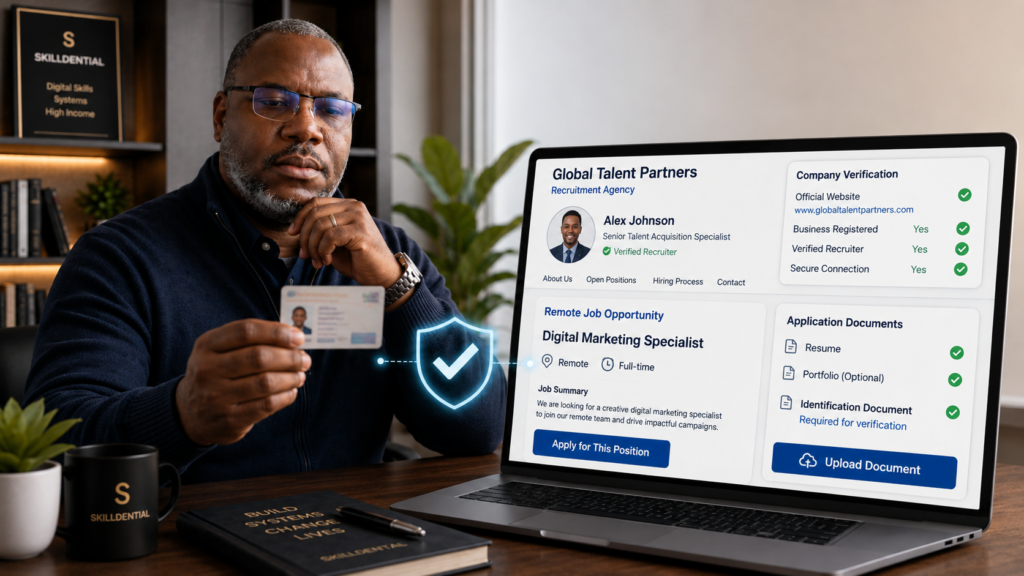
If you are unsure whether an offer is genuine or need to verify a remote hiring agency before proceeding, this article walks you through practical steps, explains when ID requests are legitimate, and shows you what to do if you have already shared your details.
Why this matters
Identity theft and recruitment fraud have surged alongside remote work. Fraudsters routinely clone the website of a legitimate remote hiring agency, use lookalike email domains, and pressure candidates to share documents quickly. Once your ID is in the wrong hands, it can be used for impersonation, financial fraud, or to bypass security checks on other platforms. Knowing how to verify a remote hiring agency before sharing sensitive information is your strongest defence.
What you will learn
- How to independently verify a remote hiring agency or staffing firm using official registries and domain records.
- How to confirm whether an individual actually works for the remote hiring agency they claim to represent.
- Legitimate reasons employers request identification—and when a remote hiring agency should typically ask.
- Red flags that signal a fake recruiter or remote-job scam.
- Which documents require extra caution and what questions to ask before submitting files to any remote hiring agency.
- What to do if you have already shared your ID with a suspicious recruiter.
When is it normal for an employer or remote hiring agency to ask for your ID?
A legitimate employer or remote hiring agency typically requests government-issued ID after you have received a formal written offer and are entering the onboarding or background-check stage—never during initial application, screening, or preliminary interviews.
Legitimate reasons a remote hiring agency or employer may request ID
- Right-to-work verification: In many jurisdictions, a remote hiring agency must confirm you are legally eligible to work in the hiring country. For example, U.S. employers require Form I-9 completion on or before the first day of employment using valid identification (such as a passport or driver’s licence).
- Background or security checks: Roles in finance, healthcare, software engineering, or positions with elevated data access often require identity verification to initiate background or police checks through a certified remote hiring agency.
- Citizenship or security clearance requirements: Certain remote roles legally require citizenship of a specific country, meaning a remote hiring agency may request a passport to confirm eligibility before finalizing compliance.
- Contractor or freelancer onboarding: If a remote hiring agency engages you as an independent contractor, they must verify your identity for tax forms (e.g., W-8BEN/W-9), anti-fraud compliance, and payment processing before contract execution.
When ID requests from a remote hiring agency are suspicious
- The request occurs before an interview or initial phone screening has taken place.
- A recruiter asks for your passport or driver’s licence during the very first message.
- Representatives of the remote hiring agency refuse to conduct a video interview or phone call.
- The contact’s email domain does not match the official website of the remote hiring agency (e.g., using
@gmail.comor misspelled lookalike domains). - You are pressured to act immediately or instructed to transition communication exclusively to messaging apps like WhatsApp or Telegram.
Rule of thumb: If you have not received a formal offer letter or been granted access to an official, secure onboarding portal, treat any document request from a remote hiring agency as high-risk and pause to verify their credentials.
Step-by-step: How to verify a remote hiring agency
Before sharing your ID or other sensitive personal information, take a few minutes to confirm that the hiring agency and recruiter are legitimate. Follow these steps to verify their identity, online presence, job offer, and recruitment process before providing your documents.
Check the official website of the remote hiring agency independently
Do not click links embedded in the recruiter’s email or message. Instead:
- Search independently: Search for the exact name of the remote hiring agency using a search engine.
- Review the official careers page: Navigate directly to their official job portal. Look for the specific position you were contacted about. If the role does not appear on the official website, treat it as a major red flag.
- Verify contact details: Look for a physical office address, direct landline phone numbers, and legitimate contact channels. Reliable staffing firms display these details transparently.
- Check the footer: Look for official business registration numbers, tax identifiers (e.g., VAT, EIN), or statutory disclosures at the bottom of the home page.
Verify the business registration of the remote hiring agency
A legitimate remote hiring agency operates as a registered legal entity and will willingly share its corporate registration details upon request. You can verify their status across government registries:
| Region | Official Verification Portal |
| United States | Check the Secretary of State business registry for the state where the remote hiring agency claims incorporation. |
| United Kingdom | Search the Companies House register using the agency name or company number to verify active status. |
| Nigeria | Use the Corporate Affairs Commission (CAC) Public Search portal to verify business name or entity registration. |
| Philippines | Confirm registration via the DTI Business Name Registration System (BNRS) for sole proprietorships or the SEC Company Registration System for corporations. |
| Global / Other | Search "[Country] official business registration lookup" to access local state or federal registries. |
Confirm the recruiter actually works for the remote hiring agency
Scammers frequently clone real company logos and impersonate legitimate staff members. To verify an individual recruiter:
- Examine their LinkedIn profile: Look for a complete profile, an established professional history linked to the remote hiring agency, 500+ industry connections, and active engagement within their sector.
- Cross-check team directories: Many staffing firms publish staff directories on their “About Us” or “Team” pages.
- Demand a corporate email response: Ask the recruiter to communicate directly from the domain of the remote hiring agency (e.g.,
firstname@agencyname.com). Reject emails sent from@gmail.com,@yahoo.com, or misspelled lookalike domains. - Call the main office: Look up the official landline for the remote hiring agency (from their official site, not the recruiter’s message) and ask reception to connect you to or verify the employment of that specific recruiter.
Check the job posting across multiple channels.
- Cross-reference the position on major job boards such as LinkedIn Jobs, Indeed, or Glassdoor.
- Read company reviews on Glassdoor or similar platforms to see if other candidates have reported fake recruiter impersonation involving that specific remote hiring agency.
- Proceed with extreme caution if the position only exists inside a private document, direct chat link, or messaging app.
Evaluate communication standards and hiring processes
A legitimate remote hiring agency maintains strict standards:
- They use formal corporate email signatures containing full names, titles, direct phone extensions, and office addresses.
- They conduct live video or phone interviews—never text-only interviews over messaging apps like WhatsApp or Telegram.
- They outline clear interview phases, provide formal job descriptions, and never rush you to share sensitive personal details.
Trust your instincts—and ask these direct questions
If a request feels premature or suspicious, pause communication and present these questions to the representative of the remote hiring agency:
- “Can you provide a link to your official team profile on the agency website or share your employee verification ID?”
- “At what specific stage of this hiring process is ID verification required, and what is the compliance reason?”
- “Will my identity documents be uploaded through a secure, encrypted onboarding portal or managed via email?”
- “Can you issue the formal written offer letter before I supply sensitive identification documents?”
A genuine recruiter representing a real remote hiring agency will address these inquiries clearly. Fraudulent operators will typically stall, use high-pressure tactics, or refuse to answer.
Red flags: Warning signs of fake recruiters and remote-job scams
Watch for these common scam indicators. Encountering several of these red flags together when interacting with a purported remote hiring agency should prompt you to stop communication immediately.
| Red Flag | Why It Is Suspicious |
| Email domain does not match the official website (e.g., recruiter@companyname-careers.com instead of @companyname.com) | Scammers set up lookalike domains or use free @gmail.com accounts to impersonate a legitimate remote hiring agency. |
| Recruiter refuses phone or video calls (insists on text-only communication via WhatsApp, Telegram, or SMS) | Legitimate recruitment professionals conduct live interviews; scammers avoid voice and video to conceal their true identity. |
| Offer is made without a substantive interview | Authentic employers evaluate your qualifications; fake agents skip real assessments to accelerate data theft. |
| Request for sensitive ID or bank details before a formal offer | A real remote hiring agency waits until a formal job offer is accepted before collecting sensitive identity records via secure onboarding systems. |
| You are asked to pay for equipment, software, or processing fees | Legitimate employers cover all onboarding and equipment costs. Demanding upfront payments is a primary indicator of recruitment fraud. |
| You receive a check to buy equipment and send excess funds back | This is a fake-check scam where the deposited check eventually bounces, leaving you financially responsible for the sent money. |
| Extreme urgency or pressure to act immediately | Scammers push high-pressure timelines to manipulate candidates into transferring data before they can verify the agency’s credentials. |
| Job involves reshipping packages or receiving wire transfers | These arrangements typically involve illicit parcel-mule or money-laundering schemes disguised as remote work positions. |
| Request to install unfamiliar software or grant remote device access | Allowing remote access gives bad actors direct control over your computer, leading to data theft or compromised credentials. |
Which documents require extra caution?
Not all identification requests carry the same level of risk. Treat the following documents as high-risk assets and only release them after you independently verify a remote hiring agency and receive a formal, written employment offer.
High-risk documents (Exercise extreme caution)
- Passport (Full bio-page copy with number and photo): High risk for global identity theft, passport cloning, and unauthorized account creation in your name across financial platforms.
- National ID card or driver’s licence (Front and back): Contains unique government identification codes, home addresses, and personal details that fraudsters exploit to impersonate job seekers.
- Social Security Number (SSN, NIN, or national tax ID): Should strictly never be shared during early recruitment stages. Provide tax identification numbers only during formal onboarding via encrypted HR software after contract execution.
- Bank account & direct deposit details: Required exclusively for payroll setup. Share financial details only after signing a contract and logging into an official portal hosted by the remote hiring agency.
- Selfie holding your ID (“ID + Face” verification photos): Extremely high risk. Cybercriminals request these photos to bypass biometrics and facial-verification checks on crypto exchanges, payment processors, or banking apps. Submit facial verification only through established, third-party identity verification platforms (e.g., Personio, Deel, Rippling) linked from the verified agency.
Lower-risk documents (Standard application materials)
- Resume or CV: Keep contact details limited to your primary email address, city/country, and phone number (avoid publishing your full residential address).
- Professional portfolio or work samples: Ensure no confidential data from past employers is included.
- Professional references: Share referee contact information only after advance notice and permission from your references, ideally at the final interview stage with the remote hiring agency.
Questions to ask before submitting your ID
Before you transmit sensitive identity documents, present these direct questions to your contact at the remote hiring agency:
- “At what specific stage of the hiring process is ID verification required?”Legitimate answer: After you have accepted a formal, written job offer and are entering official onboarding or third-party background checks.
- “Why is this specific document necessary, and how will it be stored and used?”Legitimate reasons: Right-to-work verification, statutory background/compliance checks, or official tax reporting.
- “Will I be uploading this document through an encrypted onboarding portal or via direct email?”Legitimate answer: Secure, encrypted portals (e.g., Deel, Rippling, Personio, or proprietary ATS platforms) are industry standard; sending unencrypted IDs over plain email or messaging apps poses significant security risks.
- “Can you confirm your identity and position with the remote hiring agency using your corporate email address?”Legitimate answer: The recruiter will readily email you directly from the verified corporate domain; (
name@agencyname.com). - “Can I schedule a quick call with your HR director or the hiring manager to confirm this requirement?”Legitimate answer: Transparent staffing organizations will gladly facilitate a live call to confirm procedural requirements.
If the representative of the remote hiring agency dodges these questions, becomes defensive, or urges you to skip safety checks, halt the application process immediately.
What to do if you have already shared your ID with a suspicious recruiter
If you realize you have transmitted sensitive personal information to a fraudulent agent or imposter posing as a remote hiring agency, act quickly to mitigate the risks of identity theft and financial fraud.
Document all evidence immediately
- Save copies of all correspondence, including emails (with full headers if possible), chat transcripts, screenshots, and shared documents.
- Record communication timestamps, phone numbers, crypto wallet addresses, links, and any bank account details supplied by the fake remote hiring agency.
Alert the legitimate remote hiring agency.
- Locate the verified website of the genuine organization the recruiter claimed to represent.
- Reach out directly to their official HR, legal, or security team using official contact details.
- Notify them that bad actors are impersonating their brand and verify whether the recruiter’s activity is associated with their organization.
Secure your financial accounts and monitor credit.
- Notify your bank and financial institutions if you shared banking details or identity documents.
- Request a fraud alert or credit freeze with major credit reporting agencies in your region to prevent unauthorized credit accounts from being opened in your name.
- In the U.S., file an identity theft report at IdentityTheft.gov.
File official reports with law enforcement and regulatory bodies
| Jurisdiction | Reporting Agency / Portal |
| United States | File a cybercrime complaint with the FBI Internet Crime Complaint Center at ic3.gov. |
| United Kingdom | Submit a report through [suspicious link removed]. |
| Nigeria | Contact the EFCC or file a cybercrime report via the Nigerian Police Force Cybercrime Centre (NPF-CCC). |
| Global / Other | Search "[Country] report online job scam" to identify your national cybercrime reporting agency or consumer protection body. |
Replace compromised identification documents.
- Passport / National ID: Contact your national passport office or issuing authority to report the document as compromised and request a replacement.
- Tax IDs / SSN: Notify national tax authorities (e.g., IRS, HMRC, or local tax offices) to apply identity protection measures to your tax file.
Report the fraudulent profile and alert fellow job seekers
- Report the fraudulent recruiter profile or fake job posting directly to the platform where contact originated (LinkedIn, Indeed, Upwork, Glassdoor).
- Flag suspicious domain names to domain registrars or Google Safe Browsing to help take down fake sites impersonating a real remote hiring agency.
Common misconceptions about ID requests in hiring
Not every request for identification during hiring is a scam, but not every request is legitimate either. Understanding these common misconceptions can help you distinguish normal recruitment procedures from suspicious requests and know when it is appropriate to share your ID.
- “All recruiters ask for ID early—it must be normal.”False. While a basic identity confirmation (such as your full name and location) is standard during initial screening, demanding government-issued identity documents (passports, national IDs, SSNs) before a formal interview or job offer is never standard industry practice for a legitimate remote hiring agency.
- “If the company is real, the recruiter must be real.”False. Identity theft and corporate impersonation are rampant in online job markets. Fraudsters frequently copy the branding, website layout, and team details of a real remote hiring agency to lure candidates into a false sense of security. Always verify the individual recruiter, not just the organization they claim to represent.
- “They said it is for a background check, so it is safe.”False. Legitimate pre-employment background checks are triggered after a conditional offer letter has been issued and accepted—never during early-stage screening. If an agent demands passport scans for “pre-screening background checks” before scheduling an interview, the explanation is almost certainly a pretext for data harvesting.
- “I already sent my ID—there is nothing I can do.”False. Transmitting your documents to a fake remote hiring agency is serious, but fast action significantly minimizes long-term damage. Placing fraud alerts on your credit file, alerting your issuing authority, and notifying the real agency’s legal department can prevent identity theft and unauthorized financial activity.
Practical checklist: Before you share your ID
Use this quick checklist before sending any sensitive document to a recruiter representing a remote hiring agency:
- [ ] Independent site verification: I have verified the official website of the remote hiring agency by searching for it independently (not by clicking links in the recruiter’s message).
- [ ] Official job listing: The open position appears on the official careers page of the remote hiring agency or on verified job boards like LinkedIn or Indeed.
- [ ] Recruiter profile check: I have verified the recruiter’s employment status through their LinkedIn profile, direct corporate contact numbers, or the staff directory of the remote hiring agency.
- [ ] Corporate domain check: The recruiter communicates using an official company domain email address (e.g.,
name@agencyname.com), rather than a free email account or lookalike domain. - [ ] Formal offer letter: I have received and reviewed an official, written employment offer letter.
- [ ] Correct hiring stage: The request for government identification occurs during the formal onboarding or background-check phase, not during preliminary screening or interviews.
- [ ] Secure submission channel: I am uploading my identification through an encrypted onboarding portal rather than sending unencrypted files over email or instant messaging apps.
- [ ] Clear transparency: I have asked and received direct answers regarding why my ID is needed, how my data will be protected, and who will have access to it.
- [ ] Zero high-pressure tactics: I am operating on a reasonable timeline and feel no artificial urgency or high-pressure tactics from the remote hiring agency.
Note: If you cannot check every box on this list, pause the process and independently verify the remote hiring agency before providing sensitive identity documents.
Is it normal for a recruiter from a remote hiring agency to ask for my passport number early in the process?
No. Legitimate recruiters from a remote hiring agency typically request passport scans or national identification numbers only after issuing a formal employment offer. Sensitive ID collection occurs during official HR onboarding or background-check verification—never during preliminary screening or before a first interview.
What if a remote hiring agency says they need my ID to “verify my identity” before an interview?
This is not standard industry practice. Pre-interview identity harvesting is a common tactic used by fraudulent operations impersonating a remote hiring agency.
Politely inform the contact that you are happy to present your identification on camera during a live video interview or upload it via an encrypted HR portal once a formal conditional offer is extended.
Can I refuse to share my ID if I am not sure about the remote hiring agency?
Yes. You have the absolute right to pause and independently verify any remote hiring agency before transmitting sensitive documents. A genuine recruiter will respect your data security concerns and outline their compliance procedures, whereas a scammer will usually respond with pressure or evasive answers.
What if the company is well-known, but the contact email uses Gmail or Yahoo?
This is a major red flag. Corporate talent acquisition teams and legitimate recruiters representing a remote hiring agency use official email accounts tied to their primary domain (e.g., name@agencyname.com).
Never trust emails originating from @gmail.com, @outlook.com, or domain misspellings. Request that the recruiter write to you directly from their verified corporate domain.
I already sent my ID to a suspicious remote hiring agency. What should I do now?
Take immediate defensive steps to limit identity fraud:
Document all correspondence, email headers, and messages.
Contact the real, verified company directly to report brand impersonation.
Place a fraud alert or credit freeze with your national credit bureaus.
Report the incident to official cybercrime authorities (e.g., IC3 in the US, [suspicious link removed] in the UK, or your local national police cybercrime unit).
Contact your government issuing authority to flag your passport or national ID as compromised.
In Conclusion
Legitimate employers and talent acquisition teams typically request identification documents after issuing a formal employment offer during official onboarding or compliance background checks. They do not demand sensitive personal data during preliminary screening or before an initial interview.
Core takeaways for remote candidates
- Verify credentials independently: Always research the official domain, official job portal listings, and corporate business registrations of a remote hiring agency before replying to unsolicited outreach.
- Watch for warning signs: Red flags include mismatched email domains (e.g., using
@gmail.comor spoofed domains), insistence on text-only interviews, demands for upfront processing fees, or requests for full government-issued IDs before an offer. - Act immediately if compromised: If you suspect you have transmitted passport scans or national tax IDs to an unverified contact, document the communication, contact the real organization, freeze your credit reports, and file a report with your national cybercrime reporting authority.
What to do next
Before responding to any recruiter or uploading identity documents, run through the verification checklist above to confirm the agency and representative independently. If any element appears unverified or suspicious, pause communication immediately—safeguarding your identity is far more important than rushing a preliminary job application.