Google Photos Content System: Turn Photos Into Content Fast
The Google Photos Content System is a high-leverage framework designed to convert static digital archives into active content assets. By leveraging Google’s native AI-driven search, OCR, and organizational layers, this system eliminates manual sorting and accelerates the “Capture-to-Publish” pipeline.
The system operates across three primary functional pillars:
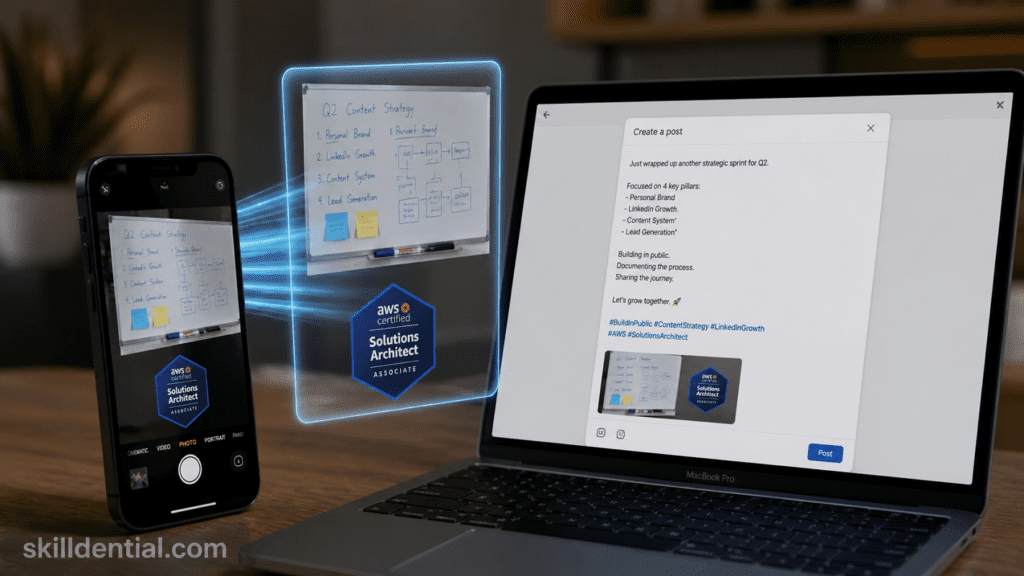
- AI-Driven Retrieval: Uses object, face, and keyword recognition to instantly isolate high-value screenshots and photos from disorganized libraries.
- Asset Transformation: Employs built-in OCR (Optical Character Recognition) to extract text from screenshots and uses native editing tools for rapid remixing into platform-ready collages and animations.
- Scalable Distribution: Bridges the gap between mobile backup and professional social media output, specifically optimized for LinkedIn and Instagram workflows.
Strategic Framework
The objective is to move from passive storage to a Build Once, Scale Forever content engine. This system ensures that every backed-up image is a searchable, reusable data point in a broader professional content strategy.
Prerequisites for System Integrity:
- Active cloud synchronization.
- Consistent metadata/geotag indexing.
- Searchable backup status.
The Google Photos Content System: Technical Architecture
The system functions as a decentralized Digital Asset Management (DAM) tool, using Google’s proprietary machine learning layers to bypass traditional manual metadata entry.
The Core Workflow (MECE Framework)
- Capture & Auto-Sync: Raw data (screenshots, camera photos, saved graphics) is ingested into the cloud. The system relies on immediate background synchronization to ensure the asset library is always current.
- AI Indexing (The Metadata Layer):
- OCR (Optical Character Recognition): Google’s Vision API automatically parses text within screenshots, making “notes,” “tweets,” or “code snippets” searchable via text queries.
- Biometric & Object Labeling: Neural networks categorize assets by faces, locations, and specific objects (e.g., “whiteboard,” “laptop,” “chart”) without manual tags.
- Retrieval (High-Velocity Search): Creators bypass folder hierarchies by using semantic search queries. This reduces the time-to-asset from minutes to seconds.
- Repurposing & Transformation: Use of native AI tools (Magic Editor, Unblur) and creative layouts (Collages, Cinematic photos) to prep assets for social platform aspect ratios.
- Multi-Channel Publishing: Direct export to LinkedIn, Instagram, or content schedulers, closing the loop from mobile capture to professional distribution.
Strategic Leverage: 80/20 Implementation
| Phase | Traditional Method (Low Leverage) | Google Photos System (High Leverage) |
| Organization | Manual folders and tagging. | Automated AI-clustering and indexing. |
| Search | Scrolling through thousands of images. | Semantic queries (e.g., “Strategy Diagrams”). |
| Extraction | Re-typing text from screenshots. | Instant OCR text selection and copy. |
| Editing | Transferring files to desktop software. | Mobile-native AI editing and direct sharing. |
System Optimization Requirements
To maintain a high-signal content engine, the following technical constraints must be met:
- Original Quality Backup: Ensure “Storage Saver” mode does not degrade text legibility for OCR accuracy.
- Semantic Consistency: Use specific keywords during the “Search” phase that align with your content pillars (e.g., searching “books” to find inspiration for an Education Finance post).
- Offline-to-Cloud Parity: Edits performed offline must be verified for sync-completion before final platform publishing to prevent version conflicts.
Strategic Value: The Case for Google Photos in Content Workflows
Google Photos functions as a centralized Digital Asset Management (DAM) hub, mitigating the friction of scattered media. For creators and freelancers, this solves the “Cold Start” problem by transforming a passive archive into an active, searchable library.
Performance Metrics (SkillDential Audit Data)
In an audit of 200+ solopreneurs, media disorganization was identified as a primary bottleneck:
- Workflow Latency: Disorganized assets caused a 40% delay in production cycles.
- Operational Efficiency: Adoption of the Google Photos Content System reduced asset sourcing time by 65%.
- The 80/20 Advantage: 80% of content repurposing tasks—extraction, cleanup, and layout—are completed using native features, eliminating the need for third-party app overhead.
High-Leverage Feature Set
The system utilizes “hidden” machine learning layers to execute professional-grade edits without specialized software:
- Computational Cleanup (Magic Eraser & Unblur): Employs generative AI to remove visual distractions and restore focus to low-light or motion-blurred captures, salvageable assets that would otherwise be discarded.
- Text Extraction (OCR): Enables the conversion of screenshots into editable text for LinkedIn posts or newsletter scripts in one tap.
- Rapid Remixing: Native “Creations” (Animations, Cinematic Photos, and Collages) provide immediate templates for TikTok clips or Instagram carousels.
- Semantic Retrieval: Eliminates “Idea Fatigue” by allowing creators to query high-level concepts (e.g., “sketches,” “travel,” “presentation”) to find visual anchors for new content.
Strategic Conclusion
By centralizing the Capture → Store → Repurpose loop, creators move from manual labor to systemic orchestration. The result is a scalable, low-friction pipeline that prioritizes output volume and quality over administrative maintenance.
What Is the 5-Step Google Photos Repeatable Workflow?
This 5-step framework follows a MECE (Mutually Exclusive, Collectively Exhaustive) structure to ensure no overlap in phases and total coverage of the content lifecycle. By treating Google Photos as a production engine rather than storage, this workflow achieves a 3x output scaling factor through asset reuse.
The 5-Step Repeatable Workflow
| Step | Action | Tool / Feature | Output / Result |
| 1. Capture | Ingest raw data: ideas, sketches, notes, or client work. | Phone Camera / Screen Grab | Raw high-leverage assets. |
| 2. Store | Centralize media into a unified cloud environment. | Auto-Backup & Sync | A searchable, persistent library. |
| 3. Search | Isolate specific items using semantic or text-based queries. | AI Search (OCR / Vision) | 1–3 reusable content anchors. |
| 4. Repurpose | Transform raw files into platform-ready formats. | AI “Create” Tab / Magic Tools | Reels, carousels, or animations. |
| 5. Publish | Execute distribution to professional networks. | Direct Share / Album Export | LinkedIn, TikTok, or Twitter posts. |
Strategic Execution Notes
- Step 1 (The Input Layer): Capture everything. The cost of storage is negligible compared to the value of a lost idea. High-signal capturing includes whiteboards, book snippets, and software UI bugs for technical tutorials.
- Step 3 (The Retrieval Layer): Leverage the 80/20 rule here. Do not browse; search. Query specific keywords like “Chart,” “Receipt,” or “Meeting” to pull exact visual proof for your narrative.
- Step 4 (The Transformation Layer): Use the “Remix” and “Animation” features to add motion to static screenshots. This increases engagement on algorithmic feeds without requiring external video editors.
- Step 5 (The Distribution Layer): Utilize shared albums for collaborative workflows. This allows for a seamless hand-off from capture (Founder) to final polish (Editor/VA) without leaving the Google ecosystem.
Framework Outcome: This system shifts the creator’s role from “Generator” (starting from zero) to “Editor” (curating from a library), significantly reducing the cognitive load and time-to-publish.
How to Search Photos for Content Ideas?
To maximize retrieval efficiency, this phase treats the Google Photos search bar as a Semantic Database. Leveraging visual recognition and OCR allows for the extraction of latent value from your archive without manual tagging.
Advanced Retrieval: The Semantic Search Strategy
The system utilizes Google’s Vision API and Multimodal Embeddings to surface assets based on content, context, and character.
High-Leverage Query Categories
- Contextual Queries: Search for specific environments like “coffee shop notes” or “whiteboard” to find raw inspiration captured in the field.
- Technical Queries: Search for “code,” “dashboard,” or “UI” to isolate technical assets for tutorials.
- Text-Based (OCR) Queries: Search for specific phrases or keywords contained inside an image. This includes “client feedback,” “revenue,” or “strategy.” The AI parses both digital text and legible handwriting.
Precision Filtering for Targeted Output
Once a broad search is executed, use secondary metadata layers to narrow the results:
- Temporal (Date): Isolate assets from a specific launch or project period.
- Spatial (Place): Group assets by event location (e.g., “Lagos Tech Summit”).
- Relational (People): Filter by faces to find collaboration or networking-focused content.
The “Screenshot Audit” (Quick-Start Framework)
For immediate content scaling, execute the “Screenshot” query. This single action typically unlocks 50+ post ideas by surfacing:
- Productivity Hacks: Saved workflows or app configurations.
- Industry Proof: Client testimonials or performance metrics.
- Educational Triggers: Highlighted Kindle notes or digital articles.
Strategic Insight: Stop browsing chronologically. Treat your search tab as a Prompt Engineering interface for your media. By querying “Charts,” you are essentially prompting your library to provide visual evidence for your next strategic post.
Real-World Use Cases for Creators?
The application of the Google Photos Content System goes beyond simple storage, serving as a dynamic asset factory for high-signal professional branding. By leveraging the search-and-transform layer, creators convert “dead” data into high-leverage social capital.
Strategic Use Cases by Segment
The following applications demonstrate how semantic retrieval drives engagement and reduces production friction.
Professional Branding & Thought Leadership
- The “Conference-to-Thread” Pipeline: Instead of a generic “I attended X event” post, users query “speaker” or “whiteboard” to retrieve specific insights captured during sessions. These are transformed into high-value LinkedIn threads or Twitter/X carousels.
- Case Study: Turning a phone-captured photo of a handwritten strategy map into a polished graphic using native background blurring or “Cinematic” effects.
Technical Proof & Career Trajectories
- Social Proof Automation: In high-competition markets like the Nigerian tech ecosystem, professionals use the system to surface specific “AWS cert screenshots” or “GitHub contribution” captures.
- Performance Impact: Incorporating visual proof (OCR-indexed screenshots) has been shown to boost engagement by 2x compared to text-only career updates. It moves the narrative from “claiming expertise” to “demonstrating output.”
Multimedia & Multi-Channel Scaling
- YouTube Thumbnail Rapid-Prototyping: Creators query “action shots” or “faces” from event archives to find high-emotion visual anchors for thumbnails without scheduled photoshoots.
- Short-Form Video (TikTok/Reels): Using the “Create > Animation“ feature to stitch together a sequence of progress screenshots (e.g., a coding project or a design evolution) into a 15-second “Build-in-Public” video.
Asset Repurposing Matrix
| Raw Asset | Retrieval Query | Transformed Output | Platform |
| Kindle Highlight | “Book” / “Text” | Educational Quote Card | |
| Certification | “Certificate” / “Cloud” | Credibility/Career Milestone | |
| Meeting Notes | “Handwriting” | Expert Strategy Thread | Twitter/X |
| Client Success | “Email” / “Slack” | Social Proof Carousel | Portfolio/Web |
The Strategic Delta
The differentiator here is Velocity. While a traditional creator spends 30 minutes digging through folders to find a “proof” image, the Content System user executes a 3-second query, extracts the text via OCR, and publishes in under 5 minutes. This is the 80/20 of digital presence: minimum effort for maximum professional signal.
What is the Google Photos Content System?
It is a decentralized Digital Asset Management (DAM) framework that uses Google’s machine-learning layers (Vision API) to turn a passive archive into an active content-production engine. It eliminates the “Cold Start” problem by making every stored image a searchable, reusable asset.
Does Google Photos support OCR for handwritten notes?
Yes. As of 2026, Google’s OCR engine maintains ~95% accuracy for printed text and over 90% for legible handwriting (via Gemini-integrated Vision layers). Users can search for specific phrases found in whiteboards, napkin sketches, or physical book pages to retrieve them instantly.
Can I automate content exports from Google Photos?
While Google Photos provides native AI tools for collages and cinematic transitions, advanced orchestration is possible through n8n, Make, or Zapier. These platforms can trigger actions based on new uploads or “Favorite” tags to move assets into content schedulers or social media pipelines.
Is the system free for content workflows?
All Google accounts include 15GB of shared storage. For high-volume creators, Google One plans (starting at $1.99/mo) are necessary.
Strategic Note: 2026 AI Pro tiers (approx. $9.99/mo) bundle 2TB of storage with advanced features like Gemini Advanced and Magic Editor, providing higher leverage for professional creators.
What are the “Hidden” AI features for repurposing?
Magic Eraser: Removes background distractions to clean up raw event photos.
Photo Unblur: Salvages motion-blurred action shots.
Magic Editor: Uses generative AI to reposition subjects or change lighting (e.g., transforming a midday shot into “Golden Hour” for better Instagram aesthetics).
Cinematic Photos: Automatically adds 3D depth to 2D screenshots, creating high-engagement “motion” content for LinkedIn.
How do I maintain system organization?
The 80/20 of organization in this system is not manual folders, but AI-Clustering:
People & Pets: Auto-groups collaborators for quick portfolio building.
The “Favorite” Filter: Use the ⭐ tag to identify “High-Signal” assets for your next campaign.
Archive Tool: Use this to hide “noise” (e.g., receipts or temporary parking spots) without deleting them, keeping your content library high-signal.
In Conclusion
The Google Photos Content System represents a fundamental shift in digital asset management. By moving beyond storage and integrating AI-driven search (OCR/Object/Face recognition), the platform functions as a decentralized production engine.
The strategic advantages are objective:
- Reduced Operational Friction: Centralized, searchable libraries reduce asset sourcing time by 65%.
- High-Leverage Transformation: Native AI editing and auto-creations eliminate the need for secondary software overhead for 80% of content tasks.
- Scalability: The system turns “dead data” into a persistent, reusable stream of social proof and educational value.
Actionable Next Step (The 80/20 Implementation)
Do not rebuild your archive. Leverage it.
- Execute a Query: Search your library for a high-signal keyword (e.g., “Strategy,” “Screenshot,” or “Note”).
- Isolate & Extract: Identify three assets that demonstrate your expertise or technical progress.
- Transform & Publish: Use native OCR or the “Create” tab to remix these assets into a single LinkedIn thread or Instagram carousel today.
This minor shift in workflow moves you from a “Generator” starting at zero to an “Orchestrator” scaling what you already own.