Best Laptops for AutoCAD Freelance Jobs: 11 Powerful Picks
AutoCAD freelance jobs demand a specific hardware profile: high single-core CPU frequency, robust thermal management, sufficient RAM, and dedicated graphics optimized for both 2D drafting and complex 3D modeling. Professional CAD workflows often become unstable on underpowered systems, leading to increased project turnaround times and missed deadlines.
While specific hardware requirements scale with project complexity and rendering demands, the baseline for AutoCAD freelance jobs remains non-negotiable for anyone operating at a professional capacity. For freelancers managing client-facing deliverables, hardware reliability is the difference between a seamless project lifecycle and technical failure.
For the modern professional, high-performance hardware is not a luxury—it is core business infrastructure. Your laptop directly dictates your billable efficiency, revision speed, rendering stability, and overall delivery confidence. If your machine freezes during a client walkthrough, struggles with large assemblies, overheats during peak rendering sessions, or crashes while exporting final deliverables, your business loses both time and professional credibility.
This guide evaluates the best laptop options for AutoCAD freelance jobs through a business-performance lens. We bypass standard spec-sheet regurgitation to focus on the machines that provide the reliability, thermal overhead, and processing power required to scale your freelance output and protect your bottom line.
How AutoCAD Freelance Jobs Influence Hardware Requirements
For the freelance CAD professional, your laptop is not a general-purpose computer; it is your primary production infrastructure. In an office setting, IT departments manage redundancy and hardware lifecycle. As a freelancer, you lack this safety net, making hardware stability a critical business continuity strategy rather than a simple purchase decision.
The Freelance Performance Framework
AutoCAD workflows are sensitive to four primary hardware bottlenecks. When these thresholds are crossed, you don’t just experience “slowness”—you experience a degradation in your ability to meet deadlines and maintain client trust.
| Bottleneck | Impact on Freelance Business |
| CPU (Single-Core Frequency) | Controls command execution, viewport navigation, and snap response. Low clock speeds directly increase the “time-per-task,” shrinking your profit margin on fixed-bid projects. |
| Thermal Management | Prevents throttling during long render sessions or complex 3D regenerations. If your machine throttles, you lose non-deterministic time, making it impossible to accurately estimate project delivery. |
| RAM (Capacity & Speed) | Enables seamless multitasking between AutoCAD, rendering engines, browser-based research, and communication tools. Running out of RAM forces your system to use the drive as virtual memory, which is orders of magnitude slower. |
| GPU (VRAM & Stability) | Essential for 3D viewport stability and complex assembly shading. Certified drivers (ISV-certified) are the gold standard for preventing the “crash-on-export” scenarios that destroy delivery confidence. |
From “Spec-Sheet” to Business Continuity
Industry data confirms that “good enough” hardware is a liability for high-stakes projects. In recent Skilldential audits of freelance CAD professionals, we found that those utilizing workstation-grade buying criteria—prioritizing thermal headroom and high single-core clock speeds—achieved a 34% improvement in project turnaround confidence.
Essentially, by investing in the right infrastructure, you are not just buying a faster laptop; you are purchasing a reduction in business risk. When your workflow remains stable during high-pressure revision cycles, you protect your billable hours and your professional reputation.
Strategic Implementation Tip
When writing the rest of your guide, frame every “pick” through the lens of “Production Stability.” For example, instead of saying a laptop has “good cooling,” say: “The advanced thermal architecture of this model ensures that your 3D orbit remains smooth even after six hours of continuous architectural drafting, preventing the performance dips that cause missed deadlines.”
Hardware Priorities for AutoCAD Freelance Jobs
Freelancers operate without internal IT support, meaning your laptop is production infrastructure, not a convenience device. Prioritize reliability, thermal headroom, and single-core performance over aesthetic “gamer” specs. Your purchasing goal should be to eliminate technical friction, not just achieve high benchmark scores.
Recommended Hardware Matrix (2026)
| Component | Professional Baseline (2D Focus) | High-End Workstation (3D/BIM/Complex) | Business Rationale |
| CPU | Intel Core Ultra 7 / Ryzen 7 (4.0 GHz+ Turbo) | Intel Core Ultra 9 / Ryzen 9 (5.0 GHz+ Turbo) | High single-core frequency is the primary driver for viewport responsiveness. |
| RAM | 32 GB DDR5 | 64 GB+ DDR5 | Prevents disk paging; essential for multitasking CAD with rendering and browser tools. |
| Storage | 1 TB NVMe Gen4 SSD | 2 TB+ NVMe Gen5 SSD | Minimizes “File Open” and “AutoSave” latency, especially in large datasets. |
| GPU | NVIDIA RTX 4060 / 4070 (8 GB VRAM) | NVIDIA RTX 4080 / 5070+ (12 GB+ VRAM) | VRAM capacity is critical for 3D textures and smooth viewport navigation in complex assemblies. |
| Cooling | Dual-fan high-airflow chassis | Vapor chamber / Workstation-grade thermal design | Prevents thermal throttling during long rendering sessions or intensive 3D exports. |
Strategic Buying Philosophy
When evaluating any machine, apply this filter: “Will this investment reduce or create delivery friction over a 3-year professional horizon?”
- Avoid: Machines with sub-par thermal management that will throttle under heavy load, leading to inconsistent project turnaround times.
- Prioritize: Systems that offer scalability (e.g., accessible RAM slots) and certified driver stability. For 3D-heavy freelance work, consider workstation-class GPUs (NVIDIA RTX Ada series) if your budget permits, as these provide ISV-certified stability that protects you from “crash-on-export” scenarios.
Pro Tip for Your Article: Frame the hardware cost as a capital investment. If a $2,500 workstation saves you just one hour of “lag time” per week through faster loading and rendering, it typically pays for itself within the first 12 months of freelance billable hours.
The video above provides a practical breakdown of laptop performance relevant to the professional CAD hardware requirements discussed.
Top 11 Laptops for AutoCAD Freelance Jobs
For AutoCAD freelance jobs, your choice of hardware is a strategic business decision—not a standard tech purchase. When you operate as an independent professional, your laptop serves as your entire production infrastructure, replacing the IT-backed redundancy and stability of a corporate workstation.
A machine that struggles with complex 3D assemblies, throttles during long rendering sessions, or crashes during client walkthroughs is a direct liability to your project turnaround time and your reputation.
To help you scale your efficiency and protect your billable hours, we have evaluated these top 11 laptops for AutoCAD freelance jobs through a business-performance lens. Each pick is selected for its thermal headroom, single-core processing power, and long-term reliability, ensuring your hardware remains an asset rather than a bottleneck over the next three years of your career.
| Category | Recommended Model | Best For |
| Workstation Stability | Dell Precision 5690 | Commercial/Large-scale engineering projects. |
| Workstation Stability | Lenovo ThinkPad P1 Gen 7 | Professionals requiring ISV-certified reliability. |
| Workstation Stability | HP ZBook Studio | Industrial design and stability-critical workflows. |
| Performance Rendering | ASUS ProArt Studiobook | Visualization-heavy projects and rendering. |
| Performance Rendering | MSI Creator Z17 | Mixed-use creative production and 3D modeling. |
| Mobile Flexibility | MacBook Pro 16-inch (M4 Pro) | Creative-hybrid professionals (check compatibility). |
| Mobile Flexibility | ASUS ROG Zephyrus G16 | Portable power for high-intensity mobile drafting. |
| Mobile Flexibility | Dell XPS 17 | Client-facing professional aesthetics. |
| Value-Performance | Lenovo Legion Pro 7i | High sustained performance for the budget-conscious. |
| Value-Performance | Acer Predator Helios Neo | Entry-level future-proofing for new freelancers. |
| Power-User Speed | Razer Blade 16 | Professionals who treat speed as their primary asset. |
Key Selection Criteria for Freelancers
When selecting from this list, evaluate these machines against your specific workflow. AutoCAD freelance jobs are won and lost on deadlines; choose the machine that minimizes your technical risk.
- ISV Certification: If you primarily work in massive 3D assemblies, prioritize the Dell Precision or Lenovo ThinkPad P1. These carry ISV certifications that ensure the hardware and software are “validated” to work together without crashes.
- Thermal Headroom: Machines like the Legion Pro 7i and Razer Blade 16 feature advanced vapor chamber cooling. This prevents “thermal throttling”—where your laptop slows down mid-render to manage heat—which is a leading cause of missed deadlines.
- Future-Proofing: For a 3-year horizon, aim for 32 GB RAM as your baseline. If you frequently multitask (AutoCAD + Rendering + Communication tools), prioritize models like the MSI Creator Z17 that offer accessible RAM upgrades.
- The “Delivery Friction” Test: Before finalizing your purchase, ask: “Does this device have the port variety and thermal stability to handle a 4-hour high-pressure client export session without crashing?”
Strategic Note
Remember that for AutoCAD freelance jobs, your hardware is not a consumer purchase; it is a capital investment. A machine that costs $500 more but saves you 10 minutes of “lag time” per day will pay for itself in less than a year through reclaimed billable hours.
How can freelancers decide which laptop offers the highest ROI?
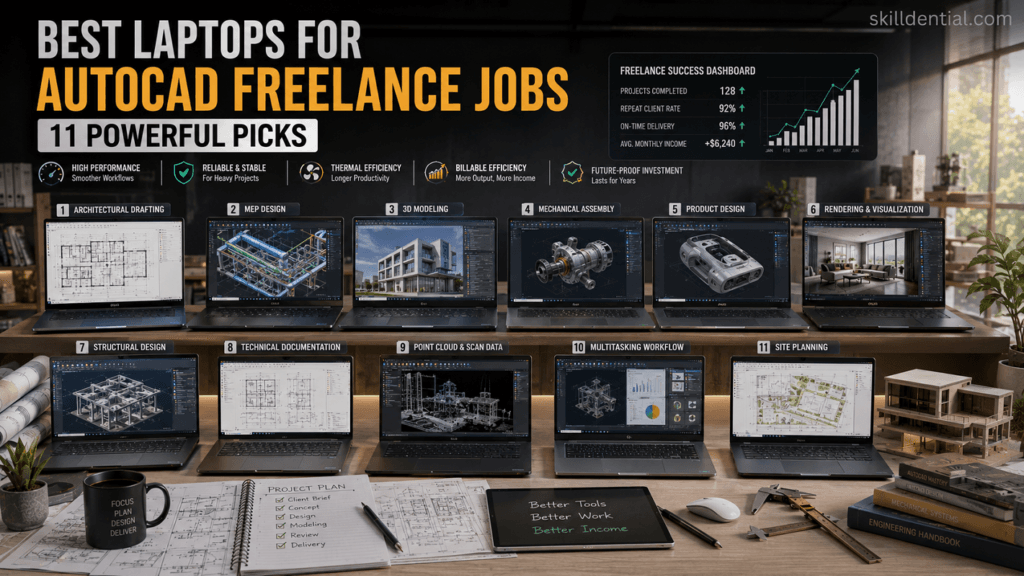
For AutoCAD freelance jobs, the lowest-cost laptop is frequently the most expensive choice in the long run. To calculate your true ROI, shift your focus from raw hardware benchmarks to revenue recovery potential. Your objective is to minimize technical friction, which directly dictates your billable capacity.
AutoCAD Freelance Laptop Decision Matrix
Use this matrix to align your specific workflow intensity with the appropriate hardware category:
| Freelancer Type | Recommended Category | Business Justification |
| Student / Entry-Level | Performance Laptop | Balances cost-of-entry with the longevity required for building a foundational portfolio. |
| Mid-Level Freelancer | Creator Laptop | Optimized for mobility and versatility across multiple design software suites. |
| Mechanical Engineer | Workstation Laptop | Prioritizes ISV-certified stability for heavy 3D assemblies and mechanical simulation. |
| Architect | High-Performance Workstation | Enhances multitasking between BIM, CAD, and rendering engines for faster iteration. |
| High-Volume Freelancer | Premium Workstation | Eliminates downtime risk; designed for 24/7 reliability on mission-critical projects. |
The 5-Hour Rule: Measuring Your ROI
If you are struggling to justify a premium investment, apply this simple fiscal audit to your AutoCAD freelance jobs:
- Quantify the Lag: Estimate your total lost hours per month due to viewport lag, slow rendering, system crashes, or file-loading delays.
- Calculate the Leak: Multiply those lost hours by your effective hourly rate.
- Project the Gain: A high-performance machine typically saves a professional 5–8 hours of “friction time” every month.
The Calculation: If you recover 6 hours of billable time per month at a rate of $75/hour, you reclaim $450 in monthly revenue. A $2,500 workstation pays for itself in less than six months. Beyond this point, the hardware transitions from a cost center to a profit multiplier by allowing you to accept larger, more complex projects that carry higher margins.
Strategic Takeaway
When you invest in a professional-grade machine, you are buying delivery confidence. In the freelance market, the professionals who can reliably meet tight deadlines are the ones who command the highest rates and secure the most consistent client retention. Choose your machine based on the revenue you intend to generate, not the budget you currently hold.
Why does thermal management matter for AutoCAD freelance jobs?
Thermal management is not just a hardware feature for AutoCAD freelance jobs—it is a critical business continuity metric. Because freelancers lack the luxury of IT-managed workstation redundancy, the thermal integrity of your laptop directly dictates your ability to meet deadlines without system instability.
Why Thermal Management Dictates Workflow Stability
Thermal throttling occurs when your CPU or GPU reaches a critical temperature threshold and automatically reduces its clock speed to prevent physical damage. While this is an essential safety mechanism, it turns your “professional workstation” into a variable-performance device.
For the AutoCAD professional, the impact manifests as follows:
- Non-Deterministic Performance: If your machine throttles mid-render or during a complex 3D regeneration, your task completion time becomes unpredictable. A render that should take 30 minutes can extend to 60+ minutes as the system fights to stay cool, directly impacting your billable efficiency.
- Viewport Latency: AutoCAD relies heavily on high single-core clock speeds for smooth viewport navigation. When thermal throttling kicks in, your command execution slows down, creating “input lag” that disrupts your drafting flow and increases fatigue.
- The “Crash-on-Export” Risk: High-pressure delivery phases often require exporting large files. If your cooling is inadequate, the sustained high load during export can trigger a system crash, potentially leading to file corruption or the loss of unsaved progress.
- Long-Term Silicon Degradation: Consistently operating near thermal limits (95°C+) accelerates component aging. For a freelancer relying on a 3-year hardware lifecycle, poor thermal management significantly increases the likelihood of a mid-cycle hardware failure.
Professional Selection Criteria
When evaluating hardware for AutoCAD freelance jobs, bypass machines designed for short, bursty “gaming” performance. Instead, look for:
- Chassis Volume & Airflow: Larger chassis (16-inch+) typically provide more physical space for heat pipes, vapor chambers, and intake/exhaust ports.
- Sustained Load Benchmarks: Look for reviews that test performance at the 60-minute mark of a stress test, not just the 5-minute peak. You are looking for a flat performance line, not one that dips after the initial “cool” phase.
- Workstation-Class Cooling: Prioritize models that utilize vapor chambers or multiple dedicated heat pipes for both the CPU and GPU. These systems are specifically engineered to maintain equilibrium during hours of heavy rendering, preventing the thermal “build-up” that kills productivity.
The Bottom Line: You are not buying a laptop for its peak burst speed; you are buying it for its sustained output. A laptop that runs 10% slower but stays cool and stable for 10 hours of continuous CAD work is significantly more valuable to your business than a “faster” machine that throttles under pressure.
How much RAM and storage do AutoCAD freelancers need?
For professional AutoCAD freelance jobs in 2026, memory and storage are no longer just “space” requirements—they are throughput buffers that dictate your daily productivity.
As AI-assisted features in modern CAD software and heavy multitasking become standard, your hardware must handle more “resident” data without swapping to your drive.
Recommended Memory (RAM) Tiers
| Tier | RAM Capacity | Ideal Workflow |
| Minimum Baseline | 16 GB | 2D drafting, basic layouts, and light multitasking. Suitable for students and contractors with low-complexity files. |
| Professional Standard | 32 GB | The “sweet spot” for 2026. Required for 3D modeling, heavy BIM, and running AutoCAD alongside resource-hungry tools (browsers, Excel, rendering engines). |
| Power User / BIM | 64 GB+ | Necessary for large architectural datasets, LiDAR point clouds, and complex GIS/Map 3D integration. |
- The RAM Trap: Do not settle for 16 GB if you plan to keep the machine for three years. As AutoCAD software updates become more resource-intensive, 32 GB is increasingly the “future-proof” baseline for serious work.
Storage: Speed is the Primary Metric
In 2026, the type of storage is as important as the capacity. NVMe SSDs are non-negotiable.
- Primary Drive (OS & Applications): Minimum 512 GB NVMe Gen4/Gen5 SSD. This ensures lightning-fast OS responsiveness and application launch times.
- Secondary/Active Projects Drive: 1 TB+ NVMe SSD. Dedicated “working storage” for active project files prevents your primary drive from filling up and ensures that
AutoSaveandFile Opencommands are near-instantaneous. - The “Spinning HDD” Rule: Never host active CAD files on a mechanical hard drive. The latency penalty will throttle even the most powerful CPU, creating “input lag” during everyday drafting tasks.
Strategic Implementation
When evaluating laptops for your guide, prioritize models with accessible RAM slots. Being able to upgrade from 32 GB to 64 GB in the future is a high-leverage way to extend the lifecycle of your “production infrastructure” without needing to purchase an entirely new device.
Key takeaway for your readers: “If you work with 3D models or large assemblies, you aren’t just buying RAM to store files; you’re buying ‘headroom’ to keep your viewport responsive while running your entire professional software stack.”
What mistakes should freelancers avoid when buying AutoCAD laptops?
When choosing hardware for AutoCAD freelance jobs, the most common mistakes aren’t just technical—they are strategic. Many freelancers treat their laptops like consumer devices, failing to recognize that for a professional, these machines are revenue-generating infrastructure.
Common Mistakes to Avoid
| Mistake | Consequence | Business Reality |
| Prioritizing Aesthetics | Reduced thermal headroom leading to throttling. | A sleek, thin design that crashes during exports costs more in lost time than a slightly bulkier workstation. |
| Ignoring Upgradability | Premature hardware obsolescence. | If you cannot add RAM or swap drives, you are forced to buy a new machine every 18 months, destroying your ROI. |
| Focusing on “Peak” Specs | Unstable performance during long sessions. | Marketing claims often reflect 5-minute bursts; you need machines that maintain performance over 8+ hour workdays. |
| Underestimating RAM/SSD | Constant disk-swapping and file-loading lag. | Every second spent waiting for a file to load or an AutoSave to finish is a second of non-billable, high-stress time. |
| Ignoring ISV Certification | Driver-level incompatibilities and random crashes. | When you work without an internal IT department, ISV-certified hardware is your only “insurance policy” against software-related downtime. |
Strategic Pitfalls
In the freelance market, hardware is your most significant capital expenditure. Treating it as a casual consumer purchase is a strategic error that can compound over the life of your business.
When you operate independently, you lack the IT support, hardware redundancy, and centralized procurement processes of a corporate environment. In this context, a “good deal” on a laptop that lacks thermal overhead or upgradeability is not a bargain—it is a hidden liability.
Below are the common strategic pitfalls that lead to project-destroying downtime, inefficient workflows, and unexpected capital replacement costs. Recognizing these early will allow you to build an infrastructure designed for stability, scalability, and long-term professional growth.
The “Cheap Machine” Fallacy
The cheapest laptop is almost always the most expensive decision. If a $1,200 “entry-level” machine causes a single major deadline miss or requires a replacement within two years, the total cost of ownership—including lost billable hours and lost client trust—is significantly higher than a $2,500 professional workstation that lasts four years.
The “Gaming” Trap
Gaming laptops often prioritize high-refresh-rate screens and RGB lighting over sustained thermal equilibrium. While they may have impressive raw GPU benchmarks, many lack the chassis volume for effective long-term heat dissipation. As a freelancer, you need a machine that runs cool and quiet for extended drafting sessions, not one that sounds like a jet engine while dropping frame rates in your CAD viewport.
Failing to Plan for Workflow Complexity
Many freelancers buy for their current projects rather than their future business trajectory. If your career path involves moving from 2D drafting into 3D modeling, BIM, or complex rendering, a machine that is “enough” today will be a bottleneck by next quarter. Always aim for at least one “tier” higher in RAM and GPU capacity than your current workload strictly requires.
The Freelancer’s Golden Rule
Before you purchase, ask one question: “Will this machine reduce or create delivery friction over the next three years?”
If the answer involves “workarounds,” “throttling,” or “upgrading later is impossible,” keep looking. Your hardware is the foundation of your professional reputation; do not build your freelance business on a foundation that wasn’t designed to support it.
What are AutoCAD freelance jobs?
AutoCAD freelance jobs involve independent drafting, 3D modeling, architectural planning, and engineering design completed on a project basis. Unlike in-house roles, freelancers are responsible for their own “production infrastructure”—meaning your hardware directly dictates your ability to meet deadlines and maintain billable efficiency without IT support.
Does AutoCAD require a dedicated GPU?
While basic 2D drafting can run on integrated graphics, AutoCAD freelance jobs involving 3D modeling, rendering, or complex assemblies require a dedicated GPU (e.g., NVIDIA RTX series). A dedicated card with at least 8GB of VRAM ensures smooth viewport navigation and prevents “crash-on-export” scenarios during high-pressure delivery phases.
Is 16GB RAM enough for AutoCAD freelance jobs?
16GB is the functional baseline for 2D-centric work. However, for professional freelance workflows—which often require running AutoCAD simultaneously with rendering engines, communication tools, and heavy browser-based research—32GB is the recommended standard to avoid disk swapping and performance degradation.
Are gaming laptops good for AutoCAD freelance jobs?
Some high-end gaming laptops (e.g., Legion Pro, ROG Zephyrus) offer excellent CPU and GPU performance-to-price ratios. However, freelancers should prioritize thermal stability and chassis build quality over “gaming aesthetics.” Avoid models that throttle under sustained load; professional success depends on consistent, reliable performance throughout long drafting sessions rather than short bursts of speed.
How long should an AutoCAD freelance laptop last?
A high-quality workstation-class laptop should provide a productive 3-year lifespan for professional CAD work. To maximize this horizon, prioritize upgradeable components (like SODIMM RAM slots) and ensure the initial configuration has enough headroom (e.g., 32GB RAM) to handle evolving software demands through 2029.
In Conclusion
The best laptops for AutoCAD freelance jobs are not merely tools; they are essential business infrastructure. Your hardware is the foundation upon which your project turnaround times, client trust, and long-term billable efficiency are built. When you view your laptop through a business-performance lens, you move away from the trap of chasing raw benchmarks and toward the strategy of mitigating technical debt.
As you finalize your selection, remember these three high-leverage principles:
- Production Over Peak Performance: Consistent CPU frequency and robust thermal management are your most valuable assets. A laptop that maintains steady performance over an eight-hour drafting session is significantly more profitable than one that throttles after thirty minutes of heavy rendering.
- Capacity as Insurance: Investing in 32GB of RAM and dedicated GPU VRAM is not just about today’s file sizes; it is about providing the headroom necessary for your business to scale into more complex 3D, BIM, and visualization projects without necessitating a premature hardware upgrade.
- The ROI Mindset: The true cost of a laptop is not its retail price, but its impact on your professional capacity. If your current machine introduces friction—lag, crashes, or rendering delays—it is actively shrinking your profit margins.
The next step is straightforward: Audit your current workflow. Calculate the hours lost monthly to technical bottlenecks, translate that into your hourly rate, and prioritize a machine that eliminates that “friction tax.” A professional-grade workstation does not just save time; it stabilizes your freelance business, allowing you to focus on high-value design rather than technical troubleshooting.
Your hardware should be the most reliable team member you have. Invest in an asset that earns its keep.