Affordable Lenovo Laptops for AI & Machine Learning Students
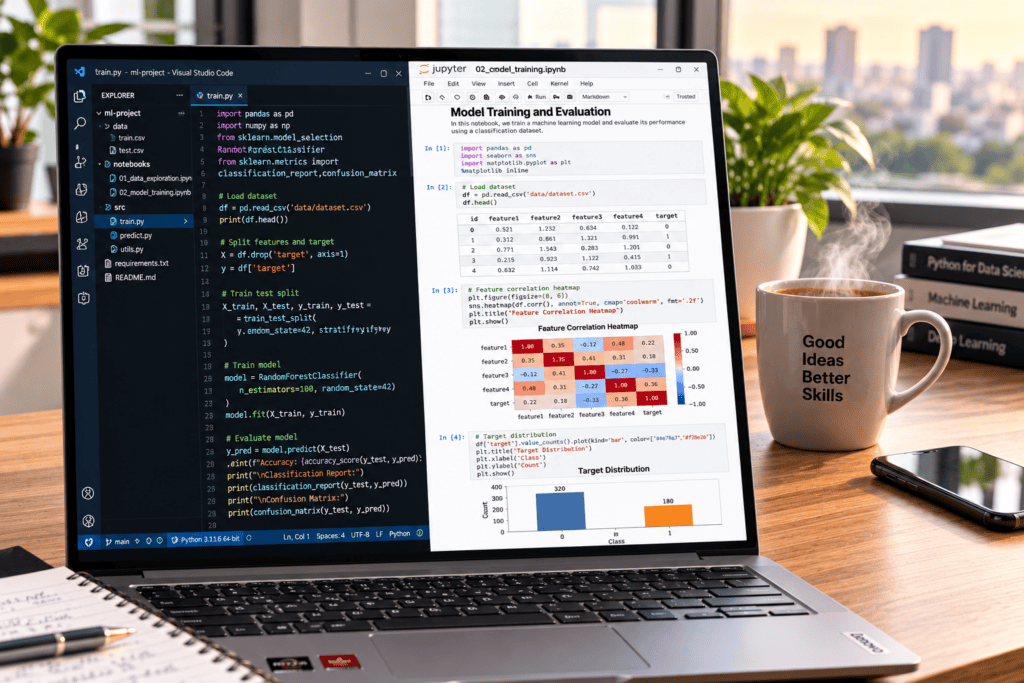
Students learning artificial intelligence and machine learning do not necessarily need an expensive, top-tier workstation. When evaluating affordable Lenovo laptops for coding, data analysis, and introductory model development, you can easily handle Python, Jupyter Notebook, SQL, scikit-learn, small datasets, and basic TensorFlow or PyTorch projects on a machine with 16GB of RAM, a modern multi-core processor, and a 512GB SSD.
If your coursework requires training larger neural networks locally, you can choose an entry-level gaming or creator machine like a Lenovo LOQ or Legion, or a compatible ThinkPad workstation featuring a dedicated NVIDIA GPU, reserving heavy or scaling workloads for cloud environments like Google Colab.
Ultimately, finding the best affordable Lenovo laptops is not simply about tracking down the cheapest model on the market. It means securing the most capable configuration you can buy without compromising on essential specifications like memory capacity, storage speed, thermal cooling, and robust software compatibility.
What AI students actually need
What AI and machine learning students actually need depends entirely on whether they are learning foundational concepts or attempting to train heavy, production-grade models locally.
Typical Student Workloads
Most academic data science and AI curricula focus on lightweight, portable tasks that do not demand costly hardware. Common requirements include:
- Python programming, Git, and Docker containers.
- Jupyter Notebooks or modern integrated development environments (IDEs).
- Data manipulation and visualization packages like NumPy, pandas, Matplotlib, and scikit-learn.
- SQL querying and spreadsheet-based analytics.
- Small-scale neural network experiments and introductory deep learning frameworks.
- Cloud-hosted notebooks (such as Google Colab or Kaggle Kernels) for heavy compute tasks.
When Do You Actually Need an NVIDIA GPU?
For the workloads listed above, a well-configured affordable Lenovo laptop relying on modern integrated graphics is more than sufficient. A dedicated NVIDIA GPU becomes necessary only when your coursework expands into computer vision, convolutional neural networks (CNNs), natural language processing (NLP) with larger text corpora, or when you want faster, uninterrupted local execution of PyTorch and TensorFlow models.
Lenovo’s Ecosystem for Students
Lenovo structures its product lines to match specific student profiles. While the series name matters less than the internal specifications, understanding their lineup helps narrow down your search:
- IdeaPad:Best for general student life, everyday coursework, and lightweight programming. Look for IdeaPad Pro models for better screens and stronger multi-core processors.
- ThinkPad:Renowned for durable builds, legendary keyboards, and reliability during long hours of structured development.
- Yoga:Ideal for students prioritizing portability, flexible 2-in-1 designs, and multimedia productivity.
- LOQ & Legion: Lenovo’s entry-level and high-end gaming/performance lines, which double as budget-friendly entry points for students needing dedicated NVIDIA graphics for local model training.
Minimum and recommended specifications
To build a reliable development environment without overspending, hardware targets should match specific tiers of coursework complexity. When hunting for affordable Lenovo laptops, use the following breakdown of minimum and recommended specifications to guide your purchasing decisions:
Specification Tiers for AI Students
| Component | Basic Coursework (Theory & Scripting) | Recommended Student Configuration (Balanced AI/ML) | Demanding Local Workloads (Deep Learning & CV) |
| Processor | Recent Intel Core i5, AMD Ryzen 5, or equivalent | Recent Core Ultra 5/7 or Ryzen 5/7 | High-performance Core Ultra H/HX or Ryzen 7/9 |
| Memory (RAM) | 8GB (only if budget is severely restricted) | 16GB (Minimum baseline for comfortable multitasking) | 32GB or more |
| Storage | 256GB SSD | 512GB NVMe SSD | 1TB NVMe SSD |
| Graphics | Integrated Intel, AMD, or equivalent | Modern integrated graphics or entry-level NVIDIA GPU | Dedicated NVIDIA GeForce RTX GPU with maximum VRAM |
| Display | Full HD | Full HD or 16:10 (1920 × 1200) | Full HD or higher with high brightness and color accuracy |
| Operating System | Windows or Linux | Windows with WSL2, or native Linux | Linux or Windows with WSL2 and stable NVIDIA drivers |
| Upgradeability | Check before purchase | Prefer models with replaceable SSD or RAM slots | Prioritize fully upgradeable memory and storage architecture |
Strategic Buying Takeaways
- Avoid 8GB RAM Configurations: While 8GB models are often the cheapest entry points for affordable Lenovo laptops, running an IDE like VS Code alongside Docker containers, local Python virtual environments, and browser documentation will quickly cause memory bottlenecks. 16GB is the sweet spot for modern student workflows.
- Leverage Cloud Compute: If local deep learning training exceeds your laptop’s integrated graphics or entry-level card capabilities, rely on cloud instances (such as Google Colab) rather than inflating your hardware budget unnecessarily.
Why 16GB is the Sweet Spot for AI Students
When browsing affordable Lenovo laptops, memory capacity should be your primary non-negotiable metric. Artificial intelligence and machine learning workflows are notoriously memory-intensive. A standard development session typically involves running:
- A modern web browser with multiple documentation tabs and cloud notebooks.
- An IDE like VS Code or PyCharm.
- A local Jupyter Notebook server.
- Local databases (such as PostgreSQL or SQLite) and containerized services via Docker.
- Active Python virtual environments compiling dependencies.
The 8GB Trap
While 8GB configurations represent the cheapest entry point for many student laptops, they severely restrict multitasking. Running Docker or local virtual machines on 8GB forces the system to rely heavily on virtual memory swapping, dragging down performance and frustrating your workflow. If you choose an 8GB model, verify that the RAM is not soldered so you can upgrade it later.
When to Step Up to 32GB
Consider stretching your budget to 32GB if your curriculum or personal projects involve:
- Running multiple resource-heavy containers or local Kubernetes clusters.
- Processing larger tabular datasets locally before offloading to the cloud.
- Utilizing Android or software development emulators.
- Training introductory computer vision or deep learning architectures locally.
- Future-proofing the machine to last through your entire degree program and early career.
Crucial Buying Tip
Lenovo distributes memory configurations differently across its product lineups. Some slim chassis lines (such as standard Yoga or certain IdeaPad models) feature fully soldered RAM, meaning the configuration you purchase at checkout is final. Always review the specific hardware maintenance manual or technical specification sheet on Lenovo’s support site to confirm whether the memory slots are upgradeable.
Processor Selection for AI Students
When configuring affordable Lenovo laptops for artificial intelligence and machine learning coursework, target a modern six-core or higher processor to handle code compilation, data preprocessing, local notebook execution, and multitasking efficiently.
Processor branding alone tells only part of the story. Always evaluate the generation, physical core count, power class, and thermal cooling design rather than relying solely on tier names.
Choosing the Right Tier
- Mainstream Performance: A modern Core i5, Core Ultra 5, or Ryzen 5 is fully sufficient for day-to-day data science scripts, general programming, and light data manipulation.
- Enhanced Multitasking: Upgrading to a Core i7, Core Ultra 7, or Ryzen 7 improves responsiveness when running concurrent development environments, local databases, and heavy background services.
- Sustained Workloads: High-wattage H or HX power-class processors excel during long model compilation and training sessions, though they typically result in shorter battery life on the move.
Budget Balance Warning
Avoid spending heavily on a top-tier CPU while compromising on RAM or storage. Memory and storage bottlenecks degrade daily student workflows far more noticeably than marginal differences in processor speed.
Storage Requirements for AI Students
When searching for affordable Lenovo laptops, prioritizing the right internal storage configuration prevents early bottlenecks. A 512GB NVMe SSD is the practical minimum for any student laptop intended to survive an entire artificial intelligence or data science program. Modern AI workflows quickly consume disk space through:
- Development tools, integrated development environments (IDEs), and software dependencies.
- Heavy Python environments and local package caches (pip, conda).
- Local training datasets, SQL databases, and pre-trained weights.
- Docker images, local containers, and virtual machines.
- Regular operating system updates and security patches.
Balancing Capacity and Cost
- The 256GB Limitation: While 256GB entry-level models keep initial costs low, they leave very little breathing room once you install development suites and download real-world tabular or text datasets. You will quickly find yourself constantly clearing cache files or offloading projects to external drives.
- When to Step Up to 1TB: Opt for a 1TB configuration (or verify that the laptop features an empty secondary M.2 slot for future expansion) if you expect to manage large local datasets, dual-boot Linux alongside Windows, or store multiple containerized projects locally.
Performance Realities
While an NVMe SSD ensures rapid system booting, lightning-fast file searching, and snappy application loading, storage speed does not substitute for RAM capacity or GPU acceleration during model training.
Integrated vs. Dedicated Graphics in Student Laptops
When evaluating affordable Lenovo laptops, understanding the trade-off between integrated and dedicated graphics is vital for managing both your budget and your machine’s software capabilities.
Integrated Graphics: What They Handle Well
Laptops relying purely on modern integrated graphics share system memory with the CPU, but they are fully capable of handling standard introductory coursework. You do not need a discrete GPU for:
- Python scripting and database querying via SQL.
- Running interactive scripts in Jupyter Notebook or JupyterLab.
- Data manipulation, exploratory analysis, and visualization using pandas, NumPy, Matplotlib, and scikit-learn.
- Lightweight CPU-based neural networks and introductory machine learning exercises.
- Remote development environments, containerized editing, and cloud-hosted notebooks.
When a Dedicated NVIDIA GPU Becomes Necessary
A dedicated NVIDIA graphics card features its own high-speed video memory (VRAM) to accelerate deep-learning operations. If your curriculum involves heavy computer vision, deep neural networks, or local PyTorch and TensorFlow execution, hardware acceleration changes execution times drastically.
However, integrating a GPU into your workflow requires careful attention to software environments:
- PyTorch Support: PyTorch seamlessly supports CPU execution alongside CUDA and ROCm options, explicitly recommending an NVIDIA or AMD GPU for hardware acceleration.
- The TensorFlow Reality:Native Windows GPU support for TensorFlow ended with version 2.10.Modern versions require either a Linux environment or Windows Subsystem for Linux (WSL2).
- The Software Stack Factor: Simply buying a laptop with an NVIDIA GPU does not automatically guarantee instant acceleration. Smooth performance relies on harmonized drivers, correct CUDA toolkits, matching framework versions, compatible operating system configurations, and adequate VRAM.
Strategic Advice for AI Students
If your budget is tight, prioritize a robust CPU, 16GB of RAM, and a fast 512GB SSD over a low-end dedicated GPU. You can effortlessly offload heavy model training tasks to cloud compute platforms like Google Colab while using your affordable Lenovo laptop for code development, debugging, and data processing.
Lenovo laptop categories
Lenovo offers laptops across several product categories, from affordable everyday models to powerful machines designed for demanding workloads. Understanding these categories can help AI and machine learning students choose a Lenovo laptop with the right balance of performance, portability, features, and price for their studies.
IdeaPad: The Budget Starting Point for AI Students
For students whose academic focus centers on foundational programming, web development, data analysis, and cloud notebooks, a Lenovo IdeaPad represents the most accessible entry point into the market of affordable Lenovo laptops.
Target Configuration Checklist
When configuring an IdeaPad for data science or machine learning introductory courses, look for these minimum specifications:
- Processor: Modern AMD Ryzen 5, Intel Core i5, Core Ultra 5, or equivalent.
- Memory: 16GB RAM.
- Storage: 512GB NVMe SSD (preferably with upgradeable slots).
- Display: Full HD or 1920 $\times$ 1200 resolution (ideally with a 16:10 aspect ratio).
Evaluating Variants and Limitations
- The 8GB Risk: While an IdeaPad configured with 8GB of RAM can handle basic scripting, it quickly becomes a bottleneck when running local containers, virtual environments, or heavy data manipulation libraries. Avoid 8GB models if the memory is soldered.
- IdeaPad Pro Options:Stepping up to an IdeaPad Pro tier can net you significantly more powerful multi-core processors (such as recent AMD Ryzen AI series) and higher-quality OLED or high-nit displays, though price tags scale accordingly.
Best Suited For: Beginners focusing on Python, SQL, Jupyter environments, scikit-learn, and cloud-backed deep learning.
Core Limitation: Because they rely on integrated graphics and slim thermal profiles, standard IdeaPads are not optimized for sustained local neural-network training.
ThinkPad E or T Series: development and durability
For students prioritizing typing ergonomics, multi-year durability, seamless Linux compatibility, and extensive port selection, ThinkPad models stand out as exceptional affordable Lenovo laptops. Lenovo explicitly builds the ThinkPad ecosystem to handle heavy coding, local debugging, virtual machines, and multi-container development environments.
Choosing Between E and T Series
- ThinkPad E Series: Typically the more budget-conscious entry point into the ThinkPad lineup. It delivers robust multi-core performance, sturdy construction, and professional design without the higher price tag of flagship enterprise tiers.
- ThinkPad T Series: The gold standard for business-class reliability. Opt for the T Series if you want elite structural build quality, premium keyboard travel, extended battery efficiency, and lighter, ultra-portable chassis designs (such as the T14s).
Specification Checklist for AI Students
When hunting for a student-spec ThinkPad, ensure the machine includes:
- 16GB RAM or more(verify upgradeability, as many modern slim ThinkPads solder memory directly to the motherboard).
- 512GB NVMe SSD or an open slot for a secondary drive.
- A modern Ryzen 5/7 or Intel Core i5/i7/Core Ultra processor capable of managing heavy compiling tasks.
- USB-C Power Deliveryand legacy ports (USB-A, HDMI) to connect peripherals without dongle clutter.
Best Suited For: Software engineering, native Linux environments, Git workflows, Docker containers, database management, and cloud-backed development.
Core Limitation: Most portable ThinkPads rely on integrated graphics rather than discrete cards, making them poorly suited for heavy, local deep-learning training.
What operating system do you plan to use for your AI and machine learning coursework—Windows with WSL2 or a native Linux installation?
Yoga: portability and flexibility
When evaluating affordable Lenovo laptops, Yoga models provide an exceptional balance of premium build quality and ultra-mobility for students who frequently transition between lecture halls, libraries, and study spaces. Their versatile 2-in-1 convertible designs, responsive touchscreens, and digital pen support make them uniquely practical for annotating research papers, sketching architectural diagrams, and writing handwritten equations.
Performance and Everyday AI Workflow
A well-configured Yoga equipped with 16GB of RAM and a modern Intel Core Ultra or AMD Ryzen AI processor can effortlessly manage routine coursework. You will experience smooth performance when handling:
- Python scripting, data cleaning, and Exploratory Data Analysis (EDA).
- Local database queries and statistical modeling.
- Browser-heavy multitasking alongside cloud notebooks (such as Google Colab or Kaggle).
Hardware Compromises to Keep in Mind
Because Yoga models prioritize a slim, lightweight profile and extended battery efficiency, they operate under strict thermal constraints:
- Sustained Performance Limits: Thin-and-light chassis designs often throttle processor speeds during prolonged, heavy workloads to manage heat output.
- Integrated Graphics Only: Most Yoga configurations rely on integrated graphics rather than discrete NVIDIA cards, meaning they are built for general coursework and light analytics rather than intensive local deep-learning training.
- Soldered Components:Memory is almost universally soldered on Yoga laptops, preventing post-purchase upgrades. You must select the 16GB or higher configuration at checkout.
- Compatibility Checks: If you opt for an ultra-portable Yoga series running alternative architectures, verify your specific machine-learning software stack, Linux distributions, and container runtime compatibility ahead of time.
Best Suited For: Highly mobile students who value touchscreen note-taking, premium OLED displays, long battery life, and smooth daily productivity.
Core Limitation: Integrated graphics and tight cooling layouts mean these machines are better suited for cloud-backed learning than heavy local neural-network training.
Which core components and software environments will be most important for your data science and AI coursework, such as Python, Jupyter Notebook, TensorFlow, or PyTorch?
Lenovo LOQ: The Affordable Dedicated-GPU Option
For students who specifically require an NVIDIA GPU for computer vision, local model fine-tuning, or CUDA acceleration without paying a premium for a flagship Legion workstation, the Lenovo LOQ range serves as the most practical entry point.Lenovo equips LOQ configurations with dedicated RTX graphics—including current options featuring the NVIDIA GeForce RTX 5050 and RTX 5060.
Target Configuration Checklist
When filtering through LOQ options for machine learning workflows, prioritize:
- 16GB RAM as a foundational baseline (with dual-channel slots allowing future expansion to 32GB).
- 512GB SSD or larger(preferably with a secondary M.2 slot for dataset storage).
- NVIDIA RTX graphics with at least 6GB to 8GB of VRAM to handle local tensor operations smoothly.
- Robust thermal management and an appropriately rated power brick to sustain high-wattage processor and GPU loads during long compilation runs.
Practical Trade-Offs
While a LOQ laptop successfully accelerates compatible PyTorch and TensorFlow pipelines locally, its physical footprint differs significantly from ultraportables. These machines are typically heavier, generate more fan noise under load, and offer shorter battery life than an IdeaPad, Yoga, or ThinkPad.
Best Suited For: Computer vision tasks, deep-learning practice, local model experimentation, CUDA-based projects, and students who need robust graphics performance.
Core Limitation: It is bulkier for daily campus travel, and entry-level mobile GPUs still cannot replace high-end cloud instances when scaling to massive, frontier-level models.
Legion: For Heavier Local Workloads
Lenovo Legion laptops are engineered for high-performance computing, combining high-wattage multi-core processors, dedicated NVIDIA GeForce RTX graphics (including high-VRAM configurations like the RTX 5060 and RTX 5070), and advanced thermal cooling systems. Lenovo positions Legion systems as ideal tools for intensive simulations, data-heavy local model training, computer vision pipelines, and high-performance development.
When to Choose a Legion
A Legion is worth considering when your coursework or research regularly requires you to:
- Train and fine-tune machine learning models locally rather than relying exclusively on cloud instances.
- Process massive video or computer vision datasets that quickly bottleneck on thin-and-light hardware.
- Run multiple heavy containers, local databases, and development services concurrently.
- Leverage advanced GPU acceleration for physics or deep learning simulations.
Best Suited For: Advanced students, data science researchers, and developers who need desktop-class local GPU performance and robust thermal headroom.
Core Limitation: Higher purchase cost, heavier chassis weight, increased fan noise under heavy compilation loads, and shorter battery life when away from an outlet.
ThinkPad P Series: A Specialized Option
ThinkPad P Series mobile workstations are purpose-built for heavy professional and technical workflows. They are engineered to handle demanding engineering software, complex structural simulations, professional-grade GPU rendering, and large-scale data science.
When a P Series Workstation Makes Sense
For ordinary introductory machine learning, data structures, and Python scripting, a P Series workstation is typically unnecessary and exceeds standard student budgets. You should consider a P Series machine only if your curriculum or research involves:
- Certified professional software support (ISV certifications) for specialized engineering or scientific applications.
- Massive memory ceilings (frequently supporting 64GB, 96GB, or higher RAM configurations).
- Professional NVIDIA RTX workstation graphics with deep VRAM capacity for localized prototyping and heavy model validation.
- Sustained high-performance computing loads under strict thermal requirements.
Best Suited For: Advanced data science researchers, graduate engineering students, and developers needing enterprise-grade reliability and massive memory expandability in a mobile chassis.
Core Limitation: High financial cost, substantial weight, and unnecessary hardware overhead for standard student AI curricula.
Recommended Buying Tiers
Exact prices vary by country, region, and promotional periods, so use these configurations as performance and capability tiers rather than fixed price promises.
| Budget Level | Recommended Lenovo Configuration | Suitable Workload | Main Trade-Off |
| Entry Level | IdeaPad or ThinkPad E, 16GB RAM, 512GB SSD, modern Ryzen 5 / Core i5 | Python, SQL, Jupyter, scikit-learn, and cloud-backed notebooks | Limited capacity for local deep learning training |
| Balanced | IdeaPad Pro, ThinkPad T, or Yoga, 16GB–32GB RAM, 512GB–1TB SSD | Coursework, full-stack development, Docker containers, data analysis, and occasional cloud GPU offloading | Dedicated discrete GPU may be absent on ultra-portable thin configurations |
| GPU-Focused | Lenovo LOQ with 16GB RAM, 512GB–1TB SSD, NVIDIA RTX GPU (e.g., RTX 5050/5060) | Computer vision, PyTorch, TensorFlow, local model experiments, and CUDA projects | Heavier physical footprint, shorter battery life, and louder fan noise |
| Advanced | Legion or ThinkPad P, 32GB RAM, 1TB SSD, high-power NVIDIA GPU | Sustained local neural-network training, intensive simulations, and demanding engineering projects | Higher purchase cost, increased heat output, fan noise, and weight |
For a visual breakdown of how these machine-learning setups perform under real-world student conditions, check out this Lenovo LOQ 15 Review below.
Best Choice for Most AI and Machine Learning Students
For the vast majority of students entering data science and artificial intelligence programs, the optimal balance of longevity, performance, and cost is a Lenovo laptop featuring:
- A Modern Multi-Core Processor: Ryzen 5/7, Core i5/i7, or Core Ultra 5/7.
- 16GB RAM: The absolute baseline for multitasking across IDEs, local databases, Docker, and documentation.
- 512GB NVMe SSD: Essential space for local development environments, virtual machines, and small dataset caches.
- Display & Build: Full HD or 16:10 aspect ratio display, comfortable keyboard, robust port selection, reliable Wi-Fi, and USB-C connectivity.
Which Series Should You Buy?
- Choose an IdeaPad Pro, ThinkPad E/T, or Yoga if your curriculum focuses on foundational programming, script writing, SQL analytics, data manipulation libraries, and cloud-backed notebooks (like Google Colab).
- Choose a Lenovo LOQ instead if your coursework mandates local GPU acceleration. For students diving into computer vision, local PyTorch/TensorFlow execution, and custom model training, an entry-level dedicated card (such as an RTX 5050 or RTX 5060 configuration) offers vastly superior performance-per-cost compared to a thin-and-light ultrabook lacking a discrete GPU.
When Cloud Computing Is the Better Investment
Your laptop does not need to handle local training for every neural network or machine learning model you encounter. Google Colab, university computing clusters, remote Linux servers, and paid cloud GPU services (such as AWS, Google Cloud, or Lambda Labs) provide immediate access to heavy computational power on demand.
When to Rely on the Cloud
Offloading workloads to cloud infrastructure makes sense when:
- Your model parameters or batch sizes exceed your laptop’s integrated graphics or mobile VRAM limits.
- Local training would take hours or days on a mobile processor.
- Your coursework requires a high-performance GPU with massive VRAM capacity.
- You are managing massive datasets that would overwhelm local SSD capacity.
- You want to bypass the friction of configuring complex, version-sensitive CUDA and driver dependencies.
- You prefer keeping your daily-carry laptop light, cool, and battery-efficient.
The Cost-to-Utility Balance
A well-balanced, affordable Lenovo laptop paired with occasional paid cloud GPU usage is often significantly more cost-effective—and far more practical for daily campus life—than buying an expensive, heavy gaming rig that sits underutilized during lecture hours.
Potential Trade-Offs
- Connectivity Requirements: You need a stable internet connection to run workloads.
- Session Limits & Storage: Free tiers have execution timeouts and limited persistent storage.
- Recurring Costs: Paid cloud instances accumulate hourly charges if left running idle.
- Data Privacy: Never upload confidential, proprietary, or privacy-restricted datasets to public or free-tier cloud notebook services without verifying your institution’s compliance guidelines or the dataset owner’s rules.
Common Mistakes to Avoid
- Buying 8GB Because It Is Cheaper: An 8GB laptop may handle basic Python scripts, but multitasking with modern Jupyter notebooks, local browsers, database instances, Docker containers, and development suites will quickly trigger performance bottlenecks. Always target 16GB or verify that the memory configuration can be upgraded post-purchase.
- Choosing a CPU-Only Laptop for a GPU-Heavy Programme: Integrated graphics are fine for introductory assignments, but they cannot match the execution speed of a dedicated NVIDIA GPU. If your curriculum involves deep learning or computer vision, verify your hardware requirements before buying.
- Assuming Every NVIDIA GPU is Equally Useful: Raw marketing labels are deceptive. Real-world capability depends on the specific GPU model, VRAM capacity, power draw limits, thermal design, and driver compatibility. A lower-tier or older GPU with minimal VRAM can bottleneck your models just as easily as an integrated chip.
- Ignoring the Operating System & Environment: Native-Windows GPU support for TensorFlow ended with version 2.10. For newer TensorFlow versions, you must use a native Linux distribution or Windows Subsystem for Linux (WSL2).
- Buying an Oversized Screen with Poor Portability: A bulky 16-inch gaming notebook might shine on a stationary desk, but it becomes cumbersome during a daily commute. If you travel to campus regularly, lean toward a balanced 14-inch or lightweight 15-inch model and lean on cloud instances for heavy computing tasks.
- Bleeding the Entire Budget on the Chassis: Make sure you allocate funds for vital accessories like a secure laptop sleeve, external backup storage, a dependable power brick, an external monitor, or paid cloud computing credits. Preventing data loss and hardware wear matters far more than a tiny processor upgrade.
Practical Pre-Purchase Checklist
Before completing your purchase, run through this final verification list to ensure your selected laptop will support your coursework without unexpected compatibility hurdles:
- Processor & Generation: Verify the exact chip generation and core count (such as a modern Intel Core i5/i7, Core Ultra, or AMD Ryzen 5/7) rather than relying on marketing tier names alone.
- Memory Architecture: Confirm whether the laptop has 16GB of RAM out of the box and check if the memory slots are upgradeable or permanently soldered to the motherboard.
- Storage Configuration:Check the base SSD capacity (targeting a 512GB or 1TB NVMe drive) and ensure there is an open M.2 slot for future expansion if needed.
- Graphics & VRAM:If your curriculum requires local training, confirm the specific NVIDIA RTX model and ensure it features at least 6GB to 8GB of VRAM.
- Operating System & Compatibility: Verify native Linux support or proper Windows Subsystem for Linux (WSL2) compatibility, keeping modern framework driver requirements (like TensorFlow and PyTorch) in mind.
- Power & Thermal Design: Review the power adapter wattage and cooling layout to ensure the machine can sustain long compilation and training runs without aggressive thermal throttling.
- Display Quality: Check panel resolution (Full HD or 1920 $\times$ 1200 minimum), aspect ratio (16:10 is ideal for code blocks), and brightness (aim for 300+ nits).
- Portability & Build: Balance chassis weight and battery capacity against your daily commuting routine.
- Warranty & Support: Verify local warranty coverage, return policies, and keyboard layouts specific to your region.
- Pricing & Retailers: Cross-reference current pricing via authorized channels and education discount portals to secure the best value.
Is 8GB RAM enough for machine learning students?
It is sufficient for basic Python scripts and small notebooks, but 16GB is a much safer baseline for modern study. Choose 32GB if your coursework involves running virtual machines, Docker containers, larger local datasets, or multiple development tools simultaneously.
Do AI students need an NVIDIA GPU?
No. Modern integrated graphics are fully capable of handling standard programming, SQL, scikit-learn, exploratory data analysis, and introductory machine learning exercises. An NVIDIA GPU becomes valuable only when your curriculum expands into deep-learning workflows that benefit from local CUDA acceleration.
Is a Lenovo IdeaPad good for AI and machine learning?
Yes, a properly configured IdeaPad is excellent for introductory coursework. Ensure you select a model with at least 16GB of RAM and a 512GB SSD. For heavy, sustained local neural-network training, a Lenovo LOQ or Legion is a more appropriate choice.
Is Lenovo LOQ better than ThinkPad for machine learning?
A LOQ is the better choice if local NVIDIA GPU acceleration is your primary requirement. Conversely, a ThinkPad excels in portability, keyboard ergonomics, native Linux compatibility, and all-day battery life for software engineering. The ideal option depends on whether local GPU performance or mobile versatility takes priority.
Can a Lenovo laptop run TensorFlow and PyTorch?
Yes, though performance depends entirely on your operating system, processor, GPU, drivers, and framework installation method. PyTorch provides direct CPU, CUDA, and ROCm paths, while TensorFlow’s current documentation requires Linux or Windows Subsystem for Linux (WSL2) environments for modern hardware-accelerated workflows.
Should I buy a gaming laptop for AI study?
Purchase a gaming laptop only if you specifically require a dedicated GPU and robust thermal cooling. While these machines deliver strong local processing power, they are typically heavier and have shorter battery life for daily campus commuting. For many students, a balanced ultrabook paired with cloud GPU access offers superior long-term value.
In Conclusion
Choosing an affordable Lenovo laptop for AI and machine learning is ultimately about matching your actual coursework and projects to the right level of hardware—not simply buying the most expensive model you can afford.
For most students, 16GB of RAM and a 512GB SSD should be the starting point before spending more on premium design features. Integrated graphics are sufficient for programming, data analysis, and cloud-based AI learning, while the Lenovo LOQ or Legion series makes more sense when you need local NVIDIA GPU acceleration. If development reliability, keyboard quality, portability, and Linux compatibility are higher priorities, a ThinkPad may be the better choice.
Features such as AI PC branding and NPUs can be useful, but they should remain secondary unless your specific software and workloads can take advantage of them. For demanding deep-learning workloads and large models, using cloud GPUs can often be more practical than spending heavily on a laptop whose local GPU you may rarely use.
Before buying, always verify the exact configuration, RAM and storage upgrade options, operating-system compatibility, and local warranty. Laptop specifications can vary significantly even within the same model family.
Most importantly, start with your actual needs. Write down the frameworks, datasets, containers, development environments, and course projects you expect to use, then match them against the specification tiers discussed in this guide. From there, you can compare current Lenovo models and choose the machine that gives you the performance you need without paying for hardware you won’t use.