Cloud Hosting vs Cloud Storage Services: 11 Key Differences
In modern digital infrastructure, cloud storage services and cloud hosting are often conflated despite solving fundamentally different operational problems. Choosing the wrong architecture leads to inflated costs, inefficient workflows, and deployment bottlenecks. This guide provides a direct, high-leverage comparison to help you determine which service—or combination of services—is required for your specific project.
Defining the Core Distinction
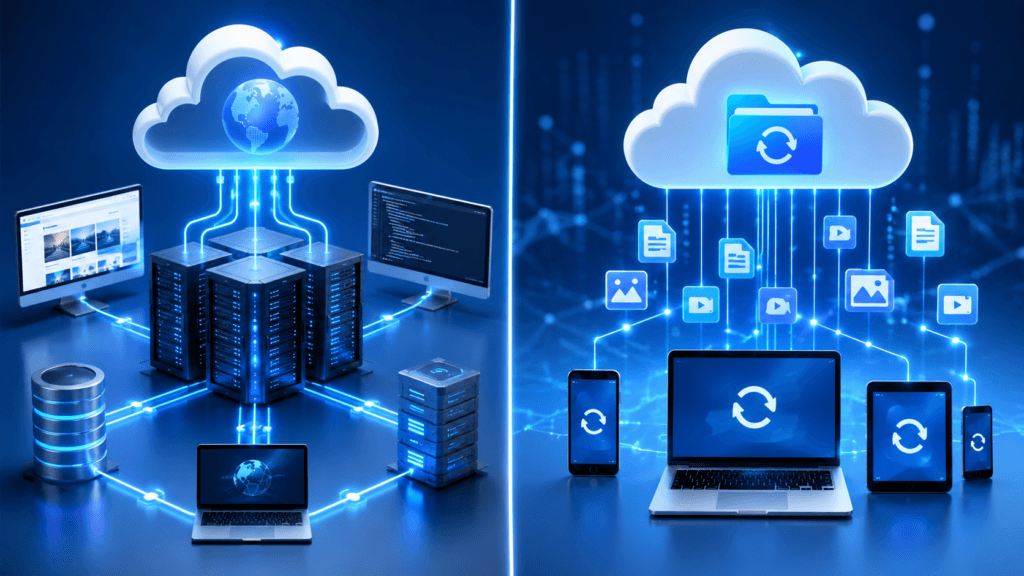
- Cloud storage services are specialized platforms designed to store digital files on remote servers, prioritizing data integrity, accessibility, and retrieval over the internet. Think of this as your “digital warehouse.”
- Cloud hosting provides the raw computing resources—virtualized servers, memory, and networking—necessary to execute code and deliver live applications or websites to end users. Think of this as your “digital factory.”
Why This Matters
For developers, creators, and small business owners, the distinction is critical. You may require the object-level durability of cloud storage services for an archive or media library, while simultaneously needing the compute capacity of a cloud host to power a web application. Selecting the right mix is a strategic decision that directly affects your application’s performance and monthly burn rate.
What You Will Learn
This guide strips away the technical noise to provide a clear, actionable framework for evaluating your infrastructure needs:
- The 11 Key Differences: A structured breakdown of performance, management, and cost variables.
- Decision Assets: Comparison tables to simplify your provider selection.
- Strategic Application: A buying guide for beginners and developers to match infrastructure to specific use cases.
- Provider Landscape: Current, reputable players include AWS, Google Cloud, and DigitalOcean.
What Are Cloud Storage Services?
At its core, cloud storage services are infrastructure platforms designed for the secure, remote storage and retrieval of digital data. Rather than housing files on local hardware, data is offloaded to distributed data centers maintained by a service provider.
The Functional Definition
Cloud storage services act as a remote digital repository. When you utilize these services, the provider assumes full responsibility for the underlying physical hardware, data redundancy, security patching, and accessibility infrastructure. Users interact with this data via:
- Web Interfaces & Sync Clients: For end-user document management (e.g., Google Drive, Dropbox).
- APIs & SDKs: For programmatic, object-level storage within applications (e.g., Amazon S3, Google Cloud Storage).
The “Storage vs. Compute” Constraint
The defining characteristic of cloud storage services is their passivity. They are optimized for data durability, availability, and multi-region replication. Crucially, they do not execute application code or render dynamic web content. If your requirement involves running server-side logic, managing databases, or serving dynamic websites, cloud storage services are a component of the architecture, not the host itself.
Technical Hierarchy
| Capability | Cloud Storage Services | Cloud Hosting |
| Primary Goal | Data persistence & retrieval | Code execution & application delivery |
| Interface | APIs, file systems, sync tools | Shell access, CI/CD, runtime environments |
| Management | Managed data/durability | Managed compute/OS environment |
What is Cloud Hosting?
Cloud hosting is a model of infrastructure delivery where websites and applications execute on virtualized compute resources—pooled from a network of physical machines—rather than on a single, dedicated hardware server. By abstracting physical hardware into virtual instances, containers, or managed platforms, it enables developers to deploy and scale applications with high precision.
The Functional Definition
Unlike passive storage, cloud hosting is an active, compute-heavy environment. It provides the necessary execution layer—CPU, memory, and networking—to run server-side logic and deliver dynamic content. When you deploy to a cloud host, you are essentially renting a virtualized ecosystem that provides:
- On-Demand Provisioning: Instant deployment of servers or containers as traffic demands fluctuate.
- Elastic Scaling: The ability to automatically adjust compute resources (vertical scaling) or instance counts (horizontal scaling) to maintain uptime.
- Fault Tolerance: Built-in high availability through multi-zone deployments and automated failover protocols that protect against hardware failure.
The Strategic Role
Cloud hosting typically falls under the Infrastructure as a Service (IaaS) or Platform as a Service (PaaS) models. Its primary purpose is the execution of code. You utilize cloud hosting when your objective is:
- Running backend APIs and server-side scripts.
- Serving dynamic websites that require database interactions.
- Executing continuous background processes or containerized microservices.
Comparative Summary
| Feature | Cloud Hosting | Cloud Storage Services |
| Primary Value | Computational power/execution | Data durability/retrievability |
| Resource Type | CPU, RAM, OS environment | Persistent object/file blocks |
| Best Used For | Web servers, APIs, logic | Backups, media, archives |
| Management | Often requires OS/Server config | API-driven, vendor-managed |
Are Cloud Hosting and Cloud Storage the Same Thing?
No, they are not interchangeable. While both rely on the same fundamental cloud infrastructure—distributed data centers and virtualization—they serve distinct roles in a modern digital stack.
To visualize the relationship: Cloud hosting provides the “engine,” while cloud storage services provide the “warehouse.”
The Fundamental Disconnect
- Purpose: Cloud hosting is compute-centric; it processes instructions, runs databases, and renders dynamic web pages. Cloud storage services are data-centric; they are optimized for the long-term, durable persistence of files.
- Operational Requirements:
- If you purchase only cloud storage, you have a place to house your files, but you lack the compute environment required to execute code or display a website.
- If you purchase only cloud hosting, you are limited to the compute instance’s local disk, which is often ephemeral (meaning data can be lost if the server resets), non-scalable for large volumes, and significantly more expensive per gigabyte.
The “Integrated” Reality
In production environments, these services are rarely chosen as an “either/or” proposition. They are designed to be complementary. A standard, high-leverage architecture typically looks like this:
- The Hosting Layer: Runs your application logic, APIs, and CMS (e.g., WordPress, Next.js, or custom Python/Node.js apps).
- The Storage Layer: Offloads heavy, static assets (images, videos, backups, user-uploaded files) to dedicated cloud storage services.
Decision Summary: Do not conflate the two during procurement. Treat your cloud hosting as your runtime environment and your cloud storage services as your scalable data repository. Integrating them correctly is the hallmark of a professional-grade infrastructure setup.
Can Cloud Storage Services Host a Website or App?
The short answer is partially. You can host static content using cloud storage services, but they are fundamentally incapable of executing dynamic applications.
The Static vs. Dynamic Divide
- Static Hosting: Services like Amazon S3 or Google Cloud Storage offer “Static Website Hosting” features. By configuring a bucket for public read access and designating an index document, you can serve HTML, CSS, JavaScript, and images directly. This is a cost-effective, high-performance solution for portfolios, documentation, or simple landing pages.
- Dynamic Hosting: If your application requires server-side processing—such as PHP/Python execution, database queries, user authentication, or real-time data manipulation—cloud storage services cannot perform these tasks. They have no runtime environment to execute code or manage sessions.
Strategic Trade-offs
| Feature | Static Site (Cloud Storage) | Dynamic App (Cloud Hosting) |
| Logic | None (client-side only) | Full (Server-side/API) |
| Database | Not supported | Fully supported |
| Scalability | Near-infinite (CDN integrated) | Dependent on instance scaling |
| Complexity | Minimal setup | Requires maintenance/CI-CD |
The Decision Matrix for Your Project
- Use Cloud Storage Services for: Static sites, documentation, landing pages, or front-end heavy apps that rely on external API calls to function.
- Use Cloud Hosting for: SaaS platforms, e-commerce stores, content management systems (CMS), and any application requiring a backend database or complex user interactivity.
Pro-Tip: Many modern architectures combine the two. You can host your site’s static assets (images, fonts, scripts) on cloud storage services to lower latency and offload traffic, while using cloud hosting strictly for your backend API and business logic. This separation of concerns improves performance and reduces the load on your compute instances.
1 Key Differences Between Cloud Hosting and Cloud Storage Services
The following breakdown provides a high-level comparison to help you architect your infrastructure. Understanding these differentiators is critical for optimizing performance and cost-efficiency.
| # | Feature | Cloud Storage Services | Cloud Hosting |
| 1 | Primary Function | Data durability and retrieval. | Application execution and delivery. |
| 2 | Resource Types | Storage capacity, IOPS, buckets. | CPU, RAM, network bandwidth. |
| 3 | Typical Use Cases | Backups, archives, data lakes. | Web apps, APIs, microservices. |
| 4 | Performance Focus | Throughput, availability. | Latency, concurrency, responsiveness. |
| 5 | Scalability Model | Capacity and object volume. | Vertical/Horizontal instance scaling. |
| 6 | Pricing Structure | Data volume, request counts. | Compute duration, instance size. |
| 7 | Management | Buckets, lifecycle, access policies. | Deployment, OS, runtime, security. |
| 8 | Security Controls | Encryption, object-level IAM. | Firewalls, patch management, runtimes. |
| 9 | Integration | SDKs, REST APIs, direct pipes. | CI/CD, load balancers, DNS. |
| 10 | AI/Data Context | Data lakes for training sets. | Inference/Training engine execution. |
| 11 | Primary User | Creators, Data Engineers. | Developers, DevOps/SaaS teams. |
Tactical Analysis: The “Why” Behind the Differences
To apply these differences strategically to your business or career development, consider these insights:
- The Cost-Optimization Lever: A common rookie mistake is hosting large static files (like high-res media) on a high-cost compute instance. Strategic Move: Offload these assets to cloud storage services and serve them via a CDN. This reduces your cloud hosting “burn rate” by freeing up CPU/RAM for application logic.
- Performance Engineering: Do not confuse storage throughput with compute speed. If your application feels slow, increasing your cloud storage service’s capacity will not help. You likely need to tune the cloud hosting environment (e.g., memory caching, horizontal scaling, or optimized runtimes).
- Security Architecture: Security in cloud storage services is often about “Data Residency” and “Bucket Permissions.” Security in cloud hosting is about “Hardening the Perimeter.” A robust setup treats both layers with distinct, non-overlapping security policies.
Comparison Matrix: Cloud Hosting vs. Cloud Storage Services
Understanding the structural differences between these infrastructure pillars is essential for architectural optimization. The following matrix contrasts the core operational and financial characteristics of cloud storage services and cloud hosting to help you align your infrastructure with project requirements.
| Dimension | Cloud Storage Services | Cloud Hosting |
| Primary Function | Store and retrieve files/data. | Run websites and applications. |
| Resource Type | Storage capacity & object operations. | Compute (CPU/RAM), networking, disk. |
| Core Use Cases | Backups, media, archives, data lakes. | Sites, apps, APIs, microservices. |
| Performance Focus | Durability and throughput. | Latency, concurrency, autoscaling. |
| Scalability | Capacity and regional replication. | Instances, containers, managed runtimes. |
| Pricing Model | GB/month, operations, egress. | vCPU/RAM hours, services, bandwidth. |
| Management Tasks | Buckets, permissions, lifecycle. | Deployments, configs, security, scaling. |
| Security Focus | Object access, encryption, compliance. | Network, OS, runtime, app security. |
| AI/Data Workflows | Data lake and training storage. | Running AI apps and inference APIs. |
| Example Services | Google Drive, AWS S3, GCS. | AWS EC2, Azure VMs, GCP Compute. |
| Primary Users | Creators, IT, Data teams. | Devs, DevOps, Startups, SaaS teams. |
Strategic Synthesis for Your Content
- Actionable Takeaway: When presenting this to your audience, emphasize that Cloud Storage Services are a passive asset repository, whereas Cloud Hosting is an active compute environment.
- Formatting Note: This table is optimized for readability, providing the “at-a-glance” intelligence your audience requires for quick decision-making.
Common Use Cases and Real-World Scenarios
To move beyond definitions, it is essential to map these services to the operational requirements they solve. The primary distinction is whether your project requires passive data preservation or active computational logic.
When is Cloud Storage the Right Choice?
Cloud storage services are the optimal choice when your primary goal is the durable, scalable, and secure persistence of data without the need for server-side processing.
- Data Archival & Backups: Protecting critical business documents, system logs, and server snapshots against local hardware failure.
- Media & Asset Libraries: Storing high-resolution imagery, raw video footage, and large static files that are served to users or pulled into applications.
- Data Lakes: Maintaining massive, unstructured datasets for downstream analytics or AI/ML training models where storage capacity and cost-per-GB are the primary concerns.
- Centralized Collaboration: Utilizing consumer-facing platforms (e.g., Google Drive, Dropbox) for document management and team file sharing without the need for infrastructure deployment.
When is Cloud Hosting the Right Choice?
Cloud hosting is the appropriate choice when you must execute code, manage application states, or deliver dynamic, real-time interactions to users.
- SaaS & Web Applications: Deploying platforms that require server-side logic (e.g., Python, Node.js, PHP), database connectivity, and session management.
- Dynamic Websites: Hosting content management systems (CMS) or e-commerce sites where page content is generated on-the-fly based on user requests or database queries.
- API Gateways: Providing the backend compute power to handle REST or GraphQL requests for mobile and web applications.
- Development & CI/CD Workflows: Establishing ephemeral staging environments where code is tested, built, and deployed into production.
Strategic Synthesis: The “Integrated” Architecture
In modern production environments, these services are rarely mutually exclusive. A robust architecture typically treats cloud hosting as the “compute engine” that processes data and cloud storage services as the “persistent repository” that houses your application’s static assets, backups, and large datasets.
By separating these concerns, you gain the ability to scale your storage independently of your compute—optimizing both performance and your monthly burn rate.
Decision Matrix: Which Service Do I Need?
Use this matrix to quickly identify the infrastructure architecture that aligns with your specific project requirements.
Note: This matrix serves as a strategic starting point for your project planning; specific configurations may vary based on your technical stack and scale.
| Scenario | Primary Need | Recommended Service Mix |
| Static Portfolio / Docs | Static file delivery | Object storage (Static site mode). |
| CMS / WordPress Site | Dynamic site hosting | Cloud hosting + database + object storage. |
| SaaS Application | Full application stack | Cloud hosting + database + object storage. |
| Raw Media / Archives | Large file archiving | Cloud storage service (Standard or Cold). |
| Small Biz File Sharing | Documents / Backups | Cloud storage with access controls. |
| Data Science / AI | Dataset management | Cloud storage + hosting for processing. |
| Video Platform Prototype | Hosting + media delivery | Cloud hosting + object storage + CDN. |
| Internal Dashboards | Internal tooling | Cloud hosting + storage for logs/assets. |
Architectural Rule of Thumb
- For Apps & Websites: Assume you need Cloud Hosting as your core execution environment, supplemented by Cloud Storage Services for static assets, databases, and backups.
- For Pure Data Tasks: If your project does not involve server-side logic, session management, or dynamic database interactions, Cloud Storage Services are typically sufficient on their own.
Strategic Insight for Founders & Developers
When scaling, decouple your storage from your compute. Storing large assets (like images or user uploads) directly on your hosting instance is a common “anti-pattern” that increases costs and complicates backups. By moving these assets to dedicated cloud storage services, you keep your compute instances lightweight, ephemeral, and significantly easier to scale or replace.
Buying Framework (High-Level Preview)
Selecting the right infrastructure is a high-leverage decision. Use this framework to filter options and prevent “vendor lock-in” or infrastructure bloat before you start your procurement process.
- Define Primary Workload: Start with first principles. Is your primary bottleneck data persistence (storing files, logs, backups) or compute execution (processing logic, APIs, dynamic page rendering)? If the answer is “both,” plan for a hybrid architecture immediately.
- Quantify Scale: Estimate your growth trajectory for the next 6–12 months. Define your requirements for:
- Data Volume: (GB/TB of storage)
- Throughput: (Expected request counts or concurrent users)
- Assess Technical Capacity: Be honest about your team’s expertise.
- Can you manage an OS/server? If yes, IaaS (VMs) offers maximum control.
- Do you want to focus only on code? If yes, PaaS or Managed Services (Cloud hosting/buckets) reduce management overhead.
- Map to Service Type:
- Storage-Only: For pure data archival or static delivery.
- Hosting-Only: Rare; usually implies ephemeral data usage.
- Combined Stack: The standard for modern SaaS—hosting for logic, storage for assets, and a CDN for global delivery.
- Evaluate Providers: Look beyond the initial “sticker price.” Analyze:
- Ecosystem: Does the provider integrate with your existing CI/CD or data pipelines?
- Pricing Transparency: Are egress fees (the cost to move data out of the cloud) predictable?
- Reliability: Check SLA guarantees against your downtime tolerance.
Strategic Note
Avoid Over-Engineering: For early-stage projects or MVPs, prioritize speed of deployment and simplicity over high-end architectural flexibility. You can always migrate from a managed service to a more complex, high-performance infrastructure once you have proven product-market fit.
Maintenance and Evolution: Keeping Your Infrastructure Agile
Infrastructure is never a “set-and-forget” task. As your project evolves, so too must your architecture. Following these industry-standard maintenance and evolution principles will ensure your setup remains performant, secure, and cost-effective.
Adopt an “Infrastructure as Code” (IaC) Mindset
Avoid manual configuration in provider consoles. Use tools like Terraform or CloudFormation to define your infrastructure.
- Benefit: This creates a version-controlled, repeatable, and documented foundation for your environment. If a disaster occurs, you can redeploy your entire stack in minutes rather than hours.
Implement Regular Rightsizing
Cloud costs and performance needs change as your traffic grows.
- The Routine: Conduct quarterly audits to “right-size” your compute instances. If you are paying for premium compute tiers but only utilizing 10% of CPU/RAM, scale down to save costs. Conversely, use monitoring tools to catch performance bottlenecks before they impact your users.
Decouple and Modernize
As your application grows, look for opportunities to decouple components.
- The Strategy: Transition from “monolithic” servers (where your app and database live together) to modular services. Offload static assets to dedicated object storage, use managed database services, and leverage CDNs to move content closer to your users. This makes independent scaling and security hardening much easier.
Build for Observability
You cannot improve what you cannot measure.
- The Requirement: Implement centralized logging and performance monitoring (e.g., CloudWatch, Google Cloud Operations Suite). Set up alerts for high latency or anomalous traffic patterns so you can proactively address issues before they lead to downtime.
Disaster Recovery (DR) as a Process
Do not just “have” a backup; verify it.
- The Workflow: Regularly test your recovery procedures by simulating failures. Document your Recovery Time Objectives (RTO) and Recovery Point Objectives (RPO) and ensure your current configuration actually meets these targets.
Strategic Synthesis
The most successful projects are those that start simple (MVP) and iterate based on real usage data. By maintaining clear documentation, automating your deployments, and continuously refining your architecture, you ensure that your technical stack remains a competitive advantage rather than a bottleneck.
Decision Checklist: Pre-Purchase Infrastructure Audit
Use this checklist to qualify your technical requirements before committing to a provider or service tier.
- Workload Nature: Does the project require server-side code execution, or is it strictly for data persistence and retrieval?
- Capacity & Growth: What is your current data volume (GB/TB), and what is the projected growth rate over the next 18 months?
- Throughput Demands: What are your expected peak concurrent users and request volumes?
- Operational Capacity: Does your team have the DevOps bandwidth to manage OS/server-level configurations, or do you require the abstraction of managed services (PaaS)?
- Compliance & Sovereignty: Are there specific data residency mandates (e.g., GDPR, local storage laws) or regulatory requirements your infrastructure must satisfy?
- Ecosystem Integration: Which third-party services (CI/CD pipelines, AI/ML APIs, analytics suites) must natively integrate with your infrastructure?
- Financial Reality: What is your total cost of ownership (TCO), including predictable storage fees and variable egress costs?
- Advanced Features: Are there specific requirements for zero-knowledge encryption, automated object lifecycle management, or granular access sharing?
The “Start Here” Heuristic
- Start with Cloud Storage if your answers cluster around: Files, collaboration, backups, and limited infrastructure management requirements.
- Start with Cloud Hosting if your answers cluster around: Application logic, API development, elastic scalability, and CI/CD-driven deployments.
Recommended Cloud Storage Services: Product Framework
The following providers represent the current industry standards for storage infrastructure. Note that specific availability and pricing tiers fluctuate based on your region and service-level agreements. The pricing indicators below are relative and qualitative, intended to help you calibrate your budget expectations against feature sets.
Google Drive / Google Workspace
A cornerstone of modern productivity, Google Drive serves as both a file storage repository and an integrated digital workspace. It is deeply entwined with the broader Google Workspace suite (Docs, Sheets, Slides, and Meet), making it the default choice for teams that prioritize seamless collaboration over granular, server-level infrastructure management.
Key Specifications
- Core Utility: Cloud storage, real-time co-authoring, and file version history.
- AI Integration: Embedded with Gemini, which now provides “AI Overviews” in Drive search, document summarization, natural language data processing in Sheets, and automated meeting notes in Meet.
- Accessibility: Cross-platform support via web browsers, Android, iOS, Windows, and macOS.
- Permissions: Granular sharing controls, team-based folder structures, and robust audit trails for business administrators.
Evaluation vs. Criteria
| Criterion | Assessment |
| AI Capabilities | High. Natively integrates Gemini across the stack for drafting, summarizing, and data analysis. |
| Ease of Use | Very High. Familiar UX for virtually all users. |
| Productivity | Excellent. Unmatched for real-time, multi-user document collaboration. |
| Compatibility | Broad. Deep integration with SaaS apps and all major OS platforms. |
| Privacy | Standard. Compliant and secure for business, but lacks the “zero-knowledge” encryption offered by specialized privacy-focused providers. |
| Value for Money | Strong. Highly competitive; often included in existing business productivity subscriptions. |
Verdict
Google Drive is the premier choice for organizations and creators who live within the browser and prioritize collaborative speed. If your workflow relies on real-time editing and integrated AI assistance, the value proposition is difficult to beat. However, if your requirements include ultra-sensitive, zero-knowledge storage for highly confidential data, you should augment this with specialized privacy tools.
Alternatives
- Microsoft OneDrive: Best for organizations heavily invested in the Microsoft 365/Teams ecosystem.
- Dropbox: Preferred for creative professionals who need high-speed, block-level file synchronization and advanced sharing controls.
- Sync.com / Privacy-focused options: Superior for users requiring strict zero-knowledge encryption.
The video above provides an expert review of the mid-2026 updates to Google Workspace, specifically detailing how Gemini and new AI features enhance collaboration and security for business users.
Dropbox
Dropbox is an industry-standard platform primarily focused on high-speed file synchronization and cross-device collaboration. It excels in professional workflows that require reliable, “set-and-forget” file availability across diverse operating systems and third-party applications.
Key Specifications
- Core Utility: Block-level file syncing, real-time collaboration, and large file transfers.
- AI Integration: The centerpiece is Dropbox Dash, an AI-powered universal search tool that indexes content across Dropbox, Gmail, Notion, and Slack to provide cross-app search, content summarization, and intelligent organization.
- Accessibility: Desktop clients for Windows, macOS, and Linux; mobile apps for iOS and Android.
- Permissions: Folder-level sharing, granular access controls, and administrative audit trails for team plans.
Evaluation vs. Criteria
| Criterion | Assessment |
| AI Capabilities | High. Leading the market with “universal search” (Dash) and AI-driven document summarization. |
| Ease of Use | Very High. Industry benchmark for simple, reliable file syncing. |
| Productivity | Strong. Integrates deeply with Slack, Zoom, and Adobe, making it a “context layer” for professional teams. |
| Compatibility | Excellent. Arguably the most robust cross-platform sync client available. |
| Privacy | Moderate. Encrypted at rest (AES-256) and in transit (SSL/TLS), but standard plans are not zero-knowledge. |
| Value for Money | Moderate. Often more expensive than bundled options (Google/Microsoft), but highly regarded for performance and feature set. |
Verdict
Dropbox is the optimal “connective tissue” for a modern digital stack. Choose it if your daily workflow involves juggling multiple tools (e.g., Slack + Adobe + Notion) and you need a high-performance, AI-assisted search layer to tie them together. However, if your primary requirement is strict, account-wide zero-knowledge privacy, Dropbox is likely not the right tool for you.
Privacy Note
While Dropbox offers folder-level end-to-end encryption for some Advanced and Enterprise team plans, it does not provide zero-knowledge encryption by default for individual users. If “private encryption” is a non-negotiable requirement, you should look toward specialized providers like Sync.com or MEGA.
Privacy-Focused Services (Proton Drive, Sync.com, pCloud)
This category of cloud storage is built for users who treat data sovereignty as a non-negotiable requirement. These services prioritize zero-knowledge encryption—a model where the provider cannot access your files because the decryption keys are held solely by you. While they lack the massive productivity ecosystems of Google or Microsoft, they offer a secure harbor for sensitive legal, financial, or personal data.
Key Specifications
- Core Utility: End-to-end encrypted (E2EE) storage, file versioning, and secure link sharing.
- AI Integration: Generally limited to ensure privacy. However, ecosystems like Proton are beginning to introduce privacy-first AI tools (e.g., Lumo AI) that operate locally or within encrypted environments to avoid exposing data to third-party training.
- Security: Most utilize client-side encryption, ensuring data is unreadable even in the event of a server-side breach.
- Data Residency: Often based in privacy-friendly jurisdictions like Switzerland (Proton) or Canada (Sync.com), providing an extra layer of legal protection.
Evaluation vs. Criteria
| Criterion | Assessment |
| AI Capabilities | Low. Designed to keep data out of AI training pipelines. |
| Ease of Use | Moderate. Secure protocols can sometimes require more setup than “big tech” defaults. |
| Productivity | Growing. Proton now includes Docs and Sheets with real-time encrypted collaboration. |
| Privacy | Exceptional. The industry standard for zero-knowledge storage. |
| Compatibility | Good. Reliable desktop and mobile clients; some offer WebDAV or rclone support for advanced users. |
| Value for Money | Variable. Often higher cost-per-GB, but justified by the security and absence of data-mining. |
Verdict
Choose this category if you are “de-Googling” your life or handling sensitive documents that must remain private under any circumstance.
- Proton Drive: Best for those wanting a secure ecosystem (Mail, VPN, Drive) with open-source transparency and Swiss privacy laws.
- Sync.com: A robust choice for corporate compliance (HIPAA/GDPR) and professional file sharing.
- pCloud: Offers a “best-of-both-worlds” approach with a feature-rich interface and an optional (paid) “Crypto” folder for zero-knowledge storage.
Strategic Trade-off
By choosing these services, you are trading “convenience features” (like automated AI photo tagging or deep third-party integrations) for mathematical certainty that your data remains yours alone.
Recommended Cloud Hosting Providers: Product Framework
The following platforms represent the industry standard for cloud hosting in 2026. These providers are categorized by their target use case, ranging from developer-centric infrastructure to managed enterprise environments. Note that availability, feature sets, and pricing models vary significantly by region and specific plan tiers.
Amazon Web Services (AWS) – EC2 & Lightsail
AWS is the industry leader in cloud infrastructure, offering a massive spectrum of services that range from simplified virtual private servers (Lightsail) to infinitely configurable, enterprise-grade compute environments (EC2). It is the backbone of most complex, production-scale digital architectures.
Key Specifications
- Core Utility: EC2 provides programmable, modular virtual machines for high-control workloads. Lightsail offers a bundled, predictable-price VPS experience for simpler projects.
- AI Integration: AWS offers a mature AI/ML stack, including Amazon Bedrock (for foundation models), SageMaker (for training/inference), and Amazon Q (an AI assistant for coding and architecture).
- Ecosystem: Seamless integration with over 200+ AWS services, including S3 (storage), RDS (databases), and sophisticated container orchestration (EKS/ECS).
- Scaling: Offers robust auto-scaling groups that dynamically adjust capacity based on real-time traffic, ensuring high availability.
Evaluation vs. Criteria
| Criterion | Assessment |
| AI Capabilities | Elite. The most comprehensive AI/ML service catalog in the industry. |
| Ease of Use | Low (EC2) to High (Lightsail). EC2 requires deep technical knowledge; Lightsail is “plug-and-play”. |
| Scalability | Unlimited. Designed for global, multi-region production scaling. |
| Compatibility | Universal. Supports virtually any OS, runtime, or container architecture. |
| Privacy | High (Configurable). Provides enterprise-grade security tools (VPC, IAM, KMS), but requires expert configuration. |
| Pricing | Complex. Highly flexible, pay-as-you-go model that requires proactive management to avoid “bill shock”. |
Verdict
Choose Lightsail if you are a startup or developer needing to ship a simple application quickly with predictable costs. Choose EC2 if you are architecting a complex, high-scale, or data-intensive application that demands granular control, advanced networking, and deep integration with the broader AWS ecosystem.
Strategic Trade-off
The primary challenge with AWS is operational overhead. While the platform is infinitely capable, it is not “managed” by default; you are responsible for security hardening, patching, and architectural optimization. For teams without dedicated DevOps resources, the “hidden” cost of engineering time can often exceed the savings of a cheaper compute instance.
Google Cloud Platform (GCP) – Compute Engine & App Engine
Google Cloud Platform (GCP) is the engineering-focused hyperscaler, built on the same infrastructure that powers Google’s global services. It is the premier choice for data-intensive applications, AI/ML pipelines, and containerized architectures, offering a superior “developer experience” with clean APIs and highly flexible compute configurations.
Key Specifications
- Core Utility: Compute Engine provides highly configurable IaaS (VMs), while App Engine and Cloud Run provide streamlined PaaS/Serverless environments for code-focused deployments.
- AI Integration: A market leader in the AI infrastructure race. Its ecosystem is anchored by Vertex AI for model management, BigQuery for large-scale analytics, and custom-built TPUs that significantly outperform general-purpose GPUs for specific ML training workloads.
- Engineering Advantage: Features like Custom Machine Types allow you to provision the exact ratio of vCPU and RAM your application needs, preventing the “over-provisioning tax” common with fixed-size instances on other clouds.
- Reliability: Industry-leading uptime with Live Migration technology, which keeps your VMs running even during host maintenance events.
Evaluation vs. Criteria
| Criterion | Assessment |
| AI Capabilities | Elite. The gold standard for data engineering, BigQuery analytics, and high-performance ML model training. |
| Ease of Use | High. Often cited as having the most intuitive console UI and cleanest CLI tools (gcloud) in the industry. |
| Scalability | Exceptional. Built for global, container-native applications with unparalleled Kubernetes (GKE) maturity. |
| Compatibility | Strong. Native support for popular languages and container-first workflows. |
| Privacy | High. Default encryption and zero-trust security architecture are baked into the core infrastructure. |
| Pricing | Transparent & Efficient. Automatic “Sustained Use Discounts” and custom configurations often result in a 5–10% lower compute cost compared to direct competitors. |
Verdict
GCP is the “smart” choice for organizations prioritizing data velocity and AI innovation. Choose GCP if your architecture is container-heavy, your data strategy revolves around BigQuery, or you want an opinionated, high-performance platform that favors engineering efficiency over the sheer breadth of services found at AWS.
Strategic Trade-off
While GCP’s engineering quality is unrivaled, its global service catalog is not as deep as AWS’. If your project requires niche, highly specialized services (e.g., satellite ground stations or legacy hardware emulation), you may find the ecosystem more limited.
Microsoft Azure – Virtual Machines & App Service
Microsoft Azure is the enterprise-grade backbone for organizations already operating within the Microsoft ecosystem. It provides a seamless transition from on-premises infrastructure to the cloud, offering a highly stable, compliant, and deeply integrated environment for hybrid workloads, .NET applications, and large-scale enterprise systems.
Key Specifications
- Core Utility: Azure Virtual Machines offer flexible, scalable compute power, while Azure App Service provides a fully managed PaaS environment for deploying web apps without the overhead of server management.
- AI Integration: Azure is aggressively positioning itself as an “AI-first” cloud through Azure AI Foundry and Azure OpenAI Service, allowing enterprises to integrate LLMs, document intelligence, and AI agents directly into their existing workflows.
- Identity & Security: Built around Microsoft Entra ID (formerly Azure AD), providing unified identity management that bridges cloud and on-premises environments.
- Hybrid Maturity: Unrivaled capabilities for hybrid cloud deployments, allowing companies to manage resources across private data centers and the public cloud using tools like Azure Arc.
Evaluation vs. Criteria
| Criterion | Assessment |
| AI Capabilities | Elite. Deep integration of Copilots, AI agents, and Azure OpenAI provides a clear path for enterprise AI adoption. |
| Ease of Use | Moderate. The breadth of services and complex pricing models create a steeper learning curve than smaller providers. |
| Productivity | Best-in-Class. Unmatched integration with M365, GitHub, and Azure DevOps for end-to-end development lifecycles. |
| Compliance | Unrivaled. Holds 100+ regulatory certifications, making it the default choice for highly regulated industries. |
| Compatibility | Strong. While optimized for Windows/.NET, it provides robust support for Linux and diverse open-source frameworks. |
| Value for Money | Strategic. Costs can be high, but “Hybrid Benefits” and reserved capacity can offer 20-40% savings for committed enterprise users. |
Verdict
Azure is the definitive choice for enterprises and Microsoft-centric teams. Choose Azure if your primary goal is to leverage existing investments in Microsoft identity, security, and developer tools, or if you require a mature hybrid cloud environment that meets the most stringent global compliance standards.
Strategic Trade-off
The “Azure tax” is real—not necessarily in price, but in complexity. The vast catalog and granular pricing variables can lead to “bill shock” if you do not proactively use Azure Cost Management and commit to reserved capacity for predictable workloads.
Cloud Hosting vs Cloud Storage: Buying Guide
Choosing the right infrastructure is a high-leverage decision that impacts your project’s long-term performance, security, and monthly burn rate. Because these services are often conflated, a disciplined procurement approach is required to ensure you aren’t paying for “hidden” features or over-engineering your stack. The following framework provides a logical path to selecting the right model for your business objectives.
This guide is designed to help you bridge the gap between technical requirements and strategic utility. By systematically evaluating your workload type, scale, and operational capacity, you can transition from “random procurement” to a deliberate, high-leverage infrastructure strategy that scales with your growth.
The video above provides a clear, conceptual breakdown of when to prioritize local versus remote storage and how these tools function within a broader, high-leverage professional infrastructure.
Who Should Buy Cloud Storage Services?
Cloud storage services are the ideal solution when your primary requirement is the durable, accessible, and scalable persistence of digital data. They function as a “digital warehouse,” offloading the burden of physical hardware, redundancy, and security from your local machines to high-availability provider data centers.
These services are the optimal choice for:
- Content Creators & Media Professionals: Managing high-resolution raw footage, final creative exports, and large-scale media libraries.
- Students & Small Businesses: Requiring centralized document management, easy file sharing, and team collaboration without the need to manage complex server infrastructure.
- IT & Systems Administrators: Modernizing legacy infrastructure by replacing on-premises file servers and local backup systems with scalable, cloud-native storage buckets.
- Data Engineers & AI Practitioners: Storing massive, unstructured datasets, system logs, and archives to serve as a “data lake” for training models and analytics.
Strategic Caveat
Do not conflate storage with compute. If your objective is to run dynamic websites, power a SaaS application, or handle real-time user requests, cloud storage alone will fail you. These services are passive repositories; they cannot execute code, manage application states, or deliver dynamic web pages. If your project involves any of these computational tasks, you must pair your storage with a cloud hosting environment.
Who Should Buy Cloud Hosting?
Cloud hosting is the right choice when your project requires an active, computational environment to execute logic and deliver dynamic experiences. It is the “engine room” of your digital infrastructure, providing the processing power, memory, and networking needed to serve applications in real time.
These services are the optimal choice for:
- Startup Founders & SaaS Builders: Launching web applications, APIs, or platforms that require server-side logic, database connectivity, and session management.
- Web Developers & CMS Users: Hosting dynamic websites (e.g., WordPress, e-commerce, or headless CMS setups) where page content is generated on-the-fly based on user requests.
- DevOps & Engineering Teams: Managing CI/CD pipelines, multi-environment setups (development/staging/production), and containerized microservices that demand elastic scaling and automated failover.
- Internal Tooling & Dashboard Owners: Deploying backend services, internal administrative dashboards, or API gateways that support mobile and web applications.
Strategic Caveat
Avoid over-engineering with complex hosting if your needs are static. If your only requirement is basic file backup, document storage, or hosting static assets, utilizing a full cloud hosting environment introduces unnecessary costs, increased management complexity, and potential security overhead. For simple, non-dynamic assets, cloud storage services are more cost-effective and require significantly less maintenance.
Budget Considerations: Managing Your Cloud Spend
Managing infrastructure costs is a continuous discipline, not a one-time project. In 2026, the complexity of multi-cloud environments and AI-driven workloads makes “billing surprises” a significant risk for both startups and established teams.
Storage Costs
Storage pricing is typically a “slow burn” but can scale unpredictably if left unmanaged.
- The Model: Costs are driven by total volume (GB/TB), the chosen storage tier (Standard/Hot vs. Archive/Cold), and egress (data transfer out).
- Optimization Strategy:
- Automated Lifecycle Policies: Use native tools (e.g., Google Cloud Storage lifecycle management, Azure Blob lifecycle) to automatically transition infrequently accessed data to lower-cost tiers.
- Cleanup: Regularly audit and delete orphaned snapshots, unused volumes, and temporary logs.
- Deduplication: Compress or deduplicate data where possible before it hits the storage bucket.
Hosting Costs
Hosting costs are typically higher and more volatile than storage because they involve active computational resources.
- The Model: Costs are based on instance size (vCPU/RAM), uptime, and traffic-dependent variables like load balancing, database utilization, and egress bandwidth.
- Optimization Strategy:
- Continuous Rightsizing: Use native tools (e.g., AWS Compute Optimizer, Azure Advisor) to align compute capacity with actual demand.
- Autoscaling: Implement policies that shrink resources during off-hours or low-traffic periods.
- Purchase Models: Use Reserved Instances or Savings Plans for predictable, steady-state workloads (up to 75% savings) and Spot/Preemptible Instances for fault-tolerant, intermittent tasks like CI/CD or ML training.
Taming Egress Fees
Egress fees—the cost of moving data out of a provider’s network—are often the “hidden” line item that inflates budgets.
- Use a CDN: Serve static assets (images, videos, scripts) via a Content Delivery Network. It is significantly cheaper than serving them directly from your hosting or storage backend.
- Architect for Proximity: Keep your compute and storage within the same region to avoid cross-region transfer fees.
- Monitor Anomaly Patterns: Set up alerts for unexpected outbound traffic spikes, which often indicate misconfigured APIs or data leaks.
Pro-Tip for Beginners
Start with a “conservative-first” approach:
- Monitor: Gain visibility by tagging all resources with owner and project IDs.
- Alert: Connect budgets to alerting systems so you are notified before you exceed your monthly plan.
- Iterate: Treat your cloud bill as a performance metric. Review it monthly to identify which resources are driving value and which are just driving waste.
Essential vs. Nice-to-Have Features
To avoid “feature bloat” and ensure your infrastructure budget is spent on high-leverage components, use this breakdown to filter your requirements.
Cloud Storage Services
- Essential:
- Data Encryption: Both at rest and in transit.
- Access Control: Granular IAM (Identity and Access Management) policies.
- Versioning: Protection against accidental deletions or overwrites.
- Multi-Device Access: Consistent syncing across desktop and mobile.
- Nice-to-Have:
- AI-Powered Search: Natural language search within your files.
- Integrated Office Tools: Native editing for Docs/Sheets/Slides.
- Zero-Knowledge Encryption: Mandatory for highly sensitive or regulated data.
Cloud Hosting
- Essential:
- Scalability: Autoscaling or simple vertical resizing (one-click).
- Monitoring & Logging: Real-time visibility into server health and error logs.
- Security Perimeter: Basic firewalls and automated security patching.
- Nice-to-Have:
- Managed Databases: Offloading DB maintenance (backups/patching).
- Serverless Runtimes: Reducing management overhead via platform abstraction.
- Integrated CI/CD: Native pipelines for automated deployment.
- Advanced AI/Analytics: Direct access to provider-side ML inference APIs.
Privacy & Security: The Shared Responsibility Model
Security is not a feature you “buy”; it is a process you manage.
- Storage Privacy: “Big Tech” (Google/Microsoft) provides world-class enterprise-grade security (protection against external threats), but they are not zero-knowledge by default. If your threat model includes the provider themselves, you must opt for specialized privacy-focused services (like Proton or Sync.com).
- Hosting Security: Understand the Shared Responsibility Model. The provider secures the physical data center and the host hardware. You are responsible for securing the Operating System, managing software patches, restricting network ports, and hardening your application code. A misconfigured firewall in an AWS instance is your fault, not Amazon’s.
Ecosystem Compatibility & Longevity
- For Collaboration: Choose storage that maps to your existing workflow. If your team lives in Google Workspace, use Google Drive. If you are a Microsoft shop, stick with OneDrive. Frictionless integration is the best way to ensure your team actually uses the storage you provide.
- For Development: Choose hosting that maps to your long-term roadmap. Hyperscalers (AWS/GCP/Azure) are the safest bets for complex architectures because they offer the most mature support for containers (Kubernetes), serverless functions, and AI/ML model integration. They are designed to grow as you grow, ensuring you won’t need to perform a “lift and shift” migration just as your startup gains traction.
Is cloud storage the same as cloud computing?
No. Cloud storage is a specialized subset of cloud computing focused on the passive, durable persistence of data. Cloud computing is the broader ecosystem that provides the processing power, networking, and software runtimes necessary to execute code, host applications, and automate digital workflows.
Can I host a dynamic website (like WordPress) on cloud storage services?
Not directly. A dynamic site requires a runtime environment to execute code (like PHP), manage a database (like MySQL), and serve web requests. Pure cloud storage services are passive repositories; you would need cloud hosting (such as a Virtual Machine, Container, or PaaS) to run the application logic and connect it to your database and storage.
Do I need both cloud hosting and cloud storage for a SaaS application?
In most professional architectures, yes. Cloud hosting serves as the “engine” that executes your application logic, manages user sessions, and processes API requests. Cloud storage acts as the “warehouse” for static assets, user-uploaded files, media, and system backups, allowing your compute instances to remain lightweight and scalable.
Are consumer cloud storage services secure enough for business use?
While many consumer-oriented services (e.g., Google Drive, Dropbox) offer enterprise-grade encryption and access controls, they may not meet specific regulatory requirements (like HIPAA or GDPR) or offer the granular governance tools required for large enterprises. Always review the provider’s compliance certifications and consider if you require specialized features like zero-knowledge encryption before migrating sensitive business data.
How do I effectively control costs in cloud hosting and storage?
For Hosting: Implement autoscaling to match capacity with demand, right-size your instances to match your actual CPU/RAM utilization, and leverage spot/preemptible instances for fault-tolerant workloads.
For Storage: Utilize lifecycle management policies to automatically move older, infrequently accessed data to cheaper “cold” storage tiers.
Cross-Service: Regularly audit your infrastructure to delete orphaned resources, and configure budget alerts to catch anomalous traffic or spending spikes before they impact your monthly bill.
In Conclusion
Choosing between cloud storage and cloud hosting is not merely a technical decision; it is a foundational choice that dictates your project’s agility, cost-efficiency, and operational overhead.
- Remember the Core Distinction: Cloud storage is your durable warehouse for data preservation; cloud hosting is your active engine for application execution.
- Embrace the Hybrid Strategy: For most professional-grade projects, these services are not mutually exclusive. A well-architected stack decouples your compute from your data, leveraging specialized storage for assets and elastic hosting for logic.
- Prioritize Scalability and Observability: As you move from MVP to production, focus on “Infrastructure as Code” and robust monitoring. You cannot optimize what you do not measure, and you cannot scale what you cannot automate.
Ultimately, the best infrastructure is the one that allows you to focus on your product’s unique value rather than the maintenance of the underlying servers. Start with the simplest stack that meets your immediate requirements, maintain a disciplined approach to cost-monitoring, and evolve your architecture only when your data or traffic necessitates a change.