11 Remote Work Security Best Practices for Hybrid Teams
In an era where hybrid operations are the standard, the perimeter of the corporate network has effectively dissolved. Remote work security best practices are no longer optional guidelines; they are the fundamental architecture protecting company data and hardware across distributed environments.
Effectively securing a hybrid workforce requires a multi-layered approach that moves beyond simple hardware configurations. This guide outlines the essential remote work security best practices necessary to mitigate modern threats, focusing on three core pillars:
- Access Control: Implementing rigorous password hygiene alongside mandatory multi-factor authentication (MFA) for all business-critical accounts.
- Data Integrity: Ensuring the sanctity of information through end-to-end encrypted communication channels and secure cloud storage protocols.
- Operational Culture: Recognizing that technical safeguards are only as strong as the human element, these remote work security best practices must be strictly reinforced by clear internal policies and continuous team training to remain effective against evolving attack vectors.
By integrating these strategies, organizations can reduce their attack surface while maintaining the agility required for high-performance hybrid teams.
How Password Managers Reduce Remote Security Risk
Core Function: A password manager stores and autofills unique, complex passwords, ensuring employees avoid the risks associated with weak or reused credentials.
Strategic Explanation: Credential stuffing and password reuse across work and personal sites remain the primary attack vectors in remote environments. Password managers mitigate these risks through:
- Entropy Generation: Managers automatically generate long, high-entropy, random passwords that are impossible for humans to memorize, neutralizing brute-force and dictionary attacks.
- Zero-Reuse Architecture: By assigning a unique, complex credential to every business application, the blast radius of a single site breach is contained.
- Encrypted Sync & Mobility: Credentials are encrypted locally and synced securely across distributed devices, ensuring employees maintain compliance without resorting to insecure workarounds like local text files or browser-saved passwords.
- Role-Based Access Control (RBAC): Enterprise-grade managers allow for centralized credential sharing through team vaults. This enables secure access to business resources without exposing the master password, ensuring that access can be instantly revoked during employee offboarding.
Implementation Requirement: To maintain institutional security, mandate a company-approved enterprise password manager and enforce a policy requiring unique, manager-generated credentials for every business-critical application.
Implementing Multi-Factor Authentication (MFA) for Hybrid Teams
Strategic Directive: Mandate Multi-Factor Authentication (MFA) across every account that accesses company data, with non-negotiable enforcement for email providers, VPN gateways, and cloud administrative consoles.
Implementation Framework: Security efficacy is tied to the strength of the secondary factor. Transition from vulnerable, legacy methods toward resilient, modern standards:
- Prioritize Phishing-Resistant Methods: Deploy FIDO2-compliant hardware security keys (e.g., YubiKey) for administrative accounts, executives, and high-risk roles. These provide the highest level of assurance against sophisticated phishing and adversary-in-the-middle attacks.
- Standardize Authenticator Apps: For general staff, require the use of time-based one-time password (TOTP) authenticator apps. These are significantly more secure than SMS-based verification, which remains susceptible to SIM-swapping and interception.
- Systemic Monitoring: Configure your identity provider to log and flag anomalous MFA failure patterns. A sudden spike in failed authentication attempts is a leading indicator of a targeted credential-stuffing attack or an active unauthorized access attempt.
- Policy Enforcement: Implement conditional access policies that trigger MFA requirements based on context—such as logins from unrecognized IP addresses, new devices, or atypical geographic locations—ensuring remote work security best practices are applied dynamically rather than statically.
By formalizing these protocols, you eliminate reliance on single-factor passwords and provide a robust technical barrier against the most common vectors for remote unauthorized access.
Securing Home Networks for Hybrid Productivity
Strategic Directive: The home network is an extension of the corporate perimeter. To maintain robust remote work security best practices, teams must treat home Wi-Fi as a potential entry point for lateral network movement.
Implementation Framework: Standardize the following configurations to harden residential network infrastructure:
- Encryption and Authentication: Ensure routers are set to WPA3 or, at a minimum, WPA2-AES encryption. Mandate the use of strong, unique administrative passwords for the router interface to prevent unauthorized configuration changes.
- Network Segmentation: Require staff to isolate work hardware by placing it on a dedicated guest network or a separate VLAN. This prevents compromised IoT devices or personal hardware on the main network from communicating directly with work-issued machines.
- Hardening Infrastructure:
- Disable WPS: Immediately turn off Wi-Fi Protected Setup (WPS), as it contains known architectural vulnerabilities.
- SSID Anonymization: Modify default Service Set Identifiers (SSIDs) to remove device-specific branding, which aids in targeted device fingerprinting by attackers.
- Firmware Lifecycle: Enforce a policy of regular firmware updates to patch known CVEs (Common Vulnerabilities and Exposures).
Enterprise-Grade Contingencies: For high-risk roles or individuals handling sensitive intellectual property, offload the risk by supplying pre-configured, company-managed routers. These devices allow IT to push security updates centrally and enforce restrictive firewall policies that standard consumer-grade equipment cannot accommodate.
Operational Note: By transforming the home network from an unmanaged variable into a hardened extension of the corporate environment, you significantly restrict the opportunities for attackers to exploit domestic vulnerabilities.
Deploying VPNs for Public Network Security
Strategic Directive: Enforce a “VPN-Always” policy whenever employees connect via public or untrusted infrastructure, such as cafes, airports, or hotels. This is a foundational element of remote work security best practices for protecting data in transit.
Implementation Framework: A VPN functions as an encrypted tunnel, neutralizing the risks of eavesdropping and session hijacking common on open wireless networks. To execute this effectively:
- Centrally Managed Infrastructure: Standardize on a reputable, enterprise-grade VPN solution. Avoid consumer-grade VPN services, which lack the administrative controls, audit logging, and security compliance required for corporate data protection.
- Split-Tunnel Optimization: Configure split-tunnel policies to balance network performance and security. Direct sensitive traffic—specifically access to internal resources, databases, and cloud consoles—through the secure tunnel, while routing non-critical traffic directly to ensure bandwidth efficiency and reduce latency for the user.
- Proactive Monitoring: Integrate VPN authentication logs into your Security Information and Event Management (SIEM) system. Flag anomalous access patterns, such as multiple logins from geographically disparate locations within a short timeframe, as these are often indicators of compromised credentials or session tokens.
- Seamless Connectivity: Utilize “Always-On” VPN profiles where possible. This ensures that the encrypted connection is established automatically upon system startup, removing the burden of manual activation from the employee and eliminating the risk of human error in high-exposure environments.
Strategic Impact: By mandating a managed VPN for all remote access to internal resources, you ensure that even if an employee’s local network environment is compromised, the data in transit remains encrypted and inaccessible to unauthorized actors.
Establishing Patch Management SLAs for Hybrid Endpoints
Strategic Directive: Patch delays represent one of the most critical gaps in remote work security best practices. Vulnerability remediation must be governed by a rigorous Service Level Agreement (SLA) that prioritizes risk over convenience.
Recommended Remediation Framework:
To minimize the window of exploitation, adopt a risk-based tiering system for all managed assets:
- Critical/Emergency (CISA KEVs & CVSS 9.0+): Remediation required within 24–72 hours of patch release. This applies to high-privilege systems, internet-facing assets, and vulnerabilities with active exploits in the wild.
- High Severity (CVSS 7.0–8.9): Remediation required within 7 days. Focus these efforts on standard endpoints and core business applications.
- Medium/Low Severity: Remediation required within 30 days. This aligns with general compliance standards (such as PCI DSS) and allows for necessary stability testing.
Implementation Framework:
Manual patching is non-scalable in a hybrid environment. Standardize your infrastructure using these three pillars:
- Automated Lifecycle Management: Use Mobile Device Management (MDM) or Unified Endpoint Management (UEM) tools to enforce compliance. Configure policies to automatically pull updates regardless of the user’s network location, ensuring that off-network devices are remediated the moment they reach the internet.
- Comprehensive Asset Inventory: You cannot secure what you cannot see. Maintain a real-time, dynamic inventory of all software and firmware versions. Use continuous vulnerability scanning to identify “drift” between the current state of a device and your security baseline.
- Staged Rollout (“Ring” Deployment): To prevent business disruption, deploy patches in rings:
- Ring 0: Small IT/technical test group for stability verification.
- Ring 1: Early adopters and non-critical users.
- Ring 2: General population and business-critical systems.
Operational Note:
If a business-critical application cannot be patched within the SLA due to compatibility constraints, you must document a formal exception and implement compensating controls (such as isolating the device or applying virtual patching via a WAF/IPS) to mitigate the exposure.
Training Hybrid Teams Against Phishing Attacks
Strategic Directive: Phishing is the primary delivery mechanism for ransomware and credential theft. Training is not a one-time event; it must be an ongoing, data-driven program that reinforces remote work security best practices as a core competency of the hybrid workforce.
Implementation Framework: Move away from generic annual compliance videos toward a sophisticated, multi-layered defensive strategy:
- Role-Based Simulations: Deploy phishing campaigns tailored to specific departments. Finance teams should receive simulations involving fake invoice fraud, while technical staff might face lures involving API keys or cloud console notifications. These campaigns measure real-world susceptibility and provide measurable KPIs for team improvement.
- Just-in-Time (JIT) Education: If an employee interacts with a simulated phishing lure, trigger an immediate, non-punitive “teachable moment.” This redirects them to a brief, interactive module explaining the specific indicators they missed (e.g., URL obfuscation, sender address spoofing), which significantly increases knowledge retention compared to periodic training.
- Frictionless Reporting Channels: Implement a “Report Phishing” button directly within the email client. Cultivate a culture where reporting suspicious emails is rewarded, turning the workforce into a distributed sensor network that alerts IT to active threats before they propagate across the organization.
- Technical Email Hardening: Training is insufficient if your mail flow is insecure. You must enforce the “Big Three” authentication protocols to reduce the volume of inbound malicious mail:
- SPF (Sender Policy Framework): Specifies which mail servers are authorized to send email on behalf of your domain.
- DKIM (DomainKeys Identified Mail): Adds a cryptographic signature to verify email integrity.
- DMARC (Domain-based Message Authentication, Reporting, and Conformance): Sets a policy (ideally
p=reject) for how servers should handle emails that fail SPF/DKIM checks. - Secure Email Gateways (SEG): Deploy an AI-driven gateway to perform real-time analysis of links, attachments, and linguistic patterns to block sophisticated spear-phishing attempts that evade standard filters.
Operational Note: Success is defined by the reduction of the “mean time to report” (MTTR) of a malicious email. Use your simulation results to identify high-risk individuals or groups and increase their training frequency until their performance meets your security baseline.
Enforcing Device Access Policies for Hybrid Environments
Strategic Directive: In a hybrid ecosystem, identity alone is insufficient. You must implement a Zero Trust approach to endpoint security where access is granted based on the verified health and configuration of the device. Enforcing strict device access policies is a core pillar of remote work security best practices.
Implementation Framework: Standardize your endpoint security posture using Mobile Device Management (MDM) or Mobile Application Management (MAM) to enforce the following controls:
- Mandatory Disk Encryption: Enforce full-disk encryption (BitLocker for Windows, FileVault for macOS) via policy. This renders data unrecoverable in the event of device theft or loss.
- Access Hardening: Require biometric or complex alphanumeric passcodes and set aggressive auto-lock timers (e.g., screen locks after 5 minutes of inactivity).
- Integrated Endpoint Protection (EPP/EDR): Deploy and enforce company-approved antivirus and Endpoint Detection and Response (EDR) agents. Ensure these tools cannot be disabled by the end-user.
- Compliance-Based Access (Posture Checks): Utilize Conditional Access policies to evaluate device health before granting access to SaaS applications or internal resources. A device must meet specific criteria to be deemed “compliant”:
- OS is within supported versioning.
- Disk encryption is active.
- Antivirus/EDR is active and reporting.
- The device is enrolled in the corporate management platform.
Operational Workflow for Non-Compliance: If a device fails a posture check, the system must automatically trigger a quarantine workflow:
- Restrict Access: Immediately revoke access to cloud consoles and internal applications.
- User Notification: Provide the employee with a clear, automated prompt explaining the non-compliance (e.g., “Outdated OS”) and the steps required to remediate.
- Remote Remediation: Allow access to update servers or internal IT portals, but maintain isolation from all other corporate data until the device re-checks as compliant.
Strategic Impact: By centralizing control, you move away from a “trust by default” model and ensure that, regardless of where a device is physically located, it adheres to the organization’s required remote work security best practices before it ever touches sensitive data.
Secure Collaboration Protocols for Hybrid Teams
Strategic Directive: In hybrid environments, file sharing is the primary vector for data exfiltration. Choosing collaboration platforms is not just about feature sets; it is about infrastructure integrity. Integrating secure file sharing is a critical component of remote work security best practices to maintain a hardened data perimeter.
Implementation Framework: Standardize your collaboration ecosystem by prioritizing platforms that provide enterprise-grade governance over data at rest and in transit.
- Encryption and Governance:
- Encryption: Mandate that all files are encrypted at rest using platform-managed keys (or customer-managed keys for sensitive sectors).
- Granular Controls: Utilize platforms that support Attribute-Based Access Control (ABAC), restricting visibility based on user role, device health, and geographic location.
- Link and Access Hygiene:
- Disable Anonymous Access: Explicitly prohibit the creation of “public” or “anyone with the link” access for internal repositories. Access should be restricted to authenticated company identities only.
- Automated Lifecycle Management: Enforce mandatory link expiration dates (e.g., 7 days) and password protection for external shares.
- Data Loss Prevention (DLP) & Auditing:
- DLP Integration: Configure automated scanners to detect and block the transmission of PII, intellectual property, or financial records within shared workspaces.
- Activity Logging: Direct all file access logs to a centralized SIEM. Regularly audit sharing activity to identify anomalous patterns, such as bulk downloads from an atypical account or excessive external sharing of sensitive project directories.
Strategic Impact: By centralizing file sharing within an enterprise-governed ecosystem rather than relying on shadow IT or personal cloud accounts, you gain visibility into your data’s lifecycle. This allows you to enforce remote work security best practices at the file level, ensuring sensitive assets remain protected regardless of the user’s location or connectivity status.
Implementing Least Privilege in Hybrid Environments
Strategic Directive: The principle of least privilege (PoLP) is the definitive defense against lateral movement during a security breach. Implementing granular access controls is a cornerstone of remote work security best practices, ensuring that users—and their compromised credentials—have the narrowest possible blast radius within your infrastructure.
Implementation Framework: Transition from static, permissive access models to dynamic, identity-centered governance:
- Role-Based Access Control (RBAC): Map access permissions directly to job functions rather than individual users. Ensure every role has only the specific read/write permissions required for daily operations.
- Just-in-Time (JIT) Elevation: Avoid permanent administrative rights. Implement privileged access management (PAM) solutions that provide time-limited, audited elevations for technical tasks. Once the task is complete, the elevated privileges are automatically revoked.
- Automated Lifecycle Management: Integrate your Identity Provider (IdP) directly with your HR information system (HRIS). This ensures that user provisioning and—more importantly—deprovisioning occur automatically upon hire, role change, or termination, preventing the buildup of “orphan” accounts.
- Continuous Access Audits: Establish a quarterly review cycle for high-privilege roles. Use reporting tools to identify over-privileged users and immediately strip permissions that are no longer aligned with current job responsibilities.
Operational Note: Regularly audit and purge dormant or orphaned accounts. Unmanaged identities are the most frequent targets for attackers seeking persistence within a network. By enforcing strict oversight, you ensure that your security posture remains resilient as the organization scales.
Securing Critical Business Data Through Robust Backup Strategies
Strategic Directive: In a hybrid ecosystem, data loss—whether through ransomware, human error, or hardware failure—is a catastrophic risk. Establishing automated, immutable backup protocols is a non-negotiable remote work security best practice to ensure business continuity and resilience.
Implementation Framework: Move beyond simple file syncing by adopting the industry-standard 3-2-1 backup rule:
- The 3-2-1 Framework:
- Three Copies: Keep at least three copies of your data (the primary production data plus two backups).
- Two Media: Store these copies on two different types of storage media (e.g., local server and cloud object storage).
- One Offsite: Keep at least one copy in a geographically distinct, isolated location (a separate cloud account or offline repository) to protect against site-wide disasters or credential-based ransomware attacks on your primary cloud infrastructure.
- Integrity and Security:
- Encryption: All backups must be encrypted at rest and in transit.
- Immutable Storage: Where possible, leverage immutable buckets (Write Once, Read Many) to prevent ransomware from encrypting or deleting your backups.
- Restrictive Permissions: Access to restore operations should be restricted to a minimal “break-glass” team using MFA-protected administrative accounts.
- Validation through Restoration:
- Backups are only as good as their last successful restore. Automate monthly restoration tests to ensure that data integrity remains intact and that your Recovery Time Objectives (RTOs) and Recovery Point Objectives (RPOs) are being met.
Operational Note: Document your backup and disaster recovery (DR) plan clearly. In a remote work scenario, your team must know exactly how to access these recovery resources if the primary production environment becomes compromised or unavailable.
Developing an Incident Response (IR) Plan for Hybrid Teams
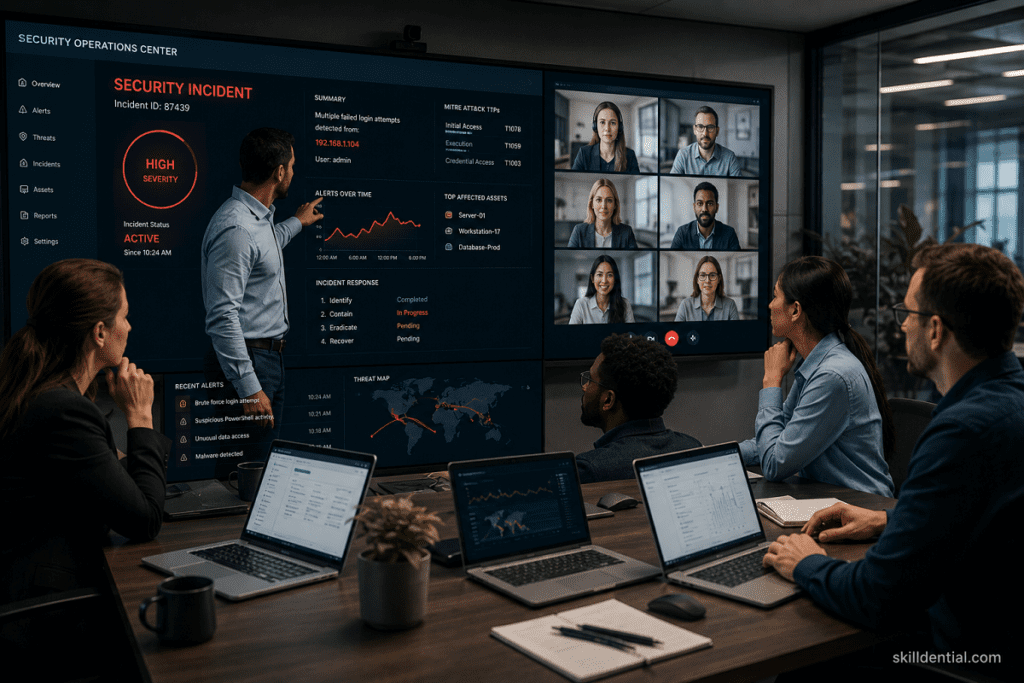
Strategic Directive: Technical controls will eventually be challenged. An Incident Response (IR) plan is required the moment an anomaly suggests a potential breach—whether it is a suspicious device login, unauthorized file access, or ransomware activity. A proactive IR strategy is a critical remote work security best practice, minimizing downtime and protecting the organization from reputational and legal fallout.
Implementation Framework: Your IR plan must be a living document, accessible even if primary internal communication channels (e.g., Slack or email) are compromised. It should follow the standard NIST lifecycle:
- Preparation: Maintain an updated contact list (internal IT, legal counsel, cyber-insurance provider, and law enforcement). Establish a secure, out-of-band communication channel (e.g., encrypted messaging) for the IR team.
- Detection & Analysis: Define the criteria for a “security incident.” Train staff to recognize these triggers and report them immediately.
- Containment & Eradication: Establish clear protocols for isolating compromised devices from the network and revoking user credentials to stop the spread of an attack.
- Recovery & Post-Incident Review: Document the process for restoring systems from verified, clean backups. Crucially, conduct a “blameless” post-mortem after every incident to identify root causes and update technical defenses.
- Notifications: Prepare pre-approved templates for internal and external communication, ensuring compliance with legal and regulatory notification requirements (e.g., GDPR, CCPA, or industry-specific standards).
Operational Note: A plan on paper is not a defense. Conduct formal tabletop exercises—simulated security breaches—at least annually. These drills pressure-test the IR team’s decision-making process and ensure that every stakeholder understands their responsibilities during a real-world crisis.
Physical Device Security for Remote Workforces
Strategic Directive: Security is not merely digital. Remote work introduces physical threats, such as equipment theft, unauthorized access to work hardware, or “shoulder surfing” in public spaces. Hardening the physical perimeter of your hardware is a core component of remote work security best practices.
Implementation Framework:
- Device Management: Issue assets with tamper-evident seals and utilize cable locks when working in high-traffic public areas.
- Privacy Protocols: Mandate the use of privacy screens in public environments. Configure automatic sleep/lock settings for all monitors.
- Hardware Disposal: Develop a formal procedure for the secure disposal of EOL (end-of-life) equipment, including physical destruction of drives for sensitive roles, rather than simple decommissioning.
- Home Office Security: Encourage employees to store sensitive documents in lockable filing cabinets and to never leave company hardware unattended in vehicles or unlocked residential areas.
Strategic Impact: By treating hardware as an extension of the corporate facility, you reduce the risk of a simple physical theft escalating into a full-scale data breach.
Skilldential Audit Insight: The Patching Gap
Our technical audits at Skilldential reveal a recurring vulnerability in hybrid workforces: inadequate device inventory and inconsistent patch management. Teams often rely on manual oversight, leading to significant “security drift” across distributed endpoints.
Data-Backed Result: By transitioning to Mobile Device Management (MDM) with automated patch enforcement, we observed a 72% reduction in unpatched endpoints within 60 days. This confirms that automating compliance—rather than relying on employee diligence—is the most effective way to secure the hybrid perimeter.
Remote Work Security: Comparative Decision Matrix
Use the following framework to evaluate and prioritize your organization’s security investments based on operational impact and risk reduction.
| Security Control | Ease of Use | Security Strength | Deployment Cost | Recommended Use Case |
| Password Manager | High | Medium-High | Low | Standardizing employee credentials |
| MFA (Auth App) | Medium | High | Low | All business-critical accounts |
| MFA (Security Key) | Low | Very High | Medium | Admins & high-risk roles |
| VPN (Managed) | Medium | High | Medium | Remote access to internal apps |
| MDM | Medium | High | Medium-High | Device compliance & control |
| Cloud Storage (Ent.) | High | High | Medium-High | Team collaboration & backups |
Implementation Recommendation
- For Immediate ROI: Prioritize the deployment of an Enterprise Password Manager and Authenticator-based MFA. These offer the highest security-to-effort ratio for general staff.
- For High-Risk Scaling: As your team grows, shift administrative and executive roles toward FIDO2-compliant security keys.
- For Operational Resilience: Do not treat MDM as an optional tool. It is the only reliable way to enforce the baseline device health required to maintain the remote work security best practices outlined in this guide.
What is the single most effective remote work security habit?
The most effective habit is the combination of mandatory MFA and the use of an enterprise password manager. Together, these controls neutralize the vast majority of credential-based attacks, such as phishing and credential stuffing, by ensuring that every account is protected by unique, complex, and cryptographically verified credentials.
Are personal devices allowed for work?
“Bring Your Own Device” (BYOD) can be secure, provided it is managed under a formal Mobile Device Management (MDM) or Mobile Application Management (MAM) policy. To be safe, these devices must run a current, supported OS, utilize full-disk encryption, and meet predefined compliance benchmarks before accessing company resources.
Should small teams use paid enterprise tools?
Yes. Free-tier software rarely includes audit logging, granular access controls, SSO integration, and compliance features essential for enterprise security. For small teams, the investment in enterprise plans is not an expense—it is a risk-mitigation strategy that provides the visibility needed to manage a hybrid workforce.
How quickly must a suspected breach be reported?
Reporting must occur immediately upon discovery or suspicion. Delaying communication increases the blast radius of an attack. Employees should report to the designated IT or security contact and follow the established Incident Response (IR) plan to ensure rapid containment and mitigation.
Can cloud providers be trusted for backups?
Cloud providers are highly secure, but they are not a “set-and-forget” solution. You can safely trust them only when you implement organizational best practices: enforce encryption, use a separate, isolated account for backup storage to prevent cross-contamination, and perform regular, documented restore testing to ensure data availability in a crisis.
In Conclusion
Remote work security is not an absolute state but a continuous process of risk reduction. Credential theft and phishing remain the primary vectors for unauthorized access; neutralizing these requires the immediate implementation of robust MFA and enterprise-grade password management.
To secure your broader infrastructure, you must move beyond the browser:
- Endpoint Integrity: Enforce rigorous device patching and MDM enrollment to eliminate visibility gaps.
- Infrastructure Hardening: Secure home networks with encrypted Wi-Fi and manage data access through least-privilege principles, secure collaboration tools, and verified, off-site backups.
The 90-Day Implementation Roadmap
Use this phased execution plan to scale your security posture without disrupting hybrid productivity:
- Days 0–30 (Identity Foundation): Mandate the use of a company-approved enterprise password manager and enforce MFA across all business-critical applications.
- Days 31–60 (Endpoint Control): Enroll all company-issued and BYOD hardware into your MDM solution. Define and automate patch management SLAs to eliminate security drift.
- Days 61–90 (Governance & Resilience): Deploy mandatory VPN protocols for internal access, conduct your first formal access review, verify backup restore capabilities, and execute an annual incident response tabletop exercise.
By following this roadmap, you shift from reactive troubleshooting to a proactive, technical strategy that scales alongside your organization.