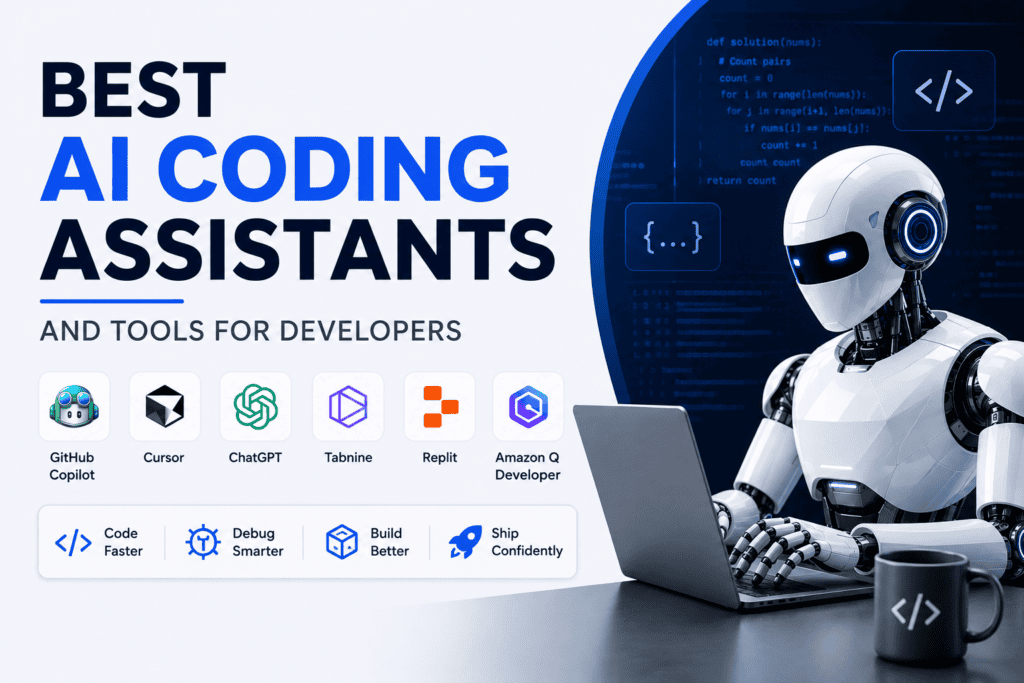
Best AI Coding Assistants and Tools for Developers
Finding the right AI coding assistant depends entirely on your specific development workflow. While GitHub Copilot remains a strong, reliable general-purpose choice, Cursor excels at AI-first editing and complex agentic workflows, Amazon Q Developer provides high value for AWS-native environments, and Gemini Code Assist offers an accessible, low-friction entry point.
Selecting the optimal AI coding assistant requires matching the tool to your primary IDE, language stack, data privacy requirements, budget, and engineering standards.
Modern AI coding assistants go far beyond basic autocomplete—they generate full functions, explain legacy codebases, write unit tests, identify security vulnerabilities, refactor code, and execute multi-step, multi-file task automation. However, even the most advanced AI coding assistants cannot replace high-level software architecture, rigorous testing, security auditing, or sound technical judgment.
This guide evaluates leading AI coding assistants based on practical, real-world development use cases rather than pure popularity.
Quick Comparison
Prices are listed in USD and may vary by billing cycle, taxes, region, or vendor updates. Verify current pricing before purchase.
| AI Tool | Best For | IDE or Environment | Key Strength | Free Option | Starting Paid Price |
| GitHub Copilot | General-purpose dev & GitHub workflows | VS Code, Visual Studio, JetBrains, Eclipse, Xcode, Neovim | Broad IDE & repository integration | Yes (Limited) | $10/mo |
| Cursor | AI-first editing & multi-file agent tasks | Cursor Desktop Editor | Codebase-aware agentic editing | Yes (Limited) | $20/mo |
| Amazon Q Developer | AWS development & Java modernization | IDE Plugins, CLI, AWS Console | AWS-aware tools & code transformation | Yes (Generous limits) | $19/mo |
| Gemini Code Assist | Beginners, students & Google Cloud devs | VS Code, JetBrains, Android Studio, Firebase | Large-context window & GCP integration | Yes (Generous tier) | Paid enterprise plans vary |
| JetBrains AI Assistant | JetBrains ecosystem power users | IntelliJ IDEA, PyCharm, WebStorm, etc. | Native JetBrains workflow integration | Yes (Trial/Limited) | $10/mo |
| Claude Code | Terminal-based agentic development | CLI / Terminal | Repository-level task execution & reasoning | No (API pay-as-you-go available) | $20/mo (Claude Pro) |
| Replit Agent | Building & deploying web apps from prompt | Replit Workspace | Natural-language full-stack app creation | Yes (Limited) | $20/mo |
| Tabnine | Privacy-conscious & enterprise teams | Multiple IDEs (VS Code, JetBrains, etc.) | Enterprise security, local models & code privacy | Yes (Limited) | Contact sales / Tiered pricing |
GitHub Copilot Pricing Breakdown
GitHub Copilot offers a limited Free tier alongside several paid tiers:
- Free: Limited completions and chat access per month.
- Pro: $10/month (or $100/year) for individual developers.
- Pro+: $39/month for advanced multi-model access and expanded context limits.
- Business / Enterprise: Tiered per-user pricing for organization-wide policy controls, security auditing, and custom model indexing.
Copilot integrates directly into major IDE environments, including Visual Studio Code, Visual Studio, JetBrains IDEs, Eclipse, Xcode, and Vim/Neovim.
Which AI Coding Assistant Is Best?
Determining which AI coding assistant is best depends on your specific workflow rather than a simple feature ranking.
For the vast majority of developers, GitHub Copilot serves as the most dependable general-purpose AI coding assistant because it integrates seamlessly into mainstream IDEs and connects directly with your GitHub repositories, pull requests, code reviews, and cloud-based agentic workflows.
However, specialized workflows call for different solutions:
- Choose Cursor if you need an AI coding assistant natively built into an editor designed for repository-wide reasoning and coordinated multi-file modifications.
- Choose Amazon Q Developer if your daily work centers on AWS services, Java language modernizations, or AWS Console troubleshooting.
- Choose Gemini Code Assist if you want an AI coding assistant with generous free access or if you develop heavily within the Google Cloud, Android, or Firebase ecosystems.
- Choose JetBrains AI Assistant if your entire development pipeline relies on IntelliJ IDEA, PyCharm, WebStorm, or other JetBrains IDEs.
- Choose Claude Code if you prefer a command-line-first AI coding assistant capable of planning and executing complex tasks directly inside your terminal.
- Choose Replit Agent if your primary goal is to rapidly prototype, build, and deploy full-stack applications straight from your browser.
- Choose Tabnine if enterprise-grade data privacy, strict governance controls, and flexible deployment options take priority over consumer-facing features.
Ultimately, selecting the right AI coding assistant comes down to your primary development environment, language stack, and workflow priorities.
GitHub Copilot
Best for: Developers seeking a broadly compatible AI coding assistant with strong native GitHub integration.
GitHub Copilot is widely considered the baseline AI coding assistant for professional software development. It provides inline code completion, chat-based interaction, legacy code explanation, test generation, refactoring suggestions, and multi-file agentic workflows. Paid plans include access to multiple underlying LLMs, cloud-agent execution, and enterprise-grade policy controls for managing model usage across organizations.
Where It Works
As a highly flexible AI coding assistant, GitHub Copilot integrates across the widest set of developer environments:
- Primary IDEs: Visual Studio Code, Visual Studio, and JetBrains IDEs (IntelliJ IDEA, PyCharm, WebStorm, etc.)
- Secondary Editors: Eclipse, Xcode, Vim, and Neovim
- Platform & Terminal: GitHub.com, GitHub Mobile, and the Command Line Interface (CLI)
Strongest Capabilities
GitHub Copilot delivers maximum efficiency when your code pipeline lives directly on GitHub. Within the editor, this AI coding assistant can analyze workspace context, draft pull requests, suggest inline fixes, and review changes.
In Agent Mode, Copilot automatically identifies relevant files, proposes terminal commands, executes code changes, and iterates based on build or test output—all while maintaining developer oversight and manual approval safeguards.
Pricing & Plan Structure
GitHub offers structured individual and team pricing for its AI coding assistant:
- Copilot Free: Limited usage including monthly allowances for completions, chat, and basic agent commands.
- Copilot Pro ($10/mo): Unlimited inline completions plus monthly AI Credits for chat and basic agent usage. Free for verified students and popular open-source maintainers.
- Copilot Pro+ ($39/mo) & Max ($100/mo): Higher AI Credit allowances for heavy agent usage and access to top-tier reasoning models.
- Copilot Business ($19/user/mo): Per-seat team tier with central admin management, pooled organization credits, and data privacy guarantees (no training on user code).
- Copilot Enterprise ($39/user/mo): Adds custom codebase indexing, specialized instructions, and SAML SSO.
Key Limitations
- Credit Allocation Limits: High-volume agent execution and multi-file reasoning draw down metered AI Credits, which can incur overage costs on lower individual plans.
- Language & Context Variation: Code suggestion accuracy varies depending on the niche of the framework, repository structure, and available context.
- Ecosystem Lock-in: Reduced ecosystem value if your team uses non-GitHub repository hosting platforms (e.g., GitLab, Bitbucket).
- Manual Verification Required: Output continuously requires human security auditing, license checking, and unit testing prior to deployment.
Ideal User
GitHub Copilot is the ideal AI coding assistant for web developers, backend engineers, and engineering teams who want a zero-friction addition to their existing IDE without altering their core Git workflows.
Cursor
Best for: Developers seeking an AI-first editor engineered for full codebase reasoning and multi-file code modifications.
Unlike standard extension-based assistants, Cursor is a standalone desktop application built directly on the Visual Studio Code ecosystem. Its core architecture integrates AI directly into the primary editing experience rather than confining it to a side panel.
Through its Agent and Composer features, Cursor can map whole repositories, plan multi-step refactors, execute coordinated changes across multiple files, run terminal commands, and systematically resolve test failures.
Where It Works
Because Cursor is a fork of VS Code, developers moving from VS Code retain near-zero friction with workspace settings, keyboard shortcuts, and extensions:
- Primary Environment: Standalone Cursor Desktop App (Mac, Windows, Linux)
- Extension Ecosystem: Native support for VS Code extensions, themes, and workspace configurations
Strongest Capabilities
As an AI coding assistant, Cursor excels at complex, codebase-wide development operations:
- Multi-File Refactoring: Execute broad architectural changes, such as migrating routes, updating dependency injection patterns, or swapping out legacy libraries across dozens of files simultaneously.
- Context-Aware Feature Development: Implement end-to-end features based on single natural-language prompts (e.g., “Implement standard rate limiting across all API endpoints and update the documentation”).
- Agentic Debugging: Intercept terminal error output, analyze failing test suites, and write multi-file patches automatically.
- Protocol & Tool Integrations: Integrates Model Context Protocol (MCP), custom agentic hooks, and automated code-review pipelines.
Pricing & Plan Structure
Cursor utilizes a credit-based model for model usage alongside unlimited auto-routing completions:
- Hobby (Free): Basic trial access with limited tab completions and agent runs.
- Pro ($20/mo or $16/mo billed annually): Includes unlimited auto-mode usage, unlimited tab completions, and a $20 credit pool for manual frontier model usage (e.g., Claude, GPT-4o).
- Pro+ ($60/mo): Expanded credit pool (3x Pro usage limits) designed for developers relying on heavy agent execution.
- Ultra ($200/mo): Maximum tier offering up to 20x usage allocations, priority computing access, and continuous background cloud agents.
- Teams ($40/user/mo): Shared workspaces, centralized billing, usage analytics, org-wide privacy controls, and SAML/OIDC SSO.
- Enterprise (Custom): Pooled organizational credits, audit logging, custom access controls, and dedicated support.
Key Limitations
- Credit Consumption Risks: Heavy multi-file reasoning and manual selection of top-tier frontier models can quickly deplete monthly credit allocations.
- Diff Audit Overhead: Because agentic operations modify many files at once, developers must carefully inspect broad code diffs to prevent subtle logic regressions.
- Standalone Migration: Requires moving away from traditional IDEs like IntelliJ, PyCharm, or Xcode to a VS Code-derived environment.
Ideal User
Cursor is the premier AI coding assistant for startup founders, full-stack engineers, and freelancers working in large or unfamiliar codebases who prioritize fast feature velocity and multi-file automation over simple code completion.
Amazon Q Developer
Best for: AWS cloud engineers, Java modernization teams, and enterprise organizations requiring cloud-aware development tools.
Amazon Q Developer is an AI coding assistant deeply tied to the Amazon Web Services ecosystem. Beyond standard code completions and chat capabilities, it acts as a cloud-aware agent that assists developers through every stage of the software development lifecycle—from writing infrastructure-as-code to diagnosing runtime errors directly inside the AWS Management Console and terminal.
Where It Works
Amazon Q Developer operates across developer interfaces and AWS workflows:
- IDEs & Editors: VS Code, JetBrains IDEs (IntelliJ IDEA, PyCharm), and Visual Studio.
- Command Line: AWS CLI and terminal workflows.
- AWS Cloud Native: AWS Management Console, AWS Cloud9, and AWS Glue.
Strongest Capabilities
As a specialized AI coding assistant, Amazon Q Developer provides distinct cloud-centric features:
- AWS Cloud Intelligence: Answers complex architectural questions, generates CLI commands, and diagnoses resource errors based on live AWS account context.
- Automated Java Transformations: Features a dedicated agent capability designed to upgrade legacy Java applications (e.g., migrating Java 8/11 apps to Java 17/21).
- Security & License Auditing: Scans code repositories for security vulnerabilities and flags suggestions that resemble open-source code with specific license attributions.
- Console Error Diagnostics: Analyzes cloud execution logs, Lambda failures, and network reachability errors to propose instant fixes.
Pricing & Plan Structure
Amazon Q Developer maintains a perpetual free plan alongside a single enterprise-tier seat price:
- Free Tier ($0): Includes core inline completions, security scanning, up to 50 agentic requests per month, and up to 1,000 lines of Java code transformation per month.
- Pro Tier ($19/user/mo): Unlocks 1,000 agentic requests per month and 4,000 lines of code transformation per user per month (pooled at the AWS payer-account level). Additional transformation lines carry a metered rate of $0.003/line.
- Enterprise Security Benefits: Pro includes IP indemnity, central SSO via AWS IAM Identity Center, usage analytics, and explicit options to prevent code data retention.
Key Limitations
- Niche Value Proposition: Offers significantly fewer benefits for developers working outside of AWS infrastructure or non-Java stacks.
- Metered Transformation Costs: Large-scale enterprise code modernization projects can incur overage charges beyond the included monthly line allocations.
- Ecosystem Deprecation Updates: AWS has begun shifting its long-term development agent strategy toward its Kiro platform, introducing lifecycle transition considerations for new accounts.
Ideal User
Amazon Q Developer is the primary AI coding assistant for cloud architects, backend Java maintenance developers, and engineering teams heavily invested in AWS services like Lambda, Amazon ECS, Amazon Bedrock, and AWS IAM.
Gemini Code Assist
Best for: Developers looking for a powerful free AI coding assistant or those working heavily within Google Cloud Platform (GCP), Android, and Firebase ecosystems.
Gemini Code Assist offers real-time inline code completion, function generation, full-workspace chat, legacy code explanation, and automated debugging within popular development environments. Supported by Google’s large-context Gemini models, it delivers a generous no-cost entry tier for individual developers while providing enterprise-grade governance and cloud integrations for paid business subscriptions.
Where It Works
Gemini Code Assist operates natively within a broad set of cloud and local developer environments:
- Desktop IDEs: Visual Studio Code and JetBrains IDEs (IntelliJ IDEA, PyCharm, WebStorm, etc.).
- Google Native Platforms: Android Studio, Firebase Console, and Cloud Workstations.
- Cloud Console: Integrated directly into the Google Cloud Management Console for cloud infrastructure and operational tasks.
Strongest Capabilities
As an AI coding assistant, Gemini Code Assist is particularly strong in Google-centric ecosystems:
- Generous Individual Tier: Offers accessible entry to AI-assisted coding without requiring an upfront credit card or active subscription.
- Large-Context Reasoning: Leverages Gemini’s expanded context windows to analyze extensive repository structures, cross-file references, and detailed API documentation.
- Google Cloud & Firebase Integration: Generates infrastructure-as-code, provides context-aware Google Cloud architecture recommendations, and assists with Firebase backend configurations.
- Beginner & Mobile Dev Support: Explains complex compiler/runtime errors, drafts starter boilerplates, and generates unit test suites for Android (Kotlin/Java) projects.
Pricing & Plan Structure
Google provides both free individual access and tiered commercial plans:
- Individual (Free): Available at no cost with daily request quotas covering inline code completion, generation, and chat.
- Standard ($19/user/mo): Includes full IDE assistance, enterprise data privacy guarantees, and Google Cloud management features (annual commitment required).
- Enterprise ($45/user/mo): Adds custom codebase indexing, deep enterprise governance, administrative controls, and higher request limits (annual commitment required).
Key Limitations
- Quota Constraints on Free Tier: High-frequency generation and long multi-file chat sessions can trigger rate limits on the individual tier.
- Ecosystem Specialization: Offers fewer tailored optimizations for non-GCP infrastructure (such as AWS or Azure environments).
- Configuration Verification Required: Generated deployment scripts, IAM roles, and networking rules require manual security reviews before being deployed to production.
Ideal User
Gemini Code Assist is the ideal AI coding assistant for students, hobbyists, mobile engineers targeting Android, Firebase developers, and cloud architects working primarily inside the Google Cloud ecosystem.
JetBrains AI Assistant
Best for: Software engineers committed to the JetBrains ecosystem who want context-aware, IDE-native AI features directly inside their daily workflows.
JetBrains AI Assistant connects directly into JetBrains’ Program Structure Interface (PSI) and IDE indexing engine. Rather than treating code purely as text, it understands class hierarchies, refactoring constraints, and runtime execution contexts across IntelliJ IDEA, PyCharm, WebStorm, and related IDEs.
The service routes tasks across leading models (such as Claude, OpenAI, and proprietary JetBrains models like Mellum) while permitting custom API keys and local LLM integrations.
Where It Works
JetBrains AI Assistant works across the entire suite of JetBrains development environments and selected external editors:
- JetBrains Flagship IDEs: IntelliJ IDEA, PyCharm, WebStorm, GoLand, Rider, CLion, PhpStorm, RubyMine, and DataGrip.
- Secondary & Partner IDEs: ReSharper and Android Studio.
Strongest Capabilities
As an AI coding assistant, JetBrains AI Assistant leverages the IDE’s native static-analysis engine for higher context accuracy:
- Deep Refactoring & Inspections: Performs multi-file refactorings and code restructuring while preserving language-specific type systems and project boundaries.
- AI Agents (Junie & Partner Agents): Features agentic capabilities (including JetBrains’ built-in agent, Junie, alongside Claude Agent and Codex integrations) capable of running complex multi-step tasks, creating tests, and resolving linting issues.
- Next Edit Suggestions & Medium Completion: Provides real-time line completions alongside predictive edits based on localized coding style and surrounding project patterns.
- Version Control & Terminal Automation: Automatically drafts semantic commit messages, summarizes pull requests, and translates natural-language commands into terminal/shell commands.
- Flexibility & Local Models: Supports Bring Your Own Key (BYOK) for providers like OpenAI and Anthropic, alongside local LLM access (via Ollama or LM Studio) without requiring an active AI service subscription.
Pricing & Plan Structure
JetBrains provides tiered subscriptions based on monthly AI Credits used for third-party cloud models:
- AI Free: Basic tier offering limited monthly AI Credits for inline completions and basic chat features across supported IDEs.
- AI Pro ($10/mo): Includes full AI-assisted coding, next edit suggestions, AI workflows, and standard AI Credit allocations. (Included at no additional charge with JetBrains All Products Pack subscriptions).
- AI Ultimate ($30/mo): Designed for heavy agent usage (e.g., Junie, Claude Agent) with expanded monthly credit allocations.
- AI Enterprise (Custom): Centralized administration via JetBrains Central, organization-wide credit pooling, custom security constraints, and SOC 2 compliance.
Key Limitations
- Ecosystem Restriction: Unusable as a standalone app or inside non-JetBrains editors like Visual Studio Code or Xcode.
- Credit Constraints for Agents: Heavy execution of agentic workflows (like Junie or Claude Agent) consumes third-party AI Credits, requiring plan upgrades or top-ups.
- UI Overhead: Features are bound to JetBrains’ traditional IDE layout, which can feel heavier compared to minimalist, AI-native editors like Cursor.
Ideal User
JetBrains AI Assistant is the premier AI coding assistant for enterprise Java, Python, C#, Go, and Web developers who rely heavily on JetBrains IDEs and want powerful AI assistance without migrating to a new editor.
Claude Code
Best for: Experienced developers, DevOps engineers, and backend architects who want a terminal-based AI coding assistant for autonomous, repository-level task execution.
Claude Code is an agentic, command-line tool built specifically to operate at project scale. Instead of acting primarily as an inline completion engine, it analyzes local repository file trees, formulates implementation plans, modifies files across directory structures, executes terminal commands, reads build errors, and iteratively fixes broken unit tests.
Where It Works
Because Claude Code runs inside terminal sessions, it operates seamlessly across Unix-based environments and developer command lines:
- Terminal Interfaces: macOS Terminal, Linux Shell, Windows Subsystem for Linux (WSL), and integrated terminal panels inside VS Code or JetBrains.
- Workflow Ecosystems: Direct integration with Git CLI, Docker containers, local test runners, CI/CD scripts, and custom toolchains via Model Context Protocol (MCP).
Strongest Capabilities
As a command-line AI coding assistant, Claude Code excels at complex, high-reasoning development tasks:
- Repository-Wide Reasoning: Maps complex codebases, outlines architectural implementation steps, and traces dependency graphs across multi-file projects.
- Autonomous Error Resolution: Intercepts test runner failures or build logs, analyzes root causes, and automatically edits source files until tests pass.
- Command & Shell Execution: Generates, runs, and evaluates shell commands (e.g., database migrations, package installations, complex Git operations) with explicit developer confirmation prompts.
- Refactoring & Migrations: Executes sweeping structural updates across large codebases while preserving surrounding logic.
Pricing & Plan Structure
Claude Code access is unlocked via Anthropic’s subscription plans or direct API key integration (there is no free tier for Claude Code):
- Claude Pro ($20/mo or $17/mo billed annually): Entry-level individual plan granting access to Claude Code alongside web/desktop chat.
- Claude Max Tiers ($100/mo to $200/mo): Designed for heavy agentic coding workflows with 5x to 20x higher usage allowances per 5-hour window.
- Claude Team ($20 to $100/seat/mo): Centralized administration, shared billing, and expanded usage pools.
- API Pay-As-You-Go: Option to supply an
ANTHROPIC_API_KEYto pay strictly based on input/output token consumption per agent session.
Key Limitations
- Terminal Operations Safeguards: Because the agent executes terminal commands directly, developers must use isolated Git branches, strict environment permissions, and verify destructive shell scripts before approval.
- Token & Cost Management: High-context repository reads combined with multi-turn reasoning loops can rapidly consume subscription session limits or API token allowances.
- No Traditional Autocomplete: Lacks standard real-time line completions inside an IDE editor view; built purely for task-oriented agent delegation.
Ideal User
Claude Code is the premier AI coding assistant for senior backend engineers, CLI power users, and system administrators who prefer delegating multi-file terminal tasks to an autonomous agent rather than accepting inline code completions line-by-line.
Replit Agent
Best for: Rapid prototyping, non-technical builders, and developers who want an end-to-end, browser-based AI coding assistant for building and deploying applications.
Replit Agent is an autonomous, natural-language software builder operating entirely inside the Replit cloud workspace. Instead of acting as an inline autocomplete tool inside a local editor, it interprets high-level requirements (e.g., “Build a full-stack SaaS waitlist app with Stripe integration and a PostgreSQL backend”), sets up the project scaffolding, installs dependencies, writes the frontend and backend code, provisions database storage, and deploys the live app to the web.
Where It Works
Because Replit operates in the cloud, it runs directly in the browser without requiring local machine configuration:
- Web Browser Environment: Works across Chrome, Safari, Edge, or Firefox on macOS, Windows, Linux, or ChromeOS.
- Integrated Infrastructure: Cloud-hosted workspace bundled with automatic hosting, ephemeral development environments, managed PostgreSQL databases, and custom domain publishing.
Strongest Capabilities
As an AI coding assistant, Replit Agent shines at full-cycle prototype creation:
- Conversational App Generation: Builds functional web and mobile prototypes from initial prompt through deployment without requiring manual code setup.
- Interactive Plan & Build Modes: Features a “Plan Mode” to architect application components before execution, followed by “Build Mode” where the agent autonomously edits multiple files and handles terminal environments.
- Third-Party Integrations: Connects third-party APIs (Stripe, Google Auth, SendGrid, etc.) and environment variables securely via built-in connector tools.
- Self-Healing Debugging: Runs autonomous test loops to detect runtime errors, catch syntax exceptions, and patch broken code directly inside the browser console.
Pricing & Plan Structure
Replit utilizes a hybrid subscription and usage credit system for its AI coding assistant features:
- Starter (Free): Includes basic cloud development time, 1 published app, and daily agent credit allowances.
- Replit Core ($20/mo or $18/mo billed annually): Unlocks full Replit Agent access, unlimited published apps, $20/month in usage credits, and up to 5 team collaborators.
- Replit Pro ($100/mo or $90/mo billed annually): Designed for commercial teams (up to 15 builders), providing pooled credits, 10 parallel agents, database rollback controls, and priority support.
- Enterprise (Custom): Dedicated single-tenant infrastructure, custom credit packages, SAML/SSO, and enterprise privacy compliance.
Key Limitations
- Effort-Based Usage Costs: The AI agent uses variable credit pricing based on task complexity; heavy multi-file builds or debugging sessions can quickly exhaust monthly plan credits.
- Architecture Cleanup Needed: Generated code can contain redundant patterns or suboptimal architectures that require manual refactoring before moving to production scale.
- Ecosystem Vendor Lock-In: Migrating an app off Replit’s managed hosting and database infrastructure to traditional cloud providers (AWS, GCP) can require dedicated refactoring.
Ideal User
Replit Agent is the premier AI coding assistant for startup founders, non-technical creators, product managers, educators, and hackathon participants who want to transform ideas into live, web-hosted software without configuring local development tools.
Tabnine
Best for: Regulated enterprises, financial institutions, and security-conscious engineering teams requiring complete privacy, IP protection, and flexible deployment controls.
Tabnine is an enterprise-focused AI coding assistant built from the ground up around strict data isolation, zero code retention, and governance compliance. Rather than routing proprietary code through public cloud endpoints, Tabnine offers isolated SaaS, Virtual Private Cloud (VPC), and fully air-gapped on-premises deployments—ensuring customer source code is never stored, logged, or used to train public language models.
Where It Works
Because Tabnine focuses on organizational flexibility rather than vendor lock-in, it works natively across virtually all major development environments:
- Desktop IDEs: VS Code, Visual Studio, JetBrains IDEs (IntelliJ IDEA, PyCharm, WebStorm, etc.), Eclipse, and Android Studio.
- Enterprise Infrastructure: AWS, Google Cloud, Microsoft Azure, private Kubernetes clusters, and self-hosted on-premises servers.
Strongest Capabilities
As a compliance-first AI coding assistant, Tabnine delivers enterprise security alongside modern agentic capabilities:
- Air-Gapped & Local Deployment: Deploy open-weight models or proprietary endpoints inside your own VPC or on-premises servers with zero external internet dependencies.
- Zero Code Retention & IP Indemnity: Guarantees that customer code is processed solely in memory, never stored, and models are trained exclusively on permissively licensed open-source code with full license attribution.
- Agentic Platform & MCP Support: Features autonomous coding agents, a CLI interface, Model Context Protocol (MCP) tool integrations, and custom codebase context retrieval (RAG).
- Centralized Governance & Access Controls: Admin dashboards allow managers to enforce organization-wide policies, control contextual indexing, manage SSO/SAML permissions, and inspect security compliance logs.
Pricing & Plan Structure
Tabnine focuses on structured annual team licensing (individual free plans have been discontinued in favor of enterprise subscriptions):
- Code Assistant Platform ($39/user/mo billed annually): Includes core real-time inline code completions, integrated IDE chat, zero code retention guarantees, IP indemnification, and basic deployment options.
- Agentic Platform ($59/user/mo billed annually): Adds autonomous software development agents, command-line interface access, expanded context engine capabilities, and MCP tool integrations.
- On-Premises & Infrastructure Costs: For self-hosted, VPC, or air-gapped installations, seat licenses apply alongside separate host infrastructure/GPU compute hardware costs supplied by the enterprise.
Key Limitations
- Higher Infrastructure & License Costs: Billed annually without a permanent free individual plan; self-hosting requires dedicated GPU infrastructure that adds to overall operational costs.
- Setup Complexity: Self-hosted and air-gapped deployments require dedicated DevOps oversight for Kubernetes cluster management and model serving.
- Consumer Feature Trade-off: Prioritizes governance, privacy guarantees, and deterministic outputs over experimental consumer-facing features.
Ideal User
Tabnine is the premier AI coding assistant for financial services, healthcare organizations, government contractors, and enterprise consultancies whose legal or security compliance frameworks prohibit sending source code to third-party public AI APIs.
Best Tools by Coding Task
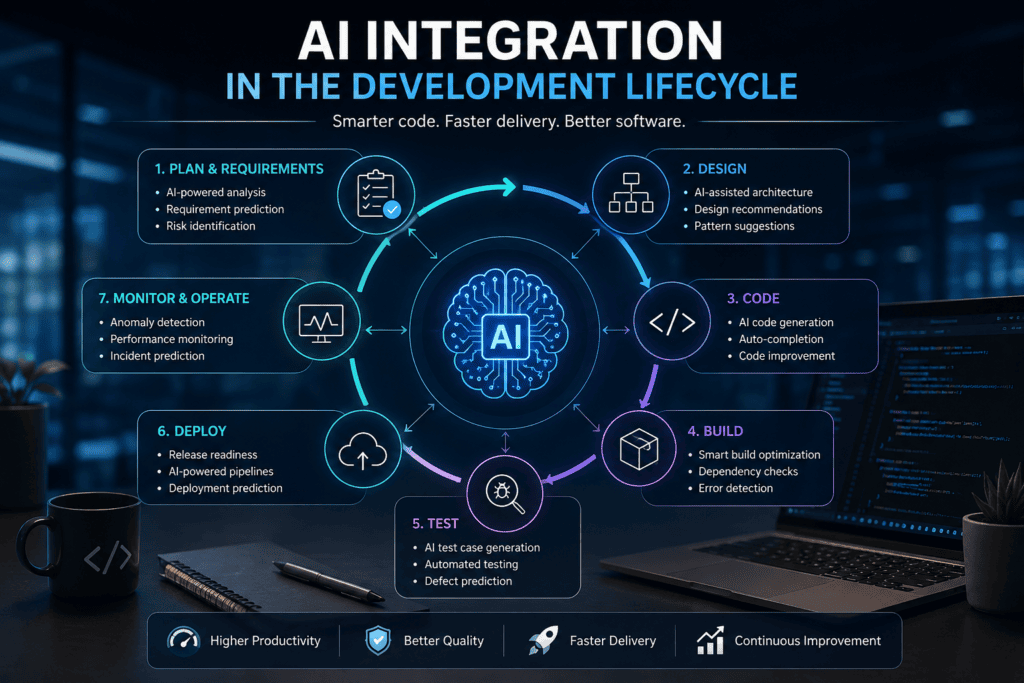
Different AI coding assistants excel at distinct stages of the software development lifecycle. Here is how leading tools perform across core engineering tasks:
Best for Code Generation
For standard function generation, boilerplate creation, and inline completions, GitHub Copilot and Gemini Code Assist serve as reliable defaults. Copilot offers seamless inline autocompletion inside traditional IDEs, while Gemini provides an accessible individual free tier with expansive context windows.
When “generation” implies orchestrating multi-file architecture, updating schemas, or generating full features end-to-end, Cursor and Claude Code perform best due to their repository-wide context and agentic execution engines.
Best for Debugging
Effective debugging with an AI coding assistant requires broad workspace context, log inspection, and iterative execution capabilities rather than blind code generation.
- GitHub Copilot: Ideal for inline function explanations, drafting regression tests, and resolving GitHub issue threads directly.
- Cursor: Superior for tracing variable states, tracking imports, and verifying logic changes across multiple files simultaneously.
- Amazon Q Developer: Optimized for analyzing AWS stack traces, diagnosing CloudWatch errors, and resolving runtime issues in the AWS Management Console.
- Claude Code: Best for CLI-first workflows where debugging requires running test runners, capturing terminal error outputs, and executing iterative patches autonomously.
- Gemini Code Assist: Great for explaining compiler errors, deciphering stack traces, and guiding junior developers through root causes.
Recommended AI Debugging Workflow:
- Reproduce the bug and capture exact terminal logs and error output.
- Prompt your AI coding assistant for diagnostic hypotheses rather than immediate code edits.
- Request a minimal, targeted code patch.
- Run localized unit tests and static analysis.
- Review the code diff thoroughly and commit a corresponding regression test.
Best for Refactoring
For sweeping, multi-file refactoring, Cursor and Claude Code are top choices due to their ability to inspect directory trees and maintain context across complex codebases. For language-aware refactoring within JetBrains IDEs, JetBrains AI Assistant provides precision by leveraging the IDE’s internal static analysis engine.
To execute safe refactorings with an AI coding assistant, instruct the model to:
- Outline its proposed architectural changes in plain text prior to editing.
- Identify all affected public interfaces, dependencies, and imports.
- Preserve existing business logic and public contracts.
- Execute modifications in small, isolated commits followed by test suite runs.
Best Agentic Coding Tool
Agentic coding tools go beyond simple line completion—they autonomously read files, formulate plans, write code, execute shell commands, and iterate based on compiler or test output.
| Tool | Agentic Workflow Style | Primary Best Fit |
| Cursor | AI-native desktop editor with multi-file reasoning | Fast-paced local application development & refactoring |
| Claude Code | Terminal-based repository agent running shell commands | CLI-heavy, backend, & DevOps workflows |
| GitHub Copilot | IDE agent mode, pull-request agents, & cloud workflows | Teams deeply integrated into GitHub & Visual Studio/VS Code |
| Replit Agent | Autonomous browser-based build-and-publish engine | Rapid prototyping & instant web-app deployments |
| Amazon Q Developer | Cloud-native agent with AWS diagnostics & Java transformations | AWS architecture & legacy Java codebase modernization |
When selecting an agentic AI coding assistant, evaluate safety features such as permission prompts, execution sandboxing, rollback capabilities, and spend/token limits alongside raw generation quality.
How to Choose an AI Coding Assistant
Follow this 5-step decision framework to identify the right tool before committing to a paid subscription:
Start with Your Primary Development Environment
Select an AI coding assistant that integrates directly into your existing workspace without causing friction:
- VS Code: GitHub Copilot, Gemini Code Assist, Amazon Q Developer, and Cursor.
- JetBrains IDEs: JetBrains AI Assistant, GitHub Copilot, Gemini Code Assist, and Amazon Q Developer.
- Terminal / CLI-First: Claude Code, Copilot CLI, or Amazon Q Developer CLI.
- Browser-Based Workspaces: Replit Agent.
Align the Assistant with Your Core Workloads
Pinpoint your primary bottleneck before subscribing:
- Fast Autocomplete & Line Suggestions: GitHub Copilot or Gemini Code Assist.
- Complex Multi-File Refactoring: Cursor or Claude Code.
- Cloud Infrastructure & AWS Ops: Amazon Q Developer.
- GCP, Firebase & Android Development: Gemini Code Assist.
- Terminal & Agentic Execution: Claude Code.
- End-to-End App Generation: Replit Agent.
Key Rule: Avoid paying for high-tier agentic platforms if your daily work only requires periodic inline code completions.
Evaluate Free Tiers and Credit Structures
Test free options to assess performance across your stack:
- Gemini Code Assist: Generous free individual tier covering completions, chat, and large-context inputs.
- Amazon Q Developer: Perpetual free tier offering up to 50 agentic requests and 1,000 lines of Java code transformation per month.
- GitHub Copilot: Copilot Free tier with a monthly allocation of code completions, chat, and basic CLI commands.
- Cursor: Free Hobby plan with limited agent executions and autocomplete trials.
- Replit Agent: Starter tier offering basic hosted workspace access and starter credits.
- JetBrains AI Assistant: Free trial access with baseline AI credit allowances.
Note: Free quotas vary significantly across vendors. Verify whether limits apply to code completions, chat interactions, premium reasoning model access, or background agent runs.
Audit Data Privacy, Compliance, and Security Terms
Before connecting an AI coding assistant to proprietary repositories or confidential codebases, review the following enterprise safeguards:
- Model Training Policies: Confirm whether prompt data or source code is used to train public foundation models.
- Data Retention & Storage: Verify zero code retention policies and memory storage limits.
- Context & Workspace Exclusion: Ensure support for
.copilotignore,.cursorignore, or repository-level file exclusions. - IP Indemnification & Licensing: Check for open-source license tracking, code attribution, and intellectual property indemnity guarantees.
- Deployment Flexibility: Assess whether your organization requires on-premises hosting, Virtual Private Cloud (VPC) isolated endpoints, or air-gapped deployments (e.g., Tabnine).
Run a Pilot on Real Engineering Tasks
Benchmark competing tools across a 1-week trial using real repository tasks:
- Bug Resolution: Fix a real bug from your issue tracker.
- Feature Implementation: Build a small API endpoint or frontend component.
- Refactoring: Update a service file or migrate legacy function signatures.
- Test Suite Generation: Write unit and integration tests for uncovered code paths.
Track key engineering metrics beyond lines generated—evaluate diff review time, introduced defects, build pass rates, and total monthly credit/token consumption.
Practical Prompting Patterns
Providing rich context, clear technical constraints, and a built-in verification method ensures optimal outputs when working with an AI coding assistant.
Code Generation Prompt Pattern
“Create a Python FastAPI endpoint for uploading a CSV file. Validate file type and size, return clear HTTP errors, and write pytest tests for successful uploads and invalid input. Do not change existing authentication middleware.”
Debugging Prompt Pattern
“This test fails with the error below. First explain the most likely cause and identify the relevant files. Then propose the smallest safe patch. Do not modify production code until you describe the expected behaviour.”
Refactoring Prompt Pattern
“Refactor this JavaScript module to remove duplicated validation logic. Preserve the public API, keep error messages unchanged, update affected tests, and show the complete diff before running the test command.”
Infrastructure & DevOps Prompt Pattern
“Review this Terraform plan for security and cost risks. Do not apply changes. Identify overly broad IAM permissions, public network exposure, missing encryption, and resources that may incur ongoing charges.”
Note: For infrastructure tasks, explicitly instruct your AI coding assistant to conduct visual or textual risk analysis before executing shell commands or applying automated state changes.
Common Mistakes to Avoid
Even the most advanced AI coding assistant requires strict engineering discipline to prevent regressions, security vulnerabilities, and budget overruns.
Security & Governance Pitfalls
- Leaking Secrets in Prompts: Never paste API keys, environment credentials, database strings, or private customer data into an AI coding assistant chat session.
- Unrestricted Shell & Cloud Access: Granting autonomous agents terminal execution or cloud write access without explicit confirmation gates risks accidental resource deletion or bad commits.
- Ignoring Code Provenance & Licenses: Accepting generated code blindly without checking open-source license attributions can create intellectual property risks for enterprise applications.
Code Quality & Review Errors
- Merging Diffs Without Inspection: Never approve multi-file pull requests generated by an AI coding assistant without reviewing every single line diff.
- Assuming Passing Tests Equal Security: An AI coding assistant can write unit tests that pass against flawed implementations. Passing tests verify expected inputs, not security guarantees.
- Unscoped Prompts (“Fix Everything”): Asking a model to fix a broad issue without defining scope leads to bloated, hard-to-review changes.
Operational & Cost Missteps
- Measuring Velocity by Lines Generated: Output volume is a poor metric for engineering productivity. High line counts from an AI coding assistant often mask bloated architectures and high code debt.
- Ignoring Token & Spend Limits: Failing to configure usage alerts or seat limits on usage-based or credit-driven plans can lead to unexpected billing spikes.
- Untracked Config File Modifications: Allowing an agent to rewrite build, environment, or configuration files without committing to version control makes rollbacks difficult.
Engineering Safeguard
Treat code generated by an AI coding assistant with the same scrutiny as code written by a junior developer. Always enforce Git branching, automated secret scanning, strict static analysis, and peer pull-request reviews.
Will using an AI coding assistant expose my proprietary source code or data?
Data privacy depends on the vendor, plan tier, and account settings. Individual free tiers often retain prompts and code interactions to improve underlying models unless explicitly opted out.
Enterprise-grade tools (such as GitHub Copilot Business/Enterprise, Amazon Q Developer Pro, or Tabnine) explicitly enforce Zero Data Retention (ZDR) policies, ensuring your code is never logged or used for public LLM training.
For strict air-gapped or regulated compliance requirements, self-hosted platforms like Tabnine allow processing completely inside a private cloud or local infrastructure without external API data leaks.
How do credit limits and overage charges work across tools like Cursor and GitHub Copilot?
Most modern AI coding assistants utilize a credit-based billing system rather than unlimited API calls. Real-time inline completions (autocompletions) are typically unlimited, but high-reasoning tasks—such as agentic multi-file refactoring, long chat sessions, and invoking premium frontier models (e.g., Claude 3.5 Sonnet, GPT-4o)—draw from a monthly credit pool.
Once your base allocation is exhausted, tools either fall back to slower rate limits, automatically route queries to smaller models, or bill usage in arrears via pay-as-you-go metered rates.
Can an AI coding assistant replace unit testing or human code reviews?
No. An AI coding assistant generates code based on probabilistic patterns, meaning it can produce syntactically correct output that contains subtle logic errors, security vulnerabilities, or invalid open-source dependencies.
While assistants can draft initial unit tests, human developers must still review pull requests, verify edge-case coverage, perform security audits, and validate architectural decisions before production deployment.
What is the difference between an inline autocomplete tool and an agentic AI coding tool?
Inline autocomplete tools (like baseline GitHub Copilot or Tabnine) operate line-by-line or function-by-function, suggesting the next block of code as you type. Agentic tools (such as Cursor, Claude Code, or Replit Agent) operate autonomously at the repository level.
Given a high-level goal, an agentic AI coding assistant can map directory structures, create new files, edit existing modules across your workspace, execute terminal commands, analyze build errors, and iterate until tests pass.
Is it safe to let an AI coding assistant run commands directly in my terminal?
Terminal-based agents (such as Claude Code or GitHub Copilot CLI) can execute powerful shell scripts, Git operations, and package manager installations.
While highly efficient, granting unrestricted terminal execution carries risk. You should always enforce confirmation prompts before allowing an agent to execute destructive commands (like file deletion, database drops, or git pushes), run agentic workflows inside isolated Git feature branches, and restrict environment privileges.
In Conclusion
Determining which AI coding assistant is best comes down to matching the tool to your engineering stack rather than relying on generic rankings.
- GitHub Copilot remains the most balanced general-purpose choice inside traditional IDEs.
- Gemini Code Assist and Amazon Q Developer are ideal if you need generous or perpetual free access tiers.
- Cursor and Claude Code are superior for complex, multi-file agentic workflows and repository reasoning.
- JetBrains AI Assistant is the clear recommendation for developers committed to JetBrains environments.
To select the right tool, test two candidates on a real task over one week. Compare completion quality, debugging accuracy, diff review time, data privacy controls, and total cost rather than initial impression alone.