If you have ever wanted to bring a software idea to life but felt constrained by a lack of programming experience, artificial intelligence has fundamentally removed that barrier. Today, learning how to build apps with AI without coding allows you to turn concepts into working digital products using natural language rather than complex syntax like Python, JavaScript, or Kotlin.
Modern AI-powered application builders do the heavy lifting by generating user interfaces, databases, backend logic, and automated workflows directly from ordinary conversational instructions.
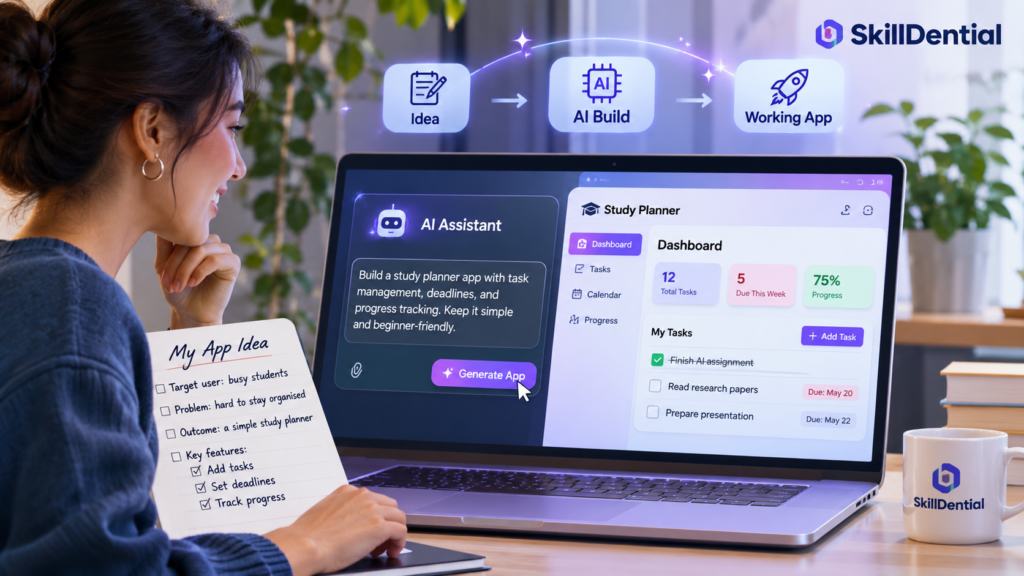
Whether you are an entrepreneur launching a minimum viable product (MVP), a freelancer automating client workflows, a creator testing a community tool, or a small-business owner streamlining operations, you no longer need to become a traditional software developer to build production-ready software.
However, successfully using these platforms requires more than entering a single prompt and expecting a polished application. The process demands clear intent, strategic tool selection, systematic prompt design, rigorous functional testing, and an awareness of core deployment considerations.
In this guide, you will learn the end-to-end framework to build apps with AI without coding, explore the top platforms available, master the exact steps required, and avoid common pitfalls before taking your application live.
What Does It Mean to Build Apps with AI Without Coding?
Building apps with AI without coding means leveraging artificial intelligence to generate, structure, and configure software applications entirely through natural-language instructions—eliminating the need to manually write programming code.
Traditionally, bringing a software idea to life required deep technical expertise across multiple domains, including programming languages, database management, user-interface design, and backend frameworks.
AI-powered app builders fundamentally change this dynamic by translating everyday language into fully functioning application components.
For example, instead of writing lines of code to build a productivity tool, you can simply instruct an AI platform:
“Build a task management application that allows users to create tasks, assign deadlines, mark items as complete, and organize activities by priority.”
The platform interprets your prompt to instantly generate the user interface, data structure, and core application logic. From there, you refine the product through ongoing conversation—asking the AI to inject a calendar view, redesign the dashboard, or add a global search feature.
Core Pillars of This Approach
This paradigm sits at the intersection of two modern software movements:
- No-Code Development: Creating applications using visual canvases, drag-and-drop components, and modular workflows without touching raw source code.
- AI-Assisted Development: Utilizing artificial intelligence to autonomously generate, modify, debug, and explain software architecture.
While some platforms rely strictly on visual no-code layers, others write thousands of lines of actual code behind the scenes. The critical distinction is this: you do not need to write or parse code yourself. Your role shifts from software engineer to product architect, guiding the AI to build the exact system you envision.
What Types of Apps Can You Build with AI?
AI app builders can help you create a diverse array of applications, depending on the capabilities of the platform and the scope of your vision. As you learn how to build apps with AI without coding, matching your project scale to the right tool is essential for success.
Here are some practical examples of common applications you can build:
| Application Type | Core Functionality |
| Task Management App | Organize tasks, deadlines, and priorities. |
| Expense Tracker | Record expenses, categorize costs, and monitor spending. |
| Job Application Tracker | Manage job submissions, statuses, and interview stages. |
| Appointment Booking App | Allow customers to request and schedule time slots. |
| Online Learning Platform | Organize modular courses, text lessons, and student activities. |
| Inventory Management App | Track products, warehouse quantities, and stock thresholds. |
| Customer Management App | Store client information, contact logs, and interaction history. |
| Productivity Utility | Help users streamline daily checklists and routines. |
| Content Planning App | Schedule, track, and organize digital content pipelines. |
| Business Dashboard | Aggregate and display important performance metrics and charts. |
Beyond these foundational utilities, modern natural-language platforms allow you to build more advanced systems—including two-sided marketplaces, membership portals, subscription software, and automated internal workflows.
Understanding Scope and Complexity
While AI makes application creation accessible, project complexity dictates your workflow.
A single-purpose calculator or a data-driven task tracker is relatively straightforward to generate. Conversely, building a fintech application that processes sensitive financial transactions, handles multi-tier user permissions, or scales to thousands of concurrent users requires a more structured approach to database design and security.
For beginners learning how to build apps with AI without coding, the optimal strategy is to start lean: build a minimum viable product (MVP) focused on solving one specific problem exceptionally well before layering on advanced features.
9 AI Tools You Can Use to Build Apps with AI Without Coding
The modern landscape of no-code development has evolved past rigid drag-and-drop templates. Today, a new wave of platforms allows you to create fully functioning software entirely through natural language and conversational updates.
While some platforms specialize in visual no-code interfaces, others act as intelligent code generators—allowing you to inspect, modify, and scale production-ready code through AI.
To help you choose the right environment for your next project, here are nine top-tier platforms worth exploring:
Lovable
Lovable is a premier, AI-powered full-stack application builder designed to translate natural-language prompts into production-ready web applications.
Rather than starting with a blank integrated development environment (IDE), you describe your application concept, and Lovable generates a fully functional product complete with user interfaces, layout styles, and data schemas.
Core Capabilities:
- Full-Stack Generation: Automatically provisions both the frontend (using React, TypeScript, Tailwind CSS, and shadcn/ui components) and backend logic.
- Database & Auth Integration: Seamlessly connects with Supabase to set up live databases, user authentication flows, and security policies directly through chat.
- Conversational Refinement: Allows you to continuously update your app through follow-up prompts or targeted visual edits.
- Code Ownership & Git Sync: Integrates with GitHub so you can export, inspect, and maintain complete ownership of your underlying code.
Best For
Founders, entrepreneurs, and product teams wanting to rapidly prototype, validate, or launch full-stack software products without manual coding.
Bolt.new
Bolt.new is an advanced, browser-based full-stack development platform created by StackBlitz. It eliminates local setup friction by using WebContainers—technology that runs a complete Node.js environment directly inside your browser tab.
When you prompt Bolt, it builds, runs, and hosts your application live without requiring external terminals or manual configurations.
Core Capabilities:
- In-Browser Runtime: Instantly executes full-stack apps (frontend interfaces, backend routes, and database logic) in a live sandbox.
- Bolt Cloud Infrastructure: Provides built-in hosting, managed PostgreSQL databases, user authentication, and custom domains in one workspace.
- Autonomous Debugging & Multi-File Editing: Automatically coordinates changes across multiple project files simultaneously and self-corrects runtime errors.
- Flexible Integrations & Exports: Connects easily with GitHub for version control, Stripe for payments, and Expo for mobile app expansions.
Best For
Creators and developers who want an all-in-one browser workspace to prompt, test, and deploy functional full-stack web apps rapidly.
Replit
Replit is an established, cloud-based development platform equipped with powerful AI capabilities—most notably the Replit Agent. Rather than acting strictly as a visual drag-and-drop tool, Replit operates as an intelligent workspace that handles end-to-end software creation through natural-language instructions.
Core Capabilities:
- Autonomous AI Agent: Plans, writes, tests, and deploys complete applications based on your conversational descriptions.
- Full-File Management: Automatically creates and modifies multiple project files, manages packages, and sets up dependencies.
- Built-in Diagnostics & Troubleshooting: Automatically detects and resolves terminal errors, broken imports, or bugs during execution.
- Cloud Database & Hosting: Instantly provisions databases and provides secure deployment environments with zero manual server configuration.
Best For
Beginners and aspiring builders who want a fully managed cloud environment to quickly spin up functional applications while gaining exposure to real software architecture.
Google AI Studio
Google AI Studio features an integrated Build mode that enables users to create functional applications using natural-language prompts powered by Google’s advanced Gemini models.
Instead of manually writing code or configuring infrastructure from scratch, you describe your application concept, and the platform generates an initial version that you can preview and refine iteratively.
Core Capabilities:
- Multi-Platform Generation: Supports building both web applications and native Android app projects directly from text prompts.
- Conversational Refinement: Allows you to interact with the generated application preview and request precise adjustments or feature additions without manually editing code blocks.
- GitHub Integration: Connects your projects directly to GitHub for version control and source code management.
- Cloud Deployment: Facilitates deploying supported web applications seamlessly through Google Cloud Run.
Note: Technical capabilities vary by project type. For instance, server-side functionality is supported for web applications, whereas the Android build mode primarily operates within client-side parameters.
Best For
Creators and developers looking to harness Gemini’s native capabilities to rapidly prototype web and Android tools through conversational prompts.
v0 by Vercel
v0 is Vercel’s flagship generative UI and application development tool. It allows you to produce production-grade frontend interfaces, complex UI components, and complete web application layouts simply by typing descriptive prompts.
Built on top of modern web standards, v0 specializes in turning design concepts into clean, accessible code.
Core Capabilities:
- Generative UI Design: Instantly creates stunning, responsive user interfaces using React, Tailwind CSS, and shadcn/ui components.
- Iterative Prompting: Allows you to highlight specific sections of your interface and instruct v0 to modify styling, layouts, or states conversationally.
- Component-to-App Expansion: Enables you to scale individual components (like a button or a table) into fully realized multi-page views and dashboards.
- Vercel Ecosystem Integration: Provides seamless exporting and direct deployment pathways to Vercel’s hosting infrastructure.
Best For
Designers, founders, and frontend developers who want to rapidly prototype high-end user experiences and modern web interfaces without writing boilerplate layout code.
Bubble
Bubble is a pioneering visual no-code platform that has integrated powerful AI application generation capabilities. Unlike developer-focused tools that output raw code files, Bubble allows you to build, manage, and scale complex applications through an intuitive visual editor backed by a robust underlying visual programming logic.
You can describe your application idea to Bubble’s AI builder to instantly generate a core foundation—complete with database schemas, workflows, and page layouts—which you can then refine visually.
Core Capabilities:
- Visual Full-Stack Editor: Design user interfaces and define complex database structures using visual tools rather than raw text code.
- AI-Powered Foundations: Jumpstart new projects by prompting the AI to generate the initial architecture, workflows, and database tables.
- Advanced Workflow Logic: Build intricate conditional logic, user permissions, and automated backend processes visually.
- Hosted Deployment & Scaling: Manage hosting, security, and scaling directly within Bubble’s managed cloud ecosystem.
Best For
Entrepreneurs and builders who want the structural depth of a powerful application builder without ever needing to read or maintain raw source code.
FlutterFlow
FlutterFlow is a premier visual application development platform built specifically for creating multi-platform applications using a drag-and-drop interface powered by Flutter. While it relies heavily on visual canvas design,
it incorporates advanced AI-assisted capabilities to help generate UI layouts, write custom business logic, and translate natural-language prompts into functional components.
Core Capabilities:
- Cross-Platform Mobile & Web UI: Design responsive user interfaces visually for iOS, Android, macOS, Windows, Linux, and the web simultaneously.
- AI Page & Component Generation: Prompt the AI assistant to instantly lay out complex screens, forms, and lists according to your specifications.
- Robust Backend & API Integration: Connects seamlessly with Firebase, Supabase, REST APIs, and GraphQL with minimal configuration.
- Full Code Export: Retain complete ownership of your project by exporting clean, production-ready Flutter (Dart) source code at any time.
Best For
Creators and entrepreneurs who want to build native-quality mobile applications visually without writing mobile code from scratch.
Glide
Glide is a specialized no-code platform designed to transform structured data—such as spreadsheets, databases, and enterprise systems—into polished, production-ready business applications and internal tools. Rather than starting from a blank slate, Glide focuses on organizing your existing data sources into functional mobile and web apps.
Core Capabilities:
- Data-Driven App Generation: Instantly converts data sources like Google Sheets, Airtable, Excel, and SQL databases into interactive user interfaces.
- Pre-Built Business Templates: Offers modular components tailored for inventory management, CRM workflows, project tracking, and executive dashboards.
- Visual Logic & Workflows: Set up automated notifications, user roles, conditional actions, and data updates without writing code.
- Instant Deployment: Publish apps instantly for team members or clients to use across mobile devices and web browsers.
Best For
Small-business owners, operations teams, and professionals who want to quickly turn spreadsheets and structured data into functional internal tools.
Softr
Softr is a powerful no-code application development platform designed to help users quickly turn structured data sources into secure, professional portals, client hubs, and internal tools. By combining flexible visual building blocks with AI-assisted capabilities, Softr allows you to launch functional web apps without writing code.
Core Capabilities:
- Data Source Connectivity: Integrates seamlessly with popular backends like Airtable, Google Sheets, smart databases, and SQL to power your application logic.
- Pre-Built Business Solutions: Instantly spin up customer portals, membership directories, internal company wikis, and client management systems using modular blocks.
- Granular User Permissions: Built-in membership and user authentication features allow you to control exactly what data different users can see and interact with.
- AI-Assisted Layout Generation: Use AI prompts to help structure blocks, generate copy, and design pages tailored to your specific business workflow.
Best For
Entrepreneurs, freelancers, and small business owners who want to deploy client-facing portals or internal business dashboards rapidly using existing data sources.
Quick Comparison of the AI App Builders
The following comparison highlights their general development approaches rather than ranking their overall quality:
| Tool | Main Development Approach | Particularly Suitable For |
| Lovable | AI-generated applications | Web app prototyping |
| Bolt.new | AI-generated code | Browser-based app development |
| Replit | AI-assisted coding | Building and learning development |
| Google AI Studio | Gemini-powered app generation | Web and Android experiments |
| v0 | AI-generated interfaces and code | Modern web interfaces |
| Bubble | Visual no-code development | Business applications |
| FlutterFlow | Visual mobile development | Mobile applications |
| Glide | Data-driven no-code development | Internal business tools |
| Softr | Visual no-code development | Portals and business apps |
Which Should You Choose?
- If you are a complete beginner who does not want to deal with programming code, start by exploring Bubble, Glide, or Softr.
- If you want to describe an application and let AI generate much of its implementation, explore Lovable, Bolt, or Google AI Studio.
- If you are interested in mobile application development, consider FlutterFlow.
Remember that platform capabilities, AI features, usage limits, and publishing requirements can change. Check the official documentation before committing to a particular tool.
How to Build Apps with AI Without Coding: Step-by-Step Guide
Now that you understand the tools available, let’s walk through the exact framework required to turn an abstract concept into a fully functioning digital product. To make this actionable, we will use a concrete hypothetical example: a job application tracker.
The core purpose of this application is to help job seekers record company names, track active roles, monitor hiring stages (e.g., Applied, Interviewing, Offer), and organize immediate follow-up actions. While we will reference this specific use case, you can apply this exact operational process to any AI app builder or platform you choose.
Step 1: Identify the Problem Your App Will Solve
Before opening an AI app builder, you must determine precisely what problem your application is designed to solve.
This is arguably the most critical phase of learning how to build apps with AI without coding. A common beginner pitfall is opening an AI development tool and prompting the system to build an expansive, complex application without a clear blueprint of who will use it or what core value it delivers.
Instead of jumping straight into generation, clarify your foundation by answering four fundamental questions:
- Who is the application for? (Target Audience)
- What problem does it solve? (Core Pain Point)
- What should users be able to accomplish? (Primary Objective)
- What are the essential features? (Minimum Viable Product Scope)
Applying the Framework: The Job Application Tracker
To put this into practice, let’s map out our hypothetical job application tracker using this exact structure:
| Requirement Category | Description / Specification |
| Target Users | Active job seekers managing multiple interview pipelines. |
| Core Problem | Difficulty tracking scattered applications, interview stages, and follow-up dates. |
| Main Purpose | Provide a centralized dashboard to organize job submissions and next steps. |
| Essential Features | Add new applications, update hiring statuses, search/filter records, and view application progress. |
Defining these requirements gives you an explicit, structured prompt blueprint before you write a single line of text. You do not need a background in software engineering to outline these specifications—you simply need a clear understanding of the real-world problem and the exact outcome you want your application to deliver.
Step 2: Choose the Right AI App Builder
Once you have defined your requirements, you need to select a platform that aligns with your project scope and technical comfort level. Choosing the right environment is a critical step when learning how to build apps with AI without coding, as different tools serve distinct architectures.
Evaluate potential platforms against six core criteria:
- Ease of Use: Can you navigate the interface and interpret feedback without a background in software development?
- Application Type: Does the tool specialize in responsive web apps, native mobile apps, or internal business portals?
- Database Support: Can it securely store, query, and manage the data structures your app requires?
- Customization: How easily can you override AI-generated outputs or adjust layouts when something needs fine-tuning?
- Publishing & Hosting: Can you deploy the application live and share it with users seamlessly?
- Pricing & Scaling: Are the development, database, and usage tiers sustainable for your budget?
Selecting Your Tool: Job Application Tracker Example
For our hypothetical job application tracker, your platform choice depends on how you prefer to build:
- The Visual Route: A platform like Bubble or Softr works exceptionally well because it handles data tables, user accounts, and dashboard layouts through structured visual editors.
- The AI-Generated Route: Platforms like Lovable, Bolt.new, or Google AI Studio allow you to prompt the entire full-stack application into existence instantly, giving you direct access to modify the code or interface via chat.
Strategic Rule
Never choose an app builder simply because it is trending. Choose the platform that directly matches your application requirements, your long-term maintenance goals, and your preferred workflow.
Step 3: Write a Clear Prompt Describing Your Application
Once you have selected your platform, the quality of your output will directly reflect the clarity of your input. When you set out to build apps with AI without coding, treating your prompt like a product specification rather than a casual search query is essential.
Vague instructions—such as “Build me a job application app”—leave too much room for interpretation, resulting in generic layouts missing critical functionality.
Instead, use a structured prompting framework that defines your application’s purpose, data fields, user flows, UI expectations, and functional boundaries.
Example Structured Prompt for the Job Application Tracker
You can adapt the following production-ready prompt template for your chosen AI builder:
“Create a responsive job application tracking web application for job seekers.
The application should allow users to:
1. Add a new job application with the company name, job title, application date, job location, and application link.
2. Update the application status to Applied, Interview, Assessment, Offer, or Rejected.
3. Add notes about interviews and follow-up activities.
4. Search and filter applications by company, job title, and application status.
5. View a dashboard showing the total number of applications, active applications, interviews, offers, and rejected applications.
Create a clean, professional interface with a dashboard, an application management page, and a form for adding new applications.
Use a simple navigation menu and make the application responsive on desktop, tablet, and mobile screens.
Start with the essential features only. Use realistic sample data to demonstrate how the application works.
Before considering the application complete, ensure that users can add, edit, view, and delete application records.”
Why This Structure Works
- Explicit Feature Set: Numbering your core features prevents the AI from skipping vital CRUD (Create, Read, Update, Delete) actions.
- UI/UX Direction: Specifying layout expectations (dashboard, navigation menu, responsive views) prevents cluttered or broken mobile interfaces.
- Scope Constraint: Directing the AI to “start with essential features only” stops it from over-engineering the initial build, making it much easier to test and refine.
Step 4: Generate the Initial Application
Submit your structured prompt to your chosen AI app builder and allow the system to process your instructions. Depending on the platform’s architecture, this generation phase will assemble the core building blocks of your software:
- User Interface: Dashboards, navigation menus, layouts, and responsive styling.
- Data Architecture: Underlying database tables, fields, and initial data schemas.
- Interactive Elements: Input forms, buttons, dropdowns, and search bars.
- Application Logic: Workflows that handle user actions, data updates, and state management.
Many platforms will automatically populate the interface with realistic sample data so you can immediately see how the app behaves in practice.
Managing Expectations: The Iterative Reality
Do not assume the first generated output is a finished product. When you build apps with AI without coding, the initial generation serves as your functional baseline or prototype.
Treat this output as a working draft: inspect the layout, test whether buttons trigger the correct actions, and look for missing fields or broken responsive views before moving on to refinement.
Step 5: Improve the Application Using Follow-Up Prompts
After generating your baseline application, your role shifts from initial architect to product reviewer. One of the greatest advantages when you build apps with AI without coding is the ability to refine your software through ongoing conversation rather than manual refactoring.
Instead of trying to fix everything at once, address improvements sequentially. Submitting too many sweeping changes in a single prompt can overwhelm the AI, resulting in broken logic or conflicting design elements.
Targeted Follow-Up Examples
Use precise, contextual prompts to guide your revisions step by step:
- To upgrade your visual layout:
“Improve the dashboard by adding summary cards showing total applications, active interviews, offers, and rejections. Make the typography clean and ensure figures update automatically when records change.” - To add missing functionality:
“Add a live search and filter bar that allows users to instantly sort job applications by company name, job title, and application status.” - To fix responsiveness:
“Review the mobile view. Fix the navigation menu so it collapses into a clean hamburger menu on smaller screens, and ensure input forms do not overflow on mobile devices.”
The Incremental Rule
Make improvements one at a time. Testing after each adjustment ensures you can instantly spot what caused an error, keeping your development cycle fast, clean, and controllable.
Step 6: Connect a Database If Your App Needs One
Most practical applications require a persistent backend to store, retrieve, and update user data securely. Without a database, every piece of information entered into your application would disappear the moment you refresh the browser.
A database is the structured system that organizes your records so your app can interact with them seamlessly. For our job application tracker, the system needs to store and manage several key data points:
- Company names and job titles
- Application dates and locations
- Current hiring statuses (e.g., Applied, Interviewing, Offer)
- Interview notes and follow-up reminders
Depending on the platform you choose, database setup is handled in different ways:
- All-in-One Platforms: Tools like Bubble feature powerful, built-in visual database managers where you define data types and fields directly.
- AI Code Generators & Full-Stack Builders: Platforms like Lovable or Bolt.new often integrate with managed backend services like Supabase or Firebase to handle data tables and user authentication automatically.
Prompting for Data and Security
When you build apps with AI without coding, you do not need to write SQL queries or configure server architecture manually. Instead, you instruct the AI on how to structure the data and enforce access permissions.
For example, you can prompt your AI builder with:
“Create a database schema for job applications. Each record must contain the company name, job title, application date, job location, application status, application link, notes, and follow-up date. Crucial: Configure Row Level Security (RLS) so that each authenticated user can create, read, update, and delete only their own application records.”
Security and User Separation
If your application allows multiple users to sign up, enforcing proper permissions is non-negotiable. A well-configured database must not only store data cleanly but also isolate user accounts so individuals can never access or modify data belonging to other users.
Step 7: Add User Authentication Where Necessary
If your application is designed for multiple independent users, you must implement a robust authentication and authorization system. When you build apps with AI without coding, ensuring data privacy and secure access is just as critical as building a clean user interface.
- Authentication is the process of verifying who a user is (e.g., logging in via email, password, or Google OAuth).
- Authorization determines what that authenticated user is allowed to view, modify, or delete within the app.
For our job application tracker, multiple users might access the platform. Naturally, Job Seeker A should never be able to view, edit, or delete the job records belonging to Job Seeker B.
Prompting for Secure Access Control
Instead of simply asking the AI to “add a login screen,” instruct the platform to build both the frontend login flows and the underlying data security rules:
“Add user registration, login, and logout functionality. Ensure that each user has a private dashboard and can only view, create, update, and delete their own job application records. Enforce these data security rules at the database level so user records remain strictly isolated.”
Key Security Checks
- Don’t Rely on UI Hiding Alone: Hiding a dashboard link for logged-out users does not secure your data. True security requires backend or database-level rules (such as Row Level Security in Supabase) that block unauthorized API requests at the source.
- Test Permissions: Before publishing your app, create two separate test accounts to verify that User A cannot access, query, or modify any data created by User B.
Step 8: Test Your Application Before Publishing
An application can look sleek, modern, and professional on the surface while still harboring broken buttons, incorrect data states, or security vulnerabilities underneath. When you build apps with AI without coding, thorough testing is the final quality gatekeeper before your product meets real users.
Do not rely solely on visual inspection. Systematically audit your software against a rigorous functional checklist.
Comprehensive Testing Checklist (Job Application Tracker Example)
Before publishing your application, verify every core workflow manually:
- Authentication & Security: Can a user register, log in securely, and log out? Can they access only their own private data?
- CRUD Operations: Can you successfully create a new job application, edit existing details, update hiring stages, and delete records?
- Search & Filter: Do live searches and status filters return exact, relevant results without freezing or throwing errors?
- Dynamic Calculations: Do dashboard metrics (total counts, active interviews, offers) update instantly when records change?
- Responsive Design: Does the layout adapt cleanly across desktop monitors, tablets, and mobile phone screens without broken grids or overflowing forms?
- Error Handling: Are system alerts and validation warnings clear and understandable when a user enters invalid data (e.g., leaving a required company name blank)?
AI-Assisted Auditing Prompt
You can also leverage your AI builder to perform a pre-flight code and logic review before manual testing:
“Review the application codebase and test the main user workflows. Check whether users can create, edit, delete, and search application records securely. Identify any broken functionality, form validation gaps, or inconsistencies between the dashboard statistics and stored records. Report these issues before making changes.”
The Human-in-the-Loop Rule
While AI tools can spot syntax errors and broken imports, they cannot simulate real human intent or edge-case behavior. Always perform manual test runs using multiple accounts, unusual inputs, and realistic scenarios to ensure your application is genuinely production-ready.
Step 9: Publish and Share Your Application
Once your application passes thorough testing and functions as expected, you are ready to publish. Publishing transitions your project from a private development environment into a live digital product accessible via a public web address or app store distribution channel.
The exact publishing workflow depends entirely on the platform you selected:
- Lovable & Bolt.new: Provide built-in hosting and one-click cloud deployment pipelines directly from your workspace.
- Google AI Studio: Supports deploying web applications seamlessly through Google Cloud Run, while Android projects can be pushed to internal testing tracks.
- Bubble & Softr: Offer native hosting, custom domain mapping, and instant publishing directly within their platforms.
Pre-Publishing Checklist
Before taking your application live to the public, review these essential deployment considerations:
- Custom Domain: Do you want to connect a professional domain name (e.g.,
app.yourbrand.com) rather than using a platform-generated staging URL? - Hosting & Scaling: Is the hosting tier included in your current plan, or will high traffic result in additional billing?
- Backend Infrastructure: Are your production database limits, API rate limits, and server resources sufficient for live users?
- Authentication Security: Are user login portals, password resets, and database security rules (like Row-Level Security) fully active and tested?
- Legal & Compliance: Does your application require a basic Privacy Policy, Terms of Service, and cookie consent notices—especially if handling user data?
- Platform-Specific Rules: If you are building a mobile app (e.g., via FlutterFlow or Android builds in AI Studio), remember that generating project files is only the first step. Public distribution on the Apple App Store or Google Play Store requires compliance reviews, developer accounts, and store listings.
The Beta Launch Strategy
Avoid launching your app publicly to a massive audience on day one. Start by sharing your live URL with a small, trusted group of beta testers or colleagues. Gather feedback on usability, fix minor bugs under real-world conditions, and then scale your marketing and distribution with confidence.
How to Write Better Prompts for AI App Builders
The quality of your instructions directly dictates the quality of the application an AI builder generates. A vague prompt may produce a visually impressive interface, but it will frequently miss the functional logic, data structures, and security rules you actually need.
To consistently get production-ready results when you build apps with AI without coding, structure your prompts using a comprehensive framework rather than relying on casual descriptions.
The AI App Prompting Framework
Instead of asking a broad question like “Build a personal finance app,” break your prompt down into distinct operational pillars:
| Prompt Element | What to Explain | Example / Application |
| Role | Who will use the application? | “For individuals wanting to monitor monthly spending.” |
| Objective | What core problem should it solve? | “Track, categorize, and summarize monthly expenses.” |
| Features | What should users be able to do? | “Record expenses, assign custom categories, and filter transactions.” |
| Design | What should the interface look like? | “A clean, minimalist dashboard with spending summaries and charts.” |
| Data | What information should the app store? | “Transaction amounts, dates, categories, and user associations.” |
| Behaviour | How should its features work? | “Instantly update monthly totals when a new expense is logged.” |
| Constraints | What should the app avoid doing? | “Do not connect to external bank APIs or process payments.” |
Putting It All Together: Complete Prompt Example
Combining these elements creates a comprehensive specification that guides the AI precisely:
“Build a personal expense tracking application for individuals who want to monitor their monthly spending.
Users should be able to record expenses, assign categories, view monthly totals, and filter transactions by date. Create a simple dashboard with spending summaries and clear charts. Make the interface responsive across desktop and mobile screens, and ensure users can securely access only their own financial records.
Constraint: Do not connect to bank accounts or process financial payments.”
Pro-Tip: Ask the AI to Explain Its Work
Once the AI generates your application, add a follow-up prompt:
“Explain how you structured this application, how the database handles user data security, and which files control the core dashboard logic.”
Understanding the underlying architecture will make you a much more effective product manager when requesting subsequent modifications or troubleshooting bugs.
Common Mistakes to Avoid When Building Apps with AI
Although AI-powered platforms dramatically lower the technical barrier to entry, beginners frequently fall into traps that compromise app stability, security, and scalability. Keep these five common mistakes in mind as you build apps with AI without coding:
Trying to Build Too Many Features at Once
One of the most frequent errors is attempting to build a complex, feature-heavy product right out of the gate—such as a full-scale marketplace with real-time messaging, multi-tier subscription payments, video uploads, and algorithmic recommendations.
Overloading your initial prompt creates a massive surface area for bugs and makes debugging nearly impossible.
- The Fix: Start with a Minimum Viable Product (MVP). Focus exclusively on the single core feature that delivers value to your users. For a job application tracker, master core CRUD operations (add, edit, view, delete) before building advanced analytics or automated email notifications.
Using Vague Prompts
AI cannot read your mind. Submitting a brief, ambiguous request—such as “Build me a modern, professional dashboard”—leaves critical architectural decisions up to chance, resulting in generic layouts missing core logic.
- The Fix: Treat your prompt like a technical product specification. Explicitly define your target user, primary objective, required data fields, UI layout expectations, and explicit constraints.
Assuming Everything AI Generates Is Correct
An AI-generated app can look sleek, modern, and visually complete while harboring hidden flaws beneath the surface. Buttons might trigger dead links, forms might fail to persist data to the database, and dashboard metrics might rely on hardcoded sample figures rather than live calculations.
- The Fix: Never judge an application purely by its initial appearance. Systematically test every core user workflow, form validation rule, and data calculation before considering your build stable.
Ignoring Application Security
Assuming that an AI-generated app is secure by default is a dangerous oversight. Security vulnerabilities—such as unauthenticated database tables, missing Row Level Security (RLS), exposed API keys, or improper input validation—can expose sensitive user data.
- The Fix: Explicitly instruct your AI builder to enforce user-level data isolation. Ensure that authentication verifies who the user is, and authorization restricts them to viewing only their own private records. Additionally, never paste private API secrets or sensitive personal credentials into public AI prompts.
Ignoring Long-Term Maintenance
Deploying your app live is just the beginning of its lifecycle. Over time, you will need to handle bug fixes, feature requests, hosting fees, database migrations, and potential shifts in third-party platform pricing or capabilities.
- The Fix: Before committing to a specific ecosystem, verify platform flexibility. Check whether you can export your source code (via GitHub), access and migrate your database easily, and maintain long-term ownership of your digital asset.
Can You Build Apps with AI Without Knowing How to Code?
Yes. You can create many useful applications with AI without personally writing a single line of programming code.
However, this does not mean that technical understanding has become completely obsolete.
While AI app builders can rapidly generate application structures, user interfaces, and backend workflows, you still need to define what the application should accomplish, guide its architecture, and rigorously verify that it works correctly.
The Spectrum of Complexity
- For simple projects: You can complete almost the entire development lifecycle using natural-language instructions and visual tools (such as building internal dashboards, calculators, or task trackers).
- For advanced projects: More complex systems—such as fintech platforms processing secure payments, heavy-traffic SaaS products, or enterprise tools requiring complex third-party API integrations—will stretch the limits of pure conversational prompting. These often require deeper structural planning, security oversight, or targeted code customization.
The Evolving Role of the Builder
The ultimate objective of learning how to build apps with AI without coding is not to bypass thinking about software, but to shift your focus from syntax to strategy.
You do not need to become a traditional software engineer before launching your first application. However, familiarizing yourself with foundational concepts—such as database schemas, user authentication versus authorization, API connections, and software testing—will transform you from a casual prompter into an effective product architect.
Can You Make Money Building Apps with AI?
Yes. Learning how to build apps with AI without coding opens up genuine commercial opportunities, particularly when you build software that solves specific, high-friction problems for real users or businesses.
However, simply generating an application does not automatically translate to revenue. Monetization requires market validation, a clear value proposition, and a deliberate strategy to attract and retain users.
Here are five proven ways to monetize your AI-built applications:
Build Custom Apps for Client Projects
Many small businesses, local enterprises, and entrepreneurs desperately need software solutions—such as custom booking systems, client portals, inventory trackers, and internal reporting dashboards—but cannot afford traditional agency development costs.
- The Opportunity: You can act as a freelance technical consultant, using AI builders to rapidly prototype and deliver production-ready tools for clients at a fraction of traditional timelines.
Develop Subscription-Based SaaS Products (Micro-SaaS)
You can build a software-as-a-service (SaaS) product tailored to a specific niche audience and charge a recurring monthly or annual subscription fee.
- The Opportunity: Offer core functionality for free to build an audience, then gate advanced features, team collaboration tools, or increased data limits behind a paid subscription tier.
Create and Sell Vertical Business Tools
Instead of building generalized applications, develop hyper-focused vertical tools designed for specific industries or professions (e.g., custom invoicing portals for freelance designers, field-tracking tools for contractors, or client intake pipelines for real estate agents).
- The Opportunity: Businesses gladly pay for software that fits their exact workflow without requiring custom configuration.
Build and Scale Your Own Digital Products
Identify recurring inefficiencies in your own daily workflows, hobbies, or industry, and build applications to solve them. Once refined, you can launch these products publicly as standalone digital assets.
- The Opportunity: From indie creator tools to niche productivity utilities, launching your own micro-products allows you to capture 100% of the upside while building real-world product management experience.
Offer Specialized AI App-Building Services
Many founders have great software ideas but lack the prompt engineering skills or technical patience required to guide an AI builder through edge cases, database connections, and security setup.
- The Opportunity: Offer end-to-end service packages covering requirements gathering, AI code generation, visual customization, database configuration, testing, and deployment.
Crucial Pre-Launch Check
Before charging money or handling paying customers, review your chosen platform’s terms of service regarding commercial use, hosting rights, data privacy compliance (such as GDPR or user data protection), and your ongoing responsibility to maintain the application.
Limitations of Building Apps with AI Without Coding (Deep-Dive Analysis)
While AI app builders and no-code platforms have dramatically lowered the technical barrier to entry, they are not a silver bullet capable of replacing traditional software engineering across every use case. Understanding where these tools hit a ceiling will help you scope your projects realistically and avoid costly architectural dead ends.
Complex Applications Require Advanced Technical Expertise
AI builders excel at generating standard CRUD (Create, Read, Update, Delete) interfaces, dashboards, forms, and basic relational databases. However, they encounter friction when faced with sophisticated enterprise requirements:
- Complex Business Logic & Transactions: Multi-step financial transactions, intricate backend calculations, or heavily nested conditional workflows often require human debugging or custom code intervention.
- Advanced API Integrations: While standard integrations (like basic authentication or payment gateways) are widely supported, deeply customized legacy system integrations or unusual data pipelines can overwhelm automated generation tools.
- Real-Time Collaboration: Features requiring ultra-low-latency real-time synchronization (such as simultaneous multi-user document editing or live multiplayer environments) push current AI code generators past their reliable limits.
AI Can Generate Incorrect or Insecure Functionality
An AI-generated app can look sleek, modern, and visually complete while harboring hidden flaws beneath the surface:
- Logical Gaps & Security Flaws: A generated login system might visually hide a dashboard for logged-out users without enforcing proper database-level authorization (such as Row-Level Security), inadvertently exposing private data to unauthorized accounts.
- Silent Failures: Forms might appear functional while failing to persist data correctly to the database, or calculations might rely on hardcoded sample figures rather than live user inputs.
- The Fix: Comprehensive security testing, penetration checks, and independent code reviews are mandatory before handling real customer data or launching publicly.
Platform Dependence and Lock-In Risks
Many AI-powered app builders operate within closed ecosystems or proprietary visual frameworks:
- Export Limitations: Some platforms make it difficult to cleanly export your underlying source code or migrate your database to an independent server if you outgrow their infrastructure.
- Code Maintenance Overhead: Platforms that do allow source code export (like code-generation tools) often output complex codebases that still require a developer’s understanding to maintain, refactor, and debug over time.
- The Fix: Always verify platform export options, data ownership arrangements, and migration pathways before committing your project to a specific ecosystem.
Escalating Costs as You Scale
Pricing structures in the AI app ecosystem can change rapidly as your project transitions from a prototype to a production app:
- Hidden Scaling Fees: Many tools offer generous free tiers or low-cost developer plans, but introduce steep pricing for hosting, AI token generation, database storage capacity, API call volume, or per-user seat licenses.
- Financial Surprises: An application that is inexpensive to build and test can quickly become financially burdensome once it attracts a regular user base.
- The Fix: Audit the long-term pricing tiers, token limits, and traffic-based overage fees of your chosen platform before publishing.
Ongoing Maintenance and Operational Responsibility
Building and deploying an application is just the beginning of its lifecycle:
- The Ongoing Burden: You will continuously need to fix unexpected bugs, update third-party API integrations, review security permissions, and adapt to user feedback.
- The Limits of AI Assistance: While AI can help rewrite snippets or troubleshoot error messages, it does not remove your operational responsibility as a product owner for the application’s uptime, data integrity, and user experience.
Can I build an app with AI for free?
Yes. Many AI app builders offer free starter plans or developer environments that let you experiment with generation, wireframing, and basic prototyping at zero cost.
The Catch: Free access rarely includes production features like custom domains, high-traffic hosting, unlimited AI token usage, or public multi-user deployment. Always check platform-specific quotas and usage caps before committing.
What is the easiest AI tool for building apps without coding?
The easiest tool depends heavily on your project scope and preferred workflow:
If you want a visual drag-and-drop editor: Explore Bubble or Softr.
If you want to chat your way into a full-stack web app: Try Lovable, Bolt.new, or v0.
If you are organizing spreadsheet data into an internal tool: Glide is an ideal starting point.
Can AI build a mobile app without coding?
Yes. Several modern platforms support mobile app development using visual layouts and AI assistance—most notably FlutterFlow and Bubble. Additionally, environments like Google AI Studio can generate native Android project structures.
Important Distinction: Generating source code or a mobile project file is only step one. Testing on a physical device, managing app certificates, and publishing to the Apple App Store or Google Play Store require separate compliance and configuration steps.
Can I build an app using ChatGPT?
Yes and no. ChatGPT is exceptional for planning your application logic, drafting structured prompts, writing source code snippets, and troubleshooting bugs.
The Limit: ChatGPT alone cannot host, manage databases, or deploy a live public web app. You will need to pair it with a compatible AI app builder, code editor, or cloud hosting provider to take your app live.
Do I need to learn programming before using AI app builders?
No. AI app builders are specifically engineered for non-technical creators, allowing you to build software entirely through natural language and visual interfaces.
The Advantage: While you don’t need a computer science degree, picking up basic foundational concepts—such as how databases store records, how user authentication works, and how APIs connect systems—will dramatically improve the quality and security of the apps you build.
What is the difference between no-code development and “vibe coding”?
No-code development relies on visual builders, drag-and-drop interfaces, and pre-configured workflows to build applications without traditional syntax.
“Vibe coding” is a colloquial term for an informal, conversational development style where creators prompt an AI agent to write and modify code on the fly, focusing heavily on creative direction rather than manual code editing. Both reduce manual programming barriers, but they operate through different mediums (visual UI vs. chat-driven code generation).
Can I sell an application built with AI?
Yes. You can monetize AI-built applications through client projects, micro-SaaS subscriptions, or custom digital tools, provided you comply with platform licensing agreements, data privacy laws, and terms of service.
Before launching commercially, ensure your app is secure, reliable, scalable, and capable of covering its ongoing operating and hosting costs.
Are AI-generated applications secure?
Not automatically. AI models can inadvertently generate vulnerabilities, such as unauthenticated database tables, missing access controls, or insecure API handling.
Always audit authentication settings, database permissions, and input validation before letting real users access your application. For apps handling financial transactions or sensitive data, an independent security review is mandatory.
In Conclusion
Building apps with AI without coding has fundamentally transformed how ideas become functional digital products.
You no longer need to spend years mastering complex programming languages or syntax before bringing a concept to life. Modern AI-powered tools allow you to generate user interfaces, structure relational data, configure automated workflows, and prototype software entirely through natural language and visual design.
However, technology does not replace strategy. Successful application development still relies on clear thinking, precise problem definition, rigorous testing, and continuous user-driven improvement.
Your Next Steps:
- Start Small: Pick a single, well-defined problem that you personally understand or experience.
- Define the Scope: Identify your target users, outline the core features needed for a minimum viable product (MVP), and choose the platform that best matches your project goals.
- Build & Iterate: Prompt your chosen AI builder to generate the baseline, test it thoroughly with real users, and expand functionality only when there is genuine demand.
Your first digital product does not need to be an enterprise-scale platform. It simply needs to solve a real problem for real users.