15 Key Business IT Support Services Every Company Needs
In an era where technology dictates operational capacity, Business IT Support Services serve as the backbone of sustainable growth. These services encompass the technical, operational, and security functions necessary to maintain a reliable infrastructure, protect sensitive data, and maximize employee productivity.
Organizations leveraging robust Business IT Support Services benefit from comprehensive oversight—ranging from network management and cloud administration to cybersecurity, help desk resolution, and disaster recovery planning. By integrating these functions, companies reduce downtime, strengthen security, and improve efficiency across departments.
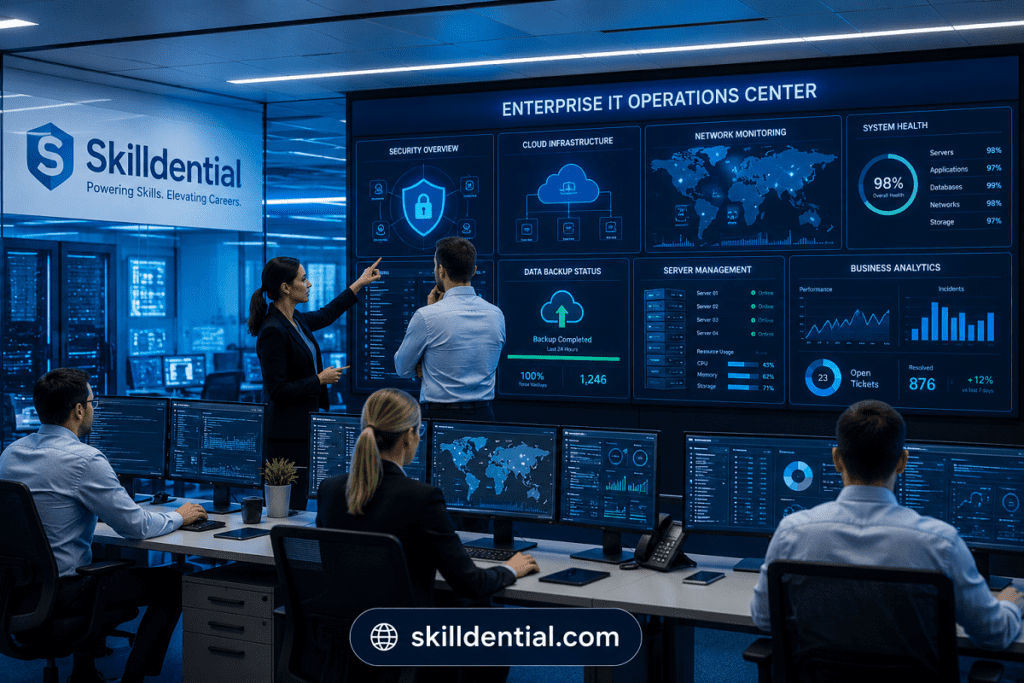
Whether managing internal teams or partnering with Managed Service Providers (MSPs) for specialized expertise, selecting the right Business IT Support Services is a strategic decision that aligns directly with your company’s scale, regulatory obligations, and technological complexity.
Why Are Business IT Support Services Important?
Business IT Support Services are the operational bedrock upon which modern organizations build their capacity to communicate, innovate, and deliver value. When technology infrastructure is treated as a strategic asset rather than a utility, it transforms from a potential bottleneck into a competitive advantage.
Mitigating Systematic Risk
Without a structured framework for Business IT Support Services, organizations remain vulnerable to compounding technical debt. The absence of proactive management leads to predictable failures:
- Cybersecurity Exposure: Inconsistent patch management and weak access controls create high-probability targets for data breaches.
- Operational Paralysis: Unmonitored hardware failures and software outages cause immediate, unrecoverable loss of billable hours.
- Scalability Friction: As infrastructure complexity grows, ad-hoc support models fail to keep pace, resulting in “technical stalls” that limit business expansion.
The Impact of Standardized Frameworks
As noted in Skilldential career audits, SME leadership teams often default to reactive troubleshooting—a model that creates constant instability. Transitioning to standardized Business IT Support Services creates high-leverage outcomes:
- Incident Reduction: A 38% decrease in recurring technical issues by shifting from reactive “break-fix” to proactive maintenance.
- Efficiency Gains: A 24% improvement in operational throughput by automating routine tasks and standardizing device deployment.
- Predictable ROI: Moving to managed frameworks allows leadership to forecast technology spend with precision, eliminating the volatility of emergency IT remediation costs.
What Are the 15 Key Business IT Support Services Every Company Needs?
The most effective IT environments integrate operational support, security controls, infrastructure management, and strategic planning. These 15 Business IT Support Services form the essential foundation for a resilient, scalable technology ecosystem.
Operational & User Support
The foundation of an efficient workplace is the ability of your staff to execute their duties without technological friction. This service category focuses on the day-to-day maintenance of hardware and software, ensuring that technical challenges are identified and resolved before they compromise your team’s productivity.
Help Desk and Technical Support
A high-performing help desk is more than a ticketing system; it is a critical component of your operational infrastructure. To maximize the value of this service:
- Define Clear SLAs: Document specific response and resolution times based on issue severity. This provides accountability and sets expectations for end-users.
- Standardize Tiered Support:
- Tier 1: Triage and basic troubleshooting (e.g., password resets, software access).
- Tier 2: In-depth technical support (e.g., complex OS issues, network configuration).
- Tier 3: Expert/Engineering support (e.g., server maintenance, architecture changes).
- Centralize Knowledge Management: Build a self-service knowledge base to empower employees to resolve minor issues independently, reducing the ticket volume for repetitive requests.
- Measure Key Metrics: Track Mean Time to Resolution (MTTR) and First Contact Resolution (FCR) to continuously refine your Business IT Support Services delivery.
Remote IT Support
Remote IT Support acts as the primary accelerator for your technical operations. By enabling secure, off-site diagnostic access to endpoints, businesses eliminate the latency associated with physical travel.
Strategic Advantages
- Optimized MTTR: By bypassing the need for technician dispatch, simple-to-moderate issues are resolved in minutes rather than hours.
- Geographic Flexibility: Supports distributed workforces and remote-first cultures without compromising support quality.
- Proactive Maintenance: Technicians can perform background updates, patch deployments, and system health checks during off-hours, ensuring minimal disruption to the end-user.
- Cost Efficiency: Reduces the operational overhead of on-site service calls, allowing your Business IT Support Services budget to be reallocated toward long-term infrastructure improvements.
Endpoint Management
Endpoint Management serves as the central control plane for your entire hardware ecosystem. In modern, distributed work environments, this service ensures that every device—from office desktops to remote laptops and mobile handsets—remains configured to organizational security standards.
Key Components of Lifecycle Control
- Automated Provisioning: Standardizes the deployment of hardware, ensuring new devices are “business-ready” upon arrival with pre-configured software stacks and security policies.
- Unified Policy Enforcement: Deploys mandatory security updates, encryption protocols, and access restrictions across all fleet assets simultaneously, eliminating configuration drift.
- Real-time Inventory & Asset Tracking: Maintains a live audit of hardware health, OS versions, and software licensing, which is critical for both compliance and refresh planning.
- Remote Wipe & Security Hardening: Provides the capability to isolate compromised devices or remotely wipe sensitive corporate data, mitigating the risk posed by lost or stolen equipment.
By treating endpoints as an integrated fleet rather than individual assets, your Business IT Support Services strategy achieves the consistency required to scale without increasing headcount overhead.
Infrastructure & Core Maintenance
Reliable technology depends on the stability of your digital foundation. This category covers the proactive management of your core network, servers, and cloud resources, ensuring that your organization’s backbone remains performant, secure, and ready to scale alongside your business objectives.
Network Monitoring and Management
Network Monitoring and Management functions as the “nervous system” of your IT architecture. By maintaining constant visibility into routers, switches, firewalls, and wireless access points, this service shifts your posture from reactive troubleshooting to preemptive optimization.
Essential Elements of Network Stability
- Real-Time Performance Tracking: Monitors critical KPIs such as latency, packet loss, and bandwidth utilization across your entire network fabric to identify bottlenecks before they trigger downtime.
- Proactive Alerting: Configures automated triggers for anomalies, allowing technicians to rectify issues (e.g., a failing switch port or congested traffic path) before end-users experience service degradation.
- Security Integration: Ensures firewalls and perimeter devices are updated and functioning correctly, serving as the first line of defense against unauthorized network entry.
- Traffic Prioritization (QoS): Implements Quality of Service protocols to guarantee that mission-critical business applications—such as VoIP or cloud-based ERP systems—receive bandwidth priority over non-essential traffic.
By integrating these Business IT Support Services, you ensure your network remains a high-speed, secure conduit for data rather than a recurring source of operational friction.
Server Administration
Server Administration is the practice of maintaining the performance, integrity, and availability of your physical and virtualized computing resources. Because servers house the critical applications and databases that run your business, they require rigorous, ongoing oversight to prevent system-wide outages.
Core Administrative Functions
- Resource Optimization: Actively manages CPU, memory, and storage allocation to ensure that mission-critical applications have the necessary headroom to perform during peak demand.
- Proactive Patching & Updates: Executes standardized update cycles for OS and firmware, ensuring security vulnerabilities are closed without disrupting service availability.
- Performance Monitoring: Tracks server health metrics to detect impending hardware failure or software memory leaks before they result in a crash.
- Automated Backups: Integrates with your data protection strategy to ensure that server states are captured and ready for rapid restoration in the event of a failure.
Effective server administration is a cornerstone of Business IT Support Services; by moving from ad-hoc reboots to a managed administration lifecycle, you ensure the underlying infrastructure remains a stable host for your entire business application stack.
Cloud Services Management
Cloud Services Management addresses the unique complexities of managing off-premises infrastructure, storage environments, and SaaS applications. As organizations move away from legacy hardware, this service ensures that cloud investments deliver on their promise of agility and cost-efficiency rather than becoming sources of “cloud sprawl” or unexpected operational expenses.
Core Domains of Cloud Administration
- Scalability Orchestration: Dynamically adjusts computing resources (auto-scaling) to match fluctuating business demand, ensuring performance during peak periods and cost savings during lulls.
- Cost Optimization (FinOps): Monitors resource utilization to eliminate “zombie” instances, identify unused storage, and rightsize cloud subscriptions to ensure you only pay for what you actually consume.
- SaaS Integration & Lifecycle: Oversees the administration of collaboration tools (e.g., Microsoft 365, Google Workspace, Slack), managing user permissions, data governance, and integration workflows.
- Security & Compliance in the Cloud: Implements robust Identity and Access Management (IAM) and data encryption specifically for cloud-hosted environments, ensuring that “shared responsibility” models favor the organization’s security posture.
Effective Business IT Support Services in the cloud involve transitioning from passive oversight to active governance, ensuring your cloud footprint remains lean, secure, and perfectly aligned with operational requirements.
IT Infrastructure Maintenance
IT Infrastructure Maintenance serves as the preventative care program for your organization’s physical and core logical assets. By managing the full lifecycle of hardware—from deployment to decommissioning—this service prevents the accumulation of technical debt and mitigates the risk of catastrophic hardware failure.
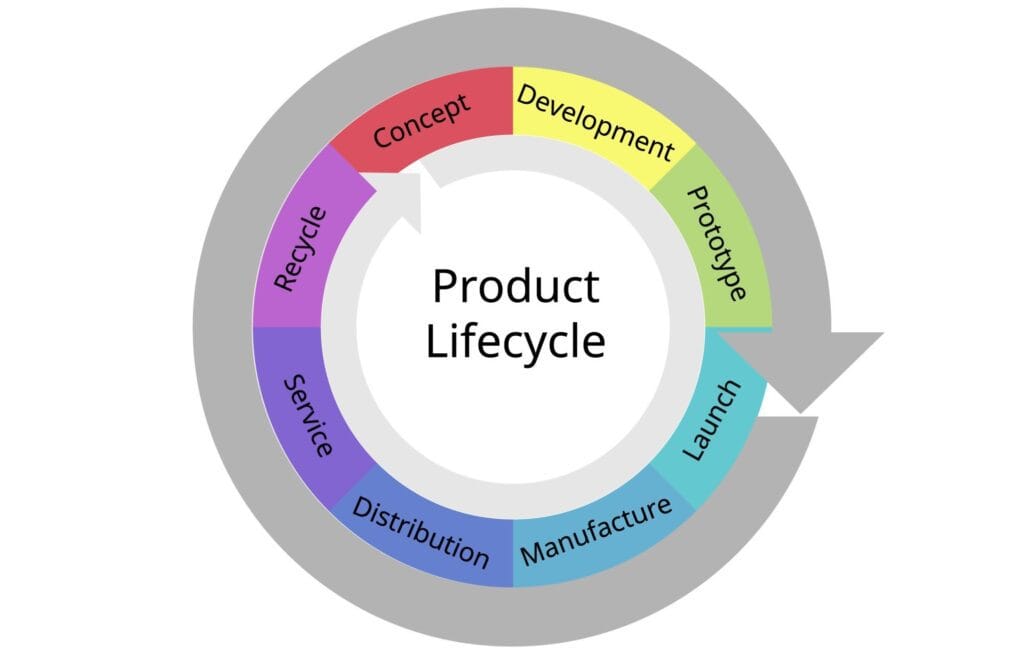
Critical Components of Lifecycle Maintenance
- Routine Inspections & Preventative Care: Conducts systematic checks of physical environment controls (e.g., cooling, power supplies, cabling integrity) to avoid environmental downtime.
- Firmware and Lifecycle Management: Maintains a rigorous schedule for firmware updates, which are often overlooked despite their critical role in closing hardware-level security vulnerabilities.
- Hardware Refresh Strategy: Forecasts the useful life of core assets (routers, switches, workstations) to plan for budget-aligned refreshes before hardware reaches its “end-of-support” (EoS) status.
- System Optimization: Proactively tunes core configurations based on current usage patterns, ensuring that aging hardware is squeezed for maximum performance until the scheduled replacement.
By formalizing this as a core pillar of your Business IT Support Services, you transition from emergency “break-fix” cycles to a predictable, sustainable technology strategy that avoids the high costs associated with unplanned equipment failure.
Software Deployment and Patch Management
Software Deployment and Patch Management is the systematic process of maintaining your software stack. In an era of rapid exploit development, consistent patching is the single most effective technical defense against known vulnerabilities, preventing attackers from leveraging unpatched software to gain unauthorized network access.
Essential Components of Lifecycle Deployment
- Standardized Deployment: Utilizes centralized tools to deploy applications with uniform configurations across the organization, ensuring every employee operates within a secure and consistent environment.
- Risk-Based Patching: Prioritizes updates based on severity scores (CVEs). High-risk vulnerabilities are addressed immediately, while routine updates are scheduled to minimize operational disruption.
- Compatibility Testing: Validates patches in a controlled “sandbox” environment before wide-scale deployment to ensure updates do not conflict with core business applications.
- Automated Rollback Protocols: Maintains the ability to quickly revert a deployment if an update introduces instability, ensuring high-availability of critical business functions.
By treating software updates as a structured routine rather than an ad-hoc task, your Business IT Support Services strategy drastically narrows the window of exposure, protecting your data while maintaining peak software performance.
Security & Data Protection
In a landscape of evolving digital threats, these services establish the essential safeguards required to maintain organizational integrity. This category focuses on active defense, rapid recovery, and strict identity governance, ensuring your business data remains resilient against unauthorized access, malicious attacks, and potential operational disasters.
Cybersecurity Management
Cybersecurity Management is the strategic application of defense-in-depth methodologies to protect organizational assets from unauthorized access, ransomware, and sophisticated malware. It transforms security from a static perimeter check into a dynamic, intelligence-driven operational function.
Core Pillars of Security Defense
- Active Threat Hunting: Moves beyond passive alerts by proactively searching for indicators of compromise (IoCs) within your environment, identifying stealthy attackers who have bypassed traditional security layers.
- Vulnerability Assessments: Conducts continuous scans of your internal and external attack surfaces to identify and remediate weaknesses—such as unpatched software or misconfigured access points—before they can be exploited.
- Incident Response Planning: Develops and tests “playbooks” for specific breach scenarios, ensuring that when an incident occurs, the team can contain, eradicate, and recover from the threat with surgical precision.
- Security Monitoring (SIEM): Aggregates logs across your entire infrastructure to establish “normal” behavioral baselines, allowing for the rapid detection of anomalous activity that signals a potential breach.
Integrating these high-level Business IT Support Services ensures that your organization is not just “hoping” for security, but actively maintaining a resilient posture that can withstand and recover from modern cyber threats.
Data Backup and Recovery
Data Backup and Recovery establishes the definitive safety net for your organization. In the event of hardware failure, human error, or a ransomware attack, the ability to restore data to a known-good state is the difference between a temporary inconvenience and an existential business threat.
Essential Elements of Data Resiliency
- Automated Backup Workflows: Eliminate the risk of human error by enforcing consistent, scheduled backups of all critical data sets to both local and off-site/cloud repositories.
- Verification Protocols: A backup is only as good as its last successful recovery. Automated verification tests ensure that the data captured is complete, uncorrupted, and ready for restoration.
- Rigorous Recovery Testing: Conducts periodic, full-system restoration drills to validate your Recovery Time Objective (RTO) and Recovery Point Objective (RPO). This identifies gaps in your restore strategy before an actual disaster occurs.
- Immutable Backups: Protects your restoration points from modification or deletion—a critical defense mechanism ensuring that even if ransomware encrypts your live environment, your backups remain pristine and available.
By integrating these Business IT Support Services, you move beyond mere data storage to a state of data assurance, ensuring that your organization’s intellectual property and operational records are protected against all failure modes.
Email Security and Administration
Email Security and Administration addresses the primary attack vector for modern enterprises: the inbox. Since the vast majority of ransomware, business email compromise (BEC), and phishing campaigns originate via email, hardening this layer is a non-negotiable component of Business IT Support Services.
Essential Defenses for Email Integrity
- Advanced Threat Protection (ATP): Implements AI-driven sandboxing to inspect attachments and links in real-time, detonating suspicious payloads in a secure environment before they ever reach the user’s inbox.
- Anti-Phishing & Spoofing Protocols: Enforces domain authentication standards—specifically SPF, DKIM, and DMARC—to prevent attackers from successfully impersonating your brand and sending fraudulent emails to your staff or clients.
- Spam & Malware Filtering: Deploys heuristic and signature-based filtering to strip out high-volume malicious traffic, significantly reducing the “noise” and potential exposure to social engineering.
- Encrypted Communication: Ensures that sensitive business correspondence remains private during transit, meeting both internal security mandates and external regulatory requirements.
By centralizing email administration, you remove the burden of security from the individual user and place it into a governed, high-visibility framework, turning your email system from a liability into a controlled communication asset.
Identity and Access Management (IAM)
Identity and Access Management (IAM) is the foundational security layer that governs who has access to what within your organization. In a modern perimeter-less work environment, your identity strategy—not your firewall—is the new primary security boundary for your Business IT Support Services.
Core Pillars of Granular Identity Governance
- Multi-Factor Authentication (MFA): Enforces at least two layers of verification for every login. This remains the most effective deterrent against credential-based attacks, rendering stolen passwords insufficient for unauthorized access.
- Role-Based Access Control (RBAC): Assigns permissions based on job function rather than individual identity. This adheres to the Principle of Least Privilege (PoLP), ensuring employees have access only to the specific data and tools required for their roles.
- Centralized Identity Lifecycle: Automates the onboarding and offboarding processes. When an employee departs, their access is revoked instantly across all connected systems, eliminating the “orphan account” security risk.
- Privileged Access Management (PAM): Provides enhanced oversight and auditing for administrative accounts. PAM solutions track, record, and restrict highly sensitive tasks that have the potential to compromise the entire system if misused.
By implementing a robust IAM framework, you move your organization toward a Zero Trust model, drastically reducing the surface area for both external breaches and malicious insider activity.
Governance & Strategy
Technology is only as effective as the framework that governs its deployment. This category focuses on long-term resilience, regulatory adherence, and strategic alignment, ensuring that your IT operations move beyond simple maintenance to actively support your organization’s growth and risk management objectives.
Disaster Recovery Planning
Disaster Recovery (DR) Planning provides the definitive playbook for maintaining business continuity when traditional support systems are overwhelmed. While backup captures the data, the DR plan dictates the tactical recovery of the entire operational environment, minimizing the duration of downtime after a catastrophic failure.
Essential Components of a Tactical DR Plan
- Recovery Objectives (RTO & RPO): Define your tolerance for downtime (RTO) and data loss (RPO). These metrics dictate the technology stack and investment required for your Business IT Support Services.
- Escalation & Communication Protocols: Clearly maps the chain of command, ensuring stakeholders, employees, and clients are informed through pre-defined channels during an active incident.
- Restoration Sequencing: Establishes the priority of system recovery. By mapping dependencies (e.g., restoring the identity server before the ERP system), you ensure the most critical business functions return to operation first.
- Failover Validation: Regularly tests the transition from primary infrastructure to secondary or cloud-based standby environments to confirm that the failover process is not merely theoretical, but executable under pressure.
By treating disaster recovery as a core strategic pillar, you ensure your organization’s resilience is not left to chance, transforming potential existential threats into manageable service interruptions.
Compliance and Risk Management
Compliance and Risk Management translates complex legal and industry mandates into actionable technical controls. For organizations handling sensitive data—such as financial records, health information, or PII—this service ensures that your Business IT Support Services remain audit-ready and legally defensible.
Core Pillars of Regulatory Alignment
- Gap Analysis & Risk Assessment: Regularly audits your environment against frameworks (e.g., NIST, SOC2, HIPAA, GDPR) to identify where technical controls fail to meet mandated requirements.
- Continuous Monitoring & Documentation: Compliance is not a static point-in-time event. This service maintains continuous evidence of control effectiveness, which is vital for passing third-party audits and securing insurance.
- Policy Enforcement: Automates the implementation of security policies—such as data retention schedules, access logging, and encryption standards—across the network to ensure human error does not lead to non-compliance.
- Vendor & Third-Party Risk Management: Extends compliance scrutiny to your supply chain, ensuring that the cloud providers and SaaS tools you integrate meet the same strict security and data handling standards as your internal infrastructure.
By integrating these services, you shift compliance from a periodic “fire drill” into a streamlined, consistent operational process that protects the business from heavy fines, legal liability, and loss of client trust.
Strategic IT Consulting
Strategic IT Consulting bridges the gap between raw technical capability and high-level business objectives. Rather than viewing IT as a support-only function, this service positions technology as the primary driver of organizational growth, ensuring every dollar spent on infrastructure contributes to competitive advantage.
Core Strategic Objectives
- Digital Transformation Roadmapping: Sequences technology investments to support business scaling, replacing legacy workflows with modern, automated systems that increase operational throughput.
- Budget Optimization & Forecasting: Shifts IT spending from unpredictable, reactionary costs to a managed, predictable capital and operational expenditure (CapEx/OpEx) model.
- Technology-Business Alignment: Ensures that technical initiatives—such as cloud migrations or software adoption—are prioritized based on their direct impact on ROI, time-to-market, or customer experience.
- Vendor & Asset Rationalization: Analyzes your current stack to eliminate redundant subscriptions, consolidate overlapping tools, and negotiate contracts that scale with your growth rather than penalizing it.
By integrating Business IT Support Services with strategic consulting, leadership gains the clarity needed to make technology decisions that are not just “secure,” but actively profitable.
How Do Business IT Support Services Compare Between Internal Teams and Managed Service Providers?
Choosing between an internal IT team and a Managed Service Provider (MSP) is a strategic decision that hinges on your business’s growth stage, technical complexity, and risk appetite.
Comparison Matrix
| Factor | Internal IT Team | Managed Service Provider (MSP) |
| Cost Structure | High fixed costs (salaries, benefits, training, tools). | Predictable monthly subscription fees. |
| Expertise | Limited to the breadth of your hired staff. | Broad access to multi-disciplinary specialists. |
| Scalability | Slow (requires hiring, onboarding, training). | Rapid (instant access to existing resources). |
| Availability | Typically limited to business hours. | 24/7/365 monitoring and support. |
| Control | Direct, granular control over operations. | Governed by Service Level Agreements (SLAs). |
| Strategic Focus | Deep familiarity with proprietary systems. | Industry-wide best practices and benchmarking. |
Strategic Considerations
When to Build an Internal IT Team
- Proprietary Complexity: Your business relies on highly specialized, custom-coded, or proprietary systems that require constant, intimate, on-site oversight.
- Maximum Governance: You operate in an environment where total control over data access and internal culture is the absolute priority, often necessitated by extreme regulatory or security requirements.
- Scale-to-Enterprise: You are an enterprise-level organization where the cost of internal headcount is outweighed by the need for dedicated, deeply embedded technical support.
When to Partner with an MSP
- Operational Agility: You need to scale your infrastructure up or down without the friction of hiring or layoffs.
- Risk Mitigation: You want to offload the burden of cybersecurity, compliance, and 24/7 monitoring to experts who utilize enterprise-grade tools at a shared cost.
- Focus on Core Competency: You recognize that your business value comes from your products or services, not from maintaining hardware, and you want to treat IT as a utility that “just works.”
The Hybrid Alternative: Co-Managed IT
For many growing businesses, the most effective path is Co-Managed IT. In this model, your internal IT team focuses on business-specific, value-add projects (like app development or workflow optimization), while the MSP handles the “heavy lifting”—the 24/7 help desk, server monitoring, patch management, and cybersecurity layers.
This provides the best of both worlds: local ownership and institutional knowledge, paired with the breadth and resilience of an enterprise-grade support team.
Does your current IT structure feel like a bottleneck, or are you looking to optimize costs as you scale toward your next growth phase?
How Can Companies Evaluate Their Current IT Support Framework?
To evaluate your Business IT Support Services framework, you must shift from a “check-the-box” mentality to a structured audit of your operational health. Use the following framework to assess your current state against industry standards.
The 4-Stage IT Framework Audit
Current State Discovery (Inventory)
You cannot manage what you do not document. Create a “single source of truth” for your environment.
- Asset Audit: Maintain a real-time inventory of every server, workstation, network device, and SaaS subscription. Identify hardware nearing “end-of-life.”
- Documentation Review: Ensure your network topology diagrams, IP schemes, and configuration records are accurate and up to date.
- Access Mapping: Audit all user permissions. Identify stale admin accounts, over-privileged users, and lingering access for offboarded employees.
Performance & Operational Benchmarking
Measure your support framework against its ability to minimize friction and downtime.
- SLA Compliance: Review help desk logs. Are you hitting defined response/resolution times? If not, identify if the bottleneck is staffing, tool limitations, or process complexity.
- System Uptime/Latency: Compare your historical uptime against your business goals. High latency or frequent outages are usually symptoms of unmonitored infrastructure.
- Patch Hygiene: Review your patch management records. Are all systems running current, supported versions? Any delay here is a direct security risk.
Resilience & Security Validation
Test the “safety net” rather than assuming it works.
- Backup Verification (3-2-1 Strategy): Verify you have 3 copies of data, on 2 media types, with 1 offsite. Critical: Perform a real-world restore test for a critical file and a mailbox. If you haven’t tested the restore, you don’t have a backup.
- Security Posture Testing: Conduct an external vulnerability scan and a phishing simulation. Test your Incident Response “playbooks”—if a ransomware incident occurred today, is the communication chain and restoration protocol ready?
- Identity Audit: Confirm Multi-Factor Authentication (MFA) is enforced universally, not just for remote access.
Gap Analysis & Remediation Roadmap
Compare your findings against your business growth goals (e.g., “We plan to double headcount in 24 months”).
- Identify Gaps: Categorize gaps by Impact and Urgency. High-impact/high-urgency items (e.g., security vulnerabilities, data loss risks) must be prioritized for immediate remediation.
- Strategy Alignment: Determine if your current support model (Internal vs. MSP) can handle the projected growth. If your team is buried in “break-fix” tasks, they are not delivering the strategic consulting required to scale.
Critical Evaluation Checklist
| Category | Key Metric/Question |
| Continuity | Can we restore a full server from backup within our defined RTO? |
| Security | Are all endpoints managed by active EDR/MDR with enforced MFA? |
| Efficiency | Is our mean-time-to-resolution (MTTR) trending down or up? |
| Compliance | Can we produce audit logs for user access and configuration changes? |
Would you like to draft a standardized IT Health Scorecard that you can use to report these assessment results to your leadership team?
What Are the Most Critical IT Support Services for Growing SMEs?
For growing SMEs, the shift from “ad-hoc troubleshooting” to a “standardized service framework” is the single most important transition for operational scale. As your organizational complexity increases, your support strategy must move from reactive firefighting to proactive prevention.
The Essential Phased Growth Framework
To prioritize your investments, implement services based on their impact on stability (Stage 1), security (Stage 2), and strategic growth (Stage 3).
Stage 1: The Stability Foundation (Must-Have)
These services address your immediate “break-fix” pain points and are necessary to ensure employees can perform their daily work without constant disruption.
- Help Desk & Remote Support: Provides the necessary infrastructure for ticket resolution, standardizing how employees report and track issues.
- Network Administration: Ensures basic connectivity and hardware health for switches, routers, and firewalls.
- Data Backup & Recovery: The “safety net.” If you do not have automated, verified backups, you have no business continuity strategy.
- Endpoint Management: Standardizes the configuration of devices to ensure uniformity and basic security compliance.
Stage 2: The Security & Compliance Hardening (Critical for Scaling)
As your SME grows, your target profile changes. You are now a visible target for cyber threats and regulatory oversight.
- Cybersecurity Management: Moves beyond basic antivirus to active threat hunting, vulnerability assessments, and robust incident response planning.
- Email Security & Administration: Hardens the most common attack vector (your inbox) against phishing, business email compromise, and credential harvesting.
- Identity & Access Management (IAM): Implements Role-Based Access Control (RBAC) and Multi-Factor Authentication (MFA) to prevent unauthorized entry.
- Compliance & Risk Management: Aligns your IT operations with industry standards (e.g., SOC2, GDPR) to maintain client trust and avoid legal liability.
Stage 3: The Strategic Growth Engine (Competitive Advantage)
Once your foundation and security are stable, IT shifts from a cost center to a strategic asset.
- Cloud Services Management: Optimizes your cloud footprint for cost, performance, and scalability.
- Strategic IT Consulting: Translates your technical roadmap into business value, ensuring every dollar spent on infrastructure directly supports your 12–24 month growth objectives.
- Infrastructure Maintenance (Lifecycle Management): Prevents technical debt by proactively refreshing hardware and software before it reaches end-of-support, avoiding the “emergency expense” cycle.
Key Scaling Insight: “The Frictionless Shift”
As your SME grows, the goal is to decouple the management of these services from the growth of your headcount. Transitioning to a Managed Service Provider (MSP) or a Co-Managed model allows you to scale your IT capacity instantly through their existing enterprise-grade tools and processes, rather than through slow, expensive internal hiring cycles.
Would you like to analyze your specific current “pain points” to see which of these services should be prioritized for immediate implementation to maximize your ROI?
How Do Business IT Support Services Improve Operational Efficiency?
Business IT Support Services function as an operational multiplier. By offloading technical friction to structured support frameworks, organizations convert high-variance “firefighting” time into consistent, predictable productivity.
Mechanics of Efficiency Gains
- Minimized Downtime through Proactivity: Reactive “break-fix” models rely on the user to report a problem, during which work is already stalled. Proactive monitoring detects hardware degradation, network latency, or storage issues before they manifest as user-facing downtime.
- Automated Maintenance Cycles: Mundane but essential tasks—such as software updates, patch deployment, and system backups—are automated. This eliminates the “human factor” of forgotten updates and ensures the entire fleet remains secure without manual intervention.
- Standardized Operational Playbooks: Support services rely on documented, repeatable procedures (SOPs) for onboarding, access requests, and issue resolution. This consistency drastically reduces the time spent on “tribal knowledge” retrieval and repetitive setup tasks.
- Strategic Reallocation of Human Capital: When IT infrastructure is managed as a utility, internal leadership teams stop acting as shadow IT administrators. This shift allows resources to focus on high-leverage activities like market expansion, product development, and process innovation.
The Efficiency Impact Framework
| Efficiency Driver | Reactive Approach | Proactive IT Support Approach |
| Issue Detection | User-reported (high latency) | System-alerted (near-zero latency) |
| System Hygiene | Manual, inconsistent updates | Automated, policy-driven patching |
| Incident Resolution | Ad-hoc, high MTTR | Standardized, SLA-driven resolution |
| Strategic Focus | Technical fire-fighting | Business goal alignment |
By moving from a fragmented, ad-hoc environment to a consolidated and managed infrastructure, you eliminate the “hidden tax” that technical instability levies on every employee’s hourly output.
Would you like to calculate the potential ROI of these efficiencies by running a “Cost of Downtime” analysis based on your average employee salary and system reliance?
What are Business IT Support Services?
These are the technical, operational, and security functions that maintain your organization’s technology infrastructure, protect data assets, and ensure high levels of employee productivity. They act as the operational foundation for modern business.
Do small businesses need managed IT support?
Yes. Small businesses often outgrow ad-hoc or DIY IT support quickly. Partnering with a Managed Service Provider (MSP) allows SMEs to access enterprise-level tools, 24/7 monitoring, and specialized expertise at a predictable cost, preventing the “technical stalls” that limit growth.
What is the difference between IT support and managed IT services?
Think of IT support as a reactive “break-fix” model—you call when something is broken. Managed IT services are a proactive, lifecycle-based model. They provide continuous monitoring, preventative maintenance, comprehensive security, and strategic planning, ensuring problems are resolved before they impact your business.
How often should businesses review their IT infrastructure?
A formal, comprehensive audit should occur annually to align infrastructure with long-term business goals. However, operational health checks and security assessments should be performed quarterly to ensure your defensive posture remains effective against evolving threats.
Which IT support service is most important for cybersecurity?
While all services are interconnected, Cybersecurity Management is paramount. It serves as the governing layer that integrates threat detection, vulnerability assessments, and incident response. Without a robust cybersecurity management framework, all other services—from cloud storage to help desk support—are left exposed to unacceptable levels of risk.
In Conclusion
Business IT Support Services are the operational framework that converts technology from a recurring source of friction into a scalable competitive advantage. By systematically addressing core infrastructure, hardening your security posture, and aligning IT strategy with business objectives, you ensure the organization remains resilient against both technical failure and evolving cyber threats.
The Path Forward: Key Strategic Actions
- Conduct a Gap Analysis: Do not wait for a crisis. Perform a formal audit of your current infrastructure, security controls, and backup integrity to identify your most pressing technical debts.
- Transition to Proactive Governance: Move your operations away from “break-fix” cycles. Prioritize services that offer continuous monitoring, automated patching, and verified recovery testing.
- Align Support with Growth: Regularly evaluate whether your current support model (Internal, MSP, or Co-Managed) is scaling effectively. Ensure that your IT framework is built to support your 12–24 month expansion goals, not just your current footprint.
- Prioritize Cybersecurity Resilience: Treat security as the governance layer for every other service. Without proactive threat hunting, IAM, and immutable backups, your operational uptime is constantly at risk.
Your IT support framework should be a quiet, invisible engine that empowers your team to operate at peak efficiency. By treating these services as a strategic utility rather than a variable expense, you secure the foundation necessary to innovate, scale, and thrive in a digital-first market.