Is the AMD Ryzen AI Max+ 395 Laptop Good for Developers?
The AMD Ryzen AI Max+ 395 laptop brings a high-performance mobile processor architecture equipped with massive multithreaded throughput and dedicated on-die AI acceleration. Designed to tackle demanding technical workloads, an AMD Ryzen AI Max+ 395 laptop delivers rapid code compile times, seamless containerized multitasking, and hardware-accelerated local model inference for small-to-medium AI workflows.
While real-world battery life and toolchain compatibility vary depending on OEM thermal designs and OS choice, its raw compute and unified memory bandwidth make it a compelling workstation option.
(Note: Verified technical specifications and pricing vary by OEM configurations and regional market availability.)
Why This Matters
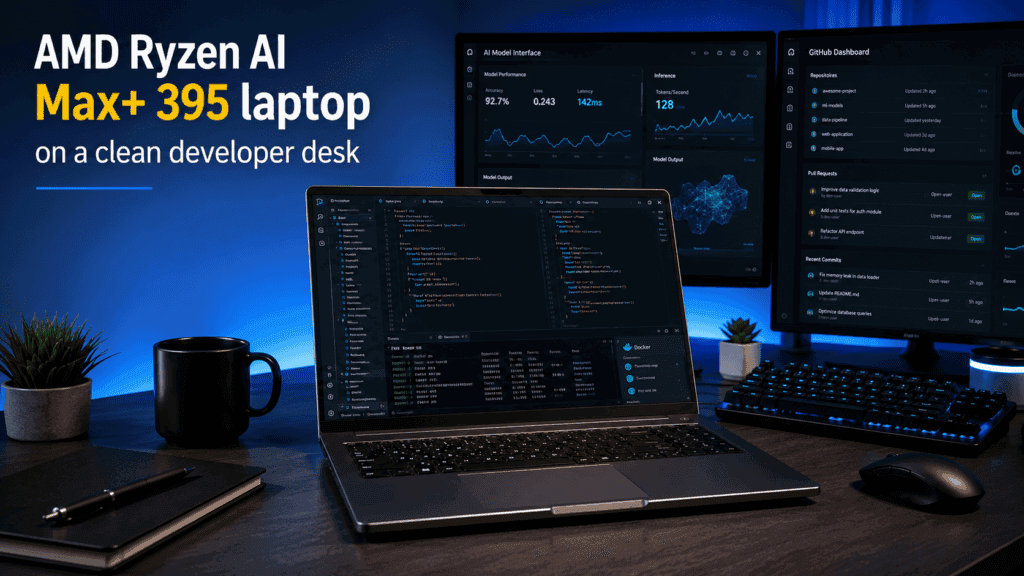
Developers select laptops based on sustained multi-core performance, fast I/O throughput, reliable virtualization support, and—increasingly—local AI capabilities. The arrival of the AMD Ryzen AI Max+ 395 laptop shifts the baseline for mobile workstations by combining high-density x86 parallel compute with integrated AI engines, altering how engineers handle local testing, ML prototyping, and heavy multitasking.
Who This Guide Is For
This guide is written for full-stack, backend, mobile, DevOps, and AI/ML engineers evaluating Windows and Linux hardware configurations. It directly targets developers deciding between AMD Ryzen AI, Intel Core Ultra, and Apple Silicon for their primary development environments.
What You Will Learn
- Architectural Overview: Key spec highlights, cache hierarchy, and bandwidth advantages of the Ryzen AI Max+ 395.
- Developer Workload Suitability: Real-world performance across IDEs, heavy code compilation, Docker/VM instances, and local LLM/ML inference.
- Platform Comparison: Performance, efficiency, and toolchain trade-offs against Intel Core Ultra and Apple Silicon alternatives.
- Buying Decision Framework: Clear scenarios detailing when to buy, skip, or wait based on your specific stack.
What is the AMD Ryzen AI Max+ 395?
The AMD Ryzen AI Max+ 395 (codenamed “Strix Halo”) is AMD’s flagship mobile APU architecture. It combines 16 full-spec Zen 5 CPU cores with a workstation-grade integrated GPU (Radeon 8060S) and an on-die XDNA 2 NPU across a high-bandwidth unified memory bus—designed specifically to handle high-concurrency developer workflows, heavy parallel compilation, and local AI model inference without needing a discrete GPU.
Expanded Overview
- Architecture & Silicon Design:
- CPU: 16 Zen 5 cores / 32 threads built on a 4nm TSMC process with 80 MB total cache (16 MB L2 + 64 MB L3), offering zero “efficiency-core” performance degradation.
- GPU: Integrated Radeon 8060S featuring 40 Compute Units (RDNA 3.5 architecture).
- NPU / AI Acceleration: On-die XDNA 2 NPU delivering up to 50 INT8 TOPS for offloading OS AI tasks and audio/vision pipelines.
- Memory Subsystem: A 256-bit bus supporting up to 128 GB of LPDDR5X-8000 unified memory (~256 GB/s bandwidth), allowing up to 96 GB to be allocated dynamically as GPU VRAM.
- Market Positioning:
- System manufacturers target software engineers, AI/ML researchers doing local prototyping, DevOps specialists running heavy local container stacks, and high-end technical power users seeking desktop-class x86 compute in a portable form factor.
- Implementation & Power Variants:
- Configurable TDP (cTDP): Scalable from 45W to 120W (with desktop/mini-PC implementations pushing up to 140W). Sustained multi-core performance and acoustics depend heavily on individual OEM chassis thermal designs and power profiles.
Key Specifications and Architecture
Unlike typical mobile processors that ship with variable core counts, the AMD Ryzen AI Max+ 395 features a single fixed hardware layout: 16 full-spec Zen 5 CPU cores (32 threads), an integrated 40-CU RDNA 3.5 GPU (Radeon 8060S), and an XDNA 2 NPU providing 50 INT8 TOPS. It operates over a 256-bit memory bus supporting up to 128 GB of unified LPDDR5X-8000 RAM with a configurable TDP ranging from 45W to 120W+.
Verified Hardware Specifications Matrix
| Component / Parameter | Standard Specification | Developer Impact & Notes |
| CPU Architecture | 16 Cores / 32 Threads (Zen 5, 4nm TSMC) | No “efficiency” cores; full 16-core parallel throughput for compilation. |
| Clock Speeds | 3.0 GHz Base / Up to 5.1 GHz Boost | High single-thread performance for IDE indexing and language servers. |
| Cache Hierarchy | 16 MB L2 + 64 MB L3 (80 MB Total) | Reduces latency when handling large codebase dependencies. |
| Integrated GPU | AMD Radeon 8060S (40 CUs, RDNA 3.5 @ 2.9 GHz) | Workstation-grade graphics capability integrated directly on-die. |
| NPU (AI Engine) | AMD XDNA 2 (Up to 50 NPU TOPS / 126 System TOPS) | Dedicated to OS AI acceleration, audio/vision pipelines, and background tasks. |
| System Memory | Up to 128 GB LPDDR5X-8000 (256-bit bus) | Soldered unified pool delivering ~256 GB/s memory bandwidth. |
| Storage Support | Native PCIe Gen4 x16 lanes (Dual M.2 NVMe slots typical) | Delivers high sequential and random IOPS for heavy database/container work. |
| Power Profile (cTDP) | 45W to 120W (Scalable up to 140W in Mini-PCs) | Performance varies depending on OEM cooling (e.g., thin-and-light vs. thick workstation chassis). |
What to Verify Per OEM Laptop Model
While the silicon specs are fixed at the SoC level, OEMs configure the surrounding chassis and platform capabilities. Check these specific details before purchasing:
- Memory Allocation in BIOS (VRAM Carve-out): Ensure the OEM firmware supports Variable Graphics Memory (VGM), allowing you to manually assign up to 96 GB (out of 128 GB) to the GPU for local LLMs.
- Thermal Dissipation Limits (Sustained TDP): Check if the laptop chassis allows the chip to run at its full 90W–120W mode or restricts it to a quieter 45W–65W envelope.
- Display & I/O Controller Mapping: Verify native USB4 (40Gbps) routing for external eGPUs or high-speed 10GbE networking expansion cards.
Environment & Toolchain Compatibility
An AMD Ryzen AI Max+ 395 laptop runs native Windows 11 and x86 Linux distributions (Ubuntu, Fedora, Arch) out of the box. All standard x86 developer toolchains—including Visual Studio, VS Code, JetBrains IDEs, Docker (WSL2 / native KVM), and Podman—operate smoothly with full x86 architectural parity. macOS-exclusive development tools (e.g., Xcode) require Apple hardware or remote CI/CD build nodes.
Detailed Compatibility Breakdown
Integrated Development Environments (IDEs)
- JetBrains Suite & VS Code: Java, Node.js, Python, C++, and Rust language servers execute natively on all 16 Zen 5 cores without efficiency-core thread-scheduling stutters.
- Visual Studio 2022: Full native x86_64 compilation support under Windows 11.
- Android Studio & Xcode: Android emulators run with full hardware acceleration (HAXM/KVM). macOS-specific workflows (iOS/macOS builds) must be offloaded to cloud runners or local Mac mini hardware.
Containerization & Orchestration
- Linux Native (Docker Engine / Podman): Runs directly on top of modern Linux kernels (Linux 6.11+ / 6.18+ recommended). The unified LPDDR5X-8000 memory pool and PCIe Gen4 NVMe speeds handle 30+ simultaneous microservice containers with zero I/O choking.
- Windows (WSL2 / Docker Desktop): Hyper-V virtualization passthrough exposes all 32 threads directly to Linux containers. DirectML/Vulkan layers pass through GPU access smoothly.
Virtualization & Hypervisors
- Hyper-V, KVM, & VMware Workstation: Nested virtualization is supported natively at the x86 hardware layer.
- RAM Allocation Overhead: Because systems can be configured with up to 128 GB of LPDDR5X memory, engineers can allocate 32 GB–64 GB to virtual machines without starving the host OS.
Local AI & Machine Learning Stacks
- Compute Backends (RDNA 3.5 /
gfx1151): The Radeon 8060S iGPU is addressed via Vulkan (RADV) or AMD ROCm 7.2+. Vulkan provides out-of-the-box, zero-configuration setup for local runtimes likellama.cppand LM Studio. - Linux ROCm & PyTorch Setup: Native ROCm support under Linux for the
gfx1151architecture requires Linux Kernel 6.18+ and ROCm 7.2+. AMD also bundles official pre-configured container images (e.g., Ryzen AI Developer Center / Distrobox toolboxes) that eliminate manual driver installation. - XDNA 2 NPU Utility: While the 50 TOPS NPU handles OS-level AI offloading (Copilot+, audio noise suppression, vision background blurs), local LLM serving and model fine-tuning are handled by the 40-CU iGPU and unified memory.
Developer Verification Note: When running Linux as your primary host OS for local AI development, use a kernel release of 6.18.4 or higher combined with ROCm 7.2+. This ensures the
amdgpudriver properly maps the unified memory pool (GTT) up to its maximum 116 GB+ allocation for local LLM inference.
What the Chip Helps With (Quick Summary)
Parallel Compilation & Fast Test Execution
- 16 Full-Spec Zen 5 Cores (32 Threads): Operates without “efficiency-only” cores, giving software developers full-power CPU execution across all threads.
- Drastic Build-Time Cuts: Accelerates heavy parallel builds (C++, Rust, Go, Java mono-repos) and speeds up local test-suite execution (e.g., Jest, PyTest, Cargo test).
High-Concurrency Multitasking
- Unified Memory (Up to 128 GB LPDDR5X): Provides massive addressable workspace across host environments and container instances.
- Zero Resource Choking: Smoothly runs resource-heavy IDEs (IntelliJ, VS Code), multiple Docker microservices, local databases, and dozens of browser tabs simultaneously without hitting swap file bottlenecks.
Local AI/ML Inference & Rapid Prototyping
- 256 GB/s Memory Bandwidth: Bypasses traditional PCIe bus bottlenecks to accelerate token generation speeds for local Large Language Models (LLMs).
- VRAM Allocations Up to 96 GB: Allows developers to run large quantized models (e.g., Llama 3.1 70B or DeepSeek variants) directly on a laptop or mini-PC—eliminating cloud API costs and keeping code private offline.
- 50 INT8 TOPS On-Die NPU: Offloads low-power, continuous background AI tasks (vision/audio processing, OS AI features) from the CPU and GPU.
Workstation-Grade Integrated Graphics
- Radeon 8060S (40 CUs, RDNA 3.5): Delivers graphics performance on par with mid-range discrete laptop GPUs directly on the APU die.
- No Discrete GPU Drawbacks: Handles GPU-accelerated tasks—such as Vulkan/DirectML workloads, 3D rendering, and multi-display 8K code environments—without the extra heat, noise, or dedicated VRAM limitations of a separate dGPU.
What the Chip Does Not Solve
While an AMD Ryzen AI Max+ 395 laptop solves critical bottlenecks around x86 multi-threaded compute and local unified VRAM access, it is not a universal solution for every developer stack.
macOS-Exclusive Toolchains & Ecosystems
- Xcode & Apple-Native Stacks: macOS remains a hard requirement for iOS, iPadOS, watchOS, and visionOS development. You cannot run Xcode natively on x86 hardware without hackintosh workarounds or remote macOS CI/CD build nodes.
- CoreML & Metal Optimization: Workflows specifically optimized for Apple Silicon’s MLX framework, CoreML, or Metal Performance Shaders run natively and more efficiently on Apple hardware.
Large-Scale LLM Training & High-Throughput Fine-Tuning
- Inference vs. Training: The 256 GB/s memory bandwidth and 128 GB unified RAM excel at local LLM inference and small LoRA/QLoRA fine-tuning. However, full parameter fine-tuning or training 30B+ parameter models from scratch requires multi-petabyte/s memory bandwidth and enterprise CUDA clusters.
- Raw Compute vs. Dedicated Accelerators: Discrete data-center GPUs (NVIDIA H100/B200) or high-end desktop dGPUs still outperform integrated RDNA 3.5 graphics in raw matrix-multiplication TFLOPS and FP8/FP16 compute throughput.
Thermal Throttling in Thin Laptop Chassis
- High Power Envelopes (45W–120W+): Under simultaneous full-core CPU compilation and sustained GPU/NPU inference, the chip draws significant power.
- OEM Form-Factor Constraints: In thin-and-light laptop designs with limited heat dissipation, prolonged heavy workloads will trigger thermal throttling, reducing clock speeds down to lower power profiles (e.g., 45W–65W). Maximum sustained performance requires a thicker workstation chassis or an active-cooling mini-PC.
Performance & Primary Use Cases
The AMD Ryzen AI Max+ 395 (“Strix Halo”) delivers a rare combination for mobile and compact desktop workstations: 16 full Zen 5 desktop-class CPU cores, a 40-CU Radeon 8060S GPU, and a 256-bit-wide LPDDR5X-8000 memory interface.
Operating over a unified memory pool with up to 256 GB/s bandwidth, it targets heavy multi-threaded developer tasks and offline local AI prototyping.
Key Developer Use Cases
Code Compilation & Mono-Repo Build Chains
- Raw Compute Throughput: With 16 full-performance Zen 5 cores (32 threads) and no low-power efficiency cores, it excels at parallel compilation (C++, Rust, Go, Java) and running heavy local unit-test suites (Cargo, Jest, PyTest).
- Performance Profile: Delivers multi-threaded synthetic and real-world build performance on par with high-end desktop x86 processors.
Local AI, Large Language Model (LLM) & Vision Prototyping
- No VRAM Ceiling: Through AMD Variable Graphics Memory (VGM) or Linux TTM parameters, developers can assign up to 96 GB (or up to 120 GB under Linux) of the 128 GB system RAM as dedicated GPU VRAM.
- Model Sizing Capability: Runs 32B to 70B parameter models (e.g., Llama 3.1, DeepSeek distillations, Qwen 3.5) locally without hitting VRAM out-of-memory errors that choke standard 8GB–24GB discrete GPUs.
- Inference Tokens/Sec: Achieves usable interactive generation speeds (e.g., ~20–25+ tok/s on 30B–35B models; ~12–18 tok/s on 70B models) via Vulkan/RADV or ROCm acceleration in
llama.cppand LM Studio.
+-----------------------------------------------------------------------------------+
|                        LOCAL AI WORKLOAD COMPABILITY MATRIX                       |
+----------------------+--------------------+---------------------+-----------------+
| Model Class          | Recommended Quant  | Required VRAM       | Tokens/Sec (Avg)|
+----------------------+--------------------+---------------------+-----------------+
| 8B - 14B Dense       | Q4_K_M / Q8_0      | 8 GB - 16 GB        | 45 - 80+ tok/s  |
| 30B - 35B MoE / Dense| Q4_K_M             | 20 GB - 28 GB       | 20 - 50+ tok/s  |
| 70B Dense            | Q4_K_M             | 40 GB - 48 GB       | 12 - 18 tok/s   |
| 120B+ MoE (e.g. GPT) | IQ2 / Q4           | 80 GB - 110 GB      | 12 - 30 tok/s   |
+----------------------+--------------------+---------------------+-----------------+
Containerization, Microservices & Virtualization
- Multi-Container Stacks: Smoothly handles 30+ Docker containers, K3s clusters, and local databases simultaneously without RAM thrashing or CPU scheduling stutters.
- Virtualization: Full x86 KVM and Hyper-V hardware passthrough allows running multiple full-OS Linux or Windows virtual machines with massive RAM headroom.
Integrated GPU Workloads
- Radeon 8060S (40 CUs): Matches or beats mid-range laptop discrete GPUs (like an RTX 4050/4060). It accelerates DaVinci Resolve 4K timeline editing, AV1 media encoding/decoding, and multi-monitor 8K development environments directly on the APU.
Real-World Performance Limits & Caveats
- Bandwidth vs. Discrete GPUs: While 256 GB/s is double standard dual-channel DDR5 desktop RAM, it is slower than discrete high-end GPUs (e.g., RTX 5080/5090 or Apple M4 Max at 400–1700+ GB/s). For small models that easily fit into 16GB–24GB VRAM, a dedicated desktop GPU will generate tokens significantly faster.
- NPU Software Support: The on-die 50 TOPS XDNA 2 NPU handles continuous OS-level background tasks (vision, audio noise suppression), but standard LLM inference stacks (
llama.cpp, Ollama, vLLM) currently route execution through the Radeon 8060S GPU and CPU, leaving the NPU mostly unused for core LLM serving.
Is the AMD Ryzen AI Max+ 395 Good for Programming?
Yes, it is currently one of the most capable x86 mobile/compact processors available for software engineering.
Whether you are building large mono-repos, running local microservice clusters, or prototyping generative AI models offline, the AMD Ryzen AI Max+ 395 delivers desktop-tier compute in a portable or mini-PC form factor.
Key Strengths for Developers
Fast Parallel Compilation & Indexing
- 16 Full Zen 5 Cores (32 Threads): Unlike hybrid architectures that use “efficiency” cores with lower clock speeds, all 16 cores are full-performance Zen 5 cores running up to 5.1 GHz.
- Massive L3 Cache (64 MB): Large caches significantly reduce memory fetch latency during complex C++, Rust, and Go compilation passes or when JetBrains IDEs index massive codebases.
- Benchmark Performance: Multi-core Geekbench and Cinebench tests put this chip on par with high-end desktop CPUs (like the AMD Ryzen 9 9900X or Intel Core i9-14900HX), cutting build times dramatically.
Local AI & Large Model Prototyping
- Up to 96 GB Assignable VRAM: Paired with up to 128 GB of LPDDR5X-8000 memory on a wide 256-bit bus (~256 GB/s bandwidth), AMD’s Variable Graphics Memory allows developers to allocate up to 96 GB directly to the Radeon 8060S GPU.
- Run 70B+ LLMs Locally: This eliminates the strict 8GB–24GB VRAM barrier found on typical laptop discrete GPUs, allowing developers to run models like Llama 3.1 70B or DeepSeek variants locally without cloud API costs.
Heavy Virtualization & Containerization
- Zero Swap-File Thrashing: With configurations supporting 64 GB or 128 GB of RAM, you can run 30+ Docker containers, Kubernetes clusters (K3s/Minikube), and multiple database instances simultaneously while leaving ample RAM for your IDE and browser tabs.
- Native KVM & WSL2 Performance: Full x86 hardware virtualization features operate natively with minimal overhead on both Windows 11 (WSL2) and Linux distributions.
Potential Drawbacks & Trade-Offs
- Sustained Power & Battery Life under Load: The chip has a configurable TDP ranging from 45W to 120W+. Under continuous multi-core builds or local LLM inference, it consumes significant power, meaning battery life under heavy workloads drops quickly compared to Apple Silicon.
- RAM is Soldered: To hit the required 256 GB/s memory bandwidth, the LPDDR5X RAM is soldered directly next to the APU. It cannot be upgraded post-purchase—always buy the 64 GB or 128 GB version upfront for development work.
- Linux Kernel Requirements: To get proper power management and full GPU/VRAM mapping (
amdgpudriver) on Linux, you need a recent kernel (Linux 6.11+) and ROCm 6.2+ / 7.0+ for AI framework bindings.
How does AMD Ryzen AI Max+ 395 handle IDEs?
The AMD Ryzen AI Max+ 395 handles heavy IDE workloads with ease. Because software development environment tasks—like initial project indexing, continuous static analysis, background syntax checking, and local debugging—depend heavily on single-thread responsiveness and cache bandwidth, this chip is well-suited for heavy developer tools.
JetBrains Suite (IntelliJ IDEA, WebStorm, PyCharm, CLion, RustRover)
- Instant Project Indexing: JetBrains IDEs are notoriously CPU- and RAM-intensive during startup and AST (Abstract Syntax Tree) parsing on large monorepos. The combination of 16 full Zen 5 cores (no lower-power efficiency cores) running up to 5.1 GHz and a large 64 MB L3 cache eliminates indexing stalls.
- Background Inspection Overhead: You can run continuous deep code inspections, background git operations, and multiple heavy language servers (e.g.,
rust-analyzerorgopls) in parallel without spiking CPU usage to 100%.
VS Code & Native Extension Hosts
- Extension Host Isolation: VS Code relies on separate Node.js processes for syntax highlighters, linter daemons, and Copilot plugins. The chip’s high multi-threaded throughput prevents extension host delays when running heavy plugins alongside active local servers.
- Large Workspace Performance: Opening multi-gigabyte repositories or complex workspaces with dozens of splits and terminal buffers operates without interface stutter.
Visual Studio 2022 (C++ & .NET Workloads)
- Parallel MSBuild Execution: Visual Studio can distribute compilation units across all 32 logical threads, significantly cutting down full C++ or C# solution rebuild times.
- IntelliSense Responsiveness: Pre-compiled header processing and live error checking execute in the background with minimal impact on typing latency.
Mobile Development (Android Studio & iOS Simulators)
- Android Emulator Acceleration: Android Studio emulators run smoothly via hardware-accelerated KVM (Linux) or WHPX (Windows). You can deploy, hot-reload, and debug complex Flutter, React Native, or Kotlin apps seamlessly.
- Xcode Note: As with all x86 and Windows/Linux systems, Xcode cannot be run natively for iOS/macOS builds without remote CI/CD build agents or Apple hardware.
Hardware Pre-requisites for Optimal IDE Performance
To keep your development environment responsive under load, configure the rest of the laptop build accordingly:
| Component | Minimum Recommended | Optimal Configuration | Why It Matters for IDEs |
| System RAM | 32 GB LPDDR5X | 64 GB or 128 GB | Allows keeping heavy IDEs, Docker containers, and browser tabs loaded simultaneously without hitting swap files. |
| Storage (SSD) | 1 TB PCIe Gen4 NVMe | 2 TB+ PCIe Gen4/Gen5 NVMe | Speeds up cache read/writes, local node_modules I/O, and build-artifact disk operations. |
| Cooling / Power | 65W Sustained TDP | 85W – 120W+ Sustained TDP | Ensures high-frequency sustained boost clocks during multi-minute compilation passes. |
How does it perform with Docker and VMs?
For containerization and virtualization workloads, the AMD Ryzen AI Max+ 395 is an exceptionally strong x86 processor. Because running local microservices, Kubernetes clusters, and hypervisors simultaneously drains multi-core capacity and system memory, this chip’s architecture addresses both demands effectively.
In practice, for heavy Docker and VM configurations, system RAM allocation and thermal dissipation will dictate your limits long before the CPU compute ceiling is reached.
Local Container Workloads (Docker, Podman, Kubernetes)
Thread Scheduling & Thread-Density
- 16 Full Zen 5 Cores (32 Threads): Traditional hybrid mobile CPUs (with mixed performance and efficiency cores) can misallocate heavy background container daemons to low-power E-cores, causing unexplained container slowdowns. Because the Ryzen AI Max+ 395 uses 16 full-spec Zen 5 cores, thread scheduling under Linux KVM and Windows WSL2 is consistent and predictable.
- Microservice Clusters: Easily handles 30–50+ active containers (e.g., PostgreSQL, Redis, RabbitMQ, Kafka, Node.js/Go backend services) running simultaneously during local integration testing.
Memory & Bandwidth Headroom
- 256-Bit Wide LPDDR5X-8000 (~256 GB/s): The wide memory bus speeds up I/O-heavy operations like container spin-up times, local image building, and volume mounts.
- 128 GB Max Memory Pool: Allows developers to assign 32 GB–64 GB of RAM exclusively to Docker Engine or Podman without starving the host OS, IDEs, or browser sessions.
Virtualization & Hypervisors (KVM, Hyper-V, VMware, VirtualBox)
- Native Hardware Virtualization: Supports AMD-V and Nested Virtualization out of the box. Running nested VMs (e.g., a Minikube cluster inside an Ubuntu KVM instance) operates with near-native CPU efficiency.
- Multi-OS Testing: You can allocate 4 cores and 16 GB RAM to a guest Linux distro (or Windows 11 Enterprise testing environment) and still have 12 full CPU cores and 112 GB RAM remaining for the host OS.
Real-World Bottlenecks: What to Watch For
While the CPU compute capability is high, practical performance depends on how the rest of the laptop is configured:
+-----------------------------------------------------------------------------------+
|                        RESOURCE BOTTLENECK ANALYSIS MATRIX                        |
+---------------------+-------------------+-----------------------------------------+
| Potential Bottleneck| Impact Level      | Developer Mitigation Strategy           |
+---------------------+-------------------+-----------------------------------------+
| System RAM          | CRITICAL          | Buy 64 GB or 128 GB upfront (RAM is    |
|                     |                   | soldered; 32 GB is too small if using   |
|                     |                   | Docker + IDE + Local LLM VRAM).         |
+---------------------+-------------------+-----------------------------------------+
| Disk I/O & IOPS     | HIGH              | Use PCIe Gen4 or Gen5 NVMe SSDs with    |
|                     |                   | high random write speeds for heavy      |
|                     |                   | database & node_modules logging.        |
+---------------------+-------------------+-----------------------------------------+
| Thermal Constraints | MEDIUM / HIGH     | Ensure the laptop chassis supports      |
|                     |                   | 65W–90W+ sustained TDP to prevent       |
|                     |                   | CPU clock throttling under multi-hour   |
|                     |                   | container loads.                        |
+---------------------+-------------------+-----------------------------------------+Code language: JavaScript (javascript)
Buying Recommendation for Container-Heavy Workflows
If your daily routine involves running multi-node local Kubernetes clusters, multiple virtual machines, or heavy background databases, do not buy a 32 GB model. Choose a 64 GB or 128 GB configuration so you can assign generous memory pools to hypervisors and containers while retaining 32 GB+ for your host system and GPU VRAM needs.
Is it good for AI development?
Yes, the AMD Ryzen AI Max+ 395 is an outstanding processor for local AI engineering, prototyping, and inference.
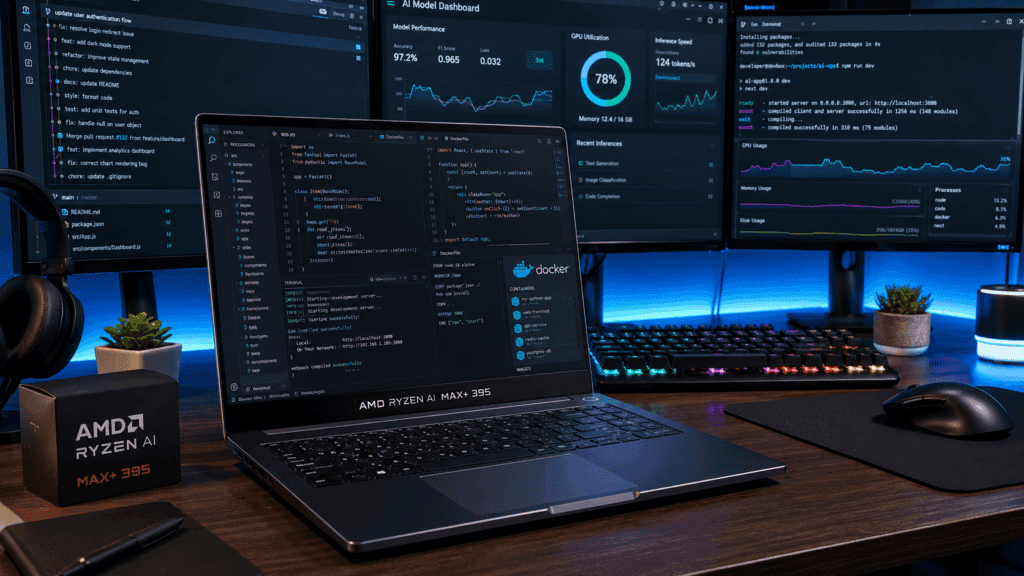
However, its primary strength is not its 50 TOPS XDNA 2 NPU. The real game-changer is its 256-bit unified LPDDR5X memory architecture, which eliminates the standard VRAM bottleneck found on mobile GPUs and allows developers to run massive Large Language Models (LLMs) locally.
Key AI Capabilities & Strengths
Large Model VRAM Headroom (Up to 96 GB–110 GB VRAM)
Traditional laptop GPUs cap out at 8 GB–16 GB of VRAM, choking on 30B+ parameter models. Using AMD’s Variable Graphics Memory (VGM) feature or Linux kernel parameters:
- You can assign up to 96 GB (Windows) or 110 GB (Linux) of the 128 GB system RAM directly to the Radeon 8060S GPU.
- Local Inference Capacity: You can run 32B, 70B, and even 120B+ parameter models (e.g., Llama 3.1 70B, Qwen 3.5/3.6, DeepSeek, or GPT-OSS 120B) completely offline.
High-Bandwidth Memory Architecture (~256 GB/s)
LLM token generation speed is bound by memory bandwidth. At ~256 GB/s, the chip’s unified memory pool provides enough speed to deliver interactive token generation rates:
- 8B–14B Models: ~45 to 80+ tokens/second.
- 30B–35B MoE Models: ~30 to 50+ tokens/second.
- 70B Dense Models: ~12 to 18 tokens/second.
- 120B–235B MoE Models: ~10 to 22 tokens/second.
Open Toolchain & Framework Support
- Vulkan (RADV) & ROCm 7.0+: Vulkan provides zero-configuration, plug-and-play acceleration for
llama.cppOllama and LM Studio out of the box. For Linux, native ROCm support enables PyTorch workflows and LoRA/QLoRA fine-tuning scripts. - No Cloud API Overhead: Ideal for air-gapped data safety, privacy-focused coding assistants, and local RAG (Retrieval-Augmented Generation) prototyping.
Role of the 50 TOPS NPU vs. Integrated GPU
It is important to distinguish where AI tasks actually run on this chip:
- Radeon 8060S iGPU (40 CUs): Executes 95%+ of core developer AI tasks (LLMs, Diffusion image generation, local embeddings, and model fine-tuning).
- XDNA 2 NPU (50 INT8 TOPS): Designed primarily for continuous, low-power background OS tasks—such as live audio noise suppression, video background blurring, and local Windows Copilot+ feature offloading—to keep the CPU/GPU free for heavy dev tasks.
What it Is NOT Good For (AI Limitations)
- Full Foundation Model Training: Training 10B+ parameter models from scratch requires petabytes/sec of memory bandwidth and multi-node enterprise CUDA clusters (NVIDIA H100/B200).
- NVIDIA-Exclusive CUDA Tooling: While ROCm/HIP support is maturing rapidly, workflows that explicitly require closed-source NVIDIA extensions (like TensorRT-LLM or specific ExLlama CUDA kernels) still require an NVIDIA discrete GPU.
Summary Verdict: If your primary AI development goal is local LLM serving, agentic framework testing, and offline ML prototyping, the AMD Ryzen AI Max+ 395 is one of the most powerful, cost-effective x86 workstations available.
AMD Ryzen AI Max+ 395: Hardware Specs vs. Developer Impact
Here is the clean breakdown translating the key hardware criteria of the AMD Ryzen AI Max+ 395 into practical daily developer outcomes:
| Hardware Criterion | Ryzen AI Max+ 395 Specification | What It Means for Developers |
| CPU Cores & Threads | 16 Cores / 32 Threads (Full Zen 5 Architecture) | Accelerates parallel build steps (C++, Rust, Go), reduces local test suite execution times (Cargo, Jest, PyTest), and eliminates thread scheduling friction during continuous IDE indexing. |
| On-Die AI Accelerator (NPU) | AMD XDNA 2 (Up to 50 INT8 TOPS) | Offloads continuous background OS-level AI workloads (live noise suppression, vision background blur, localCopilot helper features) without robbing clock cycles from main CPU threads. |
| Integrated Graphics (iGPU) | Radeon 8060S (40 Compute Units, RDNA 3.5) | Delivers dGPU-class performance (competing with mid-range laptop graphics cards) to drive multi-monitor 8K setups, accelerate UI rendering, and execute local Vulkan/ROCm compute tasks. |
| Memory Architecture | Up to 128 GB LPDDR5X-8000 (256-bit Wide Bus, ~256 GB/s) | Allows allocating up to 96 GB+ directly as VRAM. Bypasses strict VRAM limits to run 32B–70B+ parameter LLMs locally while maintaining headroom for Docker containers and hypervisors. |
| Power Envelope (cTDP) | 45W to 120W+ (Scalable based on OEM Chassis) | Dictates sustained multi-hour build performance. Thicker workstation chassis or active-cooled Mini-PCs unlock maximum clock frequencies, while thin-and-light designs throttle under continuous dual loads. |
Technical Summary
- Primary Hardware Strength: The 256-bit-wide memory bus combined with 16 full-spec Zen 5 cores makes this chip a mobile workstation powerhouse for containerized microservices and offline local LLM prototyping.
- Primary System Constraint: Because memory is soldered to deliver ~256 GB/s bandwidth, system RAM cannot be upgraded post-purchase. Developer builds should prioritize 64 GB or 128 GB variants upfront.
Key Strengths for Developers
The defining advantage of the AMD Ryzen AI Max+ 395 (“Strix Halo”) is its architectural balance. It eliminates the traditional mobile tradeoff between CPU multi-core performance, GPU compute, and memory allocation—combining desktop-class parallel execution with massive unified memory bandwidth in a single 45W–120W+ package.
+-----------------------------------------------------------------------------------+
|                        CORE STRENGTHS ARCHITECTURE MATRIX                         |
+-----------------------------------------------------------------------------------+
| 16 Zen 5 CPU Cores  --> Desktop-Tier Parallel Compilation & Multitasking           |
| Radeon 8060S iGPU   --> 40 CUs with dGPU-Level Performance (Zero VRAM Bottleneck) |
| 128 GB Unified RAM  --> Up to 96 GB Assignable VRAM for 70B+ Local LLM Inference  |
| 50 TOPS XDNA 2 NPU  --> Offloaded Continuous Background AI & Audio/Vision Pipelines |
+-----------------------------------------------------------------------------------+Code language: JavaScript (javascript)
Desktop-Class x86 Multi-Core Performance
- 16 Full-Spec Zen 5 Cores (32 Threads): Unlike hybrid mobile CPUs that split workloads between high-power and low-power “efficiency” cores, all 16 cores operate at full performance (up to 5.1 GHz).
- Accelerated Build Times: Parallel C++, Rust, Go, and Java mono-repo compilations run at speeds matching or exceeding high-end desktop processors.
- High-Concurrency Multitasking: Effortlessly keeps heavy JetBrains IDEs, continuous background language servers, dozens of browser tabs, and multiple Docker/Kubernetes container stacks active simultaneously without CPU thread starvation.
Elimination of the Discrete GPU VRAM Bottleneck
- Up to 96 GB Assignable VRAM: In traditional laptops, discrete GPUs max out at 8 GB, 12 GB, or 16 GB of VRAM. Through AMD Variable Graphics Memory (VGM), developers can assign up to 96 GB (Windows) or 110 GB+ (Linux) of the 128 GB system memory directly to the integrated Radeon 8060S GPU.
- dGPU-Class Compute (Radeon 8060S): With 40 RDNA 3.5 Compute Units, the integrated graphics rival mid-range discrete laptop GPUs in raw compute while drawing significantly less overall system power.
- Multi-Monitor Drive & 3D Acceleration: Smoothly powers 8K external display environments, local 3D rendering engines, and GPU-accelerated UI design tools without thermal spikes.
Native Offline Local AI & LLM Prototyping
- Run Massive Models Locally: The ~256 GB/s memory bandwidth enables developers to run 32B, 70B, and up to 120B+ parameter models (such as Llama 3.1 70B, Qwen 3.5/3.6, and DeepSeek variants) completely offline on a single machine.
- Privacy & Zero Cloud API Costs: Ideal for handling sensitive internal codebases, building offline RAG pipelines, or running autonomous local coding agents (e.g., via
llama.cppor Ollama integration in VS Code) without per-token cloud subscription fees.
Dedicated Hardware for Continuous Background AI
- XDNA 2 NPU (50 INT8 TOPS): While the iGPU handles heavy LLM serving, the on-die NPU handles low-power, continuous background tasks—such as live voice noise suppression, vision background processing, and local OS-level AI assistants. This prevents background AI helpers from robbing compute cycles or thermal headroom from main compilation tasks.
Weaknesses To Know
While the AMD Ryzen AI Max+ 395 is a versatile chip for developers, it comes with clear trade-offs, hardware constraints, and ecosystem limits.
OEM Implementation Vulnerability
The chip’s real-world execution varies dramatically based on how the laptop manufacturer builds around it:
- Wide Power Variance (45W to 120W+ cTDP): In a thin-and-light laptop restricted to 45W, sustained multi-core compilation times and LLM token generation rates drop significantly compared to a thicker workstation or mini-PC running at 90W–120W.
- Soldered Memory Configuration: LPDDR5X-8000 on a 256-bit bus must be soldered directly to the motherboard to achieve its ~256 GB/s bandwidth. There is no SODIMM upgrade path. If an OEM sells a 32 GB configuration, you cannot upgrade it later to handle larger local AI models or heavy Docker environments.
- Firmware/BIOS VRAM Controls: The ability to allocate up to 96 GB as GPU VRAM requires OEM support for Variable Graphics Memory (VGM) in the BIOS. Stripped-down OEM consumer firmwares may lock VRAM allocation options.
Platform & OS Ecosystem Limits
- No macOS / Xcode Support: If you build iOS, iPadOS, macOS, or watchOS apps, x86 hardware cannot run Xcode natively. Apple-specific machine learning pipelines (MLX, Metal Performance Shaders, CoreML) remain exclusive to Apple Silicon hardware.
- Linux Kernel & ROCm Software Horizon: While support is rapidly improving, running local AI models on RDNA 3.5 graphics via Linux requires recent kernels (Linux 6.18+) and ROCm 7.2+ to avoid memory fault issues during model initialization. Out-of-the-box driver stability still requires more manual tuning compared to NVIDIA’s mature CUDA ecosystem.
Hardware Compute & Memory Bandwidth Ceilings
- Inference Efficiency vs. Full Model Training: The ~256 GB/s unified memory bandwidth enables local inference for 32B to 70B models, but it is still much slower than high-end discrete GPUs (e.g., RTX 4090 at ~1,000 GB/s) or enterprise accelerators (NVIDIA H100 at 3,300+ GB/s). It is designed for local prototyping and inference, not training multi-billion-parameter models from scratch.
- No CUDA Extensions: Proprietary NVIDIA CUDA extensions, specialized quantization kernels (like ExLlamaV2 CUDA backends), and enterprise toolkits (TensorRT-LLM) do not run natively on AMD RDNA 3.5 hardware without HIP translation layers or Vulkan fallbacks.
Summary Matrix of Weaknesses
| Weakness Category | Core Limitation | Developer Impact |
| Upgradeability | LPDDR5X Memory is Soldered | Capacity is locked at purchase; buy 64 GB or 128 GB upfront. |
| Thermals & TDP | 45W–120W cTDP Scaling | Performance drops in thin chassis under combined CPU + GPU load. |
| Bandwidth Ceiling | ~256 GB/s Memory Bandwidth | ~2x slower LLM token generation than Apple M4 Max (~546 GB/s). |
| Tooling Gaps | No Native CUDA Support | Requires ROCm 7.2+ or Vulkan for PyTorch/local inference pipelines. |
Buyer Persona & Ideal Target Audience
Choosing a machine powered by the AMD Ryzen AI Max+ 395 comes down to balancing mobile performance against specific developer workflow demands. Because this chip combines 16 full Zen 5 cores with a 256-bit memory bus (up to 128 GB LPDDR5X) and 40 RDNA 3.5 compute units, it occupies a distinct niche in the workstation landscape.
+-----------------------------------------------------------------------------------+
|                         BUYER PROFILE SELECTION FRAMEWORK                         |
+-----------------------------------------------------------------------------------+
|  [TARGET WORKFLOWS]                                                              |
|  * 16-Core Parallel Compilation + Multi-Container Infrastructure                 |
|  * Offline Local LLM Prototyping (32B–70B+ Parameters)                            |
|  * x86 Native Linux / Windows Workstation (Zero Emulation Layer)                  |
|                                                                                   |
|                   /                                   \                           |
|                  /                                     \                          |
|         [BUY THIS PLATFORM]                    [LOOK AT ALTERNATIVES]             |
|         - Heavy x86 Dev Stacks                 - macOS / Xcode Required           |
|         - High-VRAM Local AI                   - 15+ Hour Idle Battery Target     |
|         - Single All-in-One Rig                - Low Budget / Basic Student Use   |
+-----------------------------------------------------------------------------------+Code language: PHP (php)
Buy It If…
- You Want a Single “Do-It-All” Workstation for Code, Containers, and AI: You need a machine capable of running 30+ Docker containers, local Kubernetes clusters, heavy IDE instances, and offline 70B parameter LLMs simultaneously without hitting VRAM or CPU thread bottlenecks.
- You Prototype or Serve Large AI Models Offline: You run models like Llama 3.1 70B, DeepSeek distillations, or Qwen 3.5/3.6 locally. The ability to assign up to 96 GB–110 GB of system memory as VRAM provides local model execution capabilities that typical 8 GB–24 GB mobile discrete GPUs cannot match.
- You Require Full x86 Architecture and Native Linux Performance: You run native Ubuntu, Arch, or Fedora environments or depend on x86-specific virtualization (KVM/QEMU) and Docker images without translation penalties.
- You Want Desktop-Tier Compute in a Portable or Mini-PC Form Factor: You prefer to avoid hauling a heavy 17-inch laptop with a massive power brick or running a noisy desktop rig, opting instead for a unified 45W–120W APU system.
Avoid It If…
- Your Stack Depends on macOS-Exclusive Toolchains: If you develop for iOS, iPadOS, macOS, or watchOS, Xcode requires Apple Silicon hardware. Workflows relying heavily on Apple’s MLX framework or CoreML also run natively on Mac hardware.
- Your Priority is All-Day Battery Life over Raw Throughput: While efficient under light idle tasks, running 16 Zen 5 cores alongside a 40-CU GPU under sustained load draws significant power (55W–120W+). Developers working away from power outlets for 12+ hours daily will find better battery endurance in Apple Silicon (MacBook Air/Pro) or ultra-low-power x86 platforms.
- You Are on a Budget or Need an Entry-Level Student Machine: Systems configured with the Ryzen AI Max+ 395 and 64 GB–128 GB of soldered LPDDR5X-8000 memory are premium, workstation-class devices. For general coursework or web development, a mid-tier x86 laptop or base MacBook Air offers a more cost-effective entry point.
- You Need High-Throughput Model Training on Enterprise CUDA Frameworks: While the chip excels at local inference and prototyping, full-scale foundation model training or workflows tied to proprietary NVIDIA CUDA extensions still require dedicated data-center GPUs or cloud instances.
Alternative Platform Mapping
| Developer Primary Need | Recommended Hardware Target | Key Reason |
| iOS / macOS Development | Apple MacBook Pro (M4 Pro / M4 Max) | Native Xcode execution, CoreML support, and high efficiency. |
| Maximum Battery / Ultraportable | MacBook Air or Intel Lunar Lake / AMD Strix Point | Lower power draw under light daily editing workloads. |
| Local AI + Native x86 Workstation | AMD Ryzen AI Max+ 395 (64GB/128GB) | Unified 96GB+ VRAM access, 16 Zen 5 cores, and open Linux ROCm/Vulkan support. |
| Heavy CUDA Enterprise ML Training | NVIDIA Desktop Workstation or Cloud GPU (A100/H100) | Native CUDA toolchain compatibility and raw matrix TFLOPS. |
Is an AMD Ryzen AI Max+ 395 Laptop Worth It for Students?
No, for 90% of students. Laptops equipped with the AMD Ryzen AI Max+ 395 (“Strix Halo”) typically cost $2,000 to $3,500+. For core computer science coursework, web development, mobile apps, and introductory scripting, this machine is extreme overkill.
However, for advanced graduate researchers, specialized AI/ML engineering students, or systems programmers who need a mobile micro-datacenter to run heavy x86 workloads locally, it is one of the most powerful single-device options available.
                                  ARE YOU A STUDENT?
                                          |
                        +-----------------+-----------------+
                        |                                   |
              General CS / IT / Web               Grad Student / ML Research
              (B.S., Bootcamp, Web/App)           (PhD, Local LLMs, Heavy Systems)
                        |                                   |
             [SKIP / SAVE MONEY]                 [CONSIDER RYZEN MAX+ 395]
        - Overkill performance              - Runs 70B LLMs natively (96GB VRAM)
        - High cost ($2,000+)               - Heavy C++/Rust parallel builds
        - Buy: M3/M4 Mac or mid-x86         - Replaces a dual-PC setup
When to SKIP IT (The 90% Case)
For most undergraduate students, code boot camps, and general IT/CS majors, a Ryzen AI Max+ 395 system introduces drawbacks without adding practical value to your grades or projects:
- High Financial Cost: Configurations paired with 64 GB or 128 GB of LPDDR5X memory command enterprise-level prices ($2,200–$3,500+).
- Battery Life under Load: Running 16 full-power Zen 5 CPU cores and a 40-CU iGPU at up to 120W draws significant power. Carrying a heavy power brick between back-to-back lectures is less convenient than using a high-efficiency alternative.
- Coursework Realities: Class assignments (e.g., Data Structures, Web Dev, Java, SQL, Operating Systems labs) run identically fast on a $700–$1,200 laptop as they do on a $3,000 workstation.
What to Buy Instead (Better Student Value)
- MacBook Air or Pro (M3 / M4): Exceptional battery life (15+ hours), lightweight, whisper-quiet, and excellent for web/mobile/macOS dev.
- Standard AMD Ryzen 7 / Intel Core Ultra Laptops: High multi-core compute at half the price, with plenty of performance for standard IDEs, Docker, and compilers.
When IT IS WORTH IT (The 10% Case)
This platform is purpose-built for specialized engineering tasks where local hardware limits would otherwise force reliance on cloud servers:
- Local AI/ML & LLM Research: You study or build generative AI pipelines and need to test 32B to 70B parameter models (e.g., Llama 3.1 70B, DeepSeek) completely offline. Allocating up to 96 GB of system RAM as GPU VRAM saves thousands in cloud API subscription fees over a degree program.
- Heavy Systems & Compiler Engineering: You work on massive C++, Rust, or kernel-level codebases where compiling on 32 logical threads cuts full-build times from minutes down to seconds.
- Local Infrastructure Simulation: You run multi-node Kubernetes clusters (K3s), multiple full-OS virtual machines (KVM/Hyper-V), and several local databases simultaneously on a single host.
The Golden Rule for Students: If you do not already know exactly why you need 96 GB of assignable VRAM and 16 full Zen 5 cores for your specific research, do not buy this chip. Save your budget and pick a lighter, more battery-efficient laptop for daily campus use.
Hardware Purchasing & Verification Checklist
Before finalizing a laptop order powered by the AMD Ryzen AI Max+ 395, use this practical checklist to verify the hardware configuration, cooling capabilities, and software compatibility:
+------------------------------------------------------------------------------------+
|                         PRE-PURCHASE CHECKLIST MATRIX                              |
+--------------------+----------------------------+----------------------------------+
| Verification Item  | Target Requirement         | Why It Matters                   |
+--------------------+----------------------------+----------------------------------+
| Memory Capacity    | 64 GB or 128 GB LPDDR5X    | Soldered RAM; 32 GB limits LLM   |
|                    |                            | VRAM + Docker allocations.       |
+--------------------+----------------------------+----------------------------------+
| Power / Thermals   | 85W – 120W+ Sustained cTDP | Prevents thermal throttling on   |
|                    |                            | long compilation passes.         |
+--------------------+----------------------------+----------------------------------+
| Linux Kernel       | Kernel 6.18+ / ROCm 7.2+   | Required for native `amdgpu` VRAM|
|                    |                            | mapping and hardware stability.  |
+--------------------+----------------------------+----------------------------------+
| BIOS Customization | VGM / Variable Graphics    | Needed to allocate 64GB–96GB VRAM|
|                    | Memory Support             | directly to the Radeon 8060S GPU.|
+--------------------+----------------------------+----------------------------------+
Memory Capacity (Minimum 64 GB Recommended)
- Verify Capacities Upfront: The LPDDR5X-8000 memory runs on a wide 256-bit bus and is soldered directly to the SoC board. It cannot be upgraded post-purchase.
- Select 64 GB or 128 GB: If you plan to run Docker containers, WSL2, virtual machines, or local AI inference (e.g., assigning 32 GB–96 GB as VRAM), do not buy a 32 GB configuration. Choose 64 GB or 128 GB at checkout.
Cooling Architecture & Sustained Power Limits
- Check the Configurable TDP (cTDP) Rating: The chip operates anywhere between 45W and 120W+. Review OEM documentation or third-party thermal reviews to confirm the chassis supports at least 85W–100W of sustained continuous power under dual CPU + GPU loads.
- Assess Thermal Dissipation: Ultra-thin chassis will hit thermal limits quickly, triggering clock throttling during multi-minute compilation passes (C++, Rust) or continuous LLM token generation. Opt for thicker workstation designs or dual-fan vapor-chamber cooling setups.
Linux Distribution & Driver Kernel Requirements
- Verify Linux Kernel Version: If Linux is your primary OS, ensure your distribution runs Linux Kernel 6.18+ out of the box (or supports updating to it). Earlier kernels lack full power management and driver features for the RDNA 3.5 (
gfx1151) graphics engine. - ROCm Toolchain Support: Confirm official support for AMD ROCm 7.2+ on your target distribution (e.g., Ubuntu 24.04.3 LTS or RHEL) to enable native PyTorch model execution.
BIOS & VRAM Allocation Controls
- Confirm Variable Graphics Memory (VGM) Support: Verify that the OEM’s BIOS firmware includes explicit settings for Variable Graphics Memory (VGM) or manual VRAM carving.
- Why it matters: This setting allows you to allocate 32 GB, 64 GB, or up to 96 GB of system RAM directly to the Radeon 8060S GPU for running 30B–70B+ parameter local models without hitting out-of-memory errors.
Storage Expansion & I/O Speeds
- Dual PCIe Gen4 / Gen5 NVMe Slots: Heavy Docker workloads, local LLM weights (often 40 GB–80 GB per model file), and VM disk images require significant storage. Ensure the laptop includes at least two accessible M.2 NVMe slots.
- USB4 / Thunderbolt Bandwidth: Confirm the laptop provides native USB4 (40Gbps) ports for connecting high-speed external storage arrays, 10GbE network adapters, or external display docks.
Summary Recommendation Matrix
Here is how the decision framework breaks down across developer profiles, hardware requirements, and platform alternatives:
| Primary Goal / Stack | Recommended Platform | Key Reason |
| High-Performance x86 Dev Workstation (Compile-Heavy, Docker, Local AI, VMs) | AMD Ryzen AI Max+ 395 Laptop (64 GB or 128 GB RAM) | 16 full Zen 5 cores, 256 GB/s unified memory bandwidth, and up to 96 GB assignable VRAM for local LLMs. |
| iOS / macOS Ecosystem (Xcode, Swift, CoreML) | Apple MacBook Pro (M3/M4 Pro or Max) | Xcode is macOS-exclusive; native Metal acceleration and higher raw memory bandwidth. |
| General Web, Scripts & Office Tasks (Light Dev, Browsing, Text Editing) | Mainstream Ultraportable (MacBook Air / Lunar Lake / Ryzen 7) | Lower cost and superior battery life; 16 high-power x86 cores are unnecessary for light tasks. |
When to BUY the AMD Ryzen AI Max+ 395 Laptop
Choose this platform if you need an all-in-one portable micro-datacenter running native Windows 11 or Linux.
+------------------------------------------------------------------------------------+
|                         IDEAL BUYER SPECIFICATION PROFILE                          |
+---------------------+--------------------------------------------------------------+
| Core Workloads      | Multi-core compilation (C++, Rust, Go), 30+ Docker containers, |
|                     | local KVM/Hyper-V virtual machines, heavy JetBrains IDEs.    |
+---------------------+--------------------------------------------------------------+
| Local AI Capability | Prototypes 32B–70B+ LLMs locally via 96 GB allocated iGPU    |
|                     | VRAM (eliminates strict dGPU VRAM ceilings & cloud API fees).|
+---------------------+--------------------------------------------------------------+
| System Memory       | Configured with **64 GB or 128 GB LPDDR5X-8000** upfront     |
|                     | *(Memory is soldered; 32 GB limits LLM VRAM allocations)*.  |
+---------------------+--------------------------------------------------------------+Code language: JavaScript (javascript)
When to CONSIDER ALTERNATIVES
A. Choose a MacBook Pro / Air If:
- Your stack requires Xcode: Building for iOS, iPadOS, macOS, watchOS, or visionOS requires Apple hardware.
- You need all-day battery endurance: While the Ryzen AI Max+ 395 is power-efficient for its class, running 16 full-power CPU cores and a 40-CU GPU under continuous load (45W–120W cTDP) will drain the battery faster than Apple Silicon under heavy compute.
B. Choose a Lighter Mainstream Laptop If:
- Your workload is mostly light web dev & text editing: If your daily tasks consist of VS Code, browser tabs, terminal SSH sessions, and light scripting, a Ryzen 7, Intel Core Ultra 7, or M-series MacBook Air delivers 80%+ of the daily responsiveness at half the cost and weight.
Can the AMD Ryzen AI Max+ 395 laptop run multiple IDEs smoothly?
Yes, effortlessly. Featuring 16 full-spec Zen 5 CPU cores (32 threads) and zero “low-power efficiency” cores, the processor eliminates thread-scheduling latency. Paired with up to 128 GB of unified LPDDR5X-8000 memory, you can run JetBrains IDEs (e.g., IntelliJ, CLion, RustRover), VS Code extension hosts, multiple terminal instances, and local microservices concurrently without memory thrashing or CPU stalls.
Is it good for Android development?
Yes. Android Studio relies heavily on multi-threaded CPU throughput for Gradle builds and significant RAM for virtual device acceleration. The Ryzen AI Max+ 395 provides hardware-accelerated KVM/WHPX virtualization, allowing developers to run multiple Android emulators alongside active IDEs and backend services smoothly.
Is it good for iOS development?
No, not as your primary workstation. macOS-exclusive development tools—specifically Xcode—cannot be run natively on x86 Windows or Linux hardware without complex hackintosh setups or remote build agents. If your daily stack relies on native iOS, iPadOS, or watchOS builds, Apple Silicon hardware (MacBook Pro M4 series) remains necessary.
Is the platform future-proof?
Yes, it offers exceptional longevity compared to traditional laptops. Key future-proofing elements include:
Massive Unified VRAM Pool: Configurable with up to 128 GB LPDDR5X memory, allowing developers to allocate up to 96 GB+ as GPU VRAM to execute 70B+ parameter local AI models offline.
40-CU Radeon 8060S iGPU: Integrated graphics capability rivaling mid-range discrete laptop GPUs without PCIe bus limitations.
Dedicated AI Engines: Includes an on-die XDNA 2 NPU (50 INT8 TOPS) for continuous background OS AI tasks.
Note: Because LPDDR5X memory is soldered to maintain its wide 256-bit bus (~256 GB/s bandwidth), system RAM cannot be upgraded post-purchase. Always purchase 64 GB or 128 GB configurations upfront.
In Conclusion
The AMD Ryzen AI Max+ 395 represents a major shift in x86 mobile and compact workstation architecture. By packaging 16 full-spec Zen 5 CPU cores, a 40-CU Radeon 8060S GPU, and an on-die XDNA 2 NPU over a 256-bit-wide LPDDR5X-8000 memory interface, AMD successfully resolves the primary bottleneck of modern developer hardware: VRAM limitations.
+------------------------------------------------------------------------------------+
|                               FINAL SUMMARY SCORECARD                              |
+--------------------------+------------+--------------------------------------------+
| Workload Metric          | Rating     | Core Rationale                             |
+--------------------------+------------+--------------------------------------------+
| Parallel Builds & Test   | 9.8 / 10   | 16 Zen 5 cores match high-end desktop x86  |
| Docker & Virtualization  | 9.5 / 10   | Up to 128 GB RAM prevents swap bottlenecks |
| Offline Local AI / LLMs  | 9.6 / 10   | Assign up to 96 GB VRAM for 70B+ models    |
| Portability & Efficiency | 7.5 / 10   | High power draw under sustained dual load  |
| macOS Toolchain Utility  | 0.0 / 10   | Xcode / CoreML incompatible (x86 platform) |
+--------------------------+------------+--------------------------------------------+Code language: PHP (php)
Executive Takeaway
- For Local AI Engineers & Systems Developers: It is currently one of the most practical x86 platforms available. The ability to assign up to 96 GB of system RAM directly as VRAM allows software engineers to prototype, evaluate, and serve 32B to 70B parameter LLMs locally without incurring ongoing cloud API costs or hitting 8GB–24GB VRAM limits.
- For Full-Stack, Backend & DevOps Engineers: The availability of 32 logical threads and support for up to 128 GB of unified memory ensures smooth execution when running dozens of concurrent Docker microservices, local databases, and heavy JetBrains IDE instances.
If your workflow requires heavy x86 multi-threading, local container infrastructure, and local AI model inference on a single machine, a laptop or mini-PC configured with the AMD Ryzen AI Max+ 395 (paired with 64 GB or 128 GB of RAM) is a high-value workstation investment.
Conversely, if your primary stack relies on Xcode, Apple Silicon optimizations, ultra-low budget hardware, or 15+ hours of idle battery endurance, choose a MacBook Pro (M4 series) or an ultra-low-power x86 laptop instead.