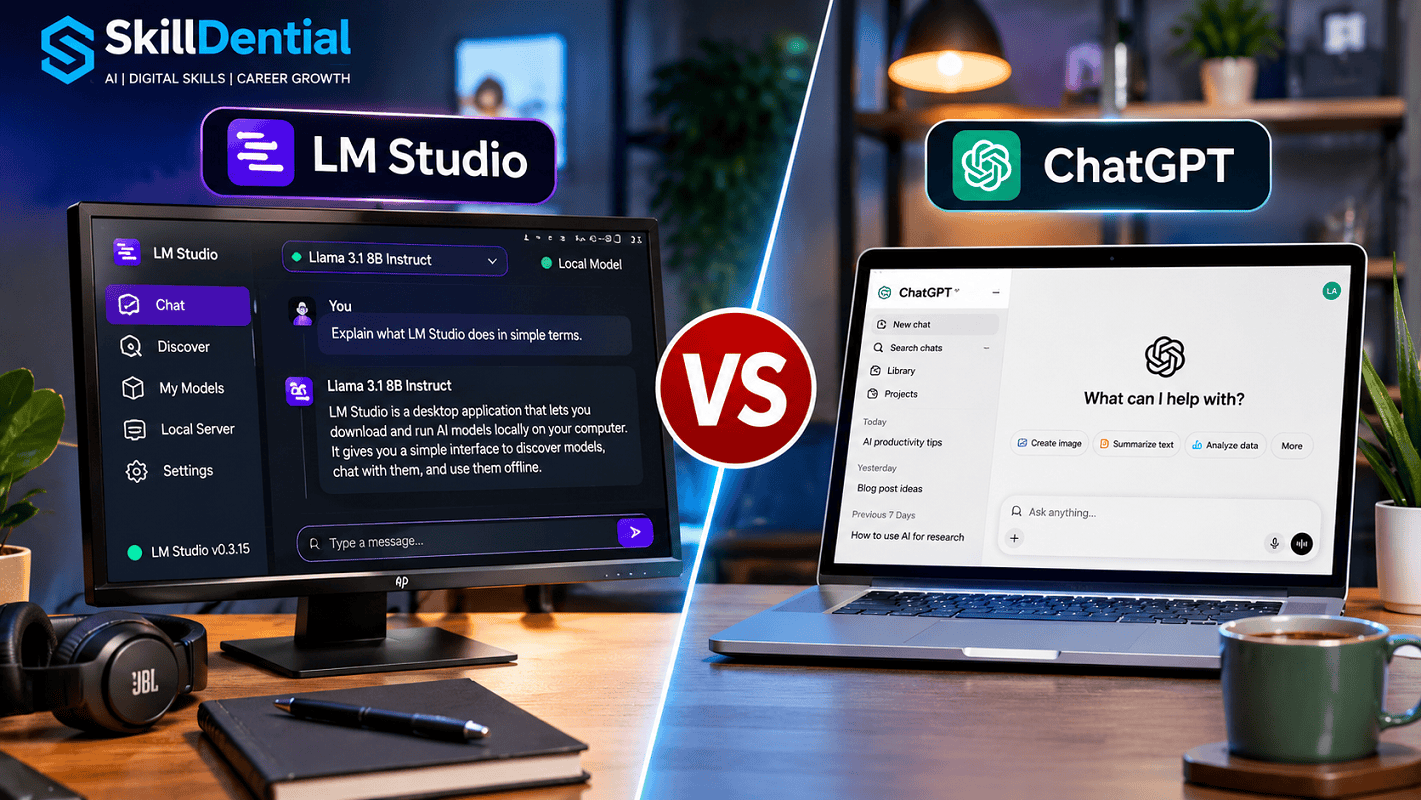
LM Studio and ChatGPT offer two fundamentally different paradigms for interacting with artificial intelligence: local, open-weight execution versus cloud-hosted frontier convenience. LM Studio allows users to discover, download, and run compatible open-source AI models directly on their local hardware, ensuring absolute data privacy and offline capability.
In contrast, ChatGPT provides seamless access to powerful, cloud-hosted frontier models through an online service. Choose LM Studio for complete local control, air-gapped security, offline workflows, and limitless model experimentation; choose ChatGPT for out-of-the-box convenience, real-time web-connected research, and an expansive suite of integrated multimodal features.
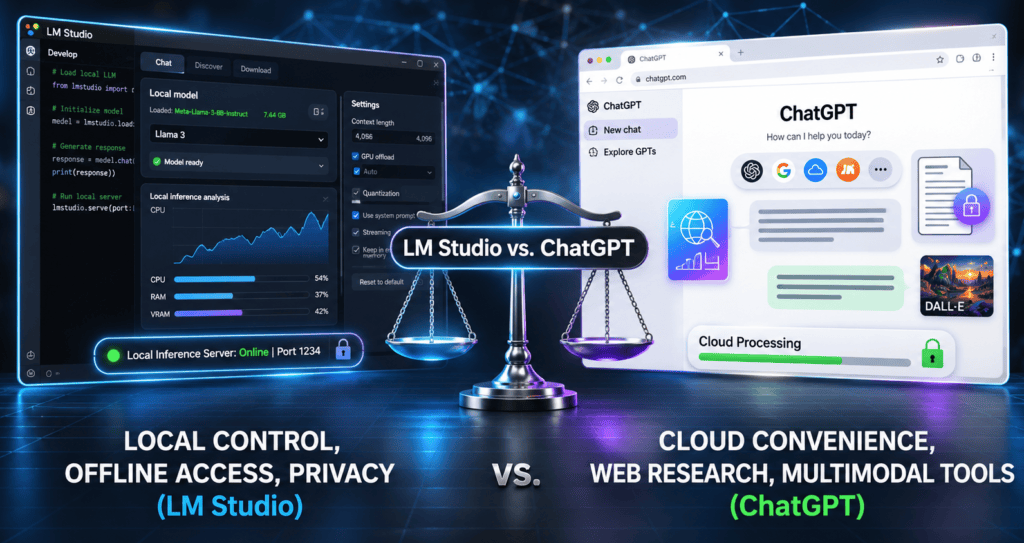
While both tools assist with writing, learning, research, coding, and everyday productivity, they diverge sharply in their underlying architecture, where models execute, hardware dependency, and data governance.
For developers, data-conscious professionals, researchers, freelancers, students, and technology enthusiasts evaluating local setups against cloud intelligence, understanding these differences is vital.
In this guide, we compare LM Studio versus ChatGPT, break down their core features, evaluate their relative advantages and constraints, and help you determine which platform aligns best with your specific technical workflows.
What Is LM Studio?
LM Studio is a powerful desktop application designed to let you discover, download, and run compatible large language models (LLMs) directly on your local computer hardware.
Instead of routing every prompt through a third-party, cloud-based AI service, LM Studio leverages your machine’s local processing resources (GPU and CPU) to execute model inference locally.
It provides an intuitive graphical user interface (GUI) that abstracts away the complex command-line workflows traditionally required to run open-weight models, making local AI accessible even without programming experience.
Key open-weight model families you can explore and run via LM Studio include:
- Llama (Meta)
- Qwen (Alibaba)
- Gemma (Google)
- Mistral
- DeepSeek
- OpenAI gpt-oss (and community open-weight variants)
The specific models, parameter sizes, and quantization variants you can effectively deploy depend heavily on your computer’s hardware specifications—particularly available VRAM and system memory.
Key Features of LM Studio
- Local AI Execution: LM Studio allows you to run compatible large language models directly on your computer’s hardware (utilizing your GPU and CPU), bypassing remote third-party inference services entirely.
- Offline Operation: Once you download your desired model files and runtimes, you can chat with and query your models completely offline without needing an active internet connection.
- Integrated Model Discovery & Downloads: The application features a built-in Discover interface that simplifies searching for, downloading, and managing open-weight models from repositories like Hugging Face.
- Document Chat & Context Processing: You can attach supported documents to your local chats, enabling the model to analyze and answer questions about your local files using on-device processing.
- Local API Server: LM Studio includes a built-in local server that exposes your running models through local API endpoints, making it easy to integrate with custom applications and development workflows.
- Seamless Model Experimentation: The platform lets you easily download, test, compare, and switch between diverse open-weight model families and quantization configurations to find the optimal balance of speed and performance for your setup.
What Is ChatGPT?
ChatGPT is OpenAI’s flagship conversational AI assistant, engineered to help individuals and organizations execute a diverse array of tasks through natural language prompts.
Unlike LM Studio, which relies entirely on local execution, ChatGPT operates via cloud-native infrastructure hosted on OpenAI’s servers. Users do not need to worry about downloading individual model weights, configuring local hardware, or managing system memory requirements. Instead, access is delivered seamlessly through standard web browsers and dedicated mobile applications.
Core capabilities and use cases include:
- Professional Content Creation: Drafting articles, formal reports, and business emails.
- Complex Explanations: Breaking down intricate technical, scientific, and academic concepts.
- Ideation & Brainstorming: Generating creative directions, strategic frameworks, and solutions.
- Software Engineering: Writing, debugging, and refactoring code across multiple languages.
- Document Synthesis: Summarizing long-form documents and papers.
- Data & Spreadsheet Analysis: Parsing and interpreting datasets, tables, and metrics.
- Advanced Research: Conducting live web searches and executing deep, multi-step investigative research.
- Multimodal Generation: Creating and editing images using state-of-the-art vision models.
- Voice & Audio Interaction: Utilizing real-time voice modes and audio features for natural dialogue.
Key Features of ChatGPT
- Natural-Language Assistance: Interact conversationally to ask questions, provide detailed multi-step instructions, and execute complex productivity tasks.
- Live Web Search: Access up-to-date online information, news, and references dynamically integrated into your conversations.
- Deep Research: Autonomously investigate complex, multi-faceted topics by searching, cross-referencing, and synthesizing data from dozens of sources into comprehensive reports.
- File Analysis: Upload documents, PDFs, and text files for rapid summarization, data extraction, and contextual Q&A.
- Advanced Data Analysis: Process datasets, execute calculations, parse spreadsheets, and generate programmatic data visualizations.
- Image Generation & Editing: Create brand-new visual assets and modify existing images using natural language prompts via integrated vision models.
- Voice & Multimodal Interactions: Engage in natural, real-time spoken dialogue using native voice modes.
- Projects & Customization: Organize related workflows, establish custom instructions, and deploy specialized assistant configurations.
Note: Feature availability, usage limits, and access to specific frontier models depend on your subscription tier (Plus, Team, or Enterprise), geographic region, and account settings.
ChatGPT is particularly valuable for users who require zero-setup, turnkey access to state-of-the-art AI performance without the overhead of managing local hardware, model downloads, or infrastructure maintenance.
LM Studio vs. ChatGPT: Key Differences
The most fundamental distinction between LM Studio and ChatGPT lies in their architectural foundation: where their AI models execute and how users access them.
LM Studio runs compatible open-weight models directly on your personal hardware, whereas ChatGPT relies on fully managed, cloud-hosted frontier models operating on OpenAI’s infrastructure.
The following table breaks down their core operational and functional differences:
| Feature Dimension | LM Studio | ChatGPT |
| Operating Model | Local desktop application | Cloud-hosted AI service |
| AI Model Execution | On your local computer (GPU/CPU) | Primarily on OpenAI cloud infrastructure |
| Internet Connectivity | Fully functional offline | Requires an active internet connection |
| Model Selection | Download compatible open-weight models (e.g., Llama, Qwen, Mistral) | Access available proprietary OpenAI models (e.g., GPT-4o, o1, o3) |
| Privacy & Data Security | Local inference keeps prompts, code, and documents entirely on your device | Cloud-based data processing governed by OpenAI’s privacy policies |
| Hardware Requirements | Dependent on your local computer specs (VRAM, RAM, GPU) | Handled entirely by OpenAI’s cloud servers |
| Model Configuration | Granular control over parameters, context lengths, and runtimes | Managed directly through the simplified ChatGPT interface |
| Web Research | Not its primary built-in focus | Integrated live web search and autonomous Deep Research |
| Document Analysis | Local document conversations and retrieval | Hosted file upload, parsing, and document analysis |
| Image Generation | Depends on compatible local vision/diffusion models and tools | Native, integrated image generation and editing via DALL-E |
| API Access | Built-in local API server and developer SDKs | Separate OpenAI cloud APIs for application development |
| Offline Access | Yes, once models and runtimes are downloaded | No |
| Setup & Onboarding | Requires software installation and manual model downloads | Instant sign-up via web browser or mobile app |
| Cost Structure | Software, local hardware upgrades, electricity, and model licenses | Free tier alongside paid subscription options (Plus, Team, Enterprise) |
Neither platform is universally superior. Your optimal choice depends entirely on whether you prioritize absolute local data control and offline independence or turnkey convenience, advanced research tools, and integrated cloud capabilities.
Local AI vs. Cloud AI: How Do They Work?
The fundamental architectural divergence between LM Studio and ChatGPT boils down to where and how model inference takes place.
How LM Studio Works
LM Studio empowers you to download open-weight AI model files directly and execute them using your computer’s local hardware (specifically leveraging your GPU, CPU, and RAM).
- On-Device Inference: When you enter a prompt, your local machine performs all the heavy mathematical computations required to generate the response.
- Zero External Transmission: Your inputs, data, and files never leave your computer or travel across the internet to a third-party server.
- Practical Example: You can download an open-weight model like Qwen or Llama, load it locally into LM Studio, and instruct it to summarize a confidential document entirely offline.
This local execution model is ideal when you want complete autonomy, want to experiment with different open-source architectures, or need to process sensitive information without relying on external infrastructure.
How ChatGPT Works
ChatGPT operates entirely through a managed cloud architecture.
- Server-Side Processing: When you submit a prompt, it is securely transmitted over the internet to OpenAI’s hosted servers, where the model processes the request and returns the output to your browser or mobile app.
- Zero Infrastructure Overhead: You do not need to download multi-gigabyte model weights, manage local memory allocations, or purchase expensive hardware.
- Hardware Accessibility: Because the heavy computing happens in the cloud, ChatGPT runs smoothly on virtually any device with a modern web browser and a stable internet connection.
The Core Trade-Off
The defining distinction is one of control versus convenience: LM Studio places the responsibility of hardware management and execution in your hands in exchange for absolute privacy and offline freedom, whereas ChatGPT absorbs all technical and hardware overhead to deliver instant, turnkey cloud intelligence.
LM Studio vs. ChatGPT: Privacy and Data Security
Privacy and data governance represent a critical dividing line when evaluating LM Studio versus ChatGPT. The fundamental difference in architecture—local execution versus cloud hosting—creates entirely distinct trust models.
LM Studio Privacy & Data Sovereignty
When utilizing LM Studio with downloaded open-weight models, all prompt processing, conversation history, and document analysis happen directly on your local hardware.
- Zero Data Transmission: According to its official documentation and local-first architecture, nothing you enter into a local model chat leaves your device. Local document-chat features parse and analyze your files entirely on-device.
- Ideal Use Cases: This makes LM Studio exceptionally valuable for:
- Professionals working with confidential notes and trade secrets.
- Researchers handling unpublished, sensitive data.
- Freelancers bound by strict non-disclosure agreements and private client documents.
- Developers testing proprietary code and sensitive prompts.
- Organizations exploring compliant local AI workflows.
- Security Caveats: Total privacy relies on strict local usage. Downloading models from public repositories or utilizing external network integrations involves standard web traffic. Furthermore, local security depends entirely on your machine’s physical security, disk encryption (e.g., BitLocker or FileVault), malware protection, and operating system access controls.
ChatGPT Privacy & Cloud Data Governance
ChatGPT routes all interactions through OpenAI’s managed cloud infrastructure.
- Cloud-Based Processing: Conversations, uploaded files, and prompts are transmitted to and processed on OpenAI’s servers.
- Data Controls & Tiers: OpenAI provides various privacy settings allowing eligible users to manage whether their chat history is used to train and improve models. Data handling and retention policies also vary significantly depending on your account type—with distinct, more rigorous safeguards applied to ChatGPT Team, Enterprise, and API tiers compared to free consumer accounts.
- Review Requirements: If you handle regulated or confidential information (such as GDPR, HIPAA, or corporate data), you must carefully review OpenAI’s current privacy terms, enterprise agreements, and data controls before uploading sensitive assets.
Which Is Better for Privacy?
LM Studio holds a decisive advantage for users whose primary requirement is absolute data isolation, ensuring that model inference and document parsing never touch external networks.
While ChatGPT offers structured privacy controls and enterprise-grade compliance frameworks, cloud-hosted processing can never match the air-gapped security of running a model locally on your own machine.
Offline Access and Internet Requirements
Another major architectural differentiator between LM Studio and ChatGPT is their reliance on live connectivity.
Can LM Studio Work Without Internet?
Yes. Once you have installed LM Studio, downloaded your preferred open-weight AI models, and acquired the necessary runtime packages, you can operate entirely offline.
- Offline Capabilities:
- Chat with downloaded AI models.
- Generate text and execute local prompts.
- Summarize files and data.
- Analyze supported local documents.
- Run a local inference server for development workflows.
- Connectivity Requirements: An internet connection is only required initially to discover and download new model weights, pull updates, or fetch external integrations.
Does ChatGPT Work Offline?
No. ChatGPT is fundamentally a cloud-native service.
- Online Dependency: You must maintain a stable internet connection to communicate with its hosted AI models, execute web searches, and access cloud-backed features.
- No Local Fallback: Downloading the ChatGPT desktop or mobile application provides the interface, but it does not store an offline copy of OpenAI’s proprietary underlying models on your device.
Winner for Offline Access: LM Studio
If you frequently travel, work in secure, air-gapped facilities, or experience unreliable internet connectivity, running local AI via LM Studio provides an indispensable layer of operational continuity.
AI Models and Customization
The ability to discover, select, and customize underlying AI models represents a striking philosophical split between hands-on engineering freedom and managed, turnkey simplicity.
LM Studio Model Selection & Flexibility
LM Studio places the entire model curation lifecycle directly in your hands. Through its integrated interface and connection to open repositories like Hugging Face, you have granular control over which open-weight models you run.
- Diverse Model Families: You can freely download, test, and swap across major open-source ecosystems, such as:
- Qwen (Alibaba): Exceptional performance for multilingual understanding and coding tasks.
- Llama (Meta): Robust, general-purpose conversational and instruction-following models.
- Gemma (Google): Lightweight, efficient models ideal for lower-resource experimentation.
- Mistral: High-speed, general-purpose language architectures.
- DeepSeek: Advanced open-weight models optimized for complex reasoning and programming workflows.
- Granular Technical Control: Beyond choosing model families, LM Studio lets you select specific quantization levels (e.g., 4-bit, 8-bit, or FP16) to balance memory constraints against output quality. You can also manually configure context window lengths, GPU offloading layers, and inference parameters.
Note: Model performance varies widely by architecture and size, and specific family variants are subject to hardware compatibility.
ChatGPT Model Selection & Management
ChatGPT abstracts away the entire concept of model weight files, quantization, and hardware configuration.
- Managed Ecosystem: You access OpenAI’s proprietary frontier models (such as GPT-4o or specialized reasoning series like o1 and o3) directly through the interface.
- Automated Allocation: OpenAI dynamically manages infrastructure, routing, context management, and optimization behind the scenes. Model availability often adapts based on your subscription tier (Free, Plus, Team, or Enterprise) and OpenAI’s active product updates.
- Focus on Execution: This managed approach ensures that you spend zero time tuning parameters, downloading multi-gigabyte files, or debugging local runtime crashes.
Which Offers Greater Model Control?
LM Studio is the definitive winner for users who want deep technical customization, the freedom to test diverse open-source innovations, and absolute control over their local inference environment.
ChatGPT is built for users who want to bypass infrastructure management entirely, relying on a pre-tuned, high-performance ecosystem optimized for immediate task execution.
Performance and Hardware Requirements
The divergence between local execution and cloud hosting becomes most apparent when examining hardware requirements and system dependencies.
LM Studio Hardware Requirements & Constraints
Because LM Studio relies entirely on your personal computer to execute model inference, your hardware specifications directly dictate which models you can run and how fast they generate responses.
- System Resource Demands: Running large language models locally is resource-intensive. Official requirements and practical benchmarks include:
- Memory (RAM): At least 16GB of system RAM is recommended for Windows environments.
- Video Memory (VRAM): At least 4GB of dedicated GPU VRAM (NVIDIA or AMD) is strongly recommended for hardware acceleration on Windows and Linux.
- Apple Silicon: Exceptional performance on unified memory architectures found in Apple Silicon Macs (M1, M2, M3, or M4 chips running macOS 14.0 or newer).
- Storage: Substantial free disk space to store multi-gigabyte open-weight model files.
- The Quantization Trade-Off: Larger parameter models (e.g., 70B+ models) require massive VRAM or system RAM configurations. However, smaller or heavily quantized models (such as 4-bit or 8-bit quantized variants) allow ordinary computers and mid-tier laptops to run local AI efficiently.
ChatGPT Hardware Requirements & Accessibility
ChatGPT shifts all computational burdens away from your local device.
- Minimal Local Footprint: Because model inference happens entirely on OpenAI’s cloud servers, your local hardware specs are practically irrelevant to model performance.
- Basic Requirements: You only need:
- A modern computer, tablet, or smartphone.
- A standard web browser or the official ChatGPT application.
- A stable internet connection.
- Universal Accessibility: This design makes ChatGPT accessible to users with lightweight laptops, older hardware, or mobile devices that lack dedicated GPUs or high RAM capacity.
Winner for Hardware Accessibility: ChatGPT
If your machine has limited system RAM, lacks a dedicated GPU, or operates under tight resource constraints, ChatGPT provides seamless performance without requiring expensive hardware upgrades.
Features: What Can You Do With Each Platform?
While both platforms support powerful AI workflows, their capabilities diverge significantly based on whether they operate locally or in the cloud.
The following comparison details how specific tasks are handled across both ecosystems:
| Task / Capability | LM Studio | ChatGPT |
| General Conversations | Yes (via loaded local models) | Yes (via frontier cloud models) |
| Article Drafting & Writing | Yes | Yes |
| Summarization | Yes | Yes |
| Coding Assistance | Dependent on model capacity and coding fine-tunes | Yes (robust, multi-language coding and debugging) |
| Local Document Processing | Yes (processes files locally on your device) | No equivalent local execution (files uploaded to cloud) |
| Web Research | Requires external plugins, tools, or integrations | Built-in live web search and autonomous Deep Research |
| Image Generation | Depends on compatible local vision/diffusion models and tools | Integrated native image generation and editing via DALL-E |
| Data Analysis | Dependent on model capabilities and connected local tools | Built-in Python execution environment for advanced data analysis |
| Offline AI Conversations | Yes (fully operational without internet) | No |
| Local API Server | Yes (built-in local server for developer workflows) | No equivalent local inference server |
| Model Experimentation | Extensive local model selection and configuration | Managed model selection |
The Strategic Takeaway
LM Studio excels at providing local autonomy, offline execution, developer-friendly API endpoints, and absolute privacy for document processing. However, it requires you to assemble your own toolchain for tasks like web search and advanced data analysis.
Conversely, ChatGPT delivers an all-in-one, fully managed ecosystem equipped with live web research, deep investigative capabilities, advanced data analysis environments, and integrated multimodal tools—provided you are comfortable operating within a cloud-hosted infrastructure.
LM Studio for Developers vs. ChatGPT for Productivity
The ideal platform often depends directly on your professional workflow and whether your primary objective is technical experimentation or immediate task execution.
Why Developers May Prefer LM Studio
LM Studio offers a robust feature set specifically engineered for software development, local prototyping, and engineering experimentation:
- Local API Server: You can instantly expose any downloaded open-weight model through a built-in local API endpoint, allowing your local applications to query models without external network traffic.
- OpenAI-Compatible Endpoints: Because LM Studio mirrors standard OpenAI API formatting, you can easily point existing scripts, tools, and applications to
http://localhost:1234with minimal code changes. - SDK Support: Dedicated JavaScript and Python SDKs streamline local AI development and integration.
- Model Experimentation & Benchmarking: Developers can evaluate different parameter sizes, model families, and quantization levels locally before deciding which model to deploy to production infrastructure.
- Privacy-First Development: You can build, test, and debug AI-powered software using sensitive source code and proprietary datasets without exposing intellectual property to third-party cloud providers.
Example: A software engineer building a local text-processing utility can use LM Studio to test various open-source models via its API server, ensuring zero API latency costs and absolute data security during development.
Why Professionals May Prefer ChatGPT
ChatGPT is tailored for non-technical professionals, creators, and knowledge workers whose primary goal is maximizing day-to-day productivity with zero friction:
- Comprehensive Business Workflows: Ideal for writing reports, drafting formal business proposals, preparing presentation outlines, and managing professional correspondence.
- Deep Research & Analysis: Quickly synthesizes complex industry topics, parses uploaded spreadsheets, and executes data analysis without requiring custom scripting.
- Zero Infrastructure Overhead: Eliminates the need to configure model runtimes, manage local memory allocations, or purchase high-end hardware.
- Immediate Value: Marketers, founders, consultants, students, and operational professionals can log in and begin executing tasks immediately.
The Core Professional Distinction
LM Studio functions primarily as an engine for building, testing, and controlling local AI applications, while ChatGPT operates as an all-in-one assistant designed for getting work done efficiently through managed cloud infrastructure.
Pricing: Is LM Studio Cheaper Than ChatGPT?
When evaluating the financial investment required for each platform, the comparison shifts from recurring subscription fees to total cost of ownership (TCO) and infrastructure requirements.
LM Studio Pricing & Cost Structure
- Software Cost: The LM Studio desktop application is free for both home and professional use under its published terms.
- Hidden & Indirect Costs: While downloading and running open-weight models incurs no per-token API fees or monthly subscription lock-in, local AI is not entirely free. You must factor in:
- Hardware Investment: Purchasing or upgrading a high-end desktop, workstation, or Apple Silicon Mac equipped with sufficient RAM and a powerful dedicated GPU (high VRAM) to handle larger models smoothly.
- Operational Costs: Increased electricity consumption from intensive GPU/CPU inference workloads.
- Storage: Ample high-speed SSD storage to house multi-gigabyte model files.
- Model Licensing: Reviewing individual open-weight model licenses (e.g., specific commercial use restrictions on certain model families).
- Affordability Verdict: If you already own a capable computer with a robust GPU or unified memory, LM Studio eliminates recurring software costs.
ChatGPT Pricing & Subscription Models
- Subscription Tiers: ChatGPT operates on a freemium model. The free tier provides baseline access to hosted models with standard usage caps.
- Paid Plans: Paid tiers (such as Plus, Team, and Enterprise) unlock higher usage limits, advanced reasoning models, live web research, Deep Research, and expanded data analysis tools.
- Current Pricing: Because pricing structures and feature allocations evolve, you can review current details directly on the Official ChatGPT Pricing Page.
- Affordability Verdict: For users who lack high-end hardware, paying a predictable monthly subscription for ChatGPT is drastically cheaper than investing thousands of dollars in a custom workstation setup.
Which Is More Economical?
- LM Studio is more cost-effective if you already possess the necessary hardware, require unlimited query volume without marginal fees, and want to avoid recurring software subscriptions.
- ChatGPT offers superior financial and operational value if you need immediate access to high-end cloud compute, complex web research, and integrated multimodal tools without purchasing specialized local hardware.
Advantages and Disadvantages of LM Studio and ChatGPT
Before committing to a workflow, weighing the distinct operational advantages and limitations of each platform helps clarify which tool aligns best with your technical requirements, hardware capabilities, and privacy standards.
Advantages of LM Studio
- Local AI Execution: Runs compatible open-weight models directly on your hardware, ensuring zero third-party data transmission.
- Offline Independence: Fully operational without an active internet connection once models and runtimes are downloaded.
- Granular Model Selection: Freedom to test, compare, and switch between diverse open-source model families and quantization levels.
- On-Device Document Processing: Analyze sensitive files and documents locally on your device.
- Local API Server: Built-in API endpoints and SDKs facilitate custom software development and local integration.
- Developer & Research Friendly: Ideal for experimentation, prompt engineering, and testing AI workflows locally.
- Eliminates Recurring Subscriptions: Zero per-token API fees or monthly subscription lock-in once hardware is acquired.
Disadvantages of LM Studio
- Hardware Dependent: Requires a capable computer equipped with sufficient system RAM and a powerful dedicated GPU (or Apple Silicon unified memory).
- Resource Intensive: Larger model weights consume substantial memory and processing power.
- Storage & Bandwidth Overhead: Multi-gigabyte model files require significant local disk space and initial download bandwidth.
- Performance Variance: Inference speeds fluctuate widely based on your machine’s hardware specs and model optimization.
- Quality Trade-Offs: Open-weight models often lag behind state-of-the-art cloud frontier models on complex reasoning tasks.
- Setup & Maintenance: Demands manual configuration, runtime management, and ongoing software updates compared to turnkey cloud services.
Advantages of ChatGPT
- Instant Accessibility: Zero setup friction; sign up via a web browser or mobile app and start working immediately.
- Zero Infrastructure Overhead: No need to download model weights, manage local memory allocations, or purchase expensive hardware.
- Cross-Device Compatibility: Works seamlessly across computers, tablets, and smartphones.
- Advanced Research Tools: Built-in live web search and autonomous Deep Research capabilities.
- Robust Multimodal Features: Native support for file uploads, data analysis, image generation, and real-time voice interactions.
- All-in-One Productivity: A comprehensive, managed ecosystem optimized for immediate business and creative tasks.
- Low Hardware Footprint: Performs complex computations in the cloud, running smoothly on ordinary or lightweight devices.
Disadvantages of ChatGPT
- Cloud-Only Connectivity: Requires a stable, active internet connection for normal operation.
- Cloud Data Processing: Prompts, files, and conversations are transmitted to and processed on external cloud infrastructure.
- Subscription Gates: Advanced features, peak-tier models, and extended usage limits require paid subscription tiers.
- Black-Box Infrastructure: Users have zero control over underlying model weights, system prompts, routing, or infrastructure changes.
- Privacy Limitations: Cloud-based data handling can never match the absolute, air-gapped isolation of local on-device inference.
LM Studio vs. ChatGPT: Which Should You Use?
The right choice ultimately depends on your specific workflows, privacy thresholds, technical objectives, and hardware availability.
The following decision matrix outlines the optimal platform based on distinct user goals:
| Your Primary Need | Recommended Platform |
| Run AI models completely offline | LM Studio |
| Keep prompts and sensitive data on your local computer | LM Studio |
| Experiment with different open-weight model families | LM Studio |
| Develop applications using local AI APIs | LM Studio |
| Work with AI without managing model files or hardware | ChatGPT |
| Research current information online | ChatGPT |
| Generate and edit images | ChatGPT |
| Analyze spreadsheets and large datasets | ChatGPT |
| Draft reports and professional emails quickly | ChatGPT |
| Access a general-purpose AI assistant across devices | ChatGPT |
Summary Recommendation
Choose LM Studio If:
- You want to experiment freely with open-weight model architectures.
- You prioritize local inference, air-gapped security, and absolute control over your data.
- You require fully offline AI capabilities during travel or in secure environments.
- You own a computer with sufficient RAM and a capable dedicated GPU (or Apple Silicon).
- You are a developer interested in local API endpoints and on-device integrations.
- You want to eliminate dependence on recurring cloud AI subscriptions.
Choose ChatGPT If:
- You want an immediate, turnkey AI assistant without local model installation or hardware overhead.
- You regularly conduct live online research and deep exploratory investigations.
- You need integrated productivity features like file parsing, advanced data analysis, and image generation.
- You frequently analyze structured datasets and corporate documents.
- You prefer effortless convenience over managing underlying AI infrastructure.
Should You Use Both?
Yes. For many technical professionals, developers, and privacy-conscious researchers, combining LM Studio and ChatGPT offers the ultimate hybrid workflow.
- The Developer Workflow: You can use ChatGPT to research architectural patterns, brainstorm application logic, and draft high-level code structures. You can then transition to LM Studio to test open-source models locally, run offline debugging sessions, and wire up your application via a local API server.
- The Security-First Workflow: A professional can leverage ChatGPT for general brainstorming, web research, and public writing tasks, while reserving LM Studio strictly for handling confidential client notes, sensitive intellectual property, and offline document processing.
By matching the right tool to each specific task, you gain the best of both worlds: the unmatched frontier convenience of cloud-hosted AI and the absolute sovereignty and experimentation freedom of local open-weight execution.
Is LM Studio better than ChatGPT?
Neither tool is universally superior. LM Studio excels at local AI execution, offline access, privacy, and open-weight model experimentation. ChatGPT is better suited for turnkey use
Can LM Studio replace ChatGPT?
LM Studio can successfully handle everyday tasks like writing, summarization, brainstorming, and general querying. However, it does not automatically replicate all of ChatGPT’s hosted features, such as real-time web search, autonomous Deep Research, native image generation, and cloud-backed data analysis.
Can I use LM Studio without the internet?
Yes. Once you download the application, your preferred model files, and necessary runtimes, you can run compatible local models completely offline.
Is LM Studio completely free?
The LM Studio desktop application is free for home and professional use under its published terms. However, users must account for indirect costs such as hardware upgrades, electricity consumption, local disk storage, and individual open-weight model licenses.
Does ChatGPT run locally on my computer?
No. ChatGPT relies entirely on cloud-hosted models running on OpenAI’s infrastructure. Installing its desktop or mobile application provides an interface but does not store an offline copy of its underlying models on your device.
Which is better for developers?
LM Studio is exceptionally useful for developers who want to test open-weight models, configure local runtimes, and build applications via built-in local API servers. ChatGPT remains highly valuable for general coding assistance, debugging support, and cloud-based technical research.
Which is better for privacy?
LM Studio holds a clear advantage when absolute data isolation is required, ensuring that model inference and document parsing remain strictly on your local device. While ChatGPT offers structured privacy controls, its standard cloud processing involves external data transmission.
Can LM Studio access the internet?
LM Studio utilizes internet connectivity strictly for online tasks, such as discovering and downloading new models from repositories like Hugging Face or checking for application updates. Once downloaded, its local models operate fully offline.
Does LM Studio require a powerful computer?
Hardware requirements scale with the models you choose. While larger parameter models demand high-end GPUs with substantial VRAM and system memory, smaller quantized models can run efficiently on ordinary computers and mid-tier laptops.
Can I use LM Studio and ChatGPT together?
Yes. Many professionals utilize a hybrid workflow—leveraging ChatGPT for hosted research, web queries, and rapid content generation while reserving LM Studio for offline use, private document analysis, and local model experimentation.
In Conclusion
LM Studio and ChatGPT represent two powerful yet fundamentally distinct paradigms in modern artificial intelligence: local sovereignty versus cloud-hosted convenience.
- LM Studio stands out as the premier choice for users who demand absolute data privacy, offline functionality, granular model control, and hands-on experimentation with open-weight architectures.
- ChatGPT provides an accessible, high-performance, all-in-one assistant equipped with robust cloud capabilities, live web research, advanced data analysis, and seamless cross-device integration.
Rather than an either-or proposition, many advanced professionals, developers, and creators adopt a hybrid strategy—leveraging ChatGPT for rapid cloud-based research and productivity while utilizing LM Studio for private local inference, offline workflows, and developer integrations.
By matching your tools to your specific privacy thresholds, technical objectives, and hardware capabilities, you can harness the full spectrum of modern AI innovation.
For more expert guides on AI tools, high-leverage digital skills, and career growth strategies, explore SkillDential.