How to Learn GitLab DevOps for Free: A Beginner’s Roadmap
DevOps has become a foundational pillar of modern software engineering. Today, developers and system engineers need far more than the ability to write code—they must master the entire lifecycle of how applications are tested, packaged, secured, deployed, and maintained at scale.
GitLab has emerged as an industry-standard platform for managing this entire workflow under one roof, integrating source code management, team collaboration, continuous integration and continuous delivery (CI/CD) pipelines, and cloud deployments.
The good news for aspiring engineers is that you do not need to invest in an expensive bootcamp or premium enterprise licenses to break into the field. If you want to learn GitLab DevOps for free, all you need is a computer, an internet connection, and a structured, hands-on approach.
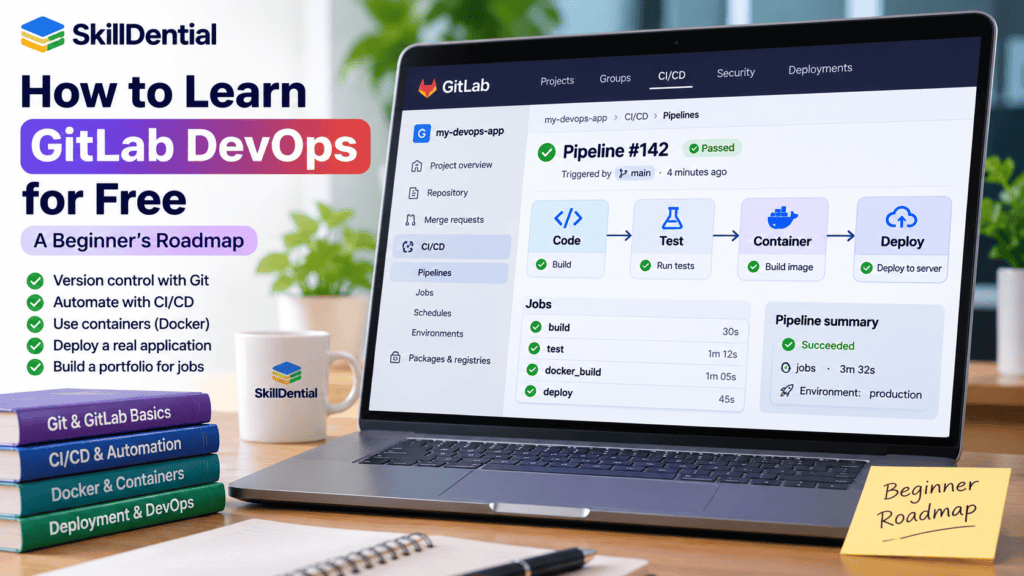
By combining the official learning paths, open-source documentation, and practical projects, you can build job-ready skills at your own pace. This beginner’s roadmap is designed for students, junior developers, career switchers, freelancers, and IT professionals who want to master modern DevOps workflows without spending a dime.
What Is GitLab DevOps?
GitLab DevOps refers to leveraging GitLab’s unified platform to automate and streamline the entire software development lifecycle (SDLC) through modern DevOps methodologies. Unlike fragmented toolchains that require separate applications for version control, CI/CD, and security, GitLab integrates these functions into a single, cohesive application.
DevOps bridges the gap between software development and IT operations to accelerate delivery while maintaining high reliability and security. When you set out to learn GitLab DevOps for free, you are mastering a comprehensive toolchain used across modern engineering teams to execute the following core workflows:
- Source Code Management (SCM): Version control via Git, repository administration, branch management, and peer code reviews.
- Continuous Integration & Deployment (CI/CD): Automated testing, building container images, and executing multi-stage deployment pipelines.
- DevSecOps (Security & Compliance): Automated security scanning (SAST, DAST, and dependency checks) embedded directly into the development pipeline.
- Project & Issue Tracking: Agile planning, milestone tracking, and task management linked directly to code commits and merge requests.
By consolidating these pillars into one ecosystem, GitLab eliminates the friction of toolchain integration—making it an essential, high-leverage skill for modern developers and infrastructure engineers.
GitLab vs DevOps: Understanding the Distinction
While the terms are closely linked, DevOps and GitLab are fundamentally different concepts. Confusing them can lead to a narrow understanding of what it takes to master modern software engineering.
To successfully learn GitLab DevOps for free, you must first understand the structural boundaries between the methodology, the version control foundation, and the delivery platform:
| Term | Category | Definition & Scope |
| DevOps | Methodology & Culture | A set of cultural principles, practices, and technical approaches designed to shorten the software development lifecycle and deliver high-frequency, reliable releases. |
| Git | Core Technology | The underlying distributed version control system used to track code changes, manage branching, and facilitate asynchronous developer collaboration. |
| GitLab | Platform Ecosystem | A comprehensive web-based platform built around Git that unifies source control, issue tracking, CI/CD automation, and security tooling into a single interface. |
| GitLab CI/CD | Automation Engine | GitLab’s native framework for executing automated workflows, including code compilation, testing, and multi-environment deployments. |
| GitLab Runner | Execution Agent | The lightweight application (compiled in Go) that runs the CI/CD pipeline jobs defined in your repository configuration. |
The Core Takeaway for Beginners
Mastering GitLab gives you the practical toolchain required to implement modern DevOps, but the platform itself is only the vehicle. When you set out to learn GitLab DevOps for free, remember that a platform cannot replace foundational computer science and systems engineering knowledge.
To become a truly effective DevOps professional, you must pair your GitLab proficiency with core competencies in:
- Linux Administration: Command-line navigation, file permissions, process management, and shell scripting.
- Networking Fundamentals: TCP/IP, DNS, HTTP/HTTPS, routing, and load balancing.
- Containerization: Docker images, container runtimes, and local orchestration.
- Cloud Infrastructure: Provisioning compute, storage, and networking resources in cloud environments (AWS, GCP, or Azure).
Why Learn GitLab DevOps for Free?
Mastering modern software delivery requires practical, hands-on experience, but you do not need to invest in expensive bootcamps or commercial licenses to break into the field. If you want to learn GitLab DevOps for free, you gain access to an industry-standard ecosystem used by thousands of engineering organizations worldwide.
Here are the primary professional and technical advantages of adding this skill to your toolkit:
Develop Practical Automation Skills
Manual builds, testing, and deployments are slow, repetitive, and prone to human error. By leveraging GitLab’s native automation framework, you learn how to construct Continuous Integration and Continuous Delivery (CI/CD) pipelines that automatically compile code, execute test suites, build container images, and deploy applications to production-grade environments with zero manual intervention.
Streamline Software Development Workflows
Modern software engineering relies heavily on asynchronous collaboration and rigorous code quality control. GitLab unifies these processes by providing robust tools for:
- Branching strategies and feature isolation.
- Merge requests (MRs) and structured peer code reviews.
- Integrated issue tracking linked directly to commits and deployments.
These patterns are critical whether you are building applications independently or scaling an engineering team.
Build a Tangible Technical Portfolio
Recruiters and engineering managers value demonstrated execution far more than a bulleted list of tools on a resume. Building public repositories and working CI/CD pipelines allows you to showcase concrete proof of your ability to manage source code, automate security checks, and execute deployments. A live, functioning pipeline serves as undeniable evidence of your competence.
Unlock High-Demand DevOps Career Opportunities
While mastering GitLab alone does not guarantee a job—employers generally look for a foundational understanding of Linux, networking, and cloud infrastructure—it provides a powerful entry point into high-growth technical roles. Proficiency in GitLab workflows directly supports career trajectories such as:
- Junior DevOps Engineer
- Junior Cloud Engineer
- Software Developer with CI/CD responsibilities
- CI/CD Pipeline Engineer
- Platform Engineer
- Site Reliability Engineering (SRE) Trainee
What Do You Need Before Learning GitLab DevOps?
You do not need to be a seasoned software architect or systems administrator to begin your journey, but you do need a foundational layer of technical literacy. Because GitLab bridges development and operations, absolute beginners will benefit from understanding a few core prerequisites.
If your goal is to successfully learn GitLab DevOps for free, you should evaluate your current comfort level against these baseline competencies:
| Skill | What You Should Understand |
| Computer Fundamentals | Directory structures, file management, software installation, and basic troubleshooting. |
| Programming Basics | Variables, conditional logic, functions, scripts, and how basic applications are structured. |
| Command Line Interface (CLI) | Opening a terminal, executing commands, and navigating directory trees efficiently. |
| Git Fundamentals | Local repositories, staging changes, commits, branching strategies, and remote origin tracking. |
| Linux Basics | File system navigation, permission models, process management, and basic shell commands. |
| Networking Basics | IP addressing, DNS resolution, HTTP/HTTPS protocols, and how web applications communicate. |
Do You Need to Master All of These First?
No. You do not need to be an expert in Linux or networking before you open a GitLab account. In fact, many of these skills are best learned concurrently as you build out your pipelines.
However, if you have never used version control before, begin with Git fundamentals (cloning, committing, pushing, and pulling) before attempting to configure complex, multi-stage CI/CD pipelines. Tackling the fundamentals first ensures you won’t get bogged down by syntax errors when you start to learn GitLab DevOps for free through hands-on projects.
How to Learn GitLab DevOps for Free: A Step-by-Step Roadmap
The most effective way to master modern infrastructure and automation is an iterative approach: learn a core concept, apply it immediately to a hands-on project, and then scale to the next stage.
If your goal is to learn GitLab DevOps for free, the structured learning path below provides a logical, job-ready sequence for beginners—moving you from absolute fundamentals to a production-grade portfolio.
Beginner’s Learning Path
A practical sequence designed to build foundational competence and a demonstrable project portfolio without spending a dime.
- Learn Git and Version Control: Master the core mechanics of distributed version control, including local repositories, staging changes, commits, branching strategies, and handling merge conflicts.
- Master Command-Line and Linux Basics: Learn to navigate directory trees, execute shell scripts, manage file permissions, and inspect system processes via the terminal.
- Explore GitLab Projects and Workflows: Set up your free GitLab account to manage remote repositories, track issues using Agile boards, open merge requests, and execute peer code reviews.
- Build Your First CI/CD Pipeline: Write your first
.gitlab-ci.ymlconfiguration file to automate simple repetitive tasks, compile source code, and trigger automated scripts. - Implement Automated Testing and Docker: Integrate automated test suites into your pipeline and learn how to containerize web applications using Docker for consistent, environment-agnostic deployments.
- Practice Deployment and DevSecOps Basics: Deploy a live application to a staging or cloud environment while securing sensitive data using GitLab CI/CD masked variables and environment secrets.
- Build and Document a Capstone Portfolio Project: Bring everything together by building a complete end-to-end project, documenting your pipeline architecture in a public repository to showcase your skills to prospective employers.
Step 1: Learn Git Fundamentals
Git is the foundation upon which the entire GitLab ecosystem is built. Before you attempt to configure automation pipelines or deployment workflows, you must thoroughly understand how Git tracks changes, manages state, and enables team collaboration.
To successfully learn GitLab DevOps for free, start by mastering these core version control concepts:
- Repository: A project directory where Git tracks all files, folders, and historical changes.
- Commit: An explicit, immutable snapshot of your project’s state at a specific point in time.
- Branch: An independent, isolated line of development, allowing you to build features without disrupting production code.
- Merge: The process of integrating changes from one branch (e.g., a feature branch) into another (e.g., the main branch).
- Remote Repository: A centralized version of your project hosted on a platform like GitLab, allowing team members to sync their work.
- Merge Request (MR): GitLab’s collaboration mechanism that proposes code changes, triggers peer reviews, and automates pre-merge testing.
Essential Git Commands to Practice
Open your terminal and practice these standard Git operations locally before pushing your code to the cloud:
# Initialize a local Git repository in your project directory
git init

# Check the current status of your working tree and staging area
git status

# Stage all modified or new files for your next commit
git add .

# Record a committed snapshot of your staged changes with a descriptive message
git commit -m "Initial commit"

# List your local branches
git branch

# Create and immediately switch to a new feature branch
git switch -c feature-update

# Push your local commits and upstream tracking branch to GitLab
git push origin feature-updateCode language: PHP (php)
(Note: The exact sequence of commands will vary depending on whether you are initializing a repository locally from scratch or cloning an existing remote project from GitLab.)
Practical Exercise
Put your knowledge into practice with this quick workflow:
- Create a simple local project folder with a basic
README.mdfile. - Initialize it as a Git repository and make your first commit.
- Create a new branch called
feature-updateand add a minor change to your file. - Stage and commit that change, then push your branch to a free public repository on GitLab.
Your Goal: Build an intuitive understanding of version control mechanics so that you can navigate code management seamlessly before introducing automation.
Step 2: Learn Linux and Command-Line Basics
Because most cloud infrastructure, CI/CD runners, and containerized applications run on Linux, you cannot successfully learn GitLab DevOps for free without becoming comfortable inside a terminal.
You do not need to be a seasoned Linux system administrator on day one, but you must know how to navigate a file system, execute scripts, and troubleshoot basic server-side errors.
Essential Terminal Commands to Practice
Open your terminal and practice these standard Linux commands to manage files and directories:
# Print working directory (displays your current folder path)
pwd

# List files and directories in the current folder (use 'ls -la' to see hidden files)
ls -la

# Change directory (e.g., move into your project folder)
cd project-folder

# Create a new directory
mkdir config-scripts

# Create a blank file
touch script.sh

# Display the contents of a file in the terminal
cat README.md

# Copy a file
cp script.sh backup-script.sh

# Move or rename a file
mv backup-script.sh old-script.sh

# Remove a file (use with caution!)
rm old-script.shCode language: PHP (php)
Core Linux Concepts to Master
Beyond basic navigation, focus on understanding these operational concepts as you build your DevOps skillset:
- File Permissions: Understand owner, group, and public permissions (
chmod,chown) so your CI/CD runner can execute deployment scripts properly. - Environment Variables: Learn how to declare, export, and read temporary variables (
export DB_HOST=localhost), which are essential for securing API keys and database strings in GitLab. - Shell Scripting: Write simple Bash scripts (
.sh) to automate repetitive local tasks before translating them into automated pipeline jobs. - Package Management: Learn how to install and update software packages using your system’s package manager (e.g.,
aptfor Ubuntu/Debian oryum/dnffor RedHat-based systems). - Process Management: Learn how to inspect running system processes (
ps,top, orkill) to troubleshoot hanging builds or stuck servers. - Basic SSH Usage: Understand SSH keys (
ssh-keygen) to authenticate securely with remote Linux servers and GitLab repositories without entering passwords.
Practical Exercise
Put your command-line skills into action with this workflow:
- Open your terminal, create a new directory for an automation script, and navigate into it.
- Write a simple shell script (e.g.,
deploy.sh) that prints a greeting and checks the current system disk space. - Make the script executable using file permissions (
chmod +x deploy.sh) and run it locally. - Initialize a Git repository, add your script, and push it to your free GitLab repository.
Your Goal: Eliminate any hesitation when using the command line so you can easily write, test, and debug automated scripts inside your GitLab pipelines.
Step 3: Understand GitLab Projects and Collaboration
Once you have a firm grasp of local version control and command-line basics, it is time to transition into the cloud. To successfully learn GitLab DevOps for free, you need to move beyond your local machine and master GitLab’s web interface and collaboration ecosystem.
Before introducing complex automation pipelines, you must learn how engineering teams organize work, track tasks, and review code collaboratively.
Key GitLab Features to Explore
Create a free account on GitLab.com and experiment with these core platform features:
- Project Repositories: Initialize or import a project to host your codebase in the cloud with secure access controls.
- Pushing Source Code: Link your local Git repository to your remote GitLab project using
git remote add originandgit push. - Branch Management: Create, protect, and switch between multiple development branches directly within the web UI or via your terminal.
- Merge Requests (MRs): Propose code changes, assign reviewers, inspect file diffs, and resolve merge conflicts safely before integrating code into your main branch.
- Issue Tracking: Use built-in Kanban-style issue boards to track bugs, plan features, and link tasks directly to specific commits or merge requests.
- Commit History: Inspect the chronological audit trail of your codebase to view historical changes, author stamps, and individual code diffs.
- Project Documentation: Use Markdown-based
README.mdfiles and Wiki pages to document project architecture, installation steps, and operational guidelines.
Practical Collaboration Scenario
To understand how teams operate in a production environment, imagine you are building a simple portfolio website:
- Create an Issue: Open an issue in your GitLab project titled “Add a contact page” and assign it to yourself.
- Create a Branch: Generate a dedicated feature branch directly from the issue page (e.g.,
1-add-a-contact-page). - Make Changes: Clone the branch locally, write your new HTML/CSS contact page, commit your changes, and push the branch back to GitLab.
- Open a Merge Request: Open an MR requesting to merge your feature branch into
main. Review your own code changes using GitLab’s built-in file diff viewer.
Practical Exercise
Put the collaboration lifecycle into action:
- Build a basic single-page website locally on your computer.
- Push the project to a new, free public repository on GitLab.
- Follow the issue $\rightarrow$ branch $\rightarrow$ commit $\rightarrow$ merge request workflow to add a secondary page or footer to your site.
Your Goal: Master the non-automated collaboration features of GitLab so you can coordinate changes smoothly before scaling up to automated CI/CD pipelines.
Step 4: Learn GitLab CI/CD
This is the cornerstone of your learning journey. When you set out to learn GitLab DevOps for free, mastering CI/CD (Continuous Integration, Continuous Delivery, and Continuous Deployment) is where manual tasks transform into automated workflows.
Understanding the CI/CD Pipeline Lifecycle
- Continuous Integration (CI): Developers frequently merge code changes into a central repository. Every commit triggers automated builds and test suites to catch bugs early.
- Continuous Delivery (CD): Once code passes automated tests, the system prepares application packages and staging artifacts so they can be deployed to production at any time with a single click.
- Continuous Deployment: The most automated tier of the pipeline—where code that passes all quality and security gates is pushed directly to production environments without human intervention.
GitLab coordinates these workflows natively using a declarative configuration file placed directly in your repository.
Your First GitLab CI/CD Pipeline
To see automation in action, create a file named .gitlab-ci.yml in the root directory of your project repository and add this basic configuration:
YAML
stages:
  - test

hello_job:
  stage: test
  script:
    - echo "Hello from GitLab CI/CD!"Code language: PHP (php)
When you push this file to GitLab, the platform detects the configuration, provisions an execution environment, runs the shell command, and displays the logs directly in your pipeline dashboard.
Advanced Pipeline Concepts to Master
Once your initial script runs successfully, expand your pipeline knowledge by learning these core concepts:
- Pipeline Stages: Grouping jobs into logical sequential phases (e.g.,
build,test,security,deploy). - Jobs and Scripts: Individual tasks executed within a stage using container images or shell commands.
- Job Dependencies: Controlling the flow of execution so jobs run sequentially or concurrently depending on previous success.
- Artifacts: Saving build files, compiled binaries, or test reports so they can be passed between pipeline stages or downloaded.
- Caches: Storing project dependencies (like
node_modulesorvendor/) between pipeline runs to drastically speed up build times. - Environment Variables: Injecting dynamic configurations and secrets securely into your jobs without hardcoding credentials.
- Runner Configuration: Understanding how GitLab Runners (the execution agents) process your pipeline jobs.
Practical Exercise
Put your automation skills into practice:
- Open your existing GitLab repository.
- Add the
.gitlab-ci.ymlfile shown above, commit your changes, and push them to your repository. - Navigate to Build > Pipelines in the GitLab sidebar to watch your first automated job execute in real-time.
Your Goal: Understand how code commits trigger automated execution environments so you can begin building multi-stage deployment pipelines.
Step 5: Learn Automated Testing
A CI/CD pipeline becomes truly powerful when it acts as an automated quality gate. Instead of manually verifying that your application functions properly after every edit, you can configure your pipeline to execute test suites automatically every time code is committed.
If a test fails, the pipeline halts—preventing broken code from making its way into production environments.
Example: Running Python Tests in GitLab
To see automated testing in action, you can configure your .gitlab-ci.yml file to pull a pre-built programming environment, install dependencies, and run a testing framework like pytest.
YAML
stages:
  - test

python_tests:
  stage: test
  image: python:3.12
  before_script:
    - pip install pytest
  script:
    - pytestCode language: CSS (css)
How This Pipeline Works:
image: python:3.12: GitLab provisions a clean, isolated Docker container pre-installed with Python 3.12 to execute the job.before_script: Before running the core script, GitLab executes setup commands—in this case, installing thepytesttesting library.script: Executes the test runner. If your repository contains valid Python test files (e.g., files starting withtest_*.py),pytestdiscovers and runs them automatically.
Core Concepts to Master
As you expand your testing workflows, focus on understanding these industry standards:
- Unit Testing: Testing individual functions, classes, or modules in isolation to ensure core logic behaves correctly.
- Integration Testing: Verifying that different modules, databases, or external APIs work together seamlessly.
- Test Automation: Integrating test execution into version control triggers so quality checks happen continuously without manual intervention.
- Test Reports: Configuring GitLab to parse test result files (such as JUnit XML reports) so you can view pass/fail analytics directly inside the GitLab merge request interface.
- Pipeline Failure Handling: Using
allow_failure: truefor non-critical checks, or ensuring critical test failures block downstream deployment stages automatically.
Practical Exercise
Put automated testing into practice with your own project:
- Write a simple Python script (or an application in a language of your choice) along with a basic test file using
pytest. - Update your
.gitlab-ci.ymlfile to include the test stage shown above. - Push your changes to GitLab and navigate to Build > Pipelines to observe the container spin up, install dependencies, and execute your test suite.
Your Goal: Learn how to use containerized environments within your pipeline to validate software quality automatically on every code commit.
Step 6: Learn Docker and Containerization
Docker is a foundational technology in modern software development and deployment. Before containerization, software delivery often suffered from the classic “it works on my development machine” problem—where environmental differences between local computers, staging servers, and production clusters caused application failures.
Docker solves this by packaging your application, runtime, system tools, and libraries into a standardized, isolated unit called a container. When you set out to learn GitLab DevOps for free, understanding how to containerize applications is crucial because GitLab CI/CD heavily relies on Docker containers to execute pipeline jobs in clean, reproducible environments.
Core Docker Concepts to Master
- Container: A lightweight, standalone, executable package of software that includes everything needed to run an application (code, runtime, system libraries, and settings).
- Docker Image: A read-only template containing instructions for creating a Docker container. Images serve as the blueprint for your application environments.
- Dockerfile: A text document containing all the commands a user calls on the command line to assemble a Docker image.
- Container Registry: A secure storage and distribution system for Docker images (such as Docker Hub or GitLab’s native Container Registry).
- Docker Commands: Essential local terminal commands used to manage the container lifecycle (
docker build,docker run,docker stop,docker ps). - Networking & Storage: How containers communicate with each other, expose ports to the host machine, and manage persistent data volumes.
Example: Writing a Basic Dockerfile
To see how an application environment is defined, consider this simple Dockerfile designed for a Python application:
Dockerfile
# Use an official lightweight Python runtime image
FROM python:3.12-slim

# Set the working directory inside the container
WORKDIR /app

# Copy dependency specifications first to leverage caching
COPY requirements.txt .

# Install application dependencies without caching package files
RUN pip install --no-cache-dir -r requirements.txt

# Copy the rest of the application source code into the container
COPY . .

# Specify the default command to run when the container starts
CMD ["python", "app.py"]Code language: PHP (php)
Integrating Docker with GitLab CI/CD
Once you know how to build and run containers locally on your computer, the next step is automating that workflow inside your pipeline. GitLab CI/CD allows you to build Docker images automatically on every code push and push them directly to your project’s GitLab Container Registry, making them immediately available for deployment.
Practical Exercise
Put containerization into practice with your own project:
- Take a small application you have built (such as a Python script or a basic web app) and add a
requirements.txtfile and an entry point (app.py). - Create a
Dockerfilein the root directory using the structure shown above. - Build the image locally (
docker build -t my-app .) and run the container (docker run -p 5000:5000 my-app) to verify it works correctly. - Document the build and run instructions in your project’s
README.mdfile.
Your Goal: Understand how to encapsulate applications into reproducible containers so you can deploy them reliably across any cloud infrastructure.
Step 7: Learn GitLab Runner
A GitLab Runner is the execution engine that actually runs the jobs defined in your CI/CD pipelines. While GitLab provides the web interface, version control, and pipeline orchestration, the runner is the worker application that processes the instructions.
When you push code and a pipeline triggers, a runner steps in to perform tasks such as:
- Executing shell commands and scripts.
- Running automated test suites.
- Building and pushing Docker container images.
- Downloading external project dependencies.
- Deploying applications to staging or production environments.
Shared vs. Self-Managed Runners
When you first start, you do not need to install your own infrastructure. GitLab.com provides managed shared runners out of the box, allowing beginners to learn GitLab DevOps for free without configuring server hardware.
However, as you advance into production environments, understanding self-managed runners becomes critical. Key concepts to master include:
- Runner Executors: The environment where jobs run (e.g., Docker, VirtualBox, SSH, or direct Shell execution). The Docker executor is most common because it provides a clean, isolated environment for every job.
- Runner Tags: Labels assigned to runners so specific pipelines target specific runner hardware (e.g., running Windows-only builds on a Windows runner).
- Runner Registration: The process of authenticating a new runner instance with your GitLab project or group using a registration token.
Critical Security Considerations
Because runners execute arbitrary code defined in your pipeline configuration files, they represent a significant security boundary. If you manage your own runners, keep these security principles in mind:
- Avoid Privileged Docker Executors: Running Docker-in-Docker with privileged mode can expose the host system to container breakout vulnerabilities.
- Isolate Shell Executors: The
shellexecutor runs commands directly on the host machine hosting the runner. Untrusted code running on a shell executor can compromise the underlying server. Always restrict who has permission to push code to repositories tied to shared or self-managed shell runners.
Practical Exercise
Inspect how your pipelines execute code:
- Navigate to a repository where you have successfully run a CI/CD pipeline.
- Open the logs of a completed job and inspect the Job details or runner metadata to see which execution environment or runner processed your script.
Your Goal: Understand the distinction between GitLab’s orchestration platform and the underlying runner execution agents, preparing you for both cloud-managed and self-hosted DevOps architectures.
Step 8: Learn Application Deployment
Deployment is the culmination of the software delivery lifecycle—the process of taking your code, building it into a production-ready package, and publishing it to a target environment where users can access it.
When you set out to learn GitLab DevOps for free, you don’t need an expensive cloud infrastructure contract to practice this stage. You can use free-tier hosting platforms or native GitLab features to build a complete end-to-end deployment pipeline.
The Standard Deployment Workflow
A robust deployment pipeline typically follows a repeatable, automated sequence:
- Source Control: Developers push code changes to a designated branch (such as
main) on GitLab. - Automated Testing: The CI/CD pipeline triggers test suites to verify that the new code is bug-free.
- Build Artifacts: The pipeline compiles code, builds container images, or bundles static assets.
- Environment Promotion: The build is deployed to a staging or production environment.
- Post-Deployment Verification: Automated health checks or manual smoke tests confirm that the deployed application is functioning correctly.
Free Deployment Options for Beginners
Depending on the type of application you are building, several free options fit a beginner’s budget:
- GitLab Pages: A native feature of GitLab that allows you to publish static websites (built with HTML, CSS, JavaScript, or static site generators like Hugo or Next.js) directly from your repository at zero cost.
- Cloud Free Tiers: Providers like AWS, Google Cloud, Oracle Cloud, and Render offer generous free tiers or “Always Free” resource limits where you can spin up a small virtual machine or container instance.
- Container Registries & PaaS: Pushing containerized apps to free container hosts or serverless platforms connected via webhook automation.
(Note: Always review the hosting provider’s current free-tier limits, compute caps, and billing requirements to avoid unexpected charges.)
Practical Exercise
Put your deployment knowledge into action:
- Create a simple static website (or use an existing project) and host it in a GitLab repository.
- Configure a
.gitlab-ci.ymlpipeline that automates a deployment step (for instance, publishing a static site using GitLab Pages). - Push your changes, watch the pipeline execute successfully, and visit your live public URL to verify that the application is running.
Your Goal: Close the loop on the DevOps lifecycle by successfully transitioning code from a local repository to a live, automated deployment environment.
Step 9: Learn Basic DevSecOps Practices
DevSecOps integrates security into every phase of the software development lifecycle (SDLC) rather than treating it as an afterthought at the end of a release cycle. When you set out to learn GitLab DevOps for free, understanding foundational security practices is essential to protecting your code, infrastructure, and credentials.
You do not need to become a certified cybersecurity specialist as a beginner, but you must master core hygiene practices to prevent catastrophic security leaks.
Core DevSecOps Fundamentals to Master
- Never Hardcode Secrets: Passwords, API keys, private SSH keys, and database tokens should never be committed directly to source control. If it enters Git history, assume it is compromised.
- Use GitLab CI/CD Variables: Store sensitive configuration values in GitLab’s project-level settings (Settings > CI/CD > Variables) rather than plaintext configuration files.
- Dependency Vulnerabilities: Understand that modern applications rely heavily on open-source packages. Vulnerabilities in third-party libraries (e.g., outdated npm or pip packages) are prime targets for attackers.
- Automated Security Scanning: Learn the role of automated scanners integrated into pipelines, such as SAST (Static Application Security Testing), DAST (Dynamic Application Security Testing), and Dependency Scanning.
Critical Security Warning: Masked Variables Are Not Bulletproof
While GitLab allows you to “mask” CI/CD variables (hiding their values in pipeline job logs), masking does not guarantee total protection.
A poorly configured pipeline, a malicious script, or a misconfigured build step can still echo or expose sensitive environment variables to job outputs. Always audit your .gitlab-ci.yml files and review pull requests thoroughly before executing pipelines that handle production credentials.
Practical Exercise
Secure your project environment:
- Review your existing repositories to ensure no API keys, passwords, or configuration tokens are hardcoded.
- Move any necessary credentials out of your codebase and into GitLab CI/CD Variables with masking enabled.
- Reference those variables dynamically inside your
.gitlab-ci.ymlpipeline scripts using standard environment syntax (e.g.,$MY_SECRET_VARIABLE).
Your Goal: Build a security-first mindset by decoupling sensitive data from source code and understanding the attack surfaces within automated CI/CD pipelines.
Free GitLab DevOps Learning Resources
You can build a comprehensive, high-quality learning plan entirely around official and open resources before ever considering an expensive paid course or bootcamp.
Here are the best free resources to support your journey as you learn GitLab DevOps for free:
GitLab Learning / Training Resources
- What it offers: Self-paced learning paths, structured tutorials, and training materials designed to take you from foundational concepts to advanced pipeline administration. (While some specialized certifications or live instructor-led courses carry a fee, the core learning content is freely accessible).
- Best for: Structured, step-by-step skill acquisition.
- Where to find it: Explore official training resources via the GitLab Learning Platform.
GitLab Official Documentation
- What it offers: Comprehensive technical references covering every feature, configuration syntax (
.gitlab-ci.yml), runner architecture, security settings, and API integration.- Best for: Technical troubleshooting, deep-dive configuration specs, and architectural reference.
- Where to find it: Access the exhaustive guides at GitLab Documentation.
GitLab CI/CD Guided Tutorials & Quick Starts
- What it offers: Hands-on, practical exercises specifically built to walk beginners through creating their first pipelines, configuring test stages, and deploying applications.
- Best for: Practical automation and learning by doing.
- Where to find it: Check out the guided walk-throughs in the GitLab CI/CD Quick Start Guide.
Official Git Documentation & Pro Git Book
- What it offers: Deep conceptual explanations of distributed version control, branching models, merging strategies, and command-line operations written by the creators and maintainers of Git.
- Best for: Mastering the fundamental version control mechanics that underwrite all of GitLab.
- Where to find it: Read online for free or download the book at Git-SCM Documentation.
Pro-Tip for Your Learning Journey
Don’t just read these resources—use them alongside a live project. Set up a free account on GitLab.com
, spin up a public repository, and test out concepts as you read through the documentation. Building your own pipelines and breaking things in a safe sandbox environment is the fastest way to turn theoretical knowledge into real-world competence.
Does GitLab’s free plan provide enough resources to learn?
Yes, GitLab’s free plan provides more than enough resources to learn the fundamentals of DevOps, version control, and CI/CD pipelines.
For individual learners and small experimentation projects, the core allowances on GitLab.com Free include:
- 400 compute minutes per month on GitLab-hosted shared runners.
- 10 GiB of storage per project.
- Unlimited public and private repositories (with up to 5 users per private top-level group).
Why This Is Plenty for Beginners
- Short Feedback Loops: Early learning pipelines (like printing text, running basic shell scripts, or executing simple unit tests) usually take less than 30 to 60 seconds to run.
- Stretching Your Minutes: 400 compute minutes translates to dozens of pipeline test runs per month, which is plenty if you are being intentional with your commits rather than spamming automated triggers.
- The Self-Hosted Loophole: If you ever run out of your monthly 400 minutes while practicing, you can connect your own self-hosted GitLab Runner (on your local machine or a free-tier cloud VM). Self-hosted runners consume zero minutes from your GitLab.com quota, giving you unlimited execution capacity for free.
A practical 30-day GitLab DevOps learning plan
You can use the following schedule to organise your first month.
The timeline is a suggested study plan, not a guarantee that you will become job-ready in 30 days.
Week 1
Git, Linux, and GitLab fundamentals
- Learn basic Git commands.
- Practise using a terminal.
- Create your first GitLab project.
- Make commits and use branches.
- Open a merge request.
Week 2
CI/CD and automated testing
- Understand pipelines, stages, and jobs.
- Create a
.gitlab-ci.ymlfile. - Run your first pipeline.
- Add an automated test.
- Learn how to troubleshoot failed jobs.
Week 3
Docker and deployment
- Learn basic Docker commands.
- Create a Dockerfile.
- Build a container image.
- Explore GitLab container registry workflows.
- Deploy a simple application.
Week 4
Portfolio and security fundamentals
- Improve your pipeline.
- Document your project.
- Protect credentials.
- Review pipeline configuration.
- Publish your portfolio project.
A reasonable study routine is 45–90 minutes per day, if your schedule allows. The important part is consistent practice rather than the number of hours spent watching tutorials.
3 GitLab DevOps Projects Beginners Can Build
The fastest way to transition from theoretical knowledge to job-ready competence is through hands-on building. You do not need a massive, enterprise-grade architecture to prove your capabilities; a compact, well-structured project with a working, automated pipeline provides concrete evidence of your technical skills.
Here are three beginner-friendly projects designed to solidify your mastery of Git, CI/CD, Docker, and deployment workflows:
Project 1: Automated Static Website Deployment
Build a modern single-page website and automate its publishing lifecycle using native GitLab features.
- The Scope: Create a lightweight portfolio or landing page using HTML, CSS, and basic JavaScript.
- Implementation Steps:
- Initialize a local repository and store the code in a new GitLab project.
- Write a
.gitlab-ci.ymlfile to include a basic code validation or linting job. - Configure a deployment stage to automatically publish the site using GitLab Pages.
- Push updates to the
mainbranch and verify that your live public URL updates instantly.
- Implementation Steps:
- Skills & Concepts Demonstrated: Version control basics, YAML pipeline configuration, build verification, and static site hosting.
Project 2: Containerized Python Application with CI/CD
Package a small Python script or web utility into a standardized container and automate its build process.
- The Scope: Build a small command-line utility or API endpoint in Python accompanied by a test suite using
pytest.- Implementation Steps:
- Create a GitLab repository for your Python code and add a
requirements.txtfile. - Write a custom
Dockerfileusing a lightweight base image (e.g.,python:3.12-slim). - Configure your CI/CD pipeline to execute unit tests automatically inside an isolated container environment before building the image.
- Automate the build process so the pipeline successfully compiles and pushes the container image to your project’s GitLab Container Registry.
- Create a GitLab repository for your Python code and add a
- Implementation Steps:
- Skills & Concepts Demonstrated: Python development,
pytestautomation, Dockerfile creation, container images, and automated registry uploads.
Project 3: End-to-End CI/CD Workflow & Release Management
Simulate a professional engineering team environment by combining branch-driven collaboration with a multi-stage delivery pipeline.
- The Scope: Take a small application through a complete software delivery lifecycle (SDLC) from issue creation to staging deployment.
- Implementation Steps:
- Open a GitLab Issue for a new feature, then create a dedicated feature branch directly from it.
- Write code, open a Merge Request (MR), review the code diff, and merge it into
main. - Construct a multi-stage
.gitlab-ci.ymlpipeline that sequences automated testing, artifact generation, and deployment. - Push qualifying changes to a staging environment and document the entire release workflow in a professional
README.md.
- Implementation Steps:
- Skills & Concepts Demonstrated: Agile branch workflows, merge requests, multi-stage pipelines, artifact management, release documentation, and environment promotion.
What Should Your GitLab Portfolio Contain?
Simply uploading raw code to a public repository is not enough to impress prospective employers or engineering managers. A professional portfolio must demonstrate how you build, test, and automate software delivery.
When you set out to build a demonstrable portfolio after choosing to learn GitLab DevOps for free, each repository should tell a complete engineering story. Ensure every project includes the following core components:
- Clear Project Description: A concise summary at the top of your repository explaining the purpose of the application, the problem it solves, and its high-level architecture.
- Comprehensive README File: A professional Markdown document detailing the project structure, prerequisites, and operational overview.
- Explicit Execution Instructions: Step-by-step instructions for cloning the repository, installing local dependencies, and running the application on a local machine or container.
- Documented CI/CD Pipeline: A clean, well-commented
.gitlab-ci.ymlfile showing how automation handles linting, testing, building, and deployment. - Pipeline Execution Evidence: Screenshots, badges, or direct links showing successful pipeline runs, artifact generation, and passing test suites.
- Tech Stack & Tooling Inventory: A clear list of the languages, frameworks, containerization tools, and cloud platforms utilized in the project.
- Lessons Learned & Technical Limitations: An honest reflection on architectural trade-offs, challenges faced during pipeline debugging, and known constraints of your implementation.
The Golden Rule of Portfolios
Do not leave a repository unexplained. A well-documented project proves not only that you can write code and configure pipelines, but also that you can communicate complex technical workflows clearly—a critical trait for any successful DevOps engineer.
Common Mistakes Beginners Should Avoid in GitLab DevOps
Learning DevOps is an exciting journey, but it is easy to get overwhelmed or fall into counterproductive habits. When you set out to learn GitLab DevOps for free, avoiding common pitfalls will save you hours of frustration and build a stronger foundation.
Here is a breakdown of the most frequent mistakes beginners make and the better approaches to take:
| Common Mistake | Better Approach |
| Learning GitLab without understanding Git | Master the fundamentals of local version control—including repositories, commits, branches, and merging—before touching remote automation platforms. |
| Watching tutorials without hands-on practice | Treat tutorials as interactive labs. Pause the video or documentation and reproduce every command, script, and pipeline in your own free GitLab project. |
| Trying to learn Kubernetes immediately | Avoid jumping straight into complex orchestration. Build your foundation step-by-step with Git, Linux fundamentals, CI/CD pipelines, and Docker containers first. |
| Copying and pasting pipeline configurations blindly | Never copy a .gitlab-ci.yml snippet without parsing it. Learn what each stage, job, image, and shell command actually executes. |
| Assuming every free learning resource includes certification | Clarify whether a course, exam, or formal certificate is free before investing your time, as many learning platforms offer free core content but charge for proctored exams. |
| Publishing undocumented repositories | Do not just push raw code and leave. Always include a professional README.md, setup instructions, and pipeline architecture notes. |
| Storing credentials directly in source code | Never hardcode passwords, API keys, or access tokens. Always use GitLab CI/CD Variables and secure secrets management. |
The Ultimate Trap: Assuming Green Pipelines Equal a Secure Application
One of the most dangerous misconceptions beginners hold is assuming that a green, successful pipeline automatically means a secure application.
A pipeline can execute successfully while your application still contains:
- Insecure dependency configurations or outdated packages.
- Exposed environment variables or leaked secrets in log outputs.
- Unsafe network rules or overly permissive deployment scripts.
Security cannot be treated as a checkbox at the end of a build; it must be integrated into your workflow from day one. By pairing your technical curiosity with solid security hygiene, you will build robust, production-ready DevOps skills efficiently and securely.
Can I learn GitLab DevOps for free?
Yes. You can build a comprehensive skill set using GitLab’s official tutorials, documentation, and free learning resources. Many beginner projects and automation workflows can be completed entirely using free tools and services, though certain advanced certifications, instructor-led training, or high-compute production hosting may require payment.
Do I need to know programming before learning GitLab DevOps?
Basic programming knowledge is helpful, especially when you reach the stages of writing automated test suites, building scripts, or deploying containerized applications. However, you do not need to be a software developer to start. You can begin with Git fundamentals, command-line skills, and GitLab project management while developing your programming familiarity concurrently.
Is GitLab the same as GitHub?
No. Both platforms are built around Git and facilitate version control and team collaboration, but they have distinct ecosystems. GitLab provides an all-in-one integrated platform unifying source code management, robust native CI/CD pipelines, security scanning (DevSecOps), and project planning under a single interface. GitHub offers similar automation and development workflows through GitHub Actions. The right choice depends on your team’s specific requirements.
How long does it take to learn GitLab DevOps?
The timeline depends heavily on your prior technical background, study consistency, and project complexity.
A dedicated beginner can grasp foundational GitLab navigation and basic CI/CD pipelines within a few weeks of regular practice.
Developing comprehensive, job-ready DevOps competence is an ongoing journey that requires continuous study in supporting areas such as Linux administration, networking, cloud infrastructure, containerization, and security.
Can GitLab DevOps help me get a remote job?
Yes. Proficiency in GitLab and modern CI/CD workflows is directly relevant to remote software development, platform engineering, and DevOps roles. However, employers rarely hire based on a single tool; they look for problem-solving ability and practical experience across a broader technical stack.
Building a public portfolio that demonstrates your ability to manage source control, automate testing, handle container builds, and troubleshoot pipeline failures is one of the best ways to validate your skills to remote employers.
Is GitLab DevOps suitable for beginners in Nigeria?
Yes. This learning path is fully accessible to beginners in Nigeria and across the globe because the core platform, documentation, and educational resources are entirely web-based. You can open a free GitLab account and build projects using any standard computer.
The primary considerations to keep in mind are reliable internet access for pulling packages and pushing code, hardware capable of running local containers (like Docker), and mindful use of free-tier compute limits.
In Conclusion
Learning GitLab DevOps for free is one of the most high-leverage, practical ways to break into modern software engineering, platform automation, and cloud delivery. You do not need an expensive bootcamp or premium enterprise licenses to build job-ready skills—just a structured approach, a computer, and consistent hands-on execution.
To recap the core pillars of your journey:
- Git is the foundation: Master local version control before attempting remote automation.
- Linux and the command line empower your workflows: Comfort in the terminal is non-negotiable for debugging and server management.
- CI/CD turns manual tasks into automated systems: Learn how
.gitlab-ci.ymlfiles orchestrate testing, builds, and deployments. - Docker solves environment drift: Containerization ensures your applications run identically across local machines and cloud clusters.
- Security is an ongoing practice: Protect your credentials and audit your pipelines from day one.
- Projects prove your competence: Build a well-documented portfolio that tells a complete engineering story.
Remember, you do not need to master every tool in the DevOps ecosystem overnight. Take it step-by-step: master Git, spin up a free GitLab account, and build a simple pipeline that runs an automated test. Once you see that first green checkmark, add containerization and deployment.
Your Immediate Next Step:
Head over to GitLab.com, create your free account, and complete the official quick-start tutorial to run your very first CI/CD pipeline. That single exercise will give you the practical foundation you need for the rest of your DevOps career.