Mode SQL Tutorial: Learn SQL for Data Analysis for Free
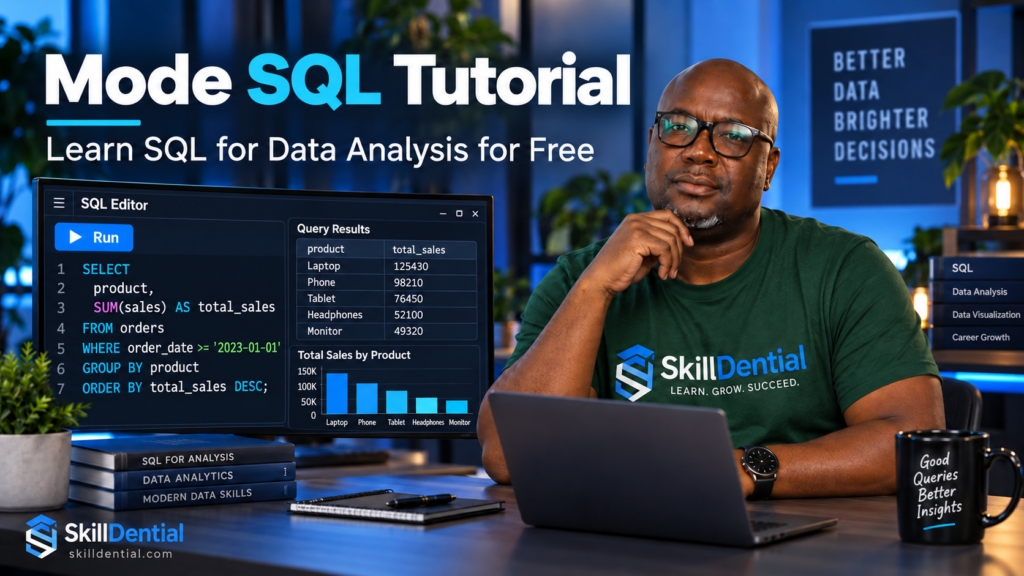
The Mode SQL Tutorial is a widely recognized, free, browser-based learning platform tailored for individuals looking to master SQL for data analysis. The curriculum moves systematically from foundational syntax to advanced data manipulation, covering core concepts such as filtering, aggregation, joins, subqueries, window functions, and query optimization.
While the Mode SQL Tutorial provides an excellent technical baseline for beginners, completing it in isolation is insufficient for securing an entry-level data role. To bridge the gap between theoretical knowledge and industry readiness, practitioners must complement the Mode SQL Tutorial with consistent hands-on coding practice, end-to-end portfolio projects, and direct experience working with messy, real-world datasets.
What is the Mode SQL Tutorial?
The Mode SQL Tutorial (also featured through Mode’s SQL School) is a comprehensive, browser-based online learning resource designed to teach SQL specifically within the context of data analysis. Rather than approaching SQL strictly as a database-administration tool, it combines conceptual explanations, code examples, and interactive exercises to bridge the gap between technical syntax and analytical thinking.
Core Curriculum Structure
The learning path is divided into two main components:
- Learn SQL: Establishes the technical foundation required to retrieve, filter, transform, and summarize data stored in relational databases (progressing from basic queries to joins, subqueries, and window functions).
- Think like an analyst: Teaches practitioners how to apply those syntax skills to realistic business questions using actual datasets.
Target Audience and Use Cases
The Mode SQL Tutorial is built primarily for individuals pursuing roles in business intelligence, reporting, product analytics, and data analysis. It equips learners to answer core business questions, such as:
- Identifying top-performing revenue-generating products
- Tracking customer retention and repeat purchase behavior
- Analyzing month-over-month growth trends
- Evaluating regional performance variations
- Monitoring specific user actions and conversion paths
While the Mode SQL Tutorial serves as an exceptional starting point for beginners, maximizing its value requires supplementing the curriculum with hands-on practice, portfolio projects, and exposure to messy, real-world datasets.
Is the Mode SQL Tutorial Free?
Yes, the Mode SQL Tutorial is completely free to access.The learning modules, SQL School pages, and embedded practice problems do not carry a course fee or subscription cost.
However, it is important to distinguish between the educational content and Mode’s commercial business intelligence software:
- The Educational Tutorial:The lessons, sample datasets, and browser-based SQL editor environment used for practice are entirely free to use.Learners only need to register for a standard account to access the workspace and run queries.
- The Commercial Platform:Mode operates as a paid enterprise data platform for professional teams and organizations requiring advanced data warehouse integrations, private reporting, and collaboration infrastructure.
For beginners and aspiring data analysts, you can safely complete the entire Mode SQL Tutorial curriculum and practice your queries without paying for a commercial software license.
How to Start Learning with the Mode SQL Tutorial
To maximize your learning efficiency, treat the Mode SQL Tutorial as a hands-on coding lab rather than passive reading material. Reading a query creates a false sense of competence; actually writing, executing, and debugging code is the only way to verify true comprehension.
Follow this step-by-step framework to work through the curriculum:
- Access the Platform: Open the Mode SQL Tutorial (SQL School) and create a free account to unlock the interactive query workspace.
- Begin at the Foundation: Start with the basic syntax lessons, even if you have prior programming experience, to build a solid technical baseline.
- Progress Sequentially: Read one lesson at a time and resist the urge to skip ahead to advanced clauses.
- Execute Every Example: Reproduce and run every code snippet provided in the lesson within the browser environment.
- Attempt Exercises Independently: Solve every practice problem yourself before looking at the provided solutions.
- Document Clause Logic: Write down the specific purpose and execution order of each SQL clause in your own words.
- Build a Capstone Project: Apply your new skills to an independent dataset or side project immediately after finishing the core modules to cement your knowledge.
Do You Need Prior Experience for the Mode SQL Tutorial?
No advanced technical background or computer science degree is required to start the Mode SQL Tutorial. You do not need prior experience as a professional programmer or database administrator.
While the curriculum is beginner-friendly, having a few foundational skills will help you ramp up faster:
- Basic familiarity with spreadsheets, rows, and columns.
- Comfort with simple arithmetic and calculating percentages.
- Curiosity about using data to solve practical business questions.
- The ability to read basic technical explanations in English.
You can successfully begin the Mode SQL Tutorial with zero prior database experience. However, if database terminology is entirely new to you, anticipate that the initial lessons will require slower reading, careful note-taking, and repeated practice to master.
What Does the Mode SQL Tutorial Teach?
The curriculum within the Mode SQL Tutorial is organized into progressive difficulty tiers—spanning basic, intermediate, and advanced levels. While exact page layouts and user interfaces may evolve over time, the core modules comprehensively cover the foundational and advanced topics required for data analysis.
Basic SQL: Core Syntax and Retrieval
The basic tier of the Mode SQL Tutorial introduces the foundational structure of SQL queries and the essential operations required to retrieve raw data from a database.
The curriculum covers core structural components and syntax rules, including:
SELECTandFROMstatements to specify columns and target tablesWHEREclauses combined with comparison operators and arithmetic expressions to filter rows- Logical operators (
AND,OR) to layer multiple filtering conditions ORDER BYto sort and structure result sets- Column aliases and basic data interpretation principles
Example Query
SQL
SELECT    product_name,    price
FROM products
WHERE price > 100
ORDER BY price DESC;
This fundamental query extracts product names and prices, isolates items priced above 100, and arranges the output in descending order by price.
The primary conceptual takeaway for beginners working through this section of the Mode SQL Tutorial is that SQL is a declarative language—you specify the exact dataset and structure you want to retrieve, and the database engine handles the underlying mechanics of how to fetch it.
Intermediate SQL: Aggregation and Relational Joins
The intermediate section of the Mode SQL Tutorial shifts focus toward summarizing data sets and combining information across multiple database tables. This tier covers summary statistics, categorical aggregation, unique value counting, conditional logic, and various relational join types.
Core technical concepts in this module include:
- Aggregation Functions:
COUNT,SUM,AVG,MIN, andMAXto compute aggregate metrics. - Categorical Grouping:
GROUP BYandHAVINGclauses to aggregate data by specific dimensions and filter aggregated outputs. - Conditional Logic:
CASEstatements to create custom conditional categories or metrics. - Relational Joins: Inner joins, outer joins, full joins, and dataset appending strategies.
Example Query
SQL
SELECT    region,    COUNT(*) AS order_count,    SUM(order_value) AS total_value
FROM orders
GROUP BY region
HAVING SUM(order_value) > 10000
ORDER BY total_value DESC;Code language: PHP (php)
This intermediate query aggregates order metrics by geographic region, calculates total volume and revenue, filters for high-performing regions exceeding a revenue threshold, and sorts the output in descending order.
Mastering joins in the Mode SQL Tutorial is a critical milestone for aspiring analysts, as business data is rarely stored in a single table. Real-world workflows routinely require connecting customer master files with independent transaction records, payment histories, subscription plans, and customer support interactions.
Advanced SQL: Multi-Stage Analysis and Window Functions
The advanced module of the Mode SQL Tutorial equips learners to handle complex data manipulation tasks, messy datasets, and multi-stage analytical workflows. This section bridges the gap between standard reporting and sophisticated data engineering logic.
Key technical topics covered in this tier include:
- Data Type Management: Understanding, parsing, and converting database data types.
- Data Cleaning: Handling inconsistent formats, missing values, and manipulating date-time strings.
- Subqueries & Multi-Step Logic: Nesting queries to perform complex calculations in stages.
- Window Functions: Computing rankings, running totals, and comparative metrics across partitions.
- Performance Optimization: Writing efficient queries to minimize resource consumption on large datasets.
Example Query
SQL
SELECT    employee_id,    department,    salary,    RANK() OVER (        PARTITION BY department        ORDER BY salary DESC    ) AS department_rank
FROM employees;
Code language: PHP (php)
This advanced query calculates a relative salary ranking for each employee inside their respective department using a window function, preserving individual row-level detail rather than aggregating rows like a traditional GROUP BY clause.
While these advanced concepts are essential for professional data roles, beginners should avoid rushing through the curriculum to reach them. Mastering the fundamentals of filtering, aggregation, and joins in the Mode SQL Tutorial provides a much stronger foundation for real-world data analysis than memorizing advanced syntax without core comprehension.
What Makes the Mode SQL Tutorial Useful for Beginners?
The primary advantage of the Mode SQL Tutorial is its focus on connecting raw SQL syntax directly to real-world analytical tasks. Instead of rote memorization of commands, learners discover how specific clauses answer practical business questions.
Key Beginner-Friendly Features
- Zero-Setup Browser Environment: The platform eliminates technical friction by providing a browser-based cloud editor. Beginners can start writing queries instantly without installing local database servers, configuring drivers, or manually importing sample tables.
- Progressive Difficulty Structure: The curriculum moves logically from core data retrieval to complex relational logic, ensuring learners build competence step-by-step:
| Stage | Main Focus | Typical Outcome |
| Basic | Retrieve and filter rows | Answer simple questions about individual records |
| Intermediate | Aggregate and join data | Produce grouped summaries and combine related tables |
| Advanced | Analyze complex datasets | Write multi-step queries and use window functions |
- Active Feedback Loop: Interactive exercises require learners to actively predict outputs, write code independently, parse error messages, and debug incorrect results. This iterative feedback loop accelerates actual skill retention far better than passive reading.
Beyond standalone queries, the broader Mode SQL Tutorial and cloud environment introduce learners to modern data workflows where SQL integrates smoothly with visualization, reporting, and Python-based analysis.
Important Limitations of the Mode SQL Tutorial
While the Mode SQL Tutorial is an exceptional entry point for learning query logic, it has distinct limitations that aspiring data professionals must recognize.
It Is Not a Comprehensive Data Analytics Program
SQL represents only a single foundational component of a professional data analyst’s toolkit. Relying solely on the Mode SQL Tutorial leaves several essential skill gaps unaddressed:
- Advanced spreadsheet modeling and data cleaning
- Data visualization and executive dashboard development
- Statistical reasoning and hypothesis testing
- A/B testing and basic experimentation frameworks
- Business communication and stakeholder reporting
- Experience with cloud data warehouses and production database administration
It Lacks Portfolio Evidence
Knowing how to write a query inside a guided sandbox is very different from solving an open-ended business problem. The Mode SQL Tutorial teaches syntax and foundational logic, but it does not replace hands-on project work. To become job-ready, learners must take the skills acquired in the Mode SQL Tutorial and apply them to independent, end-to-end portfolio projects using real-world datasets.
Key Technical Limitations: SQL Dialects and Sample Data
Beyond the scope of a standard educational curriculum, learners transitioning from the Mode SQL Tutorial to professional environments must account for platform-specific syntax variations and the messy reality of production data.
SQL Dialects and System Variance
SQL is not a uniform standard implemented identically across every database system. Syntax rules, function names, date manipulation operations, casting methods, and advanced features vary significantly between PostgreSQL, MySQL, SQL Server, SQLite, Google BigQuery, Snowflake, and other relational platforms.
When transitioning your skills outside of the Mode SQL Tutorial, always verify the specific SQL dialect of your target database rather than assuming a query will run unchanged across different environments.
Sample Datasets vs. Production Realities
The clean practice datasets used in the Mode SQL Tutorial are designed to be safe, manageable, and error-free. In contrast, real organizational data found in production environments is typically messy and complex, characterized by:
- Missing values and null discrepancies
- Duplicate records and unvalidated entries
- Inconsistent naming conventions and historical schema changes
- Ambiguous business definitions and undocumented metrics
- Multi-timezone discrepancies and complex timestamps
- Strict permission restrictions and sensitive personal data handling
Ultimately, learning how to write a functional query in the Mode SQL Tutorial is only the first step. True analytical competence requires learning how to evaluate whether underlying data is clean, accurate, and reliable enough to support high-stakes business decisions.
Completion vs. Mastery: How to Test Your SQL Skills
Finishing every lesson in the Mode SQL Tutorial proves that you worked through the curriculum, but it does not automatically guarantee that you have achieved professional mastery or the ability to independently solve unfamiliar data problems.
The SQL Competency Checklist
To evaluate whether you have truly mastered the material beyond the guided exercises, test your ability to perform the following core tasks:
- Explain Line-by-Line: Clearly articulate the exact execution flow and purpose of every line in your query.
- Diagnose Join Issues: Anticipate and identify accidental duplicate rows or inflation caused by improper table joins.
- Apply Filters Correctly: Make deliberate architectural decisions on when to use a
WHEREclause versus aHAVINGclause. - Handle Nulls Intentionally: Account for missing values, blank entries, and null propagation proactively.
- Validate Results: Cross-reference your query outputs against known totals, baseline metrics, or aggregate sanity checks.
- Adapt to New Schemas: Transfer your query logic to unfamiliar database structures and varying SQL dialects.
- Translate Data to Insights: Translate raw query outputs into actionable business context for stakeholders.
Moving past passive tutorial completion into active, self-directed problem-solving is what separates beginner learners from job-ready data professionals.
A Practical 4-Week Learning Plan for the Mode SQL Tutorial
To build sustainable competence, approach the Mode SQL Tutorial as a structured, multi-week intensive rather than a casual weekend read. Allocate two to four weeks based on your schedule, using a milestone-driven roadmap.
Week-by-Week Roadmap
- Week 1: Core Querying
- Focus: Complete the basic lessons, practice retrieving records, apply filtering conditions, and use sorting clauses (
SELECT,WHERE,ORDER BY). - Target Outcome: You can independently retrieve specific database records and apply precise filters.
- Focus: Complete the basic lessons, practice retrieving records, apply filtering conditions, and use sorting clauses (
- Week 2: Aggregation & Grouping
- Focus: Master aggregate functions (
COUNT,SUM,AVG), categorical grouping (GROUP BY,HAVING), and conditional logic (CASE). - Target Outcome: You can produce clean grouped summaries, such as calculating total sales by region or active users by subscription tier.
- Focus: Master aggregate functions (
- Week 3: Relational Joins
- Focus: Work through inner, outer, and full joins. Map out table relationships visually on paper before writing the query syntax.
- Target Outcome: You can combine data from multiple tables cleanly without unintentionally dropping records or multiplying row counts.
- Week 4: Advanced Analysis & Optimization
- Focus: Study subqueries, window functions (
RANK, running totals), date manipulation, and query performance principles. - Target Outcome: You can solve multi-step analytical problems and clearly explain the underlying logic of your query.
- Focus: Study subqueries, window functions (
Key Rule of Progress
Do not measure your success by the number of lessons checked off. Measure it solely by your ability to answer unfamiliar business questions independently without looking at the solution guide.
Next Steps & Recommendation
Now that you have mapped out the curriculum, what is your primary goal for learning SQL—are you looking to transition into a full-time data analyst role, or are you hoping to use these skills to enhance your current business and strategy work?
How to Practice Effectively: The Deliberate Practice Loop
To transition from memorizing syntax to building true analytical competence, apply a deliberate practice loop to every exercise you encounter in the Mode SQL Tutorial:
- Read the Question: Carefully parse the analytical objective before touching the keyboard.
- Identify Schema Elements: Map out the exact tables and columns required to solve the problem.
- Predict the Output Shape: Estimate what the final result set should look like (e.g., number of rows and columns).
- Draft the Simplest Query: Write the minimal viable query that could potentially work.
- Execute and Inspect: Run the query and immediately check for unexpected row counts, duplicate inflation, and null values.
- Evaluate Accuracy: Compare the actual output against your initial prediction and the original question.
- Refine and Clean: Rewrite or format the query for maximum readability and efficiency.
- Translate to Insights: Explain the final result in plain, business-ready language.
Building a Query Journal
A powerful habit for accelerating retention is maintaining a personal query journal. Structure your entries using a four-field framework:
| Journal Field | Practical Example |
| Business Question | Which region generated the most revenue? |
| SQL Technique | GROUP BY, SUM, ORDER BY |
| Validation Check | Cross-referenced total calculated revenue against the master source total |
| Interpretation | Region A generated the highest recorded revenue, driven by enterprise subscriptions |
Adopting this structured approach ensures that you build genuine analytical thinking rather than relying on rote syntax memorization.
Is the Mode SQL Tutorial Enough for a Data Analyst Job?
The short answer is no, not by itself. While the Mode SQL Tutorial provides an invaluable technical foundation for passing SQL technical assessments and handling entry-level query tasks, hiring managers evaluate candidates on a much broader set of capabilities.
SQL is the syntax of data retrieval, but a data analyst’s true value lies in problem-solving, data validation, and business translation.
How to Bridge the Gap: The 2-Project Portfolio Strategy
To prove your job-readiness to employers after finishing the Mode SQL Tutorial, you must build and publish at least two end-to-end portfolio projects:
- A Business Reporting Project: Focuses on core financial or operational metrics. It should utilize multiple table joins, complex aggregations, and culminate in an executive summary or dashboard.
- A Behavioral or Product-Analysis Project: Focuses on user engagement, retention, or customer funnels. It should leverage dates, cohort analyses, rankings, and advanced window functions.
Essential Elements to Publish for Each Project
When showcasing your projects to hiring managers, avoid dumping an unstructured list of code snippets. Every portfolio piece must clearly articulate the analytical story:
- The Business Question: The core problem or hypothesis you are investigating.
- Dataset Description: Where the data originates and its structure.
- Data-Cleaning Decisions: How you handled null values, duplicates, or anomalies.
- SQL Queries: Well-formatted, readable code.
- Validation Checks: How you verified that your numbers match reality.
- Key Findings: The primary data-driven discoveries.
- Limitations: Flaws, missing variables, or constraints in the dataset.
- Strategic Recommendations: Actionable advice for stakeholders based on your results.
Hiring managers do not just want to see that you can write a query; they need concrete evidence that you can translate raw database tables into defensible, high-impact business decisions.
Common Mistakes to Avoid in SQL
Writing a syntactically valid query that executes successfully does not guarantee that your output is analytically correct. Beginners frequently fall into traps where code runs without errors but produces flawed business insights.
Avoid these critical mistakes as you work through the Mode SQL Tutorial:
- Copying Solutions Prematurely: Looking at answers before genuinely struggling through an exercise destroys the critical troubleshooting loop needed for long-term skill retention.
- Memorizing Syntax Over Relationships: Learning commands by rote without understanding how database tables relate leads to broken queries when schemas change.
- Relying on
SELECT *: Querying every column wastes computing resources and obscures what data is actually needed for the analysis. - Ignoring Null Values: Forgetting how
NULLvalues behave in conditional checks, arithmetic, and aggregations can silently skew your final metrics. - Neglecting Table Grain: Joining tables without understanding their underlying grain (e.g., matching a one-to-many relationship incorrectly) results in accidental row inflation and distorted calculations.
- Trusting Raw Row Counts: Assuming that a high row count equals a meaningful insight without verifying what each row actually represents.
- Mishandling Dates: Applying improper date formats, timezone assumptions, or static string comparisons instead of native date functions.
- Confusing
WHEREandHAVING: Filtering rows before aggregation usingHAVING(or trying to filter aggregated metrics inside aWHEREclause) throws syntax or logical errors. - Failing to Validate Post-Join Totals: Trusting joined output without cross-referencing aggregate metrics against baseline source totals to check for duplicate multiplication.
- Assuming Universal SQL Dialects: Writing queries with the expectation that syntax valid in one environment (like SQLite or PostgreSQL) will run identically in another.
- Overestimating Clean Data: Treating the pristine, error-free datasets found in tutorials as representative of messy, real-world production data.
The Ultimate Rule
Never trust a query simply because it returns green checkmarks and executes successfully. Always validate your logic against the business question, check your row counts, and ensure your results actually make logical sense.
Who Should Use the Mode SQL Tutorial?
The Mode SQL Tutorial is an exceptional learning resource for specific profiles, but it has defined boundaries where learners will need to look elsewhere.
Ideal Audiences
The tutorial is a strong fit if you fall into any of these categories:
- Beginners who are completely new to database queries and structured data.
- Job seekers preparing for entry-level data analyst technical assessments.
- Excel or Google Sheets users looking to transition from flat spreadsheets into relational databases.
- Students or professionals studying business intelligence, product analytics, or growth marketing.
- Learners seeking a free, structured, and browser-accessible path.
- Self-directed individuals who learn best through interactive examples and hands-on exercises.
When the Tutorial Is Insufficient
The Mode SQL Tutorial will not meet your needs as a standalone resource if you require:
- Database administration (DBA) training, server management, or user permission setups.
- Deep data engineering skills, pipeline architecture, or ETL development.
- Advanced database performance tuning and query execution plan optimization.
- A comprehensive statistics or data science curriculum.
- Extensive preparation for specialized commercial SQL dialects or proprietary systems.
- An accredited professional certificate to display on a resume.
Conclusion & Next Steps
The Mode SQL Tutorial serves as an indispensable launching pad for anyone breaking into data analysis. By pairing its free browser-based sandbox with deliberate practice loops, a query journal, and end-to-end portfolio projects, you can transform basic syntax knowledge into real-world analytical competence.
Are you currently working in a role where you can apply these SQL skills immediately, or are you actively preparing to transition into a new data career?
Is the Mode SQL Tutorial suitable for complete beginners?
Yes. The basic section starts from scratch—covering fundamental data retrieval, record filtering, simple arithmetic, and sorting results. You can begin learning with zero prior professional database experience.
Do I need to install SQL software?
No. The Mode SQL Tutorial is built around a browser-based learning environment, which entirely eliminates the friction of local database setup or software installation. If you choose to practice independently later on, you can transition to a local database, a hosted SQL environment, or a platform featuring public datasets.
Does it teach Python too?
Mode offers separate educational tracks for SQL and Python. While the Mode SQL Tutorial focuses strictly on SQL training, Mode’s broader enterprise platform connects SQL workflows with Python, R, and advanced visual analytics.
Does it provide real-world experience?
It provides valuable practice using realistic analytical questions and structured example datasets. However, it cannot fully replicate the complexities of working inside a live production data warehouse, managing ambiguous stakeholder requests, handling access controls, or cleaning unformatted organizational data.
Can it help with SQL interviews?
Yes, particularly for mastering foundational interview topics such as filtering, aggregation, relational joins, conditional logic, subqueries, and window functions. To prepare effectively for technical screens, you should also practice solving unfamiliar problems under time constraints and articulating your technical reasoning aloud.
Is SQL still useful for aspiring data analysts?
SQL remains an indispensable core skill for querying relational databases and modern data warehouses. Ultimately, however, your professional value comes from using SQL to answer high-stakes business questions rather than merely memorizing isolated commands.
In Conclusion
The Mode SQL Tutorial is an exceptional, zero-cost starting point for anyone looking to master SQL for data analysis. By beginning with the foundational modules, working through exercises independently without copying solutions, mastering aggregation and joins, and leveraging advanced topics for custom dataset analysis, you build a solid technical foundation.
Your Immediate Action Plan
- Step 1: Open the Mode SQL Tutorial (SQL School) platform.
- Step 2: Complete your first basic lesson and write three custom queries completely from memory to test active recall.
- Step 3: Commit to a structured 2-to-4-week learning path.
- Step 4: Build and publish a capstone project that showcases a real business question, a rigorously validated SQL analysis, and clear executive-ready insights.
Final Follow-Up Question
Are you planning to tackle the Mode SQL Tutorial as a complete beginner, or are you using it as a refresher to prepare for upcoming data analyst interviews?