Can You Use ChatGPT to Learn New Skills from Scratch?
Yes, you can use ChatGPT to learn new skills from scratch—even without prior experience or an expensive course. Acting as a personalized learning coach, ChatGPT can break down complex concepts, build custom study roadmaps, generate practice exercises, and provide instant feedback. However, AI is not a shortcut to mastery; to truly learn a new skill, you must still practice independently, verify factual details, and build real-world projects.
When you decide to learn new skills, starting is often the hardest part. Whether your goal is to master coding, sharpen your writing, analyze data, launch a digital marketing campaign, or prepare for a complete career transition, the sheer volume of information available online can be overwhelming.

While free tutorials are everywhere, choosing the right learning path is difficult. Beginner tutorials often jump into overly technical jargon, and passively watching video lessons rarely leads to true competency.
ChatGPT solves this by transforming passive consumption into an interactive, structured feedback loop. In this guide, you will learn how to leverage ChatGPT to learn new skills step-by-step, discover which technical and digital skills are best suited for AI coaching, access high-leverage prompts, and turn theoretical knowledge into tangible career results.
What Does It Mean to Learn New Skills with ChatGPT?
Using ChatGPT to learn new skills means transforming the AI from a simple search engine into an active, interactive 1-on-1 tutor that guides your entire mastery loop: understanding, practicing, and applying core concepts.
Instead of asking for a quick definition and moving on, you use the AI to deconstruct a topic, request real-world examples, generate targeted practice exercises, evaluate your submissions, and provide granular feedback for improvement.
For example, when using AI to learn new skills like advanced data analysis, you can prompt ChatGPT to explain complex Excel formulas in plain English. Once you grasp the fundamentals, you can feed sample datasets into the chat, solve custom exercises, and have the model critique your syntax. Similarly, if your goal is to master web development, you can start with fundamental HTML, build a rudimentary webpage step-by-step, and progressively scale up to CSS and JavaScript under the AI’s supervision.
The critical distinction is that ChatGPT acts as the catalyst for doing the work, not the replacement for it.
As highlighted in OpenAI’s official guide to study-oriented AI interactions, an effective learning mode shifts the dynamic away from giving away immediate answers. Instead, it guides users through progressive conceptual layers, prompts active recall, designs practical drills, and validates true comprehension—making it an invaluable framework for anyone looking to learn new skills systematically.
What Skills Can You Learn with ChatGPT?
You can leverage ChatGPT to build foundational knowledge and gain hands-on practice across a diverse spectrum of disciplines. The key to successfully using AI to learn new skills is matching your learning path to your current experience level, available time, and targeted career objectives.
The table below highlights high-impact domain areas and how ChatGPT accelerates practical mastery:
| Skill Area | What ChatGPT Helps You Practice | Tangible Outcome |
| Writing & Communication | Structural framing, tone adjustment, grammar editing, and persuasive messaging. | Draft high-converting business emails, proposals, or articles. |
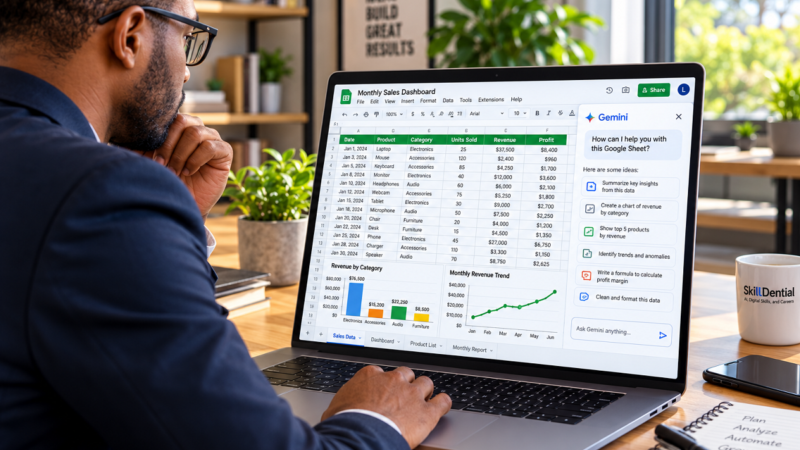
| Data & Spreadsheets | Formula construction, syntax troubleshooting, data cleaning, and dataset analysis. | Build an automated expense tracker or financial dashboard. |
| Coding & Web Development | Core programming logic, code debugging, refactoring, and project architecture. | Build a functional landing page or deploy a lightweight script. |
| Digital Marketing | Audience research, content strategy, SEO keyword grouping, and campaign review. | Develop a full 30-day multi-channel content calendar. |
| AI & Prompt Engineering | System prompt design, output evaluation, variable testing, and multi-step workflows. | Build reusable prompt templates for automated tasks. |
| Business & Freelancing | Service positioning, offer structuring, client proposal drafting, and pricing strategies. | Draft a comprehensive freelance client proposal. |
| Personal Productivity | Task prioritization frameworks, documentation templates, and workflow optimization. | Design a repeatable standard operating procedure (SOP). |
Understanding the Boundaries of AI Learning
While ChatGPT is an exceptional accelerator, using the tool in isolation will not make you fully job-ready or proficient in every technical domain:
- Tool-Specific Execution: Certain disciplines require direct execution within dedicated software environments. For example, mastering video editing requires operating timeline tools in Premiere or DaVinci Resolve, while mastering cloud computing or DevOps requires navigating live terminal environments, sandbox labs, and active server configurations.
- The Micro-Goal Framework: When using ChatGPT to learn new skills, broad objectives like “learn digital marketing” or “learn web development” often lead to overwhelm.
To maximize retention and achieve real momentum, frame your objectives around discrete, verifiable micro-projects. Instead of attempting to master an entire industry at once, direct your AI prompts toward completing a single actionable asset—such as conducting keyword research for a specific niche or writing a single Python script to automate a routine file cleanup. Small, finished projects make skill growth visible and measurable.
How to Use ChatGPT to Learn New Skills from Scratch
Mastering a discipline with AI requires a structured execution framework rather than random queries. To successfully learn new skills from scratch, you do not need prior expertise—you need a clear outcome, a progressive curriculum, hands-on practice, and a systematic way to measure your growth.
Step 1: Define One Specific Skill Outcome
When using AI to learn new skills, broad objectives like “learning technology” or “getting into marketing” lead to confusion and lack of momentum. To maximize efficiency, narrow your objective down to a single, verifiable outcome.
A well-defined micro-goal establishes a clear starting point and gives your AI learning sessions immediate structure:
- Instead of “learning coding”, aim to build a single-page responsive site using HTML and CSS.
- Instead of “learning data analysis”, aim to clean a messy raw dataset and execute core summary statistics in Excel or Python.
- Instead of “learning professional writing”, aim to draft a long-form, SEO-optimized business guide.
- Instead of “learning digital marketing”, aim to build a keyword strategy and content cluster map for a specific niche.
Anchor to a Real-World Purpose
Align your target skill with a concrete objective—whether that means increasing leverage in your current job, positioning for a career shift, launching a freelance offer, or building an independent project. Clarifying why you want to learn a new skill upfront dictates the exact context, datasets, and scenarios you will instruct ChatGPT to use during your practice sessions.
Step 2: Establish Your Baseline Knowledge and Constraints
Before diving into lesson content, instruct ChatGPT to evaluate where you are starting from. Jumping directly into tutorials without establishing a baseline often results in explanations that are either too basic or overly complex.
Providing context upfront allows the AI to calibrate its instruction to your current proficiency, available time, and technical setup as you learn new skills.
Use this copy-and-paste prompt framework to set up your baseline evaluation:
I want to learn [INSERT SKILL] from scratch so that I can [INSERT SPECIFIC GOAL].

My current experience level is [NONE / BRIEF DESCRIPTION]. I can commit [NUMBER] hours per week, and my learning budget is [BUDGET].

Before generating a lesson plan:
1. Ask me up to 5 brief diagnostic questions to assess my exact starting knowledge, hardware/software setup, and learning preferences.
2. Based on my answers, identify the core foundational competencies I need to focus on first.

Do not begin teaching until I answer your diagnostic questions.
Code language: JavaScript (javascript)
Be Specific About Your Operational Constraints
When answering the diagnostic questions, provide accurate details about your working environment:
- Hardware & Tools: Mention if you are working solely on a smartphone, an older laptop, or if you lack access to paid software tools.
- Time Commitment: Be realistic about how many focused hours you can dedicate each week.
- Learning Style: State whether you learn best through step-by-step text breakdowns, real-world scenario challenges, or code/formula teardowns.
Establishing these parameters ensures that as you learn new skills from scratch, the resulting roadmap accounts for your real-world environment rather than an idealized setup.
Step 3: Build a Structured Learning Roadmap
A progressive roadmap deconstructs a complex discipline into modular, sequential topics. When attempting to learn new skills, beginners often waste critical time jumping into advanced frameworks before grasping core principles.
A structured roadmap ensures logical skill progression. For example, a beginner learning front-end web development should follow a deliberate sequence:
- Stage 1: HTML Fundamentals — Master page architecture, semantics, document structure, forms, and accessibility.
- Stage 2: CSS Styling & Layouts — Learn visual design principles, box model dynamics, Flexbox, CSS Grid, and responsive breakpoints.
- Stage 3: Hands-On Application — Build a multi-section landing page from scratch without relying on external frameworks.
- Stage 4: Code Review & Optimization — Debug cross-browser display issues, refine layout responsiveness, and document the code.
Use this copy-and-paste prompt to generate a custom curriculum tailored to your specific goal:
Create a beginner-friendly learning roadmap for [INSERT SKILL] that takes me from zero knowledge to successfully completing [INSERT SPECIFIC PROJECT].

Structure the roadmap into weekly milestones. For each week, provide:
1. Core Concepts: Key theoretical knowledge to grasp.
2. Practical Exercises: Hands-on tasks to build muscle memory.
3. Recommended Resources: High-quality free or low-cost learning materials.
4. Milestone Checkpoint: A quick practical test to verify comprehension.

Assume I can commit [NUMBER] hours per week. Clearly flag any required prerequisites or software installations. Avoid unrealistic timeframes or promises of absolute mastery.
Code language: CSS (css)
Validate the Output Before Starting
Treat the AI-generated roadmap as a strategic draft rather than an unchangeable script. As you prepare to learn new skills from scratch, review the roadmap to verify that the weekly workload is manageable, prerequisites are clear, and suggested tools or software are freely accessible.
Step 4: Master Concepts Through Active Recall and Micro-Lessons
Avoid prompting ChatGPT to teach an entire subject in a single, massive response. Long technical breakdowns introduce too many unfamiliar terms at once, leading to cognitive overload and low retention.
The most effective way to learn new skills is to deconstruct a topic into micro-lessons. Ask the AI to explain a single concept, demonstrate a real-world example, and test your understanding before moving forward.
For instance, when using AI to learn new skills like spreadsheet modeling:
- First, master raw cell references, rows, columns, and standard arithmetic operators ($+$, $-$, $*$, $/$).
- Next, transition to foundational functions like
SUM,AVERAGE, andCOUNT. - Only after proving competency with simple formulas should you progress to logical statements like
IF,AND, or lookup functions (XLOOKUP).
Use this copy-and-paste prompt to turn ChatGPT into an interactive tutor:
Act as an expert, patient 1-on-1 tutor for [INSERT SKILL]. I am a complete beginner.

Teach me one concept at a time using clear, plain English and practical, real-world examples.

After each short explanation:
1. Give me a single short exercise to test my understanding.
2. Wait for my response before proceeding.
3. If my answer is incorrect, explain the underlying mistake clearly and give me a new variation to solve.
4. Do not move to the next concept until I successfully demonstrate mastery of the current one.
Code language: PHP (php)
Refine Explanations to Match Your Mental Model
If an AI explanation feels overly theoretical, do not hesitate to ask for a mental bridge. Request a real-world analogy, a simplified diagram, or a comparison to a familiar concept.
Additionally, you can leverage ChatGPT’s built-in Study Mode feature to receive step-by-step guidance, diagnostic questions, and interactive feedback natively.
Step 5: Shift from Passive Consumption to Active Practice
Understanding a concept in theory is entirely different from applying it in execution. Reading an AI-generated explanation gives the illusion of learning, but true retention occurs only when you apply that knowledge independently.
Whenever you use ChatGPT to learn new skills, pair every lesson with a hands-on execution task that forces active recall:
- Spreadsheet Modeling: Write a custom dynamic formula from scratch using raw data rather than copying an example.
- Professional Writing: Draft an opening hook for a complex topic, then refine its flow based on targeted structural critique.
- Front-End Development: Code a navigation bar layout purely from memory before checking reference documentation.
- Digital Marketing: Map out customer pain points for a niche product and build three unique content positioning angles.
- Business Communication: Write a firm, professional response to a demanding client negotiation scenario.
Prompt ChatGPT for Progressive Practice & Hint-Based Support
Instruct the AI to generate practice exercises that scale in difficulty as you gain confidence. When you hit a roadblock on an exercise, resist the urge to ask for the complete solution immediately.
Instead, ask for a subtle nudge using a progressive hint prompt:
I am stuck on this exercise. Do not give me the answer or write the code/formula for me.

Provide only the smallest hint or point out the specific line/logic where my reasoning is failing, so I can solve it on my own.
Code language: JavaScript (javascript)
By struggling through the problem first and using minimal AI hints, you build the critical problem-solving capabilities required when applying your new skills in real-world professional environments.
Step 6: Establish Feedback Loops and Verify Output Quality
Constructive feedback highlights blind spots and structural weaknesses that are easy to miss during self-study. To accelerate growth as you learn new skills, submit your completed practice exercises to ChatGPT for rigorous critique before moving forward.
Rather than asking for generic praise, instruct the AI to analyze your work against defined quality standards.
Use this copy-and-paste prompt to get actionable, structured feedback:
Review my completed work for [INSERT TASK / EXERCISE].

Evaluate my submission against these 4 criteria:
1. Accuracy (Is the logic, code, formula, or fact correct?)
2. Completeness (Did I miss any required elements?)
3. Clarity (Is it easy to understand and well-structured?)
4. Practical Usefulness (Does it meet real-world standards?)

Identify what I executed well, point out errors or gaps, and explain the single most important refinement I should make. Do not rewrite my work for me—guide me so I can improve it myself.
Code language: CSS (css)
Fact-Check and Validate AI Feedback
While ChatGPT is a powerful learning accelerator, it is not infallible. Developing critical verification habits is essential as you learn new skills from scratch:
- For Code & Scripts: Execute the code in your local development environment, terminal, or browser to verify it runs without errors.
- For Spreadsheets & Data: Run manual sanity checks on calculated numbers to ensure formulas evaluate correctly.
- For Writing & Strategy: Cross-reference factual assertions, statistics, and industry guidelines against authoritative documentation or primary sources.
Where possible, validate high-stakes feedback against official documentation, trusted educational resources, or experienced industry professionals.
Step 7: Apply Your Knowledge to a Capstone Project
Completing a standalone, real-world project is the ultimate validation of your progress. While individual practice drills reinforce specific concepts, executing a complete project forces you to integrate multiple sub-skills, troubleshoot unscripted edge cases, and discover critical knowledge gaps.
When using ChatGPT to learn new skills, select a manageable micro-project that can be completed within 1 to 2 weeks:
| Target Skill | Real-World Beginner Project |
| Excel & Spreadsheets | Build a dynamic monthly budget tracker with automated summary metrics and conditional formatting. |
| Web Development | Code and deploy a fully responsive single-page portfolio site showcasing your background. |
| Business Writing | Produce a fully researched, SEO-optimized, and edited 1,500-word industry article. |
| Digital Marketing | Construct a comprehensive 30-day cross-channel content calendar for a niche service business. |
| Data Analysis | Clean a raw public dataset, calculate descriptive metrics, and synthesize findings into a key insights summary. |
| Prompt Engineering | Design, test, and document a multi-prompt operational framework to automate a repetitive task. |
Guide the Build, Don’t Outsource the Work
Use ChatGPT as a technical project manager to define system requirements, break implementation into manageable phases, and assist with debugging.
Act as a senior project mentor. I am building [INSERT PROJECT NAME] to consolidate what I have learned about [INSERT SKILL].

Help me structure this project:
1. Define a clear set of realistic requirements and deliverables for a beginner.
2. Break down the build process into 4 sequential phases.
3. Highlight common pitfalls or mistakes beginners make when executing this type of project.

Do not generate the core deliverables or code for me. I will execute each phase myself and submit my work for your review.
Code language: JavaScript (javascript)
Important
Write every line of code, draft every paragraph, and input every formula yourself. If ChatGPT builds your entire project and you cannot explain the underlying architecture, you have generated a portfolio piece without acquiring the underlying skill.
Document Your Process for Career Growth
For maximum impact on your resume or portfolio, document your learning trajectory:
- Log Decisions & Trade-Offs: Note why you chose specific approaches, formulas, or structures over alternatives.
- Document Refinements: Keep snapshots of early drafts or broken code alongside your final, optimized versions to show growth.
- Master the Mechanics: Be prepared to walk through your project step-by-step and articulate how each component operates.
An authentic project that you can confidently explain during an interview or client call is infinitely more valuable proof of competence than a list of courses or theoretical knowledge.
Step 8: Validate Your Independence and Readiness
The ultimate test of competence is whether you can execute tasks without a safety net. After completing your capstone project, evaluate your ability to apply your new skills independently, free from constant AI assistance.
True proficiency means you can explain core principles, anticipate and troubleshoot common errors, and make reasoned tactical decisions on your own.
Use this copy-and-paste prompt to run a rigorous, independent skill assessment:
Assess my current ability in [INSERT SKILL] based on the roadmap and project I have completed.

Design a practical skills assessment that tests my true understanding, independent problem-solving, and application:
1. Give me one unassisted challenge task at a time. Do not reveal solutions or hint at the implementation.
2. After I submit my work, evaluate my performance objectively.
3. Identify residual knowledge gaps and recommend what I should focus on next.
4. Clearly distinguish between what I can successfully execute on my own and what areas still require reinforcement.
Code language: PHP (php)
Interpreting Your Results and Next Steps
Analyze your assessment results with a critical eye:
- Revisit Fundamentals: If you struggled with basic syntax, logic, or core definitions, step back to review those specific modules before advancing.
- Level Up Complexity: If you completed the tasks smoothly, increase the difficulty by tackling a more advanced project or combining your new skill with an adjacent discipline.
- Embrace Functional Competence: You do not need to feel like an absolute expert to move forward. You only need sufficient independent capability to tackle the next phase without relying on AI to drive every decision.
How to Create a Practical Learning Schedule
Establishing a consistent routine transforms a vague learning goal into a sustainable habit. The ideal schedule depends on your daily responsibilities and the complexity of the discipline you want to master.
You do not need to block out hours every day; consistent, deliberate weekly sessions yield better retention than sporadic, exhaustive cramming.
The following framework illustrates a structured four-week learning plan for acquiring a new digital skill. This is a strategic blueprint designed to structure your progress rather than a guarantee of full mastery within 30 days:
| Week | Main Activity | Expected Evidence of Progress |
| Week 1 | Master fundamentals and configure required tools/environments. | Articulate core concepts clearly and solve foundational drills. |
| Week 2 | Practice core techniques with progressive examples and minimal AI hints. | Complete multi-step tasks independently with fewer corrections. |
| Week 3 | Execute a small, scoped independent capstone project. | Produce a working draft and identify technical knowledge gaps. |
| Week 4 | Test, refine, optimize, and document your completed project. | Deliver a polished final project and explain your structural decisions. |
Weekly Review and Adaptive Calibration
At the end of each week, evaluate your trajectory by asking yourself three diagnostic questions:
- Capability Audit: What specific task can I execute today that I was incapable of doing seven days ago?
- Error Tracking: Which repetitive mistakes or conceptual misunderstandings am I still encountering?
- Validation Check: What practical micro-task will definitively prove my competency before I advance?
Use these insights to calibrate the upcoming week. If a foundational concept remains unclear, extend your timeline to reinforce it rather than rushing ahead simply to maintain an artificial schedule.
Can You Learn New Skills with ChatGPT for Free?
Yes, you can start learning with ChatGPT without paying for a subscription. The free tier provides core functionality—including text interactions, structured learning prompts, custom lesson planning, and exercise generation—making it an accessible launchpad for self-directed upskilling.
However, relying entirely on a free AI model comes with specific operational limits. Understanding these boundaries allows you to design a cost-effective learning stack that combines AI assistance with complementary resources.
The Free Tier: What Works vs. Usage Constraints
While ChatGPT’s free tier offers access to foundational learning interactions, advanced features and heavy computational tasks are subject to usage thresholds:
| Learning Task | Free Tier Capability | Key Constraint / Limit |
| Lesson Plans & Explanations | Full access to interactive Q&A and concept breakdowns. | Standard context windows require keeping chat threads focused. |
| Practice Exercises & Drills | Unlimited text-based prompt generation for custom quizzes and code reviews. | Advanced reasoning and deep code analysis may switch to lighter models during peak load. |
| File & Document Uploads | Basic file attachments for dataset critique or writing reviews. | Capped at strict daily upload limits. |
| Web Search & Fact Verification | Built-in web search to pull current documentation and references. | Capped search requests per session before throttling. |
Building a Zero-Cost Learning Stack
To bypass AI platform limitations and achieve complete technical proficiency, pair ChatGPT with dedicated free learning environments:
- ChatGPT (The Interactive Tutor): Use it strictly to simplify complex concepts, structure study schedules, generate practice exercises, and critique your completed work.
- Official Documentation: Reference primary source materials (such as MDN Web Docs for coding, Microsoft Learn for Excel, or official API guides) to verify accurate syntax and technical standards.
- Open Practice Environments: Execute your work in free, native tools—such as Google Sheets for data work, VS Code or Replit for software development, or Canva for design concepts.
- Open-Source & Free Curricula: Complement your AI sessions with structured platforms like freeCodeCamp, Khan Academy, or Coursera (audit mode) to ensure full topic coverage.
Cost-Efficiency in Emerging Markets
For learners in regions where educational budgets or local purchasing power are constrained—such as Nigeria and other developing markets—a zero-cost AI stack significantly lowers the barrier to entry.
While AI cannot solve hardware constraints like laptop availability, electricity stability, or internet data costs, it eliminates the need to buy expensive entry-level courses or private tutoring.
When to Consider Paid Alternatives
Before purchasing a course, tool, or paid AI tier, evaluate whether your current goal actually requires it:
- Stay on Free: If you are building foundational literacy in writing, basic spreadsheets, introductory programming, or general digital marketing, free AI models combined with open resources are more than sufficient.
- Upgrade Strategically: Consider paid tools, advanced AI tiers, or certified programs only when you need deep code execution sandboxes, high-volume file processing, specialized software licenses, or accredited industry certifications for employment.
What Are the Limitations of Using ChatGPT to Learn?
While ChatGPT dramatically lowers the barrier to entry for self-directed upskilling, it is not a silver bullet. Understanding the intrinsic boundaries of AI-assisted education prevents costly mistakes and ensures you build genuine, verifiable competence.
Hallucinations and Factual Inaccuracies
ChatGPT can occasionally generate explanations or code that sound authoritative yet contain subtle factual errors, deprecated syntax, or flawed logic.
- The Impact: Relying blindly on AI outputs can lead to bad habits in technical fields, regulatory compliance errors, or flawed business strategies.
- The Safeguard: Always cross-reference core claims, formulas, and technical architectures against official documentation, primary source materials, and trusted industry guidelines.
The Illusion of Competence (Lack of Real-World Execution)
Absorbing information through chat is not the same as executing it under real-world constraints. Reading about a technical process creates a false sense of mastery.
- The Impact: True proficiency requires working inside native software environments, troubleshooting unexpected errors, and managing live systems. For example, reading about database architecture in ChatGPT is no substitute for deploying and querying an actual SQL database.
- The Safeguard: Treat AI as a theoretical mentor, but execute all practice drills, projects, and debugging inside real production environments.
The Risk of Dependency and Over-Reliance
If you rely on ChatGPT to write every script, draft every memo, or solve every logic puzzle, you bypass the cognitive struggle required to build long-term retention and problem-solving muscle.
- The Impact: When placed in an unassisted environment—such as a live coding interview or a client meeting—dependency on AI leaves you stranded.
- The Safeguard: Enforce strict guardrails. Always attempt tasks independently first, use hints only when blocked, and demand that the AI guide your reasoning rather than handing over complete solutions.
Zero Guarantee of Employment or Certification
Mastering a skill via ChatGPT helps build practical competence, but it does not replace formal industry credentials where required.
- The Impact: Self-taught portfolios prove execution ability, but many specialized industries (such as healthcare, finance, legal services, or certain engineering roles) legally or structurally mandate formal qualifications, accredited degrees, or recognized certifications.
- The Safeguard: Research hiring standards in your target industry early. If formal certifications are non-negotiable for your career path, use ChatGPT to prep for exams, but supplement your learning with accredited courses or official testing bodies.
Privacy, Data Security, and Institutional Governance
Educational interactions often require sharing context, writing samples, or data structures. However, entering proprietary information into consumer AI tools introduces significant security risks.
- The Impact: Exposing intellectual property, employer data, private client information, or personal credentials violates professional compliance policies and privacy standards.
- The Safeguard: Never input sensitive data, passwords, or confidential business files into learning chats. Use fully anonymized or synthetic data for practice exercises, and review your platform’s data-handling and privacy settings.
As highlighted in global frameworks on generative AI in education—such as guidelines from UNESCO—successful AI adoption requires a human-centered approach, strict data privacy protection, and a commitment to critical thinking and ethical safeguards.
The Verdict: Build a Resilient Learning System
The most effective strategy is to treat ChatGPT as a powerful 1-on-1 tutor and accelerator, never as an infallible authority or a replacement for your own independent effort. Combine AI-driven lesson planning with active coding, official documentation, verified feedback loops, and real-world project execution.
Common Mistakes to Avoid When Learning with ChatGPT
To build true, long-term mastery, avoid these common traps that slow down self-directed learners:
- Multitasking Across Skills: Attempting to learn new skills simultaneously fragments your focus and leads to shallow progress. Pick a single core skill, build a complete project, and establish competence before adding a second domain.
- Hoarding Prompts Without Practice: Collecting lists of complex prompts provides zero value if you never apply them. A prompt is only as useful as the active practice or tangible output it produces.
- Accepting AI Output Uncritically: Assuming every response is flawless leads to embedded mistakes. Always audit formulas, execute code in native tools, and verify factual claims against primary documentation.
- Skipping Core Fundamentals: Rushing directly into advanced applications without grasping baseline principles creates fragile knowledge. Skipping prerequisites makes troubleshooting nearly impossible when edge cases arise.
- Copying Work You Cannot Explain: Generating complete code blocks or long-form essays without understanding their internal mechanics creates the illusion of achievement. If you cannot explain every step of your project, you haven’t truly learned the skill.
- Setting Unrealistic Timelines: Real-world upskilling requires time for cognitive processing, trial-and-error, revision, and failure. Build margin into your schedule for unexpected technical hurdles.
- Confusing Completion with Competence: Finishing a guided tutorial or closing a chat thread is not evidence of capability. You have only mastered a concept when you can perform it independently without AI assistance.
The Goal: Sustainable Independence
An effective learning framework should make you progressively more capable over time. The ultimate measure of success isn’t how efficiently you prompt ChatGPT—it is how confidently you can solve problems, execute complex tasks, and deliver results independently in real-world professional environments.
Can a complete beginner use ChatGPT to learn new skills?
Yes. Beginners can use ChatGPT to deconstruct complex subjects into plain language, construct custom learning roadmaps, generate tailored practice drills, and receive real-time feedback. The key to success when you learn new skills from scratch is starting with a micro-project and incrementally scaling difficulty as your understanding grows.
How long does it take to learn a new skill with ChatGPT?
The timeline depends on the skill’s complexity, your starting baseline, your weekly time commitment, and the depth of mastery required. While basic familiarity with a tool or concept can take a few days, building job-ready competency requires sustained, unassisted practice over several weeks or months. AI accelerates the learning curve, but it cannot replace time spent on hands-on execution.
Can ChatGPT replace formal online courses or bootcamps?
Not entirely. While ChatGPT offers flexible, on-demand tutoring and personalized exercises, structured online courses provide curated media demonstrations, peer environments, expert instructor oversight, and recognized credentials. Combining free or low-cost learning resources with interactive AI coaching often yields the most balanced, cost-effective result.
Is ChatGPT Study mode useful for learning new skills?
Yes. Study Mode provides a structured, interactive environment specifically designed to walk users through concepts step-by-step, prompt active recall, create diagnostic quizzes, and test comprehension without spoiling answers upfront. However, it should still be paired with official technical documentation and native practice environments to verify accuracy.
Can I use ChatGPT to learn job-ready digital skills?
Yes, ChatGPT is an exceptional accelerator for mastering practical digital skills like coding, data analysis, copywriting, prompt engineering, and digital marketing. However, theoretical knowledge alone will not make you job-ready; you must build a portfolio of real-world, independent projects to demonstrate true execution capability to employers or clients.
Do I need to pay for ChatGPT to learn new skills?
No. You can effectively learn new skills for free using ChatGPT’s free tier paired with open-source learning platforms, free developer environments (like Google Sheets or VS Code), and official technical documentation. Upgrading to a paid plan or purchasing specialized tools is only necessary when you require high-volume file processing, advanced reasoning models, or specialized software licenses.
In Conclusion
You can successfully use ChatGPT to learn new skills from scratch, but your rate of progress depends entirely on your execution framework. AI is not a passive shortcut to expertise—it is a high-leverage accelerator for those who approach it with structure and discipline.
To recap the core framework for using AI to learn new skills:
- Focus on One Specific Outcome: Define a clear, micro-project goal instead of pursuing broad fields all at once.
- Establish a Baseline & Roadmap: Instruct ChatGPT to assess your starting point, respect your constraints, and build a progressive learning path.
- Master Concepts Micro-Step by Micro-Step: Break subjects into digestible lessons and prioritize active recall over passive reading.
- Shift Immediately to Independent Practice: Solve exercises on your own, ask for minimal hints when stuck, and build a tangible capstone project to prove your competency.
- Verify and Audit: Always cross-reference AI-generated explanations, code, and calculations against official documentation and primary sources.
Most importantly, measure success by how quickly you can reduce your reliance on AI. The ultimate goal is not becoming a better prompt engineer—it is building genuine, unassisted technical capability that translates directly into real-world career growth.
Your Next Step
Select one single skill you want to master, define the specific project you want to build, and run Step 2’s Baseline Assessment Prompt to generate your customized learning roadmap today.
You do not need prior experience or an expensive course to begin—you simply need a clear outcome, the right prompts, and a commitment to deliberate practice.