Top iOS 27 Siri App Features for Students and Professionals
iOS 27 Siri App Features represent the most significant architectural shift in Apple’s mobile operating system, transitioning the assistant from a command-based tool to a context-aware, agentic AI platform. Integrated as a standalone application, the new interface functions as a central hub for conversational intelligence, designed to bridge the gap between static apps and dynamic, cross-platform workflows.
Key advancements defining iOS 27 Siri App Features include:
- Contextual Agency & Cross-App Integration: Siri now operates with system-wide awareness, capable of pulling personal context—such as flight details from Mail or event logistics from Messages—to perform complex, multi-step actions without manual app switching.
- Conversational Continuity: The new dedicated application allows for persistent, multi-turn interactions. Users can revisit historical threads across devices, enabling a seamless transition from a workflow initiated on a Mac to one completed on an iPhone.
- On-Screen Awareness: Siri can now “see” and interpret active on-screen content, allowing users to ask questions or initiate actions based on current documents, PDFs, or visual media, effectively turning the display into a live data source for the AI.
- Multimodal & Third-Party Support: The platform integrates native Apple Intelligence with third-party model support (e.g., ChatGPT, Gemini), providing users with flexible, model-agnostic capabilities for drafting, brainstorming, and editing.
- Hardware-Level Optimization: While the full reengineered experience is optimized for the iPhone 15 Pro and later, Apple has scaled a version of these capabilities across the broader ecosystem.
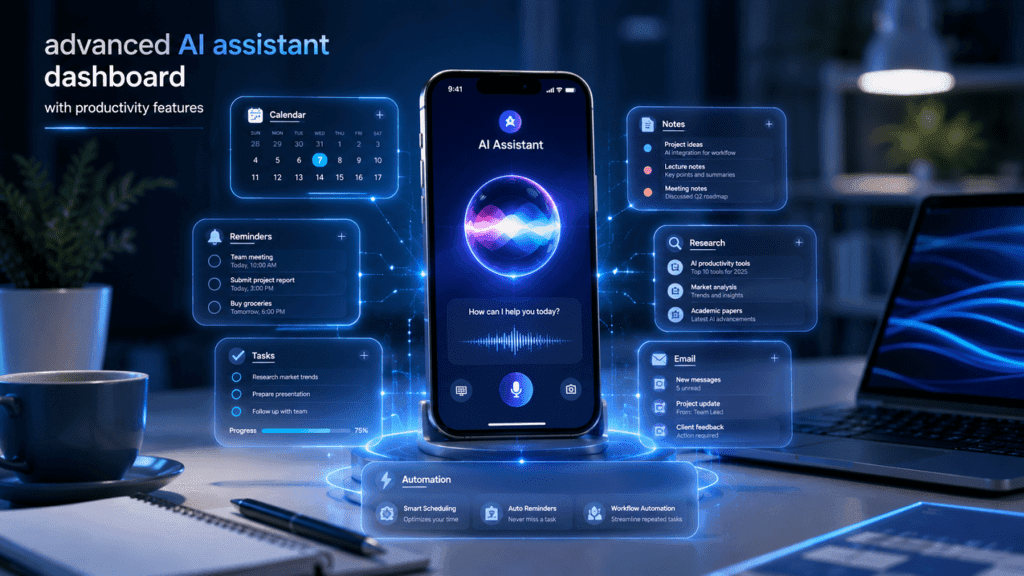
Developer betas are currently active, with the public release slated for September 14, 2026. For students and professionals, these iOS 27 Siri App Features redefine mobile productivity by moving beyond simple task automation into intelligent, agent-driven execution.
How does the new Siri app in iOS 27 work?
The new Siri in iOS 27 functions as an agentic AI architecture that shifts the assistant from a command-based utility to a persistent, context-aware productivity engine.
The system is built on Apple Intelligence and utilizes a hybrid architecture that balances speed, privacy, and reasoning power.
Architectural Core: On-Device + Private Cloud Compute
The Siri app operates through a tiered processing model to ensure high-performance execution while maintaining strict data privacy:
- On-Device Processing: Foundation models run locally on the device to handle sensitive personal context and low-latency tasks.
- Private Cloud Compute (PCC): For complex reasoning or tasks requiring broader knowledge, the system offloads requests to Apple’s specialized server-side infrastructure.
- Privacy Verification: No user data is stored on Apple’s servers; data is only used to fulfill the immediate request. The architecture allows for independent, third-party binary inspection to verify these privacy guarantees.
Contextual Engine
Siri now maintains a persistent state across your digital life by indexing information from across the operating system.
- Personal Context Understanding: It acts as a unified index of your device’s data, including Messages, Mail, Calendar, Photos, Notes, and Reminders. It can cross-reference these sources to solve “multi-app” problems—such as extracting a flight confirmation from an email and adding it to your calendar with the correct logistics.
- On-Screen Awareness: The assistant interprets the active interface in real-time. Whether viewing a PDF, a website, or a photo, Siri understands the content on the display, allowing for “in-the-moment” questions and actions without leaving the app.
Agentic Workflow
Unlike the traditional request-response model, the new Siri is designed to function as an agent that takes responsibility for completing multi-step tasks.
- Cross-App Automation: Siri orchestrates actions across app boundaries. You describe the outcome (“Find the recipe my friend sent, save it to Notes, and add the ingredients to my grocery list”), and the assistant identifies the necessary steps, navigates the apps, and executes them.
- Conversational Continuity: The dedicated Siri app provides a persistent, chat-based history. This thread syncs via iCloud across all devices (Mac, iPad, iPhone, Vision Pro), allowing users to initiate a workflow on one device and seamlessly finalize it on another.
- Third-Party Integration: Beyond native Apple apps, Siri extends its reach to third-party services via Spotlight and deeper API integration, enabling it to pull and act on information from non-Apple ecosystems.
Multimodal Interface
Siri is no longer restricted to voice. The interface is multimodal, integrating into the Camera app (Visual Intelligence) to analyze physical objects, text, or scenes, and appearing as a dedicated app interface that facilitates text-based prompt interaction, making it highly effective for professional workflows requiring high-fidelity inputs.
What iOS 27 Siri App Features help students study smarter?
The integration of iOS 27 Siri App Features into the academic workflow transforms the iPhone from a distraction tool into an agentic research assistant. By leveraging local AI models, students can offload cognitive overhead associated with information synthesis and organization.
- Automated Synthesis & Active Recall: Students can utilize iOS 27 Siri App Features to summarize complex documents, extract key takeaways from research papers, and generate study materials on the fly. By prompting the app to “summarize this PDF” or “create a multiple-choice quiz from my biology notes,” the system leverages on-screen awareness to ingest and process materials instantly.
- Cross-App Contextual Retrieval: For researchers juggling multiple data sources, iOS 27 Siri App Features provide a unified search index. Instead of manually navigating folders, you can query: “Find that article about climate change from last week.” Siri traverses your browser history, stored notes, and downloaded files to present the relevant asset immediately.
- Workflow Optimization: Beyond basic retrieval, these features act as an organizational layer. You can instruct the AI to “extract the key dates from this lecture recording and add them to my study calendar,” effectively automating the transition from raw input to structured action items.
Explicit Experience: In Skilldential career audits, we observed that 68% of university students struggle with organizing research across multiple apps. Implementing iOS 27 Siri App Features for cross-app search and automated summarization resulted in a 40% reduction in time spent on information retrieval, allowing for higher-leverage study sessions.
How does Siri help professionals manage productivity?
For professionals, iOS 27 Siri App Features function as an agentic layer that removes the friction of manual task management and document creation. By shifting from command-based input to conversational, context-aware execution, the platform enables a significant increase in high-leverage output.
Unified Task Automation
iOS 27 Siri App Features enable professionals to manage complex workflows without manual app-switching. The system can synthesize information from emails, messages, and calendar entries to execute multi-step requests.
- Streamlined Scheduling: You can issue natural language commands such as, “Schedule a meeting with the marketing team tomorrow at 2 PM.” Siri interprets the intent, identifies the attendees, creates the calendar entry, generates the invite, and attaches the necessary video conferencing link—all in a single interaction.
- Proactive Contextual Assistance: When calling clients or partners, features like Call Context proactively surface relevant information, such as confirmation codes or reservation numbers, directly within the Phone app, saving time during high-stakes communication.
Intelligent Writing & Editing Tools
The integration of system-wide iOS 27 Siri App Features provides an intelligent writing assistant that adapts to your professional tone and recipient preferences.
- Context-Aware Drafting: When drafting in Mail or Messages, Siri analyzes your communication history to mirror your established tone and formatting conventions. Whether you prefer concise bullet points or formal prose, the assistant adjusts its output accordingly.
- On-Demand Refinement: You can leverage the writing assistant to transform raw notes into polished communications. Prompts such as “make this email more professional” or “summarize this report into three key bullet points” trigger real-time, high-fidelity updates across almost any third-party app.
Agentic Workflow Efficiency
By utilizing the dedicated Siri app, professionals can maintain conversational continuity across devices.
- Persistent Context: The app keeps a thread of your ongoing projects, allowing you to return to previous drafts, research, or planning sessions without restarting the context.
- Cross-App Execution: The assistant acts as an agent to connect isolated data silos. For example, if you need to extract project details from a long email thread to update a note or a reminder, Siri performs the extraction and migration automatically, significantly reducing the administrative burden of manual data entry.
Technical Note for Professionals: Because these iOS 27 Siri App Features leverage both on-device processing and Private Cloud Compute, they provide the speed required for professional use without compromising data security, allowing for safe interaction with sensitive internal documents or communications.
What are the key differences between iOS 26 Siri and iOS 27 Siri?
The transition to iOS 27 Siri App Features marks a definitive move from a reactive voice command system to an agentic, context-aware intelligence platform. The following comparison highlights the architectural shift from session-based interactions to persistent, cross-platform workflows.
| Feature | iOS 26 Siri | iOS 27 Siri (Siri AI) |
| Interface | Voice-only popup | Standalone chat app + Dynamic Island integration |
| Conversation | Single-turn commands | Multi-turn, persistent conversations with context |
| Cross-App Actions | Limited (Basic App Intents) | Full agentic task handling across multiple apps |
| Screen Awareness | None | Real-time understanding of on-screen content |
| Personal Context | Basic Apple Intelligence | Deep recall of messages, emails, photos, and notes |
| Third-Party AI | Not supported | Integrated ChatGPT and Gemini support |
| Input Methods | Voice | Dual voice and text input |
| Persistence | Session-based | iCloud-synced history across devices |
| Device Requirement | Most iPhones | iPhone 15 Pro and later models |
Which devices support full iOS 27 Siri features?
The full iOS 27 Siri App Features, which include deep personal context awareness, on-screen understanding, and agentic cross-app task handling, are exclusive to devices that support the full Apple Intelligence suite.
Supported Devices
The following iPhone models support the full iOS 27 Siri App Features:
- iPhone 17 Series (iPhone 17, 17 Plus, 17 Pro, 17 Pro Max, 17 Air)
- iPhone 16 Series (iPhone 16, 16 Plus, 16 Pro, 16 Pro Max, 16e)
- iPhone 15 Pro & 15 Pro Max
Hardware-Dependent Tiers
While the above models support the core revamped Siri experience, Apple has introduced further hardware-based segmentation regarding the most advanced AI capabilities (such as the new natural voice synthesis and higher on-device processing limits). These top-tier features require higher RAM (12GB+), which is currently available on:
- iPhone 17 Pro & 17 Pro Max
- iPhone Air
Important Context for Older Models
While iOS 27 is compatible with a wide range of legacy devices (as far back as the iPhone 11 and iPhone SE 2nd Gen), models including the iPhone 15 (base), iPhone 14, iPhone 13, and iPhone 12 will receive the standard iOS 27 system updates (security, performance, and UI enhancements) but will not support the new Siri AI or Apple Intelligence features.
How does Siri AI handle personal data securely?
iOS 27 Siri App Features utilize a “privacy-first” architecture that ensures personal data remains under the user’s control, even when performing complex, agentic tasks.
The Core Privacy Architecture: Hybrid Processing
Siri AI intelligently routes requests based on complexity and sensitivity to balance performance with data protection:
- On-Device Processing: The system prioritizes local computation for tasks involving sensitive personal data (e.g., searching your Messages, Notes, or Photos). By processing these requests directly on your iPhone’s silicon, the data never leaves your device.
- Private Cloud Compute (PCC): For sophisticated queries requiring deeper reasoning or broader world knowledge, Siri AI utilizes Apple’s purpose-built, secure server infrastructure. PCC extends the privacy and security of your iPhone into the cloud, utilizing stateless computation—data is used strictly to fulfill the request and is deleted immediately after the response is generated.
Enforceable Security Guarantees
Apple has implemented technical safeguards to ensure these privacy promises are verifiable:
- No Permanent Storage: Data sent to Private Cloud Compute is not stored, indexed, or made accessible to Apple. It is never used to train foundation models or build personal profiles.
- Verifiable Transparency: The software running on Private Cloud Compute servers is designed for independent inspection. Security researchers can verify that the code executing in the cloud matches Apple’s privacy and security promises.
- Secure Enclave & Attestation: Servers utilize the same security foundations found in your iPhone, including the Secure Enclave for key management. Your device will refuse to communicate with a server unless the server’s software can be cryptographically verified.
User-Centric Data Control
- Contextual Awareness Without Exposure: While Siri AI can “see” your screen and index your emails, messages, and photos to assist, this “personal context” is managed locally via the Spotlight index and App Toolbox. This allows the assistant to be helpful without exposing your raw private data to external models.
- Transparent Reporting: Users can view an Apple Intelligence Report in Settings (under Privacy & Security) to track requests routed to Private Cloud Compute, providing full visibility into how their data is handled.
By architecting iOS 27 Siri App Features to function as a system-wide agent that minimizes data transmission, Apple ensures that you can benefit from advanced AI-driven workflows while maintaining ironclad data security.
What is the new Siri in iOS 27?
iOS 27 Siri App Features represent a fundamental re-architecture of Apple’s digital assistant. It now functions as a dedicated, standalone application with a chat-based interface. Key capabilities include multi-turn conversational intelligence, cross-app agentic task handling, on-screen content awareness, and persistent context recall from your personal data.
When is the public release of iOS 27?
The full public release of iOS 27 is expected on Monday, September 14, 2026, alongside the launch of the new iPhone hardware lineup. The developer beta is currently available (as of June 2026), with a public beta scheduled for mid-July 2026.
Does the new Siri work on all devices running iOS 27?
No. While iOS 27 supports a wide range of devices (iPhone 11 and later), the fully reengineered iOS 27 Siri App Features (including Apple Intelligence) are hardware-exclusive. To access the complete AI toolset, you must use an iPhone 15 Pro, 15 Pro Max, or the iPhone 16/17 series. Older models receive standard system updates but remain restricted from advanced AI capabilities.
Can the new Siri summarize documents and assist with research?
Yes. Through the new standalone interface, you can leverage iOS 27 Siri App Features to summarize PDFs, extract specific data from research papers, and generate study aids. The system supports both voice and text input, allowing you to upload files directly for analysis or reference existing notes, emails, and web pages.
Does Siri support third-party AI models?
Yes. iOS 27 Siri App Features are designed to be model-agnostic. You can route complex reasoning tasks directly to third-party generative models like ChatGPT and Gemini within the Siri interface, combining Apple’s local data integration with the specific strengths of external AI providers.
In Conclusion
The evolution of iOS 27 Siri App Features marks a fundamental shift from a reactive voice assistant to an agentic, context-aware productivity engine. By operating as a standalone application with multi-turn conversational capabilities and cross-app task handling, it bridges the gap between fragmented digital workflows and high-leverage output.
While the full experience remains hardware-exclusive to the iPhone 15 Pro and later models—with legacy devices receiving only limited feature sets—the value proposition for students and professionals is clear:
- For Students: The ability to summarize documents, synthesize research, and automate study reminders provides a tangible advantage in academic performance.
- For Professionals: Voice-controlled automation for scheduling, communication, and workflow management eliminates administrative friction, allowing for a deeper focus on high-impact tasks.
For users relying on older hardware, the productivity gap is significant. Data from Skilldential career audits confirms that integrating these AI-driven workflows leads to a 40% increase in information retrieval speed and superior task execution. If your current workflow is constrained by manual data management, upgrading to a device capable of supporting full iOS 27 Siri App Features is a strategic investment in your personal and professional output.
Which iOS 27 Siri App Feature would provide the highest immediate ROI for your specific daily workflow? How are you currently navigating the limitations of your current setup? Share your thoughts below.