Choosing the right eCommerce web hosting provider is essential when launching or growing an online store. Your hosting solution directly affects website speed, availability, security, customer experience, and your store’s ability to handle traffic spikes.
Some platforms specialize in affordable WooCommerce environments, while others deliver fully managed cloud infrastructure or complete, all-in-one eCommerce ecosystems. This guide examines 11 leading options to help you select the ideal eCommerce web hosting provider for your technical expertise, business model, and budget.
Launching an online store involves much more than curating products, refining your design, and integrating checkout gateways. Your digital storefront requires dependable infrastructure to remain accessible around the clock, safeguard sensitive customer data, and process transactions without latency.
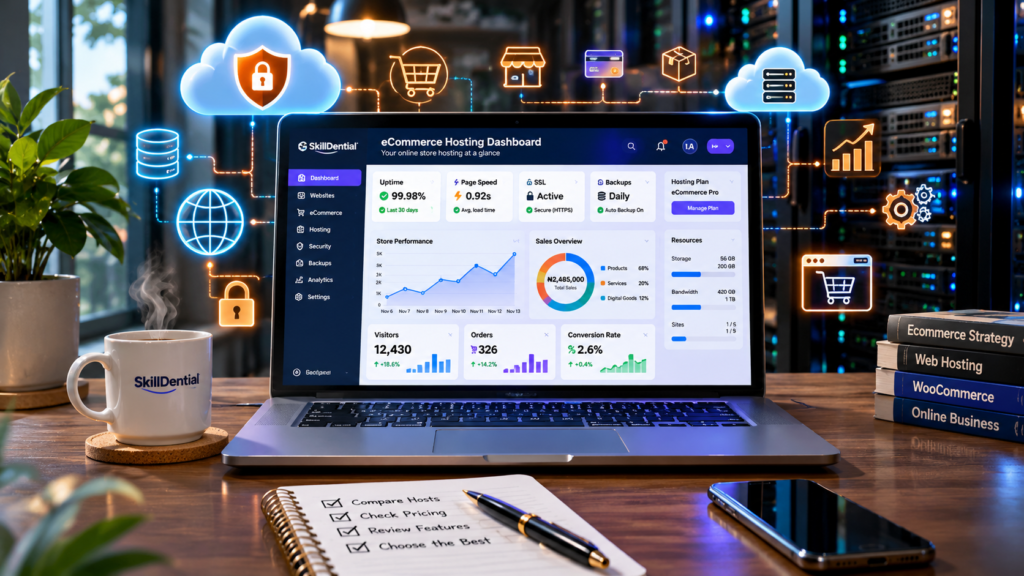
This operational stability depends entirely on choosing the right eCommerce web hosting provider.
Whether you sell physical goods, digital downloads, subscription boxes, or professional services, your hosting foundation dictates day-to-day performance. However, hosting requirements vary dramatically based on scale:
- Early-Stage Stores: A new merchant launching a lean WooCommerce setup typically benefits from an affordable, optimized eCommerce web hosting provider offering managed WordPress environments and automated updates.
- Enterprise Operations: An established brand processing thousands of concurrent checkouts requires enterprise-grade resources, advanced server-side caching, automated backups, and 24/7 dedicated support from its chosen eCommerce web hosting provider.
- All-in-One Alternatives: In addition to self-hosted platforms, modern merchants often evaluate hosted SaaS environments like Shopify or BigCommerce, which embed infrastructure directly into the platform rather than requiring a separate eCommerce web hosting provider.
To navigate these choices, this guide breaks down 11 top-tier eCommerce web hosting provider options, analyzing core features, performance trade-offs, and ideal use cases.
What Is an eCommerce Web Hosting Provider?
An eCommerce web hosting provider delivers specialized server infrastructure designed to power online retail stores. Beyond simply storing website files, databases, product catalogs, and media assets, the right eCommerce web hosting provider ensures your storefront remains accessible, secure, and performant over the internet.
Unlike standard informational blogs or portfolio sites, transactional storefronts require advanced backend capabilities to support shopping carts, encrypted user sessions, secure payment gateways, live inventory databases, and seamless order processing.
Core Requirements of an eCommerce Hosting Environment
When evaluating any eCommerce web hosting provider, your architecture must deliver enterprise-grade performance across several critical vectors:
- Website Performance: Lightning-fast server response times and optimal Time to First Byte (TTFB) to prevent cart abandonment on product pages, category grids, and checkout funnels.
- SSL/TLS Encryption: Robust cryptographic certificates to encrypt data transfers between customers and your database, safeguarding payment details and personal data.
- Security Hardening: Proactive threat mitigation, including Web Application Firewalls (WAF), automated malware scanning, DDoS protection, and isolated container environments.
- Automated Backups: Redundant, scheduled point-in-time backups of both file systems and SQL databases to ensure rapid disaster recovery.
- Resource Scalability: Elastic compute and memory resources capable of handling sudden traffic spikes during flash sales, seasonal rushes, or viral marketing campaigns.
- Specialized Technical Support: 24/7 expert assistance from engineers who understand server-side caching, database optimization, and eCommerce platform architecture.
- Platform Compatibility: Native support and pre-configured environments for popular shopping cart engines like WooCommerce, Magento/Adobe Commerce, or PrestaShop.
Infrastructure Architecture: Self-Hosted vs. All-in-One
It is critical to distinguish between raw hosting infrastructure and comprehensive commerce ecosystems:
- Self-Hosted Frameworks (e.g., WooCommerce): Relying on a third-party eCommerce web hosting provider means you manage the underlying server while independently installing WordPress, configuring the WooCommerce plugin, setting up SSL certificates, and integrating payment gateways.
- All-in-One SaaS Platforms (e.g., Shopify): These solutions bundle server infrastructure directly into a managed platform, eliminating the need to contract a separate eCommerce web hosting provider.
Choosing the Right Infrastructure for Your Business Model
The top-tier eCommerce web hosting provider options evaluated below cater to distinct operational scales and technical requirements. Whether you are an early-stage merchant launching your first storefront, a developer managing high-volume custom builds, or an established enterprise requiring dedicated cloud resources, selecting the right platform ensures long-term stability and optimal conversion rates.
Hostinger
Hostinger is a strong option for entrepreneurs and small businesses looking for affordable eCommerce hosting without managing a complicated server environment.
Its managed WooCommerce hosting is designed for WordPress-based online stores, providing tools that help users install, configure, and maintain their stores without requiring extensive technical knowledge. Hostinger also offers hosting for other eCommerce applications, including PrestaShop and OpenCart.
Best for: Affordable WooCommerce hosting
Key Features
- Managed WooCommerce hosting.
- LiteSpeed web servers and caching.
- Free SSL certificates.
- Daily backups on eligible plans.
- Free website migration.
- Content Delivery Network (CDN).
- One-click WordPress installation.
- 24/7 customer support.
- Scalable cloud hosting options.
Advantages
- Affordable entry-level hosting options.
- Beginner-friendly hosting management.
- WooCommerce-specific hosting plans.
- Useful performance and security tools.
- Suitable upgrade options as businesses grow.
Limitations
- Promotional prices require careful consideration of the initial subscription period and renewal costs.
- Entry-level plans may not provide sufficient resources for high-traffic stores.
- Advanced infrastructure management is less flexible than a self-managed cloud server.
Who Should Choose Hostinger?
Hostinger is worth considering if you are launching your first WooCommerce store, operating a small business, or looking for an affordable way to establish an online presence.
- Pricing: Promotional pricing depends on the selected term length (such as 48-month packages), with standard renewal rates applying afterward. Prices exclude applicable taxes. Confirm the final checkout price and resource limits before subscribing.
SiteGround
SiteGround is a top-tier eCommerce web hosting provider known for robust performance, security, and developer-friendly workflows.
It combines managed WordPress infrastructure with custom tools designed to optimize store speed, simplify routine maintenance, and safeguard transactions. SiteGround is an ideal match for merchants who want a fully managed environment backed by proactive support without having to handle low-level server administration.
Best for: Managed WooCommerce hosting
Key Features
- WooCommerce auto-installation.
- Free SSL certificates.
- Free website migration.
- Daily automated backups with multiple restore points.
- Content Delivery Network (CDN) integration.
- Proprietary multilevel caching (SuperCacher).
- Managed core and plugin updates.
- Staging tools for safe testing on eligible plans.
- 24/7 expert customer support.
Advantages
- Exceptional performance optimization tailored for WooCommerce.
- Comprehensive daily backup provisions and easy restoration.
- Staging environments for safe pre-update testing on higher plans.
- Highly responsive, specialized customer support teams.
- Fully managed, secure infrastructure.
Limitations
- Renewal rates are significantly higher than introductory promotional pricing.
- Storage capacities on entry-level plans are strictly capped.
- Advanced server-level customization is more restricted compared to unmanaged or cloud infrastructure providers.
Who Should Choose SiteGround?
SiteGround is well-suited for established WooCommerce merchants and growing brands that prioritize uptime, specialized security, and streamlined support over bargain pricing. It is especially valuable for store owners migrating from basic shared hosting who want an immediate boost in checkout speed and operational reliability.
- Pricing: Promotional rates apply to initial billing terms, with standard rates taking effect upon renewal. Check SiteGround’s official WooCommerce hosting page for current regional pricing and active discounts.
Bluehost
Bluehost is an established name in the WordPress ecosystem, making it a natural starting point for merchants launching their first online storefront.
Its dedicated eCommerce hosting packages bundle essential store-building tools, payment setup guides, and pre-configured themes into a unified onboarding dashboard, significantly lowering the technical barrier to entry for new store owners.
Best for: Beginner-friendly WooCommerce stores
Key Features
- Deep WooCommerce integration.
- Optimized WordPress infrastructure.
- Free SSL certificates.
- Automated website migration tools.
- Proactive malware scanning and security alerts.
- Staging environments for testing changes.
- 24/7 customer support.
- Bundled extensions for selling subscriptions, memberships, bookings, and digital products.
Advantages
- Exceptionally beginner-friendly onboarding and dashboard.
- Comprehensive WooCommerce-focused hosting plans.
- Built-in tools for handling recurring revenue models like subscriptions and memberships.
- Official recommendation by the WordPress.org community.
Limitations
- Renewal rates increase significantly after the initial promotional term expires.
- Advanced commerce features and priority support are gated behind higher-tier plans.
- High-volume stores with sudden traffic spikes may eventually outgrow the standard shared architecture.
Who Should Choose Bluehost?
Bluehost is worth considering if you are new to WordPress, want a dependable eCommerce web hosting provider that simplifies store setup, and plan to sell physical goods alongside digital downloads, courses, or subscription packages.
- Pricing: Introductory rates require a long-term commitment (such as a 36-month term), with standard renewal rates applying afterward. For example, its eCommerce Essentials plan is listed at $14.99/month, renewing at $21.99/month (excluding applicable taxes).
DreamHost
DreamHost offers dependable hosting solutions tailored for businesses that want to build flexible WordPress websites and online stores.
Its infrastructure natively supports popular eCommerce applications like WooCommerce, letting merchants launch fully functional stores while retaining full ownership of their website files, design choices, and software configurations.
For growing stores needing high-performance infrastructure, DreamHost also offers DreamPress, its specialized managed WordPress hosting tier.
Best for: WordPress flexibility
Key Features
- Optimized WordPress and WooCommerce compatibility.
- Managed WordPress infrastructure through the DreamPress tier.
- Daily automated backups.
- Free SSL certificates.
- Automated website migration options.
- Built-in server caching and performance features.
- 24/7 expert customer support.
Advantages
- Flexible architecture catering to both beginners and advanced developers.
- Excellent platform fit for WordPress and WooCommerce-based online stores.
- Seamless scalability paths into managed DreamPress hosting.
- Reliable automated backup provisions.
Limitations
- Managing a self-hosted WooCommerce store requires active user-end maintenance of WordPress core, plugins, and security.
- Advanced custom configurations may require a higher level of technical know-how.
- Feature inclusions vary depending on whether you choose shared hosting or a managed DreamPress plan.
Who Should Choose DreamHost?
DreamHost is an ideal choice if you want to build a WordPress-powered online store and prefer granular control over your themes, plugins, and checkout architecture. It is equally valuable for small business owners looking to scale up to managed WordPress hosting as their transactional volume grows.
- Pricing: Promotional signup rates require selecting an annual or multi-year term, with standard renewal pricing applying afterward. For instance, entry shared hosting starts as low as $2.89/month (renewing at standard rates), while DreamPress managed plans start at $14.99/month. Review the official DreamHost pricing page to confirm final checkout figures and regional taxes.
InMotion Hosting
InMotion Hosting provides robust, performance-driven hosting solutions built for businesses that require high flexibility, dedicated resources, and scalable infrastructure as their online stores grow.
Its WooCommerce hosting options integrate specialized enterprise-grade hardware and software stacks to support resource-heavy product catalogs, high concurrency, and demanding transactional traffic. Beyond standard shared hosting, InMotion offers powerful Virtual Private Server (VPS) and dedicated server environments, giving growing retailers a clear and seamless upgrade path.
Best for: Resource-intensive WooCommerce stores
Key Features
- Optimized WooCommerce hosting environments.
- Ultra-fast NVMe storage on advertised plans.
- Dedicated server resources and isolated environments on selected tiers.
- Advanced Redis object caching for faster database queries.
- NGINX reverse proxy for improved traffic handling.
- Comprehensive server-level security and malware protection.
- Professional website migration assistance.
- 24/7/365 technical support.
Advantages
- Exceptional performance-oriented architecture designed to eliminate bottlenecks.
- Seamless scaling pathways from shared environments to VPS and dedicated servers.
- Enterprise-grade features like NVMe drives and Redis caching included.
- Reliable uptime guarantee (99.99% SLA on advertised plans).
Limitations
- Advanced server configurations require a higher degree of technical knowledge to manage effectively.
- High-resource hosting tiers carry a higher price point than entry-level shared alternatives.
- Over-provisioning server resources without accurate traffic forecasting can lead to unnecessary expenses.
Who Should Choose InMotion Hosting?
InMotion Hosting is worth considering if your WooCommerce store is expanding, experiencing heavy traffic spikes, or running complex plugins that require robust server resources, dedicated memory, and superior processing power.
- Pricing: Shared and managed WordPress plans start around competitive introductory rates, while VPS and dedicated server plans vary based on allocated CPU cores, RAM, and storage. Check InMotion Hosting’s official pricing page to confirm current promotions and long-term commitment discounts.
Cloudways
Cloudways is a managed cloud hosting platform designed for businesses and developers who want high-performance infrastructure without managing raw, unmanaged servers.
Unlike conventional shared hosting, Cloudways allows customers to deploy applications across top-tier cloud infrastructure providers (such as DigitalOcean, AWS, and Google Cloud). This makes it an ideal eCommerce web hosting provider for growing agencies, developers, and established online stores managing resource-intensive applications.
Best for: Scalable cloud hosting
Key Features
- Managed cloud infrastructure.
- Dedicated WooCommerce and WordPress application deployment.
- Choice of multiple cloud providers and data centers.
- Vertical server scaling on demand.
- Automated backups and real-time monitoring.
- Built-in advanced caching (Varnish, Redis, and Memcached).
- Free SSL certificates.
- Free website migration assistance.
- Staging areas and one-click cloning features.
Advantages
- Highly flexible cloud architecture superior to conventional shared hosting.
- Exceptional speed and resource isolation for high-traffic WooCommerce stores.
- Pay-as-you-go billing model with no long-term contract locks.
- Robust developer tools, including Git integration and team collaboration permissions.
Limitations
- Complete beginners may experience a steeper learning curve compared to standard control panels.
- Hosting expenses scale dynamically as your resource allocations and traffic grow.
- Professional email hosting is not natively bundled and requires a separate third-party service.
Who Should Choose Cloudways?
Cloudways is worth considering if your online store has outgrown entry-level shared hosting and you need a scalable eCommerce web hosting provider that delivers dedicated cloud resources, fast load times, and flexible growth paths.
- Pricing: Pay-as-you-go pricing starts around $11 to $14 per month depending on the chosen upstream cloud provider, billed hourly based on actual resource consumption. Check Cloudways’ official pricing page to evaluate active promotional deals and exact resource tiers.
Kinsta
Kinsta is a premier managed hosting platform built exclusively for the WordPress and WooCommerce ecosystems. Powered by the Google Cloud Platform’s premium tier network, Kinsta delivers lightning-fast speed, robust enterprise security, and automated scaling.
As a specialized eCommerce web hosting provider, it eliminates the administrative overhead of managing raw servers, making it a go-to choice for revenue-critical online stores.
Best for: Premium managed WordPress hosting
Key Features
- Premium managed WordPress and WooCommerce hosting.
- Cloudflare enterprise-level integration with built-in CDN and security.
- Automated daily backups (with optional hourly backup add-ons).
- One-click staging environments for safe testing.
- Custom-built MyKinsta dashboard for effortless site management.
- Advanced Application Performance Monitoring (APM) tools.
- Free automated website migrations.
- 24/7 expert developer support.
Advantages
- Exceptional speed and server-side optimization specifically tuned for WooCommerce databases.
- Highly secure infrastructure featuring automated malware detection and isolated container technology.
- Intuitive, developer-friendly management interface.
- Proactive uptime monitoring and automatic scaling during traffic spikes.
Limitations
- Significantly more expensive than entry-level shared or cloud alternatives.
- Strict visit and disk-space limits per plan require careful resource tracking.
- Not cost-effective for bootstrap startups or small stores with minimal initial traffic.
Who Should Choose Kinsta?
Kinsta is worth considering if you run an established WooCommerce store, handle high-volume sales transactions, and require a high-end eCommerce web hosting provider that prioritizes elite performance, uptime, and white-glove technical support over lowest-cost pricing.
- Pricing: Plans typically start around $35/month for basic single-site setups, with specialized WooCommerce tiers scaling upwards based on traffic and resource demands. Check Kinsta’s official pricing page to review current tiers and annual discount options.
WP Engine
WP Engine is a premier managed WordPress hosting provider designed for businesses, agencies, and developers that require elite infrastructure, robust security, and sophisticated development workflows.
Because dynamic online stores function differently than static blogs, selecting the right eCommerce web hosting provider like WP Engine ensures critical touchpoints—such as shopping carts, checkout funnels, and customer account pages—are properly handled. WP Engine incorporates specialized WooCommerce caching rules and automated exclusions to protect cart integrity and prevent checkout glitches.
Best for: Developer-led WordPress stores
Key Features
- Managed WordPress and WooCommerce hosting infrastructure.
- Specialized eCommerce caching configurations and database optimization.
- Seamless development, staging, and production environments.
- Enterprise-grade security, threat detection, and automated core updates.
- Advanced developer tools and SSH/Git integration.
- Automated migration tools and professional support.
- Optional eCommerce Performance Pack extensions.
Advantages
- Purpose-built WordPress and WooCommerce architecture delivering high reliability.
- Advanced developer workflows that streamline staging and deployment.
- Intelligent caching configurations that prevent dynamic cart and checkout errors.
- Managed security environment minimizing administrative overhead.
Limitations
- Generally more expensive than basic shared hosting platforms.
- Specialized eCommerce features and add-ons may require additional subscriptions.
- Advanced custom server rules or configurations can sometimes require developer involvement.
Who Should Choose WP Engine?
WP Engine is worth considering if you are a developer, an agency, or an established merchant managing a WooCommerce website that demands specialized performance, secure architecture, and professional developer workflows.
- Note on Plans: WP Engine’s legacy standalone eCommerce plans were retired from new purchases. Its current eCommerce capabilities are delivered through its high-performance infrastructure paired with the eCommerce Performance Pack or eligible managed hosting tiers.
- Pricing: Standard managed plans typically start around $20 to $30 per month, with enterprise and high-traffic commerce tiers scaling upward. Check WP Engine’s official pricing page to confirm current regional rates and promotional terms.
Nexcess
Nexcess is an application-focused managed cloud hosting provider specifically engineered for digital commerce. Unlike general-purpose WordPress hosts, Nexcess tailors its infrastructure and resource management around the unique operational demands of online stores.
As a specialized eCommerce web hosting provider, it includes built-in performance tuning, automated plugin update testing, and advanced transaction safeguards designed to prevent checkout failures and latency.
Best for: Specialised managed WooCommerce hosting
Key Features
- Fully managed WooCommerce hosting infrastructure.
- Assisted, zero-downtime website migrations.
- Automated daily backups with 30-day retention.
- Free SSL certificates and enterprise security.
- Automated plugin update testing environment (Visual Comparison).
- Native performance monitoring and auto-scaling PHP workers.
- 24/7/365 specialized eCommerce support.
Advantages
- Purpose-built architecture optimized for heavy WooCommerce databases and complex checkouts.
- Built-in tools like visual testing for plugin updates reduce the risk of breaking live store features.
- Generous PHP worker allocations compared to standard shared hosting equivalents.
- Robust security suites, including active malware monitoring and DDoS mitigation.
Limitations
- Entry pricing is higher than basic shared hosting providers.
- May exceed the technical and budgetary requirements of very small, low-traffic startup stores.
- Merchants must monitor specific resource limits (such as database size and bandwidth caps) on lower-tier plans.
Who Should Choose Nexcess?
Nexcess is worth considering if your online store depends heavily on WooCommerce, processes a high volume of transactions, or runs complex plugins that require a resilient eCommerce web hosting provider with proactive safeguards for checkout stability.
- Pricing: Official managed WooCommerce plans start at an introductory rate around $19 per month, with higher tiers scaling according to traffic and server resource allocations. Confirm current billing terms, discounts, and resource caps directly on Nexcess’s official website.
Shopify
Shopify is fundamentally different from traditional web hosting companies because it provides a complete, hosted SaaS eCommerce platform rather than raw server space.
Instead of purchasing hosting separately and manually installing CMS software like WooCommerce, users build, launch, and manage their online stores directly within Shopify’s managed ecosystem.
As an all-in-one alternative to an external eCommerce web hosting provider, Shopify combines website building, secure checkout, payment processing, inventory tracking, and unlimited cloud hosting into a single unified environment.
Best for: Beginners wanting an all-in-one store platform
Key Features
- Fully hosted, cloud-based store infrastructure with automatic updates.
- Drag-and-drop website builder and professional themes.
- Built-in product and inventory management systems.
- Secure, high-converting integrated checkout.
- Native payment gateway integration (Shopify Payments and third-party options).
- Free SSL certificates and PCI compliance.
- Unlimited hosting bandwidth and lightning-fast global CDN.
- Marketing, analytics, and sales channel integrations.
- Comprehensive customer and order management tools.
Advantages
- No separate web hosting subscription, server setup, or manual security patching required.
- Exceptionally beginner-friendly interface designed for rapid store launching.
- Fully integrated eCommerce tools eliminate the friction of stitching together disparate plugins.
- Minimal server maintenance, allowing merchants to focus entirely on marketing and sales.
Limitations
- Provides less low-level server and database control compared to a self-hosted WooCommerce setup.
- Monthly subscription fees and optional app store add-on costs must be factored into your budget.
- Transaction fee structures and payment gateway availability can vary depending on your operating country.
Who Should Choose Shopify?
Shopify is ideal for entrepreneurs, creators, and businesses that want to launch and scale an online store quickly without the technical overhead of managing WordPress installations, server configurations, or third-party web hosting services.
- Pricing: Official regional pricing starts with introductory promotional rates (such as the Basic plan advertised around US$19 per month when billed annually), with standard tier pricing scaling upward for Shopify and Advanced plans. Review Shopify’s official pricing page to confirm current localized billing options and transaction terms.
BigCommerce
BigCommerce is an enterprise-grade SaaS eCommerce platform that combines robust store management capabilities with fully managed cloud infrastructure.
Similar to Shopify, it eliminates the need to contract an external eCommerce web hosting provider or manually configure servers. However, BigCommerce is specifically engineered to handle complex product catalogs, multi-channel selling, and high-volume transactions out of the box.
Best for: Growing and complex online stores
Key Features
- Fully hosted, scalable cloud eCommerce infrastructure.
- Advanced product catalog management (handling complex SKUs and variant options).
- Secure, customizable online checkout.
- Extensive native payment gateway integrations.
- Multi-channel selling capabilities (marketplaces, social commerce, and point of sale).
- Built-in SEO and storefront customization tools.
- Enterprise inventory and order management.
- Comprehensive business tool integrations (ERP, CRM, and accounting software).
Advantages
- Infrastructure is entirely managed within the platform, requiring no independent server administration.
- Highly scalable architecture built to support large product inventories and high-traffic volumes.
- Strong native feature set reduces reliance on third-party plugins.
- Excellent multi-channel capabilities for selling across multiple platforms simultaneously.
Limitations
- Monthly subscription costs can increase as your business revenue grows and triggers plan upgrade thresholds.
- Certain configurations and custom code adjustments require familiarity with BigCommerce’s Stencil framework.
- Transaction rules and pricing tiers depend on meeting annual sales volume limits.
Who Should Choose BigCommerce?
BigCommerce is worth considering if you are building a growing online retail business, managing a large or complex product inventory, or expanding across multiple sales channels and want an integrated platform that handles the underlying hosting and infrastructure automatically.
- Pricing: Official pricing starts with plans like the Standard tier listed around $39 per month (or lower when billed annually), with pricing scaling to Plus, Pro, and Enterprise tiers based on annual revenue thresholds. Review BigCommerce’s official pricing page to confirm current regional plans and limits.
Comparison of the 11 Best eCommerce Web Hosting Providers
The following table summarizes the main differences to help you shortlist the ideal eCommerce web hosting provider or platform before examining their individual plans.
| Provider | Best suited for | Hosting approach | Technical level |
| Hostinger | Affordable WooCommerce stores | Managed hosting | Beginner |
| SiteGround | Managed WooCommerce | Managed WordPress | Beginner–Intermediate |
| Bluehost | New WordPress stores | WooCommerce hosting | Beginner |
| DreamHost | Flexible WordPress stores | Shared and managed WordPress | Beginner–Intermediate |
| InMotion Hosting | Growing WooCommerce stores | WordPress, VPS, and dedicated | Intermediate |
| Cloudways | Scalable cloud infrastructure | Managed cloud | Intermediate–Advanced |
| Kinsta | Premium WooCommerce stores | Managed WordPress | Intermediate |
| WP Engine | Developer-led stores | Managed WordPress | Intermediate–Advanced |
| Nexcess | Managed WooCommerce operations | Managed WooCommerce | Intermediate |
| Shopify | Beginners wanting an all-in-one platform | Fully hosted commerce | Beginner |
| BigCommerce | Growing and complex retail operations | Fully hosted commerce | Intermediate |
Note: Technical levels are editorial guidance, not official provider ratings.
Which eCommerce Web Hosting Provider Should You Choose?
The best eCommerce web hosting provider depends on your specific business model, monthly budget, technical experience, and expected website traffic. Rather than selecting a platform simply because it advertises the lowest introductory price, evaluate your store’s immediate infrastructure requirements and long-term scaling potential.
To help you narrow down your options, use the practical recommendation matrix below:
| Your business requirement | Provider to consider |
| Starting a small online store on a budget | Hostinger |
| Running a managed WooCommerce store | SiteGround |
| Building your first WordPress shop | Bluehost |
| Wanting WordPress flexibility | DreamHost |
| Growing beyond basic shared hosting | InMotion Hosting |
| Managing multiple cloud applications | Cloudways |
| Operating a premium WooCommerce store | Kinsta |
| Building developer-led WordPress stores | WP Engine |
| Needing specialised WooCommerce management | Nexcess |
| Wanting hosting and store management together | Shopify |
| Running a more complex retail operation | BigCommerce |
Note: These recommendations serve as starting points rather than rigid rankings. Always compare active plan limits, renewal pricing, and total operating costs before committing to a long-term subscription.
What to Consider Before Choosing an eCommerce Web Hosting Provider
Selecting the right eCommerce web hosting provider involves much more than comparing headline introductory subscription prices or short-term promotional discounts. Evaluating infrastructure through a strategic lens ensures long-term site performance, protects customer data, and minimizes hidden operational costs as your business scales.
Before committing to a provider, carefully assess the following critical factors:
Website Speed and Performance
Website speed is a critical conversion factor for digital commerce, as modern online shoppers expect product catalogs, high-resolution imagery, and checkout funnels to load almost instantaneously. A slow-loading storefront directly degrades user experience, frustrates prospective buyers, and increases cart abandonment rates.
When evaluating an eCommerce web hosting provider, look for infrastructure that delivers optimization across these core performance vectors:
- NVMe or High-Speed SSD Storage: Rapid read/write speeds for retrieving product data, customer accounts, and database queries without latency.
- Advanced Server-Side Caching: Built-in caching mechanisms (such as LiteSpeed Cache, Varnish, Redis, or Memcached) that store static versions of pages to reduce server load.
- Content Delivery Network (CDN) Integration: Global edge server networks that distribute your media assets closer to international customers for faster global delivery.
- Modern PHP Support for WooCommerce: Compatibility with the latest stable PHP versions to ensure optimal execution speed and security patches for WordPress-based stores.
- Adequate CPU and RAM Resources: Sufficient dedicated computing power to handle concurrent visitors, background scripts, and database transactions simultaneously.
- Performance Monitoring Tools: Built-in dashboards or server metrics that help you track load times, bottlenecks, and uptime statistics.
Important Note
While your chosen eCommerce web hosting provider establishes the speed foundation, hosting is only one variable in overall site performance. Uncompressed product images, bloated or redundant plugins, poorly optimized themes, and heavy third-party tracking scripts can still compromise your online store’s speed.
Security and SSL Certificates
Security must be a foundational priority for every online business, particularly because eCommerce platforms handle sensitive customer data, login credentials, and payment card information. A compromised store damages customer trust, disrupts operations, and exposes the business to regulatory or financial liabilities.
When evaluating an eCommerce web hosting provider, verify that the infrastructure includes robust, multi-layered security safeguards:
- Free or Included SSL/TLS Certificates: Essential cryptographic protocols that encrypt data transmissions between visitors’ browsers and your server, protecting checkout and login channels.
- Web Application Firewall (WAF): Active filtering systems that monitor incoming HTTP/HTTPS traffic to block common web exploits, SQL injection attacks, and cross-site scripting (XSS).
- Proactive Malware Detection and Removal: Automated scanning tools that inspect file directories regularly to identify and quarantine malicious code or unauthorized file modifications.
- DDoS Mitigation: Network-level protection designed to absorb or neutralize Distributed Denial of Service attacks, keeping your storefront accessible during malicious traffic floods.
- Secure Administrative Access: Support for multi-factor authentication (MFA), secure SSH keys, and restricted IP logins to safeguard your server dashboard.
- Automatic Software Updates: Managed patching routines for server operating systems, PHP environments, and core content management systems.
- Reliable Backup and Disaster Recovery: Redundant daily backups with straightforward one-click restoration options to recover data quickly if an exploit or failed update occurs.
Crucial Distinction
While an SSL certificate is mandatory for securing data in transit across your eCommerce web hosting provider infrastructure, installing SSL does not automatically secure your entire business operation.
Merchants must also maintain strict application hygiene—such as keeping plugins and themes updated, enforcing strong administrative passwords, and utilizing secure, PCI-compliant payment gateways.
Automatic Backups and Recovery
Imagine the catastrophic impact of losing your entire product catalog, customer database, or recent order history following a server failure or corrupted plugin update. Without a reliable backup protocol in place, recovering an active online store can be complex, time-consuming, and expensive.
When evaluating any eCommerce web hosting provider, inspect their backup and disaster recovery policy against the following criteria:
- Backup Frequency: Determine how often automated backups occur. For an active online store processing transactions continuously, a weekly or even daily backup from several days prior is insufficient, as it risks losing recent order data and customer records. Look for hosts offering real-time or multiple daily snapshots.
- Retention Period: Check how long backup restore points are stored (e.g., 14 days, 30 days, or longer) to ensure you can roll back to a clean state even if an error goes unnoticed for a few days.
- Comprehensive Scope: Verify that backups capture both your website file system (themes, media, plugins) and your SQL databases (customer records, orders, inventory state).
- Self-Service Restoration: Look for user-friendly control panels or one-click restore tools that allow you to recover your store independently without waiting for technical support.
- Hidden Costs: Confirm whether automated backups and easy restoration features are included in your base plan or billed as an expensive add-on.
Scalability and Server Resources
Your hosting requirements can change significantly as your business grows. A boutique store receiving 500 monthly visitors may operate comfortably on an entry-level shared plan, whereas a high-growth brand experiencing thousands of simultaneous visitors during a seasonal flash sale or viral marketing campaign will quickly exhaust basic computing limits.
When evaluating an eCommerce web hosting provider, look for flexible infrastructure upgrade options that support your long-term trajectory, such as:
- Cloud Hosting Environments: Elastic architectures that allow you to scale resources up or down dynamically based on live traffic demands.
- Virtual Private Servers (VPS): Dedicated virtual environments providing isolated CPU and RAM allocations without the high cost of a physical machine.
- Dedicated Servers: Maximum performance hardware dedicated entirely to your store for massive product catalogs and heavy transaction volumes.
- On-Demand CPU and RAM Expansion: Simple pathways to allocate additional computing power during peak shopping seasons.
- Improved Database Performance: Support for optimized SQL handling, Redis/Memcached object caching, and dedicated database servers to speed up checkout queries.
- Scalable Storage and Bandwidth: Uncapped or easily expandable disk space (NVMe/SSD) and data transfer limits that prevent your store from crashing when traffic spikes.
Strategic Guidance
Avoid purchasing expensive enterprise-tier hosting before your revenue and traffic demand it, as it ties up unnecessary capital. However, equally important is avoiding rigid hosting plans that leave your business trapped on a dead-end server with no practical upgrade path.
Customer Support
Technical problems can severely impact conversion rates and sales, especially when your website experiences unexpected downtime or customers encounter checkout difficulties during peak hours. When a critical error disrupts transactions, responsive and knowledgeable support is essential.
When evaluating an eCommerce web hosting provider, look for support infrastructures that offer:
- 24/7/365 Technical Availability: Around-the-clock availability via real-time communication channels, ensuring assistance is accessible whether an outage occurs at midday or midnight.
- Instant Live Chat: Responsive messaging channels that allow you to resolve urgent, time-sensitive server or database issues quickly.
- Efficient Ticket-Based Assistance: Structured queuing for complex technical inquiries, migrations, or deeper server-side troubleshooting.
- Platform-Specific Expertise: Dedicated WordPress and WooCommerce specialists who understand database optimization, server caching conflicts, and plugin compatibility issues.
- Website Migration Assistance: Professional or automated migration tools to help transition your online store to the new host with minimal downtime.
- Clear Incident Communication: Transparent status pages, system alerts, and post-incident reports that keep you informed during network updates or infrastructure maintenance.
Strategic Consideration
A hosting provider with ultra-low promotional pricing but inadequate support can ultimately become far more expensive if unresolved server errors disrupt your business operations and erode customer trust.
Pricing and Renewal Costs
Many web hosting companies use discounted introductory pricing as an acquisition strategy to attract new merchants. However, these low headline rates often require long-term upfront commitments—such as paying for 12, 24, 36, or even 48 months in advance—to secure the advertised discount.
When evaluating any eCommerce web hosting provider, look beyond the initial monthly rate and calculate the Total Cost of Ownership (TCO) by analyzing:
- Introductory vs. Renewal Pricing: Verify the exact rate you will pay when your initial promotional term expires, as standard renewal rates are frequently double (or triple) the introductory price.
- Billing Term Commitments: Understand whether the lowest advertised rate requires a multi-year upfront payment rather than a flexible monthly billing cycle.
- Domain Registration and Renewal: Check if a free custom domain is included for the first year, and note what standard domain renewal fees apply thereafter.
- Professional Email Hosting: Determine whether business email accounts (e.g.,
support@yourstore.com) are bundled free or require a separate subscription service. - Backup and Security Add-ons: Verify if automated daily backups, SSL certificates, advanced firewalls, and malware scanning are included natively or billed as recurring monthly extras.
- Migration and Onboarding Fees: Check whether migrating an existing store from your old host is provided for free or incurs a professional service charge.
- Resource Overage and Scaling Costs: Review the pricing structure for adding extra storage, bandwidth, or computing resources as your traffic grows.
Strategic Guidance
A hosting plan advertised at a low monthly entry price can easily mask substantial upfront financial commitments and steep renewal increases. Always calculate your cumulative expenses over at least a two-to-three-year window before committing to a long-term plan.
WooCommerce vs. Shopify: Which Infrastructure Approach Is Better?
When launching a new digital storefront, one of the most consequential strategic decisions you will make is choosing between a self-hosted WooCommerce setup (managed via an independent eCommerce web hosting provider) and a fully hosted SaaS platform like Shopify.
While both ecosystems power millions of successful online businesses, they operate on entirely different architectural models, offering distinct trade-offs between flexibility, administrative overhead, and total cost of ownership.
WooCommerce: The Self-Hosted, Flexible Ecosystem
WooCommerce is an open-source, highly customizable e-commerce plugin built on top of WordPress. Operating a WooCommerce store means you retain absolute ownership over your website files, database, and infrastructure.
- How It Operates: You independently contract an external eCommerce web hosting provider (such as SiteGround, Cloudways, or Nexcess), install WordPress, and configure WooCommerce alongside your preferred plugins and themes.
- Core Advantages:
- Absolute Control: Total ownership over your code, database, server configuration, and custom post types.
- Infinite Customization: Access to tens of thousands of plugins, themes, and custom code integrations without platform restrictions.
- Data Sovereignty: Complete control over your customer records, transaction logs, and data security policies.
- Cost Flexibility: Ability to optimize your hosting tier precisely to your budget, starting lean and scaling up.
- Key Responsibilities:
- You are responsible for core software updates, plugin compatibility testing, security hardening, and configuring automated backup routines.
When Should You Choose WooCommerce?
WooCommerce is the optimal choice if you:
- Require deep, granular customization over your user experience, checkout workflows, and product data structures.
- Already utilize WordPress or possess internal technical resources to manage updates and security.
- Want the freedom to switch your eCommerce web hosting provider at any time without migrating your entire platform.
- Prioritize long-term content marketing and SEO flexibility via WordPress’s unmatched blogging capabilities.
Shopify: The Fully Hosted, All-in-One Solution
Shopify is a proprietary, SaaS-based commerce platform that eliminates the need for external infrastructure management by bundling hosting, security, and store tools into a single subscription.
- How It Operates: You sign up directly on Shopify’s platform, select a theme, and manage your products, inventory, and design within a closed, unified dashboard.
- Core Advantages:
- Zero Infrastructure Overhead: Hosting, SSL certificates, daily backups, PCI compliance, and CDN distribution are managed automatically by the platform.
- Integrated Ecosystem: Checkout, payment gateways (Shopify Payments), inventory tracking, and sales channels work out of the box with minimal configuration.
- Reliability and Uptime: Enterprise-grade cloud infrastructure engineered to handle massive traffic surges without manual server tuning.
- Ease of Use: Exceptional for fast deployment, allowing non-technical merchants to launch a store in hours.
- Key Limitations:
- Platform Constraints: Less low-level database control; custom modifications are restricted by Shopify’s Liquid templating language and app ecosystem.
- Ongoing Operational Costs: Monthly subscription fees, mandatory transaction fee structures (if not using Shopify Payments), and recurring costs for essential third-party apps.
When Should You Choose Shopify?
Shopify is the right path if you:
- Want to launch a professional online store rapidly without managing server architecture, updates, or hosting maintenance.
- Prefer a predictable, all-in-one dashboard where commerce operations, hosting, and security are fully integrated.
- Plan to focus entirely on product curation, marketing, and sales rather than technical administration.
Strategic Recommendation
- Choose WooCommerce if flexibility, granular control, and deep customization are your primary operational priorities, and you are comfortable managing an independent eCommerce web hosting provider.
- Choose Shopify if convenience, rapid deployment, and integrated infrastructure management take precedence, allowing you to bypass technical server administration entirely.
What Is the Best eCommerce Web Hosting for Businesses in Nigeria?
For Nigerian entrepreneurs and brands operating within the domestic market or expanding across West Africa, selecting an international eCommerce web hosting provider requires evaluating several region-specific factors alongside standard performance metrics.
While affordable introductory rates are attractive, operational success depends heavily on localized payment flows, currency stability, data center proximity, and regulatory compliance.
When choosing a hosting provider for a Nigerian online store, consider these five critical factors:
Payment Gateway Compatibility
Before purchasing a hosting plan, verify that your chosen platform integrates seamlessly with local payment processors capable of operating within Nigeria—such as Paystack, Flutterwave, or Monnify—alongside international gateways like Stripe or PayPal (if applicable). Never assume a host supports these integrations out of the box simply because it runs WooCommerce or WordPress.
Pricing and Currency Conversion
Many international hosting providers advertise their subscription rates in US dollars (USD). When paying with a Nigerian naira (NGN) debit or credit card, account for dynamic exchange rates, bank processing fees, international transaction charges, and applicable local taxes (such as VAT). Whenever possible, choose providers that offer transparent local currency pricing or accept stable international payment methods.
Server Location and Content Delivery Networks (CDN)
Consider where your primary customer base resides. While a server located in European or North American data centers can serve Nigerian audiences, pairing your host with a robust Content Delivery Network (CDN) like Cloudflare ensures your product images, CSS files, and checkout assets load quickly for local shoppers despite geographical distance.
Customer Support Accessibility
Choose an eCommerce web hosting provider that offers 24/7 responsive support via live chat or ticket systems. When server outages, database errors, or SSL configuration issues disrupt your checkout process during peak shopping hours, rapid technical intervention is indispensable.
Backup, Security, and Data Compliance
Ensure your hosting package includes automated daily backups, SSL/TLS encryption, and web application firewalls. Additionally, if you process customer data within Nigeria, ensure your website adheres to data protection guidelines and privacy standards set by the Nigeria Data Protection Commission (NDPC).
Common eCommerce Hosting Mistakes to Avoid
Even the most reputable eCommerce web hosting provider cannot compensate for poor strategic infrastructure decisions or improper store configuration. To ensure long-term stability, optimal conversion rates, and uninterrupted sales, avoid these eight critical hosting and operational mistakes:
- Choosing Hosting Based Only on Price: Selecting a host solely because it offers the lowest headline price often backfires. Ultra-cheap entry-level plans frequently enforce restrictive resource caps (such as limited PHP workers, low RAM, or slow storage), which cripple store performance during traffic spikes.
- Ignoring Renewal Costs: Many merchants fall into the trap of buying multi-year introductory plans without checking standard renewal rates. When promotional discounts expire, renewal fees can easily double or triple, catching your budget off guard. Always calculate the long-term Total Cost of Ownership (TCO).
- Overlooking Automated Backups: Assuming your host automatically backs up your entire store in a usable format can lead to disaster. Always verify backup frequencies, retention periods, file and database scope, and whether you can independently perform one-click restorations.
- Assuming SSL Provides Complete Security: While an SSL/TLS certificate is mandatory for encrypting data in transit across your eCommerce web hosting provider network, it only secures the connection. It does not protect against vulnerable plugins, weak administrative passwords, SQL injections, or compromised database credentials.
- Using Unsuitable Shared Hosting for Growing Stores: While basic shared hosting is adequate for a brand-new boutique, keeping a high-traffic or expanding store on a constrained shared server inevitably leads to latency, server timeouts, and lost sales. Ensure you have a clear migration path to VPS, cloud, or dedicated resources.
- Ignoring Payment Gateway Compatibility: Failing to verify regional payment processor integration before purchasing hosting can halt your business launch. Always confirm your host and platform natively support the payment gateways required for your operating country and target market (e.g., Paystack or Flutterwave in Nigeria).
- Installing Too Many Bloated Plugins: Even with high-performance hosting, overloading your CMS with redundant, unoptimized, or poorly maintained plugins introduces server overhead, database bloat, and severe security vulnerabilities.
- Failing to Rigorously Test the Checkout Funnel: Launching a store without end-to-end testing is a recipe for abandoned carts. Always run live test transactions through your chosen eCommerce web hosting provider environment—checking product selection, cart calculations, payment processing, and automated order confirmation emails—before driving traffic to your site.
What is the best eCommerce web hosting provider?
The ideal provider depends entirely on your specific business requirements, technical experience, and budget. Hostinger is a top contender for affordable WooCommerce hosting, SiteGround excels in managed WordPress environments, Cloudways provides flexible cloud infrastructure for growing brands, and Shopify delivers an all-in-one hosted commerce platform that eliminates manual server management.
How much does eCommerce web hosting cost?
Costs vary widely depending on the hosting type, provider, subscription commitment length, and allocated resources.
Basic shared or entry-level plans can start as low as a few dollars per month, whereas premium managed WordPress, VPS, cloud, and dedicated hosting tiers scale upward.
Always factor in long-term renewal rates, domain registrations, SSL certificates, backup add-ons, and payment processing fees when calculating your total budget.
Is shared hosting suitable for an eCommerce website?
Shared hosting can be adequate for a brand-new online store with modest traffic and a small product catalog, provided the host supports essential eCommerce architecture.
However, as your business grows, handles concurrent visitors, or processes complex database queries, basic shared hosting will likely cause latency and checkout slowdowns, necessitating an upgrade to managed WordPress, VPS, or cloud infrastructure.
Is WooCommerce hosting different from regular web hosting?
Yes. Purpose-built WooCommerce hosting is optimized to handle the dynamic database queries and server demands of online retail.
Depending on the provider, it typically features specialized caching rules (such as Redis or LiteSpeed), automated backups, malware protection, staging environments, and higher PHP worker limits. However, quality varies, so it is crucial to review the specific inclusions of each plan.
Can I use Shopify without purchasing separate web hosting?
Yes. Shopify is a fully hosted SaaS commerce platform, meaning server hosting, CDN distribution, SSL security, and infrastructure updates are bundled directly into your monthly subscription. You do not need to contract an external eCommerce web hosting provider to run a Shopify store.
Which hosting is best for a small online store?
For small WordPress and WooCommerce stores, Hostinger, Bluehost, SiteGround, and DreamHost are excellent options to compare.
The best choice depends on your initial budget, expected traffic volumes, preference for managed support, and the specific software tools bundled into the sign-up package.
Can I change my eCommerce hosting provider later?
Yes. You can migrate an online store to a new eCommerce web hosting provider as your business expands, though the migration process requires meticulous planning.
You must securely transfer website files, SQL databases, product listings, customer accounts, and media assets, followed by thorough testing in a staging environment before updating your DNS records.
Does eCommerce hosting include payment processing?
Not inherently. Web hosting provides the underlying server infrastructure and database environment required to run your website.
Accepting credit cards, bank transfers, or digital wallets requires integrating a compatible payment gateway (such as Paystack, Flutterwave, Stripe, or PayPal) or utilizing an all-in-one commerce platform with built-in checkout systems.
In Conclusion
Choosing the right eCommerce web hosting provider is a foundational decision that directly shapes the long-term performance, security, and profitability of your online store. Your ideal infrastructure should deliver the speed, reliability, and security required to process transactions seamlessly—without trapping you in restrictive resource limits or unexpected financial hurdles.
To recap the strategic landscape:
- For Beginners & New Stores: Hostinger, Bluehost, and SiteGround offer accessible entry points into the WordPress and WooCommerce ecosystem.
- For Growth & Scalability: Cloudways and InMotion Hosting provide robust flexibility as traffic and catalog sizes expand.
- For Specialized WordPress/WooCommerce: Kinsta, WP Engine, and Nexcess deliver elite, high-performance managed environments.
- For All-in-One Hosted Commerce: Shopify and BigCommerce eliminate the overhead of independent server management entirely.
Ultimately, never select a provider based solely on introductory pricing. Always evaluate post-promotional renewal costs, automated backup capabilities, security safeguards, and future upgrade paths.
Your Next Step
Identify your core eCommerce platform, realistically estimate your initial traffic and transaction volume, and compare the hosting plans that align with your technical requirements and budget before committing to a long-term subscription.