Reading lengthy PDF documents can consume hours, especially when you only need specific information, explanations, or summaries. AI-powered PDF chat tools make this process easier by allowing you to upload documents, ask questions, and retrieve information through conversational interfaces.
When evaluating options for document analysis, the matchup of ChatPDF vs AskYourPDF stands out as two distinct approaches to document interaction. ChatPDF and AskYourPDF serve slightly different user needs.
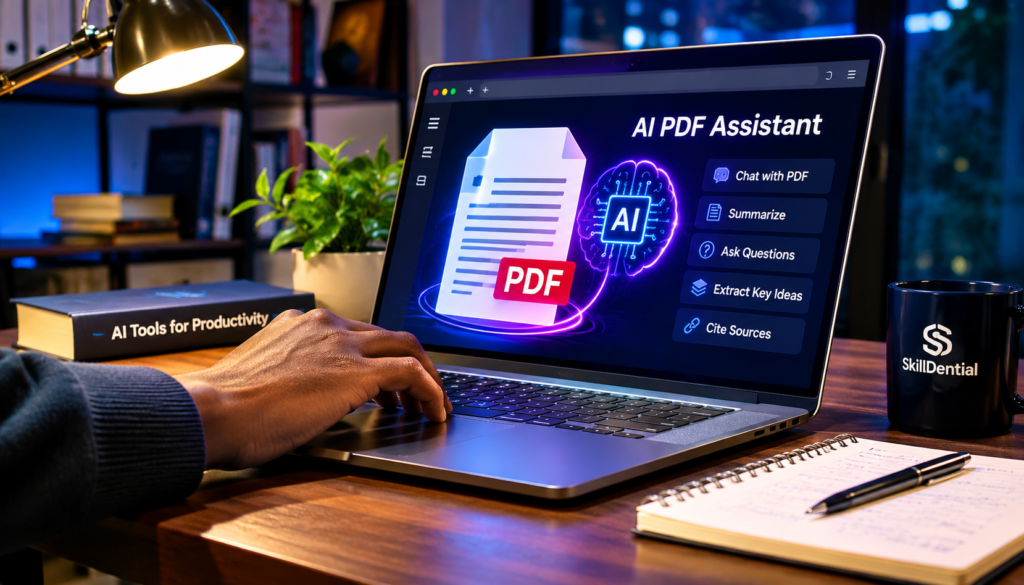
ChatPDF is a strong choice for straightforward, fast document conversations, quick summaries, and answers with source citations. In contrast, AskYourPDF offers a broader document-research ecosystem, including multi-document workflows (Knowledge Bases), multiple model choices, and developer tools.
The better option in any ChatPDF vs AskYourPDF comparison depends on how many documents you work with and what you expect an AI PDF assistant to do.
In this ChatPDF vs AskYourPDF comparison, we examine their features, free plans, pricing, document analysis capabilities, limitations, and suitability for different users.
What Is ChatPDF?
ChatPDF is an AI-powered document assistant designed to let users interact with PDF files and other supported document formats through natural-language queries.
Instead of manually scrolling through dense pages, you can upload a document and query its contents instantly. The platform analyzes the text and generates contextual responses based on the uploaded material. For example, a student or analyst reviewing a 100-page research paper can upload the file to ChatPDF and ask:
- What is the main thesis or core argument?
- What specific methodology did the researchers use?
- What are the primary findings?
- Can you explain the conclusion in simple terms?
- What limitations did the authors identify?
Unlike generic chatbots, ChatPDF provides answers with source citations, pointing directly to the relevant sections in the document to ensure transparency and verify accuracy. According to its official platform specifications, the tool also supports alternative file formats, including Word documents, PowerPoint presentations, Markdown, and plain text files.
Key Features of ChatPDF
- Conversational Document Reading: Ask questions in plain, ordinary language without needing complex search operators or commands.
- AI-Powered Summaries: Instantly digest lengthy documents, extract key ideas, and generate concise summaries.
- Source Citations: Trace AI-generated answers back to the exact page and paragraph of the original document—vital for academic research and auditing business reports.
- Multi-Document Workflows: Organize documents into specific folders and conduct chats across multiple files simultaneously.
- Multiple Format Support: Extends beyond PDFs to parse Word, PowerPoint, Markdown, and text files.
- Zero-Install Browser Access: Fully web-based, allowing users to analyze documents immediately without installing desktop applications.
Who Should Use ChatPDF?
- Students & Academics: Researchers and learners who need to quickly parse lengthy textbooks, syllabi, and research papers.
- Professionals & Analysts: Workers who frequently review long-form business reports, legal filings, and operation manuals.
- General Readers: Anyone seeking quick, accurate answers from text-heavy files without reading them front-to-back.
What Is AskYourPDF?
AskYourPDF is an advanced AI-powered document interaction platform designed to help users extract insights, summarize dense texts, and streamline deep research using conversational AI.
Similar to its competitors in the document-chat space, it allows users to upload files and query their contents naturally. However, AskYourPDF extends far beyond basic single-file chats by offering an extensive ecosystem of integrations, multi-document management, and cross-platform accessibility tailored for heavier research workflows.
For example, a researcher analyzing multiple academic papers simultaneously can leverage its knowledge base features to cross-reference findings, organize source materials, and pull unified answers across an entire library of documents.
Furthermore, its broader ecosystem features dedicated mobile apps, a browser extension, a direct Zotero integration, and developer API capabilities.
Key Features of AskYourPDF
- Conversational Document Analysis: Upload documents and query their contents using intuitive, natural-language prompts.
- Multi-Document Knowledge Base: Group and organize multiple files together to query an entire library of documents simultaneously (with limits scaling by tier).
- Zotero Integration: Seamlessly connect with Zotero, the popular reference-management tool, making it ideal for academic researchers and students.
- Cross-Platform Ecosystem: Access your document workflows anywhere via dedicated mobile applications and a web browser extension.
- Developer API Access: Build custom applications, automated workflows, and document-processing features using its developer APIs.
Who Should Use AskYourPDF?
- Academic Researchers: Scholars managing large reference libraries who need multi-document synthesis and citation management.
- Students & Academics: Learners handling heavy reading loads across multiple semesters and subject areas.
- Professionals & Consultants: Analysts who need to aggregate and parse data across varied reports, whitepapers, and source files.
- Developers & Power Users: Technical professionals looking to integrate conversational PDF parsing into custom applications.
ChatPDF vs AskYourPDF: Key Features Compared
While both platforms share core functionalities like conversational PDF interactions and automatic summarization, their architectural focus and ecosystem breadth differ significantly.
The comparison below highlights how the features stack up in the broader ChatPDF vs AskYourPDF evaluation:
| Feature | ChatPDF | AskYourPDF |
| AI PDF Conversations | Yes | Yes |
| Document Summaries | Yes | Yes |
| Source Citations | Yes | Yes |
| Multi-Document Chat | Yes (via folders and plans) | Yes (via Knowledge Base) |
| Research Scope | Single-document focused | Broad research ecosystem |
| Zotero Integration | Not a listed core feature | Yes |
| Browser Extension | Available | Available |
| Mobile Applications | Available | Available |
| Developer API | Available | Available |
| Alternative Formats | Word, PowerPoint, Markdown, Text | PDFs and major formats |
| Free Tier | Yes | Yes |
Comparison Note:
Software features, pricing tiers, and usage caps are subject to periodic updates. Always verify current limits and pricing structures on the official product websites before committing to a paid plan.
ChatPDF vs AskYourPDF: Which Has the Better Free Plan?
Both tools offer free access, making it possible to explore AI-powered document conversations without immediately purchasing a subscription. However, their free-plan limits differ in ways that impact practicality.
ChatPDF Free Plan
According to ChatPDF’s official platform specifications, its free plan provides:
- 2 documents per day
- Up to 120 pages per document
- A daily question limit (up to 50 questions)
You can start using the service without creating an account, which allows for immediate, frictionless testing. Registering gives users access to secondary features like saved history. This setup makes ChatPDF appealing to casual users who need to upload a couple of files daily without dealing with strict file-size walls.
AskYourPDF Free Plan
AskYourPDF also provides a free plan, structured around tighter document-count limits but specific page and question allowances:
- 1 document per day
- Up to 100 pages per document
- A maximum upload size of 15 MB
- Up to 50 questions per day across 3 conversations
- Powered by lightweight models (such as GPT-5 Mini)
While its document allowance is limited to one file per day, it grants free users a direct window into conversational PDF interactions, though advanced features like multi-document Knowledge Bases require a paid upgrade.
Which Free Plan Is Better?
- ChatPDF is generally better for casual users who want to test multiple files, offering a more forgiving two-document daily allowance and zero-login access.
- AskYourPDF is more restrictive on daily document volume (one per day) and file size (15 MB), making it feel more like a limited trial rather than a sustained free utility.
Ultimately, ChatPDF wins the free-tier comparison for everyday flexibility due to its higher daily document limit and instant, account-free accessibility.
ChatPDF vs AskYourPDF: Pricing and Paid Plans
Pricing is an important consideration, particularly for students, researchers, and professionals who regularly analyze dense documents. While both platforms offer free tiers, their paid plans cater to different use cases and budget thresholds.
ChatPDF Pricing
ChatPDF keeps its pricing structure streamlined, offering a single paid tier known as ChatPDF Plus.
- Focus: Designed for power users, students, and professionals who require unrestricted document analysis without hitting daily caps.
- Key Benefits: Unlocks unlimited document analysis, support for larger files, and expanded page limits beyond the restrictions of the free tier.
- Pricing Check: Because subscription fees can be updated periodically, you can verify the current monthly or annual rate on the official ChatPDF Pricing Page.
AskYourPDF Pricing
AskYourPDF offers tiered subscription plans (such as Premium or Pro) that unlock deeper functionality, larger file uploads, and multi-document management.
- Ecosystem Access: Paid tiers grant access to the multi-document Knowledge Base, advanced extraction tools, and extended API/developer capabilities.
- Pricing Variations: Official pricing pages can occasionally display differing promotional figures or plan structures (for instance, historical listings have shown rates around $11.99 per month when billed annually).
- Pricing Check: Because pricing models and platform tiers can fluctuate, always check the live checkout flow directly on the AskYourPDF Pricing Page to confirm current billing periods, currencies, and features.
Which Offers Better Value for Money?
- ChatPDF delivers superior value if your primary goal is straightforward, fast, and frictionless document conversations. Its paid plan removes daily caps for users who just need to query individual files, books, or reports without paying for complex ecosystems they might not use.
- AskYourPDF justifies its subscription cost if you require an advanced research hub—such as managing multi-document Knowledge Bases, utilizing Zotero integrations, or leveraging developer APIs for custom workflows.
Before committing to a paid plan, evaluate your daily document volume and determine whether you need a simple reading assistant or a comprehensive research suite.
ChatPDF vs AskYourPDF: Which Is Better for Students?
Students frequently work with heavy reading loads, including lecture notes, thick textbooks, complex research papers, course syllabi, and examination resources. Both platforms can help students process these materials faster without manually scouring every page, but they cater to different study styles.
ChatPDF for Students
ChatPDF is a practical, low-friction option for students who primarily need to upload individual documents and get quick answers or study aids.
When working through a single textbook chapter or lecture PDF, students can use ChatPDF to:
- Summarize individual lecture topics.
- Break down and explain difficult academic concepts.
- Extract important vocabulary definitions.
- Generate revision or practice questions.
- Identify the primary arguments in a study text.
Because of its straightforward interface and generous free tier, ChatPDF excels during routine study sessions where you are tackling one file or assignment at a time.
AskYourPDF for Students
AskYourPDF becomes valuable when students shift from single-document reading to comprehensive research projects, thesis writing, or literature reviews involving multiple sources.
- Multi-Document Knowledge Base: Instead of querying documents in isolation, students can group several related academic papers or source texts together and query them collectively.
- Zotero Integration: For students already using Zotero to manage their academic citations and reference libraries, AskYourPDF’s direct integration streamlines the research workflow.
Recommendation for Students
- Choose ChatPDF for straightforward, everyday study sessions involving individual documents, quick chapter reviews, and fast definitions.
- Choose AskYourPDF when your coursework or thesis research requires managing multiple documents simultaneously, organizing reference libraries, and executing cross-document research workflows.
ChatPDF vs AskYourPDF: Which Is Better for Academic Researchers?
Academic researchers face a unique set of demands: they frequently need to examine multiple papers simultaneously, compare varying research findings, identify methodological nuances, and extract precise data points from dense literature. This makes multi-document functionality, reference management, and synthesis capabilities essential.
ChatPDF for Researchers
ChatPDF remains a strong, frictionless tool when your workflow revolves around deep-diving into individual papers one at a time.
If you are evaluating a single, newly published 50-page journal article, you can use ChatPDF to quickly:
- Extract specific empirical findings or statistical results.
- Clarify complex theoretical arguments.
- Examine the authors’ stated conclusions and identified limitations.
Its simplicity makes it a great scratchpad for rapid single-paper triage, though it lacks native features tailored for large, interconnected literature reviews.
AskYourPDF for Researchers
AskYourPDF is better equipped for comprehensive academic research workflows that extend beyond a single file.
- Multi-Document Knowledge Bases: Instead of isolating papers, researchers can group multiple related studies together to cross-examine findings across an entire corpus. For example, a researcher investigating the impact of artificial intelligence on education can upload multiple papers and query them collectively about:
- Varying research methodologies and experimental designs.
- Sample sizes and demographic variables.
- Divergent major findings and data points.
- Contrasting limitations identified by different authors.
- Discrepancies between the authors’ conclusions.
- Zotero Integration: For academics who already manage their references and bibliographies using Zotero, AskYourPDF’s direct integration streamlines the transition from reference organization to AI-assisted analysis.
Important Caveat for Researchers
While AI tools accelerate literature reviews and surface relevant quotes quickly, AI-generated summaries and cross-document chats should never replace critical reading of original methodology, raw results, and discussion sections. Always verify citations against the primary source text.
Recommendation for Researchers
- Choose AskYourPDF as your primary starting point if your literature reviews and research projects require multi-document workflows, collective synthesis, and Zotero integration.
- Keep ChatPDF in your toolkit for fast, distraction-free examination and querying of individual research papers on the fly.
ChatPDF vs AskYourPDF: Which Is Better for Professionals?
Professionals frequently handle heavy documentation loads, including complex business reports, operational policy manuals, legal contracts, and technical guidelines. Both platforms can significantly cut down the time required to locate specific clauses, metrics, or directives within these files.
ChatPDF for Professionals
ChatPDF acts as a fast, frictionless reading assistant when you need to query an individual file on the spot.
For instance, if a business administrator receives a lengthy new operational policy document, they can upload it instantly without logging in and ask targeted questions such as:
- What are the major employee responsibilities outlined in this policy?
- What specific approval procedures are required for procurement?
- Which corporate departments are designated for implementation?
- What critical deadlines or compliance milestones are mentioned?
- What are the major regulatory compliance requirements?
Because it requires zero setup for single-file queries, ChatPDF is ideal for professionals who need quick answers from isolated documents without managing complex file directories.
AskYourPDF for Professionals
AskYourPDF shines when corporate workflows demand managing and cross-examining multiple documents simultaneously.
- Multi-Document Analysis: Consultants, legal analysts, and project managers often need to compare information across several vendor contracts, competitive market reports, or multi-year financial statements. AskYourPDF’s Knowledge Base allows professionals to query an entire folder of business documents at once.
- Ecosystem & API Integrations: For teams looking to build automated document-processing pipelines or integrate AI parsing into custom enterprise tools, AskYourPDF’s developer APIs provide a scalable bridge.
Recommendation for Professionals
- Choose ChatPDF if your daily work involves rapid, isolated document retrieval—such as checking a specific clause in a contract or summarizing a standalone industry report.
- Choose AskYourPDF if your professional role requires extensive document management, cross-file comparison, or integration into broader organizational workflows.
Important Limitations of AI PDF Chat Tools
Although AI PDF assistants like ChatPDF and AskYourPDF significantly accelerate document processing and research workflows, they are not infallible replacements for human judgment, critical reading, or professional review.
Before relying on either platform for high-stakes tasks, keep these five critical limitations in mind:
AI Can Generate Incorrect Answers (Hallucinations)
Large language models can occasionally misunderstand complex document structures, misinterpret context, or generate plausible-sounding answers that are not fully supported by the underlying source text. Never treat an AI-generated summary as absolute truth without cross-checking the original text.
Citations Need Manual Verification
While both platforms pride themselves on providing source citations, the presence of a citation does not automatically guarantee accuracy. An AI model may point to the right page but mischaracterize a specific sentence or data point. Always open the referenced page or passage to confirm that it genuinely supports the claim.
Scanned PDFs Require High-Quality OCR
Many older documents, scanned agreements, and historical research papers exist as flattened images rather than machine-readable text.
- Optical Character Recognition (OCR) is required to convert these images into parseable characters.
- If a document consists of low-quality scans or handwritten notes, text extraction errors will directly degrade the quality and accuracy of the AI’s responses. Always test scanned documents before assuming seamless processing.
Document Privacy and Data Security
Before uploading any file, evaluate its confidentiality level. Avoid uploading sensitive personal records, unreleased financial statements, proprietary trade secrets, unpublished academic research, or legally protected client data until you have reviewed the platform’s security policy.
- Both platforms outline encryption standards and data deletion practices, but standard cloud AI models may utilize data retention protocols or rely on third-party API infrastructure (such as OpenAI or alternative model providers).
- For legally binding contracts, healthcare records, or sensitive corporate intelligence, ensure you are using enterprise-grade tiers with strict non-retention agreements, or avoid cloud-based tools entirely.
Free-Plan Bottlenecks and Usage Caps
As explored in previous sections, free tiers come with strict operational boundaries—ranging from daily document limits (1 to 2 files per day) to file size caps (e.g., 15 MB for AskYourPDF) and page restrictions.
Relying on free plans for heavy, recurring workloads will quickly hit friction points, making it necessary to evaluate paid options or alternative desktop-based parsing solutions if your volume is high.
How to Choose Between ChatPDF and AskYourPDF
The easiest way to decide between ChatPDF and AskYourPDF is to match their core strengths to the specific type of document work you perform most frequently.
| Your Primary Need | Recommended Tool |
| Ask quick questions about a single PDF | ChatPDF |
| Summarize individual documents | ChatPDF |
| Understand lecture notes and study chapters | ChatPDF |
| Explore multiple research papers simultaneously | AskYourPDF |
| Organize documents into a research Knowledge Base | AskYourPDF |
| Integrate Zotero references with document research | AskYourPDF |
| Build custom document-powered applications (API) | AskYourPDF |
| Perform straightforward business document analysis | Either tool |
| Access a frictionless, account-free chat experience | ChatPDF |
These workflow-based recommendations reflect architectural and ecosystem differences rather than a universal claim that one platform produces more accurate answers in every situation. Assess your daily file volume, whether you need multi-document synthesis, and whether you require developer APIs to choose the tool that best fits your workflow.
Final Verdict: ChatPDF vs AskYourPDF
ChatPDF and AskYourPDF are both effective AI-powered document assistants, but their distinct architectural focuses cater to very different types of users:
- ChatPDF excels as a streamlined, low-friction tool for quick, single-document interactions. It is ideal if you want to instantly upload a file, ask questions, generate summaries, and retrieve verified source citations without navigating complex menus or managing multi-document directories.
- AskYourPDF functions as a comprehensive research and ecosystem platform. It is the stronger choice if your workflow demands multi-document Knowledge Bases, Zotero reference integration, mobile apps, browser extensions, or developer API access.
Final Recommendation
- Choose ChatPDF if you primarily need rapid, straightforward answers, summaries, and study support from individual documents.
- Choose AskYourPDF if you regularly juggle multiple files, conduct extensive literature reviews, and require advanced research and integration workflows.
Pro Tip:
Never choose a document assistant based on feature lists alone. Take advantage of their free tiers and test both platforms using the exact same sample document and complex questions before committing to a paid subscription.
Is ChatPDF better than AskYourPDF?
Neither is universally better. ChatPDF is optimized for straightforward, lightning-fast single-document conversations, while AskYourPDF is built for broader, multi-document research ecosystems and advanced integrations.
Is ChatPDF free to use?
Yes. ChatPDF offers a free plan allowing users to analyze two documents per day (with file length caps around 120 pages) without requiring an immediate account login. Additional capabilities are unlocked via its paid tier.
Is AskYourPDF free?
Yes. AskYourPDF provides a free tier, but it enforces stricter limits on document size (up to 15 MB), page counts (100 pages per file), daily document volume (one per day), and question quotas.
Can ChatPDF analyze multiple PDFs?
Yes. ChatPDF supports organizing documents into folders and running multi-file chats, though setting up saved workflows and folders generally requires creating a registered account.
Can AskYourPDF analyze multiple documents?
Yes. AskYourPDF features a dedicated Knowledge Base tool that allows users to group multiple files together and query an entire library simultaneously, subject to plan limitations.
Which AI PDF tool is better for students?
ChatPDF is ideal for everyday study sessions focusing on single textbooks, chapters, or lecture notes. AskYourPDF is better suited for students conducting research projects that require cross-referencing multiple papers.
Which is better for research: ChatPDF or AskYourPDF?
AskYourPDF has a clear advantage for comprehensive research workflows thanks to its multi-document Knowledge Base and direct Zotero integration. ChatPDF remains a handy, fast tool for single-paper triage.
Are ChatPDF and AskYourPDF safe to use?
Both platforms publish privacy policies detailing encryption and data practices. However, because both rely on cloud-based LLM architectures, users should exercise caution and avoid uploading confidential corporate data, unpublished research, or sensitive personal records unless using enterprise-compliant security tiers.
Can AI PDF tools replace reading an entire research paper?
No. While these assistants drastically cut down search time, surface quotes, and generate summaries, they can occasionally misinterpret technical context or miss methodological nuances. Always read the original text’s results, methodology, and limitations sections before citing them.
What are the best alternatives to ChatPDF and AskYourPDF?
Popular alternatives include Google NotebookLM (exceptional for multi-source knowledge grounding and audio overview generation), Adobe Acrobat AI Assistant (ideal for native desktop PDF workflows), and PDF.ai. The best choice depends entirely on your specific document volume and workflow requirements.
In Conclusion
AI PDF chat tools are fundamentally changing how students, researchers, and professionals interact with dense, lengthy documents. Whether you need a quick, frictionless look at a single file or a robust multi-source research ecosystem, the key is matching the platform to your actual workflow.
- ChatPDF delivers speed and simplicity, making it the ideal companion for rapid single-document reading, quick summaries, and instant Q&A without login barriers.
- AskYourPDF provides the depth required for heavy research, featuring multi-document Knowledge Bases, Zotero integrations, and developer tools.
Before committing your budget, test both platforms using the same sample document and your toughest questions. Let your daily document volume and specific research needs dictate your final choice.