Mastering container orchestration doesn’t require expensive enterprise training programs or paid certifications. Leading technology companies, CNCF open-source communities, and expert-led academies provide exceptional, production-grade Kubernetes learning resources that take you from zero to deployment completely free.
The right Kubernetes learning resources accelerate your grasp of core primitives—including cluster architecture, Pods, Deployments, Services, and networking—while offering sandboxed environments to deploy applications without incurring cloud infrastructure costs.
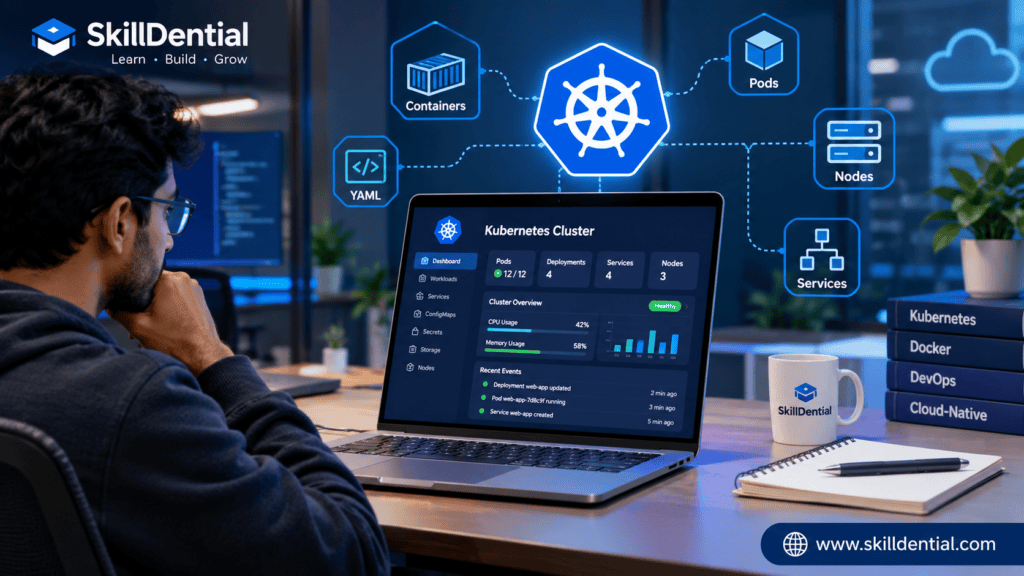
Whether you’re an aspiring DevOps engineer, software developer, or cloud architect, leveraging these 15 curated Kubernetes learning resources will help you build practical, job-ready container orchestration skills and establish a scalable foundation for a cloud-native career.
What Is Kubernetes?
Kubernetes is an open-source container orchestration platform designed to automate the deployment, scaling, and operational management of containerized applications across distributed infrastructure.
Rather than managing individual virtual machines manually, infrastructure teams group hosts into a cluster. For instance, when running a high-traffic web application packaged in a container, Kubernetes automates critical lifecycle operations: it handles automated deployments, maintains high availability, balances network traffic across replicas, and scales resources up or down dynamically based on demand.
Core Architecture & Terminology
Developing a comprehensive understanding of the following foundational architectural concepts will help you effortlessly navigate complex Kubernetes learning resources and execute hands-on practical labs with professional confidence:
- Cluster: A set of worker machines (nodes) that run containerized workloads managed by a centralized control plane.
- Node: An individual virtual or physical machine (worker or master) within the cluster.
- Pod: The smallest and simplest deployable computing unit in Kubernetes, encapsulating one or more tightly coupled containers, shared storage, and a unique network IP.
- Deployment: A declarative API object that manages Pod replication, rolling updates, and self-healing rollbacks.
- Service: An abstraction layer that defines a logical set of Pods and a policy by which to access them, providing a stable networking endpoint.
- ConfigMap: An API object used to store non-sensitive configuration data as key-value pairs, decoupling configuration from container images.
- Secret: A secure object designed specifically for storing sensitive configuration data, such as passwords, OAuth tokens, or SSH keys.
- Ingress: An API resource that manages external HTTP and HTTPS routing to internal cluster services, operating in conjunction with an ingress controller.
Comprehending and internalizing these foundational orchestration primitives establishes a robust, highly reliable mental model for critically evaluating various Kubernetes learning resources and successfully designing, deploying, and scaling production-grade cloud infrastructure.
Why Should You Learn Kubernetes?
Kubernetes has become the undisputed operating system of the cloud-native ecosystem. As modern enterprises shift toward distributed microservices and automated infrastructure, Kubernetes serves as the core engine powering scalable applications across multi-cloud and hybrid environments.
Acquiring deep technical proficiency in container orchestration and mastering the operational mechanics of distributed systems yields an exceptionally high career return on investment (ROI), particularly if your professional trajectory targets specialized, high-impact technical roles across modern engineering organizations, including:
- DevOps Engineering: Automating continuous integration/continuous deployment (CI/CD) pipelines, cluster provisioning, and infrastructure-as-code workflows.
- Cloud & Platform Engineering: Designing self-service internal developer platforms (IDPs) and scalable, resilient infrastructure.
- Site Reliability Engineering (SRE): Managing cluster uptime, auto-scaling policies, observability, disaster recovery, and production health.
- Backend & Cloud-Native Software Development: Building, deploying, debugging, and scaling microservices natively in production environments.
- Infrastructure & Systems Administration: Evolving traditional sysadmin skills into modern container fleet management and cloud orchestration.
The Reality of the Learning Curve
While Kubernetes is a critical skill for career acceleration, it is not a standalone silver bullet. Because it sits at the intersection of systems engineering and software architecture, maximizing your progression through structured Kubernetes learning resources requires a solid grasp of foundational concepts:
- Linux Fundamentals: Process management, file permissions, and shell scripting.
- Networking Concepts: DNS, IP routing, firewalls, ports, and load balancing.
- Containerization Basics: Writing Dockerfiles, building images, managing registries, and understanding container lifecycles.
Pairing these system competencies with consistent, hands-on practice using free Kubernetes learning resources bridges the gap between abstract theory and production-ready competence.
The Curated Directory: 15 Best Free Kubernetes Learning Resources
The following directory is organized into a strategic learning progression. These resources combine official documentation, interactive terminal sandboxes, and structured academies to help you transition from absolute beginner to deploying production-ready workloads without spending a dime.
Kubernetes Official Documentation
- Best for: Learning Kubernetes fundamentals straight from the primary source.
- Format: Official documentation and guided tutorials (Free)
The official Kubernetes Documentation website is the foundational baseline for anyone entering the cloud-native ecosystem. It provides rigorous, authoritative technical explanations of core concepts, architecture, and administrative operations.
Rather than relying on simplified abstractions, the documentation teaches you the exact mental models used by cluster maintainers and production engineers.
Key Areas to Explore
- Kubernetes Concepts & Architecture: Understand the control plane, worker nodes, and the Kubernetes API model.
- Pods & Workloads: Learn how single- and multi-container pods are managed and scheduled.
- Deployments & ReplicaSets: Master declarative application updates, rollouts, and self-healing replicas.
- Services, Load Balancing & Networking: Explore ClusterIP, NodePort, LoadBalancer, and Ingress routing.
- ConfigMaps & Secrets: Learn how to cleanly decouple configuration data and sensitive credentials from application code.
- Storage & Persistent Volumes: Understand how stateful applications manage persistent data volumes.
- Cluster Administration: Build baseline knowledge for cluster provisioning, security policies, and maintenance.
Why It Is Useful
Official documentation serves as the single source of truth. As you progress through external courses, sandboxes, and labs, returning to the upstream documentation ensures your foundational understanding stays aligned with active upstream standards and deprecation notices.
- Best Starting Point: Navigate directly to the Kubernetes Concepts section on
kubernetes.ioto master core architecture before jumping into interactive terminal exercises.
Kubernetes Interactive Basics Tutorial
- Best for: Beginners who want hands-on, browser-based interactive learning.
- Format: Official interactive terminal tutorial (Free)
The Kubernetes Basics tutorial bridges the gap between passive reading and active execution. Designed for learners who prefer doing over studying raw technical documentation, it walks you through real-world deployment lifecycles directly in a simulated browser environment.
This tutorial series allows you to experience how Kubernetes manages containerized applications and responds dynamically to configuration changes without requiring local tool installation.
Key Learning Modules
- Creating a Kubernetes Cluster: Understand how a local or remote cluster spins up and orchestrates nodes.
- Deploying an Application: Learn how to run your first containerized workload using declarative commands.
- Exploring an Application: Inspect cluster state, view logs, and troubleshoot running Pods.
- Exposing an Application Publicly: Configure Services to route external traffic to internal workloads.
- Scaling an Application: Dynamically increase or decrease application replica counts to handle variable load.
- Updating an Application: Execute zero-downtime rolling updates and manage configuration revisions.
Why It Is Useful
It provides a streamlined onboarding ramp. Instead of forcing beginners to navigate dense, encyclopedic technical documentation, these guided exercises isolate critical operational workflows so you can build immediate muscle memory for kubectl commands.
- Best Starting Point: Launch the Kubernetes Basics module on the official site to complete your first end-to-end container deployment in under 30 minutes.
Introduction to Kubernetes by the Linux Foundation (LFS158)
- Best for: Structured, foundational training from the industry authority on cloud-native computing.
- Format: Self-paced online course via The Linux Foundation (Free audit track / LFS158)
The Linux Foundation’s Introduction to Kubernetes (LFS158) is one of the most reputable entry-level courses available in the cloud-native ecosystem. Because the Linux Foundation houses the Cloud Native Computing Foundation (CNCF), this course teaches container orchestration standards straight from the organization that governs the technology.
It bridges the gap between raw documentation and formal education, offering a well-paced syllabus for learners building toward professional DevOps and cloud engineering careers.
Core Curriculum & Modules
- Ecosystem Origins & Purpose: Understand why container orchestration became necessary and how Kubernetes evolved.
- Architecture & Building Blocks: Deep-dive into control plane nodes, worker nodes, and internal cluster components.
- Cluster Provisioning & Minikube: Learn how to set up and access a local development cluster using Minikube.
- Application Deployment: Practice launching containerized workloads using imperative and declarative configurations.
- Networking & Services: Master cluster internal and external traffic routing.
- Storage & Volume Management: Explore how stateful workloads persist data.
- Configuration & Security: Implement ConfigMaps, Secrets, and Ingress routing controllers.
Prerequisites & Target Audience
While a basic familiarity with Linux command-line operations and container fundamentals (like Docker) will help you move faster, the course is designed to be accessible to committed beginners.
Why It Is Useful
Unlike fragmented blog posts or quick-start guides, LFS158 provides a cohesive pedagogical structure. It establishes proper mental models for cluster management, making it an ideal stepping stone before pursuing advanced certifications like the Certified Kubernetes Administrator (CKA) or Certified Kubernetes Application Developer (CKAD).
- Best Starting Point: Enroll in the free tier of LFS158 on edX or The Linux Foundation training portal to begin your formal cloud-native education.
IBM Developer Kubernetes Learning Path
- Best for: Learning Kubernetes through a guided, enterprise-backed technical pathway.
- Format: Free educational learning path via IBM Developer (~6 hours)
The IBM Developer Kubernetes learning path provides a streamlined, structured route designed to take beginners from core container primitives to practical cloud-native operations. Because IBM builds and manages enterprise cloud infrastructure at scale, this pathway connects foundational theory directly to real-world development workflows.
Unlike open-ended documentation, this curriculum is tailored specifically for developers and cloud engineers who need to understand how container orchestration integrates into day-to-day application deployment.
Core Curriculum & Topics Covered
- Container Fundamentals: Core concepts behind containerization and runtime engines.
- Linux Essentials: Command-line basics required for container and cluster management.
- YAML Configuration: Writing clean declarative configuration files for Kubernetes objects.
- Local Cluster Operations: Setting up and testing workloads locally.
- Application Deployment: Building, packaging, and deploying containerized applications.
- Networking & Traffic Routing: Understanding how internal and external services communicate.
- Application Troubleshooting: Diagnosing common pod failures and deployment errors.
- Workload Security: Best practices for securing container fleets and managing access.
Why It Is Useful
This curated Kubernetes learning path offers a time-boxed, efficient roadmap. With an estimated completion time of around six hours, it cuts through the noise of the broader cloud-native ecosystem and focuses on high-leverage skills.
- Best Starting Point: Access the IBM Developer portal to begin the module sequence, starting with container fundamentals and YAML configuration basics.
Killercoda
- Best for: Browser-based, friction-free Kubernetes and DevOps practice scenarios.
- Format: Interactive terminal playgrounds and guided scenarios (Free and paid tiers available)
Killercoda is an exceptional interactive learning platform that provides instant, browser-based Linux and Kubernetes environments. For beginners hesitant to configure complex local virtualization tools like Minikube or Kind, Killercoda removes deployment friction entirely.
By embedding live terminal sessions directly into guided scenario guides, these Kubernetes learning resources let you execute real commands against live virtual clusters without installing anything on your local machine.
Key Topics & Scenarios You Can Practice
- Kubernetes Command Line: Mastering
kubectlsyntax, flags, and resource inspection. - Pod & Workload Management: Creating, updating, scaling, and terminating container workloads.
- Deployments & Rollouts: Practicing zero-downtime application updates and configuration rollbacks.
- Services & Networking: Configuring cluster internal routing, NodePorts, and LoadBalancers.
- Cluster Troubleshooting: Diagnosing crash loop back-offs, network failures, and scheduling errors in real time.
Why It Is Useful
Killercoda bridges the gap between passive reading and active execution. Because the scenarios are pre-configured, you can jump straight into specific technical challenges—such as debugging a broken deployment or setting up an Ingress controller—in seconds.
- Best Starting Point: Visit the Killercoda platform and filter by beginner Kubernetes scenarios to run your first interactive command-line exercise directly in your browser.
KodeKloud Free Kubernetes Labs
- Best for: Hands-on, guided Kubernetes laboratory exercises with zero local setup.
- Format: Freemium learning platform with dedicated free labs
KodeKloud is a premier technical learning platform built specifically for DevOps, cloud computing, and containerization. While it offers comprehensive paid engineering courses, its library of free Kubernetes labs serves as an invaluable sandbox for beginners.
These browser-based environments allow you to step away from passive video tutorials and immediately write declarative configurations, execute terminal commands, and manage cluster objects in real time.
Key Free Lab Exercises Available
- Kubernetes Pods: Creating, inspecting, and deleting standalone pod workloads.
- Deployments & ReplicaSets: Managing desired state replicas and scaling application workloads.
- Rolling Updates & Rollbacks: Executing zero-downtime updates and recovering from faulty deployments.
- Services & Networking: Exposing workloads and establishing stable internal communication channels.
- YAML Configuration: Practicing correct syntax, indentation, and structure for Kubernetes manifest files.
- Core
kubectlCommands: Mastering essential command-line flags, filtering, and log inspection.
Why It Is Useful
Many beginners struggle with the friction of configuring local clusters like Minikube or dealing with cloud provider billing. KodeKloud eliminates these entry barriers by providing pre-configured playground environments tailored for practical muscle memory.
- Best Starting Point: Create a free account on the KodeKloud platform and navigate directly to their free labs section to start your first interactive pod and deployment exercise.
Kube-Ops Academy
- Best for: Structured, practical Kubernetes labs with live browser-based cluster access.
- Format: Free technical training track with interactive environments
Kube-Ops Academy provides a dedicated, hands-on learning track designed to transition beginners into confident cluster operators. Unlike platforms limited to video walkthroughs or simple terminal emulators, these Kubernetes learning resources spin up real browser-based Kubernetes clusters where you can execute live commands and manage actual cloud-native workloads.
The curriculum is thoughtfully structured to bridge foundational theory with practical administrative tasks, helping learners build real-world operational competence.
Core Curriculum & Practical Exercises
- Cluster Provisioning: Learn how clusters are initialized and how worker nodes join the control plane.
- Pod Lifecycles: Understand container scheduling, termination, and state management.
- Deployments & Reconciliation: Explore how the control plane continuously reconciles actual state with desired state manifests.
- Manifest Authoring: Practice writing robust YAML configuration files from scratch.
- ConfigMaps & Secrets: Manage non-sensitive environmental properties and secure credentials properly.
- Health Probes: Configure liveness, readiness, and startup checks for resilient application deployments.
- Services & Cluster DNS: Master internal service discovery and load balancing.
- Ingress & HTTP Routing: Set up external traffic routing rules using ingress controllers.
- Network Policies: Implement micro-segmentation and traffic isolation between pods.
- Role-Based Access Control (RBAC): Secure cluster resources by defining granular user permissions and service accounts.
Why It Is Useful
Kube-Ops Academy offers a rigorous bridge between passive reading and production readiness. By working directly with real cluster primitives, you gain tactile familiarity with debugging error states, inspecting logs, and managing network traffic.
- Best Starting Point: Sign up for a free account on the Kube-Ops Academy platform and launch their foundational lab track to begin working with live Kubernetes manifests.
IBM CloudLabs Kubernetes Tutorials
- Best for: Learning managed Kubernetes through enterprise cloud-based exercises.
- Format: Interactive cloud learning experience with limited-duration practice clusters (Free)
IBM CloudLabs offers specialized, browser-based Kubernetes learning resources designed to introduce developers to managed container orchestration on the IBM Cloud ecosystem. Rather than running strictly local simulations, these tutorials provide hands-on experience using the IBM Cloud Kubernetes Service (IKS).
This setup gives learners a practical look at how enterprise cloud providers provision, secure, and monitor container fleets in production environments.
Core Tutorial Tracks
- Containers & Kubernetes Essentials: Learn foundational containerization principles and basic orchestration mechanics.
- Scalable Web Applications: Practice deploying multi-tier web applications and scaling workloads dynamically across worker nodes.
- Logs Analysis & Health Monitoring: Explore native tools for inspecting application logs, tracking resource utilization, and monitoring container health.
Important Access Considerations
While these tutorials offer an incredible hands-on sandbox, the practice clusters typically operate on a limited-duration schedule rather than providing permanent, unlimited free cloud infrastructure.
Why It Is Useful
Many beginners only experience local tools like Minikube. The IBM CloudLabs tutorials bridge the gap toward professional competence by familiarizing you with managed Kubernetes services—an essential skill for modern cloud engineering roles.
- Best Starting Point: Visit the IBM Cloud portal or developer learning hubs to locate the active CloudLabs catalog and launch their introductory container orchestration module.
Minikube Tutorials
- Best for: Practicing Kubernetes locally on your personal computer or laptop.
- Format: Open-source local development tool and official tutorial guides (Free)
Minikube is the industry-standard tool for running a single-node Kubernetes cluster locally. Whether you are using macOS, Linux, or Windows, Minikube runs a virtual machine (or container runtime) locally so you can test manifests, experiment with deployments, and break things safely without touching a paid cloud environment.
Because every cloud engineer and developer eventually needs a local playground for rapid testing, mastering Minikube is an essential milestone in your cloud-native journey.
Key Capabilities & Practice Areas
- Local Cluster Provisioning: Spin up a fully functional Kubernetes control plane and worker node locally in minutes using a hypervisor or container driver (Docker, VirtualBox, KVM).
- Workload Deployment: Apply YAML configuration manifests to launch Pods, Deployments, and ReplicaSets on your local machine.
- Service Exposure: Use commands like
minikube serviceto tunnel into local services and preview your containerized web applications directly in your browser. - Add-on Management: Enable built-in Kubernetes add-ons such as the Kubernetes Dashboard, ingress controllers, metrics servers, and storage provisioners.
- Failure & Iteration Sandbox: Experiment with rolling updates, resource limits, and scaling configurations in an isolated environment where mistakes carry zero penalty.
Why It Is Useful
While browser-based sandboxes are great for quick exercises, having a local cluster gives you complete autonomy. It is one of the most reliable Kubernetes learning resources for simulating real-world development workflows, testing CI/CD manifest changes offline, and understanding how kubectl interacts with an underlying cluster engine.
- Best Starting Point: Visit the official
minikube.sigs.k8s.iodocumentation to follow the “Get Started” guide, install the binary for your operating system, and launch your first local cluster usingminikube start.
kind (Kubernetes IN Docker)
- Best for: Running multi-node local Kubernetes clusters using Docker containers as nodes.
- Format: Open-source command-line tool and local development environment (Free)
kind (Kubernetes IN Docker) is a powerful, lightweight tool that enables you to spin up production-like Kubernetes clusters using local Docker containers as your cluster nodes. Originally built to test Kubernetes itself upstream, kind has become a favorite among developers and DevOps engineers for local testing and CI/CD pipelines.
Because it runs nodes inside containers, kind requires minimal resource overhead compared to heavy virtual machines, making it one of the most efficient Kubernetes learning resources for local experimentation.
Key Capabilities & Practice Areas
- Multi-Node Cluster Provisioning: Easily spin up clusters with multiple worker and control-plane nodes using a simple YAML configuration file.
- Local Development & Testing: Test complex workloads, Helm charts, and operator deployments locally before pushing them to cloud environments.
- YAML Manifest Validation: Rapidly deploy and debug Kubernetes manifests against a real local API server.
- CI/CD Pipeline Integration: Seamlessly spin up ephemeral Kubernetes clusters inside GitHub Actions or local CI runners for automated testing.
Prerequisites & Target Audience
Unlike browser-based sandboxes, kind requires a working local development setup. You must have Docker installed and running on your machine, along with the kind CLI. It is ideal for learners who already have basic containerization experience and want to graduate to local multi-node cluster management.
Why It Is Useful
Many local tools only support single-node setups. kind allows you to test advanced networking, ingress controllers, and multi-node scheduling behavior on your personal laptop without needing a cloud provider account.
- Best Starting Point: Visit the official
kind.sigs.k8s.iodocumentation to install the CLI via Homebrew, Go, or direct binary download, and runkind create clusterto launch your first containerized cluster.
Kubernetes by Example
- Best for: Learning Kubernetes primitives through annotated, practical YAML configuration files.
- Format: Free educational code reference and guide
Kubernetes by Example is an invaluable reference for learners who learn best by reading and dissecting code. Rather than relying heavily on abstract theoretical explanations, this platform teaches container orchestration by breaking down real, working Kubernetes configuration manifests line by line.
Because writing and interpreting YAML files is one of the steepest initial hurdles for beginners, these targeted Kubernetes learning resources demystify manifest structure, indentation, and API versions.
Key Topics & Manifest Examples Covered
- Kubernetes Architecture: Visualizing how API objects fit together within a cluster.
- Namespaces: Organizing and isolating cluster resources for multi-tenant environments.
- Pods: Authoring the fundamental unit of deployment in YAML.
- Labels & Selectors: Using key-value metadata to link services, deployments, and pods together.
- Deployments & ReplicaSets: Managing declarative rollout strategies and replica counts.
- Services: Exposing internal workloads via ClusterIP, NodePort, and LoadBalancer configurations.
- Application Configuration: Injecting environment variables, ConfigMaps, and Secrets cleanly.
Why It Is Useful
When starting, syntax errors and misconfigured indentation in YAML manifests will cause deployment failures. Kubernetes by Example provides clean, canonical reference templates that help you understand what every field and indentation level actually does before you write your own manifests.
- Best Starting Point: Explore the core deployment and service examples on the platform to practice reading YAML specifications field by field.
Google Cloud Kubernetes Learning Resources
- Best for: Understanding container orchestration in production and learning managed Google Kubernetes Engine (GKE).
- Format: Free enterprise documentation, guides, and architectural whitepapers
Google Cloud provides exceptional Kubernetes learning resources because Google is the birthplace of Kubernetes (originally developed as an open-source evolution of their internal Borg system). Their educational documentation and architectural guides bridge the gap between vanilla open-source orchestration and enterprise-grade managed cloud infrastructure.
These resources are essential for understanding how massive container fleets are deployed, scaled, and secured in commercial cloud environments using Google Kubernetes Engine (GKE).
Key Topics & Areas to Explore
- Kubernetes Architecture Fundamentals: Clear, production-grade explanations of the control plane, worker nodes, and resource scheduling.
- Container Orchestration Concepts: Core principles of scaling, load balancing, and self-healing infrastructure.
- Application Deployment Workflows: Step-by-step guides for containerizing applications and rolling out updates securely.
- Google Kubernetes Engine (GKE): Learning how managed Kubernetes differs from unmanaged clusters, including automated upgrades, node auto-provisioning, and regional high availability.
- Enterprise Cluster Management: Security best practices, identity and access management (IAM), and cluster observability.
Important Cost Consideration
While reading all Google Cloud documentation, architectural frameworks, and conceptual guides is completely 100% free, launching live managed clusters, load balancers, or persistent disks within the Google Cloud console will eventually incur costs if you exceed the Google Cloud Free Tier limits.
Why It Is Useful
Most beginners start with local tools like Minikube, but modern cloud engineering requires understanding how major cloud providers abstract and manage Kubernetes. Learning from the creators of Kubernetes gives you deep insight into production best practices.
- Best Starting Point: Visit the Google Cloud Architecture Center or the GKE documentation hub to read the core Kubernetes overview and explore the “GKE Getting Started” guides.
Microsoft Learn: Deploy Containers Using Azure Kubernetes Service (AKS)
- Best for: Learning managed Kubernetes within the Microsoft Azure enterprise ecosystem.
- Format: Free self-paced learning modules and documentation paths
Microsoft Learn offers a robust, structured learning path focused on deploying, scaling, and managing containerized workloads using Azure Kubernetes Service (AKS). Because Azure is a dominant enterprise cloud platform, mastering its managed Kubernetes offering bridges the gap between open-source theory and real-world enterprise cloud architecture.
While the core training text and modules are entirely free to read and study, completing the optional hands-on sandbox exercises may involve Azure account activation or cloud consumption limits.
Core Curriculum & Topics Covered
- AKS Cluster Architecture: Understanding how Microsoft manages the control plane while giving you control over worker nodes.
- Nodes & Node Pools: Configuring, scaling, and managing virtual machine sizing and pools for your workloads.
- Pods & Deployments: Translating declarative YAML manifests into running applications on Azure infrastructure.
- Namespaces & Multi-Tenancy: Isolating environments and resources within shared clusters.
- Services & Networking: Configuring internal clustering, load balancing, and external exposure.
- Azure Container Registry (ACR): Integrating private container registries seamlessly with your AKS clusters.
- Application Scaling & Updates: Managing horizontal pod autoscaling and zero-downtime rolling upgrades.
Target Audience & Prerequisites
Because this learning path dives directly into managed cloud infrastructure, it is best suited for intermediate learners who already understand basic containerization and core Kubernetes objects.
Why It Is Useful
Most open-source tutorials focus solely on local clusters like Minikube. This learning path demonstrates how enterprise organizations build production-grade container platforms using automated provisioning, cloud security controls, and managed load balancers.
- Best Starting Point: Visit the Microsoft Learn portal and search for the “Deploy containers using Azure Kubernetes Service” learning path to begin your cloud-specific orchestration training.
Official Kubernetes Examples on GitHub
- Best for: Studying production-ready application configurations and real-world deployment patterns.
- Format: Open-source GitHub repository (
kubernetes/examples)
The official Kubernetes Examples repository on GitHub bridges the gap between basic tutorial YAML files and complex, multi-component application architectures. Maintained directly by the open-source community and core maintainers, this repository serves as a reference catalog of working manifests for various workloads.
Instead of working with isolated snippets, studying these complete configurations helps learners understand how interconnected Kubernetes resources—such as Deployments, Services, PersistentVolumeClaims, and ConfigMaps—operate together in real-world scenarios.
Key Workloads & Use Cases Covered
- Multi-Tier Web Applications: Examples showing how frontend web servers communicate securely with backend APIs and persistent data stores.
- Stateful Databases: Deploying stateful workloads like MySQL, PostgreSQL, or Redis using StatefulSets and persistent storage volumes.
- Configuration Management: Implementing ConfigMaps and Secrets to handle environment variables and sensitive credentials across application tiers.
- AI & Machine Learning Workloads: Exploring modern cloud-native examples involving batch processing and distributed computing tasks.
- Advanced Networking & Services: Inspecting how different service types and ingress rules route traffic to internal pod endpoints.
Why It Is Useful
Many beginners struggle when transitioning from simple “Hello World” tutorials to deploying complete applications. This repository provides battle-tested, canonical templates that you can clone, modify, and deploy locally using tools like Minikube or kind.
- Best Starting Point: Visit the
kubernetes/examplesrepository on GitHub and explore theguestbookor database sub-directories to inspect how multi-container applications are structured in production YAML.
Helm Official Documentation
- Best for: Learning how to package, configure, and manage complex Kubernetes applications using Helm.
- Format: Official documentation, guides, and reference manuals (Free)
Helm is universally known as the package manager for Kubernetes. Once you move beyond managing individual YAML files, deploying applications with dozens of interconnected resources (Deployments, Services, ConfigMaps, and PersistentVolumes) becomes tedious.
Helm solves this by introducing Charts—reusable, templated packages that allow you to define, install, and upgrade even the most complex Kubernetes applications with a single command.
The official Helm documentation is the definitive guide for mastering this essential cloud-native tool.
Core Concepts & Documentation Topics
- What is Helm & Architecture: Understanding how Helm interacts with the Kubernetes API server and tracks release history.
- Helm Charts: Learning how to structure chart directories, templates,
Chart.yamlmetadata, and defaultvalues.yamlfiles. - Helm Repositories: Discovering how to publish, share, and consume public and private chart repositories.
- CLI Installation & Setup: Step-by-step guides for installing the Helm client across Linux, macOS, and Windows.
- Managing Application Releases: Executing clean installations, rollbacks, uninstalls, and status checks.
- Upgrading & Versioning: Handling zero-downtime upgrades and managing configuration overrides across environments.
Target Audience & Prerequisites
Because Helm abstracts underlying Kubernetes manifests using Go templates, this resource is best suited for learners who already have a firm grasp of basic Kubernetes objects (Pods, Deployments, Services, and YAML configurations).
Why It Is Useful
In professional environments, writing raw YAML manifests from scratch is rare; most engineering teams use Helm (or tools like Kustomize) to manage production deployments across staging and production clusters. Learning Helm bridges the gap between individual container management and professional software delivery.
- Best Starting Point: Navigate to
helm.sh/docsand explore the “Intro / Quickstart” guide to install Helm and deploy your first chart in a local cluster.
Comparison of the 15 Kubernetes Learning Resources
Choosing the right path depends on your current technical baseline, how you prefer to absorb information, and whether you want a browser-based sandbox or a local testing environment.
The following table summarizes the primary focus and target audience for each resource:
| Resource | Main Learning Focus | Best Suited For |
| Kubernetes Documentation | Fundamentals and reference | All levels |
| Kubernetes Basics | Interactive fundamentals | Beginners |
| Linux Foundation LFS158 | Structured course | Beginners |
| IBM Developer | Guided learning path | Beginners |
| Killercoda | Interactive scenarios | Beginners–Intermediate |
| KodeKloud | Hands-on labs | All levels |
| Kube-Ops Academy | Practical cluster operations | Beginners–Intermediate |
| IBM CloudLabs | Cloud-based exercises | Beginners |
| Minikube | Local Kubernetes clusters | Beginners–Intermediate |
| kind | Local cluster testing | Intermediate |
| Kubernetes by Example | YAML configurations | Beginners–Intermediate |
| Google Cloud | GKE and cloud Kubernetes | Beginners–Intermediate |
| Microsoft Learn | Azure Kubernetes Service | Intermediate |
| Kubernetes GitHub Examples | Application configurations | Intermediate |
| Helm Documentation | Application packaging | Intermediate |
Strategic Next Steps
- If you prefer zero setup: Start with Kubernetes Basics or Killercoda to run immediate terminal commands in your browser.
- If you want formal training: Enroll in Linux Foundation LFS158 for a comprehensive, industry-backed syllabus.
- If you are ready for local development: Install Minikube or kind to start testing manifests on your personal workstation.
What Should You Learn Before Starting Kubernetes?
Although introductory courses often accept complete beginners, diving into container orchestration without foundational context can lead to steep frustration. You do not need to become an advanced systems administrator before starting, but having a working familiarity with four core technical domains will make your journey through the best Kubernetes learning resources considerably smoother.
Linux Fundamentals
Because the vast majority of Kubernetes worker nodes and cluster control planes run on Linux distributions, container operations rely heavily on command-line proficiency. You should be comfortable with:
- Directory Navigation & File Management: Moving through file systems (
cd,ls), creating/modifying files, and managing permissions (chmod,chown). - Shell Operations & Scripting: Executing commands, piping outputs, and inspecting system logs.
- Process Management: Identifying running services, checking resource usage (
top,ps), and terminating processes (kill). - Basic Networking Commands: Diagnosing connectivity using tools like
ping,curl,netstat, andnslookup.
Docker & Container Fundamentals
Kubernetes exists to automate and manage containerized workloads. Before orchestrating fleets of containers, you must understand how individual containers operate. Focus on learning:
- Container Concepts: How containerization isolates processes and file systems compared to traditional virtual machines.
- Docker Images & Layers: How images are constructed using read-only layers.
- Building & Running Containers: Writing a
Dockerfile, building images (docker build), and running local containers (docker run). - Container Registries: Pushing and pulling images from registries like Docker Hub or GitHub Packages.
YAML Configuration Syntax
Kubernetes relies heavily on YAML (YAML Ain’t Markup Language) to define declarative state manifests for objects like Pods, Deployments, and Services.
For example, a standard deployment manifest looks like this:
YAML
apiVersion: apps/v1
kind: Deployment
metadata:
  name: sample-app
spec:
  replicas: 2
  selector:
    matchLabels:
      app: sample-app
  template:
    metadata:
      labels:
        app: sample-app
    spec:
      containers:
      - name: sample-container
        image: nginx:latest
        ports:
        - containerPort: 80
This manifest instructs Kubernetes to maintain two running replicas of an Nginx web server container. Understanding how to interpret indentation, key-value pairs, lists, and maps will prevent frustrating syntax errors when writing your own configurations.
Basic Networking Principles
At its core, Kubernetes operates as a highly complex, distributed system architecture where discrete workloads running inside pods, underlying worker nodes, and external clients accessing the cluster must communicate seamlessly and reliably across network boundaries. Consequently, acquiring a solid baseline understanding of core networking principles is an essential prerequisite:
- IP Addresses & Ports: How network traffic routes to specific machines and applications.
- DNS (Domain Name System): How human-readable names resolve to internal cluster IPs.
- HTTP/HTTPS & Client-Server Communication: Understanding request-response cycles, status codes, and web traffic routing.
- Basic Troubleshooting: Tracing why a client cannot reach a server endpoint.
Having this foundation in place ensures that when you begin exploring Kubernetes Services, Ingress controllers, and multi-node cluster networking, you understand why the configuration is structured the way it is.
A Practical Free Kubernetes Learning Roadmap
Having access to 15 different tools and courses can easily lead to tutorial paralysis. Attempting to consume all of them simultaneously is inefficient. Instead, a phased, step-by-step approach ensures you build real competence without burning out.
The following six-stage roadmap transitions you smoothly from absolute beginner to hands-on practitioner, pairing each phase with the exact Kubernetes learning resources best suited for that milestone.
Stage 1: Master Container & System Fundamentals
- Goal: Understand why container orchestration exists and build comfort with the underlying tools containers rely on.
- Suggested Resources: Docker documentation and the Linux Foundation Introduction to Kubernetes (LFS158).
- What to Focus On: Basic Linux command-line navigation, file permissions, process management, writing a basic
Dockerfile, building images, and running containers locally.
Stage 2: Understand Core Kubernetes Architecture
- Goal: Learn how Kubernetes conceptualizes infrastructure and why it differs from running individual containers.
- Suggested Resources: Kubernetes Official Documentation and Kubernetes Basics tutorial.
- What to Focus On: Deconstructing the control plane vs. worker nodes, understanding the role of
etcd, and learning core primitives like Pods, Deployments, ReplicaSets, and Services.
Stage 3: Practice Terminal Commands (kubectl)
- Goal: Build muscle memory for interacting with a live cluster using the Kubernetes command-line interface.
- Suggested Resources: Killercoda and KodeKloud Free Labs.
- What to Focus On: Executing
kubectlcommands to inspect resources (get,describe,logs), scaling deployments, updating container images, and debugging failing pods in a browser-based sandbox.
Stage 4: Spin Up a Local Kubernetes Environment
- Goal: Move away from browser sandboxes and set up an independent local testing ground on your own hardware.
- Suggested Resources: Minikube or kind (Kubernetes IN Docker).
- What to Focus On: Installing local cluster drivers, spinning up single- or multi-node clusters, applying YAML manifests, and verifying local network routing.
Stage 5: Master Application Configuration & Packaging
- Goal: Learn how to structure production-grade manifests and manage complex application deployments.
- Suggested Resources: Kubernetes by Example, Official GitHub Examples, and Helm Documentation.
- What to Focus On: Writing clean YAML indentation, configuring ConfigMaps and Secrets, implementing Ingress controllers for HTTP routing, managing persistent volumes, and deploying multi-tier applications using Helm charts.
Stage 6: Build and Troubleshoot a Practical Project
- Goal: Bring everything together by deploying, monitoring, and troubleshooting a complete application from scratch.
- Suggested Resources: IBM CloudLabs, Google Cloud Kubernetes learning resources, and Microsoft Learn (AKS).
- What to Focus On: Packaging a full-stack application, exposing it securely through Services and Ingress, analyzing application logs, monitoring resource usage, and deploying to a managed cloud cluster.
Note:
This six-stage roadmap is designed as a flexible learning sequence rather than a strict timeline. Your actual progression will vary based on your existing familiarity with Linux, networking, and software development.
Practical Kubernetes Projects to Build as a Beginner
Reading documentation, working through tutorials, and completing structured Kubernetes learning resources are essential first steps, but nothing solidifies your skills faster than building real projects. Putting theory into practice demonstrates your competence to peers, hiring managers, and the broader cloud-native community.
Here are five hands-on projects worth building after mastering the fundamentals, designed to take you from basic deployments to professional application packaging.
Project 1: Deploy a Simple Web Application
- The Goal: Package a static or simple dynamic web server into a container and deploy it to a local or browser-based Kubernetes cluster.
- Core Skills to Practice:
- Creating a declarative Kubernetes Deployment manifest.
- Configuring custom or public container images (e.g., Nginx, Python Flask, or Node.js).
- Managing Pod lifecycles and viewing execution logs (
kubectl logs). - Checking application status and resource health (
kubectl get pods,kubectl describe).
Project 2: Expose an Application Using a Service
- The Goal: Take the web application from Project 1 and configure internal and external networking so users or other pods can actually reach it.
- Core Skills to Practice:
- Setting up ClusterIP services for internal cluster communication.
- Configuring NodePort or LoadBalancer services for external access.
- Using Service selectors and label matching to link services to target pods correctly.
- Mapping internal container ports to service ports.
Project 3: Scale an Application
- The Goal: Move beyond a single-instance workload and learn how Kubernetes handles high availability and horizontal scaling under load.
- Core Skills to Practice:
- Managing replica counts in Deployment specifications.
- Dynamically scaling workloads up and down (
kubectl scale). - Monitoring active Pod distribution across cluster nodes.
- Understanding how load balancing and application availability work during scaling events.
Project 4: Configure Application Settings
- The Goal: Separate your application source code and container image from its environment-specific configurations and credentials.
- Core Skills to Practice:
- Creating and managing ConfigMaps for non-sensitive settings (e.g., environment variables, UI text).
- Creating and managing Secrets for sensitive credentials (e.g., database passwords, API tokens).
- Mounting configurations and secrets into containers as environment variables or volume files.
- Updating application settings dynamically without rebuilding container images.
Security Note:
Standard Kubernetes Secrets are encoded in base64, but not automatically encrypted at rest by default in raw clusters. Production environments require external secret managers, proper Role-Based Access Control (RBAC), and encryption-at-rest configuration.
Project 5: Package an Application Using Helm
- The Goal: Graduate from managing raw YAML files to packaging your multi-resource application using the official Kubernetes package manager.
- Core Skills to Practice:
- Understanding Helm chart directory structure (
Chart.yaml,values.yaml, templates). - Installing and upgrading custom application releases (
helm install,helm upgrade). - Managing version rollbacks when a deployment introduces bugs (
helm rollback). - Utilizing templating values to make configurations reusable across environments.
- Understanding Helm chart directory structure (
Building Your Cloud-Native Portfolio
These five projects form the bedrock of a professional Kubernetes portfolio. To showcase your growing expertise, document your work in a public GitHub repository:
- Store clean, commented YAML manifests for each project.
- Write a clear
README.mddetailing the architectural concepts you applied. - Document the specific challenges you encountered (such as port mapping or service discovery issues) and how you solved them using
kubectldebugging commands.
Common Mistakes to Avoid When Learning Kubernetes
Kubernetes has a notoriously steep learning curve, and it is easy for beginners to stall their progress by approaching the technology inefficiently. Being aware of these pitfalls ahead of time will save you hours of debugging and frustration:
Starting Kubernetes Without Understanding Containers
- The Mistake: Jumping straight into Kubernetes manifests and cluster orchestration without knowing how containers actually function.
- Why It Hurts: Kubernetes doesn’t run code directly; it orchestrates container runtimes (like containerd or Docker). If you don’t understand how container images are built, how layers work, or how applications run inside an isolated container filesystem, debugging pod crash loops becomes an exercise in guessing.
- The Fix: Spend a few days mastering Docker fundamentals—writing
Dockerfileinstructions, building images, running local containers, and pushing to registries—before writing your first Kubernetes deployment.
Watching Tutorials Without Hands-On Practice
- The Mistake: Treating Kubernetes education like a Netflix series by watching videos or reading guides without typing a single command.
- Why It Hurts: Watching an instructor deploy an Nginx pod or configure an Ingress controller creates an illusion of competence. When you open an empty terminal yourself, you will quickly realize that muscle memory, syntax recall, and error troubleshooting only come from active repetition.
- The Fix: For every tutorial or article you consume, immediately replicate the exercise in a sandbox environment or local cluster. Break things intentionally to see how Kubernetes reacts.
Memorizing kubectl Commands Instead of Architecture
- The Mistake: Treating
kubectllike a black box of disconnected magic incantations. - Why It Hurts: Memorizing commands like
kubectl apply -forkubectl port-forwardhelps temporarily, but when a deployment fails, or a service cannot route traffic, command-line syntax won’t save you. You need to understand what the control plane is doing under the hood. - The Fix: Always connect the command to the underlying architecture. Understand how the API server processes your request, how
etcdrecords the desired state, and how the Kubelet reconciles worker node reality.
Attempting Production Cluster Administration Too Early
- The Mistake: Trying to provision multi-node cloud clusters with custom CNI (Container Network Interface) plugins on day one.
- Why It Hurts: Production-grade environments introduce massive layers of complexity—cloud IAM roles, external load balancers, VPC routing tables, and security hardening—that have nothing to do with learning core Kubernetes primitives.
- The Fix: Start local. Use browser sandboxes (Killercoda, KodeKloud), local development tools (Minikube, kind), or single-node playgrounds before touching commercial cloud Kubernetes services (like GKE or AKS).
Ignoring Kubernetes Security Best Practices
- The Mistake: Treating security as an afterthought by running everything as the root user, exposing default service accounts, and leaving secrets unencrypted.
- Why It Hurts: Kubernetes clusters are prime targets for automated exploit bots scanning the internet. Misconfigured RBAC (Role-Based Access Control) or exposed dashboard APIs can lead to cluster compromise within minutes.
- The Fix: Build good security hygiene early. Learn how Namespaces isolate workloads, how Secrets handle sensitive environment variables, and how basic RBAC policies restrict service account permissions.
Paying for Cloud Infrastructure Unnecessarily
- The Mistake: Assuming you need an active, paid AWS, GCP, or Azure account with live billing to learn Kubernetes.
- Why It Hurts: Cloud providers charge for running persistent worker nodes, external load balancers, and managed control planes. Beginners frequently incur accidental charges simply because they left a cluster running overnight.
- The Fix: Leverage the wealth of free Kubernetes learning resources, browser-based labs, and local tools (Minikube/kind) that run entirely on your own hardware at zero financial cost.
Can I learn Kubernetes for free?
Yes. You can learn Kubernetes entirely without financial investment by leveraging official documentation, free online courses, interactive browser sandboxes, and local development tools.
Organizations like the Linux Foundation, the CNCF, IBM, and independent engineering communities provide extensive Kubernetes learning resources that take beginners from zero to deployment at zero cost.
Is Kubernetes difficult for beginners?
Kubernetes has a notoriously steep learning curve initially because it sits at the intersection of several distinct technologies: Linux, networking, container runtimes, declarative YAML manifests, and distributed systems.
However, starting with the fundamentals—such as mastering containers and practicing one concept at a time—makes the learning process structured and manageable.
Do I need to learn Docker before Kubernetes?
Strongly recommended. Because Kubernetes orchestrates and manages containerized workloads rather than raw source code, understanding how container images are built, versioned, and executed is vital.
While you don’t need to be a Docker expert before looking at an introductory Kubernetes course, understanding basic container lifecycles will prevent severe confusion later.
Can I practice Kubernetes without installing anything?
Yes. Platforms like Killercoda, KodeKloud Free Labs, and Kube-Ops Academy provide browser-based terminal environments where you can execute kubectl commands and run simulated clusters without installing local virtualization tools. Note that some of these platforms require a free account or have usage limits on sandbox runtime duration.
Can I learn Kubernetes on a laptop?
Yes. You can either rely entirely on browser-based cloud playgrounds or install local cluster drivers on your personal computer using tools like Minikube or kind (Kubernetes IN Docker). Keep in mind that running local Kubernetes nodes in virtual machines or containers requires adequate RAM and CPU resources on your machine.
Is Kubernetes useful for DevOps careers?
Extremely. Kubernetes is the de facto standard for container orchestration and cloud-native application deployment, making it a high-demand skill for DevOps engineers, Site Reliability Engineers (SREs), cloud architects, and platform engineers. However, top-tier employers look for a holistic skill set that includes Linux administration, networking, scripting, CI/CD pipelines, and infrastructure-as-code (IaC).
Can I get a Kubernetes certification for free?
You can access world-class study materials, guides, and labs completely for free, but industry-recognized certifications—such as the Certified Kubernetes Administrator (CKA) and Certified Kubernetes Application Developer (CKAD) administered by the Linux Foundation and CNCF—require a paid exam fee. Free learning resources prepare you for the exam, but do not waive the certification testing cost.
How long does it take to learn Kubernetes?
There is no fixed timeframe, as your progression depends heavily on your existing technical baseline. Someone who already understands Linux, Docker, networking, and CI/CD pipelines can grasp core Kubernetes concepts considerably faster than someone starting completely from scratch. Focus on building practical competence and working through hands-on projects rather than rushing through an arbitrary schedule.
In Conclusion
Kubernetes is an indispensable competency for developers, DevOps engineers, cloud architects, and anyone scaling modern infrastructure. Fortunately, mastering container orchestration does not require expensive enterprise training programs or paid subscriptions.
By leveraging the 15 curated Kubernetes learning resources covered in this guide, you can progress seamlessly from foundational theory to hands-on terminal-based cluster administration completely for free.
Recommended Action Plan
- If you are starting from zero: Begin with the official Kubernetes Basics interactive tutorial and enroll in the Linux Foundation’s Introduction to Kubernetes (LFS158) course to establish proper architectural mental models.
- If you want immediate terminal practice: Launch browser-based sandboxes on Killercoda or KodeKloud Free Labs to build
kubectlmuscle memory without local installation hurdles. - If you are ready for local development: Spin up a local node using Minikube or kind, deploy your first web application, and expose it via a Kubernetes Service.
Consistent, hands-on experimentation is the single greatest accelerator in cloud computing. Dive into your first resource today, build your foundational projects, and start engineering your future in the cloud-native ecosystem.