Free Excel Cash Flow Projection Spreadsheet for Businesses
A robust cash flow projection spreadsheet is the operational backbone of proactive financial management, allowing businesses to map out expected inflows, outflows, and net liquidity over a given horizon. By leveraging a structured cash flow projection spreadsheet built in Microsoft Excel, founders and finance leads can transition from reactive firefighting to predictive liquidity planning—tracking operating expenses, incoming revenue, and funding gaps with precision.
This guide details how to architect a professional cash flow projection spreadsheet, master essential Excel formulas, calculate exact cash runway, and translate historical data into high-leverage business decisions.
What Is a Cash Flow Projection Spreadsheet?
A cash flow projection spreadsheet is a dynamic financial modeling tool used to forecast future cash inflows and outflows over a defined operational horizon. By mapping anticipated liquidity movements, it answers three fundamental solvency questions:
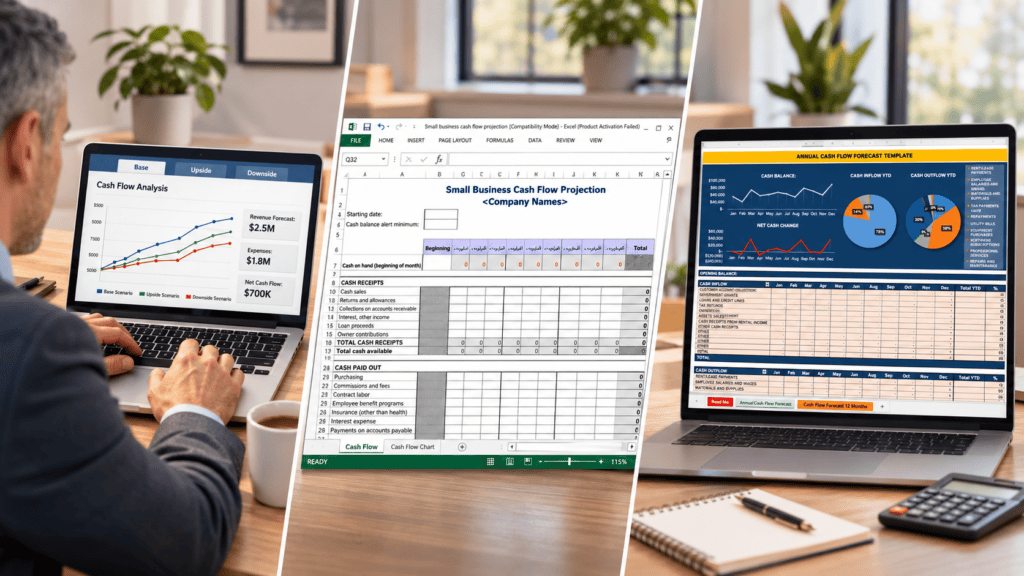
- What is our current liquid cash position? Establishes the baseline opening cash balance at the start of the period.
- What are our projected cash receipts and financial commitments? Details expected collections and forthcoming expenditures.
- Will net liquidity be sufficient to cover upcoming obligations? Evaluates whether the business maintains an adequate cash cushion to avoid insolvency or short-term credit defaults.
A standard cash flow projection spreadsheet aggregates customer collections, payroll, operating expenses, tax liabilities, and debt service. The net variance between total cash inflows and outflows dictates the period-over-period shift in the business’s liquid cash balance.
Practical Example
If an organization forecasts $25,000 in incoming cash receipts and $18,000 in cash outflows for a given month, the resulting net cash flow is +$7,000.
Cash Flow vs. Accounting Profit
A positive net cash flow generated within a cash flow projection spreadsheet does not automatically translate to accounting profit. Cash flow strictly tracks actual bank account movements (when money enters and leaves), whereas accrual accounting records revenues and expenses when they are earned or incurred—regardless of when cash actually changes hands.
Why Businesses Need a Cash Flow Projection Spreadsheet
A well-architected cash flow projection spreadsheet delivers essential visibility into future liquidity, enabling management to address financial commitments long before they turn into operational emergencies.
Anticipate Cash Shortages
A business can maintain strong profitability on paper yet face a severe working capital crunch because clients pay on 60-day terms while payroll and rent are due immediately. A cash flow projection spreadsheet highlights exact windows where incoming collections lag behind outgoing obligations.
Understand Cash Runway
Cash runway calculates the exact lifespan of a business based on its current liquid reserves and net burn rate. For growing enterprises or early-stage ventures, this metric dictates critical hiring, capital allocation, and risk management thresholds.
Plan Major Operational Expenses
A dynamic cash flow projection spreadsheet centralizes all forthcoming financial outflows, ensuring adequate liquidity for:
- Payroll and contractor commitments
- Fixed overhead (rent, utilities, software subscriptions)
- Inventory purchases and supply chain replenishment
- Capital expenditures (equipment, hardware, assets)
- Tax obligations and regulatory fees
- Debt service and loan repayments
- Growth initiatives (targeted marketing and advertising)
Execute Scenario Analysis
By adjusting core variables, a cash flow projection spreadsheet enables quantitative what-if modeling to stress-test business resilience against headwinds such as:
- Delayed Receivables: Quantifying the liquidity impact if clients extend payment cycles by 14 to 30 days.
- Headcount Expansion: Measuring whether projected revenue streams comfortably absorb new salary overhead.
- Cost Rationalization: Identifying cash preserved through targeted cuts in discretionary spending.
- Revenue Contraction: Simulating survival timelines if top-line sales decline by a set margin (e.g., 15%).
- Debt Structuring: Evaluating how new financing tranches or loan repayments alter rolling cash balances.
Strengthen Financing & Investor Discussions
A structured cash flow projection spreadsheet provides prospective lenders, investors, and financial advisors with transparent, standardized proof of operational control and financial literacy. While financial models are a core requirement for institutional funding applications (such as those outlined by the U.S. Small Business Administration), a rigorous spreadsheet acts primarily as an internal management roadmap rather than a guarantee of credit approval.
What Should a Cash Flow Projection Spreadsheet Include?
A high-utility cash flow projection spreadsheet requires a clear, logical architecture that captures the complete lifecycle of incoming and outgoing liquidity.
Core Model Components
| Component | Purpose & Description |
| Opening Cash Balance | The liquid cash available in bank and merchant accounts at the exact start of the projection period. |
| Customer Receipts | Expected cash payments collected from clients based on actual invoicing and historical collection cycles. |
| Other Cash Inflows | Secondary revenue streams, such as asset sales, tax refunds, grants, or investment injections. |
| Total Cash Inflows | The aggregate sum of all incoming cash receipts for the given period. |
| Operating Expenses | Fixed and variable overhead costs, including rent, utilities, software subscriptions, and marketing. |
| Payroll | Total cash committed to salaries, wages, contractor fees, and related payroll taxes or benefits. |
| Supplier Payments | Expected disbursements to vendors, manufacturers, and inventory suppliers. |
| Taxes & Debt Repayments | Scheduled statutory tax liabilities, principal loan payments, and interest service. |
| Capital Expenditure (CapEx) | Outlays for long-term physical or digital assets, equipment, and hardware. |
| Total Cash Outflows | The aggregate sum of all outgoing payments and financial commitments for the period. |
| Net Cash Flow | The net variance calculated by subtracting total cash outflows from total cash inflows. |
| Closing Cash Balance | The projected liquid cash remaining at the end of the period (Opening Balance + Net Cash Flow). |
| Minimum Cash Threshold | A predefined safety buffer or reserve minimum required to insulate the business against unexpected volatility. |
Differentiating Actuals vs. Forecasts
To maintain model accuracy over time, a professional cash flow projection spreadsheet must explicitly segregate historical actuals from forward-looking forecasts. As each operating period closes, replacing estimated figures with verified bank data ensures rolling projections remain grounded in reality and improves the predictive reliability of future forecasts.
How to Create a Cash Flow Projection Spreadsheet in Excel
Building a robust cash flow projection spreadsheet requires core Excel arithmetic and a structured layout. The framework below demonstrates a rolling three-month monthly forecast model, which can be readily scaled to 6- or 12-month operational windows for comprehensive liquidity planning.
Step 1: Create the Spreadsheet Structure
Open Microsoft Excel, initialize a blank workbook, and establish the foundational column layout and line-item hierarchy required for your cash flow projection spreadsheet.
Column Architecture
| Column | Header / Description | Purpose |
| A | Cash Flow Item | Houses the structured financial line items, categories, and calculation headers. |
| B | Month 1 | The initial projection period (expandable to 6 or 12 months in subsequent columns). |
| C | Month 2 | The secondary projection period. |
| D | Month 3 | The tertiary projection period. |
Row-by-Row Line Item Setup
In Column A, enter the exact sequence of financial categories below from top to bottom:
Opening cash balanceCustomer receiptsOther cash inflowsTotal cash inflowsPayrollSupplier paymentsOperating expensesTaxes and debt repaymentsCapital expenditureTotal cash outflowsNet cash flowClosing cash balanceMinimum cash thresholdCash warning
This structured layout provides an optimal balance of granularity and simplicity, allowing both early-stage operators and growing enterprises to track liquidity effectively.
Step 2: Enter the Opening Cash Balance
The opening cash balance serves as the liquid baseline at the start of your forecast period in the cash flow projection spreadsheet.
- For Existing Businesses: Input the fully reconciled cash balance directly from your verified bank and merchant account records as of the final day of the prior period.
- For Startups & New Ventures: Input the actual cash currently sitting in the business bank account, originating from founder equity, seed funding, or verified cash injections.
Crucial Rule
Never inflate your opening balance by factoring in anticipated customer collections or pending funding rounds that have not yet cleared into the bank account. Precision here ensures the entire cash flow projection spreadsheet maintains financial integrity.
Step 3: Forecast Cash Inflows
Enter all anticipated cash receipts for each operational period within your cash flow projection spreadsheet. Typical inflow categories include:
- Customer invoice collections
- Direct cash and point-of-sale sales
- Recurring subscription and SaaS payments
- Milestone-based contract payments
- Secondary operating receipts (e.g., asset sales, tax refunds, grants)
Critical Timing Rule
Your cash flow projection spreadsheet must strictly track when cash actually hits the bank account, not when revenue is recognized under accrual accounting. For example, if a corporate client is billed in January but operates on 30-day payment terms, the corresponding cash receipt must be logged in February. This distinction is vital for businesses managing credit terms or irregular collection cycles.
Step 4: Forecast Cash Outflows
Populate all anticipated outgoing cash payments for each column period within your cash flow projection spreadsheet. Account for both predictable recurring overhead and one-off financial commitments.
- Recurring Obligations: Log fixed monthly outlays—such as payroll, software subscriptions, rent, and utilities—in the exact period they clear your bank account.
- One-Off Expenditures: Record non-recurring outlays (such as purchasing equipment or software licenses) strictly in the month the payment is scheduled to occur, rather than amortizing or spreading the cost across multiple periods.
Cash-Basis Discipline
Your cash flow projection spreadsheet must reflect exact transaction timing. Never smooth out large expenses; logging outflows when cash physically leaves the account ensures your projected cash balances match real-world liquidity realities.
Step 5: Calculate Total Cash Inflows
Using the standardized row-and-column architecture of your cash flow projection spreadsheet, aggregate all incoming financial streams for each period. Assuming your model places customer receipts in Row 5 and other cash inflows in Row 6, enter the following formula into cell B7:
=SUM(B5:B6)This formula totals all expected cash receipts for Month 1. Once entered, drag or copy the formula across the remaining monthly columns (e.g., Column C, Column D) to automate inflow calculations across your entire forecast horizon.
Step 6: Calculate Total Cash Outflows
Assuming rows 9 through 13 house your various cash outflow categories (such as payroll, supplier payments, operating expenses, tax and debt service, and capital expenditures), and Row 14 is designated for total cash outflows, enter the following formula into cell B14:
=SUM(B9:B13)This formula aggregates all outgoing financial commitments for Month 1. Drag or copy the formula across the remaining monthly columns to dynamically calculate total expected payments for each period in your cash flow projection spreadsheet.
Step 7: Calculate Net Cash Flow
Net cash flow measures the exact liquidity surplus or deficit generated during a specific period within your cash flow projection spreadsheet. It is calculated by subtracting total cash outflows from total cash inflows.
Assuming Row 7 contains total cash inflows and Row 14 contains total cash outflows, enter the following formula into cell B15:
=B7-B14This formula automatically reveals whether your business generates more cash than it expends during Month 1. Copy or drag the formula across the remaining monthly columns:
- Positive Result (+): Indicates a net cash inflow, meaning operating activities added to your liquid reserves for that period.
- Negative Result (-): Indicates a net cash outflow, meaning expenditures exceeded incoming receipts and drew down existing cash reserves.
Step 8: Calculate the Closing Cash Balance
The closing cash balance represents your total liquid reserves remaining at the conclusion of an operating period within your cash flow projection spreadsheet.
Assuming Row 4 houses the opening cash balance, Row 15 contains net cash flow, and Row 16 is designated for the closing cash balance, enter the following formula into cell B16 for Month 1:
=B4+B15Establishing Rolling Continuity
To ensure your financial model flows seamlessly from one period to the next, subsequent months must dynamically link their starting balances to prior closing balances:
- For Month 2 (Cell C4): Enter
=B16to automatically pull Month 1’s closing balance as the opening cash balance. - For Month 3 (Cell D4): Enter
=C16(or copy the formula horizontally across the row) to maintain unbroken continuity.
This automatic linkage ensures that every cash movement compounds accurately across your entire projection horizon, giving you a true picture of rolling liquidity.
Step 9: Add a Minimum Cash Threshold
A minimum cash threshold represents the safety buffer your business must maintain to cover unexpected expenses, payment delays, or emergency working capital needs. Because every enterprise has unique risk tolerances and cost structures, there is no universal dollar amount applicable to all businesses.
To automate risk detection within your cash flow projection spreadsheet, configure an alert system using Excel’s logical functions. Assuming your minimum cash threshold value is stored in cell B18, and your closing cash balance is in cell B16, enter the following formula into cell B19 for Month 1:
=IF(B16<$B$18,"CASH WARNING","OK")Code language: PHP (php)How This Formula Works
The Excel IF function evaluates whether a specific condition is met, returning one output if true and another if false:
- If the projected closing cash balance (
B16) dips below your safety threshold ($B$18), the cash flow projection spreadsheet automatically flags the period with"CASH WARNING". - If liquidity remains at or above the threshold, it returns.
"OK".
Drag or copy this formula across your remaining monthly columns to maintain real-time visibility into your liquidity risk profile.
Step 10: Format the Spreadsheet
Formatting your cash flow projection spreadsheet effectively transforms raw data into a clean, easy-to-read financial management tool. Apply these practical formatting practices to maximize clarity and maintainability:
- Consistent Currency Formatting: Apply standard currency formatting (e.g., matching decimal places and currency symbols) across all financial rows to maintain visual alignment.
- Visual Hierarchy: Bold key summary metrics—such as total inflows, total outflows, net cash flow, and closing cash balances—to make critical data stand out at a glance.
- Conditional Formatting: Apply conditional formatting rules to automatically highlight negative cash balances or low liquidity warnings in a soft red.
- Freeze Panes: Freeze the top header row and the first column (Column A) so your line-item labels and month headings remain visible as you scroll through larger datasets.
- Clear Forecast Labels: Ensure forecast periods and actuals are explicitly designated so readers immediately understand the certainty of the figures.
- Assumptions & Notes Column: Include a dedicated notes column alongside your forecast periods to document significant assumptions (such as specific customer payment terms or major scheduled expenses).
Design Tip
Avoid excessive colors, heavy borders, or overly complex styling. A clean, minimalist layout keeps your cash flow projection spreadsheet simple to audit, update, and maintain over time.
Cash Flow Projection Spreadsheet Example
The following hypothetical scenario illustrates how a business utilizes a cash flow projection spreadsheet to model and evaluate its liquidity movements across a rolling three-month window.
Illustrative Model Data
| Cash flow item | Month 1 | Month 2 | Month 3 |
| Opening cash | $20,000 | $25,000 | $27,000 |
| Cash inflows | $15,000 | $18,000 | $20,000 |
| Cash outflows | $10,000 | $16,000 | $22,000 |
| Net cash flow | $5,000 | $2,000 | -$2,000 |
| Closing cash | $25,000 | $27,000 | $25,000 |
Note: Illustrative figures only. This is not an actual business forecast.
Analysis of Cash Movements
- Month 1 Baseline: The consulting business initiates the period with $20,000 in opening cash. Strong customer receipts push net cash flow up by $5,000, raising the projected closing cash balance to $25,000.
- Month 2 Growth: The opening cash balance rolls over to $25,000. Inflows of $18,000 offset outflows of $16,000, yielding a $2,000 net cash inflow and a closing balance of $27,000.
- Month 3 Contraction: Outflows climb to $22,000, outpacing the $20,000 in cash inflows and resulting in a negative net cash flow of -$2,000.
Key Financial Takeaway
Although the business records a negative net cash flow during Month 3, its closing balance remains securely positive at $25,000. This example highlights why a well-designed cash flow projection spreadsheet requires management to evaluate both period-by-period cash movements and cumulative cash balances: a temporary negative net cash flow does not automatically indicate an inability to pay obligations, provided sufficient liquid reserves are maintained.
How to Calculate Cash Runway in Excel
Cash runway measures the exact lifespan of a business before its available liquid reserves are fully depleted. When integrated alongside a rolling cash flow projection spreadsheet, runway calculations provide vital foresight for capital allocation, hiring, and fundraising milestones.
For businesses maintaining a relatively predictable monthly spend, the core calculation is straightforward:
$$\text{Cash Runway} = \frac{\text{Available Cash}}{\text{Average Monthly Net Cash Burn}}$$
Practical Example
A startup holds $60,000 in available cash reserves and operates with an average net cash burn of $10,000 per month. Its estimated cash runway is:
$$\$60,000 \div \$10,000 = 6 \text{ months}$$
Limitations of Static Runway Calculations
While helpful for high-level planning, a simple division metric comes with distinct constraints:
- Assumption of Stability: It assumes that monthly burn rates, overhead costs, and customer collections remain constant over time.
- Volatility Blind Spots: For enterprises experiencing seasonal demand swings, lumpy invoicing, or unpredictable expense spikes, a static average can mask upcoming liquidity crises.
For dynamic operations, relying on a period-by-period cash flow projection spreadsheet provides far superior accuracy and operational control than a single high-level runway figure.
How to Use the Spreadsheet for Scenario Analysis
Scenario analysis empowers a business to model how shifting operating assumptions alter its projected cash position within a cash flow projection spreadsheet.
The most straightforward approach involves building distinct forecast variants to stress-test financial resilience:
| Scenario | Core Operational Assumption |
| Base Case | Normal operating conditions, reflecting expected customer receipts and standard payments. |
| Optimistic Case | Accelerated customer collections, shorter payment terms, or higher-than-average sales volume. |
| Conservative Case | Delayed customer receipts, longer credit terms, or unexpected sales contractions. |
| Cost-Reduction Case | Aggressive mitigation through reduced discretionary spending, frozen hiring, or delayed overhead outlays. |
Executing Practical What-If Modeling
To evaluate a specific operational change—such as determining liquidity survival if client payments slip by 30 days—management can shift the relevant expected receipt figures into the subsequent monthly column within your cash flow projection spreadsheet and recalculate the model.
This dynamic testing quickly exposes whether a temporary payment lag triggers a critical cash shortage or if existing reserves provide an adequate buffer. Similarly, leadership can model the forward-looking impact of:
- Hiring a new salaried employee or expanding contractor support
- Making major capital asset purchases
- Scaling back marketing expenditures during a dry spell
- Renegotiating supplier payment schedules or credit lines
The ultimate objective of scenario analysis is to evaluate potential financial consequences within your cash flow projection spreadsheet before committing capital, enabling proactive, data-driven decision-making.
Common Cash Flow Projection Mistakes
Even a well-structured cash flow projection spreadsheet can yield misleading results if its underlying assumptions are flawed or its formulas are mismanaged. Avoid these frequent pitfalls to keep your financial models reliable:
Confusing Revenue with Cash Receipts
Recognizing revenue on an accrual basis does not mean money is sitting in your bank account. Always forecast customer receipts based on projected collection dates rather than invoice issue dates.
Ignoring Delayed Payments
Clients frequently pay past agreed credit terms. Failing to account for slow-paying customers creates artificial liquidity surpluses. Distinguish clearly between confirmed collections and uncertain receivables, modeling uncertain inflows under a conservative scenario.
Forgetting One-Off Expenses
Omitting irregular financial obligations—such as quarterly tax liabilities, annual software licenses, or equipment purchases—leads to unexpected cash crunches. Ensure every known disbursement is logged in the exact period it is scheduled to clear.
Treating Projected Figures as Guaranteed
A forecast is an informed estimation, not a certainty. Shifting market conditions, delayed receivables, or sudden expense spikes will cause actuals to diverge from projections. Mitigate this risk by reviewing your cash flow projection spreadsheet regularly and updating inputs as new data emerges.
Failing to Update the Spreadsheet
A financial model quickly loses its utility when it relies on stale assumptions. Establishing a routine weekly or monthly review habit ensures your projections accurately reflect current operating realities.
Overcomplicating the Model
Building an overly complex spreadsheet packed with excessive line items, nested formulas, and cumbersome macros makes maintenance difficult and increases the likelihood of human error. Start with a lean, streamlined model and add operational granularity only when it directly improves decision-making.
Cash Flow Projection Spreadsheet vs. Cash Flow Statement
While closely related financial documents, a cash flow projection spreadsheet and a historical cash flow statement serve fundamentally different operational purposes.
Key Differences at a Glance
| Feature | Cash Flow Projection Spreadsheet | Cash Flow Statement |
| Purpose | Estimate future cash movements | Report historical cash movements |
| Time Period | Future periods (rolling forecasts) | Completed accounting periods |
| Main Use | Operational planning, scenario testing, and decision-making | Financial reporting, tax compliance, and performance analysis |
| Inputs | Assumptions, expected collections, and projected expenses | Recorded historical financial transactions |
| Output | Projected cash balances and runway | Actual verified cash inflows and outflows |
Understanding the Distinction
- Looking Forward: A cash flow projection spreadsheet helps a business anticipate what may happen, allowing management to identify potential shortfalls before they occur and make proactive financial decisions.
- Looking Backward: A historical cash flow statement details what has already happened, providing verified proof of past liquidity management based on completed accounting data.
Bridging History and Forecasting
Smart operators do not treat these tools in isolation. Businesses routinely analyze historical cash flow statements to establish baseline collection rates, recurring expense patterns, and seasonal trends—data that directly informs and strengthens the predictive accuracy of their forward-looking cash flow projection spreadsheet.
Is a cash flow projection spreadsheet free to create?
Yes. You can create a basic cash flow projection spreadsheet using Excel if you already have access to the software. The spreadsheet structure and formulas described in this guide can be built without purchasing a separate financial forecasting application.
Can I use Google Sheets instead of Excel?
Yes. Google Sheets supports basic spreadsheet formulas such as SUM and IFmaking it suitable for a simple cash flow projection. However, verify formulas and formatting when moving a workbook between spreadsheet applications.
How far ahead should a business project cash flow?
The appropriate forecast horizon depends on the business’s needs. A short-term forecast may cover 13 weeks, while a monthly projection may cover 6 or 12 months. Businesses seeking funding may need longer-term financial projections as part of their planning or funding documentation.
How often should I update a cash flow projection?
A weekly or monthly update is a practical starting point. Businesses with volatile receipts, tight liquidity, or frequent changes in expenses may benefit from more frequent reviews.
Can a cash flow projection spreadsheet predict whether a business will fail?
No. A cash flow projection cannot reliably predict business failure. It can identify potential liquidity problems under the assumptions entered into the spreadsheet, allowing management to investigate and respond. It does not account automatically for every possible future event.
Is a cash flow projection the same as a cash budget?
The terms are sometimes used interchangeably. A cash budget generally sets out expected cash receipts and payments for a future period. A cash flow projection spreadsheet estimates future cash movements and balances. The distinction depends on how the business uses and defines its financial planning documents.
In Conclusion
A robust cash flow projection spreadsheet provides a practical, high-leverage mechanism to understand, anticipate, and manage a business’s future liquidity position. The core guiding principles for sustainable financial modeling include:
- Anchor in Reality: Begin with an accurate, verified opening cash balance from your actual financial records.
- Prioritize Cash Timing: Log customer receipts and outgoing payments strictly in the exact operating periods they are expected to clear your accounts.
- Automate Calculations: Use dependable spreadsheet formulas (
SUM,IF) to calculate net cash flow, closing cash balances, and risk warnings automatically. - Establish Safety Buffers: Maintain a clear minimum operating cash threshold to insulate your operations against unexpected volatility.
- Stress-Test Assumptions: Run alternative scenarios (optimistic, conservative, and cost-reduction cases) to measure vulnerability before committing capital.
- Maintain Discipline: Update your cash flow projection spreadsheet regularly, comparing rolling forecasts against historical actuals to continually refine your predictive accuracy.
A streamlined financial model that is maintained consistently delivers unmatched visibility into business liquidity without the overhead of complex enterprise software.
Your Next Step
Open Microsoft Excel, establish your spreadsheet structure, input your current verified cash balance, and begin mapping out your next three months of expected receipts and outgoing payments. For significant financing, major tax liabilities, or complex investment decisions, always review your completed projection with a qualified accountant or financial professional.