How College Students Can Get Gemini AI Pro Free for 1 Year
Eligible U.S. college students aged 18–24 can now get Gemini AI Pro free for one year through Google’s official student offer. This plan unlocks higher usage limits, 5 TB of cloud storage, specialized study tools like custom notebooks and interactive visualizations, and access to Google’s top-tier AI features.
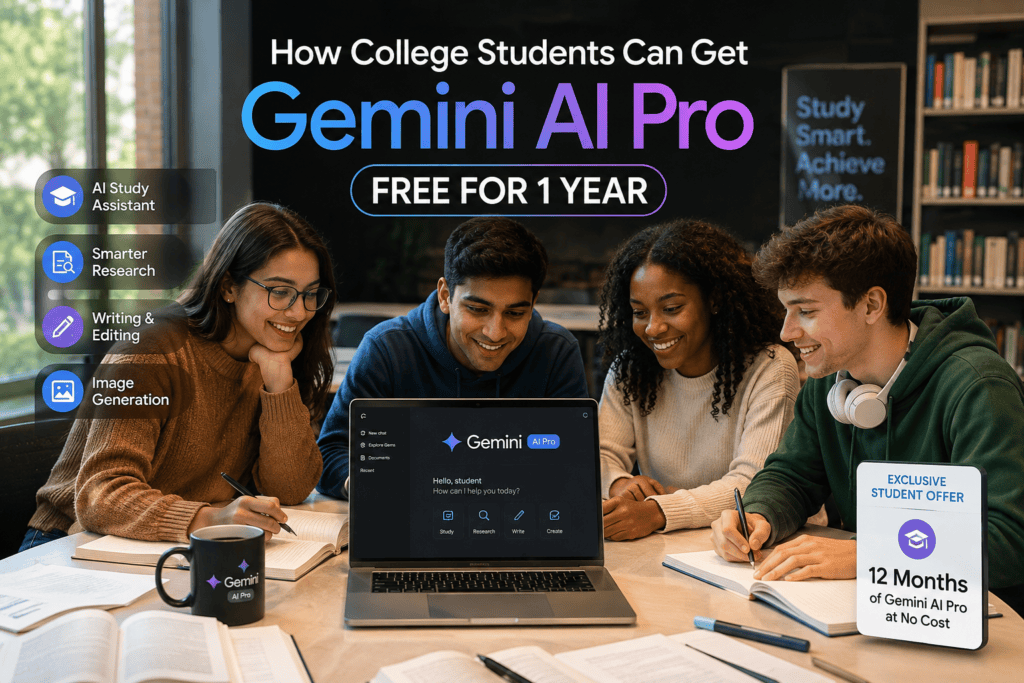
To get Gemini AI Pro free, students must verify their enrollment, use a personal Google Account, provide a valid payment method, and redeem the offer by December 31, 2026. This guide breaks down the eligibility requirements, step-by-step claim process, included features, and what happens once your one-year access ends.
What is the Gemini student offer?
The Gemini student offer is a 12-month Google AI Pro subscription provided at no cost to eligible higher-education students. Rather than branding it as a standalone “Gemini Pro” product, Google packages this deal under the Google AI Pro umbrella, combining advanced language models with full Google One ecosystem perks.
Key Offer Details & Benefits
- Storage & Infrastructure: Includes 5 TB of expanded Google One cloud storage for Drive, Gmail, and Photos.
- Core Gemini Upgrades: Unlocks higher usage limits within the Gemini app and access to Google’s most capable AI models.
- Workspace Integration: Integrates AI capabilities directly into Google Docs, Gmail, Sheets, and Slides.
- Study & Productivity Tools: Access to specialized tools for generating interactive visualizations, study notebooks, custom quizzes, summaries, and personalized learning plans.
- Redemption Window: Eligible students must verify status and claim the offer by December 31, 2026.
Eligibility & Renewal Terms
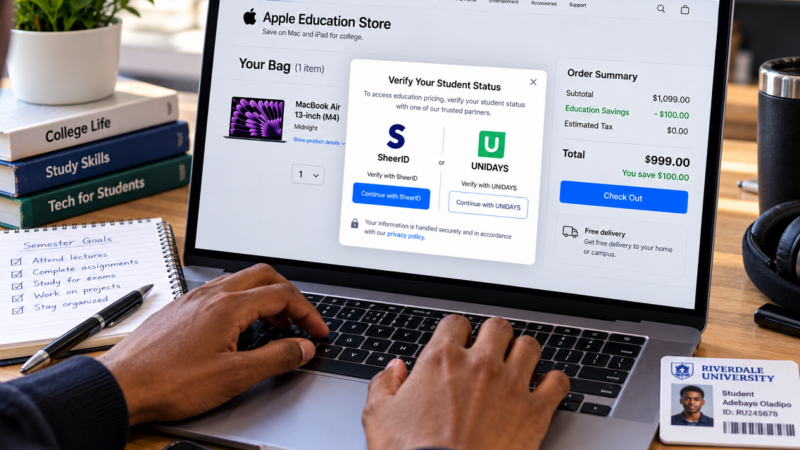
- Verification: Requires active enrollment verification (typically via SheerID/educational provider) and a personal Google Account.
- Payment Requirement: A valid payment method must be added during registration to initiate the 12-month access.
- Annual Recertification: Access requires annual re-verification to maintain student eligibility if Google extends the program.
Who is eligible?
To qualify for the offer, applicants must satisfy specific demographic, institutional, and account-level requirements set by Google.
Core Eligibility Criteria
- Location & Age: Must be located in the United States and between 18 and 24 years old.
- Institutional Enrollment: Must be actively enrolled at an accredited U.S. college or university.
- Verification: Requires successful student status verification, typically processed through SheerID.
- Account Type: Must use a personal Google Account (workspace or university-managed
.eduaccounts are generally ineligible for direct plan activation). - Payment & Redemption: Requires adding a valid payment method at checkout and redeeming before the December 31, 2026 deadline.
Account History & Restrictions
- Previous Users: Both new accounts and students whose previous 2025 AI Pro trial has expired are eligible to apply.
- Non-Automatic Approval: Possessing an active university email address (
.edu) does not guarantee approval. Google evaluates eligibility based on institution status, age verification, location, account standing, and SheerID validation.
Regional Limitation & Country Availability
This promotion is strictly geo-restricted and should not be framed as a global offer. Official documentation specifically limits the current offer to eligible college students within the United States.
Students in countries such as Nigeria, the United Kingdom, India, Ghana, Canada, or other international regions cannot redeem this specific U.S. promotion, even if using an active university email.
Key Geographic Considerations
- Localized Campaigns: Google frequently runs regional promotions with varying eligibility rules, deadlines, and benefits depending on the country.
- IP & Account Checks: Redemption pages use location-based checks; relying on overseas social media posts, global screenshots, or external guides can lead to verification errors.
- Verification Protocol: Always navigate to Google’s official local promotion landing page for your specific country to confirm if a regional student offer is currently active.
How to Get Gemini AI Pro Free
Follow this step-by-step process to verify your eligibility and claim your 1-year trial.
Access the Official Promotion Page: To get Gemini AI Pro free, open Google’s official Gemini for Students portal and select the option to claim your offer. Avoid third-party links, social media downloads, or messaging groups promising unverified premium access.
Sign in with a Personal Google Account: Log in using your primary personal Google Account rather than a school-managed .edu Workspace address. Personal accounts ensure you retain your study history, custom settings, and Google One storage benefits long after graduation.
Complete Student Status Verification: Initiate the verification protocol, which typically redirects to SheerID. Enter your official academic details. If automatic verification fails, prepare to upload official documentation (such as a tuition invoice or current class schedule) directly through the secure Google verification pipeline.
Add a Valid Payment Method: Google requires active payment details to process the enrollment for the Gemini AI Pro free promotion. Your card will not be charged during the 12-month promotional window, but it serves as the default billing method for automatic renewal once the offer period concludes.
Review Terms & Automatic Renewal Details: Confirm your subscription details before finalizing checkout:
- Promotional Duration: 12 months at $0.
- Renewal Terms: Automatically recurs at $19.99/month unless canceled before the trial expires.
- Redemption Deadline: Must be claimed by December 31, 2026.
- Account Storage: Confirms allocation of the 5 TB Google One storage quota.
Complete Activation & Manage Renewal: Finalize registration and save the order receipt. Set a calendar alert before the 12-month expiration date. If you prefer to avoid auto-renewal charges, you can manage or cancel the recurring billing via your Google Play or Google One subscription settings while retaining access for the duration of the promotional term.
What is included in the Gemini AI Pro Free Promo?
The Google AI Pro plan bundled in this student offer combines high-tier model access with Google One cloud storage and specialized academic workflows.
| Feature | How Students Can Use It |
| 4x Higher Usage Limits | Run longer research queries, analyze large documents, and engage in extended study sessions without hitting standard caps. |
| 5 TB Cloud Storage | Store raw video lectures, massive research datasets, project files, and personal device backups across Google Drive, Gmail, and Photos. |
| Study Notebooks | Upload syllabi and course materials to create custom learning plans, diagnostic quizzes, automated flashcards, and progress tracking dashboards. |
| Interactive 3D Visualizations | Generate rotatable, zoomable 3D models and interactive grids/tables for complex topics like molecular biology or physics concepts. |
| Workspace Integration | Access Gemini directly within Google Docs and Gmail to draft reports, summarize long email threads, and outline essays. |
| Google Health Premium | Access specialized health and wellness tracking tools included with top-tier Google One plans. |
Note: While these features streamline research and study organization, academic integrity policies still apply; AI outputs should be verified and not submitted directly as original coursework.
Practical ways to use Gemini for learning
There are several practical ways students can leverage Gemini to streamline studying, prepare for exams, and build career-ready skills once they get Gemini AI Pro free.
Generate Custom Weekly Study Plans: Upload a course syllabus or paste a lecture schedule to build a structured revision plan tailored to your availability.
- Sample Prompt: “Create a 4-week study plan based on this syllabus. Allocate 5 study sessions per week, prioritize topics by difficulty, and include a brief self-assessment at the end of each topic.”
- Pro Tip: Review the generated plan against your work schedule, lectures, and exams to make manual adjustments.
Convert Class Notes into Practice Exams: Use your own notes as the ground-truth material to create targeted active recall quizzes.
- Sample Prompt: “Based strictly on these uploaded lecture notes, create 15 multiple-choice questions and 5 short-answer questions. Do not reveal the answers until I attempt to solve them.”
Request Step-by-Step Problem Solving: For STEM and technical coursework, ask Gemini to break down complex procedures step by step.
- Sample Prompt: “Explain this calculus problem step by step without skipping algebraic transformations, then generate a similar practice problem for me to solve independently.”
- Pro Tip: Always cross-reference AI math or code solutions with your lecturer’s prescribed textbook method.
Review Essay Drafts Against Rubrics: Upload your assignment criteria along with your essay draft to catch structural or logical gaps before submitting.
- Sample Prompt: “Evaluate this draft against the attached rubric. Highlight 3 key areas for improvement in argument structure and clarity. Do not rewrite the text for me.”
Prepare for Job & Internship Interviews. To bridge the gap between academic study and employment, use Gemini to align your resume with job postings.
- Sample Prompt: “Compare my resume to this internship description. Identify the 5 most critical missing skills, suggest bullet points to address them, and generate 5 targeted behavioral interview questions.”
- Privacy Tip: Strip out personal information like phone numbers, addresses, and government IDs before uploading documents.
Limitations and Responsible Use
While accessing features under the get Gemini AI Pro free student offer provides powerful academic tools, AI should supplement your learning—not serve as an unquestioned authority.
- Fact-Check Output: Cross-reference calculations, primary sources, citations, and theoretical explanations against your course materials or verified academic databases.
- Adhere to University AI Rules: Check your course handbook or instructor guidelines before using generative AI for assignments. Institutions differ on whether AI is allowed for proofreading, research, or brainstorming.
- Protect Sensitive Personal Data: Never upload student ID numbers, passwords, financial records, or private personal data to Gemini. Always anonymize or remove private details before running prompts.
- Maintain External Backups: Do not rely solely on your 5 TB Google One cloud allocation for critical coursework. Store secondary backups on external drives or additional storage platforms.
- Test Tool Accessibility: Verify that Gemini’s study features, interactive models, and audio outputs work smoothly with your specific screen readers, browser extensions, or assistive technology.
What Happens When the Free 1-Year Trial Ends?
The promotional access period lasts for 12 consecutive months. Unless proactively managed, the account transitions directly into a paid standard subscription.
Automatic Billing Transitions: If you do not cancel before the 365-day expiration mark, your registered payment method will be charged the standard monthly rate ($19.99/month unless adjusted by Google).
Reversion to the Free Tier (If Canceled): If you cancel before renewal, your account reverts to the standard free tier (15 GB storage cap and standard Gemini model access).
- Existing Files Remain Safe: Existing documents, photos, and backups stored during the trial period are not immediately deleted.
- Over-Quota Functional Blocks: If your stored data exceeds the standard 15 GB limit, key account functions become restricted:
- Gmail: You cannot send or receive new emails (incoming messages bounce back to senders).
- Google Drive: File synchronization halts, and uploading new assets or creating new Docs/Sheets is blocked.
- Google Photos: Automatic device backups are disabled.
- Data Deletion Grace Period: Google maintains a 2-year grace period for over-quota accounts. If storage is not reduced below 15 GB or upgraded within 24 months, Google reserves the right to remove excess content.
Action Plan Before Trial Expiration
- Audit Storage Usage: Check your total usage in Google One settings 30 days prior to the end date.
- Export or Migrate Data: Download critical coursework, datasets, and media files via Google Takeout or transfer them to external storage.
- Cancel or Re-verify: Cancel recurring billing via Google One subscription settings if you prefer not to pay the standard fee, or complete annual re-verification if eligible for an extended student promotion.
Common mistakes to avoid
To get the best results from the promotion, avoid these frequent pitfalls when attempting to get Gemini AI Pro free:
- Assuming a
.eduEmail Is Enough: Possessing a university email address does not automatically guarantee eligibility. Google requires third-party verification (typically via SheerID) to confirm active enrollment and age criteria. - Redeeming Regional Offers Abroad: Attempting to claim the U.S.-specific Google AI Pro promotion from outside the United States will cause verification failures. (Note: Non-U.S. students in over 140 countries are directed to the regional Google AI Plus student offer instead).
- Using a Managed School Account: Registering with a school-issued Workspace address rather than a personal Google Account can block activation and result in lost access to files, notebooks, and storage upon graduation.
- Entering Inaccurate Student Details: Mismatching your name, university, or date of birth between your Google Account and SheerID documentation will delay or invalidate verification.
- Overlooking the Payment Method Requirement: Failing to provide a valid credit card or payment method at checkout will prevent you from completing activation, even though the first 12 months are free.
- Ignoring the Auto-Renewal Date: Forgetting to set a calendar reminder before the 12-month trial ends can lead to unexpected recurring monthly charges ($19.99/month for U.S. AI Pro).
- Uploading Confidential Data: Submitting private student IDs, passwords, financial records, or non-anonymized research data risks privacy and security.
- Violating Institutional AI Policies: Using Gemini for coursework or assignments without checking your university’s academic integrity rules can lead to plagiarism or honor code violations.
- Falling for Unofficial Schemes: Trusting third-party sites, modified apps, or messaging groups asking for your Google account credentials instead of using the official
[gemini.google.com/students](https://gemini.google.com/students)hub. - Treating AI Outputs as Final Authority: Accepting Gemini’s research, code, or mathematical solutions without verifying them against primary sources and official textbooks.
Is Gemini AI Pro really free for one year?
Yes. For eligible college students who complete status verification, Google waives the monthly cost for a 12-month period. A valid payment method is required at signup, but you will not be charged during the initial 12 months.
Can students outside the United States claim it?
While the primary U.S. promotion provides 12 months of Google AI Pro (5 TB storage tier), Google runs regional student offers in over 120 countries (often under the Google AI Plus student tier). Check [gemini.google.com/students](https://gemini.google.com/students) to see the localized offer for your specific country.
Can I use my school email address?
You will use your school email address to complete SheerID status verification. However, the trial itself must be activated on a personal Google Account. School-managed Workspace for Education accounts are not eligible.
Do I need a credit card to activate the offer?
Yes. Google requires a qualifying payment method (credit card, debit card, or supported local billing option) at checkout to verify your account and set up automatic renewal after the trial period.
Can I cancel immediately after signing up?
Yes. You can manage or cancel your auto-renewal via your Google One subscription settings right after activation. Your promotional benefits, model access, and storage quotas will remain fully active until the end of the 12-month period.
Does Gemini write entire assignments for students?
Gemini can generate outlines, explain concepts, review drafts against rubrics, and create practice tests. However, students are responsible for output accuracy and ensuring their usage complies with their institution’s academic integrity policies.
Is this student offer available indefinitely?
No. Google sets specific redemption windows for these promotions. The current student campaign features a strict deadline (December 31, 2026), so eligible students must verify and claim the plan before that date.
In Conclusion
For eligible U.S. college students aged 18–24, learning how to get Gemini AI Pro free for a full year is one of the most practical ways to upgrade study workflows, access higher usage limits, and secure 5 TB of cloud storage.
To claim the offer safely, head directly to Google’s official Gemini for Students portal, verify your status with a personal Google Account, review the checkout terms, and set a calendar alert before the 12-month renewal window closes on December 31, 2026.