Google AI Plus vs ChatGPT Plus: Which AI Plan Is Worth It?
Google AI Premium is the better value if you primarily work inside Google’s ecosystem and want AI together with cloud storage and integrated productivity tools. However, ChatGPT Plus remains the stronger choice if your priority is a more dedicated general-purpose AI workspace for advanced reasoning, research, coding, file analysis, custom assistants, and complex workflows.
Neither is universally better—the right choice depends on how you actually use AI. Artificial intelligence subscriptions are becoming harder to compare because companies are no longer selling access to a single chatbot. Evaluating ChatGPT Plus against competing premium plans requires looking beyond raw model output.
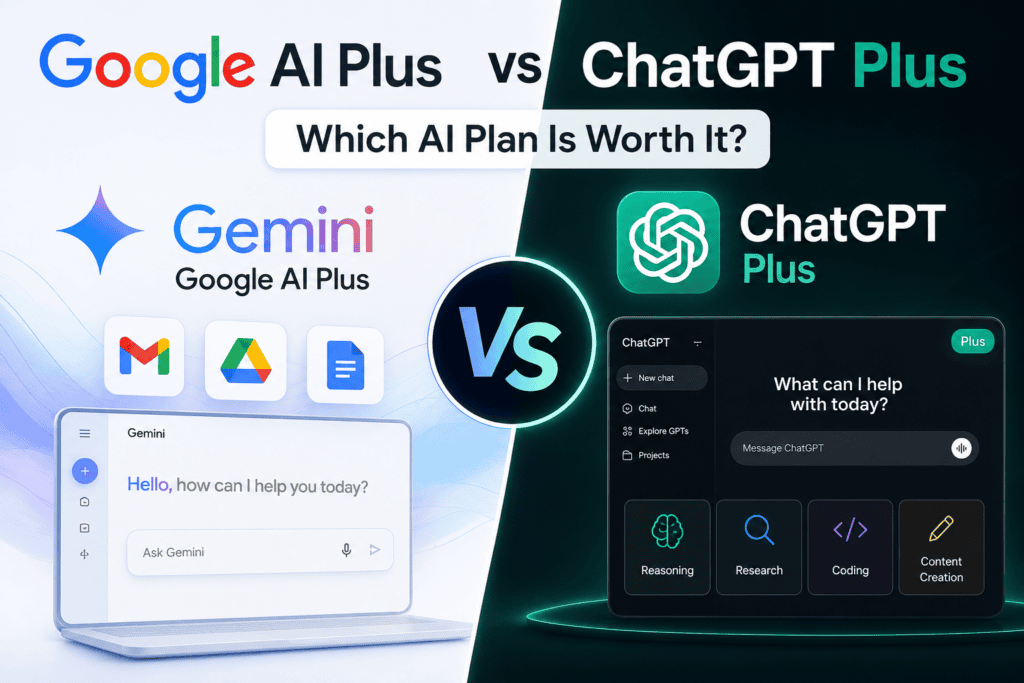
Google AI Premium combines Gemini with Google services, cloud storage, and creative AI tools. A ChatGPT Plus subscription, meanwhile, focuses more heavily on the ChatGPT experience itself, providing advanced models and tools for reasoning, research, coding, writing, data analysis, and content creation.
If you only want to pay for one, this comparison explains where ChatGPT Plus and its competitors provide the most value.
Google AI Plus vs ChatGPT Plus at a Glance
Google AI Plus and ChatGPT Plus are both paid AI subscriptions designed for users who want more capability than their respective free tiers offer, but they deliver value in different ways.
- Google AI Plus is particularly attractive to people already invested in Google’s ecosystem, combining enhanced access to Gemini with AI features across supported Google products and additional Google One benefits.
- ChatGPT Plus, meanwhile, is built around the broader ChatGPT experience, offering expanded access to OpenAI’s advanced models, higher usage limits, and tools for research, writing, coding, data analysis, image creation, file work, and other AI-assisted tasks.
At a glance, the choice is less about which subscription is universally “better” and more about where you want AI to fit into your workflow.
- Google AI Plus may make more sense if Gmail, Docs, Drive, and other Google services are central to your daily work.
- At the same time, ChatGPT Plus may be the stronger choice if you want a versatile standalone AI workspace for a wider range of professional, creative, research, and productivity tasks.
The table below provides a quick side-by-side comparison of the two plans before we examine their features, limitations, pricing, and overall value in greater detail.
| Feature | Google AI Plus | ChatGPT Plus |
| Main AI assistant | Gemini | ChatGPT |
| Advanced model access | Gemini 3.1 Pro | GPT-5.6 Sol (Flagship reasoning access) |
| Monthly price | Varies by country ($4.99–$7.99/month in key regions) | $20/month for a ChatGPT Plus plan |
| Context window | 128K tokens | Up to 256K tokens with ChatGPT Plus reasoning models |
| Deep research | Yes | Yes (Native to ChatGPT Plus) |
| Image generation | Yes | Yes (Included in ChatGPT Plus via Image 2.0) |
| Video generation | Yes, via supported Gemini/Google tools | Available on ChatGPT Plus via supported OpenAI tools |
| File analysis | Yes | Yes, natively inside ChatGPT Plus |
| Google ecosystem integration | Major strength (Native Workspace & Drive) | Connectors available, but not natively built into Workspace |
| Cloud storage included | 400 GB bundled storage | No bundled cloud storage with ChatGPT Plus |
| Gmail/Drive productivity | Native major strength | Supported via ChatGPT Plus third-party app connectors |
| Custom AI assistants | Gems | Custom GPTs (Exclusive ChatGPT Plus builder feature) |
| Coding capabilities | Yes | Yes, via ChatGPT Plus with Codex agent access |
| Voice interaction | Yes | Yes (Advanced Voice Mode included in ChatGPT Plus) |
| Best suited to | Google ecosystem users & budget value seekers | Power users, developers, and heavy ChatGPT Plus subscribers |
Quick verdict:
Google AI Plus offers a more diversified storage and productivity bundle, while ChatGPT Plus focuses its value directly on providing a power-packed, standalone AI workspace.
What Is Google AI Plus?
Google AI Plus is a paid Google AI subscription that sits between Google’s free AI access and its higher-tier Google AI Pro plan, positioning itself as a direct competitor to ChatGPT Plus.
According to Google’s current plan information, Google AI Plus includes 400 GB of cloud storage across Gmail, Google Drive, and Google Photos, alongside enhanced access to Gemini.
Subscribers receive 2× higher Gemini usage limits than the standard tier, more access to Gemini 3.1 Pro and Deep Research, and increased access to image, music, and video generation.
The plan also extends AI directly into Google’s broader ecosystem. Depending on feature availability and language, Gemini can assist directly in Google products such as Gmail, Docs, Slides, Sheets, and Meet.
That native integration is one of Google AI Plus’s biggest advantages over standalone subscriptions like ChatGPT Plus.
Instead of thinking of it as merely a “premium Gemini subscription“, it is more accurate to view Google AI Plus as an AI + productivity + cloud storage bundle, whereas ChatGPT Plus remains focused heavily on pure-play conversational AI and execution.
What Do You Get with Google AI Plus?
To understand how it stacks up against a ChatGPT Plus subscription, Google currently lists core benefits including:
- More access to Gemini 3.1 Pro for complex reasoning
- 2× higher Gemini usage limits than standard access
- Deep Research tools for deep web synthesis
- Image, music, and video generation capabilities
- Gemini integration natively inside Google Workspace apps
- More access to Gemini Notebook for source-grounded research
- Google Flow access for supported creative workflows
- 400 GB of bundled cloud storage across Drive, Gmail, and Google Photos
- Family-sharing benefits where supported (a feature absent in ChatGPT Plus)
Google’s offerings can vary by country, language, account type, and age, so users deciding between Google AI Plus and ChatGPT Plus should check the Google One plan page while signed into the account they intend to upgrade.
What Is ChatGPT Plus?
ChatGPT Plus is OpenAI’s paid consumer subscription for users who need significantly higher performance, advanced reasoning capability, and higher usage limits than the free tier of ChatGPT.
The ChatGPT Plus plan costs $20 per month, although local taxes, currency conversion, and app-store billing can affect the total amount charged depending on your region. In contrast to multi-service bundles, a ChatGPT Plus subscription is designed entirely around delivering an elite, stand-alone conversational and execution engine.
ChatGPT Plus provides higher model usage limits, faster response times, advanced multi-step reasoning, low-latency voice conversations, native image generation, comprehensive file uploads and data analysis, Deep Research tools, and the ability to build or deploy custom GPTs.
Subscribers with a ChatGPT Plus account gain access to OpenAI’s flagship models, including GPT-5.6 Sol at Medium and High reasoning levels. GPT-5.6 Sol serves as OpenAI’s primary model for complex knowledge work, deep research, coding, scientific analysis, design, and multimodal problem-solving.
ChatGPT Plus therefore makes the most sense when the AI assistant itself—not bundled cloud storage or a broader office productivity suite—is the core utility you are paying for.
What Do You Get with ChatGPT Plus?
Key features included in a $20/month ChatGPT Plus subscription:
- Access to GPT-5.6 Sol at Medium and High reasoning levels for advanced execution
- Higher message and usage limits compared to the standard free tier
- Deep Research engine for synthesizing web-scale data and academic sources
- Custom GPTs allowing you to build, configure, or use specialized AI workflows
- Advanced Voice Mode for real-time, fluid voice interactions
- Native file uploads and data analysis for spreadsheets, documents, and code files
- Image generation directly within the chat interface via Image 2.0
- Codex agent integration for end-to-end software development and debugging
Google AI Plus vs ChatGPT Plus: The Key Differences
The biggest difference between Google AI Plus and ChatGPT Plus goes beyond simply choosing Gemini or ChatGPT. The two subscriptions are built around fundamentally different approaches to how AI should fit into your digital life.
Google AI Plus is designed to extend Google’s AI capabilities across its broader ecosystem, while ChatGPT Plus is centered on turning ChatGPT into a more capable, general-purpose AI workspace.
That distinction matters because it influences where and how you use each service.
For someone already working extensively with Google products, the appeal of Google AI Plus is its ecosystem integration. AI can complement workflows involving services such as Gmail, Google Docs, Drive, and other supported Google products, reducing the need to constantly move information between separate applications.
ChatGPT Plus takes a different approach. Rather than being primarily an enhancement to an existing productivity ecosystem, it provides a dedicated AI environment where users can research topics, analyze files and data, write and edit content, generate images, work with code, organize projects, and handle a wide variety of professional and creative tasks.
In practical terms, the comparison can be summarized this way:
Google AI Plus emphasizes ecosystem integration and bundled Google benefits. ChatGPT Plus emphasizes the breadth and versatility of the AI workspace itself.
This underlying difference affects almost every part of the buying decision—from features and integrations to storage, workflow convenience, and overall value.
Price and Overall Value
ChatGPT Plus officially costs $20 per month.
In contrast, Google AI Plus pricing varies by country. Google announced a US price of $7.99 per month when it expanded the plan to the United States in January 2026, while explicitly noting that pricing varies by market. For users outside the United States, comparing the live local price shown in Google One with the final local ChatGPT Plus checkout price is more reliable than converting US prices manually.
Price alone, however, does not tell the full story.
Google AI Plus includes 400 GB of cloud storage. If you already pay for storage or regularly run out of space in Gmail, Drive, or Google Photos, this bundled benefit can materially change the value calculation. On the other hand, a ChatGPT Plus subscription does not include a comparable general-purpose cloud-storage allocation, focusing all of its $20/month cost purely on raw AI performance and tools.
- Winner for bundled value: Google AI Plus
- Winner if you primarily want a dedicated AI workspace: ChatGPT Plus
AI Models and Reasoning
Google AI Plus provides expanded access to Google’s flagship performance models, currently centered on Gemini 3.1 Pro.
ChatGPT Plus, by comparison, provides direct, high-limit access to OpenAI’s GPT-5.6 Sol model across supported reasoning levels.
This is an area where blanket claims—such as declaring one model universally “smarter” than the other—should be treated cautiously. Real-world model performance depends heavily on the specific domain, prompt architecture, active reasoning configuration, integrated tooling, and system updates. Both Google and OpenAI update their underlying models regularly.
Rather than looking at static benchmarks, a more actionable purchasing framework asks: What type of workload do you expect your AI assistant to execute?
- Google Ecosystem & Workflow Automation: For heavy daily reliance on Gmail, Google Docs, Drive, and Google Workspace tools, Gemini’s native ecosystem access often yields higher practical efficiency than a slight benchmark difference.
- Complex Reasoning & Execution: For deep conversational depth, structured multi-step reasoning, advanced software engineering, iterative content generation, and building standalone AI-first workflows, ChatGPT Plus provides an exceptionally capable, execution-focused environment.
Verdict: Too task-dependent for a universal winner. ChatGPT Plus wins for pure-play reasoning depth and coding execution, while Google AI Plus wins on context-aware ecosystem utility.
Context Window
A context window determines the total volume of text, code, or document data an AI model can process and retain within a single prompt or active session. This parameter is critical when analyzing lengthy PDFs, extensive research material, complex code repositories, or maintaining long, ongoing conversations without memory loss.
Google currently documents its Gemini context tier structure as follows:
- Free/Standard: 32K tokens
- Google AI Plus: 128K tokens
- Google AI Pro and Ultra: 1 million tokens
This tier distinction is vital: Google AI Plus should not be confused with Google AI Pro. If your primary objective is evaluating massive datasets or multi-hundred-page documents in a single prompt window, Google reserves its maximum 1-million-token context window for its higher-priced Pro tier rather than AI Plus.
With ChatGPT Plus, usable context capacity varies depending on the selected model, reasoning mode, and active workflow tool (such as Codex, Deep Research, or file upload interfaces), which can scale up to 256K tokens for flagship reasoning models. Consequently, evaluating a ChatGPT Plus plan requires matching your specific task to the model variant being used rather than relying on a single flat number.
- Verdict: Dependent on your specific file-handling workflow. For standard long-form analysis, ChatGPT Plus offers high context caps across its reasoning models. However, if your work demands million-token context capacity, you will need to look beyond both Google AI Plus and standard ChatGPT Plus toward enterprise or specialized higher-tier plans.
Research
Both platforms provide powerful, autonomous research engines built to execute multi-step web investigation, gather sources, and generate structured analytical reports.
Google includes Deep Research directly within the Gemini interface for Google AI Plus subscribers, leveraging Google’s live search index to crawl, evaluate, and assemble research overviews.
ChatGPT Plus counters with its own native Deep Research engine. Integrated into the ChatGPT Plus workspace, this tool actively executes iterative multi-step searches, evaluates academic and web-scale sources, and synthesizes technical reports complete with structured citations.
For analysts, students, marketers, software engineers, and founders, both ChatGPT Plus and Google AI Plus can reduce the time required for preliminary research and source collection by hours.
However, regardless of whether you choose ChatGPT Plus or Google AI Plus, AI-generated research should never be treated as authoritative without verification. High-stakes research demands that you manually check primary sources, confirm publication dates, verify direct quotes, and validate key data points.
- Winner: Tie for core research capability. Your preference will depend on whether you prefer reading synthesized reports alongside your Google Drive workspace or managing research workflows inside a ChatGPT Plus canvas.
Google Workspace Integration
This is where Google AI Plus establishes its clearest structural advantage over ChatGPT Plus.
Gemini works natively inside Google’s productivity suite, offering deep, integrated functionality across Gmail, Docs, Slides, Sheets, and Meet.
Consider a professional whose daily workflow revolves around:
Gmail → Drive → Docs → Sheets → Meet
Having AI embedded directly into these apps eliminates the friction of copying context back and forth into an external window.
While ChatGPT Plus can connect to third-party services and cloud apps using supported connectors and plugins, it cannot match native operating-level integration. Because Google controls the underlying Workspace platform, Gemini operates as a built-in co-pilot across your entire document ecosystem.
- Winner: Google AI Plus.
- Takeaway: For users whose workday lives inside Google Drive and Gmail, this native convenience remains the single biggest reason to pick Google AI Plus over a standalone ChatGPT Plus subscription.
Cloud Storage
Google AI Plus includes 400 GB of cloud storage shared across Google Drive, Gmail, and Google Photos.
By contrast, ChatGPT Plus does not provide an equivalent consumer cloud-storage package as part of its $20/month subscription.
While ChatGPT Plus allows you to upload and store files temporarily within chat threads and Custom GPT knowledge bases for AI analysis, this functionality is built for model processing—not for long-term file hosting or overall media backup like Google Drive or Google Photos.
If you are already paying for extra cloud storage or are approaching your 15 GB free tier limit across Gmail and Drive, choosing Google AI Plus solves both your AI and cloud storage needs under a single monthly bill.
- Winner: Google AI Plus.
- Takeaway: Users seeking maximum storage value alongside basic AI features will find Google AI Plus more economical, whereas ChatGPT Plus channels all of its value into dedicated AI models and tooling rather than cloud storage infrastructure.
Writing and Content Creation
Both platforms serve as highly capable content generation engines, supporting tasks across the entire editorial lifecycle:
- Long-form articles and blog posts
- Social media campaigns
- Direct response marketing copy
- Formal email drafting
- Brainstorming and ideological exploration
- Summarization and transcript condensation
- Structural editing and tone adjustment
- Strategic content planning
The fundamental difference lies in workflow mechanics.
Gemini becomes remarkably convenient when your baseline content or raw notes already reside inside Google Docs, Gmail, or Google Drive. You can draft, edit, and summarize without exiting your main document editor.
Conversely, a ChatGPT Plus subscription is optimized for deep, iterative, conversational workflows. The ChatGPT Plus environment excels when you develop content sequentially through multi-turn prompting, real-time criticism, source synthesis, and step-by-step refinement.
For example, a creator using ChatGPT Plus can move seamlessly through a unified pipeline:
Idea generation → Deep Research synthesis → Structured outlining → Drafting → Critical editing → Multi-platform adaptation
All within a single, distraction-free ChatGPT Plus thread or canvas workspace.
On the other hand, a Google-centric creator may favor Google AI Plus because the writing process integrates directly alongside existing cloud files, assets, and collaborative Google Docs.
- Winner: Workflow-dependent. ChatGPT Plus leads for iterative, conversational execution and complex ideation pipelines, while Google AI Plus wins for seamless, on-page writing inside Google Docs.
Coding and Software Engineering
Both platforms are capable of generating, explaining, debugging, and refactoring code across dozens of programming languages.
However, a ChatGPT Plus subscription grants access to OpenAI’s deep developer ecosystem, featuring flagship models like GPT-5.6 Sol equipped with Codex agent capabilities. OpenAI specifically designs these models to tackle multi-step logic, software architecture, full-stack debugging, and autonomous computer-use tasks.
Google counters with robust coding support through Gemini 3.1 Pro, leveraging large context windows that allow developers to feed full code bases and technical documentation into the prompt window.
For casual scripting or quick syntax troubleshooting, both tools offer excellent performance. However, for software engineers engaged in end-to-end technical development, the differences come down to workflow tooling:
- ChatGPT Plus Workflows: Excels at complex code generation, step-by-step logic debugging, and agentic workflows that integrate with developer tools and IDE environments.
- Google AI Plus Workflows: Excels when analyzing large individual source files, parsing repository documentation, or deploying code within Google Cloud platforms.
Verdict: Both are highly capable. ChatGPT Plus holds a clear edge for developers looking to leverage agentic workflows, advanced reasoning models, and Codex-powered software engineering.
Image, Audio, and Video Creation
Generative AI capabilities have expanded far beyond simple text generation, making multimedia tools a major battleground for both platforms.
Google AI Plus provides expanded access to Google’s creative generation models through Gemini and supported Google products. Google explicitly bundles media generation capabilities—including image creation, music generation, and video generation powered by Gemini and Google Flow—directly into the ecosystem subscription.
A ChatGPT Plus subscription counters with integrated multimodal tools, including native image generation powered by Image 2.0, high-quality Advanced Voice interaction, and access to OpenAI’s creative tools as they roll out across the platform.
For creators who rely on AI primarily for multi-format content creation, Google AI Plus presents a compelling all-in-one media bundle. Having video, image, and music capabilities housed under the same subscription provides exceptional practical utility for digital marketers and content teams.
However, because generation quotas, processing speeds, and creative model access evolve rapidly across both services, heavy media creators should assess specific usage caps before subscribing purely for rendering high-volume video or audio assets.
- Winner: Google AI Plus offers a broader bundled-media package out of the box, though ChatGPT Plus remains an extremely powerful tool for real-time voice, high-precision image generation, and creative asset drafting.
Custom AI Assistants: GPTs vs. Gems
Both platforms allow subscribers to build specialized, task-specific AI agents that save time by storing specific instructions, custom knowledge bases, and operational constraints.
ChatGPT Plus offers Custom GPTs, which allow users to build tailored assistants equipped with custom system instructions, uploaded reference documents, API actions, and web browsing capabilities. Subscribers can keep these private, share them via direct links, or publish them to the GPT Store.
Google offers Gems, which serve as customized versions of Gemini tailored to specific roles or recurring tasks.
For example, using either a ChatGPT Plus Custom GPT or a Google Gem, you can build specialized agents such as:
- A dedicated brand-voice writing editor
- An interactive study tutor or exam prep assistant
- A digital marketing and SEO strategy advisor
- A specialized full-stack coding assistant
- A resume reviewer and career coach
- A source-grounded research assistant
The primary difference lies in utility and distribution:
- ChatGPT Plus (Custom GPTs): Offers superior extensibility through custom actions (connecting to third-party APIs), specialized knowledge retrieval across uploaded files, and access to a massive public ecosystem of pre-built community GPTs.
- Google AI Plus (Gems): Offers seamless integration across Google Workspace, allowing your custom Gem to interact directly with your Google Drive files, Docs, and Gmail workflows.
Verdict: Tie on the core concept. ChatGPT Plus wins for advanced agentic features, custom API integrations, and community discovery, while Google AI Plus wins if your custom agent needs to live natively inside Google Workspace.
Voice and Multimodal Interaction
Modern AI assistants are fundamentally multimodal, moving well beyond simple text input to interact through vision, audio, documents, and real-time voice.
Both Google AI Plus and ChatGPT Plus offer robust multimodal capabilities across desktop and mobile, supporting combinations of text, images, video feeds, uploaded documents, and continuous voice interaction.
These multimodal features excel across common daily use cases:
- Visual Analysis: Uploading diagrams, hardware photos, or charts for real-time troubleshooting and analysis
- Document Parsing: Uploading complex multi-page PDFs or data spreadsheets for immediate breakdown
- Voice Interaction: Having fluid, low-latency, hands-free conversations while on the go
- Conversational Learning: Working through complex math problems or foreign language practice verbally
- Mobile Ideation: Brainstorming ideas, capturing voice notes, and getting structured summaries on mobile devices
When it comes to real-time voice, a ChatGPT Plus subscription features Advanced Voice Mode, built for low-latency, natural, conversational flow that can adjust tone, speed, and emotion dynamically. Google AI Plus counters with Gemini’s live multimodal voice and visual capabilities, which integrate natively with mobile operating systems like Android and Google Pixel hardware.
- Verdict: Highly competitive. ChatGPT Plus holds an advantage for natural, low-latency Advanced Voice conversations and creative verbal interaction, while Google AI Plus offers smoother system-level integration for users operating inside Android and Google hardware environments.
Privacy and Sensitive Information Handling
This consideration is easy to overlook, yet critical for professionals, business owners, and corporate employees.
A consumer subscription—whether Google AI Plus or ChatGPT Plus—should never automatically be treated as an enterprise-grade data security or compliance solution.
If you intend to upload confidential client materials, proprietary company code, financial statements, personal identification records, or other sensitive business intelligence, review the provider’s active privacy controls, data-retention policies, and training settings first.
Key considerations for both platforms include:
- Data Training Controls: A standard ChatGPT Plus account allows users to turn off chat history and opt out of data training, though business data policies differ from enterprise-tier guarantees. Google AI Plus operates under Google’s consumer data policies, which differ from those applied to enterprise Google Workspace or Vertex AI accounts.
- Corporate Compliance: Organizations often enforce strict IT security policies that restrict or prohibit employees from pasting proprietary code or client data into consumer-grade AI tools.
- Consumer vs. Enterprise Tiers: If your primary requirement is zero data retention, strict HIPAA/SOC2 compliance, and enterprise-wide administrative controls, consumer plans like Google AI Plus and ChatGPT Plus may not be sufficient. In those instances, dedicated enterprise options (such as ChatGPT Enterprise or Google Workspace Gemini Enterprise) are required.
- Verdict: Equal caution required. Neither consumer plan replaces a dedicated enterprise security agreement. Users evaluating ChatGPT Plus alongside Google AI Plus for professional use must configure privacy and data-sharing settings appropriately before uploading sensitive assets.
Which Is Better for Different Types of Users?
Choosing between Google AI Plus and ChatGPT Plus comes down to whether you need a broad productivity and storage bundle or a dedicated, high-performance AI execution workspace.
Choose Google AI Plus if you:
- Spend much of your day inside Google Workspace: You rely heavily on Gmail, Google Docs, Drive, Sheets, or Meet and want AI natively embedded into your document editor.
- Need additional cloud storage: You require extra cloud capacity across Drive, Gmail, and Photos and want 400 GB bundled alongside your AI features.
- Want an all-in-one productivity bundle: You prefer consolidating your cloud storage, productivity tools, and AI capabilities into a single subscription.
- Value Google’s creative media tools: You want access to image, music, and video-generation tools (such as Google Flow) powered directly within Google’s ecosystem.
- Want higher Gemini limits without upgrading to Google AI Pro: You need 2× higher usage limits and access to Gemini 3.1 Pro without paying for top-tier enterprise plans.
- Focus on maximum value per dollar: You want to maximize the sheer variety of digital services (AI + Storage + Office Integration) included under one bill.
Choose ChatGPT Plus if you:
- Use AI heavily throughout your entire workday: You need a dedicated, reliable, high-limit workspace designed specifically for power users.
- Require elite reasoning capabilities: You rely on flagship models like GPT-5.6 Sol for complex multi-step reasoning, scientific analysis, and heavy problem-solving.
- Perform deep research and multi-step data synthesis: You depend on native Deep Research tools to autonomously crawl, analyze, and synthesize large volumes of web and academic information.
- Execute advanced file and data analysis: You regularly upload complex spreadsheets, raw datasets, documents, or image files for deep analytical processing.
- Build content through iterative conversation: You develop ideas sequentially—moving from research and outlining to drafting, editing, and multi-platform rewriting in a unified thread.
- Want to build or deploy Custom GPTs: You want to create specialized AI agents configured with custom knowledge bases, instructions, or third-party API actions.
- Use AI for serious software engineering: You do substantial coding and want direct access to OpenAI’s development ecosystem, including Codex agent capabilities.
- Prefer an AI-first workspace over an ecosystem bundle: You want every dollar of your subscription going directly into pure-play AI performance, model access, and execution tools rather than general cloud storage.
Decision Matrix: Which Should You Buy?
To streamline your purchasing decision, use this quick-reference matrix matching your core workflow priorities to the recommended subscription:
| Your Primary Priority | Better Fit |
| Gmail and Google Docs integration | Google AI Plus |
| Google Drive cloud storage (400 GB included) | Google AI Plus |
| Cloud storage + AI in a single monthly payment | Google AI Plus |
| Deep, native integration with Google Workspace services | Google AI Plus |
| Google’s integrated image, music, and video ecosystem | Google AI Plus |
| Advanced, iterative conversational workflows | ChatGPT Plus |
| GPT-5.6 Sol access for high-level reasoning and execution | ChatGPT Plus |
| Building, deploying, or using Custom GPTs | ChatGPT Plus |
| Codex and OpenAI’s software engineering ecosystem | ChatGPT Plus |
| AI-first deep research and structured knowledge work | ChatGPT Plus |
| Heavy daily reliance on the Google ecosystem | Google AI Plus |
| General-purpose AI power user needing maximum workspace depth | ChatGPT Plus |
What If You Can Afford Only One?
This is where the decision becomes much simpler.
If AI itself is the primary capability you care about, choose a ChatGPT Plus subscription.
For a power user who spends hours prompting, executing deep research, writing, analyzing complex files, engineering code, and building specialized AI-assisted workflows, ChatGPT Plus concentrates all of its value around those core execution tasks.
If you want AI embedded into a broader daily productivity and media package, choose Google AI Plus.
For someone who already spends their workday inside Gmail, Docs, Drive, Photos, and other Google Workspace services, paying separately for a standalone AI assistant and third-party cloud storage creates unnecessary friction and costs.
The decision shouldn’t come down to a simplistic debate:
“Which company has the better AI?”
Instead, the actionable question to ask is:
“Which subscription removes more friction from the actual work I execute every single day?”
That framework provides a much clearer, high-ROI method for evaluating your recurring software investments.
A Simple ROI Test Before Subscribing
Before committing to a monthly subscription for either platform, take a step back and examine your typical weekly workflow.
Ask yourself these eight diagnostic questions:
- Which AI assistant do I already use most during my workday?
- Do I regularly hit usage limits on free-tier models?
- Do I need additional Google Drive or Gmail storage anyway?
- How much of my daily output lives natively inside Gmail, Docs, and Drive?
- Do I routinely upload complex files for analysis or conduct deep research?
- Do I require AI-assisted coding, debugging, or software engineering tools?
- Do I generate images, audio assets, or short-form video content frequently?
- Will a paid subscription save me enough billable hours each month to justify its price tag?
If you cannot identify a recurring bottleneck or operational friction that a paid tier solves, stick with the free versions until your workflow demands more capacity.
Paying for premium features you rarely touch isn’t an upgrade in productivity—it’s just added software overhead.
One Important Mistake to Avoid: Google AI Plus Is Not Google AI Pro
The naming conventions across AI tiers can be easily confused.
Google currently offers multiple paid consumer and developer tiers, including Google AI Plus, Google AI Pro, and Google AI Ultra.
Google AI Plus serves as the lower-cost entry tier to Google’s paid AI ecosystem. Google AI Pro, by comparison, delivers significantly higher usage thresholds, priority compute, and a vastly larger documented context window.
For example, Google’s current plan specifications limit Google AI Plus to a 128K-token context window, whereas Google AI Pro and AI Ultra unlock the flagship 1-million-token context window.
A user subscribing to Google AI Plus specifically expecting the headline-grabbing 1-million-token context capacity—or comparing it on that basis against a ChatGPT Plus plan—will run into plan limitations quickly.
Always verify the exact feature breakdown of the specific subscription tier you are purchasing rather than assuming every paid Gemini tier unlocks Google’s maximum AI capabilities.
Is ChatGPT Plus Worth It?
ChatGPT Plus is worth considering if ChatGPT already plays a meaningful, daily role in your work, education, or creative process, and the free tier’s usage limits or basic capabilities regularly slow you down.
The $20 monthly price tag becomes easily justifiable when a ChatGPT Plus account saves measurable hours across recurring, high-leverage tasks. For example, a solopreneur, developer, or freelancer might leverage ChatGPT Plus for deep market research, client proposals, iterative content development, complex file analysis, strategy brainstorming, and active coding support.
However, if you only ask occasional questions, run simple searches, or generate a few pieces of text each month, the free tier of ChatGPT or standard free tools like Gemini will likely cover your needs without the added monthly expense.
Final Verdict: Google AI Plus vs. ChatGPT Plus
- Choose Google AI Plus if you want a budget-friendly productivity bundle that pairs expanded Gemini access with 400 GB of Google Drive cloud storage and deep, native integration across Gmail, Google Docs, and Sheets.
- Choose ChatGPT Plus if you want an uncompromised, AI-first workspace built for deep reasoning, advanced file processing, software engineering, Custom GPT creation, and heavy daily execution.
Is Google AI Plus Worth It?
Google AI Plus is particularly compelling for users who can benefit simultaneously from its AI capabilities and its bundled Google services.
The value proposition of Google AI Plus becomes exceptionally strong if you:
- Already need extra Google Drive or Google Photos storage: The included 400 GB allocation instantly replaces a standalone storage bill.
- Depend heavily on Google Workspace: Having Gemini natively embedded inside Gmail, Google Docs, and Sheets streamlines daily administrative work.
- Regularly use Gemini: You want 2× higher usage limits and Gemini 3.1 Pro performance without jumping all the way to higher-tier enterprise pricing.
- Want access to Google’s creative AI ecosystem: You plan to utilize integrated tools for image, music, and video generation like Google Flow.
- Prefer a single, bundled payment: You value consolidating cloud storage, office tools, and generative AI features into one predictable monthly charge.
However, if you do not use Google’s software ecosystem extensively or already maintain separate cloud storage solutions, much of that bundled value will be wasted—making an AI-first workspace like ChatGPT Plus the more effective choice.
What is the main difference between Google AI Plus and ChatGPT Plus?
Google AI Plus is an all-in-one productivity and storage bundle, offering enhanced Gemini access alongside 400 GB of Google Drive cloud storage and native integration across Gmail, Google Docs, and Sheets. ChatGPT Plus is an AI-first workspace that focuses purely on advanced model performance, offering access to flagship models like GPT-5.6 Sol, Custom GPTs, advanced file analysis, and developer tools.
Is Google AI Plus cheaper than ChatGPT Plus?
Yes. ChatGPT Plus costs a flat $20/month globally (plus regional taxes), whereas Google AI Plus launched at $7.99/month in the United States, with pricing varying by international market.
Additionally, because Google AI Plus includes 400 GB of cloud storage, it delivers higher bundled dollar-for-dollar value for users who already pay for extra storage across Gmail, Drive, and Google Photos.
Does Google AI Plus include the 1-million-token context window?
No. Google caps the Gemini context window at 128K tokens for Google AI Plus subscribers. Google’s headline 1-million-token context window is reserved exclusively for higher-tier subscriptions, specifically Google AI Pro and Google AI Ultra. If you need massive context windows for huge file analysis, you must upgrade beyond Google AI Plus.
Can ChatGPT Plus integrate directly into Google Docs and Gmail?
Not natively. While ChatGPT Plus can connect to third-party tools and Google services via supported plugins and connectors, it operates outside the Google operating system.
Google AI Plus has a structural advantage here because Gemini is built directly into the Google Workspace toolbar, allowing you to draft, summarize, and edit directly within Docs, Sheets, and Gmail.
Which subscription is better for coding and complex technical workflows?
ChatGPT Plus is generally better for software engineering and complex reasoning. A ChatGPT Plus subscription grants access to OpenAI’s advanced coding ecosystem, including Codex agent integrations, execution capabilities, and multi-step logic models. While Gemini 3.1 Pro on Google AI Plus handles casual scripting well, developers built around agentic coding workflows usually prefer ChatGPT Plus.
In Conclusion
There is no universal winner because these subscriptions optimize for fundamentally different user priorities.
- Choose ChatGPT Plus if you want a dedicated, high-performance, AI-centric workspace. It is purpose-built for users who demand advanced reasoning, deep research engines, agentic coding capabilities, custom GPT deployment, and sustained, multi-step AI execution.
- Choose Google AI Plus if you want a high-value ecosystem package. It combines expanded Gemini performance with native Google Workspace integration, multi-format generative media tools, and 400 GB of bundled cloud storage.
For a heavy AI user whose primary objective is executing sophisticated, technical work directly with an AI assistant, ChatGPT Plus remains the overall recommendation.
For someone deeply invested in Gmail, Google Drive, Docs, Photos, and Google’s broader software suite, Google AI Plus provides exceptional value for money because the single subscription solves storage, workspace automation, and AI needs simultaneously.
Ultimately, the best plan isn’t the one with the longest feature list—it is the one whose paid capabilities remove the most friction from your daily workflow.
Main Takeaways
- Pricing & Focus: ChatGPT Plus costs $20/month and directs all its value into an elite AI workspace, whereas Google AI Plus uses regional pricing to offer a lower-cost AI + storage bundle.
- Storage Allocation: Google AI Plus includes 400 GB of Google cloud storage across Drive, Gmail, and Photos; ChatGPT Plus includes no bundled cloud storage.
- Context Capacity: Google AI Plus features a documented 128K-token context window. Google’s headline 1-million-token window requires upgrading to Google AI Pro or Ultra.
- Workspace Workflows: Google AI Plus offers native, built-in co-pilot functionality across Gmail, Docs, and Sheets, whereas ChatGPT Plus relies on external app connectors.
- Power User Utility: ChatGPT Plus holds a clear advantage for software engineering, custom GPT creation, low-latency Advanced Voice conversations, and deep multi-step research pipelines.
Practical Next Step
Write down the 5 AI or productivity tasks you execute most often each week. If most of those tasks occur inside Google Docs, Gmail, and Drive, explore Google AI Plus first. If most occur through multi-turn prompting, coding, research, file analysis, and custom AI workflows, ChatGPT Plus is your best path forward.