Essential Basic Coding Concepts Every Beginner Should Know
Programming terminology can easily overwhelm anyone new to software development. Encountering terms like Boolean, function, array, or exception before understanding their practical application often makes the subject seem unnecessarily complex.
However, learning to program is not about memorizing syntax. Instead, it is about learning how to break a complex problem into logical steps that a computer can execute.
The distinction matters because basic coding concepts remain consistent across virtually all programming languages. Harvard’s CS50 Introduction to Computer Science exemplifies this approach by teaching problem-solving through core principles like variables, conditionals, loops, arrays, and algorithms rather than locking students into a single syntax.
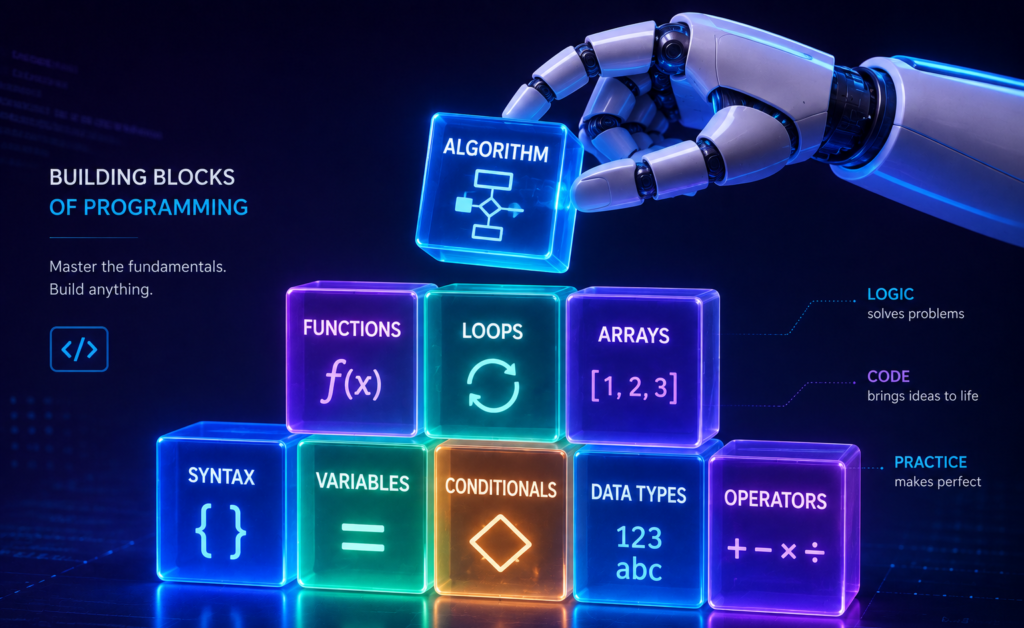
While different languages use unique syntax, mastering these foundational ideas makes learning Python, JavaScript, Java, or C# significantly faster and more intuitive.
This guide breaks down the essential basic coding concepts every beginner needs, utilizing clear, practical examples primarily in Python.
Syntax: The Grammar of a Programming Language
Syntax is the set of rules determining how valid instructions must be written in a programming language. Just as human languages rely on grammar, programming languages require precise syntax to function.
For example, this is valid Python:
Python
print("Hello, world!")Code language: PHP (php)Incorrectly arranging punctuation or keywords causes the parser to generate a syntax error. While different languages use distinct syntax rules to achieve the same result, the underlying logic remains identical.
Cross-Language Syntax Comparison
Different languages implement their own syntactic conventions. For instance:
- Python:
print("Hello") - JavaScript:
console.log("Hello");
Both instructions accomplish the same task, but their syntax differs.
Why Syntax Matters
Computers cannot interpret malformed instructions the way humans parse a poorly constructed sentence. Language parsers expect source code to follow strict rules for tokens, operators, delimiters, and indentation.
As a beginner, you do not need to memorize an entire language specification. You only need to learn enough syntax to express your logical instructions accurately.
Variables: Giving Data a Name
A variable acts as a labeled container, giving a specific value a name so your program can reference, retrieve, and modify it later. As one of the core basic coding concepts, variables allow you to manage dynamic data efficiently rather than hardcoding static values.
For example, in Python:
Python
name = "Amina"
age = 22

print(name)
print(age)Code language: PHP (php)
Here, name refers to "Amina" and age refers to 22.
Dynamic Updates
Variables become particularly powerful when values change during execution:
Python
score = 10
score = score + 5

print(score)  # Output: 15Code language: PHP (php)
Best Practice: Use Descriptive Naming
As codebases grow, readability becomes critical. Compare these two approaches:
- Poor:
x = 250 - Clear:
account_balance = 250
While both function identically, descriptive names instantly communicate what the data represents to anyone reading the code.
Constants: Values That Should Not Change
As a core extension of basic coding concepts, a constant represents a value intended to remain fixed throughout the execution of a program. Unlike standard variables, constants signal that a specific piece of data should never be modified.
Common examples include mathematical values or system limits:
Python
PI = 3.14159
MAX_LOGIN_ATTEMPTS = 3
Language Implementation and Convention
How constants are handled varies significantly across programming languages:
- Strict Enforcement: Languages like Java or C# provide explicit keywords (
finalorconst) to prevent values from being overwritten. - Convention-Based (Python): Python does not have a built-in constant keyword. Instead, the community relies on a naming convention: writing variable names in all-caps (
PIorMAX_LOGIN_ATTEMPTS) to indicate that a value must be treated as a constant.
Key Distinction
- Variables: Designed to change and store dynamic state during execution.
- Constants: Designed to stay fixed, safeguarding configuration parameters and fixed domain values.
Data Types: Understanding Different Kinds of Data
A data type defines the category of a value, determining how the computer stores it and what operations can be performed on it. As one of the most essential basic coding concepts, mastering data types prevents logic errors and unexpected bugs in your programs.
Consider these two values:
"25"(Text)25(Number)
While they look identical to a human, the programming language treats them entirely differently based on their assigned type.
Common Beginner Data Types
| Data Type | Example | Typical Purpose |
| Integer | 25 | Whole numbers |
| Floating-point | 19.95 | Numbers with decimal components |
| String | "Hello" | Text and character sequences |
| Boolean | True | Binary conditions (True/False) |
| List | [10, 20, 30] | Ordered collections of values |
| Dictionary | {"name": "Amina"} | Key-value structured data |
Why Data Types Matter in Practice
Assigning the correct data type directly affects how your code behaves. For example, storing an age as an integer (age = 20) allows you to perform mathematical operations and comparisons. Storing it as a string (age = "20") changes how the program interacts with that value, often requiring explicit conversion before calculations can occur.
Operators: Performing Actions on Values
Operators are symbols or keywords that tell the computer to manipulate values and variables. As fundamental basic coding concepts, operators form the backbone of both mathematical calculations and logical decision-making in software development.
Arithmetic and Comparison Operators
You are already familiar with basic arithmetic operators from mathematics (+, -, *, /). Programming languages extend these capabilities with comparison operators to evaluate relationships between data:
>(Greater than)<(Less than)==(Equal to)!=(Not equal to)>=(Greater than or equal to)<=(Less than or equal to)
Critical Distinction: A single equals sign (
=) is used for variable assignment (storing a value), whereas a double equals sign (==) is used for equality comparison (checking if two values match). Confusing the two is a classic beginner error.
Logical Operators
Programs often need to evaluate multiple conditions simultaneously. Python and most other languages provide logical operators to combine these evaluations:
and: Returns true only if both conditions are met.or: Returns true if at least one condition is met.not: Reverses the boolean state of a condition.
Python
is_adult = age >= 18 and has_idBy combining operators, variables, and data types, you can construct complex expressions that dictate how your program flows and makes decisions.
Expressions: Code That Produces a Value
An expression is any combination of values, variables, operators, or function calls that evaluates to a single resulting value. As a core basic coding concept, expressions are the building blocks that allow your programs to compute data dynamically.
For example:
Python
10 + 5 # Evaluates to 15Code language: PHP (php)Expressions scale seamlessly when combined with variables. If you define:
Python
price = 10
quantity = 3
Then the expression price * quantity evaluates to 30.
Where You Use Expressions
Expressions appear everywhere in software development. You rely on them to:
- Calculate totals and mathematical metrics.
- Compare values within conditional logic.
- Construct dynamic text strings and messages.
- Pass input arguments into functions.
Input and Output: Communicating With a Program
At their core, most programs follow a foundational execution cycle: Input $\rightarrow$ Processing $\rightarrow$ Output. Understanding this data flow is one of the most essential basic coding concepts for structuring software logic.
- Input: Data provided to the program (such as user keystrokes, files, or sensor readings).
- Processing: The internal logic, calculations, and manipulations applied to that data.
- Output: The final result presented to the user or system (such as text on a screen, a saved file, or an API response).
A Practical Python Example
Consider how this model operates in a real script:
Python
name = input("What is your name? ")
print("Hello,", name)Code language: PHP (php)- Input: The user types their name in response to the prompt.
- Processing: The program captures the text and assigns it to the variable
name. - Output: The program evaluates an expression and prints a customized greeting to the console.
The Input-Processing-Output Mental Model
Whether you are writing a simple command-line script or building an enterprise application, this architecture remains identical. For example, a basic calculator takes two numbers as input, adds them together during processing, and displays the result as output.
Mastering this mental framework ensures you always trace how data enters, moves through, and leaves your programs.
Conditional Statements: Teaching Programs to Make Decisions
As one of the most powerful basic coding concepts, conditional statements allow a program to evaluate data and execute different instructions depending on whether a condition evaluates to true or false.
Rather than running code in a rigid, top-to-bottom sequence, conditionals enable your program to branch and adapt.
For example, in Python:
Python
age = 20

if age >= 18:
    print("Adult")
else:
    print("Minor")Code language: PHP (php)
The program evaluates the expression age >= 18. If true, the first code block runs; if false, the execution falls back to the else block.
Handling Multiple Outcomes
When you need to test more than two possibilities, you can chain conditions together using elif (short for else if):
Python
score = 75

if score >= 80:
    print("Excellent")
elif score >= 60:
    print("Good")
else:
    print("Keep practicing")Code language: PHP (php)
As MDN describes, conditional structures allow different code paths to run dynamically based on the exact result of a logical test.
Real-World Applications
Conditional logic powers the decision-making engine behind nearly every piece of software:
- Banking Apps: Is the available account balance sufficient to cover this withdrawal?
- Web Platforms: Is the user authenticated and logged in?
- E-Commerce: Is this specific item currently in stock?
By incorporating conditionals, your code transforms from a static script into a responsive, intelligent system capable of handling complex business logic.
Loops: Repeating Tasks Efficiently
Repetition is a core pillar of automation. Instead of forcing you to write redundant lines of code, loops allow you to execute instructions repeatedly. As one of the most practical basic coding concepts, loops provide a scalable solution for processing data and handling repetitive tasks.
Suppose you want to display the numbers 1 through 5. Manually writing print(1), print(2) and so on is inefficient. Instead, a loop automates the process:
Python
for number in range(1, 6):
    print(number)Code language: PHP (php)
As MDN describes, loops are code structures used to perform similar actions repeatedly without requiring you to write separate instructions for every single iteration.
for Loops vs. while Loops
Different looping mechanisms suit different structural scenarios:
forloops: Ideal for iterating through a known sequence, collection, or fixed range.Pythonnames = ["Amina", "David", "Chen"] for name in names: print(name)whileloops: Ideal for repeating actions as long as a dynamic condition remains true.Pythoncount = 1 while count <= 5: print(count) count += 1
Critical Warning: The Infinite Loop
When working with while loops, you must guard against infinite loops. If your conditional logic never updates to become false, the loop will run indefinitely and freeze your program. Understanding how and when a loop should terminate is just as important as knowing how to start one.
Functions: Creating Reusable Blocks of Code
A function is a self-contained, reusable block of code designed to perform a specific task. As one of the most critical basic coding concepts, functions enable modular programming, allowing you to write logic once and execute it whenever needed.
Instead of repeatedly writing the same print statement:
Python
print("Welcome to the course!")Code language: PHP (php)You can encapsulate that logic into a function:
Python
def welcome():
    print("Welcome to the course!")

# Call the function
welcome()Code language: PHP (php)
Passing Information with Parameters
Functions become far more versatile when they accept inputs, known as parameters:
Python
def greet(name):
    print("Hello,", name)

greet("Amina")Code language: PHP (php)
Returning Results
Functions can also process data and send the final result back to the main program using the return keyword:
Python
def add(a, b):
    return a + b

result = add(5, 3)
print(result)  # Output: 8Code language: PHP (php)
Why Functions Matter
As your codebases grow, mastering functions is essential for writing scalable software. They allow programmers to:
- Reuse logic: Eliminate redundant code across different parts of a program.
- Decompose problems: Break massive, complex challenges into smaller, manageable sub-tasks.
- Organize structure: Keep code clean, readable, and logically grouped.
- Simplify testing: Isolate specific blocks of logic to troubleshoot and maintain independently.
Arrays, Lists, and Collections: Storing Multiple Values
Programs frequently need to manage groups of related values together. Instead of cluttering your code with separate variables like student1, student2, and student3, collections allow you to group multiple data points into a single, organized structure.
As one of the core basic coding concepts, learning how to handle lists and arrays is essential for processing data efficiently.
For example, in Python:
Python
students = ["Amina", "David", "Chen"]Code language: JavaScript (javascript)Zero-Based Indexing
You can retrieve individual elements from a collection using their index (their numerical position):
Python
print(students[0]) # Returns: AminaCode language: PHP (php)Important Note
In programming, counting almost always starts at zero. The first element uses index
0, the second uses1, and so on. While zero-based indexing is standard across most modern languages, exact collection behaviors vary.
Lists Versus Arrays
Beginners often hear the terms list and array used interchangeably. While they share the same underlying purpose—grouping multiple values—they are implemented differently across languages.
- Python Lists: Highly flexible, built-in collections that can store mixed data types and change size dynamically.
- Traditional Arrays: Fixed-size data structures found in languages like C or Java that store elements of the same data type contiguously in memory for high performance.
Rather than assuming the terms mean the same thing everywhere, focus on the underlying principle: programs need reliable structures to group, access, update, and process multiple values at scale.
Objects: Grouping Related Data and Behavior
An object is a programming structure that represents a real-world entity by grouping related information and behavior. As one of the more advanced basic coding concepts, objects allow you to model complex systems cleanly.
Imagine representing a student profile containing attributes like a name, age, course, and email address. In Python, you can group this data using a dictionary:
Python
student = {
    "name": "Amina",
    "age": 22,
    "course": "Computer Science"
}

print(student["name"])  # Returns: AminaCode language: PHP (php)
While a basic dictionary differs from a formal object instantiated from a class, it introduces a crucial idea: related pieces of information should be grouped into a single cohesive unit.
Introduction to Object-Oriented Programming (OOP)
As you progress beyond beginner scripts into object-oriented programming, you will encounter structural paradigms built around objects:
- Classes: The blueprints or templates used to create objects.
- Objects: Specific instances of a class.
- Attributes: Variables stored within an object that hold data.
- Methods: Functions defined inside a class that dictate what an object can do.
- Inheritance: A mechanism for sharing code between related classes.
- Encapsulation: Restricting direct access to an object’s internal state to protect data integrity.
You do not need to master all of these advanced principles before writing your first programs, but understanding how data and behavior can be encapsulated prepares you for scalable software design.
Data Structures: Organizing Data for a Purpose
A data structure is a specialized format for organizing, processing, and storing data so that a program can access and manipulate it efficiently. As one of the foundational basic coding concepts, choosing the right data structure directly impacts the speed and scalability of your software.
Different programming problems require different approaches to organization. Common data structures include:
- Arrays and lists
- Stacks and queues
- Hash tables (dictionaries)
- Trees and graphs
Following a proven educational path, Harvard’s CS50 curriculum naturally progresses from foundational arrays into advanced data structures like queues, stacks, linked lists, trees, binary search trees, hash tables, and tries.
The Real-World Analogy: Organizing a Library
Imagine organizing a massive collection of books. You could arrange them:
- Alphabetically by title
- By author’s last name
- By subject category
- By publication date
Each organization method makes specific tasks easier than others. If you want to look up a specific book by title, an alphabetical sorting is efficient; if you want to find all books on a specific topic, a subject-based categorization works best.
Data structures serve an identical purpose in computing: how data is structured dictates how conveniently and efficiently your programs can perform operations on it. As a complete beginner, you do not need to implement complex trees or graphs immediately. Focus first on understanding why data structures exist and how selecting the right structure solves specific computational problems.
Algorithms: Step-by-Step Methods for Solving Problems
An algorithm is a defined, sequential set of steps designed to solve a problem or accomplish a specific task. As one of the most critical basic coding concepts, algorithms translate abstract logic into repeatable, executable procedures.
You already use algorithms in daily life without realizing it. For example, a basic algorithm for making tea involves a strict sequence of steps:
- Fill the kettle with water.
- Bring the water to a boil.
- Place tea in a cup.
- Pour the hot water over the tea.
- Allow it to brew, then serve.
Programming algorithms work on this exact principle, except the instructions must be precise enough for a computer to execute automatically.
Computational Algorithms: Search and Sort
When applied to data, different algorithms offer vastly different performance trade-offs:
- Linear Search: Checks every item in a collection sequentially from the beginning until the target is found.
- Binary Search: Repeatedly divides a sorted dataset in half to locate a target exponentially faster.
Curricula like Harvard’s CS50 use foundational algorithms—such as linear search, binary search, bubble sort, selection sort, and merge sort—to demonstrate that multiple approaches can solve the same problem with radically different efficiency characteristics.
The Core Takeaway
Getting the correct answer is only half the battle. How efficiently you arrive at that answer dictates whether your software can scale. Understanding algorithmic efficiency is what separates functional code from high-performance engineering.
Comments: Leaving Explanations Inside Code
As an essential practice when working with basic coding concepts, comments are explanatory notes written within source code exclusively for human readers. The computer completely ignores them during execution.
For example, in Python:
Python
# Calculate the customer's total including applicable volume discounts
total = price * quantityCode language: PHP (php)
Here, the comment provides vital context on why the calculation is happening, rather than just stating what the code does.
Why Comments Matter
Well-written comments help developers:
- Explain non-obvious decisions: Clarify unconventional or complex algorithmic choices.
- Document assumptions: Note constraints, edge cases, or dependencies.
- Leave context for collaborators: Help team members understand the intent behind specific code blocks.
- Preserve institutional memory: Prevent future maintainers (or your future self) from wondering why a particular piece of logic was implemented.
The Golden Rule of Commenting
Comments should never compensate for messy or confusing code. Avoid redundant comments that merely restate the obvious:
- Poor:
# Add one to count$\rightarrow$count += 1(The code already makes this obvious). - Good:
# Increment retry counter to track failed connection attempts$\rightarrow$count += 1(Explains the intent and business logic).
Always strive to write clean, self-documenting code first, and use comments exclusively to add high-value context that syntax alone cannot convey.
Errors and Exceptions: Understanding When Code Goes Wrong
Encountering errors is an everyday part of software development. They are not evidence of a lack of ability; rather, they are diagnostic signals indicating that your program, data, or assumptions need attention.
Understanding how to categorize and diagnose errors is a crucial basic coding concept that separates struggling beginners from confident problem-solvers. Broadly speaking, programming mistakes fall into three main categories.
The Three Core Categories of Errors
- Syntax Errors: These occur when your code violates the grammatical rules of the programming language. The parser catches these before execution even begins, preventing the script from running.
- Runtime Errors: These happen when a program’s syntax is entirely valid, but it encounters an impossible operation while running.Python
# This raises a ZeroDivisionError during execution 10 / 0 - Logic Errors: These are often the trickiest to track down. The program runs successfully without crashing, but it produces the wrong output because the underlying math or business logic is flawed.Python
price = 100 discount = 20 # Bug: Using addition instead of subtraction final_price = price + discountHere, the code executes cleanly, but the logic is wrong because the developer added the discount instead of subtracting it.
The Troubleshooting Mindset
Debugging is simply the systematic process of investigating why reality differs from your expectations. By recognizing whether you are dealing with a syntax break, a runtime crash, or a silent logic flaw, you can dramatically accelerate your troubleshooting workflow.
Debugging: Finding and Fixing Problems
Debugging is the systematic process of identifying, analyzing, and resolving errors or unexpected behavior in a program. As one of the most transferable skills you can develop, debugging transforms frustrating roadblocks into logical puzzle-solving.
Suppose your program produces 120 when you expected 80. Instead of guessing blindly, professional developers follow a structured investigative workflow.
A Practical Beginner Debugging Checklist
When your code misbehaves, work through these steps methodically:
- Read the error message carefully: If the program crashes, the stack trace usually tells you precisely what went wrong and on which line.
- Isolate the failure point: Determine where reality diverges from your expectations.
- Inspect variable values: Check what data your variables are actually holding at critical execution steps.
- Isolate smaller components: Test individual functions or code snippets independently to verify their logic.
- Verify your assumptions: Check if your data types, operator precedence, or loop boundaries match what you think you wrote.
- Make one controlled change: Modify a single variable or line of code at a time.
- Retest and confirm: Run the program again to ensure the adjustment fixed the root problem without introducing a new bug elsewhere.
The Debugging Mindset
Beginners frequently make the mistake of treating error messages as obstacles to ignore or fear. A much better habit is to treat error messages as diagnostic clues.
Mastering debugging is rarely about writing flawless code on the first try; it is about building the resilience and methodical habits required to track down discrepancies efficiently.
How These Basic Coding Concepts Work Together
In real-world software development, individual basic coding concepts rarely exist in isolation. Instead, they combine to form cohesive, functioning systems.
Consider a hypothetical program that determines whether a student has passed an examination:
Python
student_name = "Amina"
score = 72

if score >= 50:
    result = "Pass"
else:
    result = "Fail"

print(student_name, result)Code language: PHP (php)
Even this compact script integrates multiple foundational elements simultaneously:
- Variables:
student_name,score, andresultstore dynamic data. - Data Types:
"Amina"and"Pass"are strings;72and50are integers. - Operators & Expressions:
>=is a comparison operator, andscore >= 50forms a logical expression. - Conditionals: The
if/elsestructure directs program flow based on evaluation. - Output:
print()delivers the final result to the user.
Scaling Up: From Scripts to Systems
What happens when you need to process 100 students instead of just one? You scale by layering additional concepts together:
- Collections store all student records in a single structure.
- Loops iterate through each student automatically.
- Functions encapsulate the pass/fail logic so it can be executed cleanly on demand.
This is how programs grow: simple, well-understood basic coding concepts are combined hierarchically to solve increasingly complex problems.
Which Basic Coding Concepts Should You Learn First?
You do not need to learn every programming concept simultaneously. Tackling software development step-by-step prevents cognitive overload and builds a solid foundation.
A practical, high-leverage learning progression for a complete beginner follows this sequence:
- Syntax and basic output: Learn how to write and run a very small program.
- Variables and data types: Learn how programs represent and store information.
- Operators and expressions: Learn how programs calculate and compare values.
- Input and output: Learn how information enters and leaves a program.
- Conditional statements: Learn how programs make decisions.
- Loops: Learn how programs repeat operations.
- Functions: Learn how to organize and reuse logic.
- Lists and other collections: Learn how programs work with groups of information.
- Errors and debugging: Learn how to investigate problems systematically.
- Algorithms and data structures: Begin understanding how programmers design more effective solutions.
The Progressive Learning Mindset
This sequence is not a rigid universal curriculum. Depending on the programming language, course, or project you choose, you may encounter some of these basic coding concepts in a slightly different order.
The ultimate goal is not memorization; it is progressive mastery. By building your understanding layer upon layer, you transform abstract theory into practical engineering capability.
Do Basic Coding Concepts Transfer Between Programming Languages?
Yes. The vast majority of fundamental programming concepts transfer seamlessly between languages, even though their specific syntax and implementation details differ.
Consider how a conditional statement is written in two different environments:
- Python:Python
if age >= 18: print("Adult") - JavaScript:JavaScript
if (age >= 18) { console.log("Adult"); }
While the syntax looks different, the underlying computational logic is identical: evaluate a boolean condition and branch execution based on the result.
The Universal Toolkit
This transferability applies broadly across nearly all modern languages and paradigms:
- Variables and constants
- Data types and structures
- Operators and expressions
- Conditionals and loops
- Functions and modular design
- Algorithms and debugging methodologies
Why This Matters for Learners
This shared foundation is the primary reason experienced developers can pick up a new language relatively quickly. They are not relearning computer science from scratch; they are simply learning how a new syntactic dialect expresses concepts they already master.
While paradigm differences exist (such as procedural versus object-oriented or functional programming), mastering basic coding concepts gives you a permanent, language-agnostic mental model for building software.
What Beginners Commonly Get Wrong About Coding
When first exploring basic coding concepts, learners frequently fall into several predictable traps. Recognizing these pitfalls early can save you months of frustration and accelerate your progress.
Mistake 1: Trying to Memorize Everything
Professional programming does not rely on rote memorization; it relies on problem-solving frameworks and documentation references. Instead of trying to memorize syntax, focus on understanding core logic and learning how to find reliable information when you get stuck.
Mistake 2: Watching Tutorials Without Writing Code
Programming is an active, tactile skill, not a spectator sport. Watching video tutorials or reading guides without typing code creates an illusion of competence. After learning any new principle—such as basic coding concepts like conditionals or loops—immediately write a small script that utilizes it (like a grade calculator or age verifier).
Mistake 3: Copying Code Without Understanding It
Code that runs successfully is not automatically code you comprehend. If you copy a solution, always ask yourself:
- What does each variable contain?
- Why is this specific condition necessary?
- What causes this loop to stop?
- What information does this function receive, and what does it return?
If you cannot answer these questions, break the code down and experiment with it line by line.
Mistake 4: Trying to Learn Several Languages at Once
You do not need to juggle Python, JavaScript, Java, and C++ simultaneously. Trying to master multiple syntaxes at once creates massive cognitive overload. Stick to one language to master foundational programming concepts first; once those fundamentals are secure, picking up a second language is significantly easier.
Mistake 5: Avoiding Errors and Fear of Failure
Beginners often treat errors as personal failures. In reality, errors are standard diagnostic feedback. The goal is never to write error-free code on the first try; the goal is to build the methodical debugging habits required to diagnose why something failed and how to correct it.
How to Practice Basic Coding Concepts
Reading about programming is useful, but true understanding develops exclusively through active practice. Instead of overwhelming yourself with massive applications, start with tiny, isolated projects that target specific basic coding concepts.
- Variables and Input: Build a program that captures user input and greets someone by name and age.
- Conditionals: Build a simple eligibility or grade checker.
- Loops: Generate a dynamic multiplication table.
- Functions: Refactor repeated pieces of earlier scripts into reusable functions.
- Lists and Collections: Create a lightweight task manager that stores and displays a set of items.
The Ultimate Test of Competence
Your practice projects do not need to be massive, complex, or commercially impressive. Their primary purpose is to force you to answer one critical question:
Can I implement this concept from scratch without copying the entire solution?
Being able to answer “yes” is a far stronger measure of true learning than simply recognizing code when you read it. Mastery comes from doing.
What are the most basic concepts in coding?
The foundational pillars include syntax, variables, data types, operators, expressions, input and output, conditional statements, loops, functions, collections, algorithms, data structures, errors, and debugging.
Together, these elements provide the mental model required to understand how programs store information, make decisions, repeat tasks, organize logic, and solve complex problems.
Do I need mathematics to understand basic coding concepts?
You only need basic mathematical reasoning—such as simple arithmetic and logical comparisons—for introductory programming exercises. Advanced mathematics is not required to begin learning general software development.
The amount of mathematics you need later depends entirely on your specialization:
Low to Moderate Math: Web development, mobile applications, basic automation, and general software engineering rely far more on logic and problem structuring than heavy mathematics.
High Math: Data science, machine learning, computer graphics, cryptography, and advanced game development require substantially more mathematical depth.
What programming language is easiest for learning coding concepts?
There is no single “easiest” language for every learner, but Python is frequently recommended for beginners because its clean syntax allows you to grasp programming ideas without getting bogged down in complex boilerplate code.
However, languages like JavaScript, Java, C#, and even block-based languages like Scratch teach fundamentals effectively. Your specific learning goals and career path matter far more than finding a theoretically perfect first language.
Should I learn coding concepts before choosing a programming language?
You can learn both together. You do not need to study theoretical computer science in a vacuum before writing code. The most effective approach is to pick one beginner-friendly language and learn its concepts through hands-on practice from day one.
How long does it take to learn basic coding concepts?
There is no universal timeframe. Comprehending what a loop or conditional statement does can take minutes, but developing the intuition to apply those tools to unfamiliar problems requires consistent practice over weeks or months.
Instead of tracking a fixed number of days, focus on your demonstrated ability to build small projects independently.
Is learning syntax the same as learning programming?
No. Syntax simply teaches you the grammatical rules of a specific programming language.
True programming requires higher-level skills, including problem decomposition, logical reasoning, algorithm design, debugging, testing, and structural data modeling. You can memorize a language’s syntax entirely and still struggle to design useful programs if you haven’t mastered underlying problem-solving concepts.
In Conclusion
Learning to code becomes significantly easier when you stop viewing programming as an insurmountable collection of random commands and start recognizing the compact set of foundational ideas that appear everywhere.
As a beginner, concentrate on mastering these core basic coding concepts:
- Syntax
- Variables and constants
- Data types
- Operators and expressions
- Input and output
- Conditionals
- Loops
- Functions
- Lists and collections
- Objects
- Data structures
- Algorithms
- Comments
- Errors and exceptions
- Debugging
You do not need to master every single one of these before building your first application.
Instead, use a high-leverage learning cycle: learn a single concept, write a small script utilizing it, modify the code, deliberately break it to see what happens, debug the error, and immediately apply it to a micro-project.
Your Next Practical Step
Choose one beginner-appropriate programming language and build a tiny script that combines variables, user input, a conditional statement, and output.
That simple exercise transforms abstract theory into a tangible, working program—bridging the gap between reading about code and actually knowing how to write it.