21 Best Distance Learning Resources for Online Learning
Distance learning resources have transformed how students, professionals, and lifelong learners acquire job-ready skills, manage study workflows, and access structured education from anywhere. Whether you are upskilling for a new career path or managing educational investments, leveraging the right distance learning resources ensures you get high-value outcomes without unnecessary friction. The best platforms and tools combine credible content, flexible access, and practical features like verified certifications, offline modes, and seamless productivity integrations.
This guide breaks down 21 high-impact distance learning resources across six essential categories: course platforms, research and reference tools, note-taking and knowledge management, productivity and project management, collaboration and communication, and virtual classroom and teacher tools. Each entry details core offerings, ideal use cases, pricing structures, and key trade-offs to help you build an optimized learning stack tailored to your goals and budget.
Who This Guide Is For
- Students enrolled in online or distance-learning programmes: Individuals seeking reliable course platforms, reference databases, and structured study tools to streamline academic workflows.
- Working professionals and career switchers: Professionals learning remotely to acquire micro-credentials, high-leverage technical skills, or industry-recognized certifications.
- Job seekers: Candidates leveraging distance learning resources to bridge skill gaps, build verifiable competencies, and execute effective career pivots.
- Educators, trainers, and facilitators: Instructors supporting virtual cohorts who require robust classroom management, interactive engagement, and assessment tools.
- Lifelong learners: Self-directed individuals looking for flexible, high-quality, free or low-cost distance learning resources to master new domains on their own terms.
- Parents and homeschool educators: Caregivers managing home-based education who need safe, structured, and age-appropriate digital learning tools.
How to Use This Guide
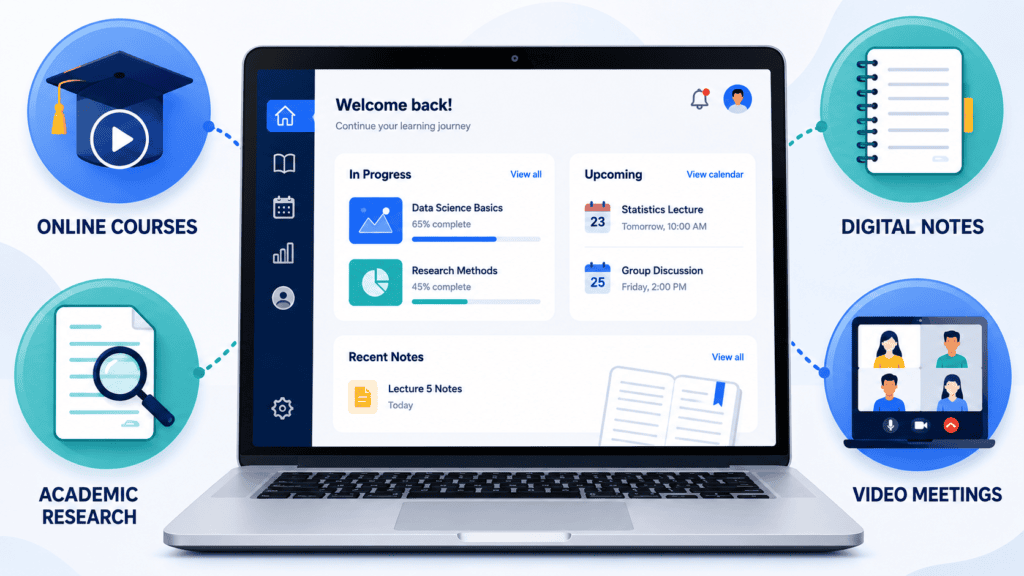
- Identify your primary objective: Match your immediate friction point to the corresponding section—whether that means sourcing structured distance learning resources for new certifications, organizing research, or managing remote study workflows.
- Build a lean learning stack: Select just one to two tools per category to prevent tool fatigue and analysis paralysis.
- Optimize for your daily workflow: Most high-performing remote learners succeed by combining a single core course platform, a reliable reference manager, a structured note-taking system, and one task or collaboration app.
Course Platforms: Structured Learning and Certificates
These platforms host comprehensive curricula from top-tier universities and industry leaders, delivering the structured pathways needed to master job-ready skills, earn verifiable certifications, or pivot into new domains using top-tier distance learning resources.
Coursera
University-backed curricula, professional certificates (from industry leaders like Google and IBM), and full online degrees spanning business, technology, data science, and humanities. Courses feature video lectures, peer-graded assignments, and hands-on projects, functioning as premier distance learning resources for structured upskilling.
- Best for: Career changers, remote professionals, and lifelong learners seeking globally recognized credentials and academic rigor.
- Pricing: Free audit option available for individual courses; paid subscriptions (typically $49 to $79 per month) or Coursera Plus annual access are required to unlock graded assignments and certificates. Financial aid applications are available for eligible learners.
- Key trade-offs: Exceptionally high content quality, but official verification and graded coursework remain paywalled; self-paced formats require strict personal discipline to complete.
edX
Rigorous, university-level curricula from elite institutions like MIT, Harvard, and UC Berkeley. It features individual subjects, MicroMasters programs, and professional certificates, functioning as high-authority distance learning resources for deep academic and technical study.
- Best for: Students, researchers, and professionals who prioritize institutional prestige, deep conceptual rigor, and optional verified credentials.
- Pricing: Free audit option available for the majority of courses; verified certificates range from $50 to $300+ per course depending on the program depth.
- Key trade-offs: Free audit access is frequently time-restricted, cutting off content after a set period, and cumulative certificate costs can become expensive for multi-course professional programs.
Udemy
A massive, open marketplace featuring hundreds of thousands of practical, project-based courses spanning software development, business, design, and marketing. It functions as a flexible distance learning resource built around on-demand video instruction and lifetime course access.
- Best for: Learners prioritizing hyper-specific, highly practical technical skills and rapid problem-solving over academic credentials.
- Pricing: Available via à la carte course purchases (frequently discounted to $10–$20 during regular platform sales) or through a monthly Personal Plan subscription for unlimited access to a curated library.
- Key trade-offs: Instructional quality varies significantly due to open marketplace publishing; certificates of completion are issued by individual instructors rather than accredited academic institutions.
LinkedIn Learning
Business, technology, and creative skills courses tightly integrated with the professional networking platform. Content consists of bite-sized, expert-led video modules that automatically append earned certificates of completion directly to user profiles, serving as a powerful distance learning resource for professional visibility.
- Best for: Career-focused professionals and job seekers looking to seamlessly showcase newly acquired skills to recruiters and employers.
- Pricing: Subscription-based model (approximately $39.99 billed monthly or $323.88 billed annually); frequently accessible for free through participating public libraries, university accounts, or employer-sponsored enterprise licenses.
- Key trade-offs: Lacks the deep academic rigor and multi-semester progression of university platforms; video courses are optimized for rapid professional upskilling and require supplementary hands-on practice to achieve mastery.
Alison
A massive, ad-supported catalog of free online courses focusing heavily on workplace skills, IT support, customer service, project management, and digital marketing. It provides CPD-accredited certificates and diplomas, functioning as a practical distance learning resource for workforce readiness.
- Best for: Budget-conscious learners, job seekers, and career switchers looking to build foundational competence and add verifiable credentials to their resumes without upfront costs.
- Pricing: Course access and learning materials are entirely free; optional digital certificates and diplomas range from approximately €21 to €37, with physical printed and framed editions costing €27 to €45.
- Key trade-offs: The free learning interface includes third-party advertisements unless a paid tier or ad-free option is used; certificates carry less industry recognition and hiring weight compared to accredited university credentials.
Khan Academy
Completely free, highly structured learning paths covering K-12 education through early college-level mathematics, sciences, humanities, and standardized test preparation (like the SAT). It utilizes a mastery-based learning engine equipped with interactive problem sets and instant feedback, serving as an essential foundational distance learning resource.
- Best for: Younger students, homeschooling families, beginners, and adult learners needing to systematically rebuild or reinforce core academic fundamentals.
- Pricing: 100% free for all learners and educators, supported entirely by nonprofit donations and grants.
- Key trade-offs: Lacks advanced professional certifications, technical software training, or career-specific pathways; functions primarily as an academic foundation builder rather than an end-to-end professional upskilling platform.
Skillshare
A project-based creative community and course platform specializing in visual design, illustration, video production, creative writing, photography, and digital entrepreneurship. Instructors emphasize practical creation over traditional exams, making it a dynamic distance learning resource for creative skill-building.
- Best for: Graphic designers, content creators, freelancers, and creative hobbyists who learn best by building tangible projects and receiving peer feedback.
- Pricing: Annual or monthly subscription model with frequent free trial periods for new users.
- Key trade-offs: Does not offer formal, accredited academic credentials or professional certificates; instructional quality and teaching styles vary across the platform’s open creator network.
Udacity
Specialized, tech-focused “Nanodegree” programs built in direct partnership with industry leaders like Google, AWS, and NVIDIA. Programs feature hands-on real-world projects, technical mentor support, and personalized career services, positioning them as premier distance learning resources for advanced technical training.
- Best for: Ambitious career switchers and technical professionals aiming to break into high-demand fields like artificial intelligence, machine learning, data engineering, cloud computing, and advanced programming.
- Pricing: Paid monthly subscriptions or bundled upfront payments for full Nanodegree programs (typically running several hundred dollars per month); includes a select catalog of free introductory courses.
- Key trade-offs: Significantly more expensive than standard video libraries; highly intensive time commitments require strict scheduling, making success dependent on full dedication to the program structure.
Research and Reference Tools: Find, Organise, and Cite Sources
These platforms help you source credible scholarly literature, manage references, and generate accurate citations—serving as essential distance learning resources for essays, theses, and evidence-based projects.
Google Scholar
A comprehensive, free search engine indexing peer-reviewed scholarly literature across all academic disciplines. It surfaces journal articles, conference papers, theses, academic books, and legal opinions, featuring built-in citation tracking and one-click citation export options that function as vital distance learning resources for academic research.
- Best for: Rapid academic discovery, tracking citation metrics, and locating foundational research papers without navigating paywalled database interfaces.
- Pricing: 100% free to search, discover, and export citation metadata.
- Key trade-offs: Full-text access is frequently restricted by publisher paywalls unless accessed via an institutional library proxy; search results lack the advanced subject indexing and specialized filtering found in dedicated institutional databases like Scopus or Web of Science.
Zotero
A powerful, open-source reference manager designed to capture, organize, annotate, and cite research sources. It features a browser extension for one-click reference capture from web pages and library databases, alongside native word processor plugins for Microsoft Word and Google Docs, serving as an indispensable distance learning resource for academic writing.
- Best for: Students, researchers, and remote writers who want a flexible, free, and privacy-conscious citation workflow without proprietary lock-in.
- Pricing: Completely free to download and use with local storage; optional cloud storage synchronization plans start at $20 per year for users managing large PDF libraries across multiple devices.
- Key trade-offs: Free cloud storage is capped at 300MB, requiring paid upgrades if you store extensive PDF attachments in the cloud; advanced team library features require a paid subscription for seamless multi-user collaboration.
Mendeley
A robust reference management system and academic networking platform built for organizing PDF libraries, generating automated citations, and collaborating on research. It provides seamless integration with Elsevier publishing ecosystems, making it a valuable distance learning resource for scientific and technical literature reviews.
- Best for: Researchers, graduate students, and STEM professionals who manage large local PDF libraries and frequently publish or reference Elsevier journals.
- Pricing: Free tier includes 2GB of cloud storage and basic collaboration tools; paid subscription plans upgrade storage capacity for larger research teams and extensive document archives.
- Key trade-offs: Owned by commercial publisher Elsevier, prompting privacy-conscious academics and open-source advocates to favor alternatives like Zotero; desktop and web syncing can occasionally experience heavy resource utilization.
JSTOR
A premier digital library indexing thousands of academic journals, scholarly books, and primary source historical documents. It provides exceptional depth in the humanities, social sciences, and arts, functioning as a core distance learning resource for rigorous academic research.
- Best for: University students, advanced researchers, and humanities scholars who require verified peer-reviewed articles and archival primary sources.
- Pricing: Free “Register & Read” account allows limited article reading per month; full database access requires an active subscription through a participating university library, institutional login, or individual paid access plans.
- Key trade-offs: Heavy paywalls block full-text access for independent learners not affiliated with an academic institution or subscribing library, requiring alternative workarounds like public library cards or open-access repositories.
PubMed Central (PMC)
A massive, free digital archive providing unpaywalled, full-text access to biomedical and life sciences journal literature. Maintained by the U.S. National Institutes of Health (NIH) National Library of Medicine, it serves as an authoritative distance learning resource for medical and scientific inquiry.
- Best for: Medical students, nursing professionals, biological science researchers, and health enthusiasts looking for peer-reviewed clinical studies and research data.
- Pricing: 100% free to search, read, and download full-text articles and metadata.
- Key trade-offs: Heavily specialized in life sciences, medicine, and healthcare; it does not serve as a general-purpose academic research database for subjects like humanities, business, or engineering.
Note-Taking and Knowledge Management: Capture and Revise Efficiently
Structured note systems transform lectures, readings, and research into searchable knowledge networks that you can effortlessly revise, connect, and reuse, serving as essential distance learning resources for long-term retention.
Notion
An all-in-one digital workspace that combines rich-text note-taking, relational databases, kanban task boards, and custom wikis. It features pre-built templates specifically tailored for student planners, lecture notes, and study trackers, serving as a versatile distance learning resource for academic organization.
- Best for: Students building a centralized hub for course materials, and collaborative study groups managing shared projects and resource repositories.
- Pricing: Robust free tier for individual use; paid team and pro plans available starting at low monthly per-user rates for advanced sharing and storage limits.
- Key trade-offs: Highly customizable interface requires a steep learning curve to build efficient workflows; offline editing capabilities are more limited compared to traditional local-first note apps.
Obsidian
A local-first, Markdown-based note-taking application built on bi-directional linking, an interactive visual graph view, and an extensive ecosystem of community plugins. It functions as an ultimate distance learning resource for building a permanent, interconnected personal knowledge base.
- Best for: Power users, researchers, and students who demand complete data ownership, offline functionality, and long-term knowledge retention.
- Pricing: 100% free for personal use; optional paid add-ons include Obsidian Sync (for encrypted multi-device syncing) and Obsidian Publish (for sharing notes publicly on the web).
- Key trade-offs: Steeper learning curve for mastering Markdown syntax and linking workflows; setting up real-time collaboration or syncing across non-standard devices requires manual configuration or paid services.
Microsoft OneNote
A flexible, infinite-canvas note-taking application organized around digital notebooks, sections, and pages. It features robust freehand drawing, handwriting recognition, direct PDF annotation, and seamless integration with the Microsoft 365 ecosystem, functioning as a reliable distance learning resource for multimodal note-takers.
- Best for: Students using Windows tablets or Microsoft Surface devices who prefer taking handwritten lecture notes, annotating slides, and organizing materials within a familiar office suite.
- Pricing: Completely free to download and use across devices, with storage tied to your OneDrive account (free tiers include 5GB of cloud storage).
- Key trade-offs: Lacks the advanced bi-directional linking and deep knowledge management features found in specialized tools like Obsidian; search and automated organization structures can become cluttered across large notebook archives.
RemNote
A specialized note-taking and knowledge management application built specifically for active learning. It enables users to instantly convert their lecture notes into flashcards and automated spaced-repetition quizzes with minimal effort, serving as an advanced distance learning resource for accelerated exam preparation and long-term memory retention.
- Best for: Medical students, rigorous academic learners, and test-prep candidates who rely heavily on flashcards, active recall, and spaced repetition.
- Pricing: Robust free tier available; paid subscription plans unlock advanced AI-powered flashcard generation, larger PDF upload limits, and enhanced document collaboration features.
- Key trade-offs: Highly niche focus tailored strictly around memory and revision workflows; can feel overly rigid or complex if you do not actively practice spaced repetition.
Productivity and Project Management: Plan, Track, and Finish
Distance learning demands rigorous self-management. These tools help you schedule coursework, track assignment deadlines, and manage group projects effectively, serving as essential distance learning resources for keeping remote study on schedule.
Trello
A visual task and project management tool built on flexible Kanban-style boards, lists, and cards. It provides a straightforward drag-and-drop workflow that functions as an intuitive distance learning resource for breaking down assignments and tracking group capstone deliverables.
- Best for: Individual students managing daily study tasks or small study groups coordinating collaborative remote projects without complex software overhead.
- Pricing: Generous free tier offering unlimited cards and up to 10 boards per workspace; paid tiered plans (Standard and Premium) unlock advanced automation, custom fields, and multiple project views.
- Key trade-offs: Kanban layouts can become cluttered and difficult to navigate when managing large-scale projects with intricate task dependencies or deep sub-task structures.
Asana
A comprehensive project and workflow management platform featuring interactive timelines, task dependencies, milestone tracking, and native integrations with essential remote tools like Slack, Microsoft Teams, and Google Drive, functioning as an enterprise-grade distance learning resource.
- Best for: Students managing complex multi-semester course loads, thesis production timelines, or student organizations executing large collaborative deliverables.
- Pricing: Robust free tier for basic task lists and board views; paid team plans unlock advanced milestone tracking, custom workflows, and portfolio management.
- Key trade-offs: The sheer depth of project management features creates a steeper learning curve and unnecessary administrative overhead compared to simpler kanban tools like Trello.
Collaboration and Communication: Study Groups and Remote Teams
Effective communication and messaging tools reduce the isolation of remote study while keeping group projects, cohort discussions, and peer review sessions completely on track, serving as vital distance learning resources for interactive education.
Slack
A channel-based team communication hub supporting real-time messaging, threaded discussions, direct file sharing, and native integrations with productivity apps like Google Drive, Notion, and Trello, functioning as an indispensable distance learning resource for asynchronous study groups.
- Best for: University cohorts, student organizations, and distributed study groups that need structured, searchable communication channels separated by topic or project.
- Pricing: Free plan with core messaging features and a 90-day message history limit; paid subscription tiers unlock unlimited message archives, advanced security, and expanded guest account access.
- Key trade-offs: Notifications can become overwhelming or distracting without established team communication norms; the free tier’s message history limit means older discussions disappear unless upgraded.
Microsoft Teams
An all-in-one unified communication platform combining persistent chat, high-definition video meetings, audio calling, and real-time document collaboration directly integrated with the Microsoft 365 ecosystem, serving as a powerful distance learning resource for academic institutions.
- Best for: Students, instructors, and study groups whose universities or organizations already rely on Microsoft 365 for coursework and file management.
- Pricing: Free basic plan available for individual use; robust education and enterprise tiers included with institutional Microsoft 365 licenses.
- Key trade-offs: Provides optimal value only when fully embedded within the Microsoft ecosystem; the robust desktop application can feel heavy, resource-intensive, and overly complex for casual or small study groups.
Virtual Classroom and Teacher Tools (Bonus Picks)
If you teach, tutor, or support remote learners, these platforms add crucial structure, interactivity, and engagement, serving as essential distance learning resources for virtual classroom management.
- Google Classroom: A streamlined, free Learning Management System (LMS) built directly into the Google Workspace ecosystem, allowing educators to distribute assignments, grade student work, share announcements, and manage class communication in one centralized hub.
- Canvas LMS: An enterprise-grade, highly robust LMS featuring a dedicated mobile app, rich third-party integrations, and detailed student analytics; commonly provided free for educators within participating institutional subscriptions.
- Zoom / Google Meet: Industry-standard video conferencing platforms offering reliable, high-definition video and audio streaming for live virtual lectures, interactive seminars, and one-on-one student office hours.
- Miro: A dynamic online collaborative whiteboard designed for real-time visual brainstorming, interactive mind-mapping, and collaborative problem-solving sessions that keep remote learners engaged.
What are the best free distance learning resources?
Khan Academy, Coursera (audit track), edX (audit track), Alison, Google Scholar, Zotero, Microsoft OneNote, Trello, and the free tiers of Slack or Microsoft Teams provide exceptional value without requiring financial investment.
Which platforms give recognised certificates?
Coursera, edX, LinkedIn Learning, and Alison provide completion credentials. Coursera and edX carry the most academic and institutional weight due to their university partnerships, whereas Alison and LinkedIn Learning focus on fast, practical workplace skills.
How do I choose between Coursera, edX, and Udemy?
Select Coursera or edX for structured, university-backed academic courses and accredited professional certificates. Choose Udemy when you need affordable, highly specific practical training or software tutorials without formal academic accreditation.
What note app is best for exam revision?
RemNote is the top choice for active learning because it automatically converts notes into flashcards and spaced-repetition quizzes. Obsidian and Microsoft OneNote serve as powerful alternatives depending on whether you prefer markdown-linked knowledge bases or flexible, handwritten digital notebooks.
Are collaboration tools necessary for online learning?
While not strictly mandatory for solo independent study, they significantly reduce the isolation of remote education and streamline group projects. A simple setup combining one chat application (Slack or Microsoft Teams) and one visual task board (Trello or Asana) keeps remote workflows organized and on schedule.
In Conclusion
Building a successful distance learning toolkit doesn’t mean signing up for dozens of platforms; it’s about choosing a lean, integrated stack that matches your specific academic or professional goals.
Start by locking in your primary learning environment—whether that is a structured university-backed platform like Coursera or edX, or a self-paced technical library like Udemy or Pluralsight. Pair your learning hub with one reliable research tool (like Zotero or Google Scholar), a dedicated knowledge vault for active retention (like Obsidian or RemNote), and a simple project tracker to keep deadlines visible.
By eliminating digital clutter and focusing on high-leverage tools that fit your workflow, you can replicate—and often exceed—the structure of a traditional classroom entirely from home.