Why Google AI Plus Is Now Cheaper & More Valuable Than Ever
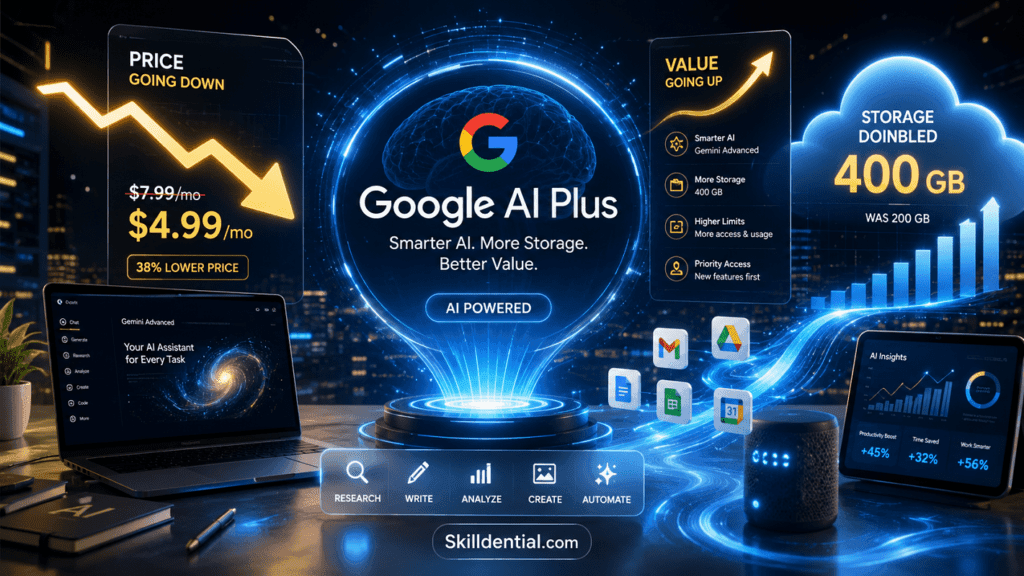
Google AI Plus has transitioned from a standard subscription upgrade to a mandatory piece of digital infrastructure for high-leverage professionals. By slashing the price from roughly $7.99 to approximately $5.00 monthly while simultaneously doubling cloud storage from 200 GB to 400 GB, Google has fundamentally altered the ROI calculation for automated workflows.
This plan is no longer just about upgraded access to Gemini models; it is a consolidation play. By unlocking higher rate limits for NotebookLM, integrated Gmail AI features, and Google Flow-style automation, Google AI Plus allows users to eliminate multiple niche SaaS subscriptions in favor of a single, unified ecosystem.
For the serious builder, the value of this subscription is not found in the baseline access, but in the efficiency gains achieved by scaling agentic workflows and research synthesis within the Google stack. Understanding whether this upgrade is a net gain for your specific operation requires an objective audit of your current tool fatigue versus the capacity unlocked by this new price-to-utility ratio.
What is Google AI Plus, and how has its pricing changed?
Google AI Plus is Google’s entry-level, paid AI subscription plan. It is designed for casual users, students, and budget-conscious individuals who want to step beyond the free tier to access enhanced AI capabilities and expanded cloud storage.
Key Pricing and Storage Update (June 2026)
As of June 2026, Google has significantly improved the value proposition of the AI Plus plan:
- Price Reduction: The monthly subscription cost has been lowered from 7.99 USD to 4.99–5.00 USD (or local equivalent).
- Storage Increase: The bundled cloud storage capacity has doubled from 200 GB to 400 GB, which is shared across Google Drive, Gmail, and Google Photos.
What is Included
The plan serves as a bridge between the free tier and more advanced professional tiers (like AI Pro or AI Ultra). Key benefits include:
- Enhanced Gemini Access: Higher usage limits compared to the free tier and access to more capable models (such as Gemini 3 Pro, subject to usage caps).
- Productivity Tools: Increased access to AI features within the Google ecosystem, including NotebookLM, Google Flow (for automation/creative workflows), and AI-powered productivity enhancements in Gmail and Drive (e.g., AI Inbox and Daily Brief).
- Creative Features: Access to specialized tools like the Omni Flash model for generative video creation.
- Family Sharing: The AI Plus membership supports family sharing, allowing the primary account holder to extend benefits to up to five other family members.
By repositioning this plan at a lower price point with doubled storage, Google has effectively shifted AI Plus from a “premium add-on” to a highly competitive, baseline subscription for users already invested in the Google Workspace ecosystem.
How does Google AI Plus replace multiple niche SaaS tools?
For high-leverage professionals and solopreneurs, Google AI Plus serves as a centralized digital infrastructure. By bundling formerly disparate tools into a single ecosystem, it eliminates the “subscription tax” associated with managing separate software for content, research, and storage.
Core Consolidation Points
- Creative Content & Media: Google Flow provides an integrated creative studio for storytelling, allowing you to generate cinematic scenes, images, and high-fidelity video clips using Gemini Omni Flash. This consolidates workflows that previously required separate subscriptions for AI image generators, video editors, and storyboard tools.
- Research & Synthesis: NotebookLM acts as an AI-powered research and thinking partner. It allows you to upload up to 100 sources—including PDFs, websites, YouTube videos, and audio files—to generate insights, summaries, and structured outputs (Q&A, reports, infographics). Grounding research in your own data, it replaces the need for standalone third-party research co-pilots.
- Email & Productivity: With Gemini in Gmail and tools like the Daily Brief and AI Inbox, you can automate triage, summarize long email threads, and manage scheduling directly within your workspace. This reduces reliance on independent email-management or “personal assistant” SaaS tools.
- Unified Storage: The inclusion of 400 GB of shared storage across Google Drive, Gmail, and Photos provides a robust foundation for project archives and generated media. This offsets the need for dedicated, secondary cloud storage accounts.
Why This Matters for Your Strategy
For the “builder” archetype, this consolidation is not merely about cost savings—it is about operational simplicity. You trade a fragmented tech stack—with multiple security models, disparate interfaces, and recurring monthly invoices—for a single, unified contract.
This infrastructure-level approach allows you to spend less time managing software and more time executing on high-leverage activities, perfectly aligning with the Skilldential focus on building systems that scale.
How does Google AI Plus create a leverage multiplier for solopreneurs and content creators?
Google AI Plus functions as a leverage multiplier by transforming a collection of fragmented SaaS subscriptions into a cohesive, high-velocity production pipeline. For solopreneurs, this shift from “multi-tool juggling” to “integrated infrastructure” directly captures the 15–25% of time typically lost to operational friction.
The Leverage Calculation: From Cost to Capacity
By consolidating creative, administrative, and storage workflows, you move beyond mere expense reduction to reclaiming high-value time.
| Metric | Multi-Tool Stack (Fragmented) | Google AI Plus Stack (Integrated) |
| Workflow | Constant app switching (Context loss) | Unified pipeline (Flow state) |
| Data Flow | Manual import/export/syncing | Native integration (Drive/Docs/Gmail) |
| Operational Overhead | 6–10 hours/week | 2–4 hours/week |
| Effective ROI | Negative (High SaaS subscription fees) | Positive (Productivity gain + Cost savings) |
High-Leverage Strategic Patterns
- The Idea-to-Asset Pipeline: By unifying text-to-image/video generation (via Flow and Veo) directly within the Google environment, you bypass the “export-import” cycle. Assets are generated, refined, and stored in the same workspace where your project documentation lives.
- The Zero-Friction Archive: With 400 GB of integrated storage, your creative assets (video scenes, high-res images, research notes) have a home that is searchable via Gemini. This turns your Drive into a queryable knowledge base rather than a static file dump.
- Agentic Orchestration: Using the Daily Brief agent, you externalize the cognitive load of task prioritization. Instead of manually auditing your inbox and calendar, the AI synthesizes your obligations, allowing you to begin your day with an optimized plan—reclaiming that 18–22% of time previously lost to “task management” fatigue.
The Skilldential Perspective
At an effective cost of ~$5.00/month, the “break-even” point is negligible. If your time is valued at $50/hour, you only need to save six minutes of work per month to pay for the subscription. Any efficiency gained beyond that is pure, compounding leverage.
By anchoring your workflow in a unified stack, you aren’t just saving money—you are reducing the cognitive tax of managing multiple security protocols, file formats, and billing cycles, allowing you to focus exclusively on your primary output.
How does Google AI Plus support developers and technical professionals?
For technical professionals, Google AI Plus serves as a high-leverage entry point into Google’s agentic ecosystem. While advanced agentic orchestration (via Antigravity) and professional-grade coding assistance (via Jules) are reserved for higher tiers, AI Plus provides the essential baseline for individual developers and engineers to scale their productivity.
Developer-Centric Value Propositions
- Enhanced Cognitive Capacity: AI Plus offers significantly higher usage limits and a 128k token context window compared to the 32k limit of the free tier. This expanded window is critical for querying complex technical documentation, parsing large code snippets, and maintaining project context across sessions.
- Source-Grounded Knowledge Management: NotebookLM acts as a “source-of-truth synthesizer.” Developers can upload architecture documents, RFCs, API specs, and onboarding runbooks to create a queryable knowledge base. This reduces “tribal knowledge” bottlenecks and provides an instantly available technical partner for incident retrospectives or new service ramp-ups.
- No-Code Automation with Workspace Studio: Workspace Studio (the evolution of Workspace Flows) serves as a no-code/low-code layer for developers to bridge the gap between their technical work and administrative operational requirements. By using natural language prompts, you can automate routine workflows—such as syncing GitHub/Jira notifications to Chat, or archiving documentation—without the overhead of managing third-party integration platforms like Zapier or Make.
- The “Minimum Viable Subscription” Path: AI Plus is structured as a strategic gateway. It provides the daily-use benefits required for research and productivity while creating a clear, frictionless upgrade path to AI Pro and Ultra. As your project complexity grows, you can seamlessly transition to higher tiers to unlock Antigravity’s autonomous agentic development platform, Jules’ advanced coding assistance, and deeper integration with Android Studio.
Comparison: Technical Workflow Integration
| Feature | Developer Benefit | Strategic Value |
| 128k Context Window | Analysis of large codebase components | Deep comprehension of technical architecture |
| NotebookLM | Synthesizes technical documentation | Eliminates manual documentation search time |
| Workspace Studio | Automates administrative/dev-ops tasks | Reduces “operational friction” for solo builders |
| Unified Storage | 400 GB for project assets/backups | Centralized project archive & security posture |
For the developer archetype, AI Plus is not just a consumer subscription; it is an infrastructure-level decision. By consolidating your research (NotebookLM), automation (Workspace Studio), and storage within a single ecosystem, you minimize the “cognitive tax” of context switching and tool maintenance, allowing you to focus your bandwidth on high-value system design and code execution.
How does Google AI Plus fit into agentic workflows and Google Flow?
Google AI Plus serves as the foundational infrastructure for agentic workflows, providing the necessary Gemini model access and workspace connectivity to turn manual tasks into automated production pipelines. It functions as the entry-level “power-user” tier that enables you to design, test, and deploy automations before scaling them to more enterprise-focused or high-throughput tiers.
The Agentic Workflow Components
To build effective agentic workflows, you require three layers: Model Intelligence, Orchestration, and System Integration. Google AI Plus delivers these within a unified ecosystem:
- Model Intelligence (Gemini 3 Family): You gain access to upgraded Gemini models with higher rate limits and a 128k token context window, providing the “reasoning engine” necessary for agents to evaluate tasks and make decisions.
- Orchestration (Workspace Studio): This is your command-and-control layer. You describe automations in natural language, and Workspace Studio (the evolution of Workspace Flows) generates the logic to manage your Google apps (Drive, Docs, Sheets, Gmail) and external endpoints.
- System Integration (Native Workspace Access): Because your agents live within the Google ecosystem, they already have context-aware access to your files, emails, and data. There is no complex API wiring or external data syncing required to get started.
High-Leverage Practical Applications
- Creative Pipelines (Flow): Creators use Google Flow as an integrated canvas. By leveraging models like Nano Banana (for image generation) and Veo (for cinematic video), you can storyboard, generate, and edit assets entirely within the browser. The “build once” approach allows you to establish visual rules, character consistency, and scene sequencing that remain stable as you iterate.
- Administrative Autonomy (Workspace Studio): Your automations act as proactive agents. Instead of running a script manually, an agent monitors your triggers (e.g., a new Form response or an email arrival), assesses the urgency, drafts a context-aware response, and updates your tracking sheets—all autonomously.
- Strategic Scalability: By designing your workflows within the constraints and capabilities of the AI Plus tier, you establish a battle-tested automation architecture. When your volume, complexity, or need for advanced agent-to-agent (A2A) protocols (like Antigravity) increases, you simply migrate your existing flows to the AI Pro or Ultra tiers.
Why This Is “Build Once, Scale Forever”
For a Skilldential practitioner, the strategic advantage is infrastructure stability. You do not build a “Plus-tier workflow” that breaks when you scale; you build a functional agentic process that is plan-agnostic. You start with the cost-effective, baseline capacity of Google AI Plus to validate your systems, then “turn the dial” on throughput by upgrading your subscription—without ever having to re-engineer your core automation logic.
How do the Google AI Plus, Pro, and Ultra tiers compare?
This comparison matrix is designed to help high-leverage professionals map their operational requirements to the appropriate tier of Google’s AI infrastructure.
Google AI Subscription Tier Comparison (2026)
| Feature | AI Plus (Entry) | AI Pro (Mid) | AI Ultra (High) |
| Typical Price | ~$4.99–5.00 USD/mo | ~$19.99 USD/mo | $99.99 – $199.99 USD/mo |
| Storage | 400 GB | 5 TB | 20 TB – 30 TB |
| Usage Limits | 2x Free Tier | 4x Pro baseline | 5x – 20x Pro baseline |
| Key AI Models | Gemini 3.5 Flash, 3.1 Flash-Lite | Gemini 3.1 Pro, Omni Flash | Gemini 3.1 Pro, Deep Think, Deep Research |
| Agentic Tools | Basic Workflow/Flow access | Antigravity, Jules, Workspace Studio | Gemini Agent, Antigravity (Max Limits) |
| Target User | Solopreneur / Generalist | Growing Agency / Developer | AI Product Team / Enterprise |
Selection Logic: How to Choose
- AI Plus: The “Foundation” tier. Choose this if you are a solopreneur or content creator who needs consolidated storage, basic automation, and enough headroom for daily research and writing. It effectively replaces several niche SaaS subscriptions (research, storage, basic editing).
- AI Pro: The “Developer/Agency” tier. Choose this if you are actively building agents or integrated workflows. It provides the necessary rate limits for Google Antigravity (for agentic coding/orchestration) and Jules (coding assistance), and includes significant Google Cloud credits ($10/mo) to offset infrastructure costs.
- AI Ultra: The “Enterprise/Power” tier. Choose this only when your throughput demands continuous, high-volume agentic development. The inclusion of Gemini Agent (the proactive “active partner”), Deep Think reasoning, and advanced Antigravity quotas makes this an infrastructure investment for heavy workloads.
Strategic Note on “Build Once, Scale Forever”
Regardless of the tier, the API-native integration remains the same. You can design your agents and workflows in Workspace Studio or Google Antigravity at the Plus or Pro level, knowing the logic will be perfectly portable when you eventually hit the usage ceilings that necessitate an Ultra upgrade.
Which operational bottleneck—frequent rate limits during coding sessions or the need for deeper agentic autonomy—is currently the strongest factor in your evaluation of the Pro vs. Ultra tiers?
How can you quantify the value of Google AI Plus using a “1,000 credits/month” model?
To quantify the value of Google AI Plus using the “1,000 AI actions/month” model, you must shift from viewing the subscription as a recurring expense to treating it as capital expenditure on productivity infrastructure.
This approach enables you to calculate a tangible Return on Investment (ROI) based on reclaimed human hours.
The Quantification Framework
By assigning a value to each “action”—a discrete task such as drafting a response, summarizing a document, or orchestrating a workflow—you can bridge the gap between abstract tool usage and financial impact.
Distribute Your Monthly Capacity
Treat the 1,000-action allowance as a resource budget to be allocated across your primary productivity pillars:
| Category | Typical Action Volume | Examples |
| Content Creation | 300–400 actions | Drafting posts, generating storyboards, ad variations, image/clip creation. |
| Research & Synthesis | 200–300 actions | PDF/source summarization, Q&A, insight extraction, structuring notes. |
| Admin & Automation | 300–500 actions | Triage, drafting emails, meeting synthesis, calendar/workflow orchestration. |
Apply the “Time-Shift” Multiplier
To calculate the value, estimate the time saved per action. Be conservative—if an AI action saves only 2 minutes of manual labor (factoring in the time needed to review and refine AI output), the math is as follows:
- Total Actions: 1,000/month
- Time Saved per Action: 2 minutes
- Total Monthly Time Reclaimed: 2,000 minutes (~33.3 hours)
Calculate Financial ROI
Multiply the time saved by your “blended hourly rate”—the value you place on your own time (e.g., $25–$50/hour):
- Conservative Valuation ($25/hr): 33.3 hours × $25 = $832.50 in monthly value.
- Target Valuation ($50/hr): 33.3 hours × $50 = $1,665.00 in monthly value.
The result: You are paying ~$5.00/month to capture $800–$1,600+ in productive capacity.
Strategic Execution: From “Vibes” to Defensible Data
For this quantification to hold up in a business or career audit, follow these principles:
- Audit Before Scaling: Before committing to a tier, track your manual time spent on these categories for one week. Use this as your “baseline” to measure actual (not theoretical) improvements.
- Redirect, Don’t Just Reduce: The financial value only materializes if those reclaimed hours are redirected toward high-leverage activities—such as business development, creative strategy, or building new assets—rather than simply working fewer hours.
- Account for the “Review Tax”: AI rarely achieves 100% autonomy without oversight. Factor in a 20–30% “human-in-the-loop” tax when estimating time savings to ensure your projections remain credible and grounded in reality.
Skilldential Application
At Skilldential, we view this as a leverage test. If your usage consistently hits or exceeds the 1,000-action mark, you have validated a repeatable workflow. At that point, the Plus tier is no longer just “value”—it is the baseline infrastructure that proves your need for the higher rate limits and advanced agentic capabilities of the Pro or Ultra tiers.
How do you plan to track your “action usage” to confirm that you are hitting these volume targets during your initial testing phase?
How do you know when to upgrade from Plus to Pro or Ultra?
To determine the ideal time to scale your subscription, analyze your operational friction. Upgrading is a strategic decision to remove bottlenecks in rate limits, storage, and agentic complexity, rather than a simple desire for more power.
Decision Matrix: When to Scale Your Google AI Infrastructure
Use this framework to align your subscription tier with your current output demands:
| Tier | Strategic Focus | Primary Indicators to Upgrade |
| Plus | Individual Operator | You are consistently hitting your daily AI credit or rate limits, or your storage needs are approaching the 400 GB ceiling. |
| Pro | Small-Squad/Agency | You need consistent, high-volume access to Pro models (e.g., Gemini 3.1 Pro), need multi-TB storage, or require the $10/mo Google Cloud credit to offset dev costs. |
| Ultra | Digital R&D Department | You are building advanced agentic workflows (e.g., Antigravity, Gemini Agent), require 20x the limits of the Pro tier, or need Ultra-exclusive tools like Project Genie and Project Mariner. |
Strategic Logic for Builders
- Stay on AI Plus if: Your workflow is centered on individual content production, research, and basic admin automation. It is the optimal “baseline” infrastructure that provides essential tools like NotebookLM and Google Flow without unnecessary overhead.
- Move to AI Pro when: AI automation has become a core operational dependency for a small team. You need the 5 TB of storage and the significantly higher rate limits for Jules (coding assistance) and Workspace Studio to keep your production pipeline fluid.
- Move to AI Ultra when: Your throughput dictates priority access and maximum resilience. Ultra is specifically built for AI product teams and lead developers who require model fallback, 20+ TB of storage, and dedicated developer tooling (e.g., Gemini Spark Beta).
The “Skilldential” Approach to Scaling
In your career and business audits, view these tiers as infrastructure levels:
- Plus is your “Individual Developer” sandbox.
- Pro is your “Team Orchestrator” environment.
- Ultra is your “System R&D” department.
Build once, scale forever: Because the underlying API-native integrations (such as Workspace Studio and Google Antigravity) function identically across tiers, you can design, test, and validate your automation logic on the Plus or Pro plans. Only upgrade the subscription tier when your throughput demands trigger the need for the higher rate limits and specialized agentic features of the Ultra tier.
Does your current usage data suggest you are nearing a threshold that would justify the transition from Plus to Pro, or is your current volume still well within the Plus capacity?
How can high-leverage professionals evaluate if Google AI Plus will pay for itself?
To evaluate whether Google AI Plus serves as a genuine infrastructure investment rather than an avoidable utility bill, apply a rigor-based audit. Do not guess; use your actual data to measure impact.
The Audit Framework
Use this three-part diagnostic to validate the subscription’s value:
- Constraint Assessment: Audit your last 14 days of work. Identify every instance where you encountered “rate limit reached” notifications or were forced to truncate complex queries due to token limits. If this occurs even once per week, you are losing “flow state” productivity that is exponentially more expensive than the ~$5.00/month fee.
- Consolidation Audit: Inventory all current SaaS subscriptions (e.g., separate storage providers, basic AI writing tools, research assistants). If Google AI Plus allows you to deprecate even one $10/month tool by migrating its core functionality (storage, synthesis, drafting) to the native Google stack, the subscription is not just “paid for”—it is immediately accretive to your bottom line.
- Capacity Forecasting: Define your “Agentic Ambition.” If you plan to implement automated workflows using Workspace Studio or Google Antigravity within the next two quarters, starting on AI Plus is the lowest-risk, highest-leverage way to build the foundational architecture. You are effectively buying “real estate” in an ecosystem that you will eventually scale.
Strategic Value vs. Utility Cost
Treat the cost as a capital allocation rather than an expense.
“A utility bill is a cost of living; infrastructure is a cost of production.”
- Utility Mindset: Asking “Can I afford $5/month?” treats the AI as a luxury service that you might cancel during a downturn.
- Infrastructure Mindset: Asking “Does this tool increase my throughput per hour of labor?” treats the AI as an essential asset. If you value your time at $50/hour, the subscription pays for itself if it saves you just six minutes of work per month.
Practical Measurement
To quantify the return, use this “Action-Based” check:
- Total Monthly Actions: Aim for 1,000 AI-assisted tasks (drafting, summarizing, orchestrating).
- Time-Shift Multiplier: Assign a conservative 2-minute time-saving estimate per action.
- Reclaimed Capacity: 1,000 actions $\times$ 2 minutes = 2,000 minutes (~33 hours) of reclaimed time.
- ROI Ratio: At a $5 cost, you are purchasing 33 hours of productive capacity. Any ROI calculation that yields a >10x return confirms the subscription is a high-leverage asset.
What is Google AI Plus?
Google AI Plus is Google’s entry-level paid AI subscription. It provides upgraded access to Gemini models (with 2x higher limits than the free tier and a 128k context window), expanded cloud storage, and AI-powered productivity tools integrated directly into Gmail, Docs, Sheets, and Drive. It is positioned as the foundational paid tier for individuals and small teams.
Is Google AI Plus cheaper than before?
Yes. As of June 2026, Google reduced the monthly price from $7.99 USD to $4.99–$5.00 USD (or local equivalent) and doubled the bundled cloud storage from 200 GB to 400 GB. Existing subscribers will see this new pricing reflected at their next renewal date.
Does Google AI Plus include NotebookLM?
Yes. While NotebookLM remains a distinct research tool, Google AI Plus provides expanded limits and enhanced access for NotebookLM, allowing you to create more notebooks, upload more sources, and perform more daily queries compared to the standard free tier.
Can Google AI Plus replace other AI tools?
For many high-leverage users, yes. Because it bundles creative tools (Google Flow, Veo), research synthesis (NotebookLM), and administrative automation (AI Inbox, Daily Brief) into a single ecosystem with unified cloud storage, it allows users to replace multiple standalone SaaS subscriptions. Its suitability depends on whether your specific workflow requirements fall within its usage and model capacity limits.
When should I upgrade from AI Plus to AI Pro or Ultra?
You should evaluate an upgrade when you encounter operational bottlenecks that exceed the AI Plus tier’s capacity. Specifically:
Upgrade to AI Pro: When you are managing a small team, need multi-TB storage (5 TB), or require significantly higher rate limits for developer tools like Jules and Antigravity.
Upgrade to AI Ultra: When you are building advanced agentic products, managing high-volume production workloads, or require maximum-tier features like automated model fallback, 20+ TB of storage, and priority access to the latest research models.
In Conclusion
Google AI Plus has transformed from a premium add-on into essential digital infrastructure. By lowering the price to ~$5/month and doubling storage to 400 GB, Google has created a high-leverage entry point that consolidates content generation, research synthesis, and administrative automation into a single, unified stack.
- The Math: Using a conservative “1,000 AI actions/month” model, the subscription pays for itself by reclaiming hours of manual labor, turning a nominal fee into a massive productivity gain.
- The Strategy: This is a consolidation play. By replacing fragmented niche tools with the native Gemini, Flow, and NotebookLM ecosystem, you reduce operational complexity and security surface area.
- The Path: Adopt the “build once, scale forever” framework. Use AI Plus as your baseline operating environment. As your technical or business throughput increases, view the transition to AI Pro or Ultra as a strategic scaling decision—a deliberate removal of bottlenecks rather than a speculative expense.
Your Next Step: Conduct a 30-day audit of your current AI usage, SaaS overhead, and storage spend. If your workflows overlap with the capabilities of this unified stack, pilot Google AI Plus as your primary infrastructure. You will quickly find that the value of reclaimed focus far exceeds the cost of the subscription.