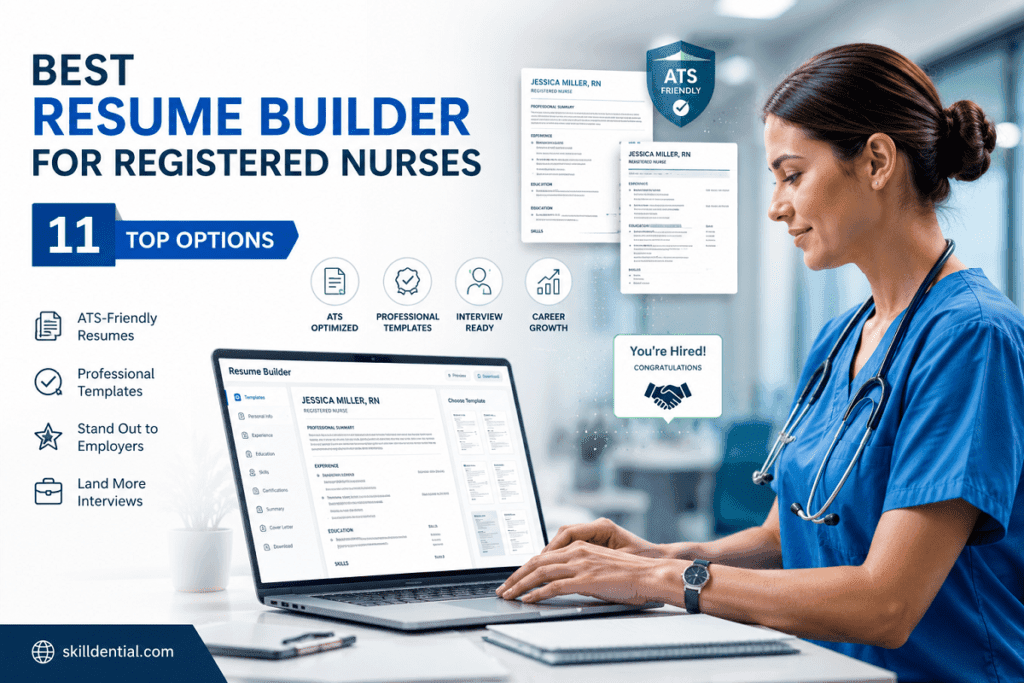
Best Resume Builder for Registered Nurses: 11 Top Options
A high-quality resume builder for registered nurses is a specialized software tool designed to translate complex clinical experience into high-conversion professional assets. These platforms leverage industry-specific templates and content prompts to streamline the documentation process. Key features typically include ATS-friendly formatting, specialized healthcare keyword libraries, and high-fidelity file exports.
Many modern versions integrate AI-assisted bullet point generation to help clinicians emphasize critical certifications and advanced technical skills. Ultimately, the effectiveness of any resume builder for registered nurses depends on the user’s ability to input high-impact, keyword-targeted clinical achievements that resonate with hiring managers.
How a Nurse-Focused Resume Builder Works
A resume builder for registered nurses functions as a strategic engine, transforming clinical tasks into high-impact professional assets. Unlike generic document editors, these tools are architected to satisfy both the rigid requirements of Applicant Tracking Systems (ATS) and the professional expectations of clinical nurse managers.
The process operates on a three-tier framework:
- Structure & ATS Compliance: The builder enforces standardized headers, clear font hierarchies, and professional layouts. This ensures the parser correctly identifies critical data points like license numbers, certifications (e.g., CCRN, CEN), and clinical rotation history, preventing the “black hole” of automated rejection.
- Contextual Content Engineering: Instead of basic templates, the software provides role-specific prompts designed for healthcare. By inputting routine clinical duties, the tool uses AI to pivot from task-oriented descriptions to achievement-based metrics. It converts generic statements into quantifiable results, such as: “Reduced central line-associated bloodstream infections by 15% through protocol optimization and staff training.”
- Keyword Optimization & Export: The system integrates healthcare-specific keyword libraries that map to industry-standard terminology. This ensures your profile surfaces for high-value search terms like “EHR proficiency,” “high-acuity triage,” or “patient-to-nurse ratio management.” Finally, the builder outputs high-fidelity Word or PDF files, ensuring the formatting remains consistent across all viewing platforms.
By delegating the technical structure to a resume builder for registered nurses, you shift your focus entirely to the high-leverage work: selecting the clinical accomplishments that demonstrate the highest value to your target facility.
How ATS Optimization Increases Interview Rates
The primary function of a resume builder for registered nurses regarding ATS (Applicant Tracking System) optimization is to move your application from the “rejected” pile to the recruiter’s shortlist. In high-volume hospital hiring, where a single job posting can attract hundreds of applicants, the ATS acts as a digital gatekeeper.
Here is how these builders systematically improve your interview rate:
- Eliminating Parsing Errors: ATS software often fails to “read” complex resumes containing images, icons, multi-column layouts, or non-standard fonts. A specialized builder strips away these technical blockers, using clean, single-column structures and standard header tags. By ensuring the software can accurately extract your work history, licensure, and clinical certifications, the builder prevents the “false negative”—where a qualified candidate is discarded simply because the system could not parse the document.
- Targeted Keyword Alignment: Healthcare recruiters configure ATS settings to prioritize specific certifications (e.g., ACLS, PALS), specialized equipment proficiency, or specific unit experience (e.g., MICU vs. NICU). A resume builder for registered nurses provides a library of these high-value industry keywords. When you incorporate these terms into your bullets, you increase your “relevance score” within the ATS, directly influencing your ranking in the recruiter’s candidate queue.
- Data Consistency: Parsers rely on predictable data patterns. Builders enforce consistent date formatting (e.g., MM/YYYY) and clear categorization of clinical rotations and professional roles. This consistency allows the ATS to calculate total years of experience accurately—a critical metric for salary bands and clinical eligibility.
- The “Human Pass” Threshold: By automating the technical structure, the builder ensures that when the resume reaches a human recruiter, it is scannable. A clean, professional layout helps recruiters quickly identify your value proposition, increasing the chances of moving to the interview phase.
By utilizing a resume builder for registered nurses, you are essentially engineering your application to clear the technical filters first, ensuring your actual clinical expertise is the final, decisive factor in securing an interview.
Converting Clinical Tasks into Measurable Achievements
The most common mistake in nursing resumes is a focus on “duty”—listing what you were required to do rather than what you actually accomplished. To scale your career, you must transition to “impact-based” writing.
A resume builder for registered nurses acts as a force multiplier here, using AI prompts to help you apply the following high-leverage formula to your clinical history:
Formula: Action + Context + Metric = Result
- Action: Start with a strong, active verb (e.g., Spearheaded, Optimized, Managed, Reduced).
- Context: Define the environment or specific clinical challenge (e.g., High-acuity ICU, trauma triage, discharge workflow).
- Metric: Quantify the impact using data (e.g., 15% decrease in infection rates, 20-minute reduction in door-to-needle time, 98% patient satisfaction scores).
Examples of High-Impact Conversions
| Before (Task-Based) | After (Achievement-Based) |
| Managed patient discharges. | Streamlined discharge protocols in a 30-bed surgical unit, reducing average Length of Stay (LOS) by 0.6 days. |
| Maintained patient safety. | Minimized medication administration errors by 100% through the implementation of a double-check verification workflow for high-risk infusions. |
| Trained new nursing staff. | Mentored 10+ new hires on Epic EHR clinical workflows, achieving a 30% reduction in documentation errors during the onboarding phase. |
Leveraging AI for Rapid Synthesis
When using a resume builder for registered nurses, do not just accept the default text. Use the AI prompt feature to input your raw notes—even if they are just messy clinical observations—and ask the tool to:
- “Convert this task into a metric-driven bullet point.”
- “Rewrite this clinical duty using high-leverage action verbs.”
- “Extract quantifiable metrics from this experience description.”
By framing your resume this way, you move beyond the label of “Generalist” and present yourself as a clinical strategist who actively contributes to the hospital’s bottom line, quality metrics, and operational efficiency.
Efficiency for Travel Nurses: The 15–45 Minute Workflow
For travel nurses, speed is a competitive advantage. In a market where high-paying contracts are often posted and filled within hours, the ability to rapidly generate a tailored resume is not just a convenience—it is a requirement.
Using a specialized resume builder for registered nurses, you can reduce the manual effort of updating your credentials and experience to a 15–45 minute window. This efficiency is achieved by shifting from “writing” a resume to “configuring” a pre-validated profile.
The “Master-to-Tailored” Workflow
To achieve this speed, you must move away from maintaining a single static document and instead manage a Master Profile within a high-leverage builder.
- The Master Profile (The Source of Truth): Keep one comprehensive document (often 3–5 pages) that contains every clinical rotation, certification, piece of equipment experience, and facility detail from your entire career.
- Modular Configuration: When a new contract appears, don’t rewrite your history. Use your builder’s “cloning” or “save version” feature to create a copy.
- Strategic Swapping (The 15-Minute Task):
- Keyword Injection: Scan the new job description for specific EHR systems (e.g., Epic, Cerner) or specialized equipment (e.g., specific ventilator models) and ensure these are prominent.
- Summary Alignment: Update your Professional Summary to mirror the facility’s specific needs (e.g., emphasizing “rapid onboarding” for a crisis contract or “leadership” for a charge nurse position).
- Certification Highlight: Move the most relevant certifications for that specific unit (e.g., TNCC for ER, CCRN for ICU) to the top of your credentials list.
Why This Workflow Wins
- Reduced Friction: By using a builder that supports profile cloning, you avoid the formatting nightmares of Word or PDF editing. The layout remains consistent while the data changes.
- Recruiter Readiness: Recruiters favor candidates who can provide a resume that mirrors their facility’s requirements. This speed allows you to be among the first to apply, which significantly increases your likelihood of being shortlisted.
- Error Prevention: Manual editing is where typos occur. Using a builder that keeps your core data (license numbers, dates, education) “locked” in a template ensures that your critical information remains accurate, regardless of how many times you swap keywords.
Strategic Recommendation: When evaluating your “11 Top Options,” prioritize tools that offer cloud-based storage, multi-document versioning, and direct PDF exports. These are the features that allow you to treat your career as a series of high-leverage projects rather than a series of administrative chores.
Showcasing Leadership: Beyond Clinical Care
For nurse leaders, managers, and charge nurses, a resume builder for registered nurses must do more than list clinical competencies—it must demonstrate operational and strategic impact. If your resume reads only like a list of patient-care tasks, you effectively disqualify yourself from leadership roles.
To showcase nonclinical accomplishments, you must use your builder’s specialized modules to pivot from “caregiver” to “business leader.”
The Strategic Pivot: Measuring Operational Impact
When using your builder, ensure you are not just documenting what you did, but the scale at which you did it. Replace clinical hours with organizational KPIs:
- Financial Impact: Instead of “managed the unit,” use “managed a $2M annual operating budget with a 10% reduction in overtime costs through optimized staffing models.”
- Talent Development: Instead of “trained new staff,” use “led a team of 45+ RNs and technicians, achieving a 95% staff retention rate during a period of high clinical turnover.”
- Quality & Accreditation: Instead of “helped with inspections,” use “orchestrated JCAHO accreditation prep, resulting in a zero-deficiency survey for the telemetry unit.”
- Systems Implementation: Instead of “used the computer system,” use “spearheaded the unit-wide transition to Epic EHR, providing training for 60+ staff members and reducing documentation errors by 25%.”
Builder Features for Nurse Leaders
When selecting your “11 Top Options,” prioritize tools that offer these high-leverage modules:
- Dedicated “Leadership & Projects” Sections: Avoid generic builders that only have a “Work History” block. You need a tool that allows for a dedicated section to detail initiatives, budget oversight, and policy development.
- Metric-Focused Prompting: Look for AI integration that can specifically pull in leadership metrics. A good prompt for these tools is: “Transform this initiative into a leadership-focused bullet point emphasizing ROI and team management.”
- Flexible Formatting: Leaders often have longer resumes than staff nurses. Your chosen builder must allow for a 2-page layout without sacrificing ATS readability.
- Customizable Header Modules: Ensure the builder allows you to highlight Professional Certifications (e.g., NE-BC, CNML) prominently at the top, immediately establishing your leadership credentials before the recruiter even scans your work history.
Strategic Note: By moving these nonclinical accomplishments to the top of your resume, you signal to the recruiter that you are a high-level candidate, effectively positioning yourself for administrative roles.
11 Top Options (Categorized by Utility)
Not all resume builders are architected for the high-stakes environment of healthcare hiring. To bypass ATS filters and effectively capture the attention of clinical recruiters, you need a tool that aligns with your specific career level and specialty. The following top-tier options have been curated based on their clinical utility, ATS-readiness, and ability to translate technical nursing expertise into measurable professional impact.
Best for Design/Professionalism
- Canva (Healthcare Templates): Best for visual portfolios; offers clean, modern layouts. Caution: Stick to single-column, text-heavy templates to ensure ATS readability.
- Novorésumé: Offers highly structured, clean layouts with dedicated modules for Certifications and Licenses, making it excellent for clinical professionals who need to emphasize credentials.
Best for AI/Content Generation
- Enhancv: The premier choice for nursing professionals. Features a robust AI “Bullet Point Generator” and “Job Tailoring” tool that allows you to transform raw clinical notes into metrics-driven achievements. It specifically supports the narrative-heavy sections (leadership/projects) that managers need.
- Rezi: Built for extreme ATS optimization. Its AI excels at parsing job descriptions to inject exact keywords, ensuring your resume ranks highly for high-volume hospital applicant tracking systems.
Best for ATS Optimization
- Jobscan Resume Builder: More than a builder; it provides an ATS “score” in real-time. Use this to verify that your clinical terminology matches the specific filters used by major hospital systems.
- Resume.io: Produces clean, standards-compliant HTML/Word outputs. Its simplicity is its strength—by avoiding complex formatting, it ensures your nursing history is parsed reliably by every major ATS.
Best for New Graduates
- Zety: Highly guided experience. Its step-by-step interview-style prompts help new grads translate academic clinical rotations, externships, and volunteer hours into professional competencies.
- ResumeCoach: Simplifies the process of creating a first-time resume by providing pre-written bullet points specifically categorized by common nursing entry-level roles (e.g., Med-Surg, Clinic, LPN).
Best for Specialty & Mid-Level Nurses
- Teal: Designed for high-leverage job seekers. Its “Job Tracking” and “Profile Cloning” features are the gold standard for travel nurses who need to manage multiple, tailored versions of their resume simultaneously.
- LiveCareer: Features extensive libraries of industry-specific templates and pre-approved phrasing for high-acuity roles like ICU, ER, and OR, ensuring technical terminology is accurate.
Best for Nurse Leaders & Managers
- LinkedIn Resume Builder: Essential for maintaining a synchronized profile. By keeping your LinkedIn data updated, you can generate a high-visibility, professional resume in seconds—a critical asset for leadership networking and executive headhunting.
Strategic Implementation: When presenting these tools in your guide, emphasize that the AI generation features (like those in Enhancv or Rezi) are best used to create the foundation, but the final “human touch” of verifying specific clinical metrics and state-required license abbreviations remains the user’s responsibility.
Decision Matrix: Choosing the Right Builder
To wrap up this guide, the following decision matrix provides a high-leverage framework for selecting the right tool based on your specific professional requirements. The selections prioritize industry-standard platforms that balance clinical specificity, ATS-readiness, and performance efficiency.
| Primary Need | Top Pick | Why |
| Design / Professionalism | Canva | Unmatched visual control; ideal for building a high-end nursing portfolio. |
| AI / Content Generation | Incredible Health | Nurse-specific prompts and an AI engine trained on nursing-only datasets. |
| ATS Optimization | Jobscan | Real-time “score” feedback ensures your keywords match hospital-specific ATS filters. |
| New Grads | Zety | Guided, step-by-step prompts that translate externships and rotations into professional experience. |
| Specialty Nurses | Rezi | Advanced job-description parsing to inject precise technical equipment and terminology. |
| Nurse Leaders | Enhancv | Dedicated modules for KPI-driven bullet points, budgets, and operational projects. |
Strategic Implementation: The “Master-to-Clone” Workflow
To operate at an expert level, do not treat your resume as a static file. Use this 4-Step Execution Framework:
- Build Your Master Source: Create one “Master Resume” containing every detail, metric, and certification of your career. This document should live in your chosen builder as your “Source of Truth.”
- Clone for Conversion: Never apply to a job with your Master file. Use your builder’s clone/duplicate feature to create a targeted version for every application.
- The 15-Minute Tailoring: Spend 15 minutes per clone swapping keywords, aligning your professional summary to the specific facility’s mission, and moving the most relevant credentials to the top.
- Quantify via AI: Use your builder’s AI prompt window to convert your raw clinical notes into outcome-based bullets. Formula: Action Verb + Clinical Context + Metric = Result.
Authority & Evidence (Reference Points)
- Licensure & Credentialing: Verify all requirements against state-specific nursing boards and national certification databases (e.g., NCSBN.org).
- Healthcare Employment Data: Use federal reports for career trajectory benchmarks and hiring outlooks (e.g., BLS.gov).
- ATS & Recruitment Best Practices: Reference university career center guidelines regarding document formatting, structural hierarchy, and keyword density (e.g., Harvard.edu).
Are resume builders safe for nurse licensure details?
Yes. These platforms are designed to handle professional credentials securely. However, always verify that your state and license numbers are accurate. Crucially, ensure you omit any sensitive patient data or PII (Personally Identifiable Information) to maintain HIPAA compliance.
Will an ATS-friendly builder replace the need for tailoring?
No. A builder optimizes your document for parsing, but it cannot know the specific nuances of every hiring facility. You must still perform manual keyword tuning to align your resume with the specific language found in each job description.
Can AI-created bullet points be used as-is?
Treat AI-generated text as a foundational draft. Always verify all metrics, dates, and clinical terminology against your personal experience for accuracy and professional compliance before final submission.
Which file format should nurses submit?
Submit a Word (.docx) file unless the job posting explicitly requests a PDF. Microsoft Word remains the most compatible format for the wide variety of parsing software used by hospital recruitment systems.
How often should nurses update their master resume?
Treat your resume as a living document. Update it immediately following any new certification, completion of a complex clinical case, or taking on leadership duties. At a minimum, review your metrics and quality improvement achievements quarterly to ensure your “Source of Truth” is always ready for the next career pivot.
In Conclusion
To scale your career, treat your resume as a dynamic asset rather than a static document. Use the following framework to maintain a competitive advantage:
- Implement the Master-to-Clone Workflow: Maintain one comprehensive “Master Resume” to serve as your source of truth, then generate tailored clones for every application to maximize interview rates.
- Prioritize ATS-Native Tools: Select builders that produce clean, parseable Word/PDF outputs and integrate healthcare-specific keyword libraries.
- Quantify via AI: Use AI to draft achievement-based bullet points from your clinical duties, but consistently validate all metrics and terminology for accuracy.
- Balance Speed and Precision: For optimal results, combine an ATS-scoring tool (such as Jobscan) with an AI-generation platform (such as Rezi or Enhancv) to ensure your applications are both compliant and high-impact.
Download your master-resume template and 5-step prompt pack for converting clinical tasks into achievement-based bullets.